linux中的火墙策略优化--firewalld、iptables
linux中的火墙策略优化
- 前言
- 一、火墙介绍
- 二、火墙管理工具切换
- 三、firewalld的使用
- 1.firewalld的域
- 2.firewalld管理命令
- 3.firewalld的高级规则
- 四、iptables的使用
- 1.iptables命令
- 2.数据包状态
- 3.nat表中的dnat、snat
前言
本章主要学习介绍iptables、firewalld的使用。
一、火墙介绍
netfilter:真实的火墙,位于内核中
iptables/firewalld:火墙管理工具,默认使用firewalld来管理系统火墙。firewalld实质是通过调用模块(做好的插件,可直接调用)来管理netfilter火墙。
二、火墙管理工具切换
dnf install iptables-services.x86_64 -y 安装iptables服务
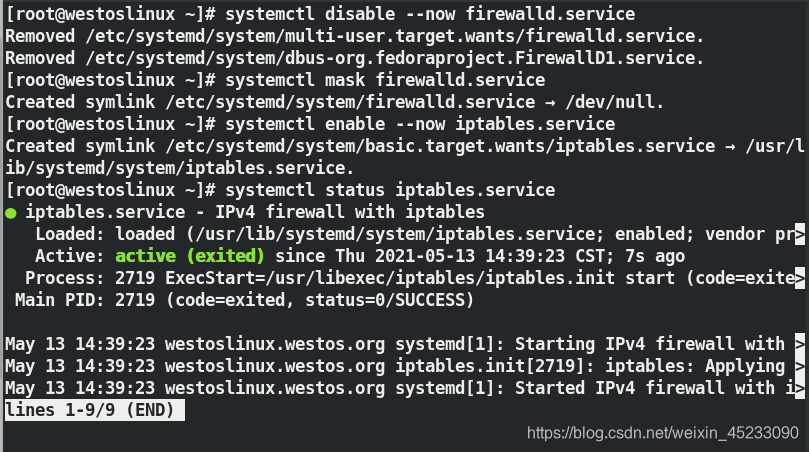
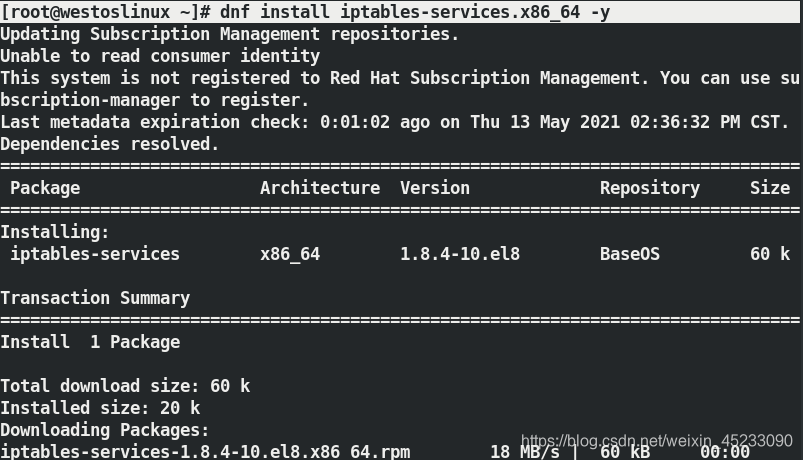 firewalld ----> iptables 切换
systemctl disable --now firewalld
systemctl mask firewalld			关闭并锁定火墙
systemctl enable --now iptables		开启iptables
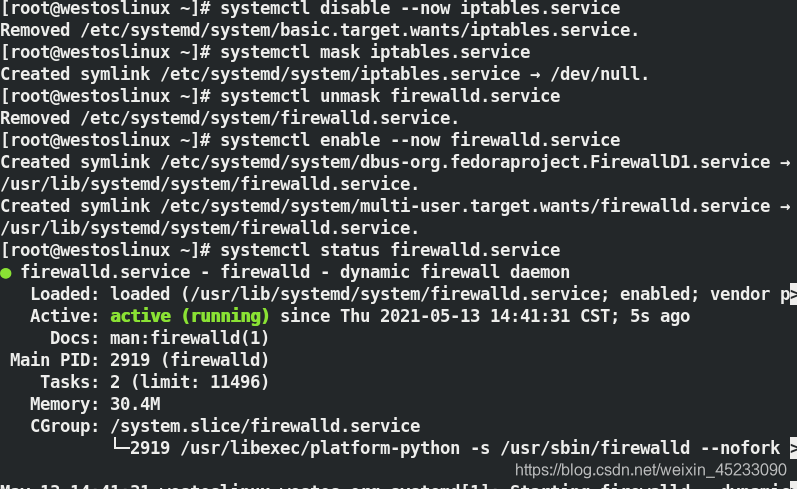
 iptables ----> firewalld 切换
systemctl disable --now iptables
systemctl mask iptables			关闭并锁定iptables
systemctl unmask firewalld		解锁火墙并打开
systemctl enable --now firewalld
三、firewalld的使用
firewalld的数据存储
/etc/firewalld					火墙配置目录
/lib/firewalld					火墙模块目录
1.firewalld的域
| trusted | 接受所有的网络链接 |
| home | 用于家庭网络,允许接受ssh mdns ipp-client samba-client dhcp-client |
| work | 工作网络,ssh ipp-client dhcp-client |
| public | 公共网络 ,ssh dhcp-client |
| dmz | 军级网络 ssh |
| block | 拒绝所有 |
| drop | 丢弃,所有数据全部丢弃无任何回复 |
| internal | 内部网络,ssh mdns ipp-client samba-client dhcp-client |
| external | ipv4网络地址伪装转发 sshd |
2.firewalld管理命令
firewall-cmd --state 查看火墙状态

firewall-cmd --get-active-zones 查看当前火墙中生效的域
 添加网卡
添加网卡
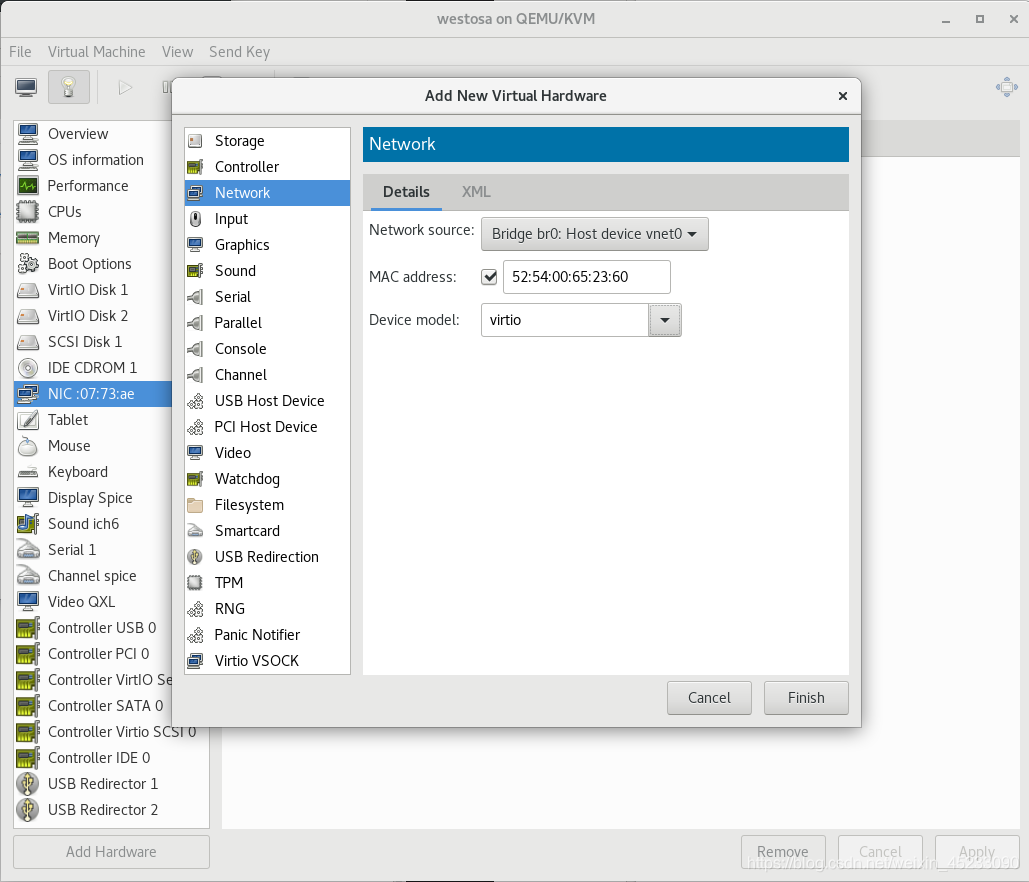
配置第二个网卡的网络
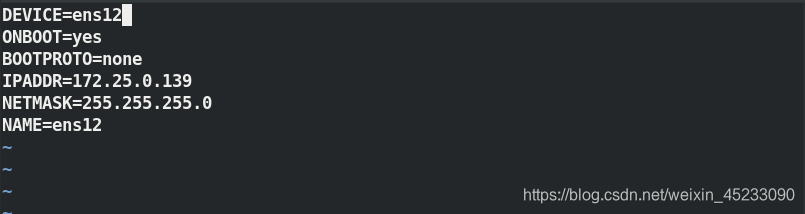 再次查看火墙中生效的域

firewall-cmd --get-default-zone 查看默认域

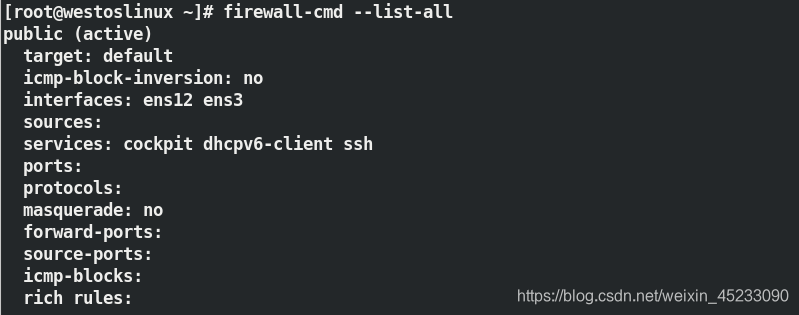
firewall-cmd --list-all 查看默认域中的火墙策略
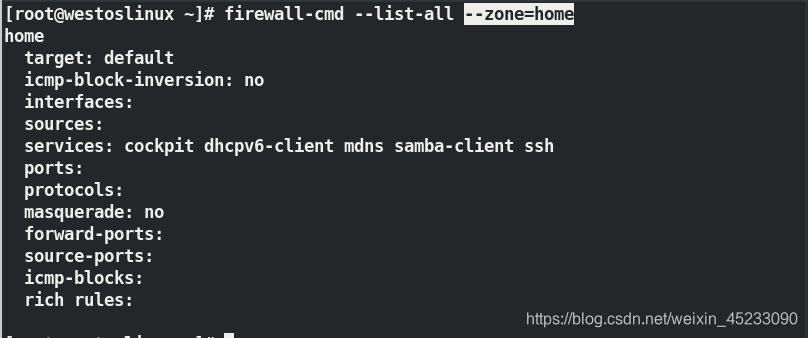
firewall-cmd --list-all --zone=home 指定域中的火墙策略
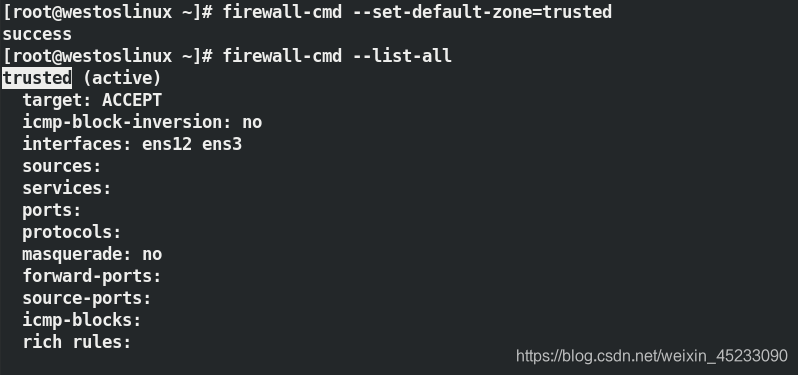
firewall-cmd --set-default-zone=trusted 设定默认域
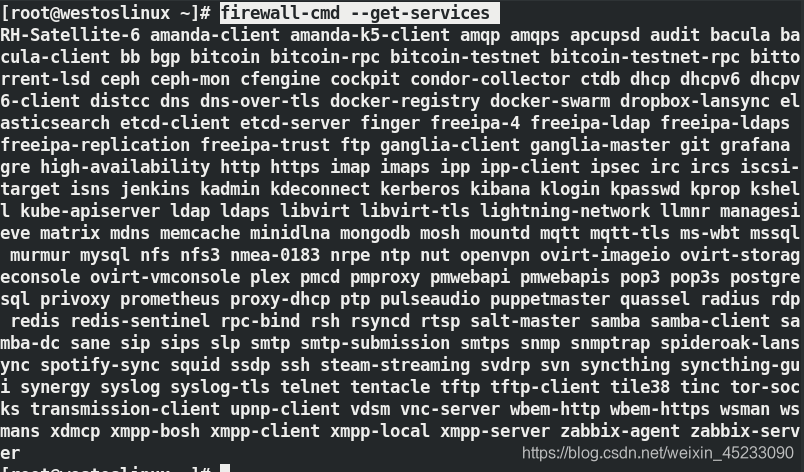
firewall-cmd --get-services 查看所有可以设定的服务
firewall-cmd --permanent --remove-service=dns 移除服务dns,--pernanent表示修改文件
firewall-cmd --reload		刷新火墙,读取修改文件

firewall-cmd --permanent --add-source=172.25.254.39/24 --zone=trusted 指定数据来源172.25.254.39访问指定域名trusted

firewall-cmd --permanent --remove-source=172.25.254.39/24 --zone=trusted 删除自定域trusted中的172.25.254.39的数据来源

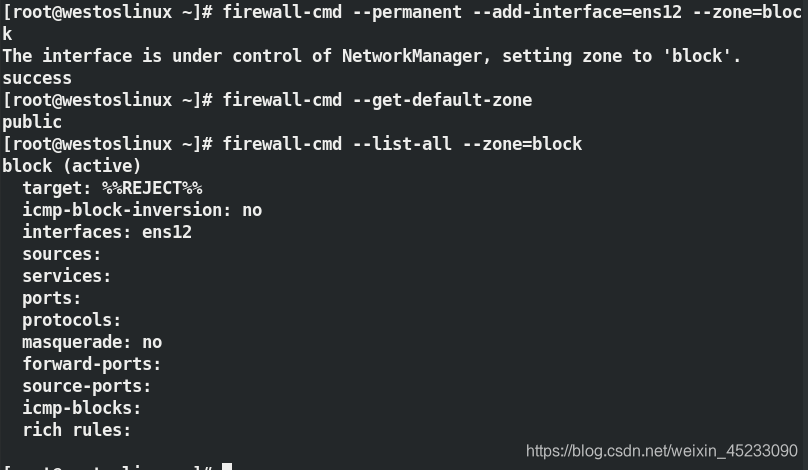
firewall-cmd --permanent --add-interface=ens12 --zone=block 添加指定域的网络接口
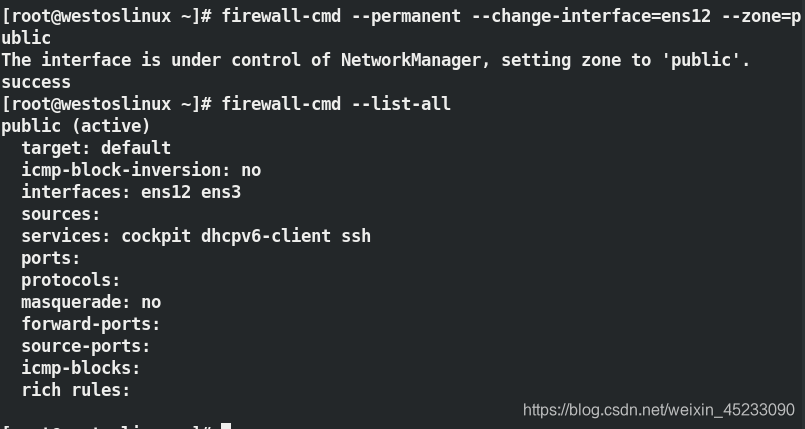
firewall-cmd --permanent --change-interface=ens12 --zone=public 更改网络接口到指定域
3.firewalld的高级规则
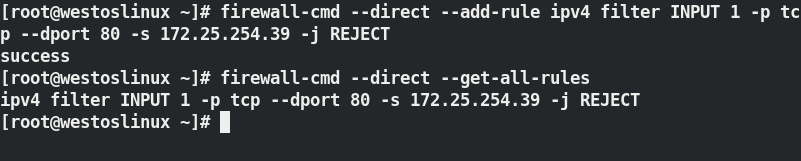
firewall-cmd --direct --add-rule ipv4 filter INPUT 1 -p tcp --dport 80 -s 172.25.254.39 -j REJECT  设定httpd服务来自39端口拒绝访问
firewall-cmd --direct --get-all-rules		查看高级规则
 ## 4.firewalld中的NAT
需要两台虚拟机,
第一台虚拟机配置双网卡,ip分别为172.25.254.139、172.25.0.139
第二台虚拟机配置网卡ip172.25.0.239
主机ip172.25.254.39
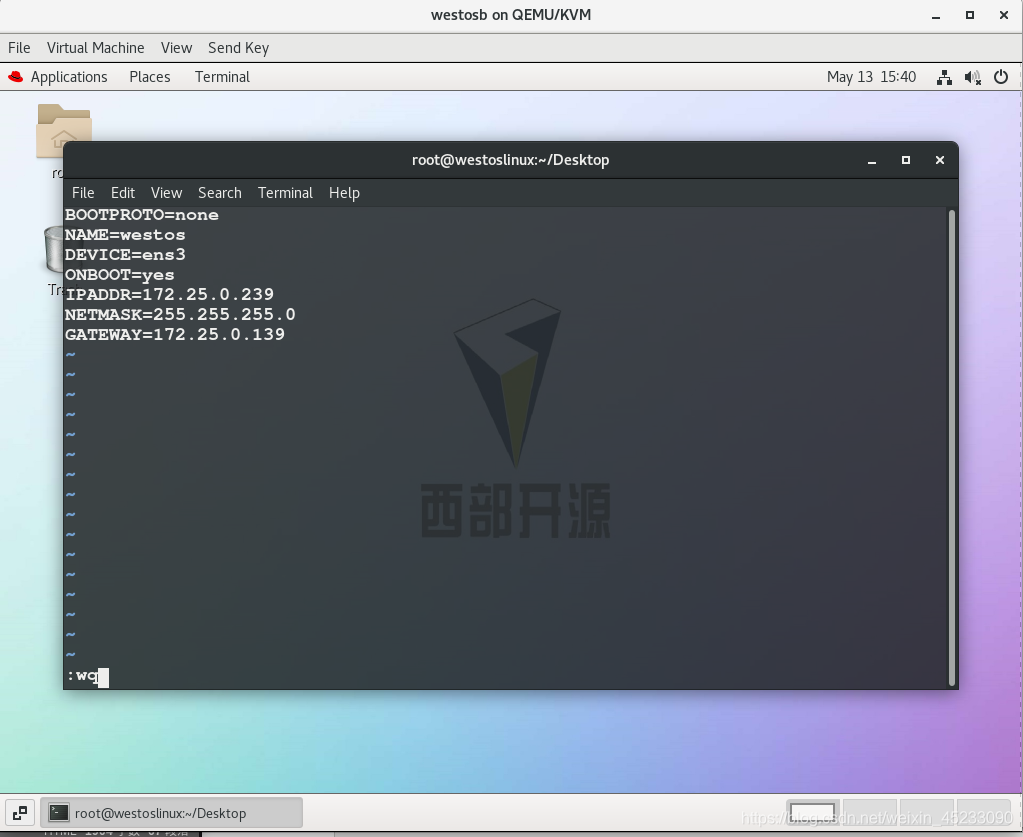
SNAT: 内网访问外网
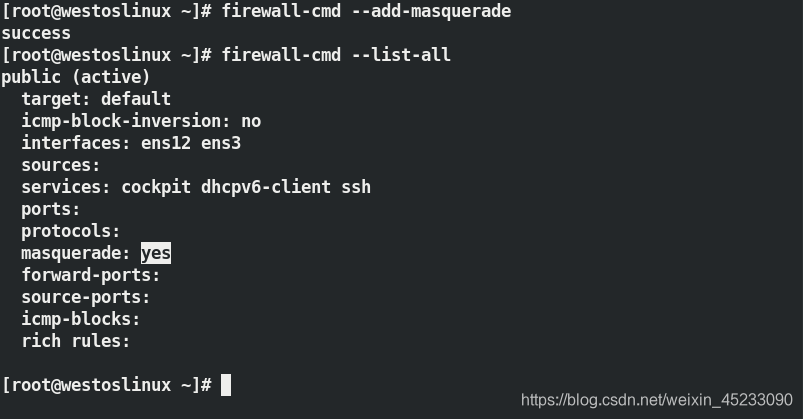
双网卡虚拟机充当虚拟机
firewall-cmd --add-masquerade
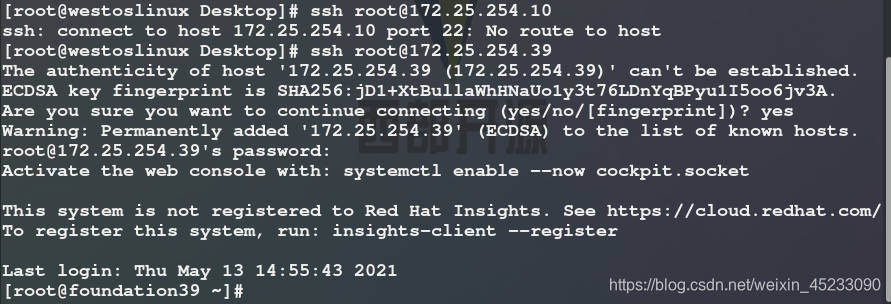
 在172.25.0.239中登陆172.25.254.10
 DNAT: 外网访问内网
双网卡打开端口22到172.25.0.239
firewall-cmd --add-forward-port=port=22:proto=tcp:toport=22:toaddr=172.25.0.239
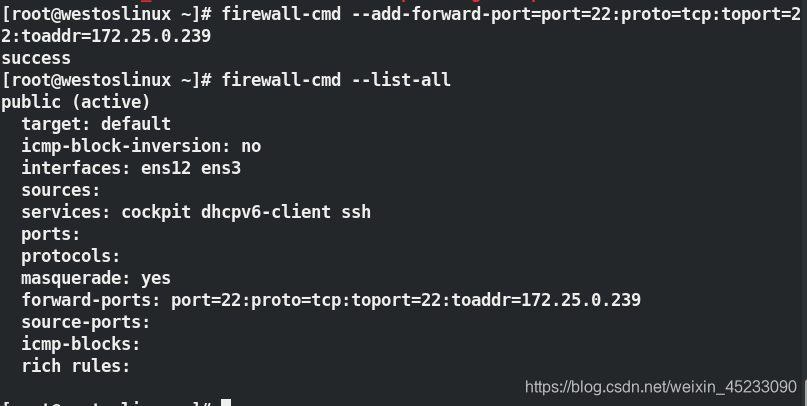
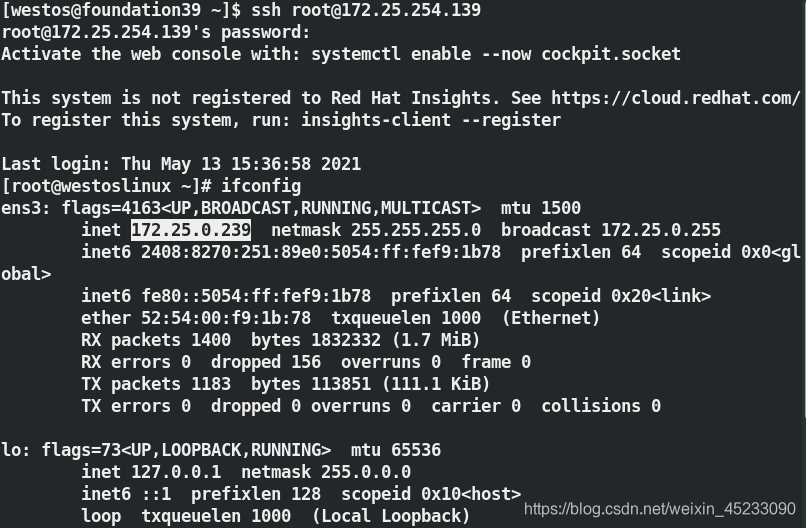
使用172.25.254.39访问172.25.254.139,实际访问跳转到172.25.0.239
四、iptables的使用
默认策略中的5条链
| input | 输入 |
| output | 输出 |
| forward | 转发 |
| postrouting | 路由之后 |
| prerouting | 路由之前 |
默认的3张表
| filter | 经过本机内核的数据(input output forward) |
| nat | 不经过内核的数据(postrouting,prerouting,input,output) |
| mangle | 当filter和nat表不够用时使用(input output forward postrouting, |
1.iptables命令
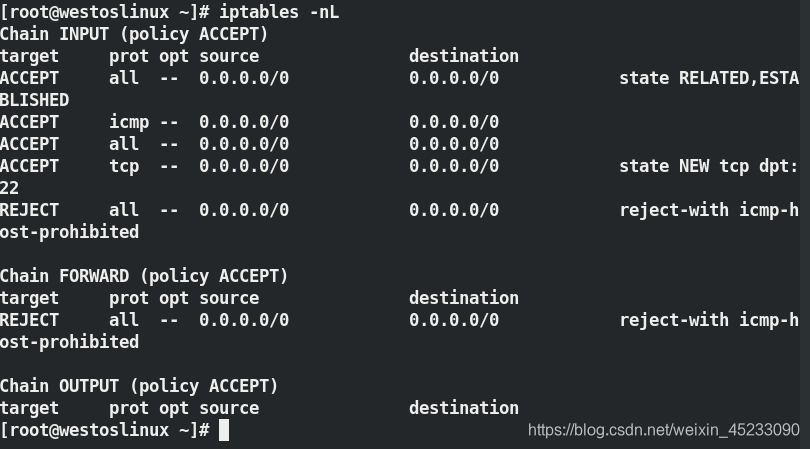
iptables -nL 查看 -n不做解析
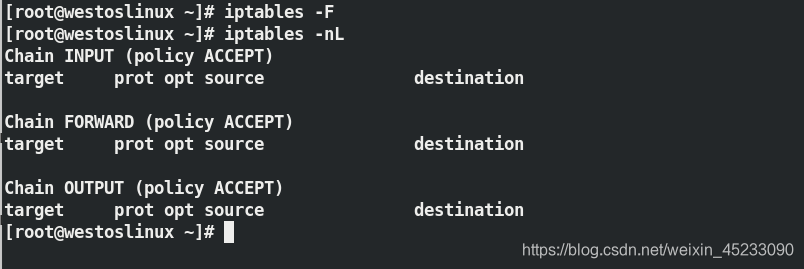
iptables -F 刷新
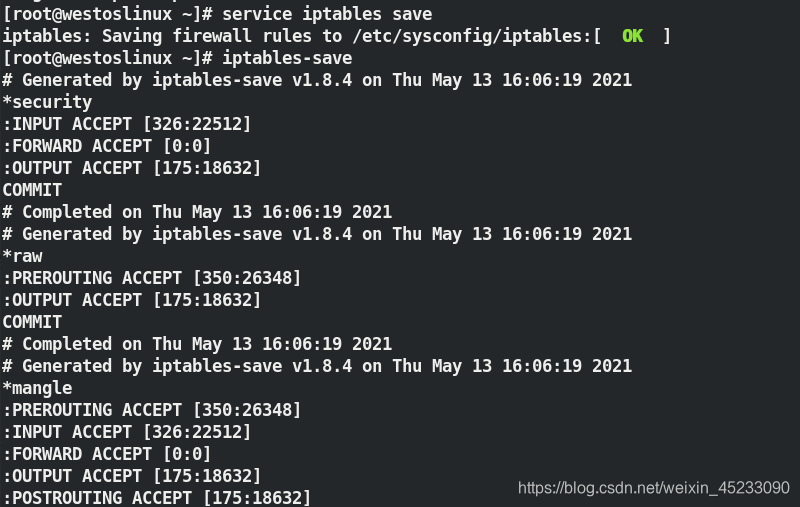
service iptables save
iptables-save		保存刷新结果
iptables -t nat -nL	-t查看nat表
iptables -t mangle -nL	查看mangle表
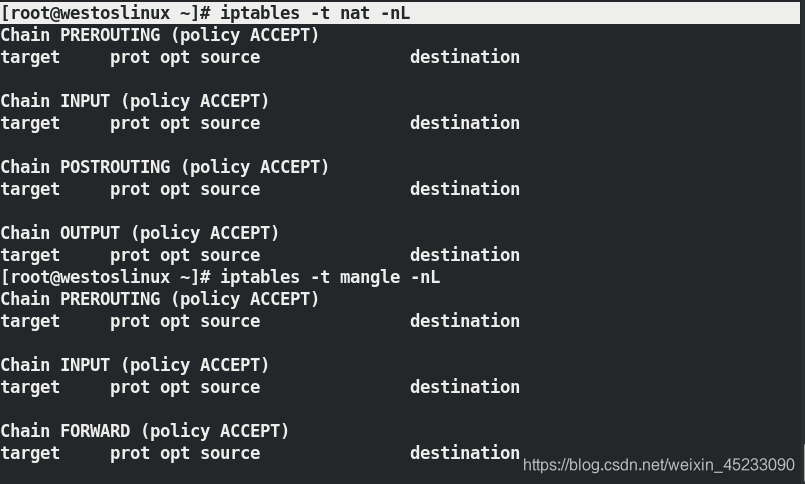
iptables -t filter -A INPUT -s 172.25.254.9 -j ACCEPT 在filter表中的INPUT链添加来源于172.25.254.9的策略且被允许
iptables -nL
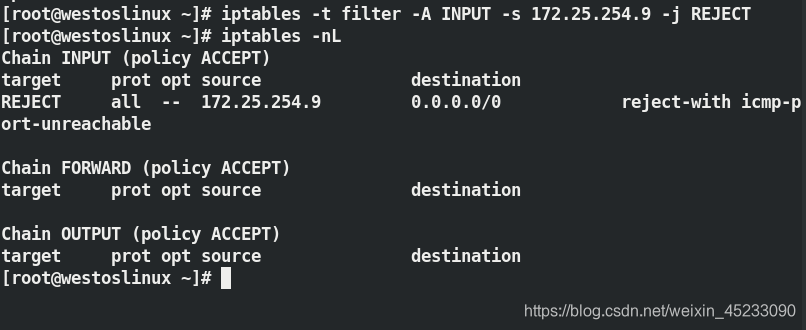
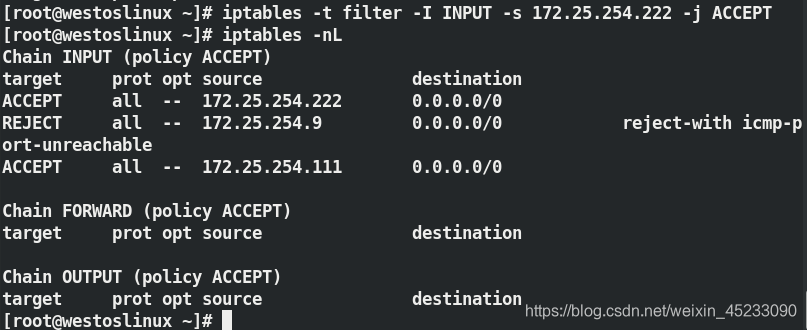
iptables -t filter -I INPUT 2 -s 172.25.254.111 -j ACCEPT	在第二行添加
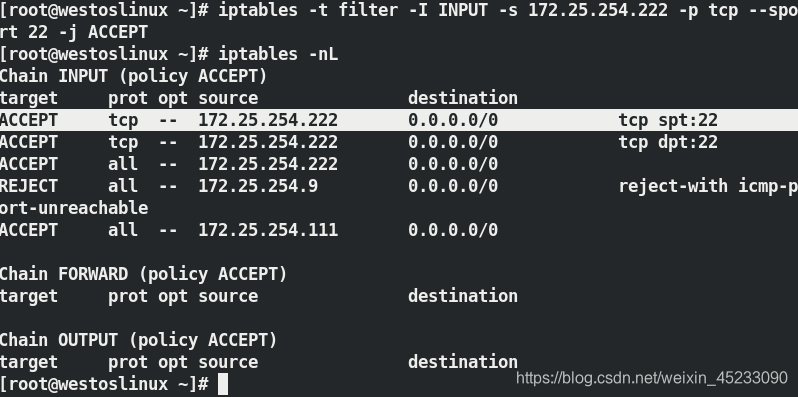
iptables -t filter -I INPUT  -s 172.25.254.222 -j ACCEPT	在开头添加
iptables -nL
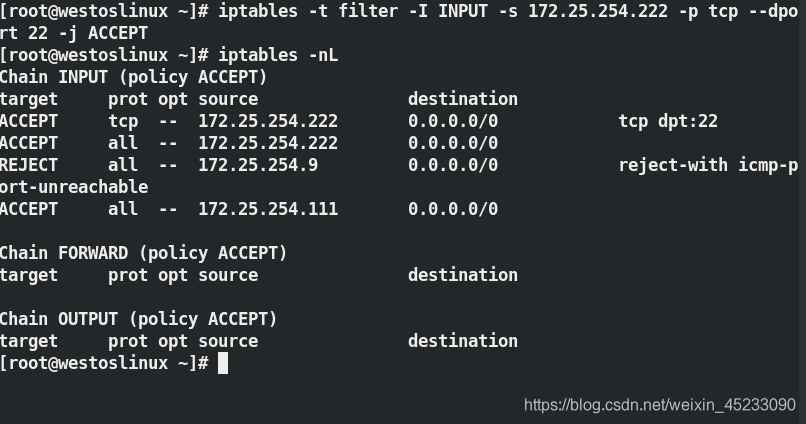
iptables -t filter -I INPUT  -s 172.25.254.222 -p tcp --dport 22 -j ACCEPT	指定协议tcp --deport指定目的地端口为22
iptables -nL
iptables -t filter -I INPUT -s 172.25.254.222 -p tcp --sport 22 -j ACCEPT
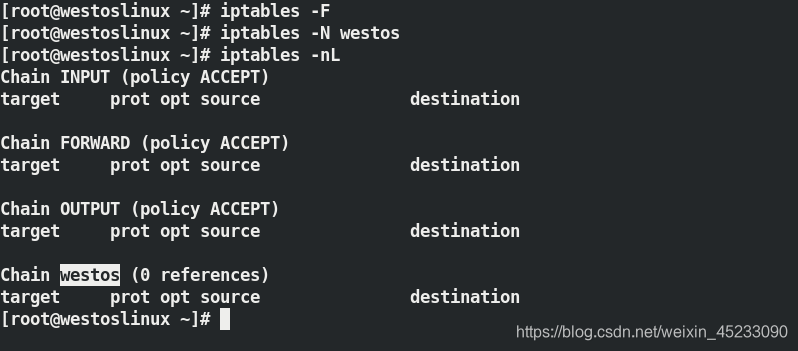
iptables -N westos 添加链名为westos
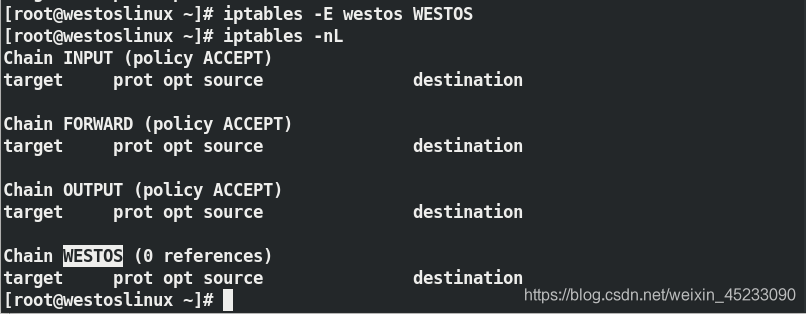
iptables -E westos WESTOS 修改链名称
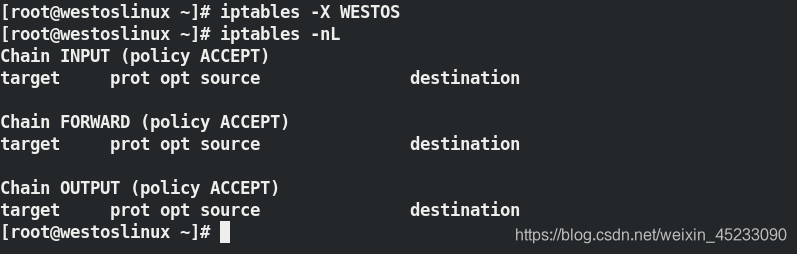
iptables -X WESTOS		删除链
iptables -nL
iptables -R INPUT 1 -p tcp --sport 22 -s 172.25.254.22 -j ACCEPT 更改规则
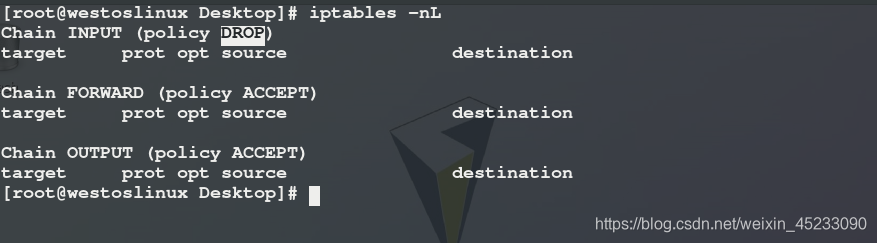
iptables -P INPUT DROP		更改默认规则
iptables -nL
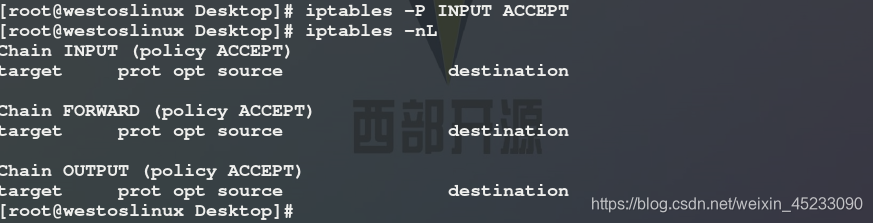
iptables -P INPUT ACCEPT
2.数据包状态
| NEW | 新连接 |
| ESTABLISHED | 正在连接的 |
| RELATED | 建立过连接的 |
测试:
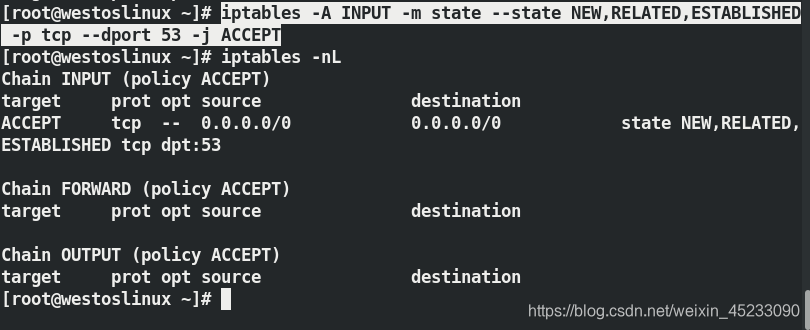
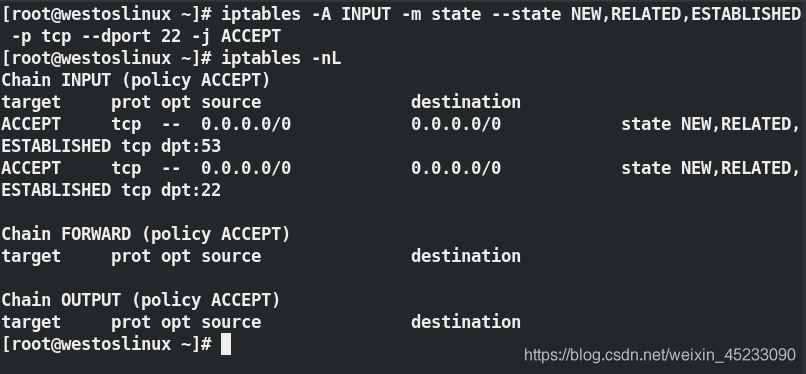
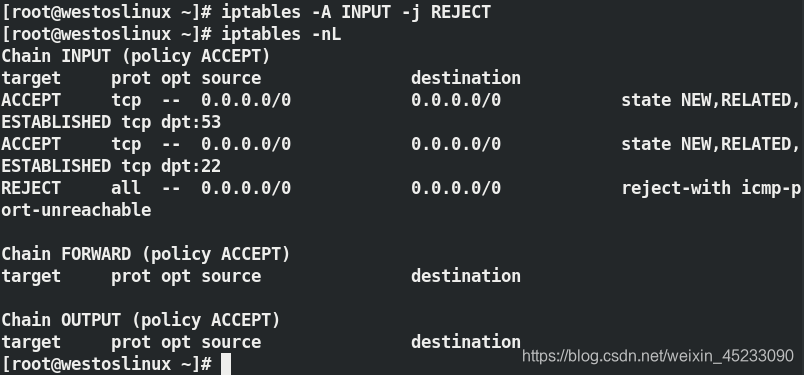
只允许dns(端口:53)和sshd(端口:22)服务被允许,其余一律拒绝
iptables -A INPUT -m state --state NEW,RELATED,ESTABLISHED -p tcp --dport 53 -j ACCEPT 允许dns服务
iptables -A INPUT -m state --state NEW,RELATED,ESTABLISHED -p tcp --dport 22 -j ACCEPT 允许sshd服务
iptables -A INPUT -j REJECT 其余一律拒绝
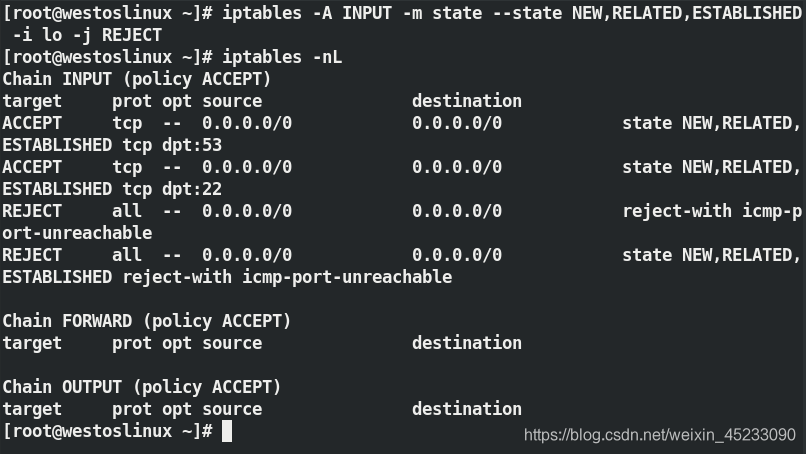
iptables -A INPUT -m state --state NEW,RELATED,ESTABLISHED -i lo -j ACCEPT 允许回环接口
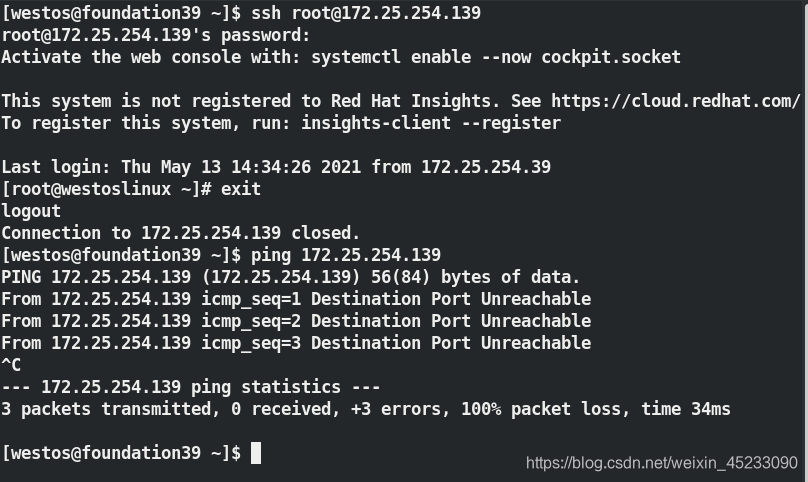
 通过主机ssh登陆可以,但ping不通,
3.nat表中的dnat、snat
内核路由功能:使得双网卡的两个网卡能互相ping通
sysctl -a | grep ip_forward
vim /etc/sysctl_conf ---->net.ipv4.ip_forward = 1
sysctl -p

iptables -t nat -A POSTROUTING -o ens3 -j SNAT --to-source 172.25.254.139	SNAT内网连接外网
iptables -t nat -A PREROUTING -i ens3 -p tcp --dport 22 -j DNAT --to-dest 172.25.0.209:22	DNAT外网连接他并跳转到内网
iptables -t nat -nL
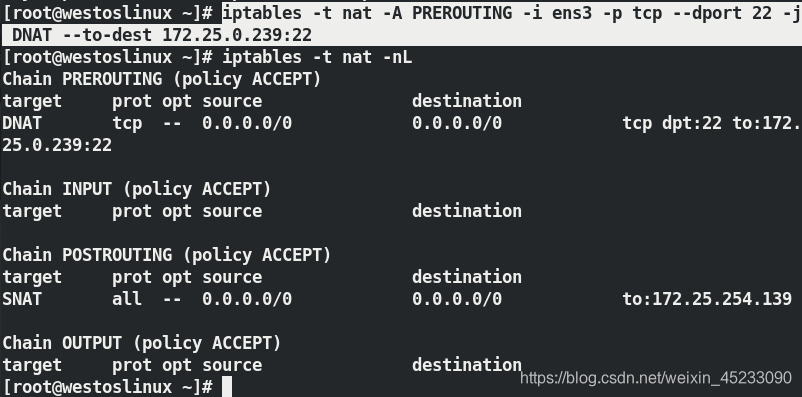
测试:
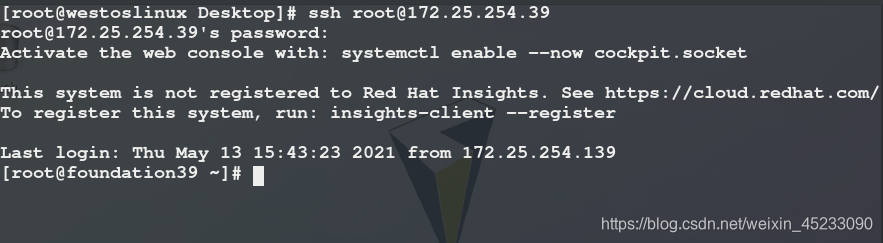
可通过172.25.0.239登陆172.25.254.39
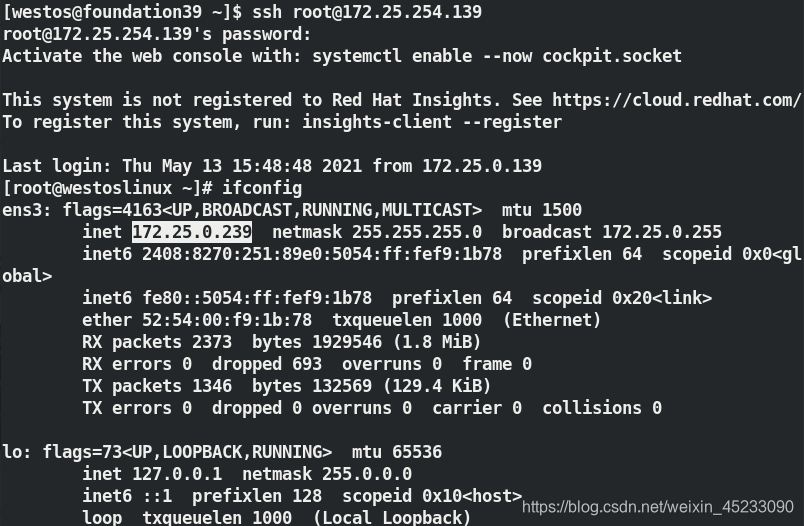
 可通过172.25.254.39登陆172.25.0.239
本文来自互联网用户投稿,文章观点仅代表作者本人,不代表本站立场,不承担相关法律责任。如若转载,请注明出处。 如若内容造成侵权/违法违规/事实不符,请点击【内容举报】进行投诉反馈!