Linux中的火墙iptables和firewalld
一、火墙介绍
定义:所谓“防火墙”是指一种将内部网和公众访问网(如Internet)分开的方法,它实际上是一种建立在现代通信网络技术和信息安全技术基础上的应用性安全技术,隔离技术。
功能:防火墙对流经它的网络通信进行扫描,这样能够过滤掉一些攻击,以免其在目标计算机上被执行。防火墙还可以关闭不使用的端口。而且它还能禁止特定端口的流出通信,封锁特洛伊木马。最后,它可以禁止来自特殊站点的访问,从而防止来自不明入侵者的所有通信。
Netfilter概述
Netfilter/IPTables是Linux2.4.x之后新一代的Linux防火墙机制,是linux内核的一个子系统。Netfilter采用模块化设计,具有良好的可扩充性。其重要工具模块IPTables从用户态的iptables连接到内核态的Netfilter的架构中,Netfilter与IP协议栈是无缝契合的,并允许使用者对数据报进行过滤、地址转换、处理等操作。
linux版本中,我们用到的防火墙有两种,一种为firewall,一种为iptables
二、火墙管理工具切换
[root@node1 ~]# dnf search iptables
[root@node1 ~]# dnf install iptables-services.x86_64  -y


三、 iptables 的使用
iptables火墙策略记录文件
方法1:iptales-save > /etc/sysconfig/iptables
方法2:/etc/sysconfig/iptables 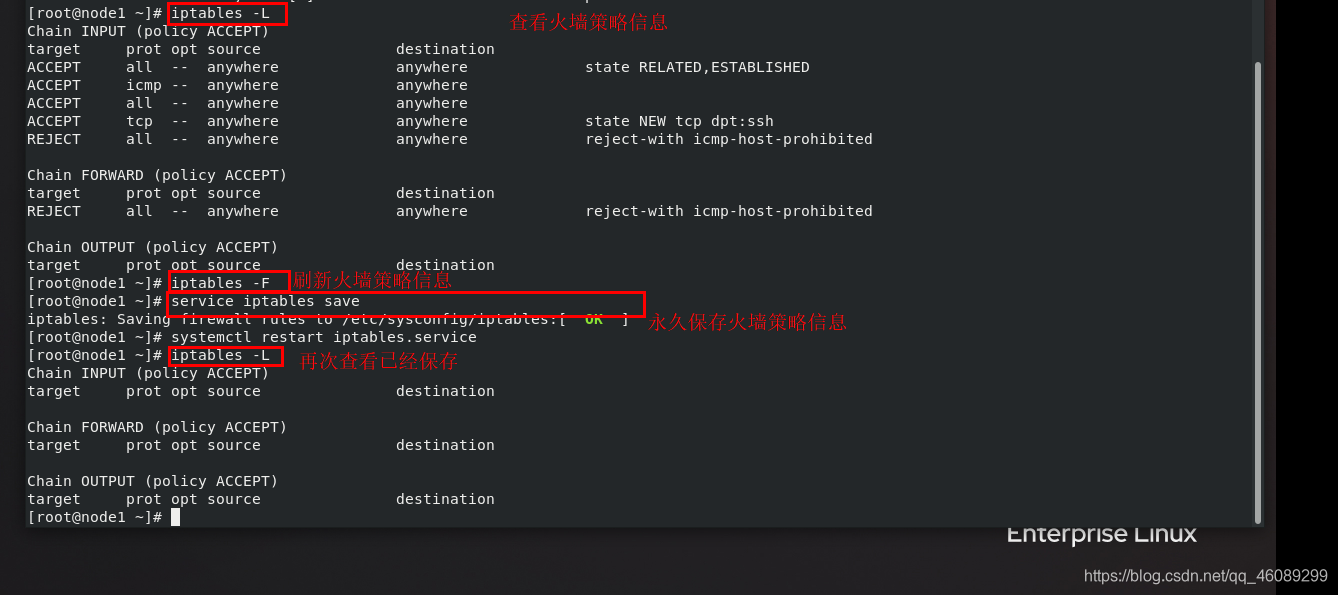
四、火墙默认策略
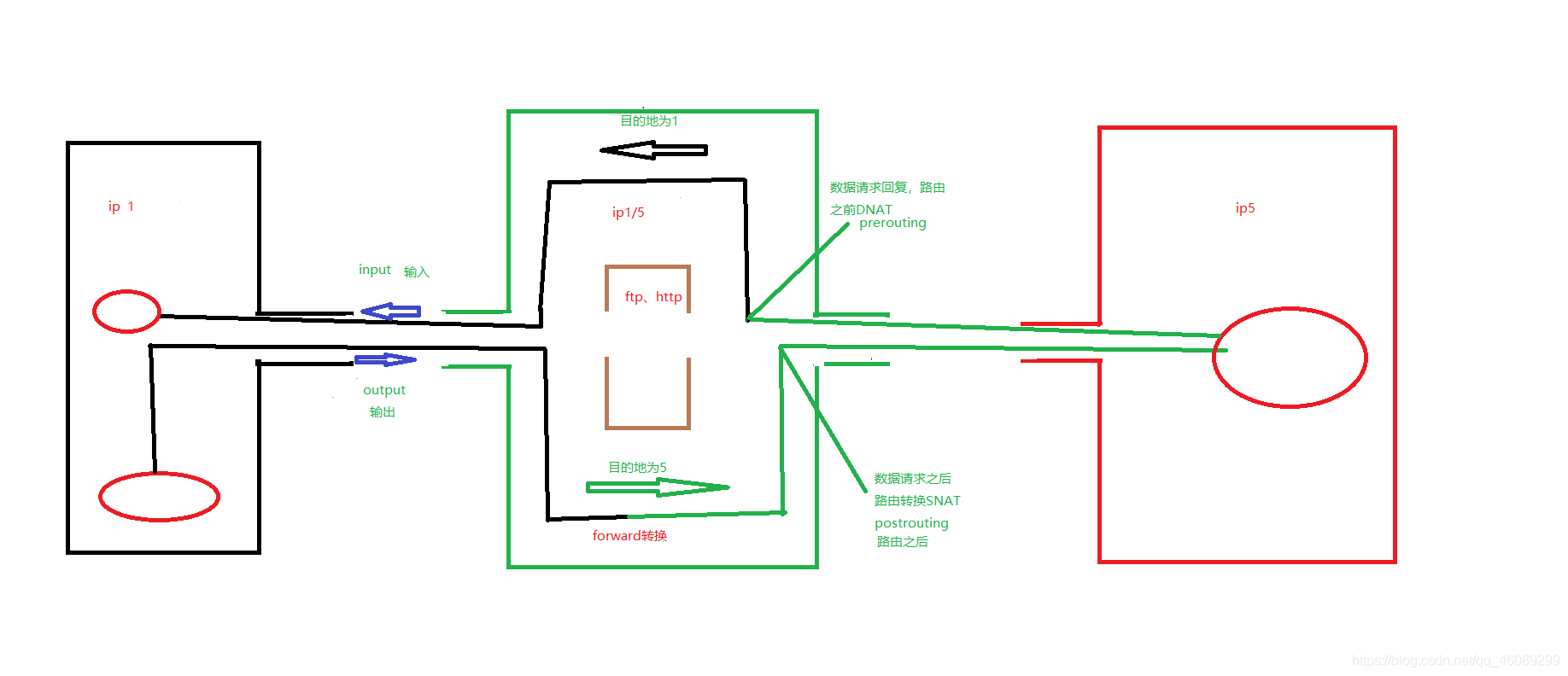
默认策略中的5条链input     输入 output    输出 forward   转发 postrouting   路由之后 prerouting    路由之前
默认的3张表filter           经过本机内核的数据(input output forward) nat            不经过内核的数据(postrouting,prerouting,input,output) mangle      当filter和nat表不够用时使用(input output forward postrouting, prerouting,)
iptables常用命令
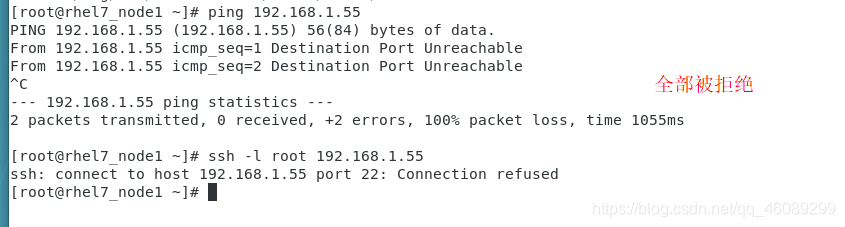
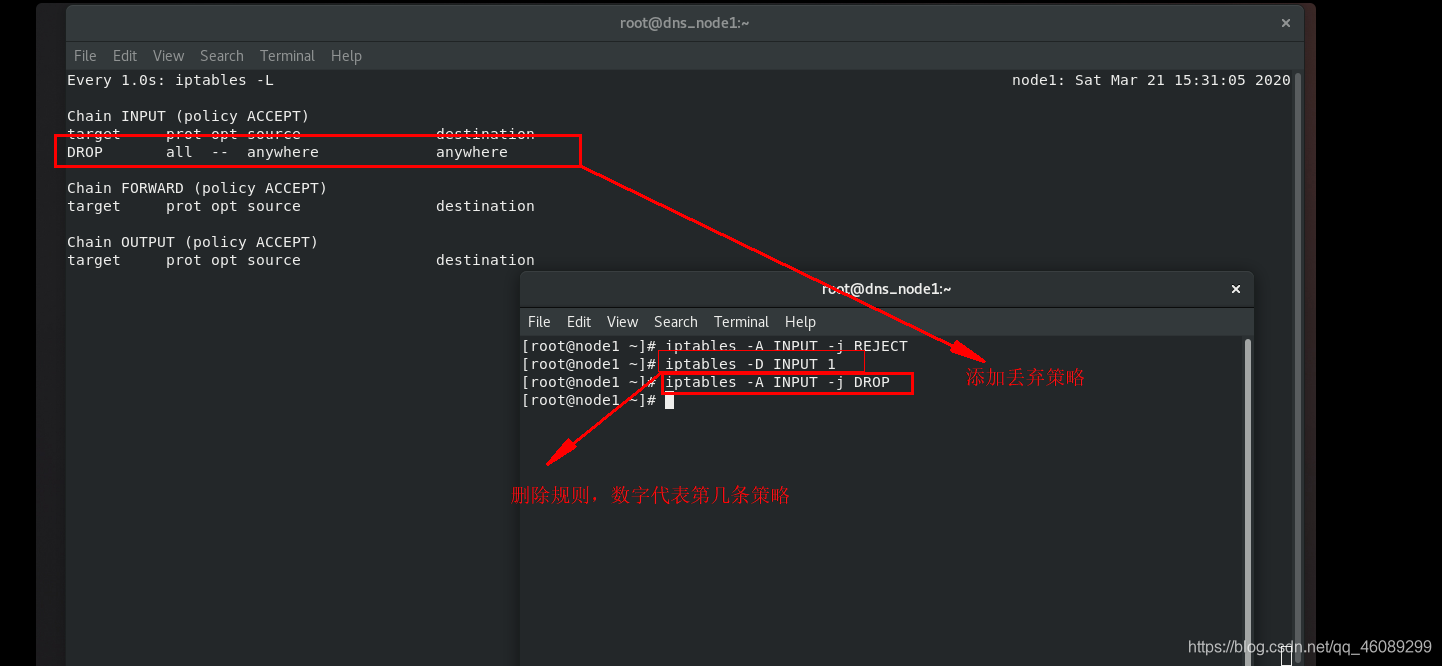
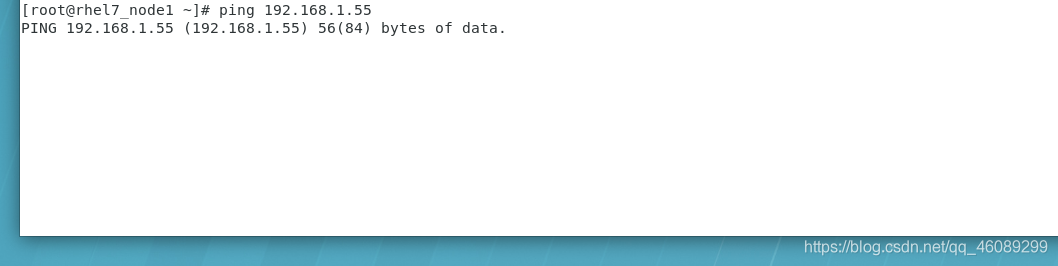
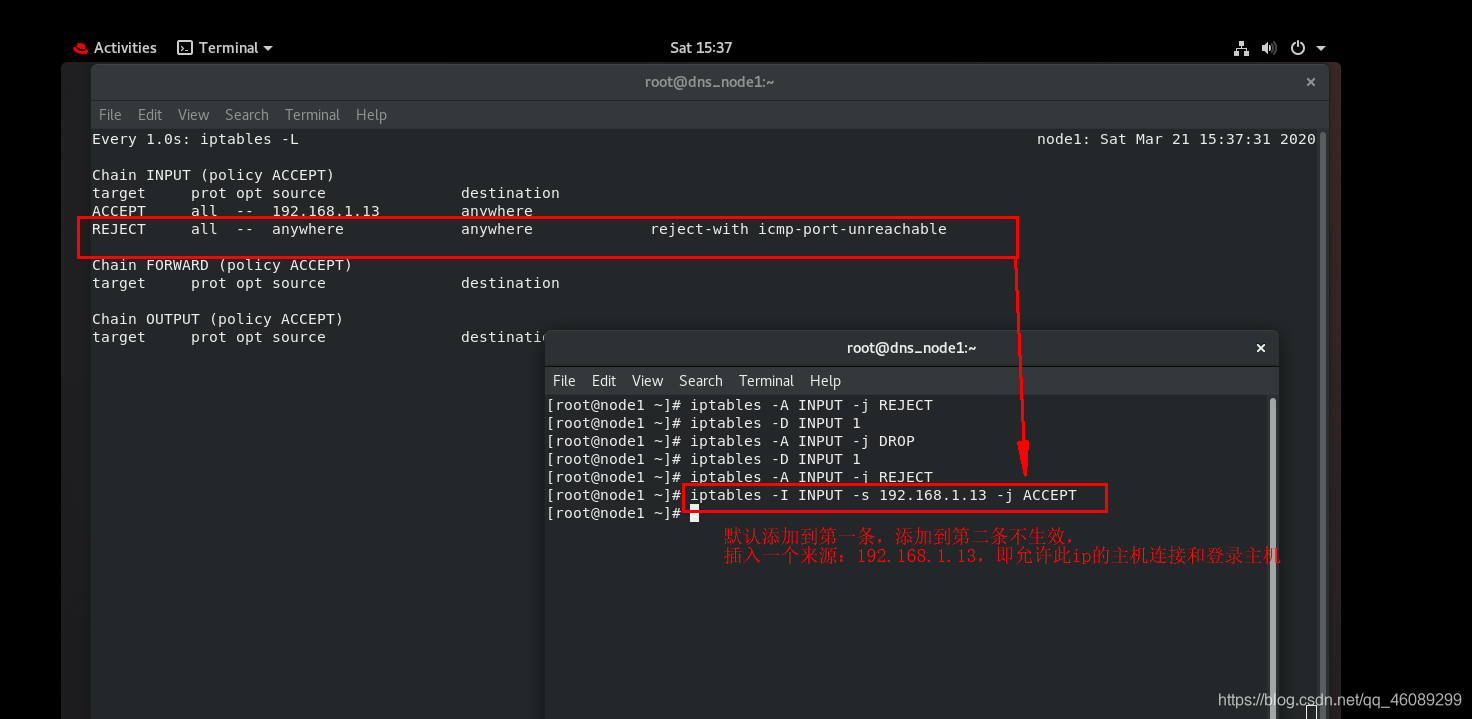
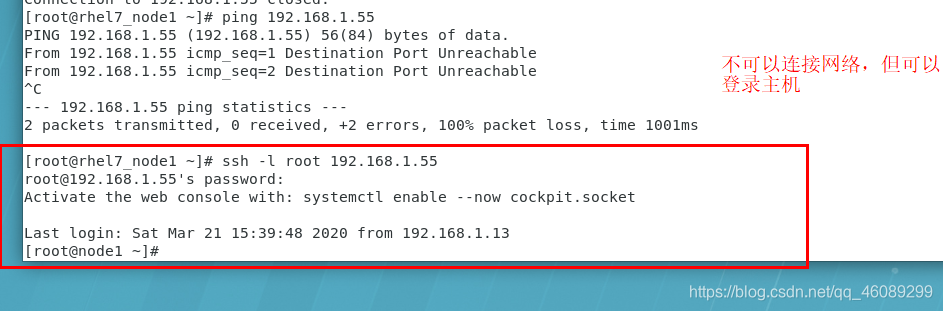
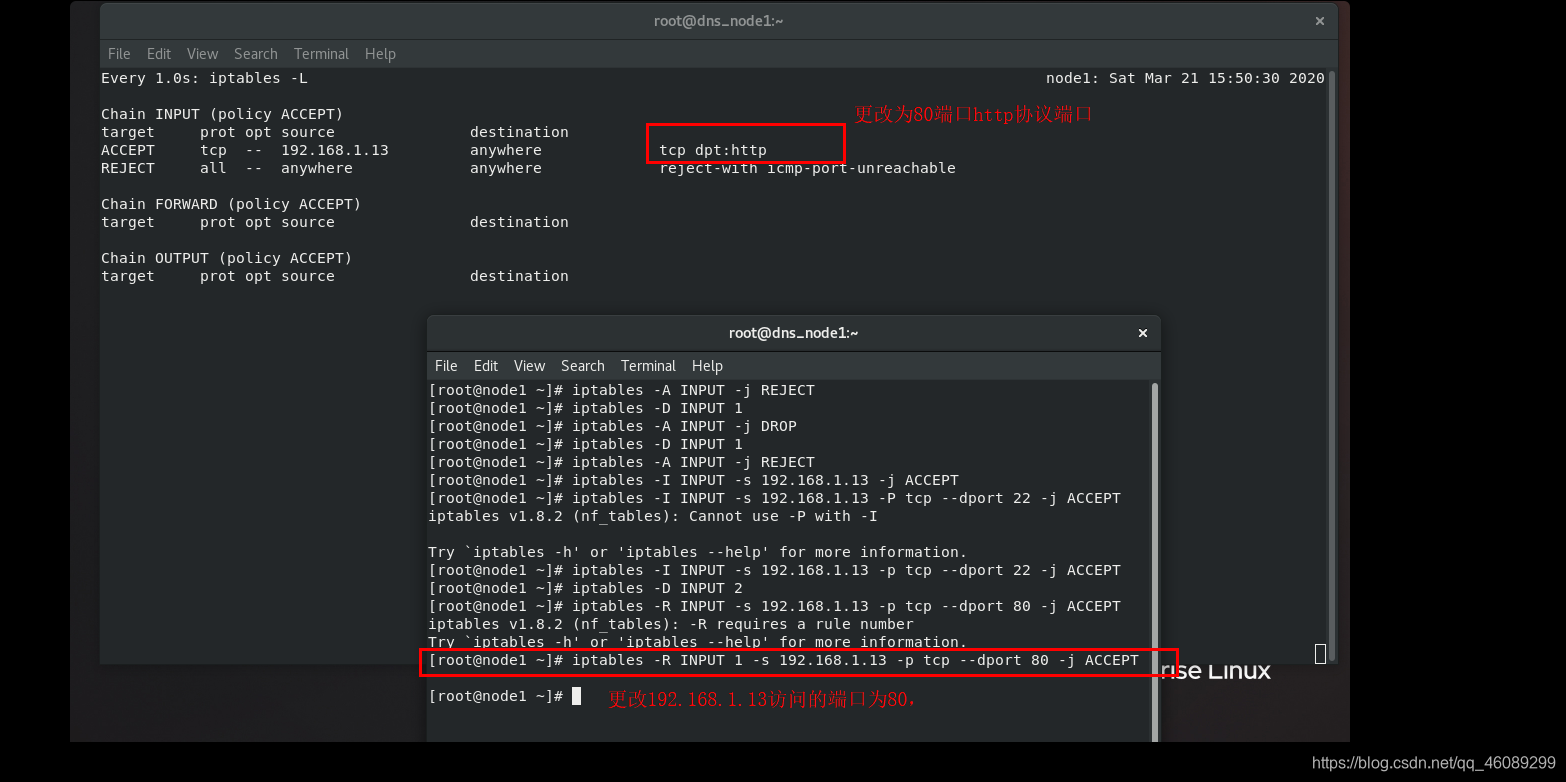
iptables -A 添加策略-t 指定表名称-n 不做解析-L 查看表内容-p 添加协议--dport 更改目的地端口-s 来源-j 动作(ACCEPT允许/DROP丢弃/REJECT拒绝/SNAT原地址转换/DNAT目的地地址转换)-N 新建链-E 更改链名称-X 删除链-D 删除规则-I 插入规则-R 更改插入规则-P 更改默认规则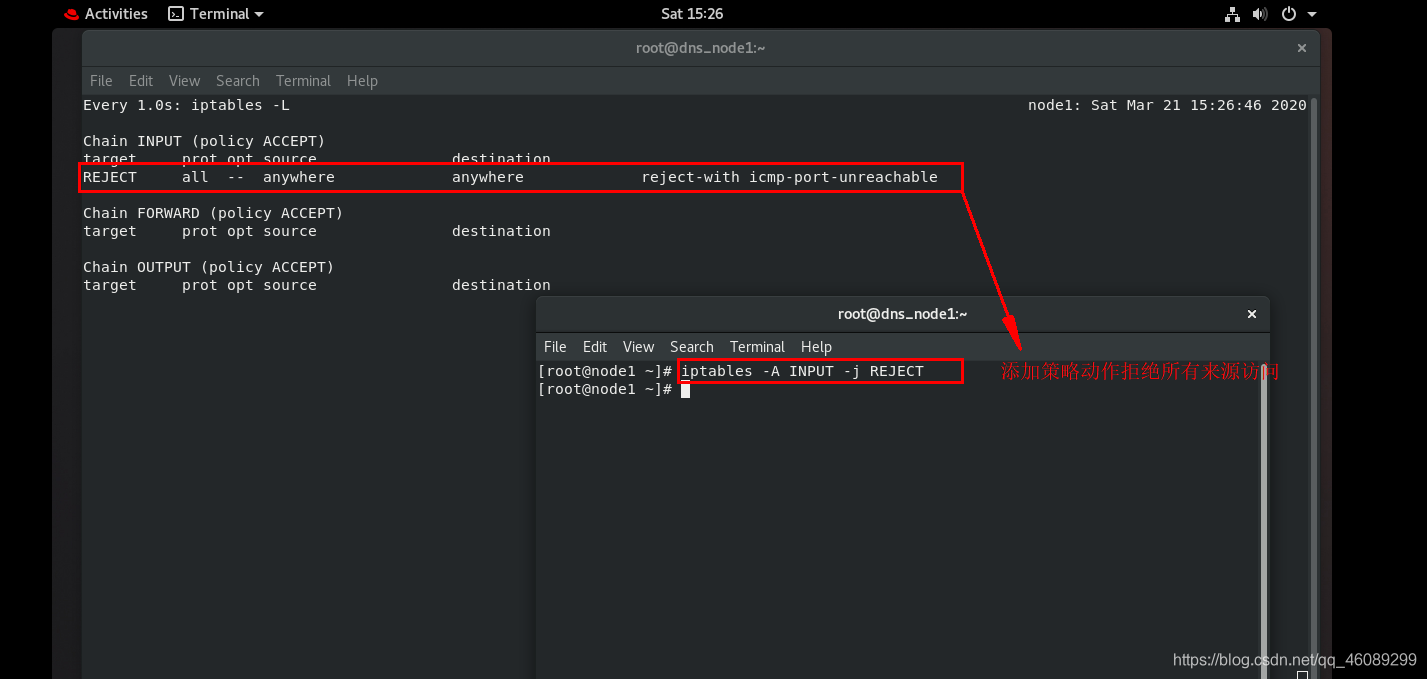



RELATED  连接过的
ESTABLISHED 正在连接
NEW 新的从未连接过
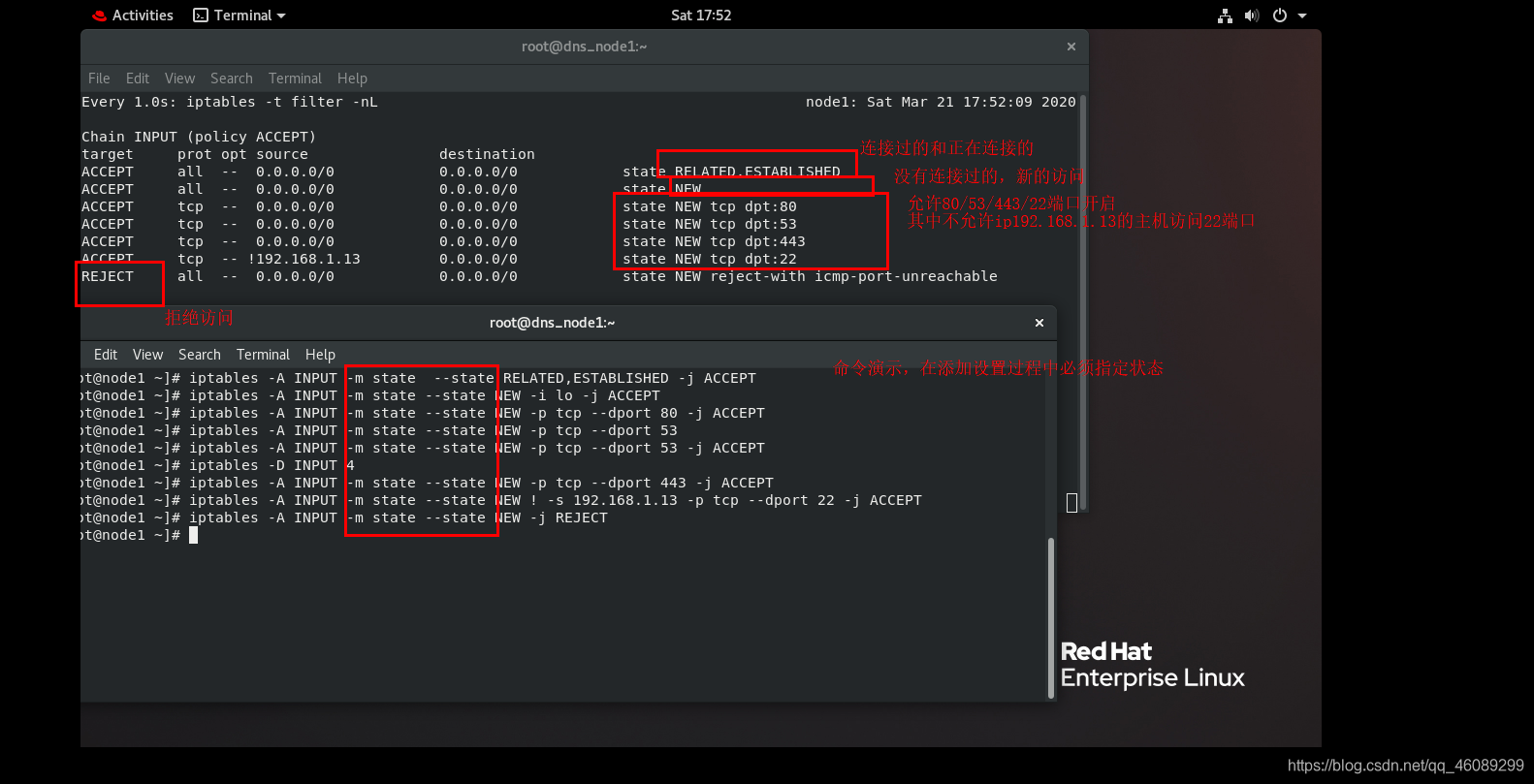
[root@node1 ~]# service iptables save   永久保存策略
iptables: Saving firewall rules to /etc/sysconfig/iptables:[  OK  ]
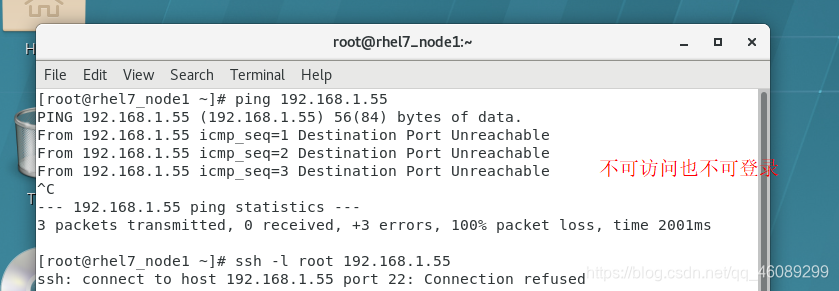
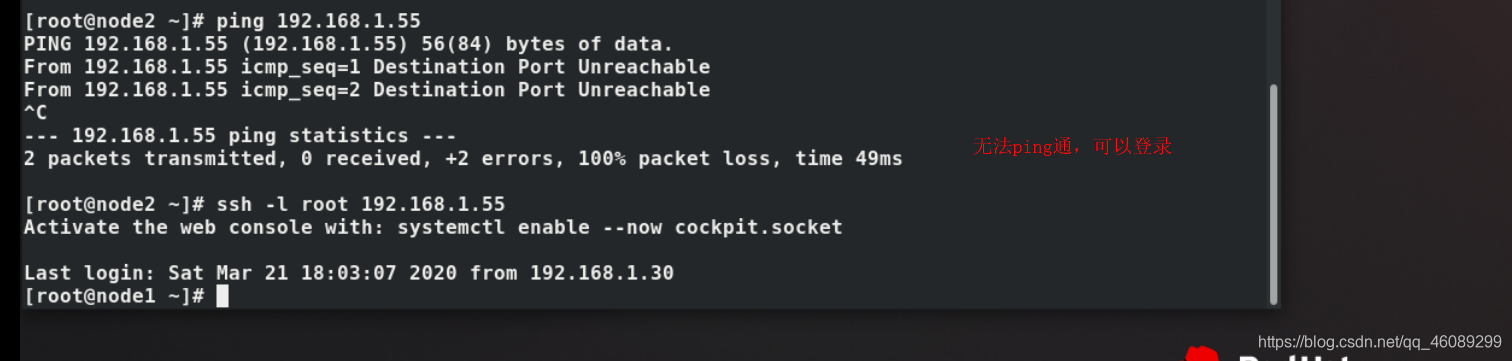
测试
四、nat表中的dnat 、snat
三台虚拟机:
<1>node1         ip:192.168.1.55/172.25.254.55
<2>node2         ip:172.25.254.44
<3>rhel7_node1   ip: 192.168.1.13
node1中设置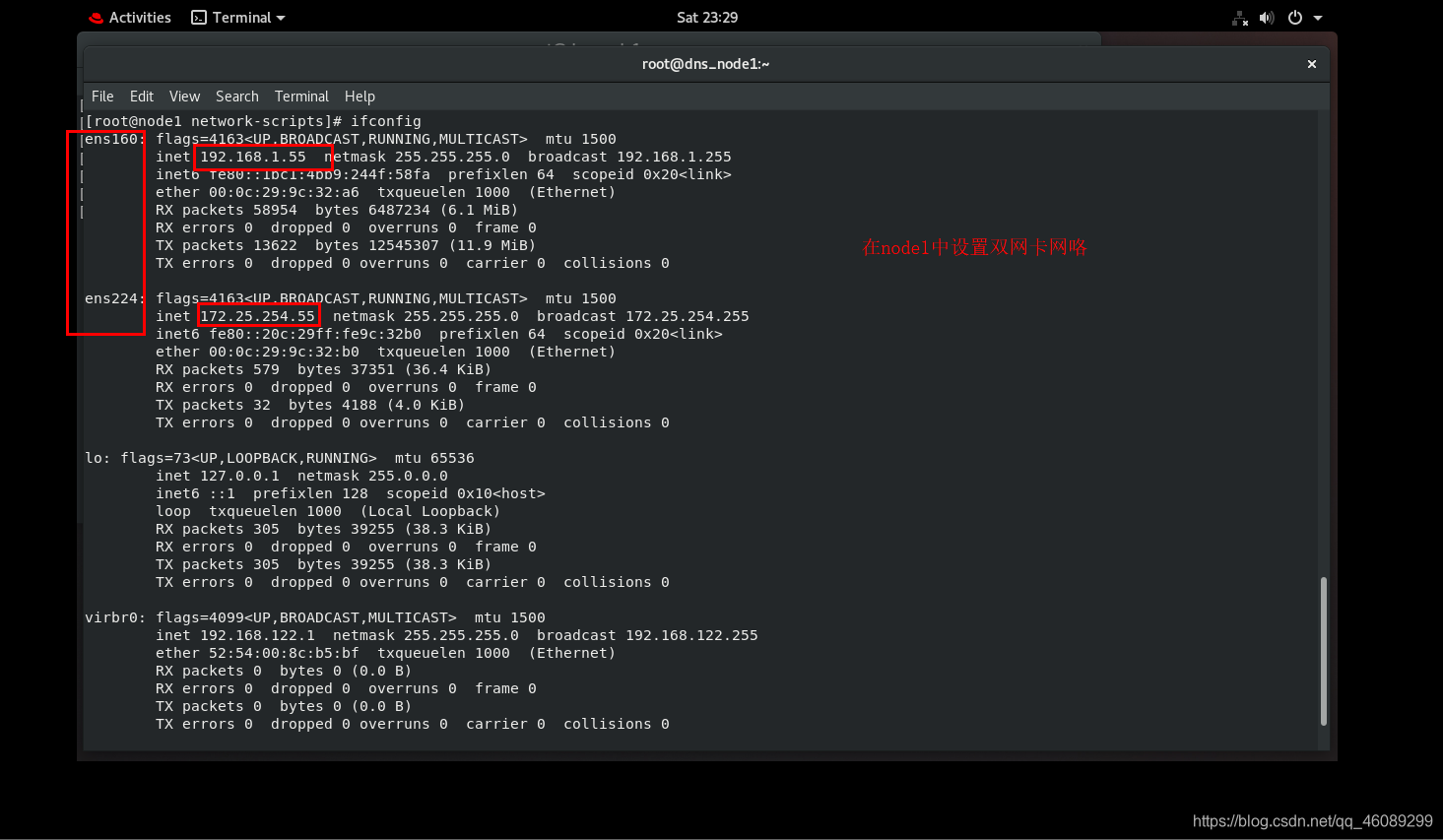

node2
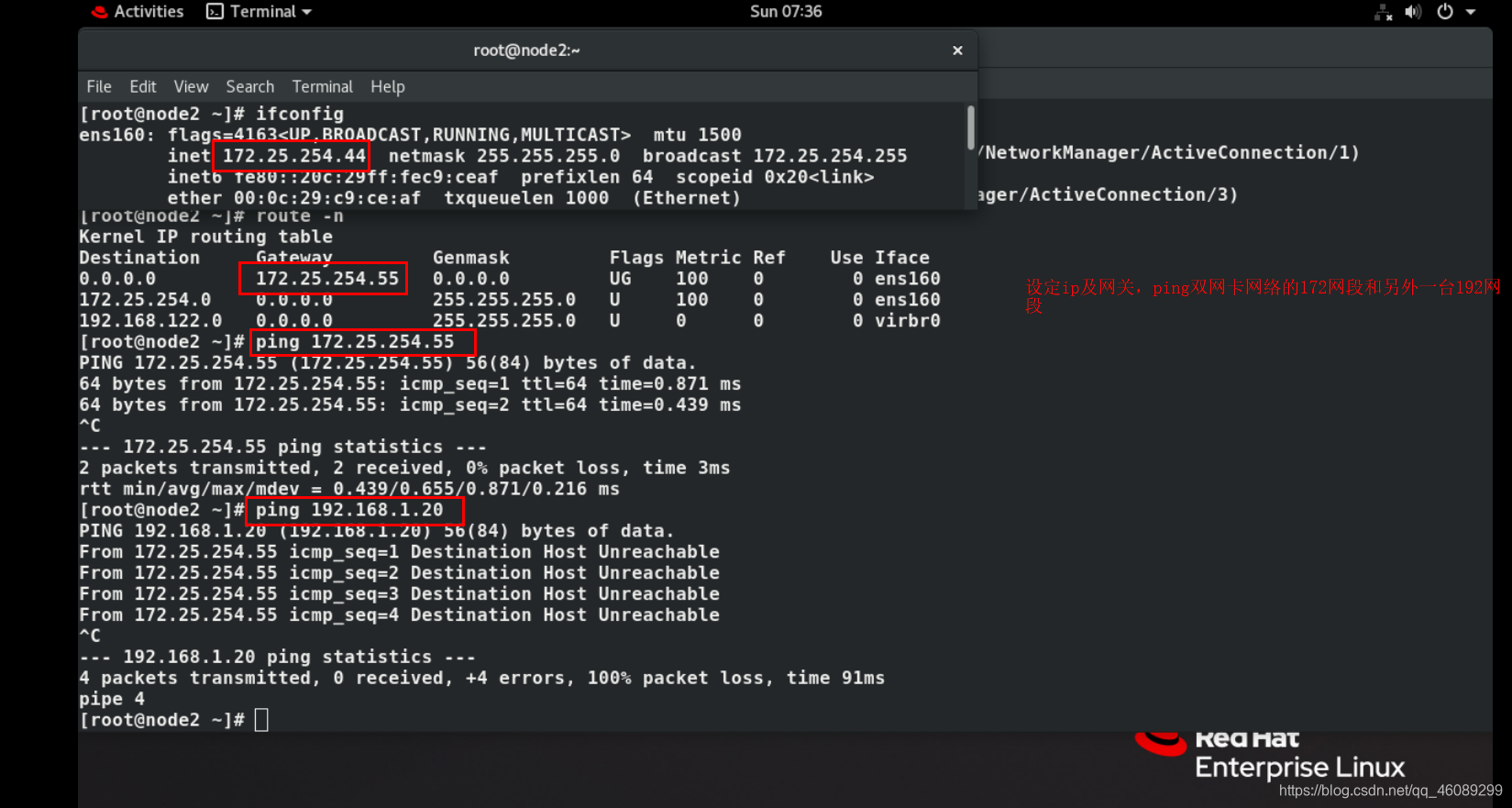
五、测试
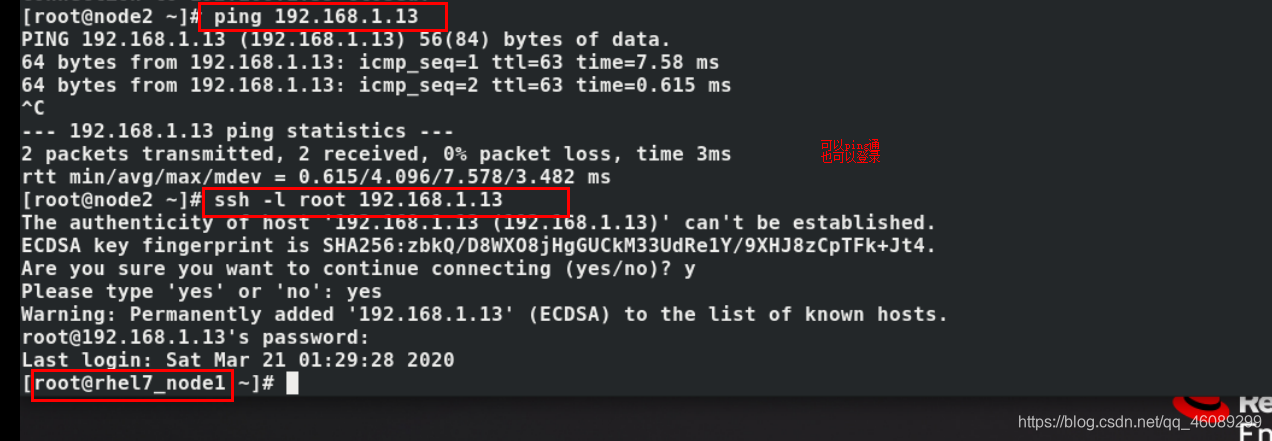
六、测试
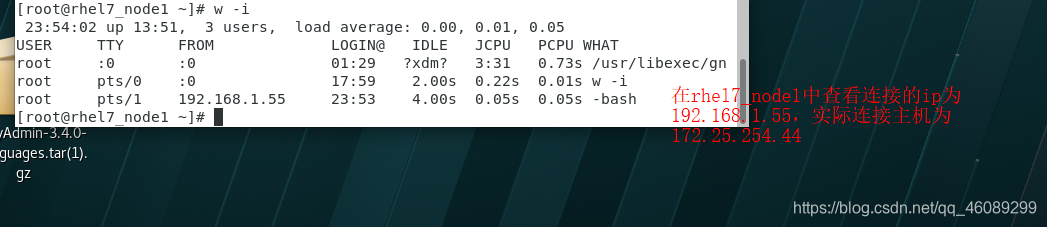
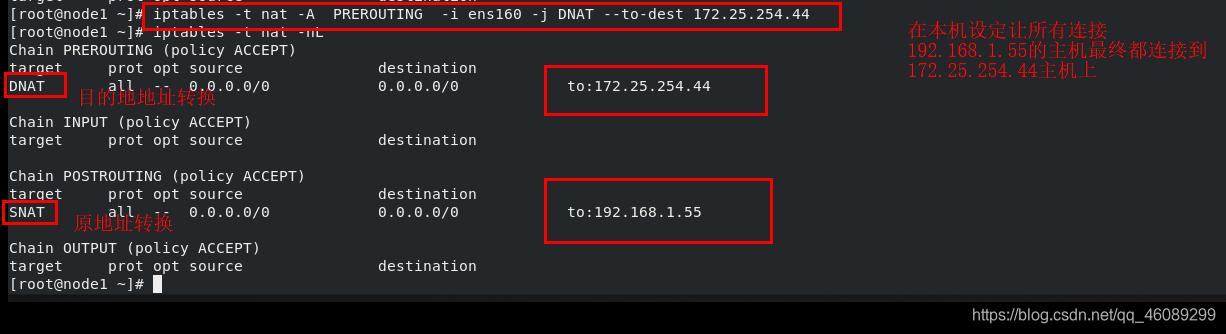
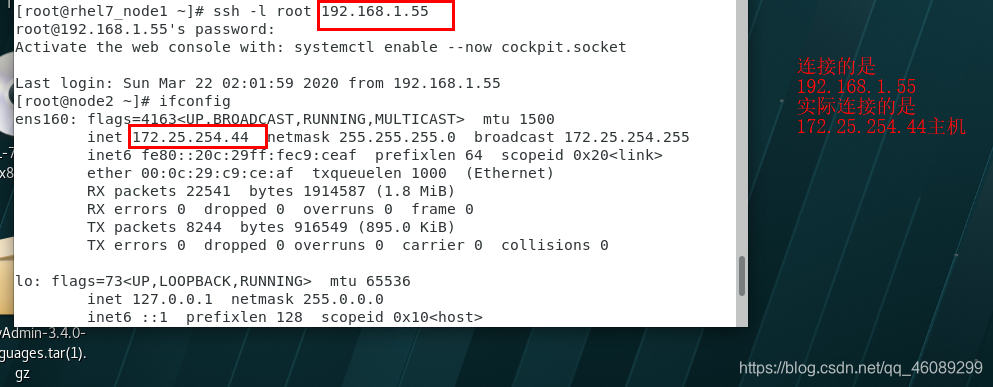
让rhel7_node1连接node2但是在node2中查看到的是node1主机的192.168.1.55
7、firewalld
7.1从iptables火墙切换到firewalld防火墙
 [root@node1 ~]# systemctl stop iptables.service    停止运行iptables火墙服务
[root@node1 ~]# systemctl disable iptables.service  设置火墙开机关闭
[root@node1 ~]# systemctl mask iptables             冻结火墙
[root@node1 ~]# systemctl unmask firewalld           解冻firewalld火墙
[root@node1 ~]# systemctl restart firewalld          重新启动火墙
[root@node1 ~]# systemctl status firewalld           查看火墙是否开启
[root@node1 ~]# systemctl enable --now firewalld     设置火墙开机启动
7.2.关于firewalld的域
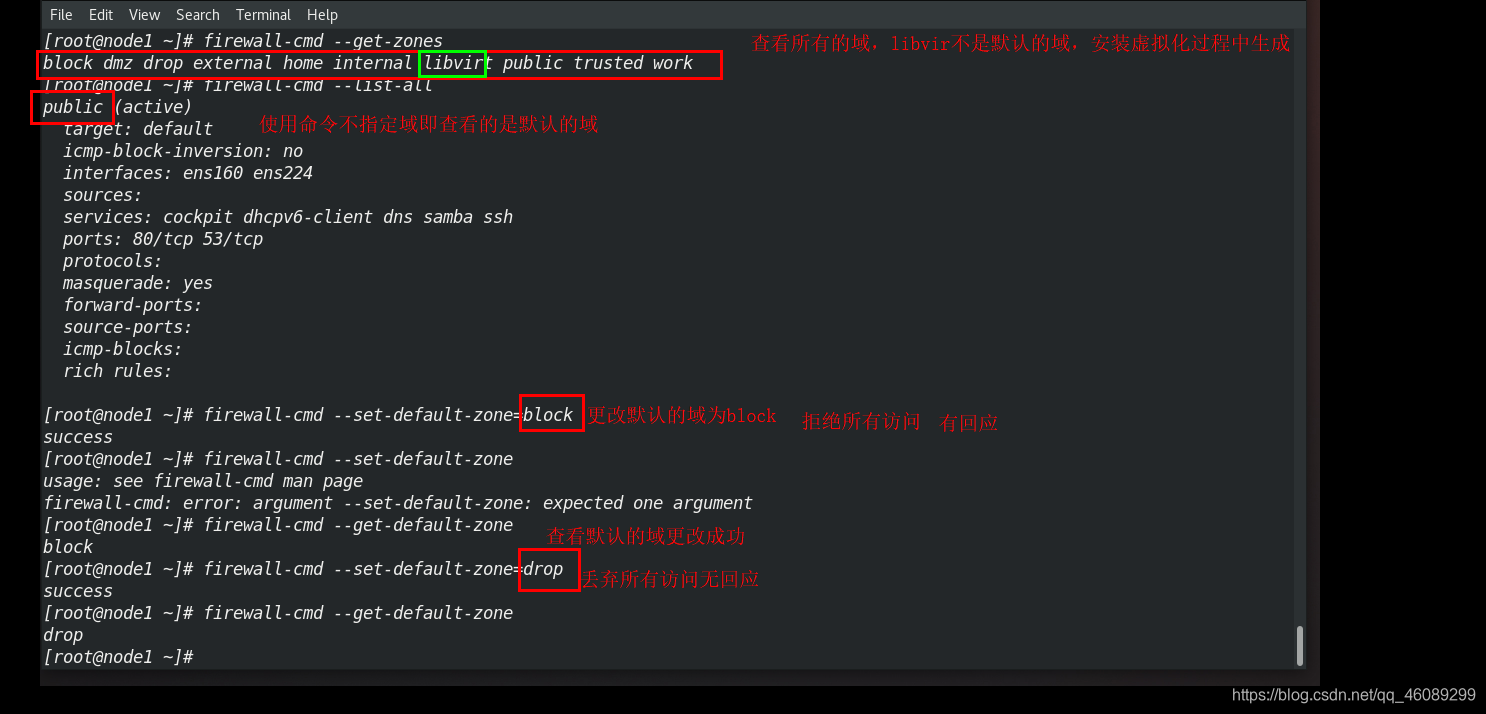
trusted     接受所有的网络连接
home        用于家庭网络,允许接受ssh mdns ipp-client samba-client dhcp-client
work        工作网络 ssh ipp-client dhcp-client
public      公共网络 ssh dhcp-client
dmz         军级网络 仅接受ssh
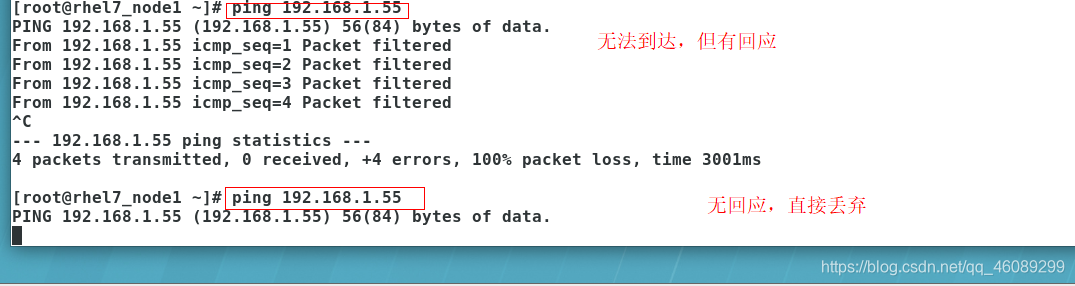
block       拒绝所有
drop       丢弃所有数据全部丢弃无任何回复
internal    内部网络 ssh mdns ipp-client samba-client dhcp-client
external ipv4网络地址伪装转发 sshd
7.3对于域的理解
7.4.关于firewalld的设定原理及数据存储
/etc/firewalld   火墙配置目录
usr/lib/firewalld   火墙模块目录
使用命令更改默认域实际更改的是/etc/firewalld/firewalld.conf配置文件
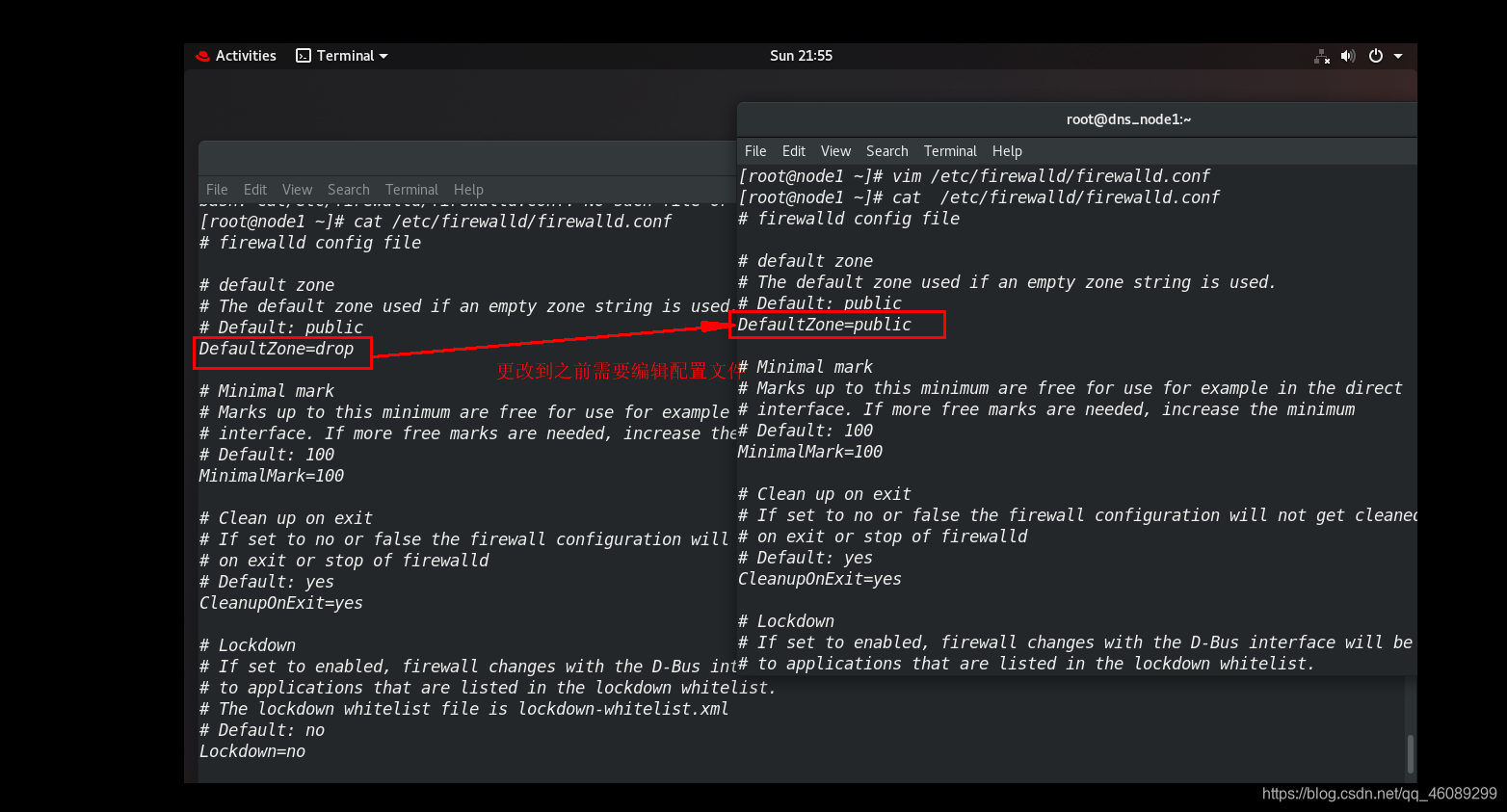
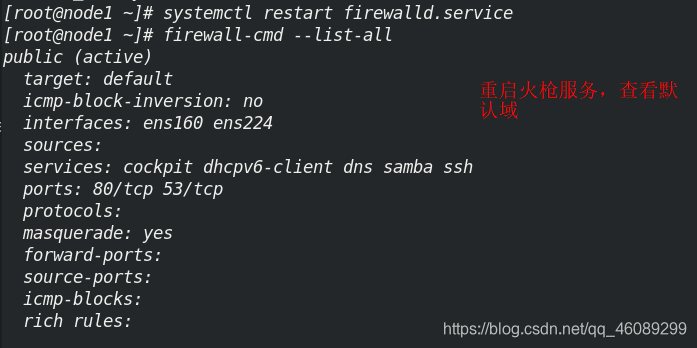
7.5存储原理理解演示
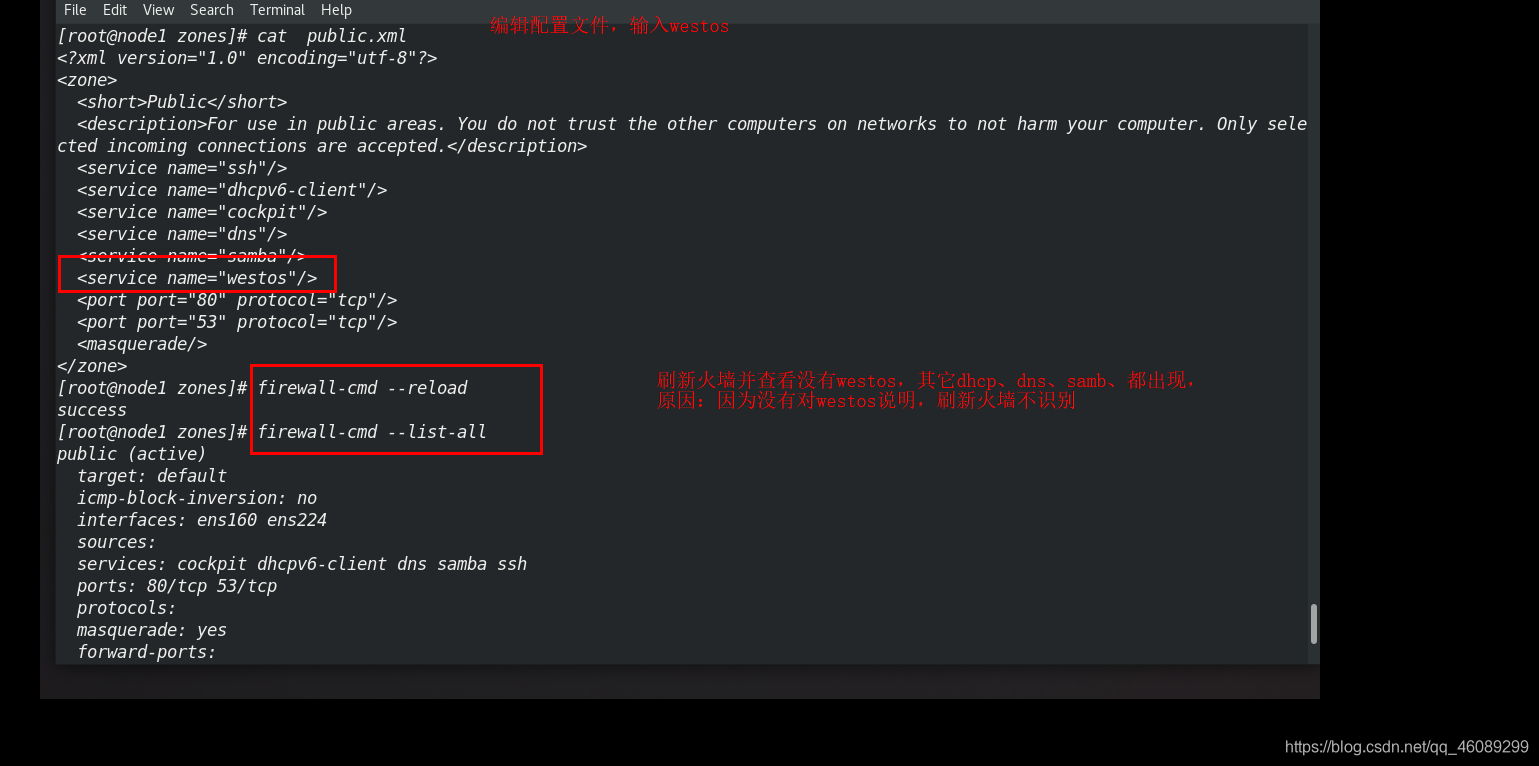
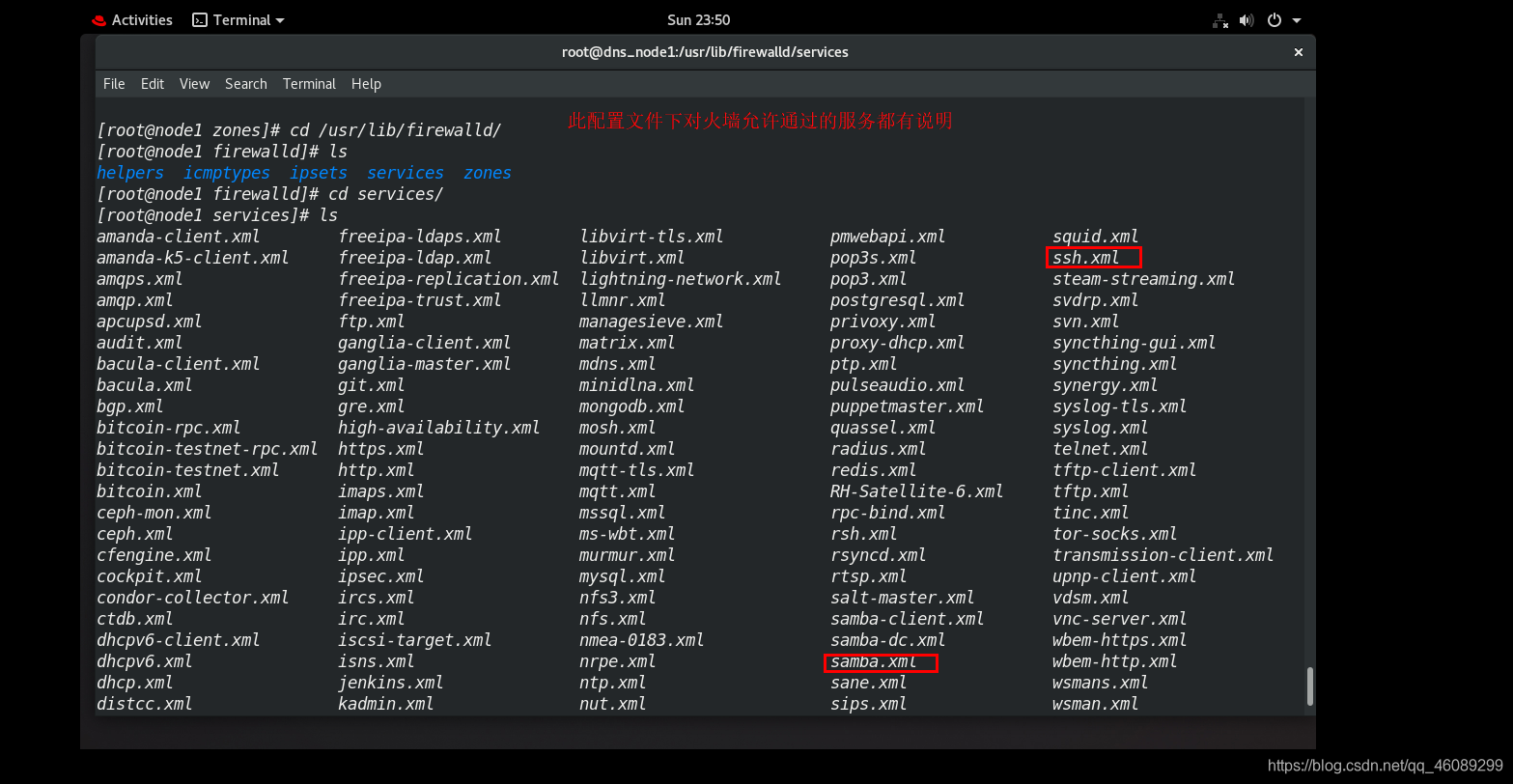
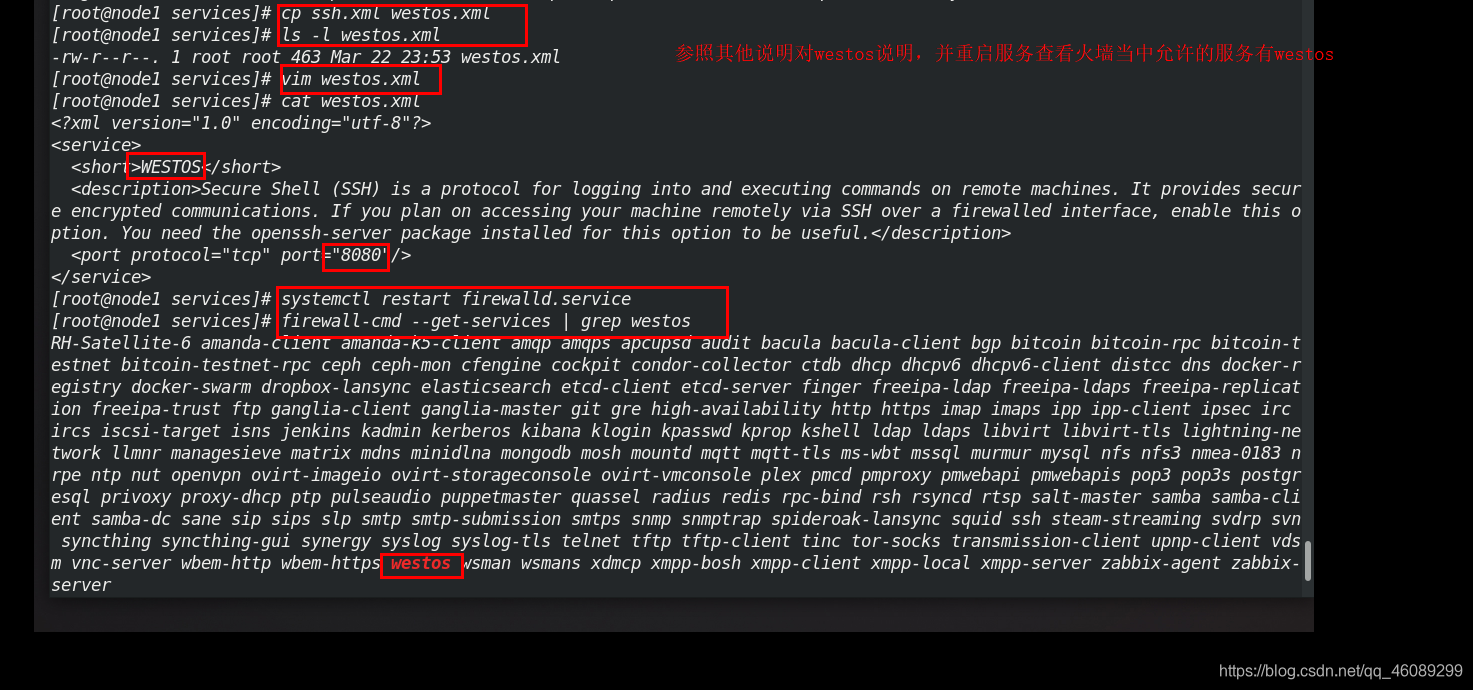
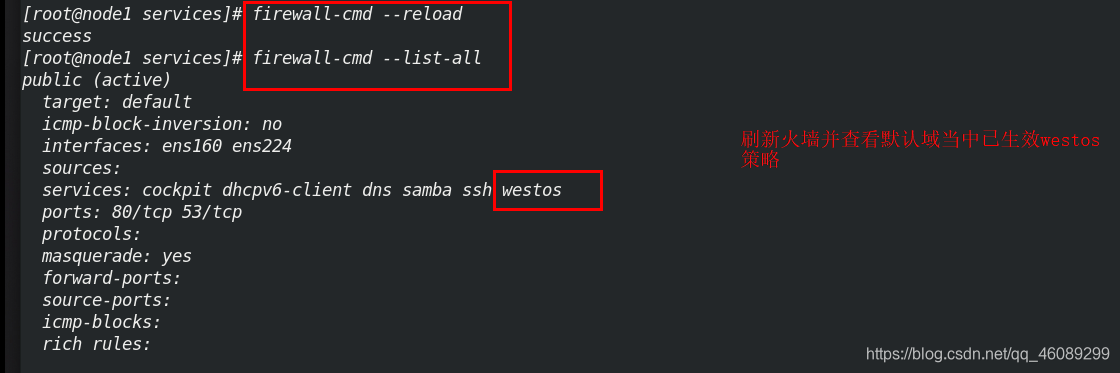
八、 firewalld的管理命令
8.1命令演示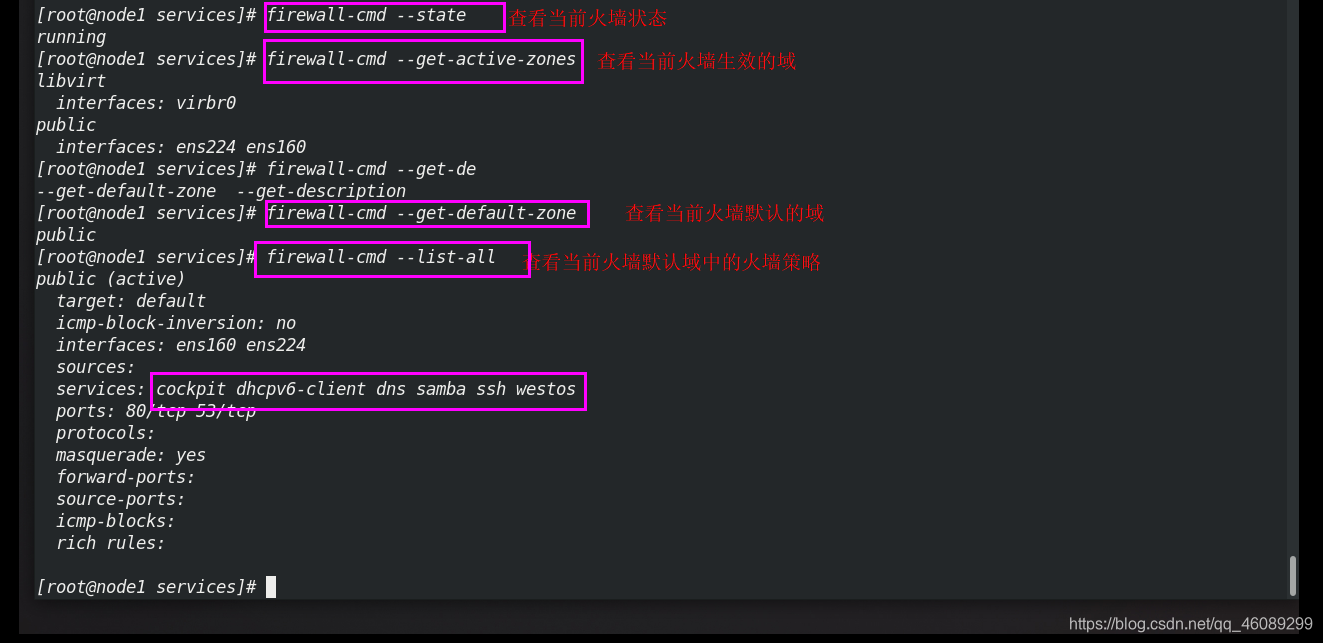
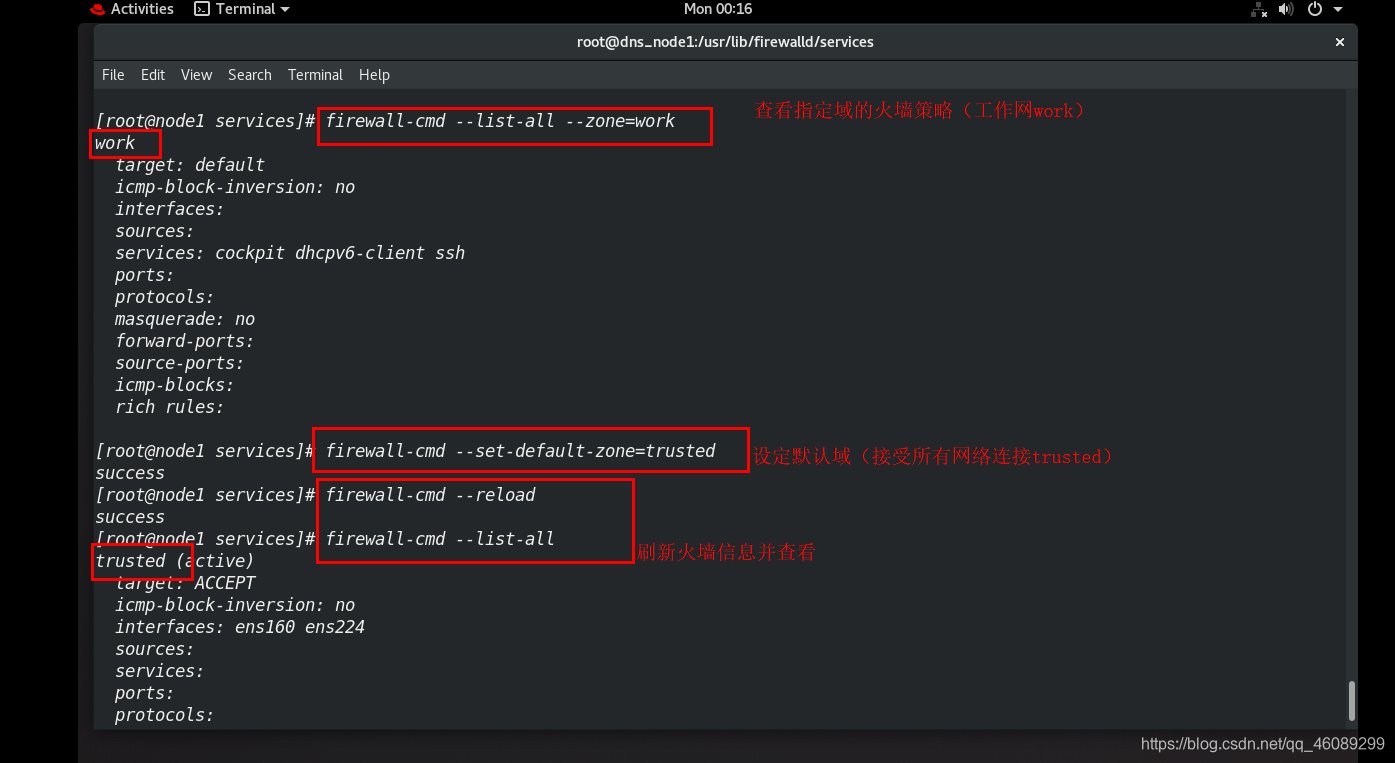
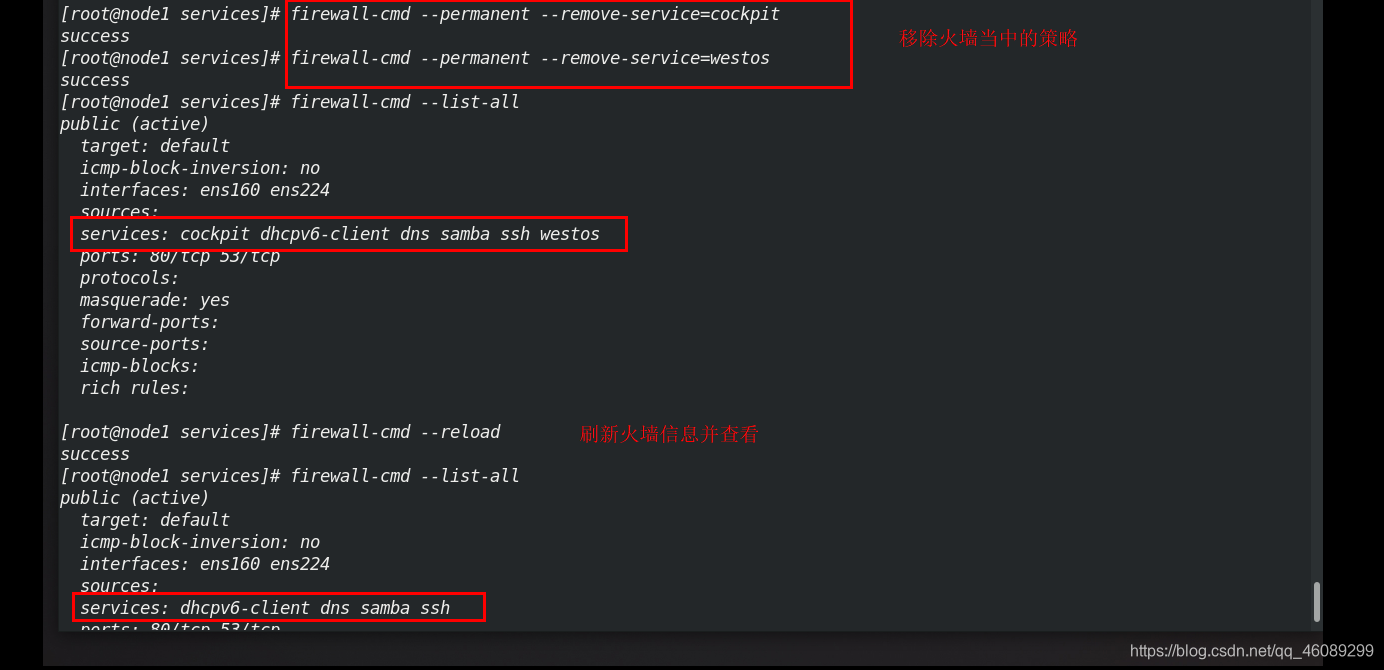
8.2命令演示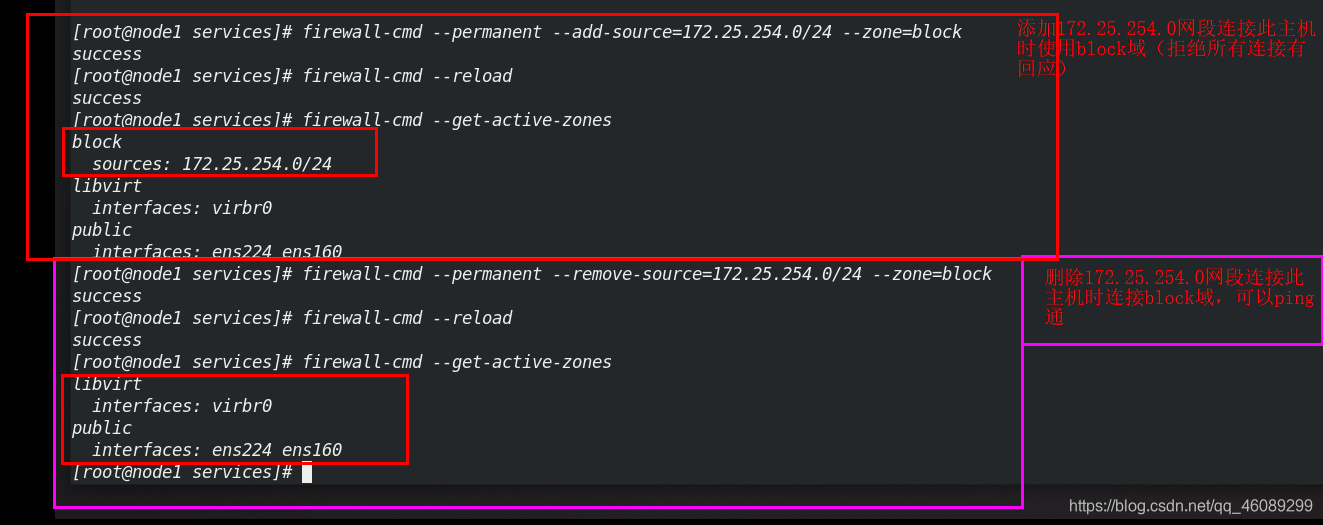
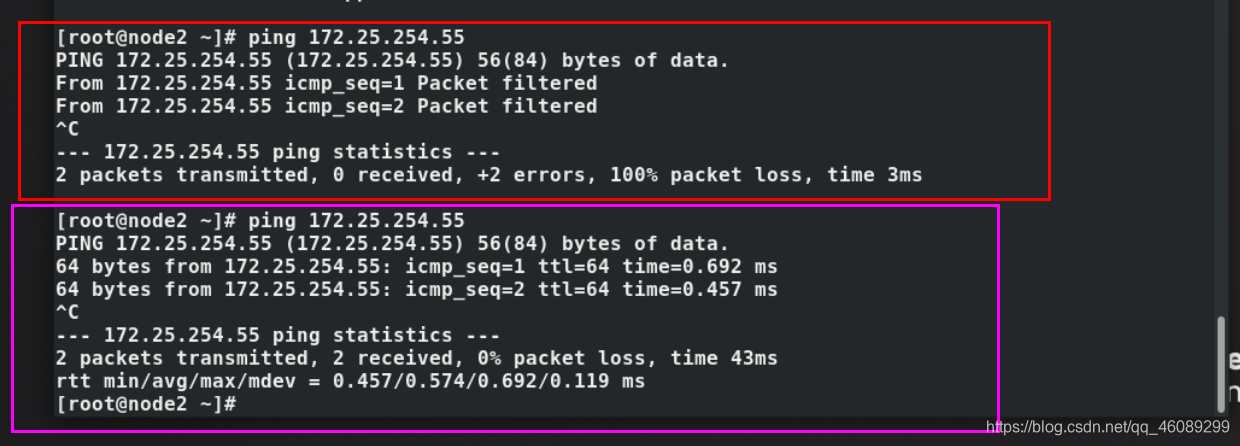
8.3命令演示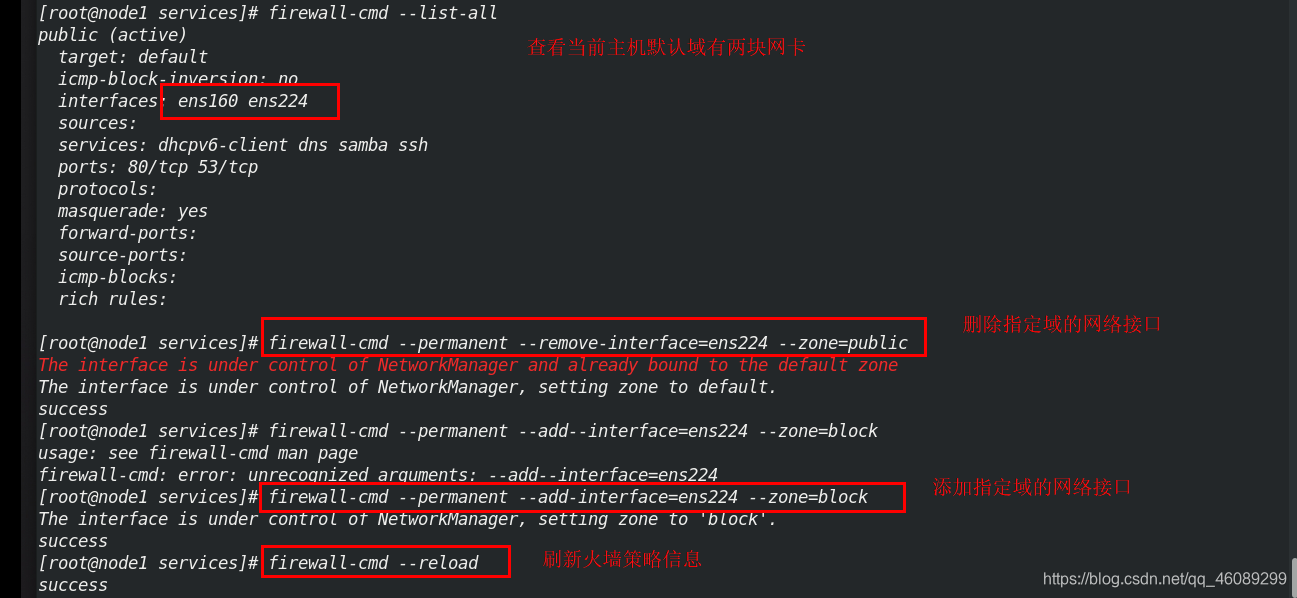
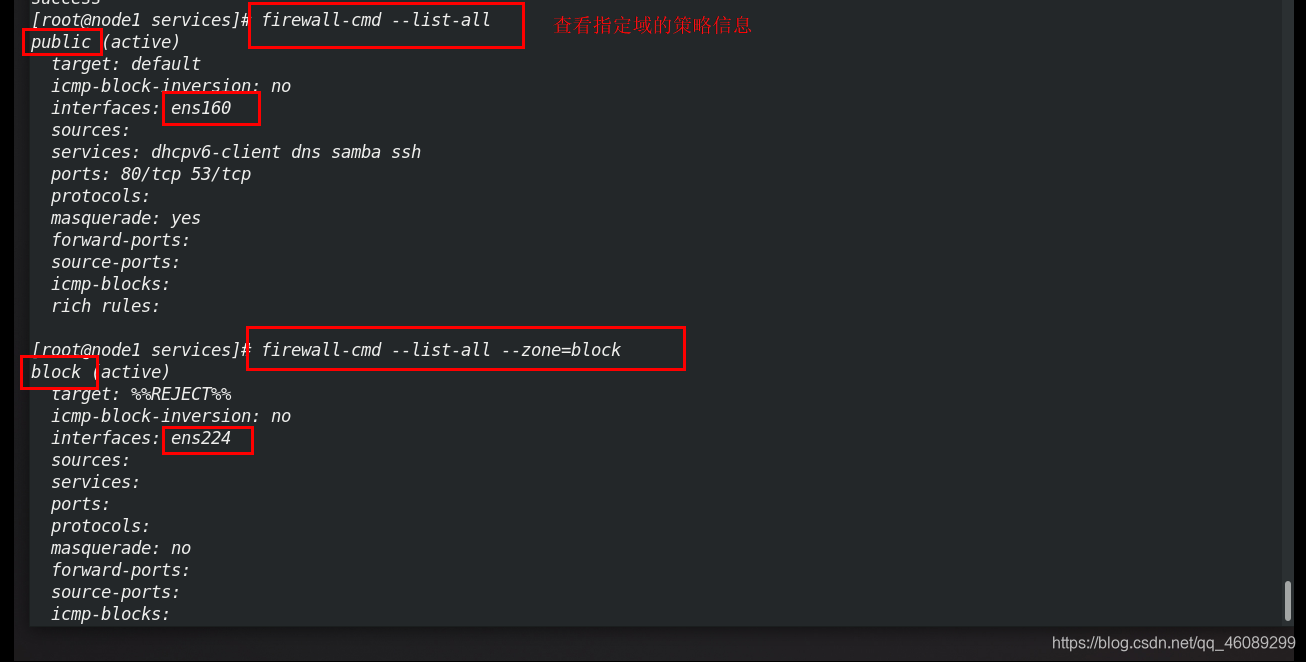
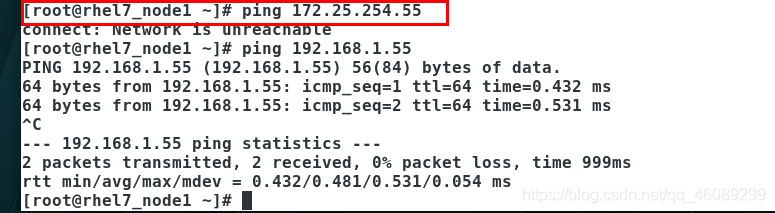

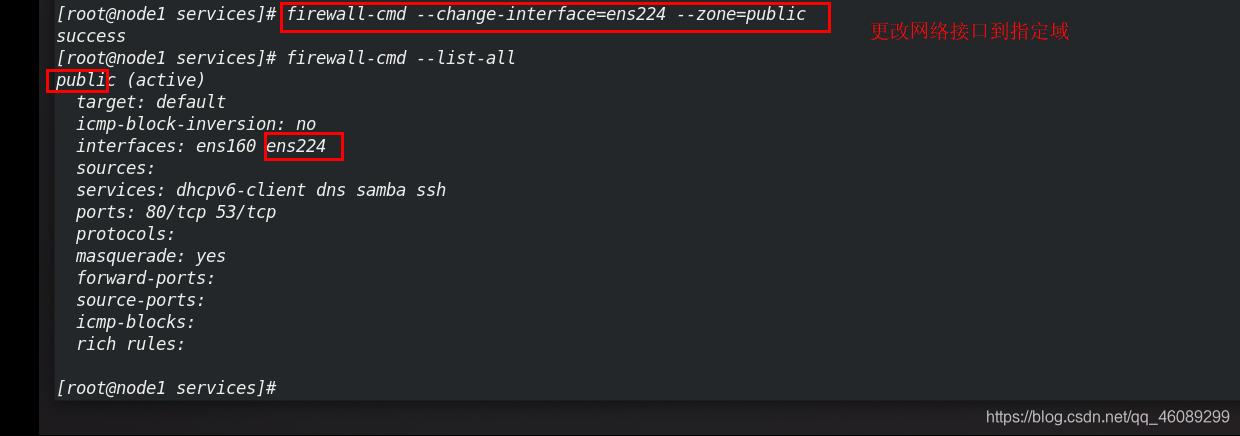
新的实验环境
rhle7_node1 -192.168.1.20
rhel8_node2 -172.25.254.44
rhel8_node1 -192.168.1.55 /172.25.254.22
九、 firewalld的高级规则
firewall-cmd --direct --get-all-rules 查看高级规则
firewall-cmd --permanent--direct --add-rule ipv4 filter INPUT 1 -s 172.25.254.0/24 -p tcp -dport 22  -j ACCEPT
只允许此网段的主机登录主机
firewall-cmd --direct --remove-rule ipv4 filter INPUT 1 -s 172.25.254.0/24 -p tcp -dport 22  -j ACCEPT  删除
十、firewalld中的NAT
SNAT(原地址转换)
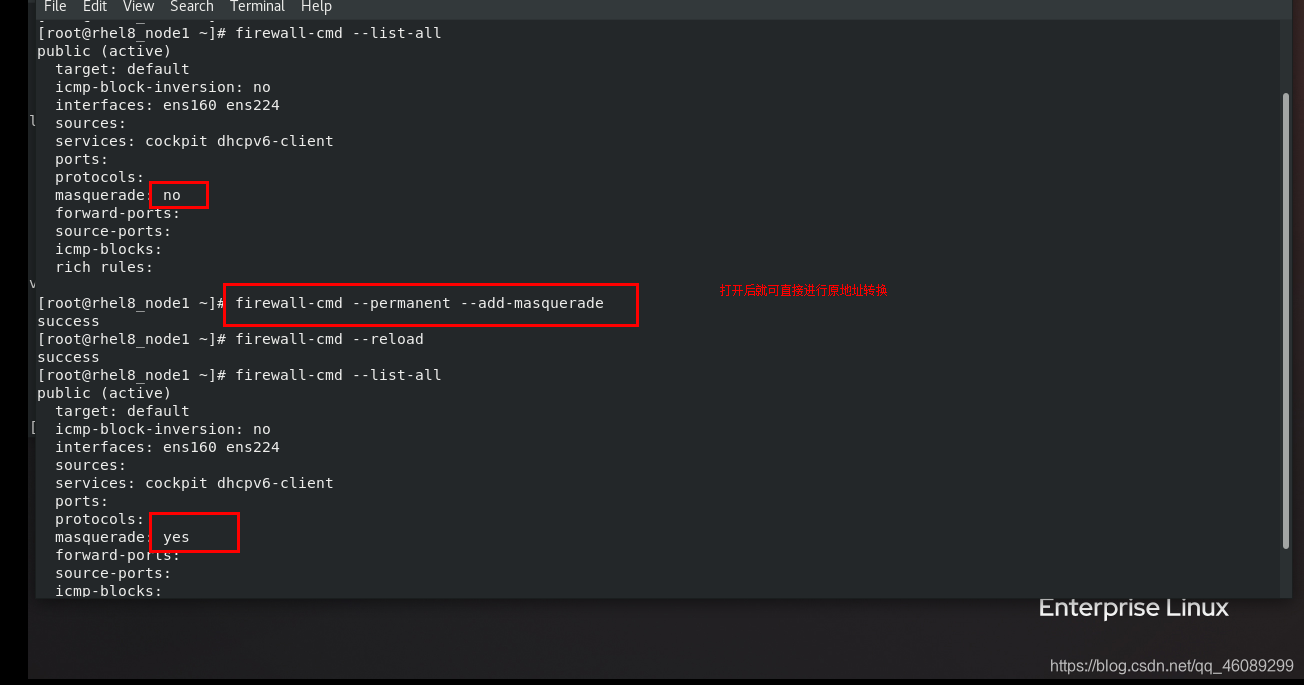
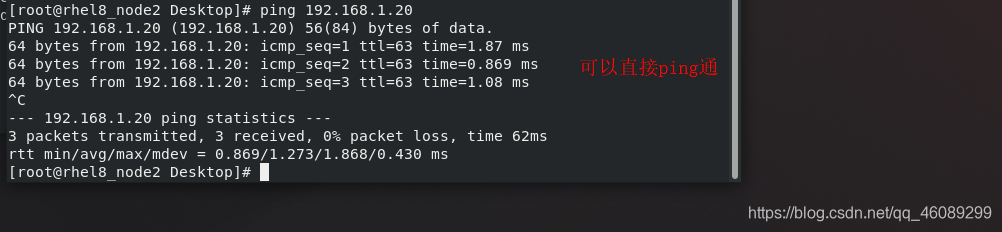
DNAT(目的地地址转换)

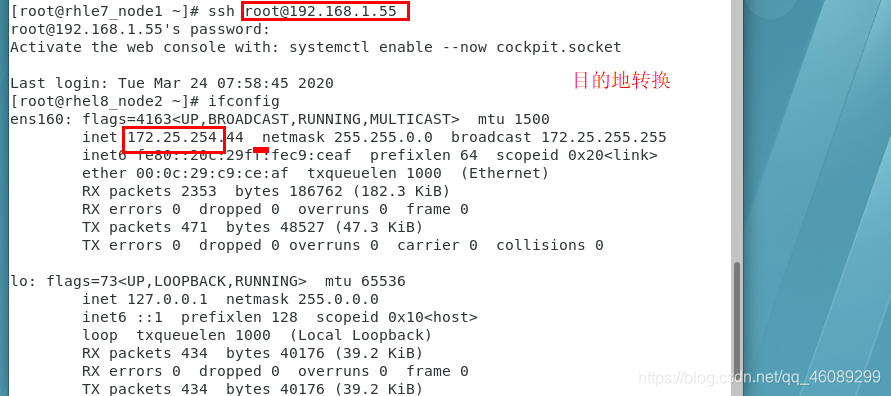
本文来自互联网用户投稿,文章观点仅代表作者本人,不代表本站立场,不承担相关法律责任。如若转载,请注明出处。 如若内容造成侵权/违法违规/事实不符,请点击【内容举报】进行投诉反馈!