22 Notification 通知栏代码
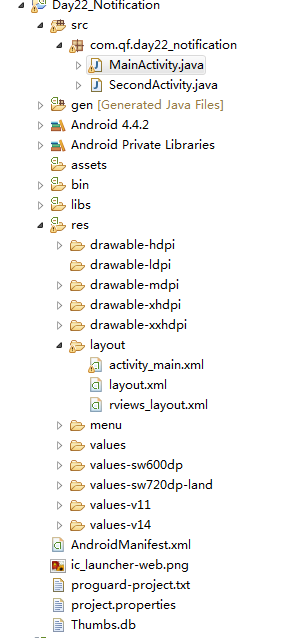
结构图:
MainActivity.java
package com.qf.day22_notification;import android.app.Activity;
import android.app.Notification;
import android.app.NotificationManager;
import android.app.PendingIntent;
import android.content.Context;
import android.content.Intent;
import android.graphics.Bitmap;
import android.graphics.BitmapFactory;
import android.os.Bundle;
import android.support.v4.app.NotificationCompat;
import android.view.View;
import android.widget.RemoteViews;public class MainActivity extends Activity {@Overrideprotected void onCreate(Bundle savedInstanceState) {super.onCreate(savedInstanceState);setContentView(R.layout.activity_main);}//   普通的通知public void MyClick01(View v){//获取通知对象NotificationCompat.Builder builder = new NotificationCompat.Builder(MainActivity.this);//必有属性   必须要写 哪怕你不用builder.setSmallIcon(R.drawable.image1);//图标//其他属性//发送通知的时间 是指显示的时间不是定时发送builder.setWhen(System.currentTimeMillis());Bitmap bp = BitmapFactory.decodeResource(getResources(), R.drawable.ic_launcher);builder.setLargeIcon(bp);builder.setContentInfo("信息");builder.setContentTitle("标题");//标题builder.setContentText("内容hgcdakhgflasfgldsafgldguli iueroewyurhwehfldiufhlaskjfglsadfglksFGLSdjgflasdgflahgjkfdshg;hg;efgh");//内容Intent intent = new  Intent(MainActivity.this, SecondActivity.class);/*** * 延迟意图   等待你的点击 * 参数1:上下文* 参数2:请求码* 参数3:跳转的意图* 参数4:标记*/PendingIntent pendIntent = PendingIntent.getActivity(MainActivity.this, 100, intent, PendingIntent.FLAG_ONE_SHOT);builder.setContentIntent(pendIntent);//获取通知的管理者对象NotificationManager manager = (NotificationManager) getSystemService(Context.NOTIFICATION_SERVICE);//使用管理者让通知展示manager.notify(1, builder.build());}//大视图通知 小米显示miui系统好像有问题public void  MyClick02(View v){NotificationCompat.Builder builder = new NotificationCompat.Builder(getApplicationContext());builder.setContentText("快放假了");builder.setContentTitle("十一");builder.setSmallIcon(R.drawable.f020);//视图样式NotificationCompat.InboxStyle style = new NotificationCompat.InboxStyle();style.addLine("还有好多天");style.addLine("等等就到了");style.addLine("是啊");style.addLine("恩");builder.setStyle(style);NotificationManager manager = (NotificationManager) getSystemService(Context.NOTIFICATION_SERVICE);manager.notify(2, builder.build());}//大视图通知(大图片) 小米显示miui系统好像有问题public void  MyClick03(View v){NotificationCompat.Builder builder = new NotificationCompat.Builder(getApplicationContext());builder.setContentTitle("新闻");builder.setContentText("中彩票了");builder.setSmallIcon(R.drawable.f020);//大图片 视图样式NotificationCompat.BigPictureStyle style = new NotificationCompat.BigPictureStyle();//大图片style.bigPicture(BitmapFactory.decodeResource(getResources(), R.drawable.ccc));style.setSummaryText("菜谱");builder.setStyle(style);NotificationManager manager = (NotificationManager) getSystemService(Context.NOTIFICATION_SERVICE);manager.notify(3, builder.build());}//带进度条的通知public void  MyClick04(View v){final NotificationCompat.Builder builder = new NotificationCompat.Builder(getApplicationContext());builder.setContentTitle("昨天晚上下雨了");builder.setContentText("早上起来 地干了");builder.setSmallIcon(R.drawable.f020);final NotificationManager manager = (NotificationManager) getSystemService(NOTIFICATION_SERVICE);//模仿下载new Thread(){public void run() {//每次下载5%for(int i=0;i<=100;i+=5){/*** 设置进度 * 参数1:最大的进度* 参数2:当前进度* 参数3:标志    进度条的样式    false :有明确进度    true:没有明确进度*/builder.setProgress(100, i, false);manager.notify(4, builder.build());try {Thread.sleep(500);} catch (InterruptedException e) {// TODO Auto-generated catch blocke.printStackTrace();}}//下载完展示builder.setContentText("下载完成");manager.notify(4, builder.build());};}.start();}//自定义通知public void MyClick05(View v){NotificationCompat.Builder builder = new NotificationCompat.Builder(getApplicationContext());builder.setContentTitle("疯狗咬人");builder.setSmallIcon(R.drawable.ic_launcher);
//      //VIew  将xml布局转换成View对象RemoteViews rViews = new RemoteViews(getPackageName(), R.layout.rviews_layout);//自身的方法设置内容rViews.setTextViewText(R.id.tv, "咬了十几个");rViews.setImageViewResource(R.id.iv, R.drawable.f020);builder.setContent(rViews);NotificationManager manager = (NotificationManager) getSystemService(Context.NOTIFICATION_SERVICE);manager.notify(5, builder.build());}}
SecondActivity.java
package com.qf.day22_notification;import android.app.Activity;
import android.app.NotificationManager;
import android.content.Context;
import android.os.Bundle;public class SecondActivity extends Activity{@Overrideprotected void onCreate(Bundle savedInstanceState) {// TODO Auto-generated method stubsuper.onCreate(savedInstanceState);setContentView(R.layout.layout);//获取通知的管理者对象NotificationManager manager = (NotificationManager) getSystemService(Context.NOTIFICATION_SERVICE);// manager.cancel(1);//根据标识 去关闭通知manager.cancelAll();// 关闭所有通知}}
activity_main.xml
<LinearLayout xmlns:android="http://schemas.android.com/apk/res/android"xmlns:tools="http://schemas.android.com/tools"android:layout_width="match_parent"android:layout_height="match_parent"android:orientation="vertical"tools:context=".MainActivity" ><Button android:onClick="MyClick01"android:layout_width="match_parent"android:layout_height="wrap_content"android:text="普通的Notification"/><Button android:onClick="MyClick02"android:layout_width="match_parent"android:layout_height="wrap_content"android:text="大视图Notification"/><Button android:onClick="MyClick03"android:layout_width="match_parent"android:layout_height="wrap_content"android:text="大视图(大图片)Notification"/><Button android:onClick="MyClick04"android:layout_width="match_parent"android:layout_height="wrap_content"android:text="带进度条Notification"/><Button android:onClick="MyClick05"android:layout_width="match_parent"android:layout_height="wrap_content"android:text="自定义Notification"/>LinearLayout>
layout.xml
<LinearLayout xmlns:android="http://schemas.android.com/apk/res/android"android:layout_width="match_parent"android:layout_height="match_parent"android:orientation="vertical" ><TextView android:layout_width="wrap_content"android:layout_height="wrap_content"android:text="第二个Activity"/>LinearLayout>
rviews_layout.xml
<LinearLayout xmlns:android="http://schemas.android.com/apk/res/android"android:layout_width="match_parent"android:layout_height="match_parent"android:orientation="vertical" ><TextView android:layout_width="wrap_content"android:layout_height="wrap_content"android:text="第二个Activity"/>LinearLayout>
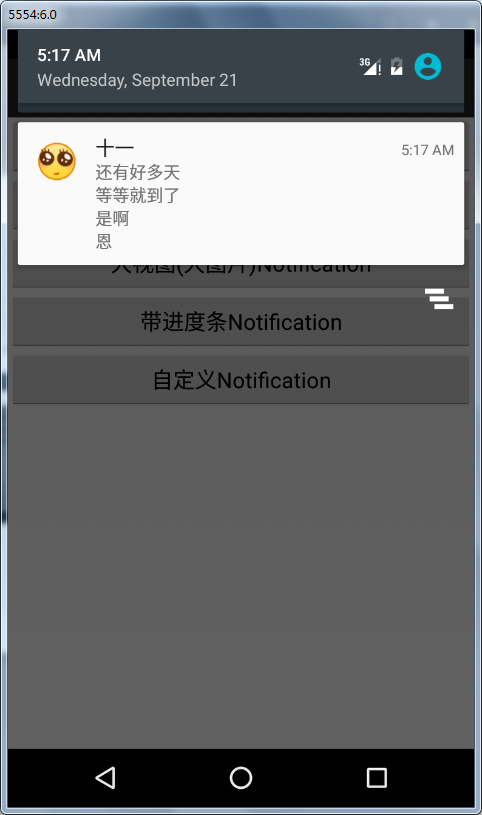
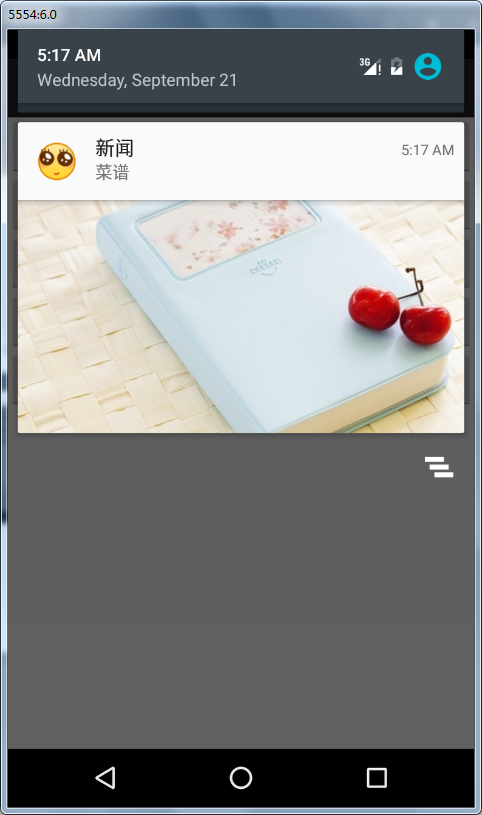
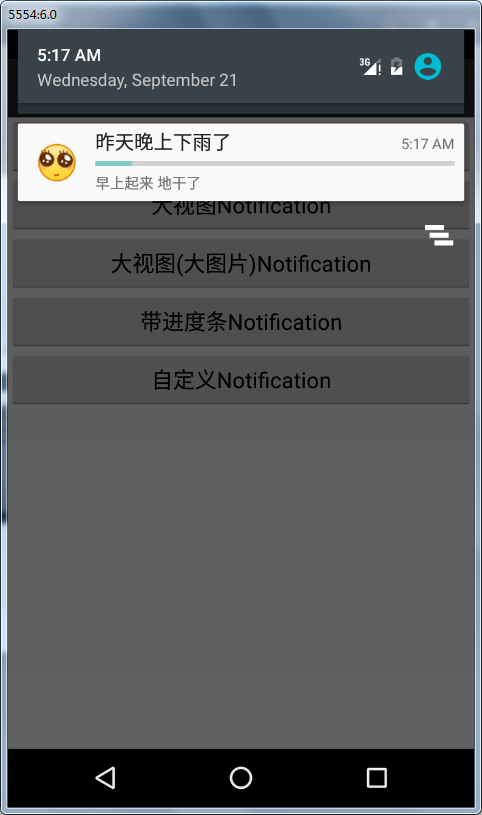
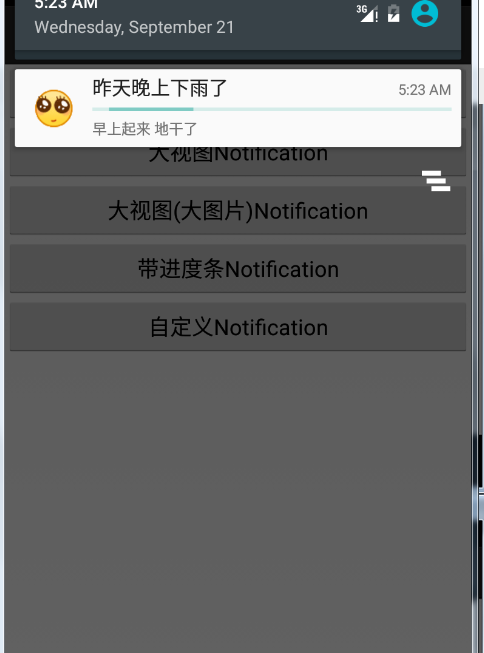
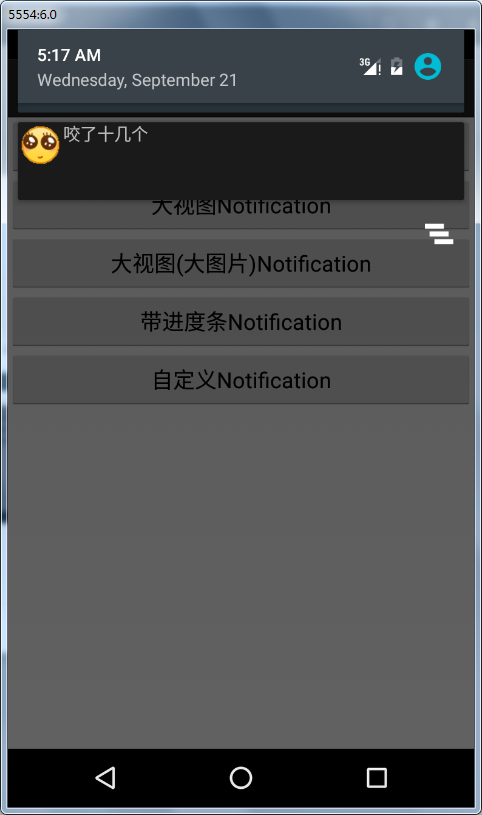
- 对应样式图:
对应按钮顺序
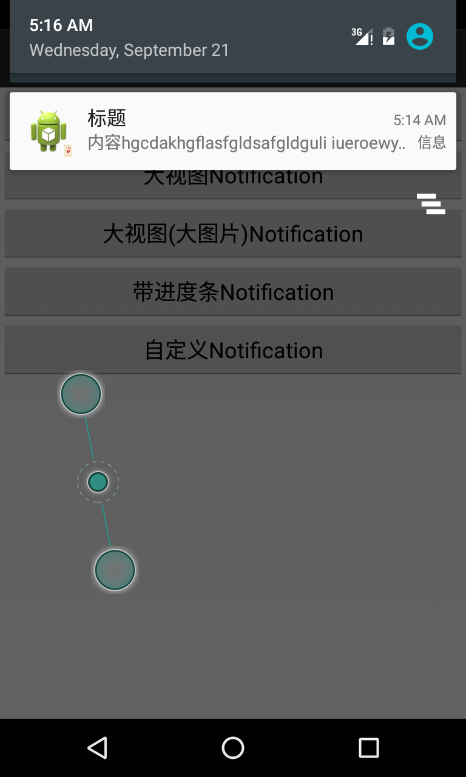
* 有明确进度条样式 false
无明确进度条样式true 一直滑动
转载于:https://www.cnblogs.com/muyuge/p/6152202.html
本文来自互联网用户投稿,文章观点仅代表作者本人,不代表本站立场,不承担相关法律责任。如若转载,请注明出处。 如若内容造成侵权/违法违规/事实不符,请点击【内容举报】进行投诉反馈!