微信小程序两个地址 之间的距离实现
-
用到了小程序自带的属性方法wx.chooseLocation() 【这方法是用来唤醒腾讯地图】
-
wx.getLocation() 【这个方法获取当前的位置】
- 根据项目的需要有两种写法
- 第一种,使用点事件
 moveToLocation(){const that = this //这个是为了防止this指向的丢失wx.chooseLocation({//吊起腾讯地图的方法success:function(res){ //成功的时候执行的方法that.setData({mapName:res.name // 在点击确定的时候 将获取的地址展示出来})const {latitude,longitude} =res //利用es6的解构赋值 console.log(latitude,longitude);that.data.latitude2= latitude that.data.longitude2=longitude// 将经度纬度赋值给相应的属性wx.getLocation({ // 这个是获取当前位置的方法type: 'gcj02',success: (res) => {console.log(res);// console.log("当前位置:", res)//带哦用一个自定义的函数进行传参const distance_new = that.getLocation(res.latitude, res.longitude, that.data.latitude2,that.data.longitude2);console.log(distance_new);}})},
})},- 第二就是写在onLoad: function (){}方法中 【】
 onLoad: function(){const that = this //这个是为了防止this指向的丢失wx.chooseLocation({//吊起腾讯地图的方法success:function(res){ //成功的时候执行的方法that.setData({mapName:res.name // 在点击确定的时候 将获取的地址展示出来})const {latitude,longitude} =res //利用es6的解构赋值 console.log(latitude,longitude);that.data.latitude2= latitude that.data.longitude2=longitude// 将经度纬度赋值给相应的属性wx.getLocation({ // 这个是获取当前位置的方法type: 'gcj02',success: (res) => {console.log(res);// console.log("当前位置:", res)//带哦用一个自定义的函数进行传参const distance_new = that.getLocation(res.latitude, res.longitude, that.data.latitude2,that.data.longitude2);console.log(distance_new);}})},
})},
2.一下是计算的方法
// 计算距离函数Rad(d) { // console.log(d,'这里是D');//根据经纬度判断距离return d * Math.PI / 180.0;},getLocation(weidu1, jingdu1, weidu2, jingdu2) {console.log(weidu1, jingdu1 ,'我是当前定位', weidu2, jingdu2,'我是目标的');// weidu1当前的纬度// jingdu1当前的经度// weidu2目标的纬度// jingdu2目标的经度var radweidu1 = this.Rad(weidu1);var radweidu2 = this.Rad(weidu2);var a = radweidu1 - radweidu2;// console.log(a);var b = this.Rad(jingdu1) - this.Rad(jingdu2);// console.log(b);var s = 2 * Math.asin(Math.sqrt(Math.pow(Math.sin(a / 2), 2) + Math.cos(radweidu1) * Math.cos(radweidu2) * Math.pow(Math.sin(b / 2), 2)));// console.log(s);s = s * 6378.137;s = Math.round(s * 10000) / 10000;s = s.toFixed(1) + 'km' //保留两位小数// console.log('经纬度计算的距离:' + s)return s},3.成品入下
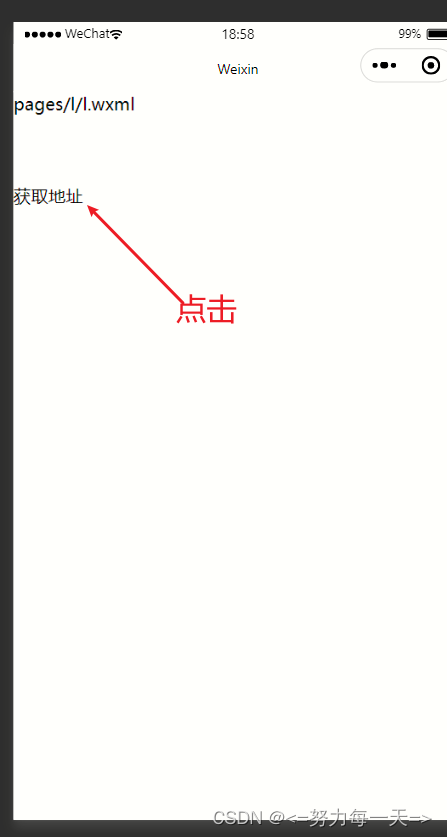
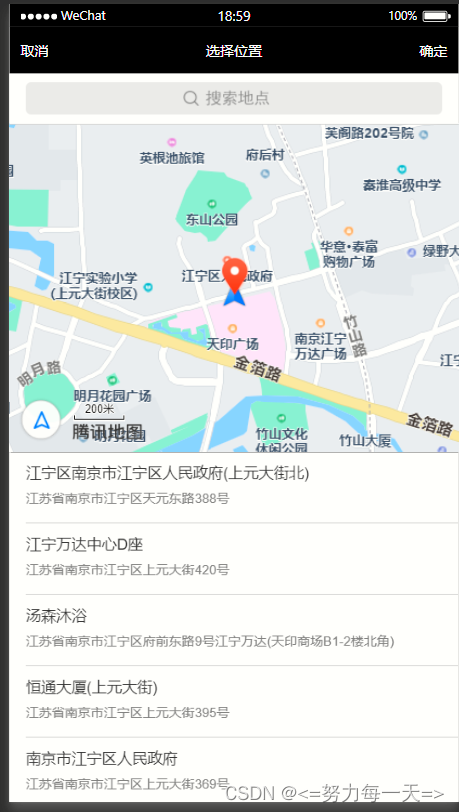
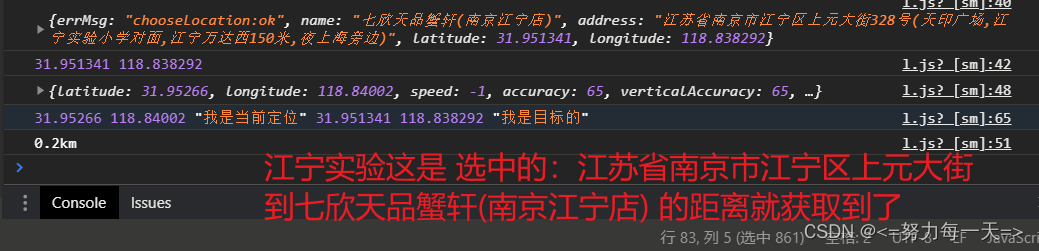
本文来自互联网用户投稿,文章观点仅代表作者本人,不代表本站立场,不承担相关法律责任。如若转载,请注明出处。 如若内容造成侵权/违法违规/事实不符,请点击【内容举报】进行投诉反馈!