[黑盾杯]2020之Misc篇刷题记录(16)
[黑盾杯]2020之Misc篇刷题记录(16)
- [黑盾杯 2020]encrypt
- [黑盾杯 2020]Blue
- [黑盾杯 2020]blind
- [黑盾杯 2020]Trees
- [UTCTF 2020]Spectre
- [UTCTF 2020]Observe closely
- [SWPU 2020]来猜谜了
- [羊城杯 2020]秘密传输
- [WUSTCTF 2020]findme
- [WUSTCTF 2020]alison_likes_jojo
- [WUSTCTF 2020]爬
NSSCTF平台:https://www.nssctf.cn/
PS:所有FLAG改为NSSCTF
[黑盾杯 2020]encrypt
UTAxSlUwTkRWRVo3Um1GclpWOWxibU55ZVhCMGFXOXVmUT09 #两次base65解码
Base64在线:http://www.hiencode.com/base64.html
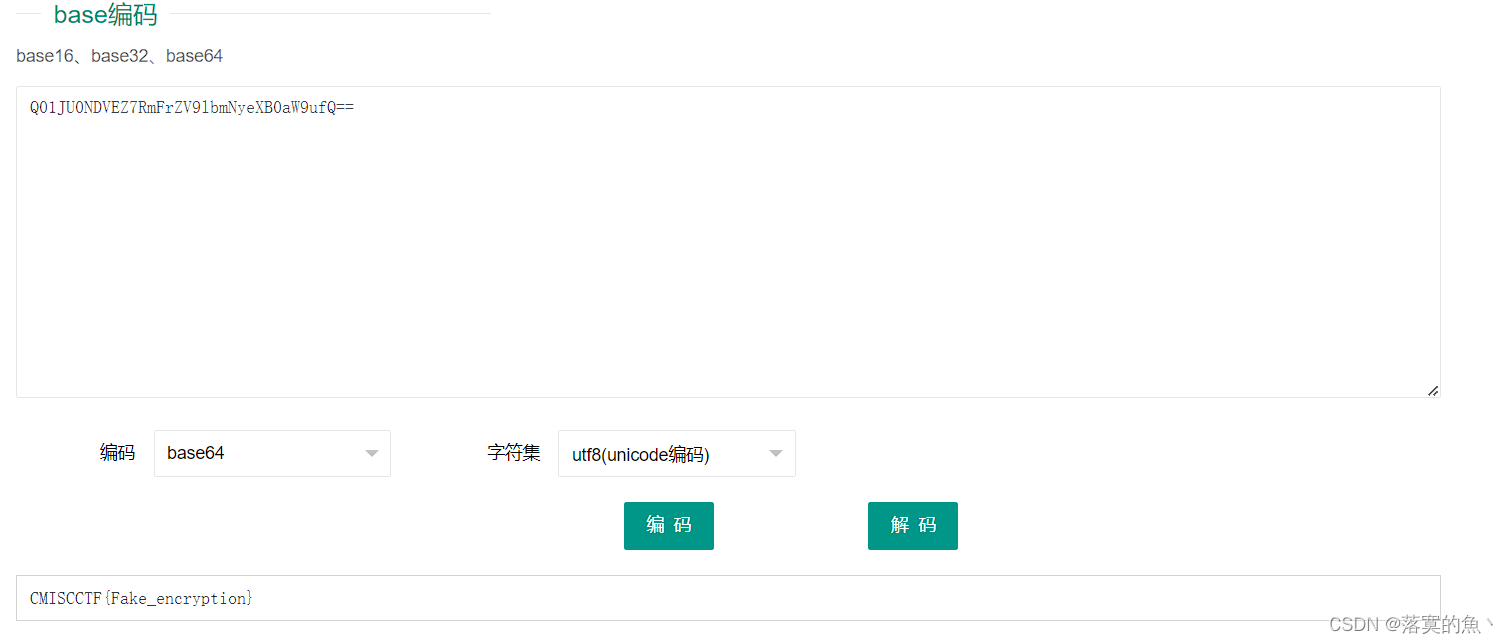
NSSCTF{Fake_encryption}
[黑盾杯 2020]Blue
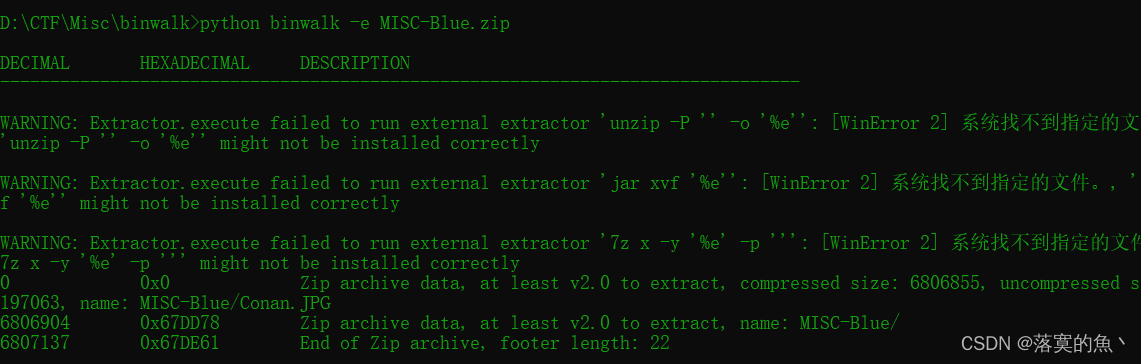
得到一个压缩包解压 一张很大的图片 存在隐写直接binwalk -e 分离
然后里面有个sql注入流量的数据包 筛选HTTP协议
ctrl+F 找到每一轮的开头33,查看上一条查询语句就知道上一个字母是什么,然后手动拼凑成flag

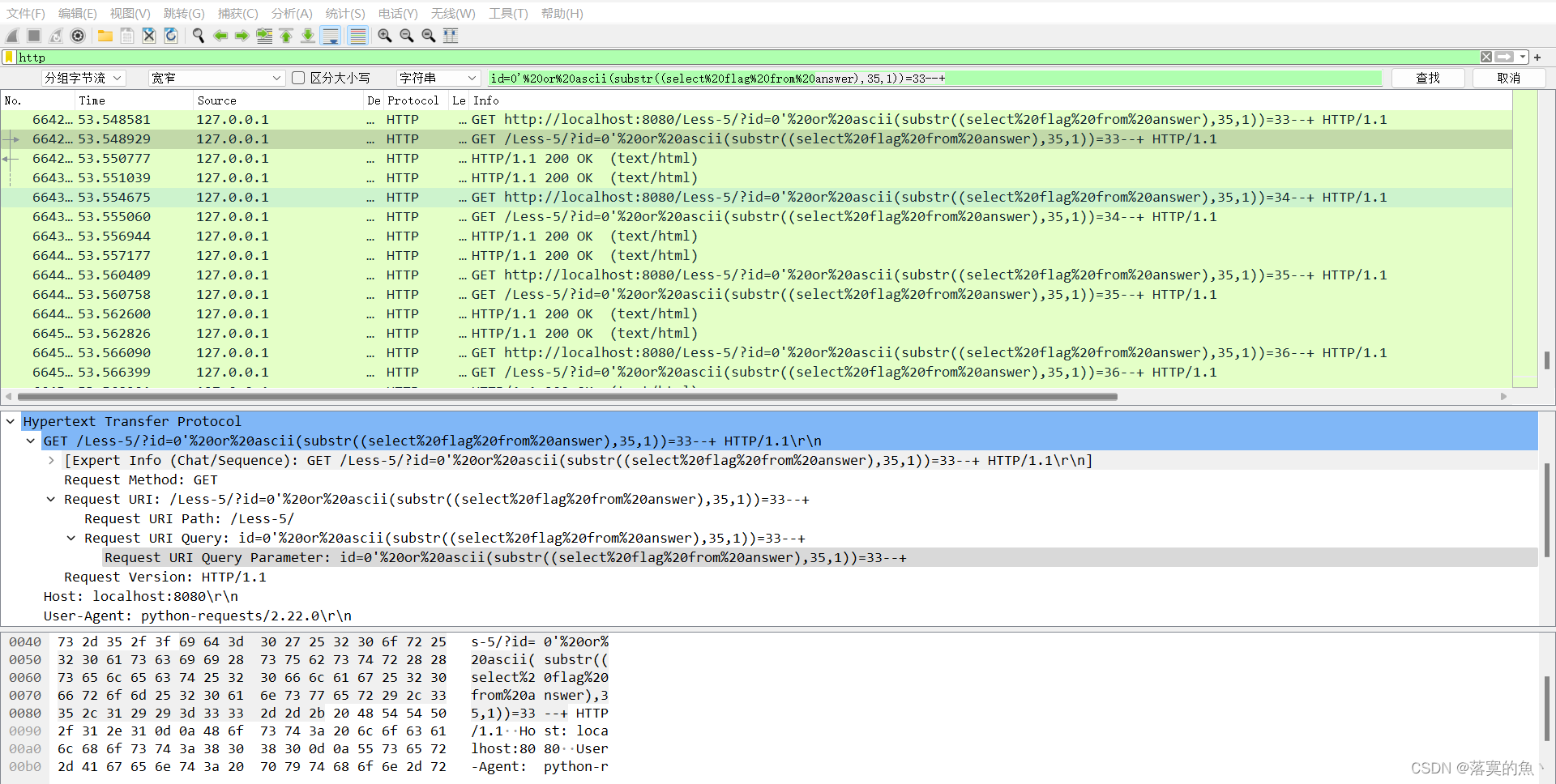
NSSCTF{Gre4t_j0B_ON_This_Blue_sh4rk}
[黑盾杯 2020]blind
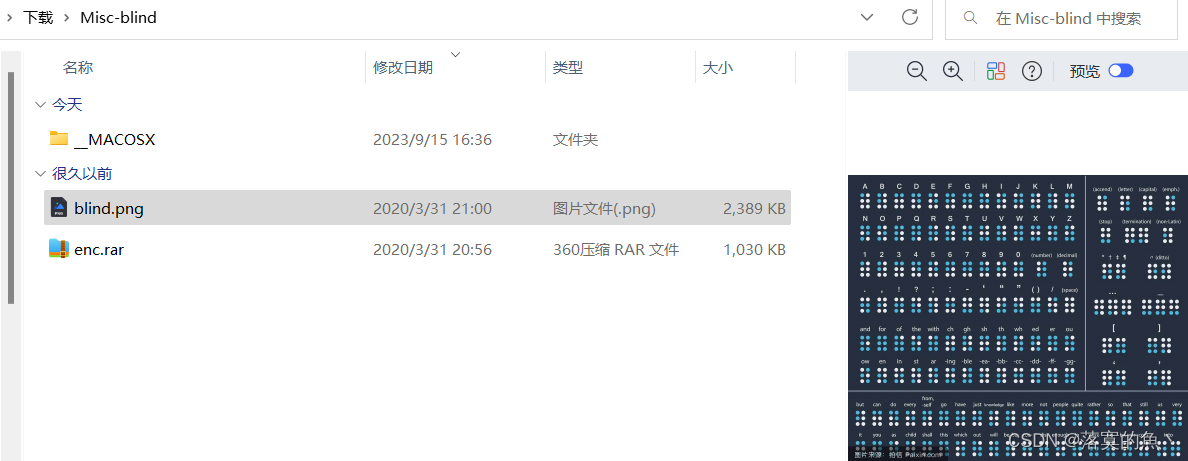
考点:盲水印(题目提示就是)
两个文件一个图片 一个需要密码的压缩包文件 binwalk -e或者foremost分离
得到了两个一样的图片再根据提示盲水印 使用脚本 python2运行。
# coding=utf-8
import cv2
import numpy as np
import random
import os
from argparse import ArgumentParser
ALPHA = 5def build_parser():parser = ArgumentParser()parser.add_argument('--original', dest='ori', required=True)parser.add_argument('--image', dest='img', required=True)parser.add_argument('--result', dest='res', required=True)parser.add_argument('--alpha', dest='alpha', default=ALPHA)return parserdef decode(ori_path, img_path, res_path, alpha):ori = cv2.imread(ori_path)img = cv2.imread(img_path)ori_f = np.fft.fft2(ori)img_f = np.fft.fft2(img)height, width = ori.shape[0], ori.shape[1]watermark = (ori_f - img_f) / alphawatermark = np.real(watermark)res = np.zeros(watermark.shape)random.seed(height + width)x = range(height / 2)y = range(width)random.shuffle(x)random.shuffle(y)for i in range(height / 2):for j in range(width):res[x[i]][y[j]] = watermark[i][j]cv2.imwrite(res_path, res, [int(cv2.IMWRITE_JPEG_QUALITY), 100])def main():parser = build_parser()options = parser.parse_args()ori = options.oriimg = options.imgres = options.resalpha = options.alphaif not os.path.isfile(ori):parser.error("original image %s does not exist." % ori)if not os.path.isfile(img):parser.error("image %s does not exist." % img)decode(ori, img, res, alpha)if __name__ == '__main__':main()

我这里环境装半天没装上很烦(后期转好了补上吧 ) 显示没cv2库 装不上 要不版本问题
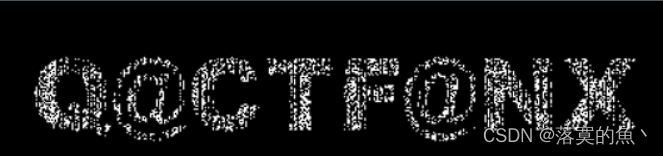
反正就提供思路 得到一张新图 看不清 在使用StegSolve详细查看得到密码:Q@CTF@NX
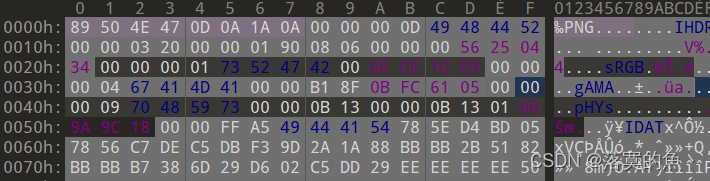
得到一张图 放入010感觉还有东西 继续尝试分离 发现可能存在两张图片
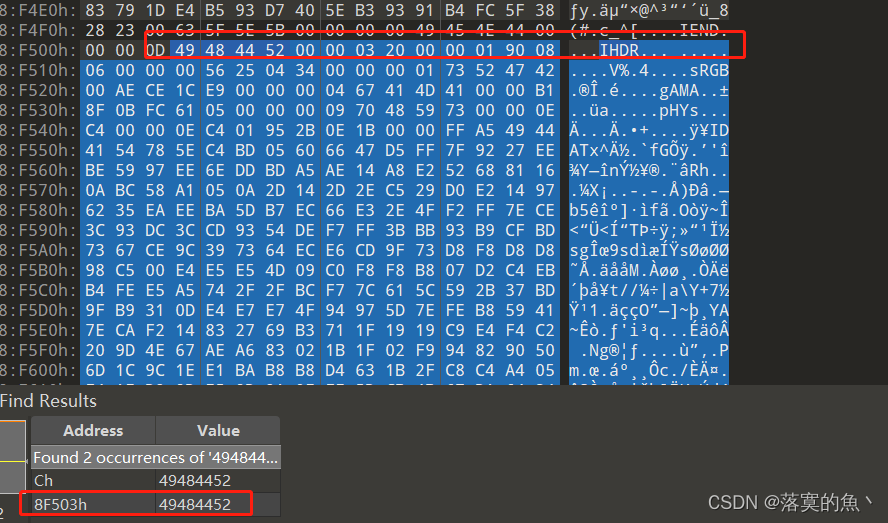
在010 中搜索 49 48 44 52 找到第二个 发现确实文件头加个jpg 另存为即可。

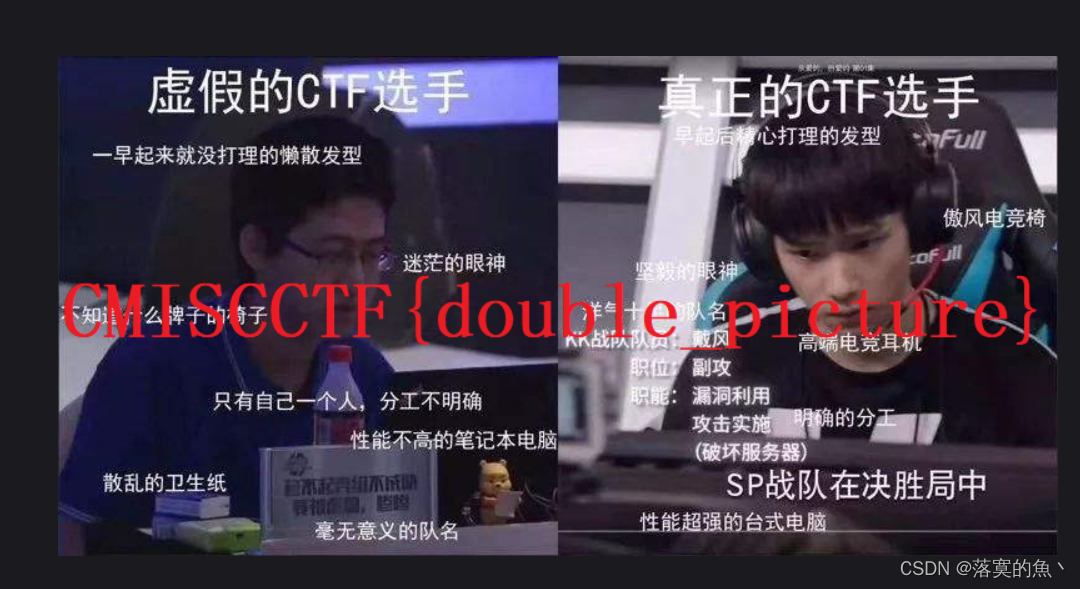
NSSCTF{double_picture}
[黑盾杯 2020]Trees
使用StegSolve查看因为太大了需要脚本处理一下。
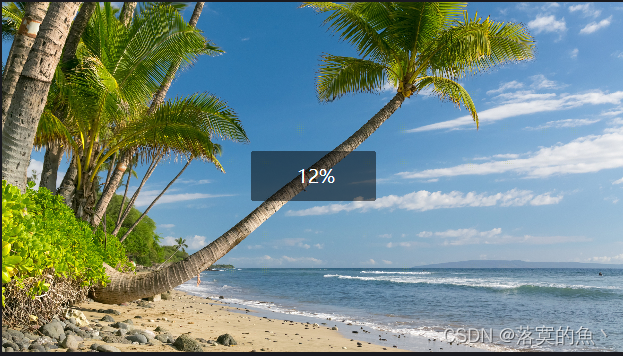
from PIL import Imageimg = Image.open('enc.png')
w = img.width
h = img.height
img_ob = Image.new("RGB",(w//16,h//16))for x in range(w//16):for y in range(h//16):(r,g,b)=img.getpixel((x*16,y*16))img_ob.putpixel((x,y),(r,g,b))img_ob.save('1.png')
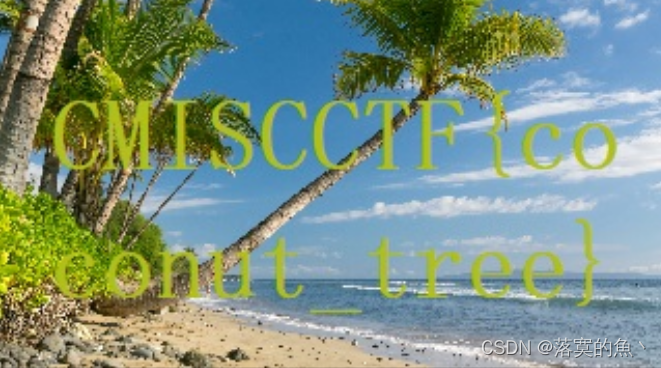
NSSCTF{coconut_tree}
[UTCTF 2020]Spectre
考点:音频隐写
使用工具Audacity 右键查看频普图即可。
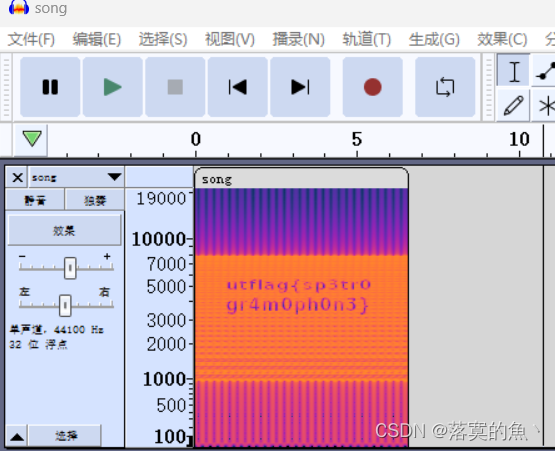
NSSCTF{sp3tr0gr4m0ph0n3}
[UTCTF 2020]Observe closely
一张图片 binwalk -e 分离一下 得到一个压缩包 然后随便编辑器打开 搜一下flag即可。
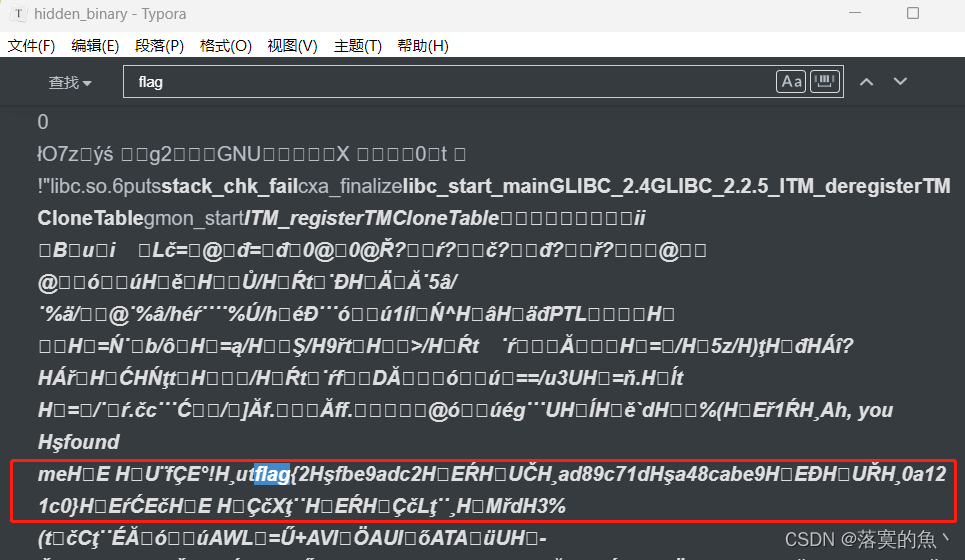
提取一下得到flag
flag{2Hºfbe9adc2H‰EÀH‰UÈH¸ad89c71dHºa48cabe9H‰EÐH‰UØH¸0a121c0}
NSSCTF{2fbe9adc2ad89c71da48cabe90a121c0}
[SWPU 2020]来猜谜了
考点:LSB,键盘流量分析,ADFGX密码,Outguess
是图片想到放010看一下 发现没啥东西 然后看到图片给的提示想到LSB隐写
使用工具Stegslove提取数据Save bin 另存为zip 得到两个文件一个数据包和张图片
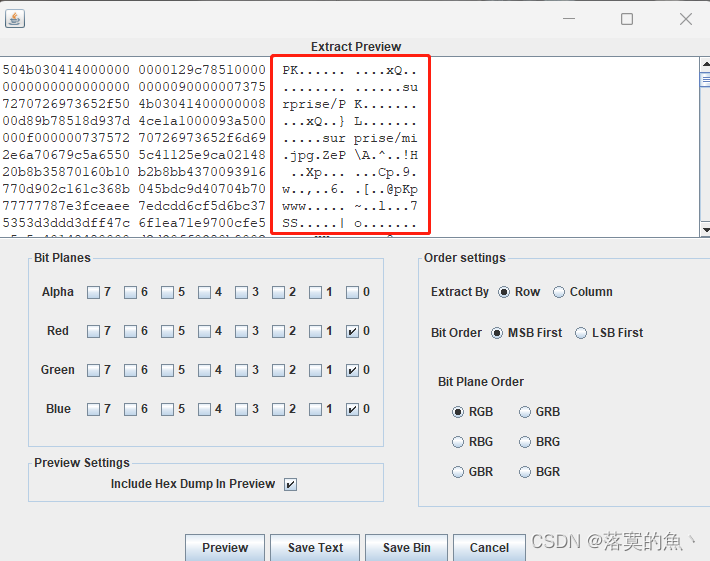
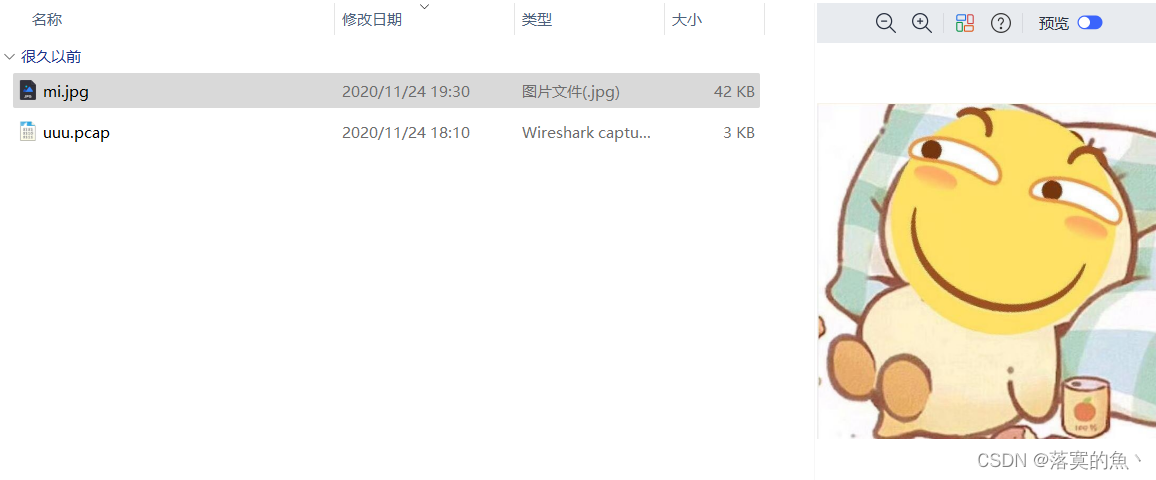
打开数据包是USB类型的,根据Leftover capture data域的数据长度为8个字节判断为键盘流量
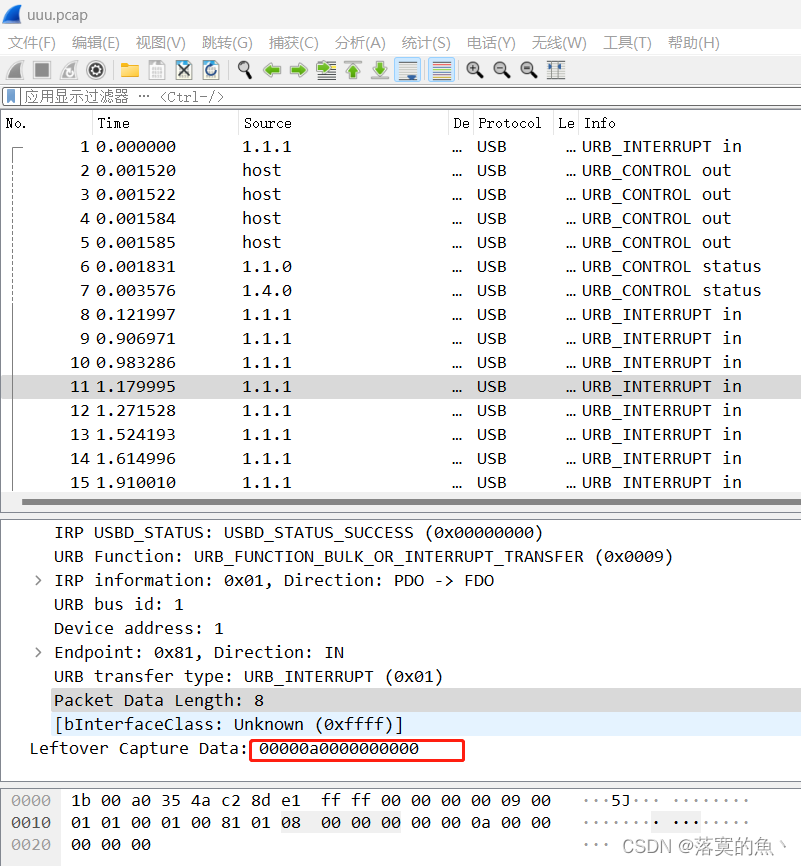
这里的思路就是 把数据提取出来 然后对应键盘的编码去对这里可以使用脚本
使用工具Tshark提取 一般是有空格的 需要去除 得到的字符串是:AG DX AG DX AG DX
tshark -r uuu.pcap -T fields -e usb.capdata > usbdata.txt #提取数据 默认有空行
tshark -r uuu.pcap -T fields -e usb.capdata |sed '/^\s*$/d' > usbdata.txt  #去除空格
#!/usr/bin/env python
# -*- coding:utf-8 -*-normalKeys = {"04":"a", "05":"b", "06":"c", "07":"d", "08":"e", "09":"f", "0a":"g", "0b":"h", "0c":"i", "0d":"j", "0e":"k", "0f":"l", "10":"m", "11":"n", "12":"o", "13":"p", "14":"q", "15":"r", "16":"s", "17":"t", "18":"u", "19":"v", "1a":"w", "1b":"x", "1c":"y", "1d":"z","1e":"1", "1f":"2", "20":"3", "21":"4", "22":"5", "23":"6","24":"7","25":"8","26":"9","27":"0","28":"" ,"29":"" ,"2a":"", "2b":"\t","2c":"" ,"2d":"-","2e":"=","2f":"[","30":"]","31":"\\","32":"" ,"33":";","34":"'","35":"" ,"36":",","37":".","38":"/","39":"" ,"3a":"" ,"3b":"" , "3c":"" ,"3d":"" ,"3e":"" ,"3f":"" ,"40":"" ,"41":"" ,"42":"" ,"43":"" ,"44":"" ,"45":"" }
shiftKeys = {"04":"A", "05":"B", "06":"C", "07":"D", "08":"E", "09":"F", "0a":"G", "0b":"H", "0c":"I", "0d":"J", "0e":"K", "0f":"L", "10":"M", "11":"N", "12":"O", "13":"P", "14":"Q", "15":"R", "16":"S", "17":"T", "18":"U", "19":"V", "1a":"W", "1b":"X", "1c":"Y", "1d":"Z","1e":"!", "1f":"@", "20":"#", "21":"$", "22":"%", "23":"^","24":"&","25":"*","26":"(","27":")","28":"" ,"29":"" ,"2a":"", "2b":"\t","2c":"" ,"2d":"_","2e":"+","2f":"{","30":"}","31":"|","32":"" ,"33":"\"","34":":","35":"" ,"36":"<","37":">","38":"?","39":"" ,"3a":"" ,"3b":"" , "3c":"" ,"3d":"" ,"3e":"" ,"3f":"" ,"40":"" ,"41":"" ,"42":"" ,"43":"" ,"44":"" ,"45":"" }
output = []
keys = open('usbdata.txt')
for line in keys:try:if line[0]!='0' or (line[1]!='0' and line[1]!='2') or line[3]!='0' or line[4]!='0' or line[9]!='0' or line[10]!='0' or line[12]!='0' or line[13]!='0' or line[15]!='0' or line[16]!='0' or line[18]!='0' or line[19]!='0' or line[21]!='0' or line[22]!='0' or line[6:8]=="00":continueif line[6:8] in normalKeys.keys():output += [[normalKeys[line[6:8]]],[shiftKeys[line[6:8]]]][line[1]=='2']else:output += ['[unknown]']except:pass
keys.close()flag=0
print("".join(output))
for i in range(len(output)):try:a=output.index('')del output[a]del output[a-1]except:pass
for i in range(len(output)):try:if output[i]=="" :flag+=1output.pop(i)if flag==2:flag=0if flag!=0:output[i]=output[i].upper()except:pass
print ('output :' + "".join(output))

新知识点 :ADFGX密码
ADFGX密码(ADFGX Cipher)是结合了改良过的Polybius方格替代密码与单行换位密码的矩阵加密密码,使用了5个合理的密文字母:A,D,F,G,X,这些字母之所以这样选择是因为当转译成摩尔斯电码(ADFGX密码是德国军队在一战发明使用的密码)不易混淆
#!shellA  D  F  G   X----------------
A | p  h  q  g   m
D | e  a  y  n   o
F | f  d  x  k   r
G | c  v  s  z   w
X | b  u  t  i/j l
最终对应得到:gogogo(可能是密钥)
在分析图片jpg图片 隐写可能有jsteg、steghide、outguess最终尝试outguess得到flag。
outguess下载:https://github.com/crorvick/outguess
git clone https://github.com/crorvick/outguess
./configure && make && make install #运行环境编译
outguess -h
outguess [options] [<input file> [<output file>]]-[sS] <n>    iteration start, capital letter for 2nd dataset-[iI] <n>    iteration limit-[kK] <key>  key-[dD] <name> filename of dataset-[eE]        use error correcting encoding-p <param>   parameter passed to destination data handler-r           retrieve message from data-x <n>       number of key derivations to be tried-m           mark pixels that have been modified-t           collect statistic information-F[+-]       turns statistical steganalysis foiling on/off.The default is on.
outguess -k 'gogogo' -r mi.jpg 666.txt
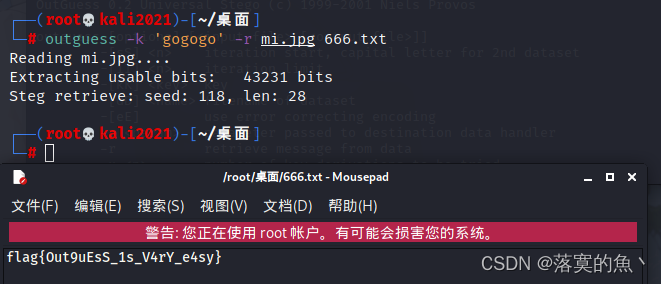
NSSCTF{Out9uEsS_1s_V4rY_e4sy}
[羊城杯 2020]秘密传输
考点:IP数据包隐写
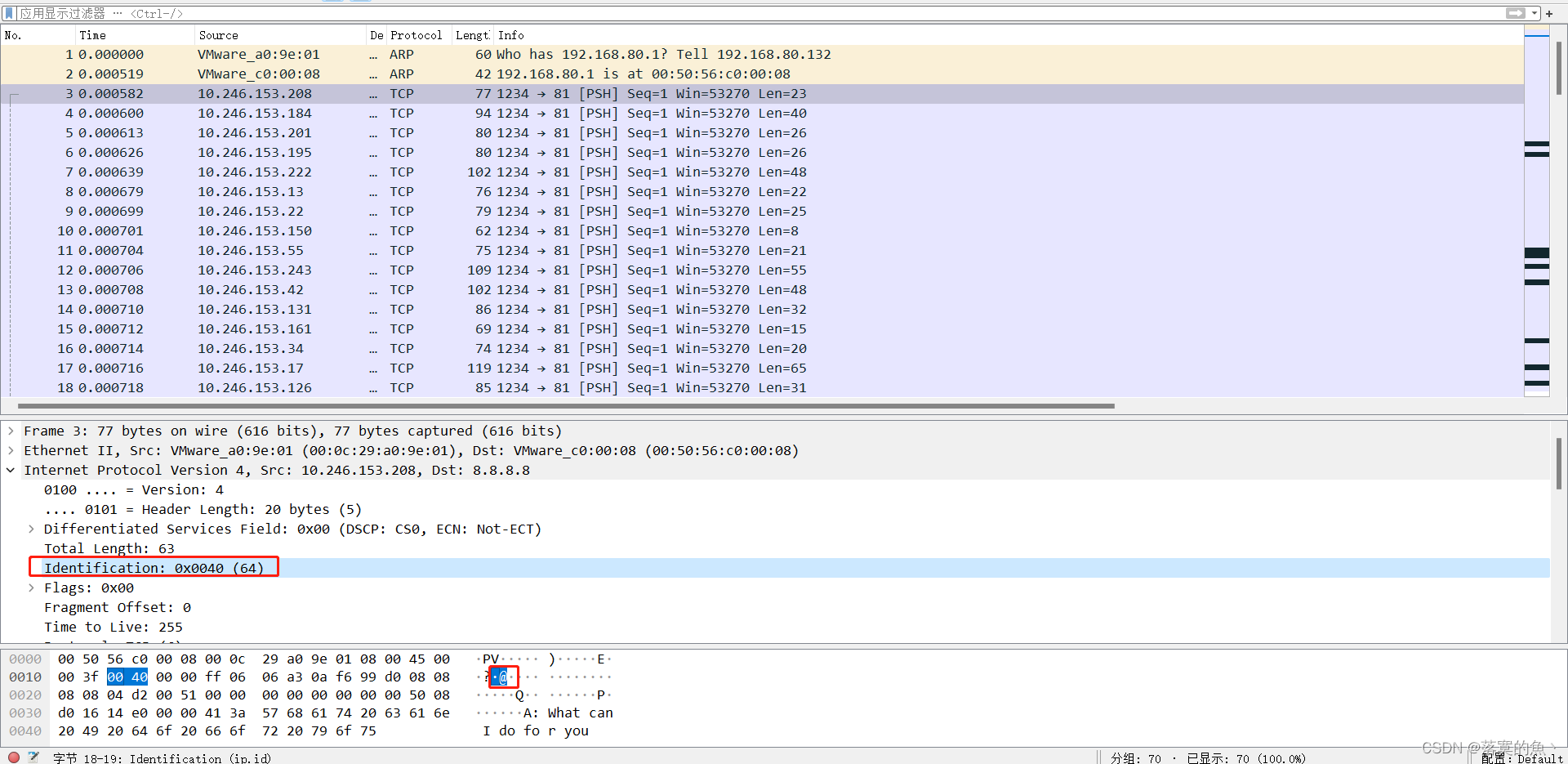
发现隐写在TCP包的Identification这一项,对应的十进制数都可显示ASCII码
手动提取一下 比如第一个是64 ascii 就是@ 依次提取
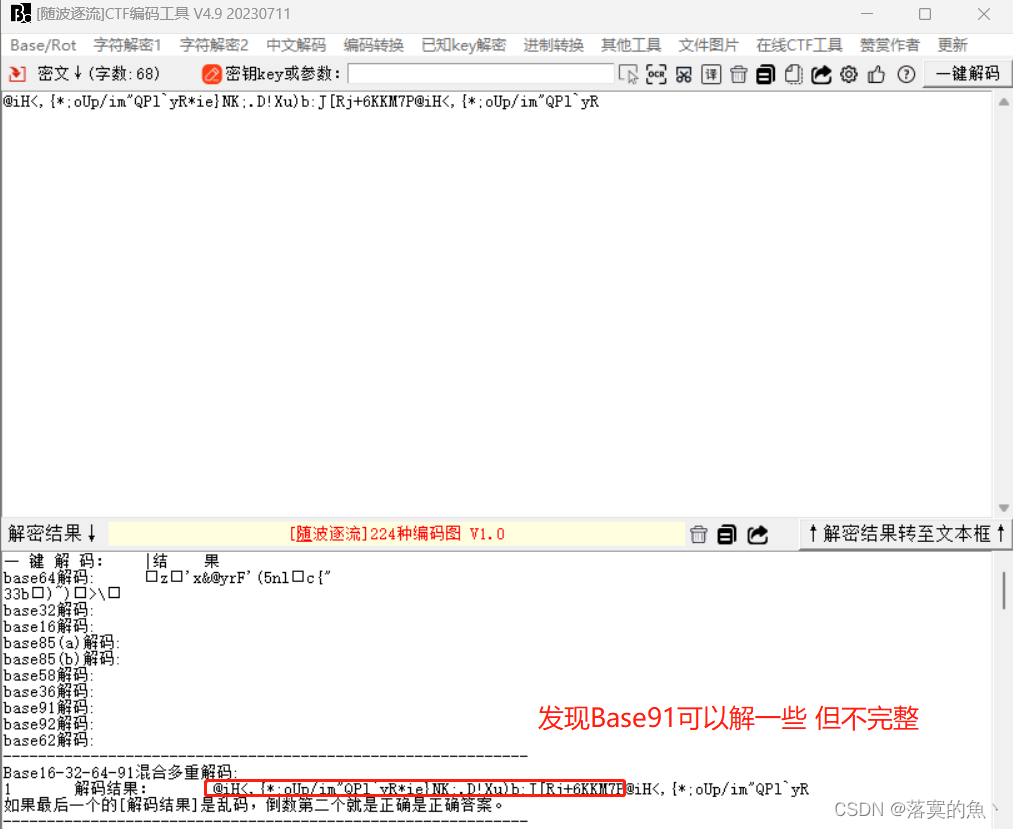
@iH<,{*;oUp/im"QPl`yR*ie}NK;.D!Xu)b:J[Rj+6KKM7P@iH<,{*;oUp/im"QPl`yR
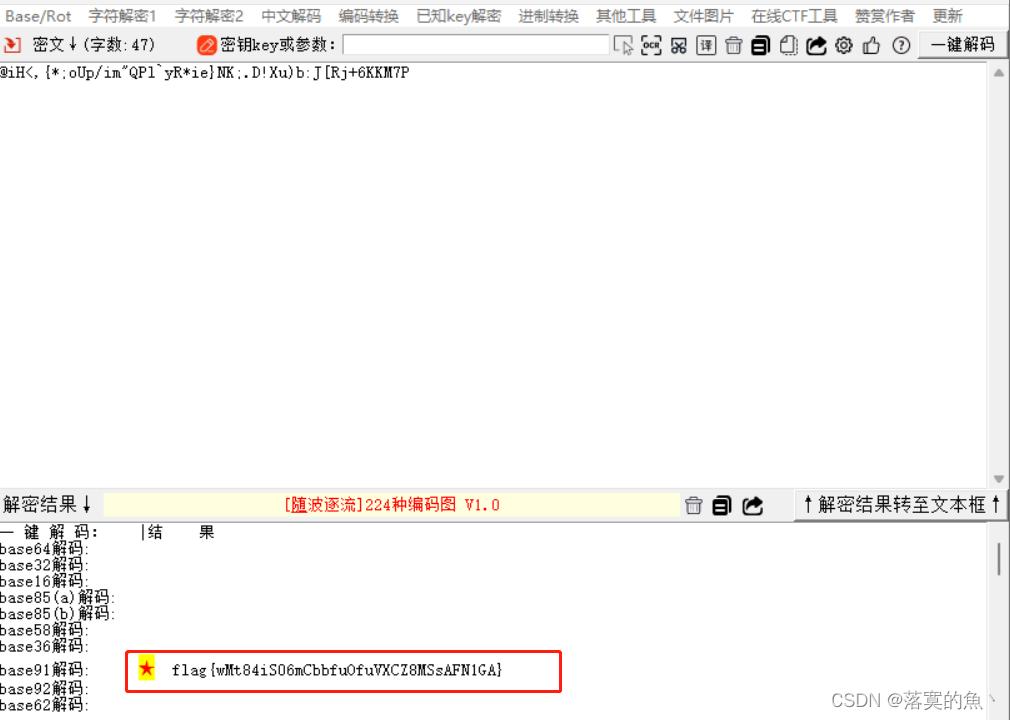
NSSCTF{wMt84iS06mCbbfuOfuVXCZ8MSsAFN1GA}
[WUSTCTF 2020]findme
下载图片 查看属性 发现一串奇怪的字符串,一看就是盲文解码(送分题)

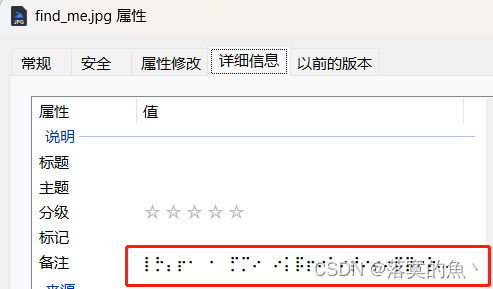
盲文在线解密:https://www.qqxiuzi.cn/bianma/wenbenjiami.php?s=mangwen
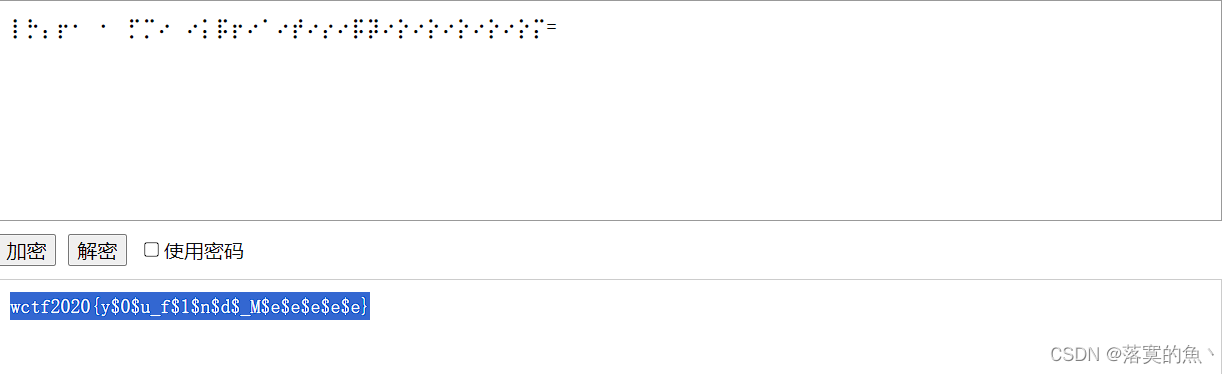
NSSCTF{y$0$u_f$1$n$d$_M$e$e$e$e$e}
[WUSTCTF 2020]alison_likes_jojo
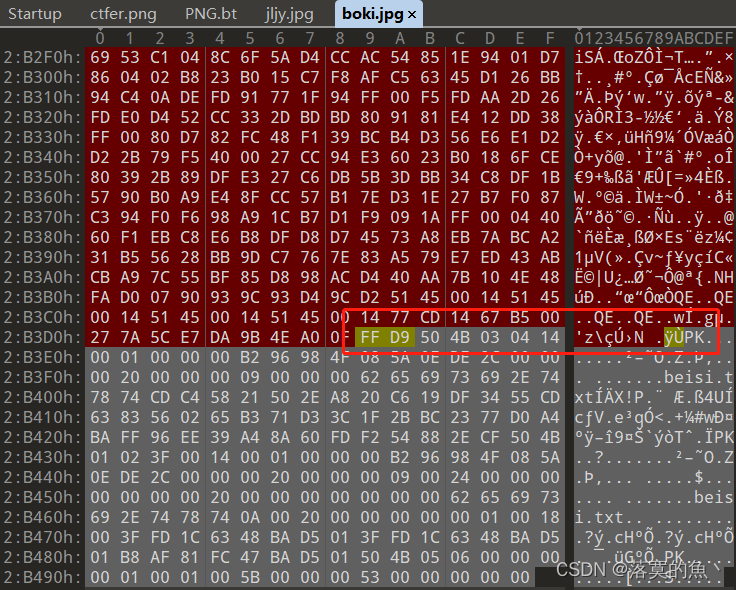
下载得到两张图片先查看属性无果,放010 看看发现一张底部有PK头标识 分离得到加密压缩包
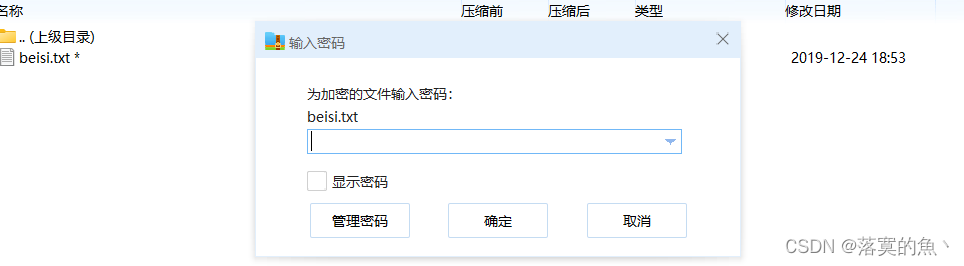
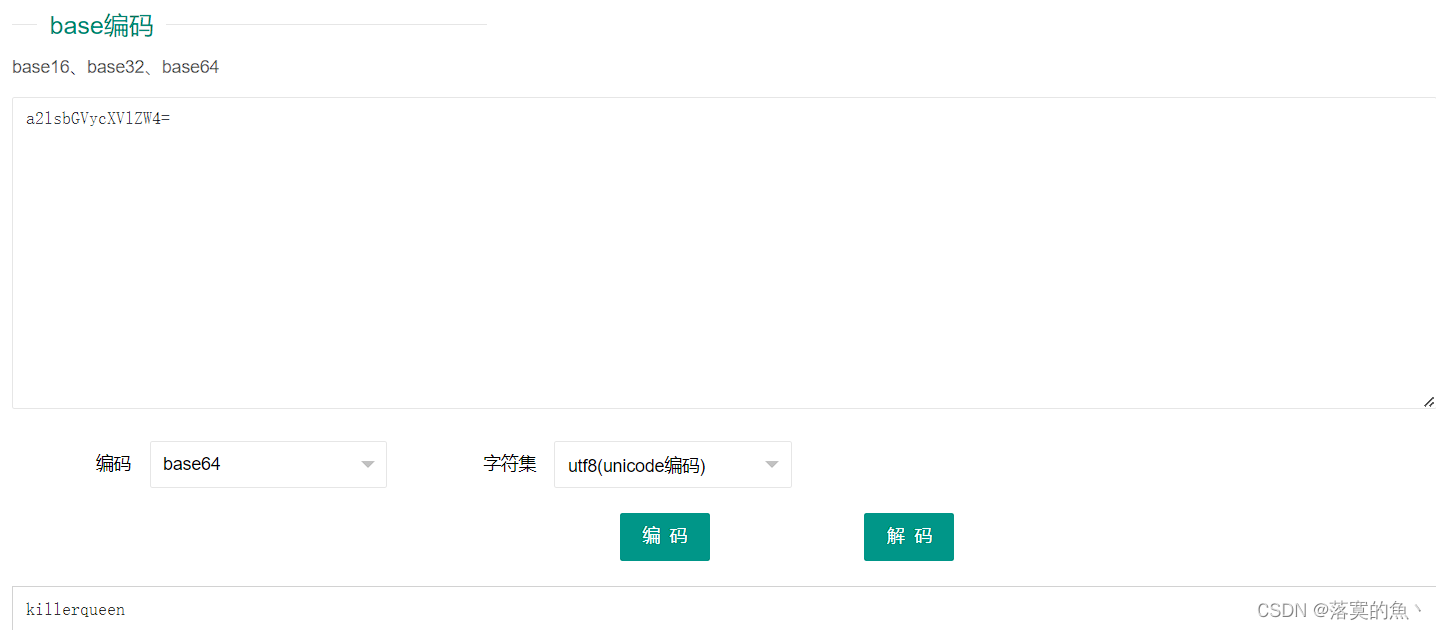
ARCHPR爆破1-8长度 得到密码:888866根据文档谐音判断Base64 进行三次解密得到:killerqueen

WVRKc2MySkhWbmxqV0Zac1dsYzBQUT09
YTJsc2JHVnljWFZsWlc0PQ==
a2lsbGVycXVlZW4=
killerqueen
还有一张图那肯定也是有用的 既然给了个类似于密码得 尝试一下outguess隐写
outgess -k 密码 -r 目标图片 out.txt

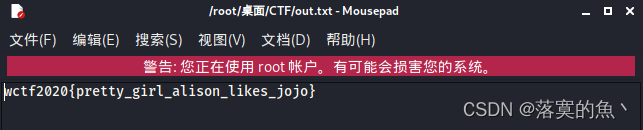
NSSCTF{pretty_girl_alison_likes_jojo}
[WUSTCTF 2020]爬
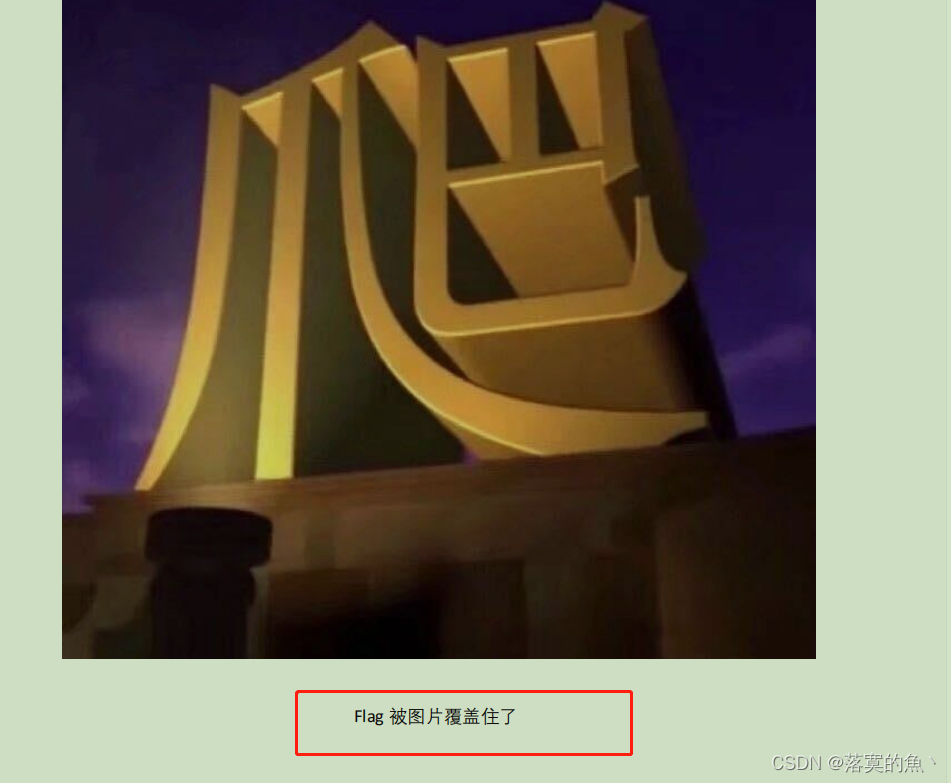
放入kali file查看文件类型pdf格式 把图片删了得一张16进制得图片,不出意外转字符就是flag。


0x77637466323032307b746831735f31735f405f7064665f616e645f7930755f63616e5f7573655f70686f7430736830707
在线16进制转字符:https://www.bejson.com/convert/ox2str/
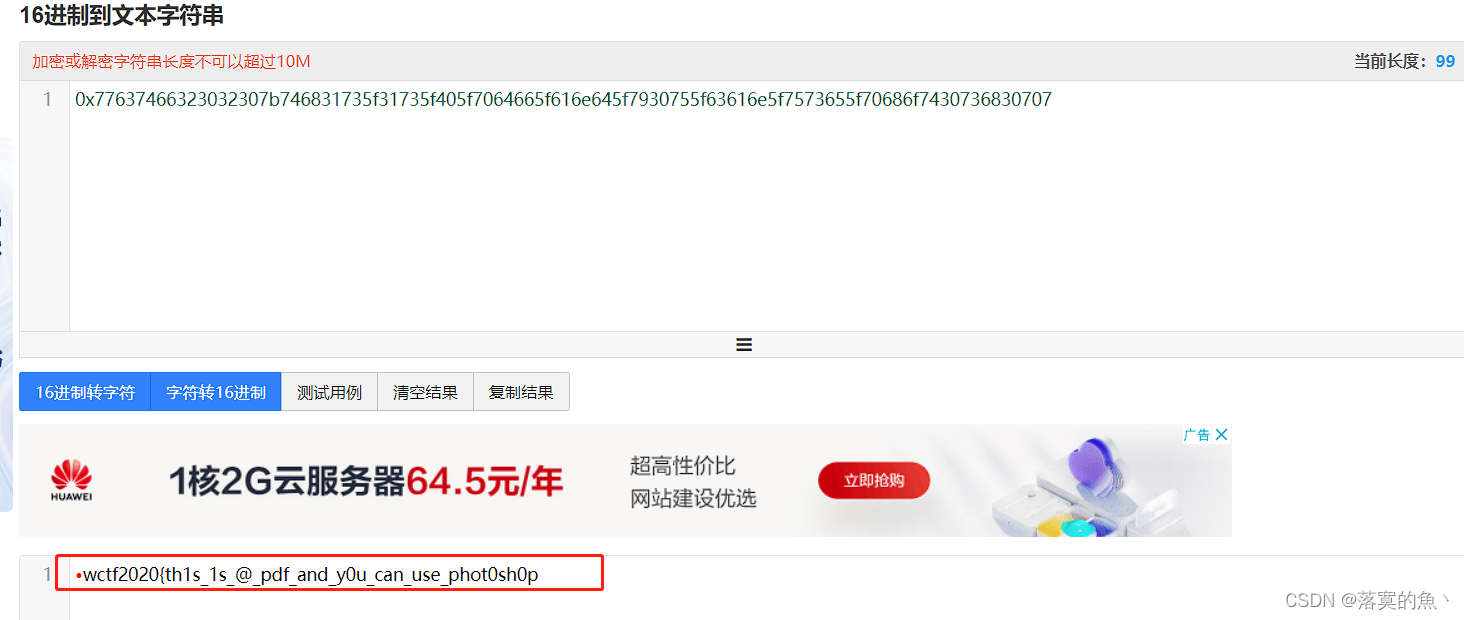
NSSCT{th1s_1s_@_pdf_and_y0u_can_use_phot0sh0p}
本文来自互联网用户投稿,文章观点仅代表作者本人,不代表本站立场,不承担相关法律责任。如若转载,请注明出处。 如若内容造成侵权/违法违规/事实不符,请点击【内容举报】进行投诉反馈!