GitHub主页设计
我们在逛GitHub的时候常常会看到一些很漂亮的个人主页,包含了使用者在GitHub的活动情况、个人信息以及联系方式等内容。那么我们应该怎样打造应该个性化的GitHub主页呢?就从本文开始吧!
准备工作
- 要打造GitHub主页,首先要
有GitHub账号创建一个和名称自己ID相同的仓库 - 注意这个仓库必须为公开仓库,并且包含README文件。
步骤:
- 新建仓库
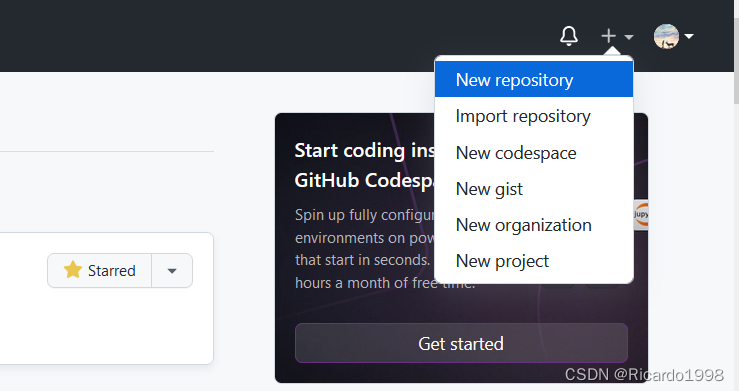
2. 配置内容
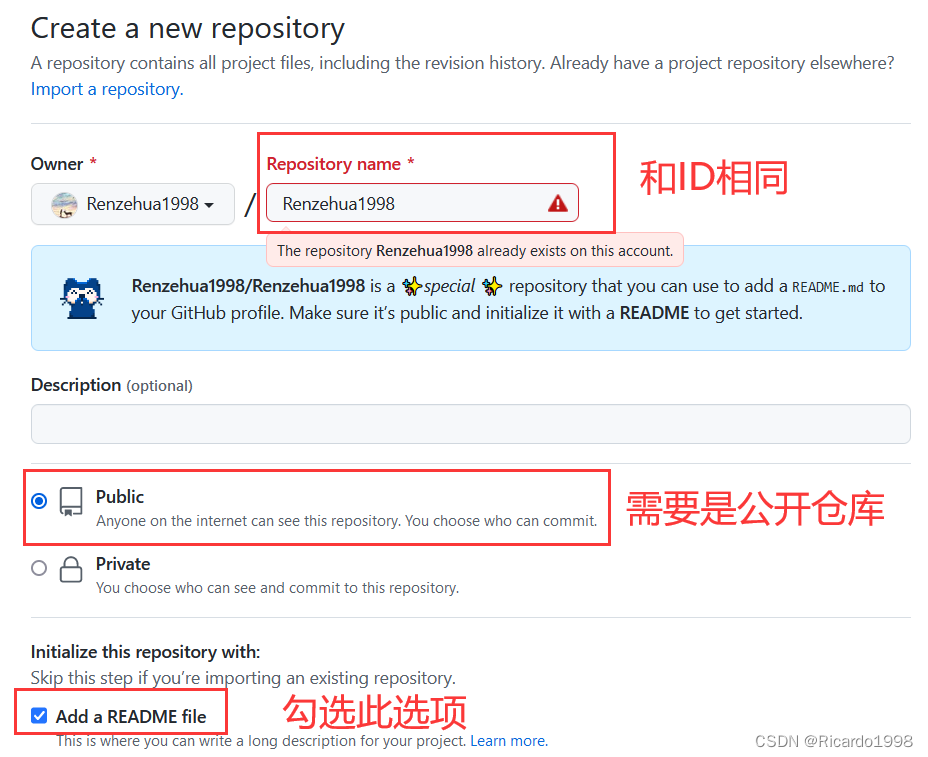
3. 点击创建即可
基础配置
-
修改刚刚生成的README文件,其内容即可展示到你的主页
-
因为markdown文件支持HTML语法,你可以发挥自己的所能设计主页
-
在这里我介绍几个可能为你所用的API
Emoji
-
markdown是支持emoji表情输入的,我们可以在书写个人简介时加入一些表情
如:Hi there 👋, I 'm xxx
-
emoji表情可以直接粘贴,也可以使用
:标签名称:的格式引入上面的挥手表情就是键入
:wave:来引入的 -
要找对应的表情名称,可以访问这个网站:https://www.webfx.com/tools/emoji-cheat-sheet/
输入要查找的表情,或者选择中意的表情直接粘贴过来
状态展示
https://github.com/anuraghazra/github-readme-stats
-
统计你的GitHub活动情况:PR、Star、贡献等等
-
也可以显示你的语言使用情况
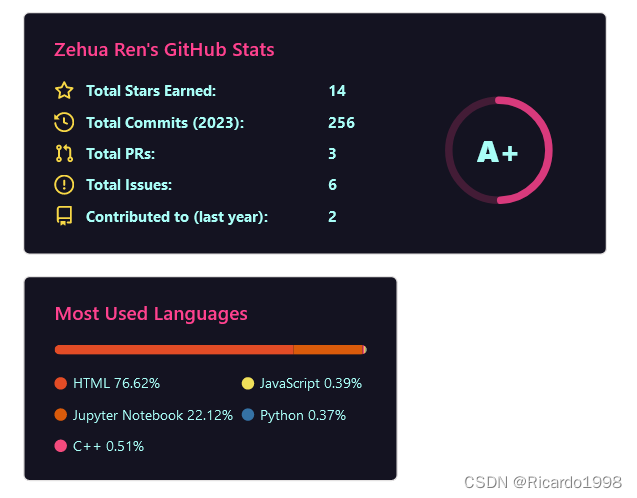
-
可选主题有:
dark,radical,merko,gruvbox,tokyonight,onedark,cobalt,synthwave,highcontrast,dracula -
引入方式:放到
src属性进行配置即可
<img align="center"  src="https://github-readme-stats.vercel.app/api?username=你的用户名&show_icons=true&theme=radical"/>
<img align="center"  src="https://github-readme-stats.vercel.app/api/top-langs/?username=你的用户名&theme=radical&layout=compact"  />
-
还可以放置你最想展示的仓库,使用方式:
点击即可跳转到对应仓库
[](你仓库的url)
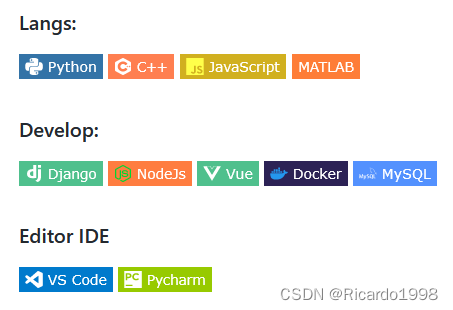
shields.io 徽标
https://shields.io/
- 可以使用此API进行徽标制作,只需要引入对应的url即可

- 也可以为徽标添加icon,具体可用icon可以到 https://github.com/simple-icons/simple-icons/blob/develop/slugs.md 查询。

行为折线图
https://github.com/Ashutosh00710/github-readme-activity-graph
- 显示最近一个月以来GitHub贡献的折线图

阅读统计



网站数据卡片
https://github.com/songquanpeng/stats-cards
- 可以显示自己其他网站账号的情况,如CSDN、哔哩哔哩、leetcode、掘金等
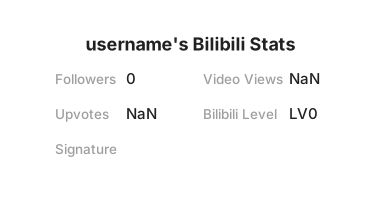
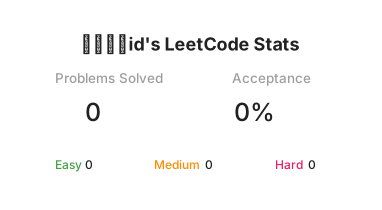
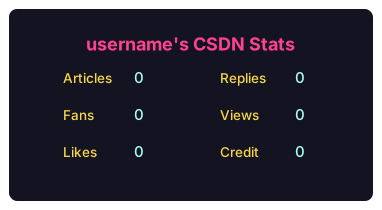
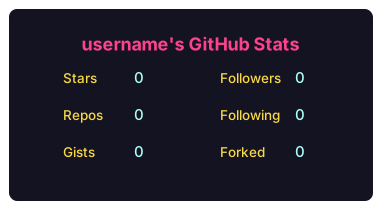
动态文字
https://github.com/DenverCoder1/readme-typing-svg
- 产生动态输入文字的效果
<img src="https://readme-typing-svg.herokuapp.com/?lines=消息1;消息2&font=Roboto" />
- 可以添加多条消息,可以更改字体和文字颜色
- 消息中的空格要使用
%20代替
进阶配置
- 前面基础配置中都是有现成的API,直接按照图片格式引入,把参数加到url里面即可
- 当我们需要一些更酷炫、更个性化的展示内容时,就需要进行动态配置
- 这里主要用到的是 GitHub Actions 功能
准备工作
- 添加名为
GITHUB_TOKEN的token
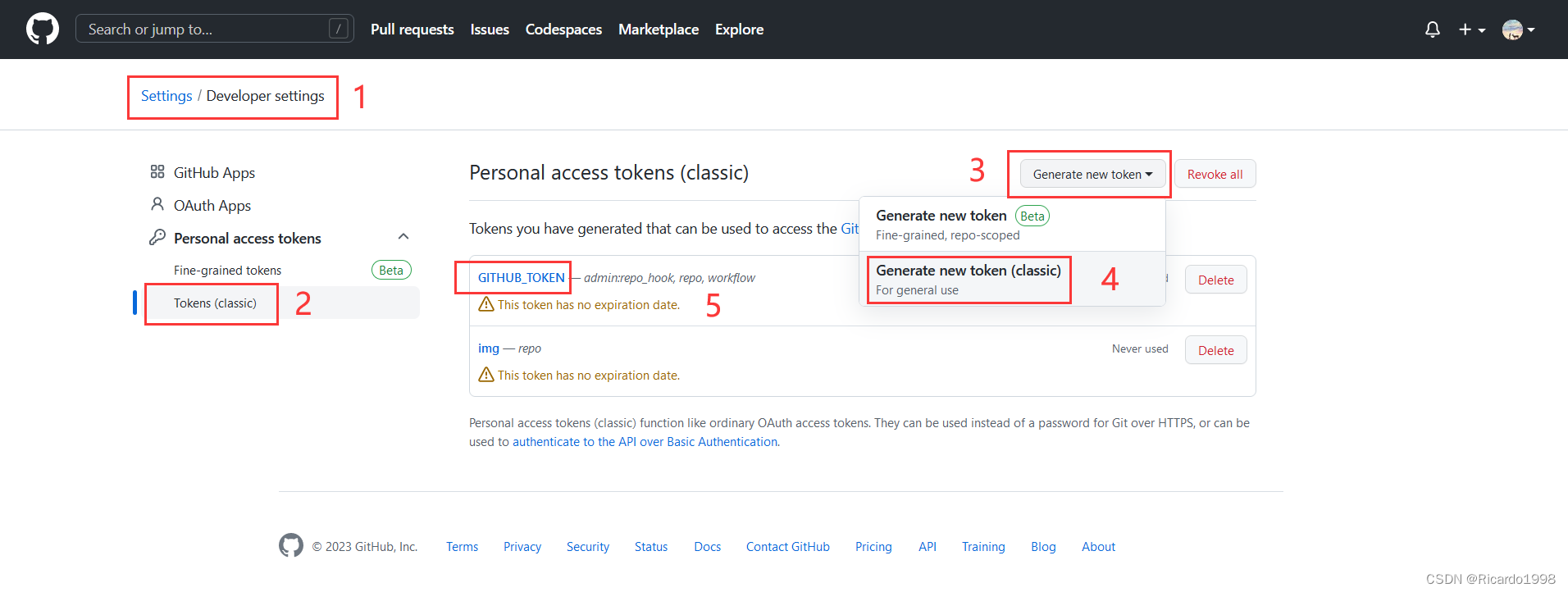
- 勾选
admin:repo_hook、repo和workflow权限 - 在和自己用户名同名的仓库里面设置允许Action操作仓库
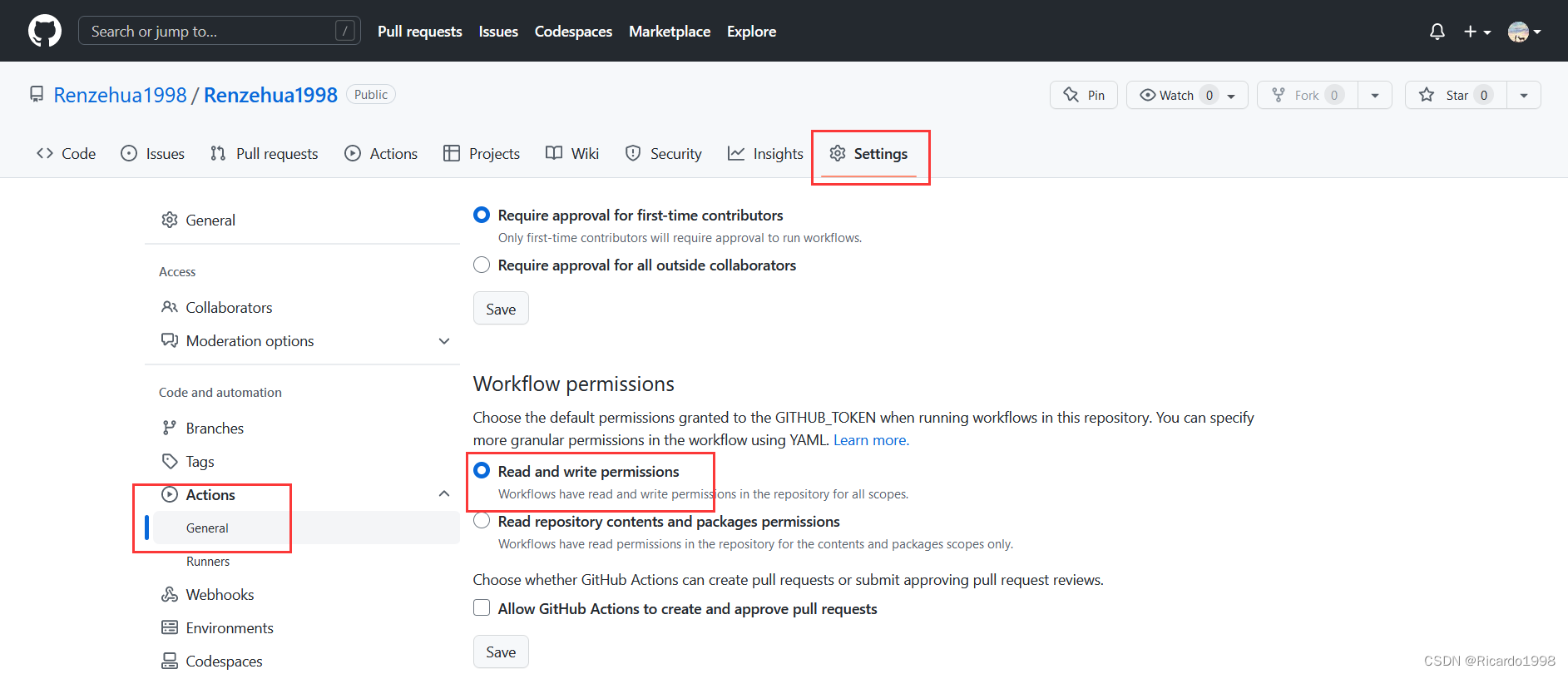
- 在仓库下
.workflow文件夹下建立.yml文件,写好配置即可定时允许更新
3D贡献图
https://github.com/yoshi389111/github-profile-3d-contrib
- 在项目里按图片引入(本地图片)

name: GitHub-Profile-3D-Contribon:schedule: # 02:30 IST == 21:00 UTC- cron: "0 21 * * *"workflow_dispatch:jobs:build:runs-on: ubuntu-latestname: generate-github-profile-3d-contribsteps:- uses: actions/checkout@v2- uses: yoshi389111/github-profile-3d-contrib@0.7.0env:GITHUB_TOKEN: ${{ secrets.GITHUB_TOKEN }}USERNAME: ${{ github.repository_owner }}- name: Commit & Pushrun: |git config user.name github-actionsgit config user.email github-actions@github.comgit add -A .git commit -m "generated"git push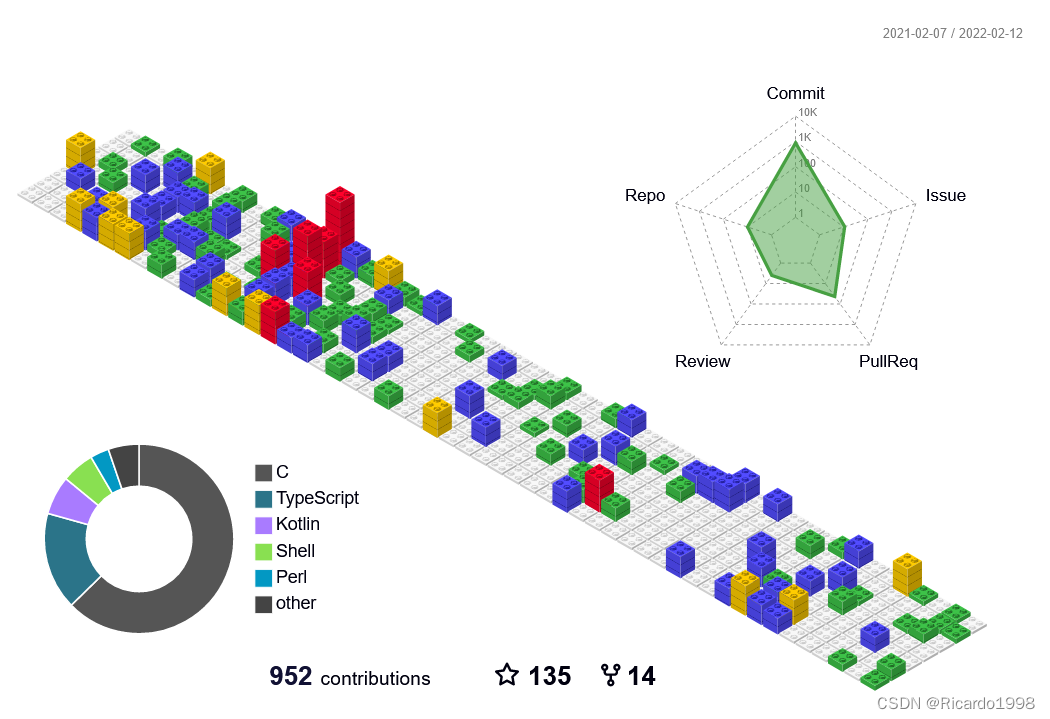
贪吃蛇
https://github.com/Platane/snk
- 放入picture标签可以实现暗黑模式自适应
<picture><source media="(prefers-color-scheme: dark)" srcset="/output/github-snake-dark.svg"><source media="(prefers-color-scheme: light)" srcset="/output/github-snake.svg"><img alt="github-snake" src="/output/github-snake.svg">
picture>
name: generate animationon:# run automatically every 12 hoursschedule:- cron: "0 */12 * * *" # allows to manually run the job at any timeworkflow_dispatch:# run on every push on the master branchpush:branches:- masterjobs:generate:runs-on: ubuntu-latesttimeout-minutes: 10steps:# generates a snake game from a github user () contributions graph, output a svg animation at - name: generate github-contribution-grid-snake.svguses: Platane/snk/svg-only@v2with:github_user_name: ${{ github.repository_owner }}outputs: |dist/github-snake.svgdist/github-snake-dark.svg?palette=github-dark# push the content of to a branch # the content will be available at https://usercontent.githubfast.com/raw//// , or as github page - name: push github-contribution-grid-snake.svg to the output branchuses: crazy-max/ghaction-github-pages@v3.1.0with:target_branch: outputbuild_dir: distenv:GITHUB_TOKEN: ${{ secrets.GITHUB_TOKEN }}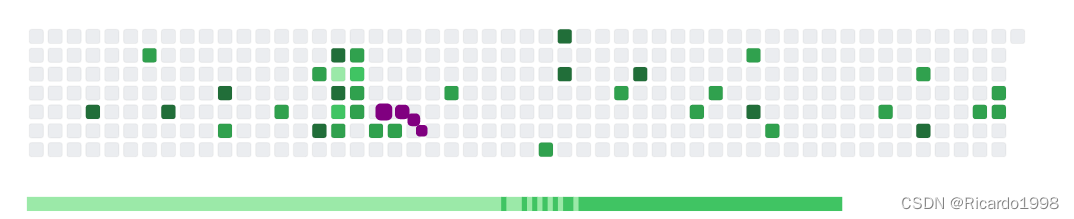
本文来自互联网用户投稿,文章观点仅代表作者本人,不代表本站立场,不承担相关法律责任。如若转载,请注明出处。 如若内容造成侵权/违法违规/事实不符,请点击【内容举报】进行投诉反馈!