azure webjob java_Executing Java Web Jobs on Azure
Executing Java Web Jobs on Azure
04/28/2015
2 分钟可看完
本文内容
To execute the Java web jobs on Azure, follow the below steps :
1. Open Eclipse and create a Java Project and Java program for your application in your eclipse workspace.
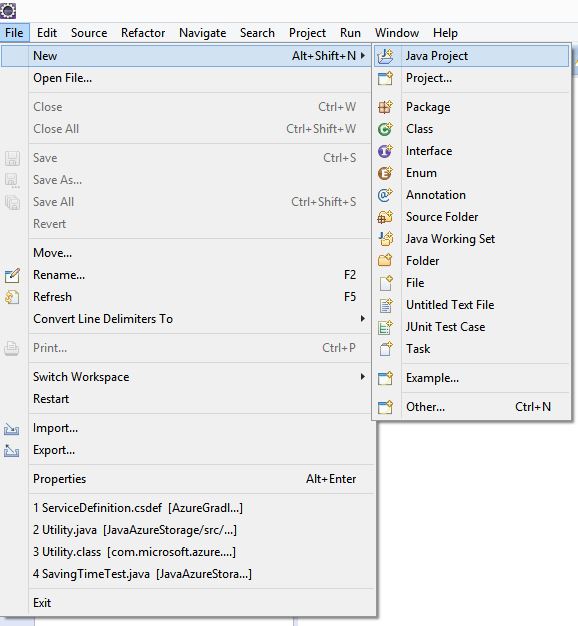
2. After creating your application, create a batch file with following text -
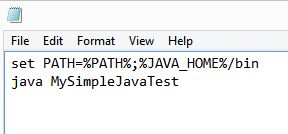
set PATH=%PATH%;%JAVA_HOME%/bin
java
3. Bundle the batch file and your class files in a compressed zip file.
4. Create a Web App on Azure portal and upload your zip file to Azure using the steps mentioned at -
You can set the desired execution frequency for the web job as mentioned in the above blog.
本文来自互联网用户投稿,文章观点仅代表作者本人,不代表本站立场,不承担相关法律责任。如若转载,请注明出处。 如若内容造成侵权/违法违规/事实不符,请点击【内容举报】进行投诉反馈!