python使用redis批量处理工具pipeline
1、背景介绍
使用python给redis发送命令的过程:
- 客户端发送请求,获取socket,阻塞等待返回;
- 服务端执行命令并将结果返回给客户端。
基本流程:发送命令->命令排队->命令执行->返回结果
当redis需要执行多条命令时,这是需要多次进行网络传输,需要消耗大量的网络传输时间。如果能够将这些请求命令一次性打包发送给服务器,服务器将处理后的结果一次性再返回给客户端,这样能节约大量的网络传输消耗,大大提升响应时间。这是便需要使用pipeline来进行效率的提升。
2、管道pipeline介绍
管道技术(Pipeline) 是客户端提供的一种批处理技术,用于一次处理多个 Redis 命令,从而提高整个交互的性能。
管道技术解决了多个命令集中请求时造成网络资源浪费的问题,加快了 Redis 的响应速度,让 Redis 拥有更高的运行速度。但要注意的一点是,管道技术本质上是客户端提供的功能,而非 Redis 服务器端的功能。
注意事项:
- 发送的命令数量不会被限制,但输入缓存区也就是命令的最大存储体积为 1GB,当发送的命令超过此限制时,命令不会被执行,并且会被 Redis 服务器端断开此链接;
- 如果管道的数据过多可能会导致客户端的等待时间过长,导致网络阻塞;
- 部分客户端自己本身也有缓存区大小的设置,如果管道命令没有没执行或者是执行不完整,可以排查此情况或较少管道内的命令重新尝试执行。
3、pipeline原理分析
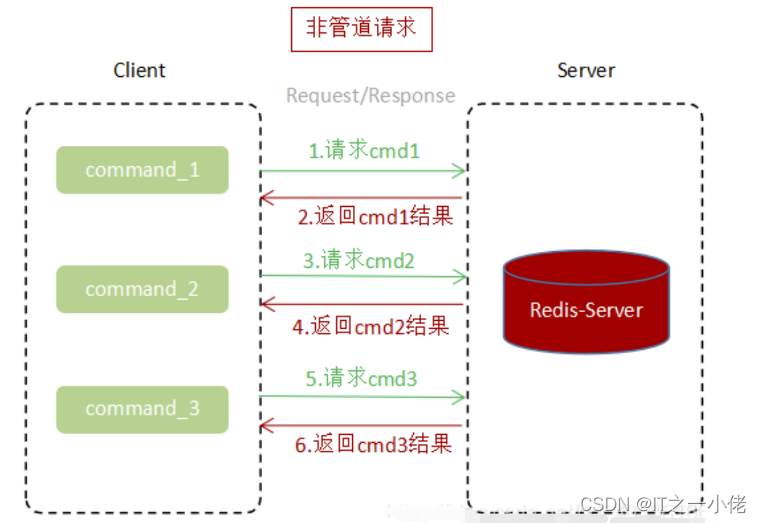
3.1 未使用pipeline执行N条命令
3.2 使用pipeline执行N条命令
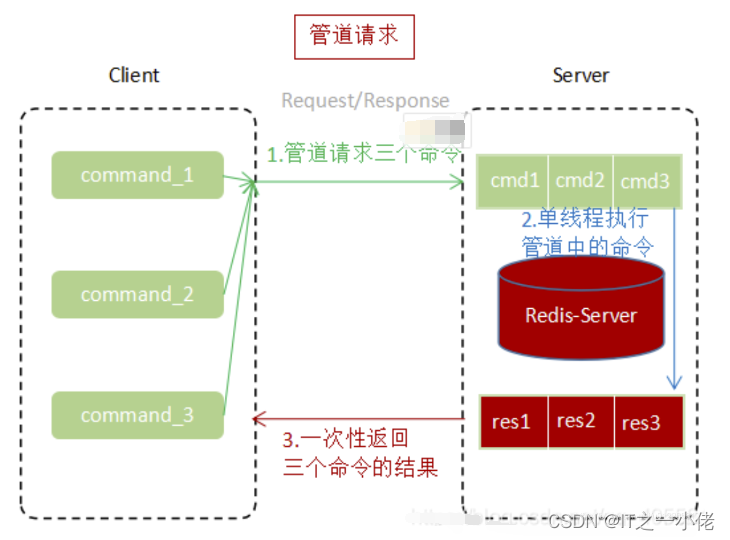
通过上面两张图片对比,使用Pipeline执行速度比逐条执行要快,特别是客户端与服务端的网络延迟越大,性能体能越明显。
4、原生批命令和pipeline对比
原始批命令:(mset, mget等)
- 原生批命令是原子性,pipeline是非原子性
- 原生批命令一命令多个key, 但pipeline支持多命令(存在事务),非原子性
- 原生批命令是服务端实现,而pipeline需要服务端与客户端共同完成
5、python实现pipeline
5.1 多条命令共同执行
示例代码:
import redissr = redis.StrictRedis.from_url('redis://192.168.124.49/1')# 创建管道对象
pipe = sr.pipeline()
pipe.set("name", "dgw")
pipe.set("age", 27)
pipe.set("sex", "nan")# 执行
ret = pipe.execute()
print(ret)
total = len([r for r in ret if r])
print(f"执行成功{total}条数据!")
运行结果:

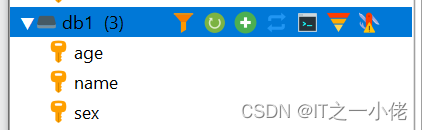
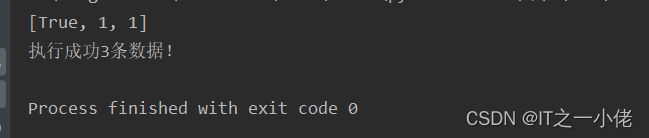
5.2 多条命令写在一起共同执行
示例代码:
import redissr = redis.StrictRedis.from_url('redis://192.168.124.49/1')# 创建管道对象
pipe = sr.pipeline()
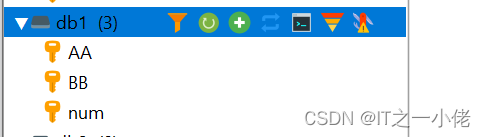
ret = pipe.set("AA", "aa").sadd("BB", "bb").incr("num").execute()
print(ret)total = len([r for r in ret if r])
print(f"执行成功{total}条数据!")
运行结果:

5.3 使用with执行pipeline
示例代码:
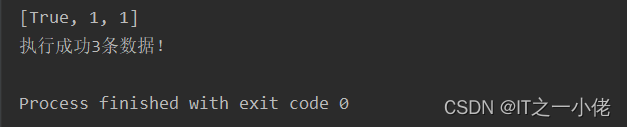
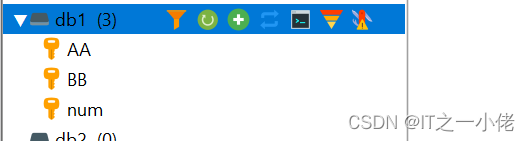
import redissr = redis.StrictRedis.from_url('redis://192.168.124.49/1')with sr.pipeline() as pipe:pipe.set("AA", "aa").sadd("BB", "bb").incr("num")try:# 执行ret = pipe.execute()except Exception as e:ret = []print(e)print(ret)
total = len([r for r in ret if r])
print(f"执行成功{total}条数据!")
运行结果:
5.4 批量接收pipeline的值
示例代码:
import redissr = redis.StrictRedis.from_url('redis://192.168.124.49/1')# 往num_list中添加20个值
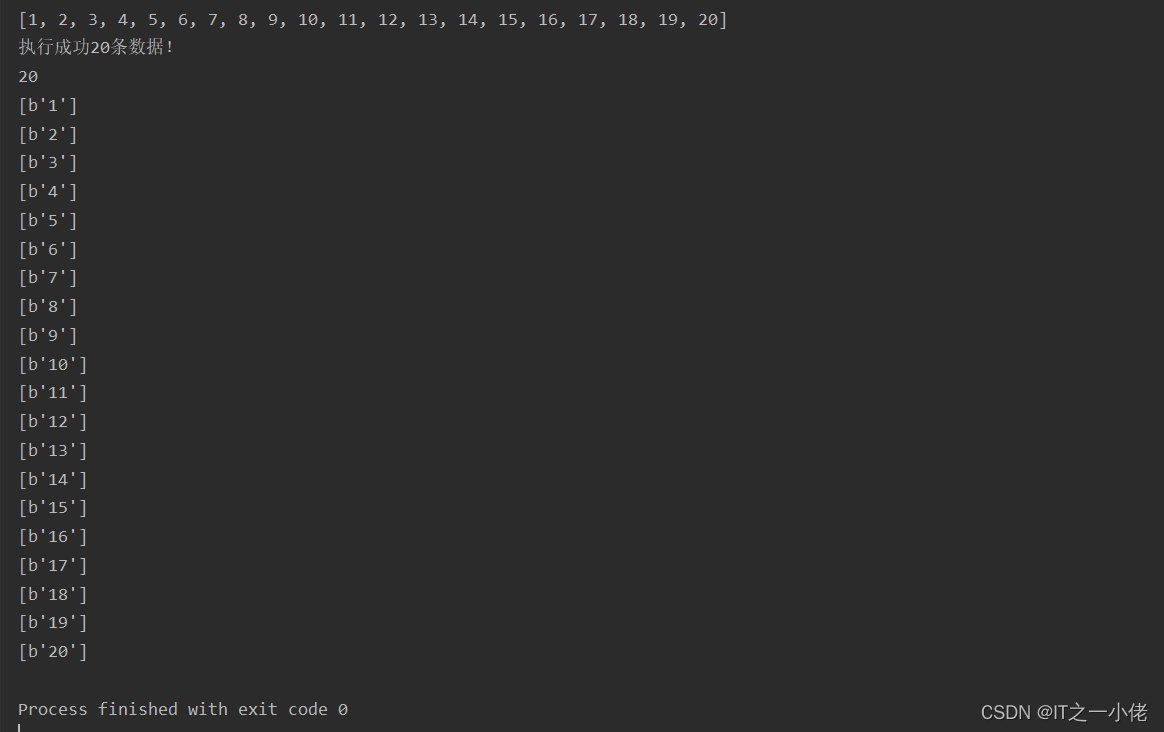
with sr.pipeline() as pipe:for i in range(1, 21):pipe.lpush("num_list", i)try:# 执行ret = pipe.execute()except Exception as e:ret = []print(e)print(ret)
total = len([r for r in ret if r])
print(f"执行成功{total}条数据!")# 从num_list中取出数据
num_len = sr.llen('num_list')
print(num_len)
with sr.pipeline() as pipe:for i in range(num_len):pipe.rpop("num_list")try:result = pipe.execute()print(result)except Exception as e:print(e)
运行结果:
5.5 pipeline配合事务操作
默认pipeline中支持事务,若想关闭事务,则创建pipeline的时候。
pipe = r.pipeline(transaction=False)开启事务报错总结:
1.开启事务书写命令出错,把set命令写成sett造成语法错误
import redissr = redis.StrictRedis.from_url('redis://192.168.124.49/1')with sr.pipeline() as pipe:pipe.set('name', 'dgw')pipe.sett('age', 18)try:# 执行pipe.execute()except Exception as e:print(e)
运行结果:
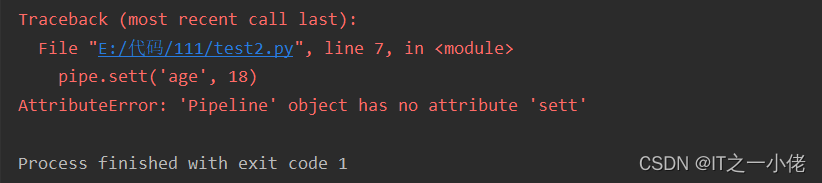
注意:语法错误,整个事务无法执行,控制台报错,数据库也不会执行。
2.开启事务运行报错
如:错将str求长度写成列表求长度命令,在redis中执行报错
import redissr = redis.StrictRedis.from_url('redis://192.168.124.49/1')with sr.pipeline() as pipe:pipe.set('name', 'dgw')pipe.llen('name')pipe.set('age', 18)try:# 执行pipe.execute()except Exception as e:print(e)
运行结果:


注意:在执行过程中出现的错误,只会影响错误的语句无法执行,不会影响其它命令的执行。
6、案例使用
6.1 使用管道往列表中写入数据
示例代码:
import redissr = redis.StrictRedis.from_url('redis://192.168.124.49/1')with sr.pipeline(transaction=False) as pipe:for i in range(1, 201):pipe.lpush('num_data', f'num{i}')if i % 50 == 0:try:res = pipe.execute()print(res)except Exception as e:print(e)
运行结果:

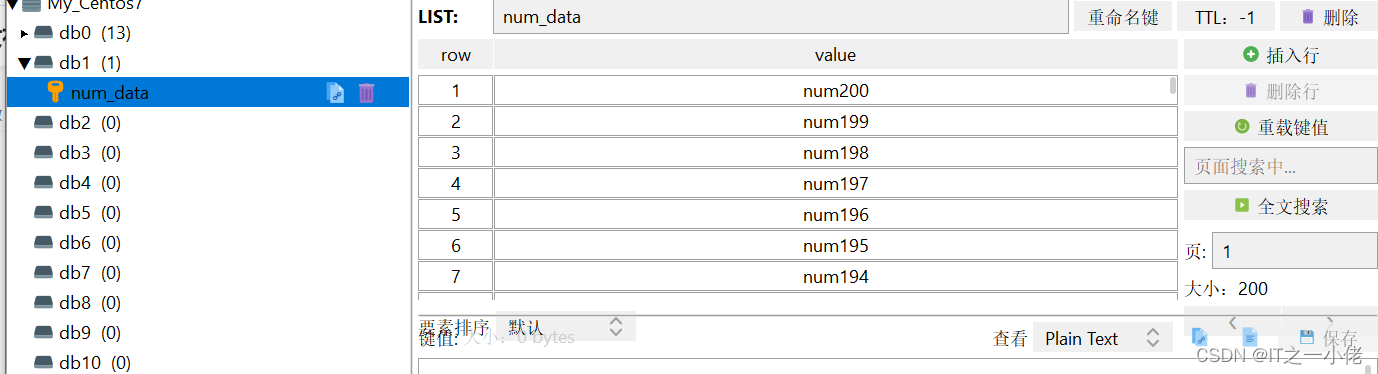 6.2 从列表中读取数据
示例代码:
import redissr = redis.StrictRedis.from_url('redis://192.168.124.49/1')with sr.pipeline(transaction=False) as pipe:for i in range(1, 201):pipe.rpop("num_data")if i % 50 == 0:try:res = pipe.execute()print(res)except Exception as e:print(e)
运行结果:

6.3 测试pipeline批量执行耗时情况
示例代码1:
import redis
import timesr = redis.StrictRedis.from_url('redis://192.168.124.49/1')with sr.pipeline(transaction=False) as pipe:start = time.time()for i in range(1, 1000001):pipe.lpush('num_data', f'num{i}')if i % 2 == 0:try:res = pipe.execute()print(res)except Exception as e:print(e)print("程序耗时:", time.time() - start)
运行结果:
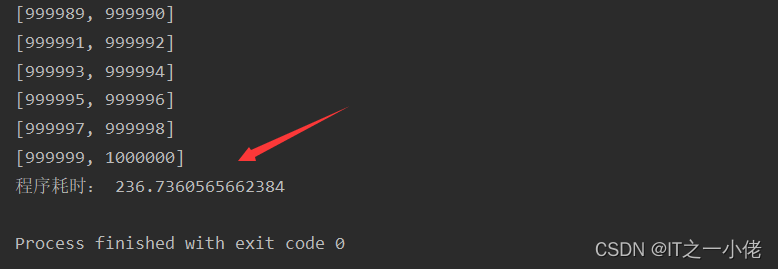
示例代码2:
import redis
import timesr = redis.StrictRedis.from_url('redis://192.168.124.49/1')with sr.pipeline(transaction=False) as pipe:start = time.time()for i in range(1, 1000001):pipe.lpush('num_data', f'num{i}')if i % 100 == 0:try:res = pipe.execute()print(res)except Exception as e:print(e)print("程序耗时:", time.time() - start)
运行结果:

示例代码3:
import redis
import timesr = redis.StrictRedis.from_url('redis://192.168.124.49/1')with sr.pipeline(transaction=False) as pipe:start = time.time()for i in range(1, 1000001):pipe.lpush('num_data', f'num{i}')if i % 1000 == 0:try:res = pipe.execute()print(res)except Exception as e:print(e)print("程序耗时:", time.time() - start)
运行结果:

总结:从上述三个例子可以看出,批量操作可以大大提升效率,但并不是一次性批量越多越好的。
参考博文:
Python中使用Redis的批处理工具pipeline(这种方法从底层思考效率还是低于“订阅发布机制”)_墨痕诉清风的博客-CSDN博客_python 性能优化pipeline
本文来自互联网用户投稿,文章观点仅代表作者本人,不代表本站立场,不承担相关法律责任。如若转载,请注明出处。 如若内容造成侵权/违法违规/事实不符,请点击【内容举报】进行投诉反馈!