遥感图像批量裁剪成指定大小
内容迁移
转自知乎 https://zhuanlan.zhihu.com/p/139757130
侵删
import os
import gdal
import numpy as np
#  读取tif数据集
def readTif(fileName):dataset = gdal.Open(fileName)if dataset == None:print(fileName + "文件无法打开")return dataset
#  保存tif文件函数
def writeTiff(im_data, im_geotrans, im_proj, path):if 'int8' in im_data.dtype.name:datatype = gdal.GDT_Byteelif 'int16' in im_data.dtype.name:datatype = gdal.GDT_UInt16else:datatype = gdal.GDT_Float32if len(im_data.shape) == 3:im_bands, im_height, im_width = im_data.shapeelif len(im_data.shape) == 2:im_data = np.array([im_data])im_bands, im_height, im_width = im_data.shape# 创建文件driver = gdal.GetDriverByName("GTiff")dataset = driver.Create(path, int(im_width), int(im_height), int(im_bands), datatype)if (dataset != None):dataset.SetGeoTransform(im_geotrans)  # 写入仿射变换参数dataset.SetProjection(im_proj)  # 写入投影for i in range(im_bands):dataset.GetRasterBand(i + 1).WriteArray(im_data[i])del dataset
'''
滑动窗口裁剪函数
TifPath 影像路径
SavePath 裁剪后保存目录
CropSize 裁剪尺寸
RepetitionRate 重复率
'''
def TifCrop(TifPath, SavePath, CropSize, RepetitionRate):dataset_img = readTif(TifPath)width = dataset_img.RasterXSizeheight = dataset_img.RasterYSizeproj = dataset_img.GetProjection()geotrans = dataset_img.GetGeoTransform()img = dataset_img.ReadAsArray(0, 0, width, height)  # 获取数据#  获取当前文件夹的文件个数len,并以len+1命名即将裁剪得到的图像new_name = len(os.listdir(SavePath))#  裁剪图片,重复率为RepetitionRatefor i in range(int((height - CropSize * RepetitionRate) / (CropSize * (1 - RepetitionRate)))):for j in range(int((width - CropSize * RepetitionRate) / (CropSize * (1 - RepetitionRate)))):#  如果图像是单波段if (len(img.shape) == 2):cropped = img[int(i * CropSize * (1 - RepetitionRate)): int(i * CropSize * (1 - RepetitionRate)) + CropSize,int(j * CropSize * (1 - RepetitionRate)): int(j * CropSize * (1 - RepetitionRate)) + CropSize]#  如果图像是多波段else:cropped = img[:,int(i * CropSize * (1 - RepetitionRate)): int(i * CropSize * (1 - RepetitionRate)) + CropSize,int(j * CropSize * (1 - RepetitionRate)): int(j * CropSize * (1 - RepetitionRate)) + CropSize]#  写图像writeTiff(cropped, geotrans, proj, SavePath + "/%d.tif" % new_name)#  文件名 + 1new_name = new_name + 1#  向前裁剪最后一列for i in range(int((height - CropSize * RepetitionRate) / (CropSize * (1 - RepetitionRate)))):if (len(img.shape) == 2):cropped = img[int(i * CropSize * (1 - RepetitionRate)): int(i * CropSize * (1 - RepetitionRate)) + CropSize,(width - CropSize): width]else:cropped = img[:,int(i * CropSize * (1 - RepetitionRate)): int(i * CropSize * (1 - RepetitionRate)) + CropSize,(width - CropSize): width]#  写图像writeTiff(cropped, geotrans, proj, SavePath + "/%d.tif" % new_name)new_name = new_name + 1#  向前裁剪最后一行for j in range(int((width - CropSize * RepetitionRate) / (CropSize * (1 - RepetitionRate)))):if (len(img.shape) == 2):cropped = img[(height - CropSize): height,int(j * CropSize * (1 - RepetitionRate)): int(j * CropSize * (1 - RepetitionRate)) + CropSize]else:cropped = img[:,(height - CropSize): height,int(j * CropSize * (1 - RepetitionRate)): int(j * CropSize * (1 - RepetitionRate)) + CropSize]writeTiff(cropped, geotrans, proj, SavePath + "/%d.tif" % new_name)#  文件名 + 1new_name = new_name + 1#  裁剪右下角if (len(img.shape) == 2):cropped = img[(height - CropSize): height,(width - CropSize): width]else:cropped = img[:,(height - CropSize): height,(width - CropSize): width]writeTiff(cropped, geotrans, proj, SavePath + "/%d.tif" % new_name)new_name = new_name + 1
#训练集和验证集都要裁剪
#裁剪出 图像   特征。拿到  影像数据增强中进行数据增强
#  将影像1裁剪为重复率为0.1的256×256的数据集
#图像
TifCrop(r"D:\GF6\Images\part2.tif",r"D:\GF6\part2 caijian json", 640, 0.1)# 自左向右依次为影像路径、输出路径、图像大小及重复率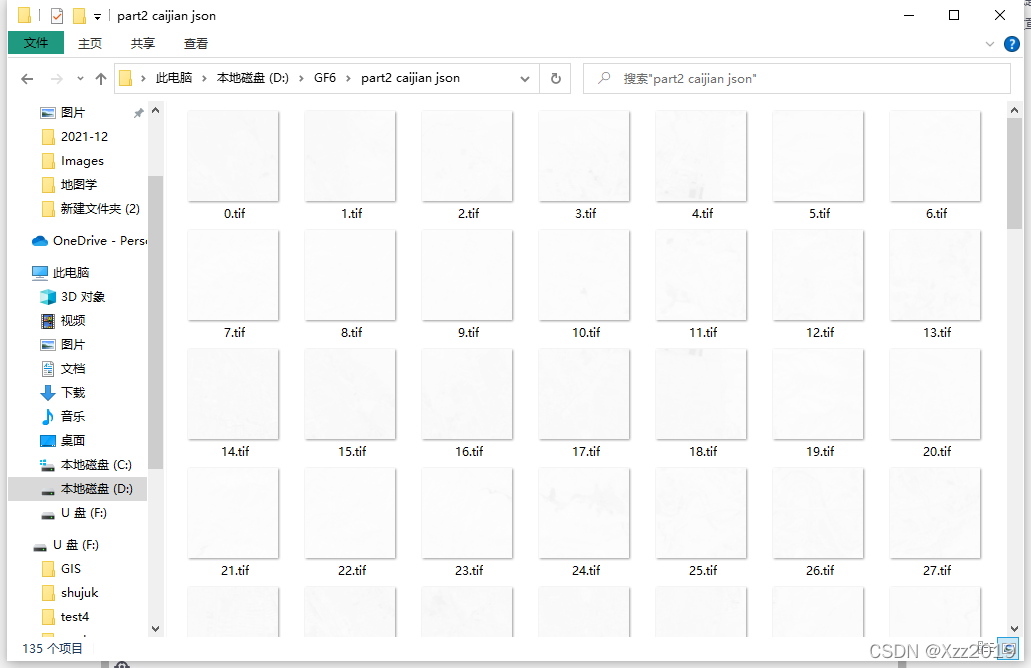
本文来自互联网用户投稿,文章观点仅代表作者本人,不代表本站立场,不承担相关法律责任。如若转载,请注明出处。 如若内容造成侵权/违法违规/事实不符,请点击【内容举报】进行投诉反馈!