VS2019 C++ 类 封装DLL 动态库
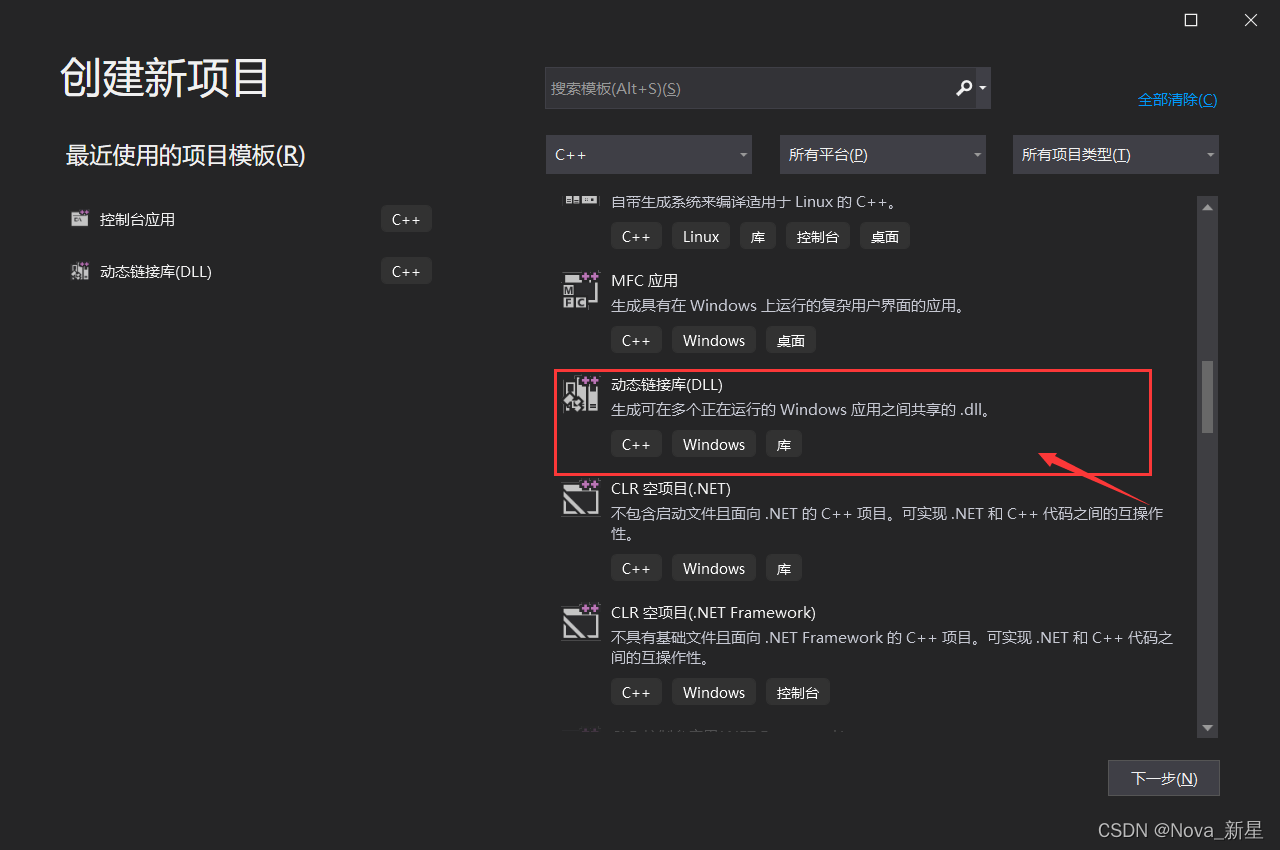
1. 创建一个新的项目
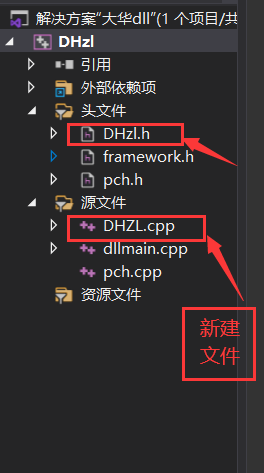
2. 新建文件 配置依赖库
配置依赖库 创建 头文件 和 cpp 导入自己的代码
3. 在pch.h 里添加自己的类
#define CLASS_DECLSPEC __declspec(dllexport) 为类的声明
其中 CLASS_DECLSPEC 要放到类 中。
// pch.h: 这是预编译标头文件。
// 下方列出的文件仅编译一次,提高了将来生成的生成性能。
// 这还将影响 IntelliSense 性能,包括代码完成和许多代码浏览功能。
// 但是,如果此处列出的文件中的任何一个在生成之间有更新,它们全部都将被重新编译。
// 请勿在此处添加要频繁更新的文件,这将使得性能优势无效。#ifndef PCH_H
#define PCH_H// 添加要在此处预编译的标头
#include "framework.h"
#include
#include
#include #define CLASS_DECLSPEC __declspec(dllexport) // 类的声明class CLASS_DECLSPEC DHZL
{static void SnapRev(LLONG lLoginID, BYTE* pBuf, UINT RevLen, UINT EncodeType, DWORD CmdSerial, LDWORD dwUser);static void DisConnectFunc(LONG lLoginID, char* pchDVRIP, LONG nDVRPort, DWORD);
public:LLONG m_nPDLLHandle; // sdk句柄std::string strIp = ""; // ipint strPort = 9000; // 端口std::string strUsername = ""; // 用户名 std::string strPassword = ""; // 密码std::string strfilepath = ""; //文件名// 密码unsigned int channel = 0; // 设备channelBOOL Init();void Uninit();void Outlogin();int Login();int Update(std::string ip, int port, std::string username, std::string password, unsigned int channel);int Capture();void Save_pic(BYTE* pBuf, UINT RevLen);// 本地有这个文件才叫成功,否则是失败int Capture(std::string filepath);int Goto_preset(int preset);
};
#endif //PCH_H
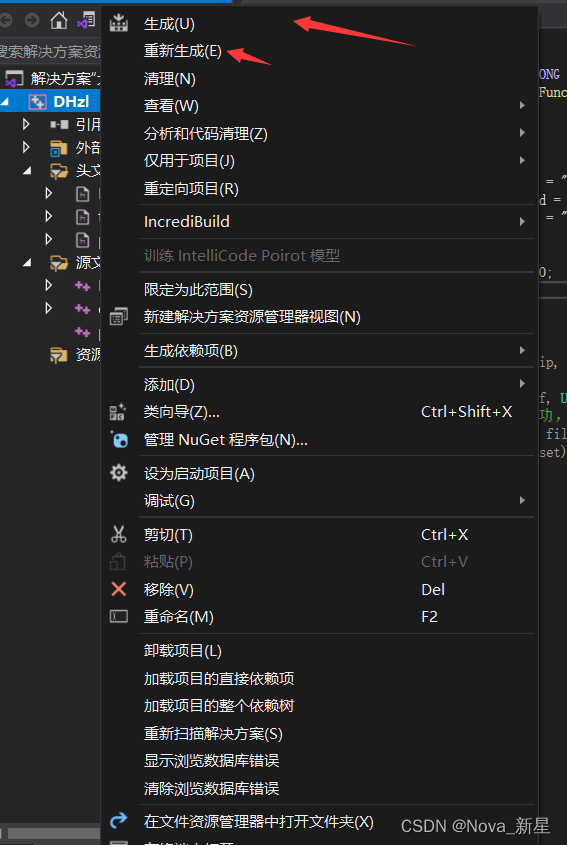
4. 生成解决方案
运行 或者 生成。
本文来自互联网用户投稿,文章观点仅代表作者本人,不代表本站立场,不承担相关法律责任。如若转载,请注明出处。 如若内容造成侵权/违法违规/事实不符,请点击【内容举报】进行投诉反馈!