微信小程序之底部栏
微信小程序之底部栏
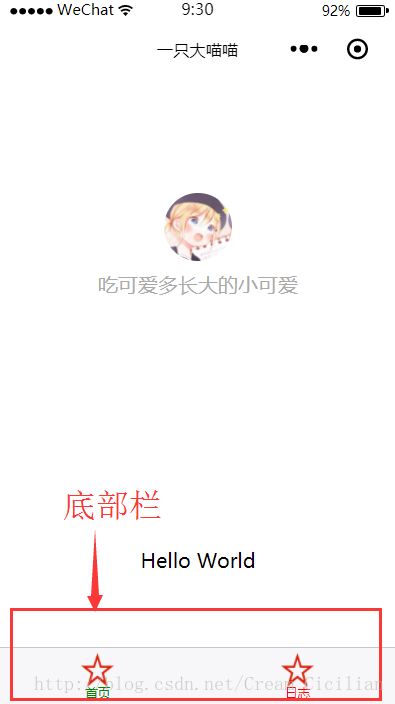
使用到的知识——全局配置app.json文件tabBar项
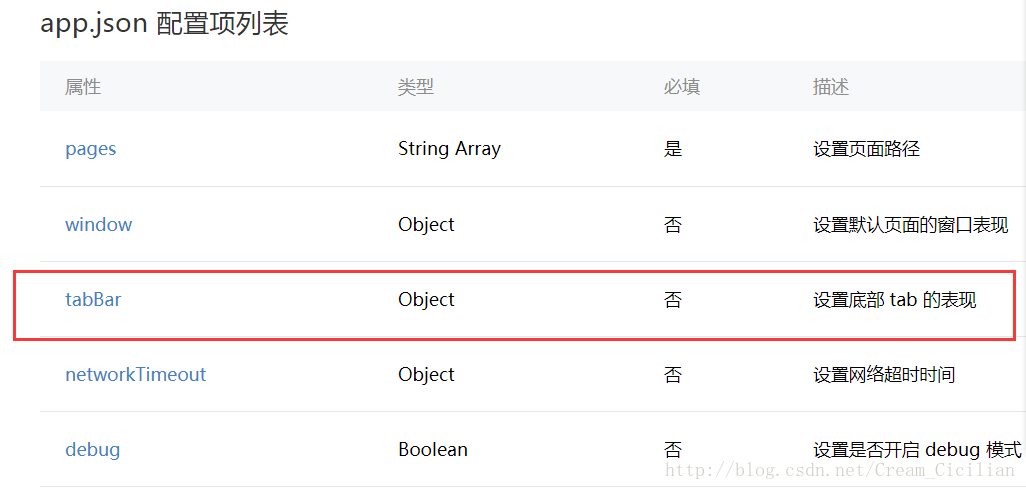
tabBar
如果小程序是一个多 tab 应用(客户端窗口的底部或顶部有 tab 栏可以切换页面),可以通过 tabBar 配置项指定 tab 栏的表现,以及 tab 切换时显示的对应页面。
Tip:
当设置 position 为 top 时,将不会显示 icon
tabBar 中的 list 是一个数组,只能配置最少2个、最多5个 tab,tab 按数组的顺序排序。

举个例子
"tabBar": {
"color": "red",
"background": "gray",
"selectedColor": "green",
"list": [
{
"pagePath": "pages/index/index",
"text": "首页",
"iconPath": "images/miao.png",
"selectedIconPath": "images/miao.png"
},
{
"pagePath": "pages/test/test",
"text": "日志",
"iconPath": "images/miao.png",
"selectedIconPath": "images/miao.png"
}
]
},
"debug": "true",
"networkTimeout": {
"request": 10000,
"downloadFile": 10000
}
}
注意:pagePath里的路径页面一定要在page里写出
"pages": ["pages/index/index","pages/login/login","pages/logs/logs","pages/test/test","pages/xiangqing/xiangqing","pages/user/user"],并且app.json里不可以有注释(微信是个傲娇受!!!!)
符:整个app.json
{"pages": ["pages/index/index","pages/login/login","pages/logs/logs","pages/test/test","pages/xiangqing/xiangqing","pages/user/user"],"window": {"backgroundTextStyle": "light","navigationBarBackgroundColor": "#fff","navigationBarTitleText": "一只大喵喵","navigationBarTextStyle": "black"},"tabBar": {"color": "red","background": "gray","selectedColor": "green","list": [{"pagePath": "pages/index/index","text": "首页","iconPath": "images/miao.png","selectedIconPath": "images/miao.png"},{"pagePath": "pages/test/test","text": "日志","iconPath": "images/miao.png","selectedIconPath": "images/miao.png"}]},"debug": "true","networkTimeout": {"request": 10000,"downloadFile": 10000}
}
本文来自互联网用户投稿,文章观点仅代表作者本人,不代表本站立场,不承担相关法律责任。如若转载,请注明出处。 如若内容造成侵权/违法违规/事实不符,请点击【内容举报】进行投诉反馈!