【MacOS12安装PHP8.0】MacOS12安装PHP8.0、Nginx
MacOS12安装Homebrew、PHP8.0、Nginx
MacOS12 Monterey已经不自带PHP了,所以手动安装PHP
首先安装Homebrew
在控制台输入以下命令,使用国内源安装,亲测不光速度快,而且自动装一些必要的依赖;并且在安装其他软件的时候也会自动解决依赖问题
/bin/zsh -c "$(curl -fsSL https://gitee.com/cunkai/HomebrewCN/raw/master/Homebrew.sh)"

提供5个源,上面说4不推荐,就不用,阿里源对于php无所谓,cask就说直接下载软件,下面将用到的php,cask提供了phpstorm
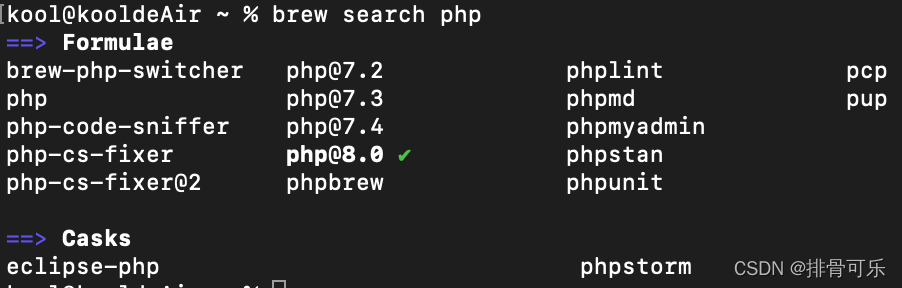
接下来安装php8.0
brew install php@8.0
安装完成后,输入
php -v
- 出现如下结果表示已经安装成功了

- 如果查看版本信息无反应,可写入以下内容
kool@kooldeAir ~ % echo 'export PATH="/usr/local/opt/php@8.0/bin:$PATH"' >> ~/.zshrc
kool@kooldeAir ~ % echo 'export PATH="/usr/local/opt/php@8.0/sbin:$PATH"' >> ~/.zshrc
kool@kooldeAir ~ % export LDFLAGS="-L/usr/local/opt/php@8.0/lib"
kool@kooldeAir ~ % export CPPFLAGS="-I/usr/local/opt/php@8.0/include"
kool@kooldeAir ~ % brew services start php@8.0
最后安装Nginx
brew install nginx
- 修改Nginx配置文件
– 路径:/usr/local/etc/nginx/nginx.conf
#user  nobody;
worker_processes  1;#error_log  logs/error.log;
#error_log  logs/error.log  notice;
#error_log  logs/error.log  info;#pid        logs/nginx.pid;events {worker_connections  1024;
}http {include       mime.types;default_type  application/octet-stream;#log_format  main  '$remote_addr - $remote_user [$time_local] "$request" '#                  '$status $body_bytes_sent "$http_referer" '#                  '"$http_user_agent" "$http_x_forwarded_for"';#access_log  logs/access.log  main;sendfile        on;#tcp_nopush     on;#keepalive_timeout  0;keepalive_timeout  65;#gzip  on;server {listen       80;server_name  localhost;#charset koi8-r;#access_log  logs/host.access.log  main;location / {root   html;index index.php index.html;}#error_page  404              /404.html;# redirect server error pages to the static page /50x.html#error_page   500 502 503 504  /50x.html;location = /50x.html {root   html;}# proxy the PHP scripts to Apache listening on 127.0.0.1:80##location ~ \.php$ {#    proxy_pass   http://127.0.0.1;#}# pass the PHP scripts to FastCGI server listening on 127.0.0.1:9000location ~ \.php$ {root           html;fastcgi_pass   127.0.0.1:9000;fastcgi_index  index.php;#fastcgi_param  SCRIPT_FILENAME  /scripts$fastcgi_script_name;fastcgi_param  SCRIPT_FILENAME  $document_root$fastcgi_script_name;include        fastcgi_params;}# deny access to .htaccess files, if Apache's document root# concurs with nginx's one##location ~ /\.ht {#    deny  all;#}}# another virtual host using mix of IP-, name-, and port-based configuration##server {#    listen       8000;#    listen       somename:8080;#    server_name  somename  alias  another.alias;#    location / {#        root   html;#        index  index.html index.htm;#    }#}# HTTPS server##server {#    listen       443 ssl http2;#    server_name  localhost;#    ssl_certificate      cert.pem;#    ssl_certificate_key  cert.key;#    ssl_session_cache    shared:SSL:1m;#    ssl_session_timeout  5m;#    ssl_ciphers  HIGH:!aNULL:!MD5;#    ssl_prefer_server_ciphers  on;#    location / {#        root   html;#        index index.php index.html;#    }#}include servers/*;
}
- 重启Nginx
brew services restart nginx
- Nginx操作命令
启动:brew services start nginx
停止:brew services stop nginx
重启:brew services restart nginx
- ** 验证php文件运行**
代码默认存放目录:/usr/local/var/www
后注修改方法
新建index.php文件,并写入如下内容
- 成功访问PHP文件
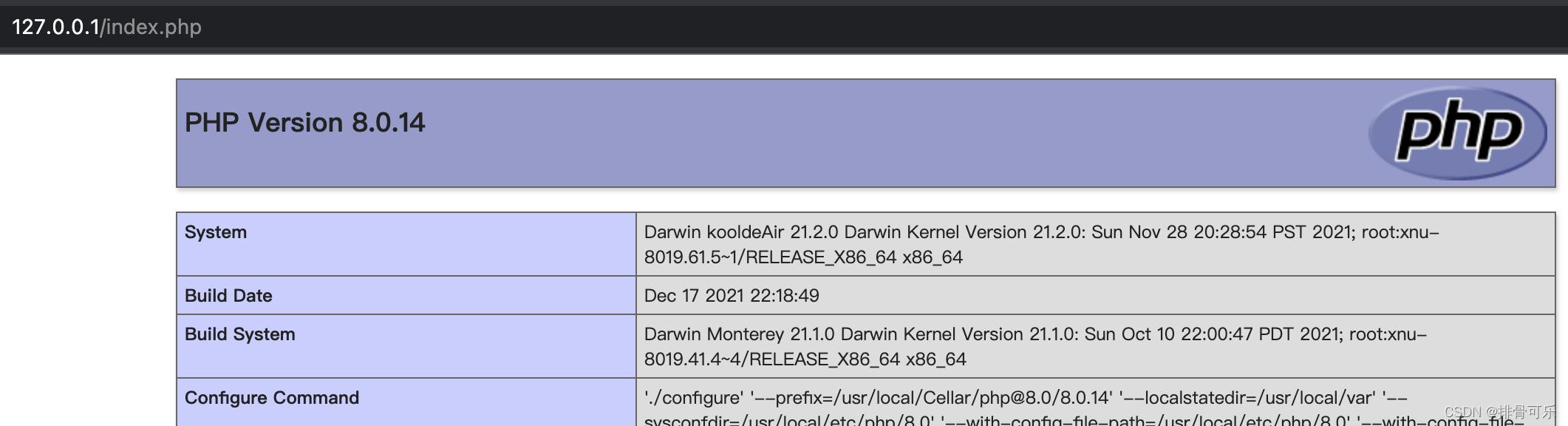
**如果访问不成功,是因为php没启用**-brew services start php@8.0

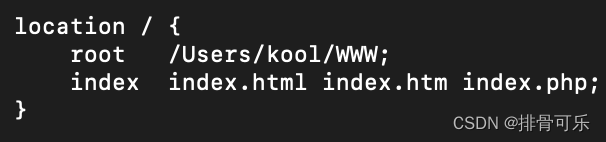
修改Nginx默认方法
– Nginx.conf路径
cd /usr/local/etc/nginx/
修改Nginx配置
文件内修改location /和location~.php$这两个位置的root后的值;

本文来自互联网用户投稿,文章观点仅代表作者本人,不代表本站立场,不承担相关法律责任。如若转载,请注明出处。 如若内容造成侵权/违法违规/事实不符,请点击【内容举报】进行投诉反馈!