android studio浮动按钮,Android Studio 使用悬浮按钮 FloatingActionButton
Android Studio 使用悬浮按钮 FloatingActionButton
最近做毕业设计需要做一个悬浮的语音输入按钮,要固定在屏幕下方,使用的是 FloatingActionButton ,代码很简单,下面贴一下:
android:id="@+id/yuyin"
android:layout_width="wrap_content"
android:layout_height="wrap_content"
android:layout_centerInParent="true"
android:layout_alignParentBottom="true"
android:clickable="true"
android:src="@mipmap/yuyin"
android:layout_marginBottom="40px"
app:backgroundTint="@android:color/background_light"
tools:visibility="visible" />
注意这个组件是Android5以上才可以用,而且他要被包含在 RelativeLayout 布局下面才可以。
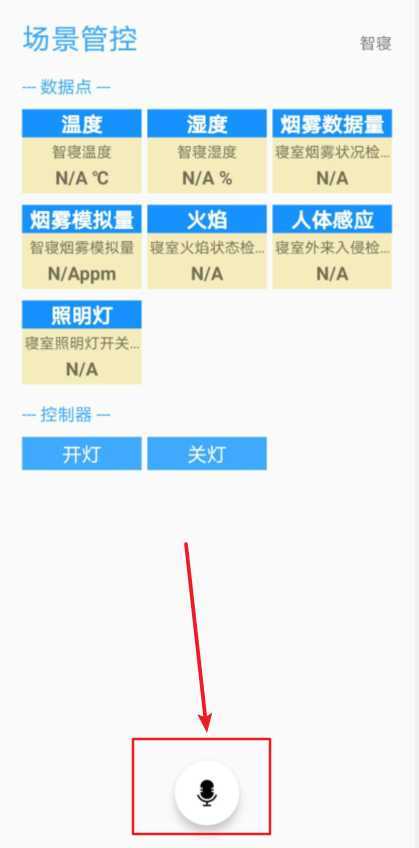
因为就这一个按钮,所以说点击事件就像普通按钮的点击事件一样就可以了。
原文:https://www.cnblogs.com/wjw1014/p/12836367.html
本文来自互联网用户投稿,文章观点仅代表作者本人,不代表本站立场,不承担相关法律责任。如若转载,请注明出处。 如若内容造成侵权/违法违规/事实不符,请点击【内容举报】进行投诉反馈!