H5--公众号页面如何唤起小程序
文章目录
- 一、整体流程
- 二、检查流程配置是否正确
- 先查看官方的文档需求:
- 三、配置
- 1. 认证服务号;
- 2. 绑定JS接口安全域名;
- 3. 配置IP白名单
- 4. 将小程序和H5公众号进行关联
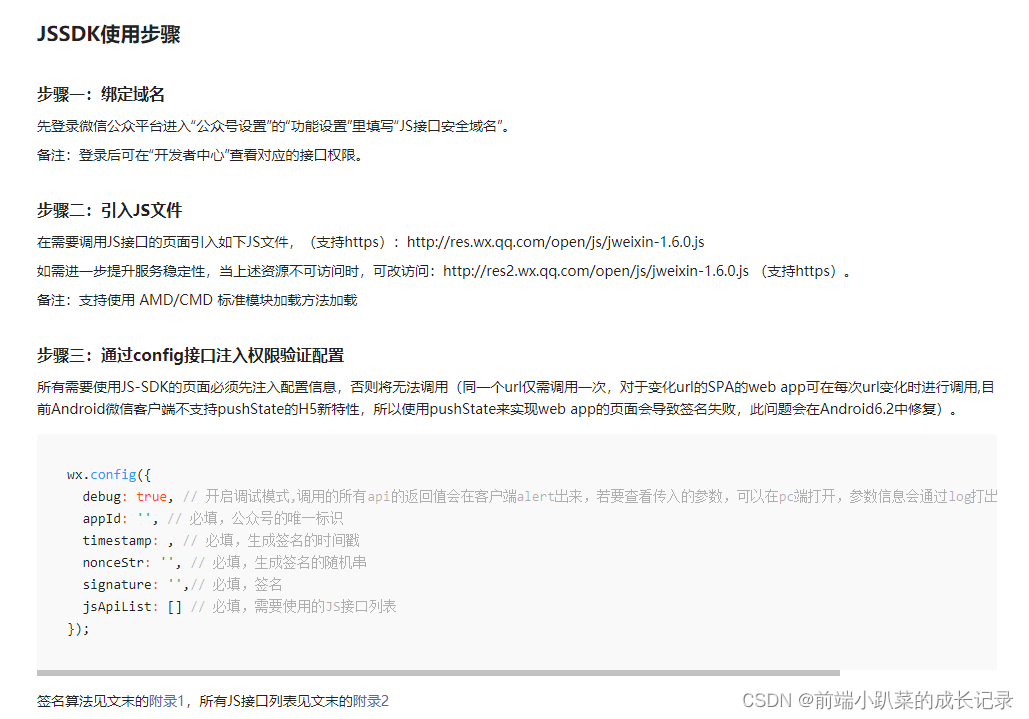
- 5. 引入微信jweixin-1.6.0.js
- 6. 跳转小程序基本信息
- 四、开发工作
- 五、注意事项
- 六、参考文档
一、整体流程
- 认证服务号
- 绑定 JS接口安全域名
- 配置IP白名单
- 将H5和小程序进行关联
- 引入 微信sdk jweixin-1.6.0.js
- 需要跳转的小程序页面path和原始ID(gh_xxx)
二、检查流程配置是否正确
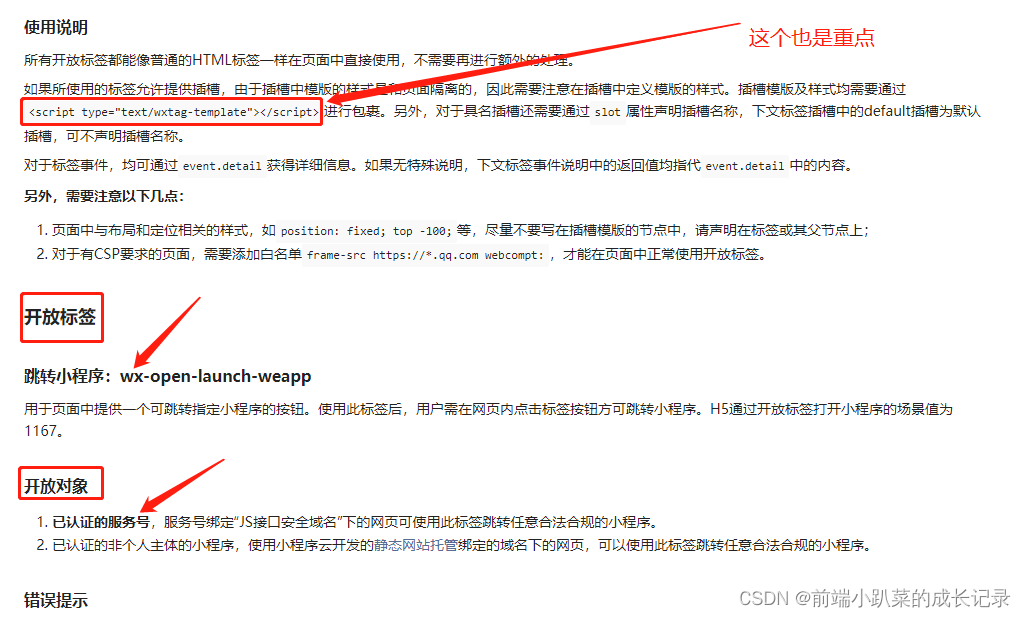
先查看官方的文档需求:
一步到位「开发前必读文档」
一步到位「微信 SDK说明文档」
三、配置
1. 认证服务号;
指微信公众号,不是订阅号,在做之前一定要检查清楚;
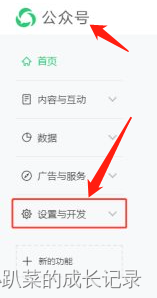
2. 绑定JS接口安全域名;
这个需要在微信公众号后台配置,不要找错地方哦
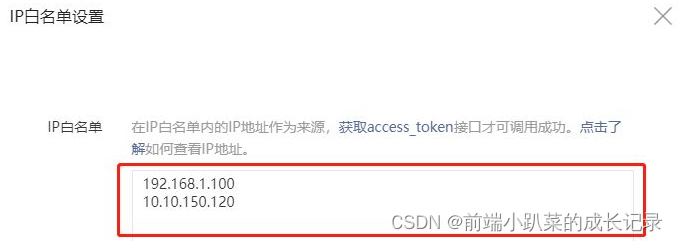
3. 配置IP白名单
IP白单也是在公众号后台配置:进入公众号》设置与开发》安全中心》找到IP白名单区设置》
4. 将小程序和H5公众号进行关联
微信公众后台链接:https://mp.weixin.qq.com/
关联公众号登录 “公众号管理后台-小程序管理” 完成关联
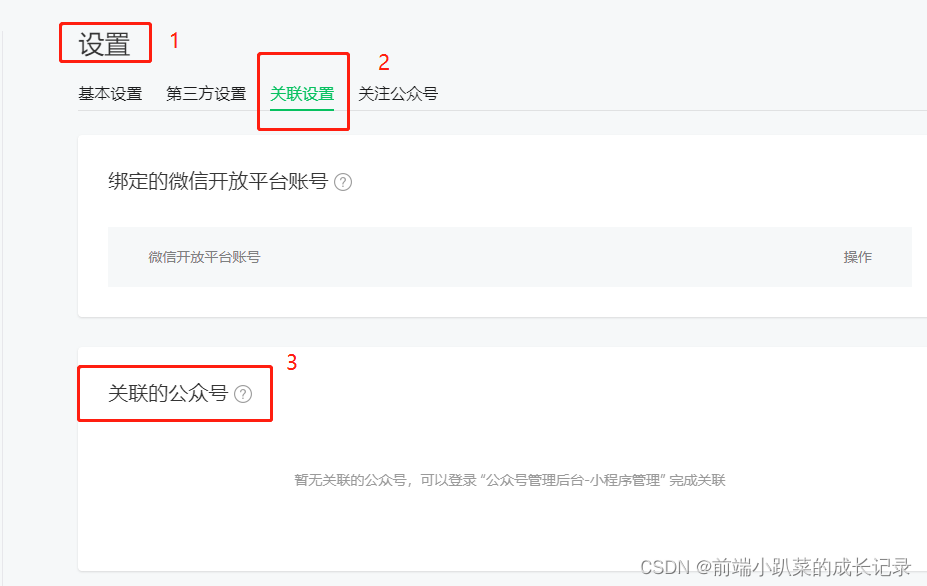
查看关联公众号在小程序后台配置:进入小程序后台》设置》关联设置》关联的公众号》
5. 引入微信jweixin-1.6.0.js
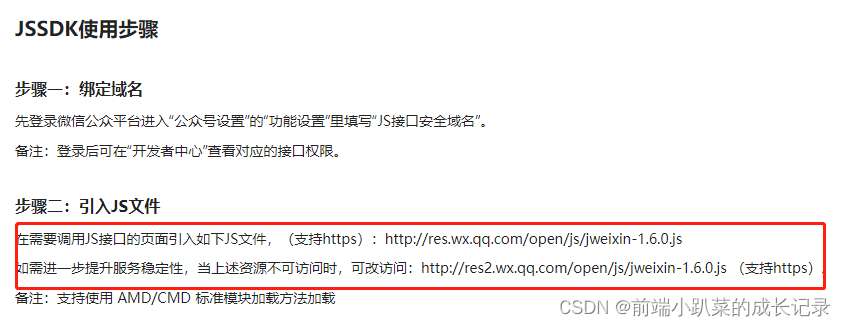
<script src="https://res.wx.qq.com/open/js/jweixin-1.6.0.js"></script>
6. 跳转小程序基本信息
● 小程序名称
● 小程序的AppId
● 跳转小程序的path
● usename (所需跳转的小程序原始id,即小程序对应的以gh_开头的id(跳转时,有 appid 会优先使用appid,没有 appid 才会使用username))
四、开发工作
main.js
Vue.config.ignoredElements = ["wx-open-launch-app"];
<template><div class="navi-container"><div class="fake-btn" id="weappBtn">跳转小程序</div><wx-open-launch-weapp v-if="isWechat" @launch="launch" appid="xxx" path="pages/index/index?bxChannel=gansuyuanxinhuibao" style="position: absolute;top: 0;left: 0;width: 100%;height: 50px;z-index: 10;"><script type="text/wxtag-template"><style>.btn {width: 100%;height: 50px;position: absolute;left: 0;top: 0;z-index: 99;background: transparent;border: none;}</style><button class="btn" id="NaviToMini"></button></script></wx-open-launch-weapp></div>
</template>
<script>
import { getHBJsApiConfig } from '@/api/wx'
import { getDeviceInfo } from '@/util/tools' // 工具类
export default {data() {return {isWechat: getDeviceInfo().env === 'wechat'}},async mounted() {try {if (this.isWechat) {let wxConfigInfo = ''// 初始化 微信sdk 获取初始化相关密钥let sigData = await getHBJsApiConfig()wxConfigInfo = JSON.parse(sigData.data)window.wx.config({debug: false,appId: wxConfigInfo.appId,timestamp: wxConfigInfo.timestamp,nonceStr: wxConfigInfo.nonceStr,signature: wxConfigInfo.signature,jsApiList: ["scanQRCode","updateAppMessageShareData","updateTimelineShareData"],openTagList: ["wx-open-launch-weapp"],})window.wx.ready(function () {console.log("---------ready---------")});window.wx.error(function (res) {console.log("--------fail--------", res)});}} catch (e) {// 接口报错 打印错误信息}},methods: {launch(e) {console.log("获取小程序 允许 按钮 操作回调", e)}}
}
</script>
<style lang="less"  scoped>
.navi-container {position: relative;width: 305px;height: 50px;margin: 18px auto;.fake-btn {width: 305px;height: 50px;position: absolute;left: 0;top: 0;border-radius: 25px;border: 1px solid rgba(246, 31, 30, 1);color: #fff;font-size: 16px;text-align: center;line-height: 50px;z-index: 1;background: linear-gradient(to right, #DB0003, #FF6C61);}
}
</style>
五、注意事项
● 系统版本要求为:iOS 10.3及以上、Android 5.0及以上
● 微信版本要求为:7.0.12及以上
六、参考文档
官方文档
H5跳转小程序成功案例
本文来自互联网用户投稿,文章观点仅代表作者本人,不代表本站立场,不承担相关法律责任。如若转载,请注明出处。 如若内容造成侵权/违法违规/事实不符,请点击【内容举报】进行投诉反馈!