Flutter ListView vs CustomScrollView
ListView 中的 image自动重绘?
这几天在重构项目的时候发现有意思的 现象:
页面跳转到下一个页面后返回,ListView 中的 image,会闪现一下。但是对于的 build 还有其他 会导致重绘的 组件 都没有被调用! 然后自己就重绘了?实属诡异;
后来排查到 不设置 ListView cacheExtent 上半部分会好一些;但是下拉到中间;跳转完毕返回还是会出现这个情况!
child: ListView(padding: EdgeInsets.only(bottom: AppScreen.calc(15)),cacheExtent: AppScreen.height * 2,
后来琢磨了半天 应该是 ListView 缓存造成的;
应为我的列表上半部分 五个组件都不 规则(长度高度不一致;不是一种组件);
实际上是 Column 嵌套 ListView, 而且 没有使用 ListView.build
return Column(children: [const InputTop(),Expanded(child: ListView(padding: EdgeInsets.only(bottom: AppScreen.calc(15)),cacheExtent: AppScreen.height * 2,children: [Container(padding:EdgeInsets.only(bottom: AppScreen.calc(30)),child: Column(children: [if ((snapshot.data['topBanner']as List).isNotEmpty)AppBanner(datum: snapshot.data['topBanner']),],),),Tabs(),if ((snapshot.data['categoryRecommendResps']as List ).isNotEmpty)HotCategory(datum: snapshot.data['categoryRecommendResps']),if ((snapshot.data['hotProducts'] as List ).isNotEmpty)HotProduct(datum: snapshot.data['hotProducts']),if ((snapshot.data['clearance'] as List ).isNotEmpty ||(snapshot.data['newArrivals'] as List ).isNotEmpty)ArrivaleClearance(datumClearance: snapshot.data['clearance'],datumArrivals: snapshot.data['newArrivals']),if ((snapshot.data['justForYou'] as List ).isNotEmpty)///GridView.builder 实现///GridView.builder 实现JustForYou(datum: snapshot.data['justForYou']),],),)], );
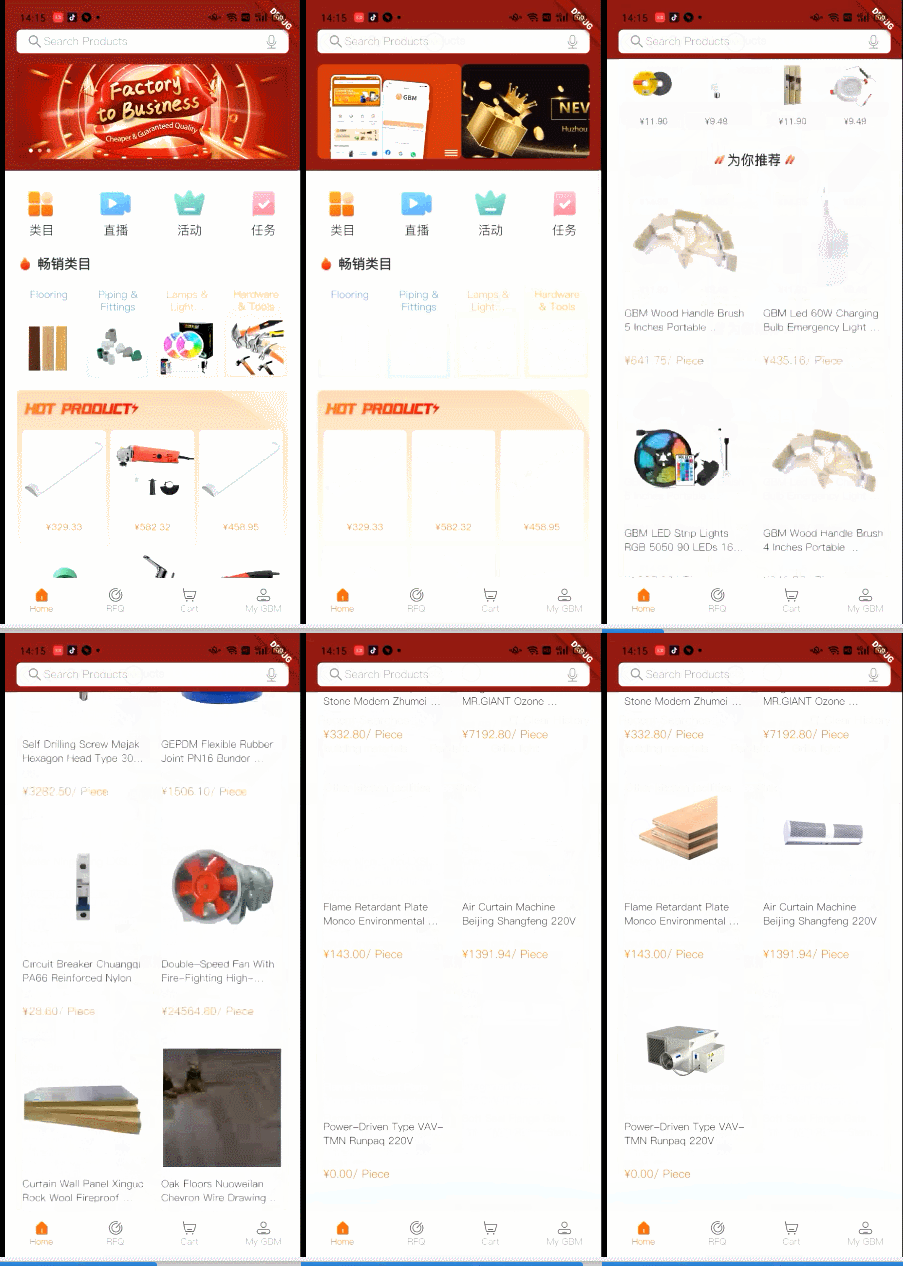
CustomScrollView 来实现 :
CustomScrollView 的思路: 实际上就是把 组件分为两类;一类不规则;还有一类 长的页面是一个 规则的页面,使用 SliverGrid 组件进行优化,完了之后发现 不光性能好了,而且也不会出现,进入新的页面之后返回 出现 image 重绘的现象;
return Column(children: [InputTop(),Expanded(child: CustomScrollView(slivers: [SliverToBoxAdapter(child: Column(children: [Container(padding: EdgeInsets.only(bottom: AppScreen.calc(30)),child: Column(children: [if ((snapshot.data['topBanner']as List).isNotEmpty)AppBanner(datum: snapshot.data['topBanner']),],),),Tabs(),if ((snapshot.data['categoryRecommendResps']as List ).isNotEmpty)HotCategory(datum: snapshot.data['categoryRecommendResps']),if ((snapshot.data['hotProducts']as List ).isNotEmpty)HotProduct(datum: snapshot.data['hotProducts']),if ((snapshot.data['clearance']as List ).isNotEmpty ||(snapshot.data['newArrivals']as List ).isNotEmpty)ArrivaleClearance(datumClearance:snapshot.data['clearance'],datumArrivals:snapshot.data['newArrivals']),],),),if ((snapshot.data['justForYou'] as List ).isNotEmpty)SliverPadding(padding: EdgeInsets.all(AppScreen.calc24),sliver: SliverGrid(gridDelegate:SliverGridDelegateWithFixedCrossAxisCount(crossAxisCount: 2,crossAxisSpacing: AppScreen.calc(14.5),mainAxisSpacing: AppScreen.calc(14),childAspectRatio: 0.622,),delegate: SliverChildBuilderDelegate((BuildContext context, int index) {return _buildItem(snapshot.data['justForYou'][index]);},childCount: (snapshot.data['justForYou']as List ).length,),),)],),),], ); _buildItem(dynamic datum) {return Container(width: AppScreen.calc(330),decoration: BoxDecoration(color: Colors.white,borderRadius: BorderRadius.circular(AppScreen.calc(8)),border: Border.all(color: AppColor.colorEEEEEE, width: 1),),child: Column(children: [Container(decoration: BoxDecoration(color: Colors.white,borderRadius: BorderRadius.circular(AppScreen.calc(8)),),child: ClipRRect(// borderRadius: BorderRadius.circular(AppScreen.calc(8)),borderRadius: BorderRadius.only(topLeft: Radius.circular(AppScreen.calc(8)),topRight: Radius.circular(AppScreen.calc(8)),),child: AppWidget.cachedImage(datum['spuPic'],width: AppScreen.calc(330),height: AppScreen.calc(300),),),),Container(padding: EdgeInsets.symmetric(vertical: AppScreen.calc(24),horizontal: AppScreen.calc(12),),child: Text(datum['spuEnglishName'],style: AppTextStyle.textStyle_26_333333,maxLines: 2,overflow: TextOverflow.ellipsis,),),Container(padding: EdgeInsets.symmetric(vertical: AppScreen.calc(24),horizontal: AppScreen.calc(12),),child: Center(child: Row(mainAxisAlignment: MainAxisAlignment.start,children: [Text("${AppCache().countryState!.currencySymbol}${AppCache().currencyState!.priceToLocal(datum['maxSalePrice'])}",style: AppTextStyle.textStyle_28_e76c1e_500,maxLines: 1,overflow: TextOverflow.ellipsis,),Text("/ Piece",style: AppTextStyle.textStyle_28_e76c1e_500,maxLines: 1,overflow: TextOverflow.ellipsis,)],),),)],),);}

本文来自互联网用户投稿,文章观点仅代表作者本人,不代表本站立场,不承担相关法律责任。如若转载,请注明出处。 如若内容造成侵权/违法违规/事实不符,请点击【内容举报】进行投诉反馈!