自定义NavigationBar--使用UIView进行绘制
iOS中系统自带的UINavigationBar虽然功能强大但使用起来有各种各样的小问题,处理起来很是麻烦。当然也有一些优秀的第三方NavigationBar同样功能也很强大,使用起来更为便捷,但仍然存在的一个问题是其系基于继承自UINavigationBar的子类,因此也有诸如此类的问题如模态弹框的展示。UINavigationBar本质上是基于UIView的可以hook到UIViewController属性的特殊类,后者的hook很难做到那么前者基于UIView是可以轻易地实现的。
本文将以UIView为基础,以“左区域、中间区域、右区域”为基本设计理念,以“简单、方便、美观”为目标去阐述。叙述有所缺失敬请海涵。
思路
NavigationBar使用最多的场景不外乎标题栏与左右按钮的形式,其中大部分左按钮是存在的而右按钮根据具体业务需要去实现。这样可以抽象出使用的实现途径–“左区域、中间区域、右区域”。即实现三个容器类UIView去包裹子项控件。平常写控件比较麻烦的就是布局,无论是snapkit或是frame布局都要计算出其具体情况的参数去布局,前者还算好点后者纯粹就是平面几何计算,甚是麻烦。如果只确定空间大小而让NavigationBar去自动计算其frame行不行呢,答案肯定可以的。因为平常的NavigationBar的控件布局是规则而非复杂或杂乱无章的,也就是说只要指定的控件放在指定的位置容器中,让其置中即可,这样有了父容器frame参数,又有了size参数,其本身frame也就确定了。
有时候希望使用很简单的构造器去初始化一个类,尤其是控件类。例如想要实现一个左边是返回按钮,中间是标题正文的NavigationBar,我们只希望传入返回按钮的图片,中间title文字,然后实现返回按钮的事件属性即可,不需要太多额外的代码。
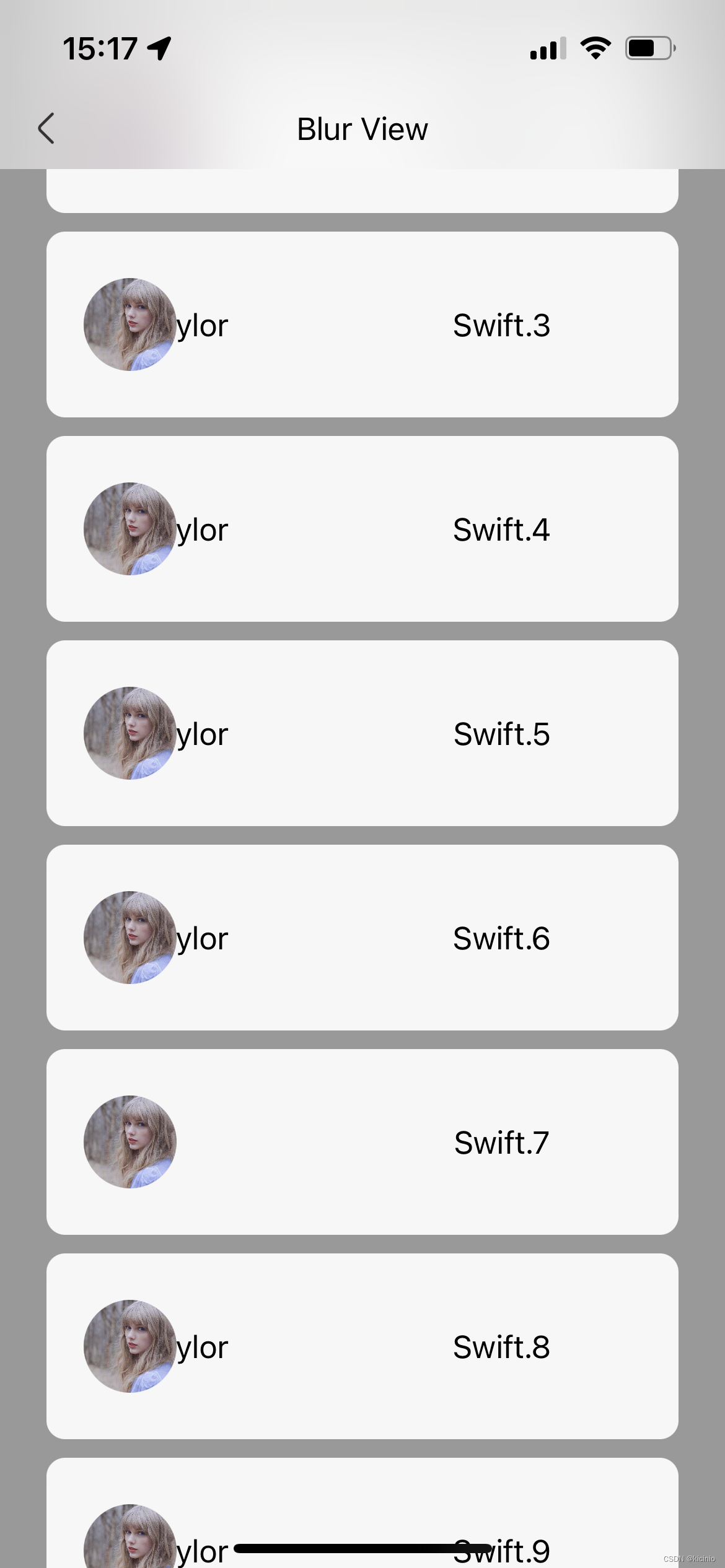
UINavigationBar是具备高斯模糊效果的,如果设置得当其,其效果显得很漂亮,我们同样希望拥有这个特性。当然,有了高斯模糊,背景图片与颜色也不能少。
UINavigationBar比较厌烦的一点是底部的一条灰色线条,有时候去除它需要额外的编写几行显得极其臃肿。但它麻烦的同时也不能直接不实现,在对比度较弱的时候灰色线条还是有帮助的,因此这个特性也是需要考虑的。
那么有时候不需要“左中右”这样的布局方式怎么办?这种情况下UINavigationBar也无能为了,但还是需要考虑一个便利构造器可以传入一个自定义View去实现。关于这点的实现并没有完成,因为这样的业务很少见,有需要的肯定自己用其他方式去实现了。
组成部分
定义三个content容器去管理传入的子类。注意传入的子类只有一个,但子类可以为子类的子类集合。
private lazy var leftContent: UIView = self.createLeftContent()private lazy var centerContent: UIView = self.createCenterContent()private lazy var rightContent: UIView = self.createRightContent()
实现方式依靠懒加载去初始化。
初始化:
这里定义便利构造器去初始化用户传入的子类控件。由setupView()方法去添记到容器中并计算其frame。
convenience init(leftView: UIView? = nil, centerView: UIView? = nil, rightView: UIView? = nil) {self.init()setupView(leftView: leftView, centerView: centerView, rightView: rightView)}
便利构造器:
额外提供一个“左按钮、中间标题栏”的方法:
convenience init(title: String, leftText: String) {self.init()self.init(leftView: self.createLeftButton(text: leftText),centerView: self.createCenterLabel(text: title),rightView: nil)}
再提供一个“左按钮、中间标题栏、右按钮”的方法:
convenience init(title: String, leftText: String, rightText: String) {self.init()self.init(leftView: self.createLeftButton(text: leftText),centerView: self.createCenterLabel(text: title),rightView: self.createRightButton(text: rightText))}
这样用户在使用的时候初始化代码就不用写太多了。
背景图/模糊图:
先实现一个UIVisualEffectView的对象,再定义isBlur的属性用于控制是否展示高斯模糊背景。
private var _isBlur: Bool?/// NavigationBar whether should be presenting a blur view.public var isBlur: Bool? {set{_isBlur = newValue ?? falseif _isBlur == true {self.effectView.isHidden = false} else {self.effectView.isHidden = true}}get{return _isBlur}}
图片就简单了,这里同样定义一个属性barBackgroundImage用以接受UIImage背景图:
private var _barBackgroundImage: UIImage?/// NavigationBar background image.public var barBackgroundImage: UIImage?{set{_barBackgroundImage = newValue ?? UIImage(named: "")self.backgroundColor = UIColor(patternImage: _barBackgroundImage!)}get{return _barBackgroundImage}}
其他:
这里实现了isEnbaleDividerLine与isFullScreen用以决定是否展示分割线与NavigationBar是否全屏展示
private var _isFullScreen: Bool?/// NavigationBar whether should be override status bar.public var isFullScreen: Bool?{set{_isFullScreen = newValue ?? falseif _isFullScreen == true {self.resetFrameInFullScreen()} else {self.resetFrameInUnfullScreen()}}get{return _isFullScreen}}private var _isEnableDividerLine: Bool?/// NavigationBar whether should be show the divider line in the bottom.public var isEnableDividerLine: Bool?{set{_isEnableDividerLine = newValue ?? falseif _isEnableDividerLine == true {self.addSubview(bottomLine)} else {if bottomLine.superview != nil {bottomLine.removeFromSuperview()}}}get{return _isEnableDividerLine}}
关于返回事件的点击回调方法,可以用Closure(block)去回调抛出处理,当closure写起来比较麻烦,所以这里用到了尾随闭包特性去写,又可以减少点代码量看起来很简洁。
由于是Swift写的,所以与OC通信也要考虑。类型前加上@objcMembers 即可(这里没添加)。尾随闭包的特性在OC里也能调用所以不必担心事件问题。
代码:
frame布局方法额外写在了一个extension里面,具体可移步至github
import UIKit
import AVFAudio/**SGNavigationBar to replace UINavigationBar, which is designed by inherited from UIView to show various view.*/
class SGNavigationBar: UIView {typealias ClickAction = () -> Void// MARK: - Private constant./// Left and right container width.private let CONTENT_WIDTH: CGFloat = 50/// Right view padding for right content.private let RIGHT_PADDING: CGFloat = 13/// Right button image name.private let RIGHT_IMAGE_NAME: String = "back"/// Left button image name.private let LEFT_IMAGE_NAME: String = "back"// MARK: - Set & get varibales.private var _barTintColor: UIColor = UIColor.white/// NavigationBar tint color.public var barTintColor: UIColor? {set{_barTintColor = newValue ?? UIColor.whiteself.backgroundColor = _barTintColor}get{return _barTintColor}}private var _barBackgroundImage: UIImage?/// NavigationBar background image.public var barBackgroundImage: UIImage?{set{_barBackgroundImage = newValue ?? UIImage(named: "")self.backgroundColor = UIColor(patternImage: _barBackgroundImage!)}get{return _barBackgroundImage}}private var _isBlur: Bool?/// NavigationBar whether should be presenting a blur view.public var isBlur: Bool? {set{_isBlur = newValue ?? falseif _isBlur == true {self.effectView.isHidden = false} else {self.effectView.isHidden = true}}get{return _isBlur}}private var _isFullScreen: Bool?/// NavigationBar whether should be override status bar.public var isFullScreen: Bool?{set{_isFullScreen = newValue ?? falseif _isFullScreen == true {self.resetFrameInFullScreen()} else {self.resetFrameInUnfullScreen()}}get{return _isFullScreen}}private var _isEnableDividerLine: Bool?/// NavigationBar whether should be show the divider line in the bottom.public var isEnableDividerLine: Bool?{set{_isEnableDividerLine = newValue ?? falseif _isEnableDividerLine == true {self.addSubview(bottomLine)} else {if bottomLine.superview != nil {bottomLine.removeFromSuperview()}}}get{return _isEnableDividerLine}}// MARK: - Private variables.private var leftActionClosure:   ClickAction?private var centerActionClosure: ClickAction?private var rightActionClosure:  ClickAction?private lazy var leftContent:      UIView = self.createLeftContent()private lazy var centerContent:    UIView = self.createCenterContent()private lazy var rightContent:     UIView = self.createRightContent()private lazy var bottomLine:       UIView = self.createBottomLine()private lazy var blurEffect: UIBlurEffect = self.createBlurEffect()private lazy var effectView: UIVisualEffectView = self.createEffectView()override init(frame: CGRect) {super.init(frame: frame)self.frame = CGRect(x: 0,y: kSafeTopOffset(),width: kScreenWidth(),height: kNavigationBarHight())_ = self.effectViewself.addSubview(self.leftContent)self.addSubview(self.centerContent)self.addSubview(self.rightContent)}required init?(coder: NSCoder) {fatalError("init(coder:) has not been implemented")}}// MARK: - Boot Convenience Init.
extension SGNavigationBar {convenience init(leftView: UIView? = nil, centerView: UIView? = nil, rightView: UIView? = nil) {self.init()setupView(leftView: leftView, centerView: centerView, rightView: rightView)}private func setupView(leftView: UIView? = nil, centerView: UIView? = nil, rightView: UIView? = nil){if leftView != nil {assert(leftView!.frame.size != .zero, "Optional leftView must be defined and can not be CGSizeZero")leftContent.addSubview(leftView!)leftView!.center = CGPoint(x: halfWidth(leftContent), y: halfHeight(leftContent))}if centerView != nil {assert(centerView!.frame.size != .zero, "Optional centerView must be defined and can not be CGSizeZero")centerContent.addSubview(centerView!)centerView!.center = CGPoint(x: halfWidth(self) - self.leftContent.frame.width, y: halfHeight(centerContent))}if rightView != nil {assert(rightView!.frame.size != .zero, "Optional rightView must be defined and can not be CGSizeZero")rightContent.addSubview(rightView!)rightView!.center = CGPoint(x: CONTENT_WIDTH - RIGHT_PADDING - halfWidth(rightView!), y: halfHeight(rightContent))}}private func createLeftContent() -> UIView{let view = UIView()view.frame = CGRect(x: 0, y: 0, width: CONTENT_WIDTH, height: kNavigationBarHight())return view}private func createCenterContent() -> UIView{let view = UIView()view.frame = CGRect(x: CONTENT_WIDTH, y: 0, width: self.bounds.width - (CONTENT_WIDTH * 2), height: kNavigationBarHight())return view}private func createRightContent() -> UIView{let view = UIView()view.frame = CGRect(x: self.centerContent.frame.maxX, y: 0, width: CONTENT_WIDTH, height: kNavigationBarHight())return view}private func createBottomLine() -> UIView{let view = UIView()view.backgroundColor = .gray.withAlphaComponent(0.3)view.frame = CGRect(x: 0, y: kNavigationBarHight() - 0.5, width: kScreenWidth(), height: 0.5)return view}private func createBlurEffect() -> UIBlurEffect{let blurEffect = UIBlurEffect(style: .light)return blurEffect}private func createEffectView() -> UIVisualEffectView{let view = UIVisualEffectView(effect: blurEffect)view.frame = CGRect(x: self.frame.origin.x,y: 0,width: self.frame.width,height: self.frame.height)self.addSubview(view)return view}}// MARK: - Outside method.
extension SGNavigationBar{public func scroll(_ x: CGFloat){let rate = x / UIScreen.main.bounds.widthself.alpha = rate}
}// MARK: - Inside method.
extension SGNavigationBar{private func resetFrameInFullScreen(){self.frame = CGRect(x: self.frame.origin.x,y: 0,width: self.frame.width,height: self.frame.height + kSafeTopOffset())self.effectView.frame = CGRect(x: self.effectView.frame.origin.x,y: 0,width: self.effectView.frame.width,height: self.effectView.frame.height + kSafeTopOffset())self.leftContent.frame = CGRect(x: 0,y: kSafeTopOffset(),width: CONTENT_WIDTH,height: kNavigationBarHight())self.centerContent.frame = CGRect(x: self.leftContent.frame.maxX,y: kSafeTopOffset(),width: kScreenWidth() - (CONTENT_WIDTH * 2),height: self.centerContent.frame.height)self.rightContent.frame = CGRect(x: self.centerContent.frame.maxX,y: kSafeTopOffset(),width: CONTENT_WIDTH,height: self.rightContent.frame.height)self.bottomLine.frame = CGRect(x: 0,y: kNavigationBarHight() + kStatusBarHeight() - 0.5,width: kScreenWidth(),height: 0.5)}private func resetFrameInUnfullScreen(){self.frame = CGRect(x: 0,y: kSafeTopOffset(),width: kScreenWidth(),height: kNavigationBarHight())self.effectView.frame = CGRect(x: self.frame.origin.x,y: 0,width: self.frame.width,height: self.frame.height)self.leftContent.frame = CGRect(x: 0,y: kSafeTopOffset(),width: CONTENT_WIDTH,height: self.leftContent.frame.height)self.centerContent.frame = CGRect(x: CONTENT_WIDTH,y: 0,width: self.bounds.width - (CONTENT_WIDTH * 2),height: kNavigationBarHight())self.rightContent.frame = CGRect(x: self.centerContent.frame.maxX,y: 0,width: CONTENT_WIDTH,height: kNavigationBarHight())self.bottomLine.frame = CGRect(x: 0,y: kNavigationBarHight() - 0.5,width: kScreenWidth(),height: 0.5)}}// MARK: - Left button and center title.
extension SGNavigationBar {convenience init(title: String, leftText: String) {self.init()self.init(leftView: self.createLeftButton(text: leftText),centerView: self.createCenterLabel(text: title),rightView: nil)}private func createLeftButton(text: String) -> UIButton{let button = UIButton()button.frame.size = CGSize(width: 24, height: 24)if text != "" {button.setTitle(text, for: .normal)} else {button.setImage(UIImage(named: LEFT_IMAGE_NAME), for: .normal)}button.addTarget(self, action: #selector(leftButtonAction), for: .touchUpInside)return button}private func createCenterLabel(text: String) -> UILabel {let label = UILabel()label.textAlignment = .centerlabel.textColor = .blacklabel.text = textlabel.frame.size = CGSize(width: self.centerContent.bounds.width, height: kNavigationBarHight())return label}@objc private final func leftButtonAction(){if self.leftActionClosure != nil {leftActionClosure!()}}/**When click left area to callback this method.*/public func setOnLeftClickListener(listener: ClickAction?){leftActionClosure = {if listener != nil {listener!()}}}}// MARK: - Left button and center title and right button.
// Some method use above extension content.
extension SGNavigationBar{/**Convenience generate a NavigationBar with three parameters.- Parameter title: Center text.- Parameter leftText: Left button title, input `""` to use image for button otherwise show the text parameter.- Parameter rightText: Right buttom title, input `""` to use image for button otherwise show the text parameter.*/convenience init(title: String, leftText: String, rightText: String) {self.init()self.init(leftView: self.createLeftButton(text: leftText),centerView: self.createCenterLabel(text: title),rightView: self.createRightButton(text: rightText))}private func createRightButton(text: String) -> UIButton{let button = UIButton()button.frame.size = CGSize(width: 24, height: 24)if text != "" {button.setTitle(text, for: .normal)} else {button.setImage(UIImage(named: RIGHT_IMAGE_NAME), for: .normal)}button.addTarget(self, action: #selector(rightButtonAction), for: .touchUpInside)return button}@objc private final func rightButtonAction(){if self.rightActionClosure != nil {rightActionClosure!()}}/**When click right area to callback this method.*/public func setOnRightClickListener(listener: ClickAction?){rightActionClosure = {if listener != nil {listener!()}}}}
使用
先禁用UINavigationBar,然后简短几下代码就OK了(不用为NavigationBar设置frame,内部已经坐好了对全面屏和非全面屏的布局):
let navigationBar = SGNavigationBar(title:"OS X", leftText: "")
navigationBar.isBlur = true
navigationBar.barBackgroundImage = UIImage(named:"wall")
navigationBar.isFullScreen = true
navigationBar.setOnClickLeftListener {
// Click left .
}
self.view.addSubview(navigationBar)
效果图
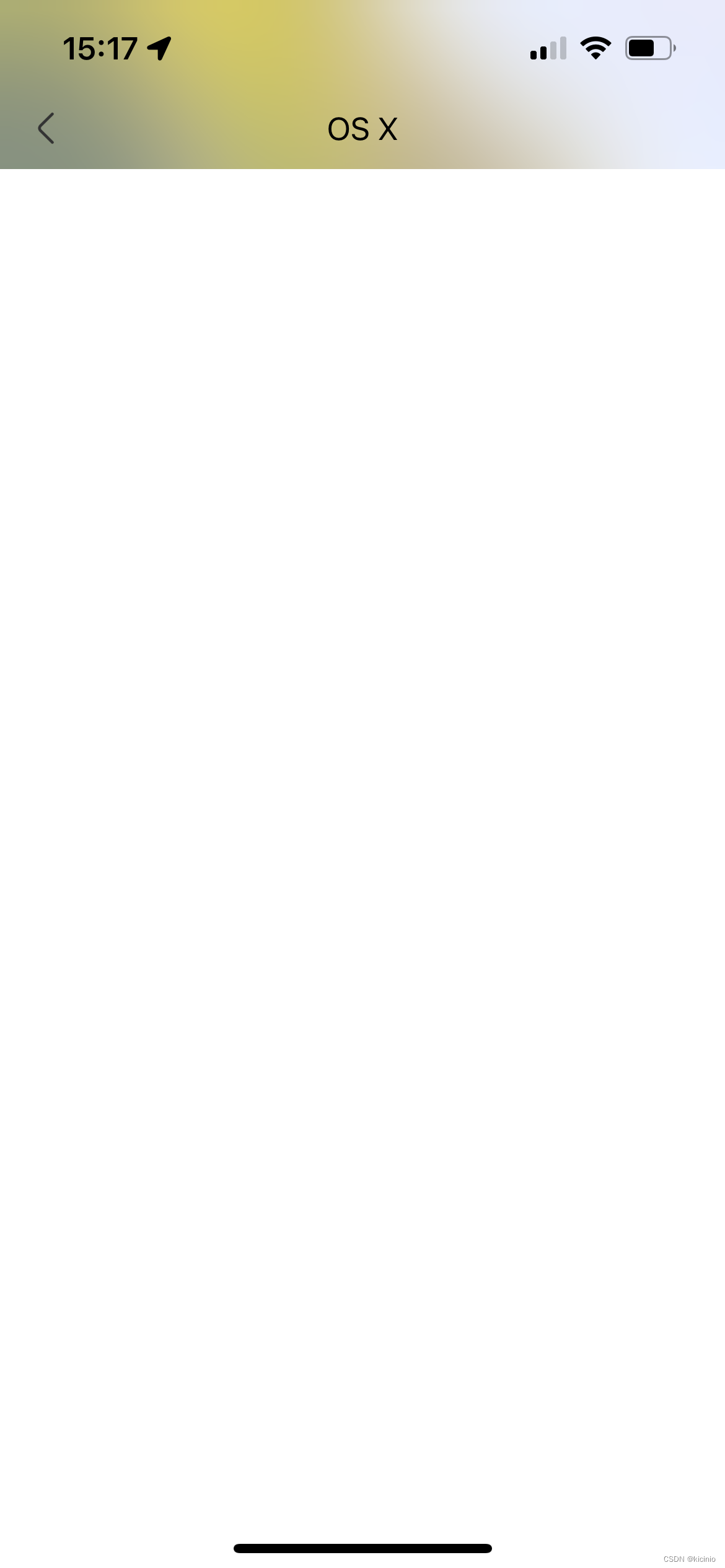
高斯模糊确实很漂亮
本文来自互联网用户投稿,文章观点仅代表作者本人,不代表本站立场,不承担相关法律责任。如若转载,请注明出处。 如若内容造成侵权/违法违规/事实不符,请点击【内容举报】进行投诉反馈!