Qt5.13.0 qml-material 编译及环境配置
本文后续的编译错误及解决方法,参考:https://blog.csdn.net/yk445908989/article/details/70482665
运行环境:Win10 64位 + QT 5.13.0 + mingw7.3.0-64
先上官网环境配置步骤
Per-project installation using git submodules and QMake
Add the submodule:
git submodule add git@github.com:papyros/qml-material.git material
Add the following DEFINE and .pri file to your project:DEFINES += QPM_INIT\\(E\\)=\"E.addImportPath(QStringLiteral(\\\"qrc:/\\\"));\"include(material/material.pri)
Then, in your main.cpp file or wherever you set up a QQmlApplicationEngine, call QPM_INIT on the engine like this:QQmlApplicationEngine engine;
QPM_INIT(engine)
engine.load(QUrl(QStringLiteral("qrc:/main.qml")));
You should then be able to import Material 0.3 from your QML.To optionally bundle the Roboto fonts in your project, add this line ABOVE the previously added include():OPTIONS += roboto
Per-project installation using git submodules and CMake
Add the submodule:git submodule add git@github.com:papyros/qml-material.git material
Add the following lines to your project's CMakeLists.txt, and make sure you add ${VENDOR_SOURCES} to your add_executable line:add_definitions("-DQPM_INIT\\(E\\)=E.addImportPath\\(QStringLiteral\\(\\\"qrc:/\\\"\\)\\)\\;")include(material/vendor.cmake)
Then, in your main.cpp file or wherever you set up a QQmlApplicationEngine, call QPM_INIT on the engine like this:QQmlApplicationEngine engine;
QPM_INIT(engine)
engine.load(QUrl(QStringLiteral("qrc:/main.qml")));
下面是实操过程中的错误及处理办法,
按照正常步骤来,
第一步,从github上下载源码
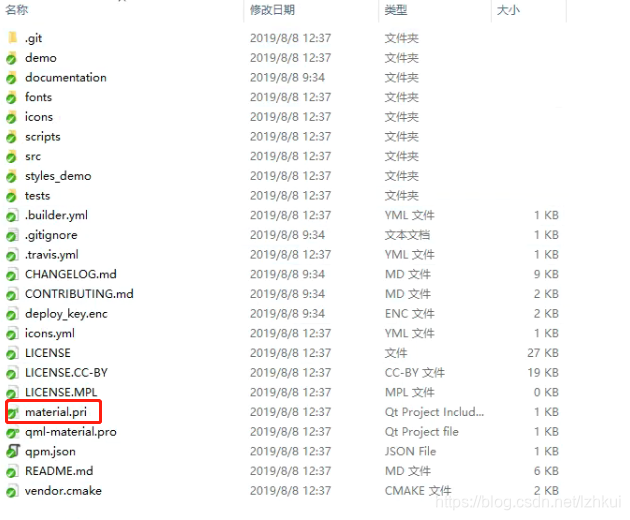
include(material/material.pri)在master分支中是没有的,以下是develop分支,完整的源码截图:
第二步,编译src
先编译src工程,否则直接编译qml-material,会提示未安装Material模块
编译src工程的步骤,参考https://blog.csdn.net/yk445908989/article/details/70482665,这里就不多展开了,其中的坑参考链接中也有提及。
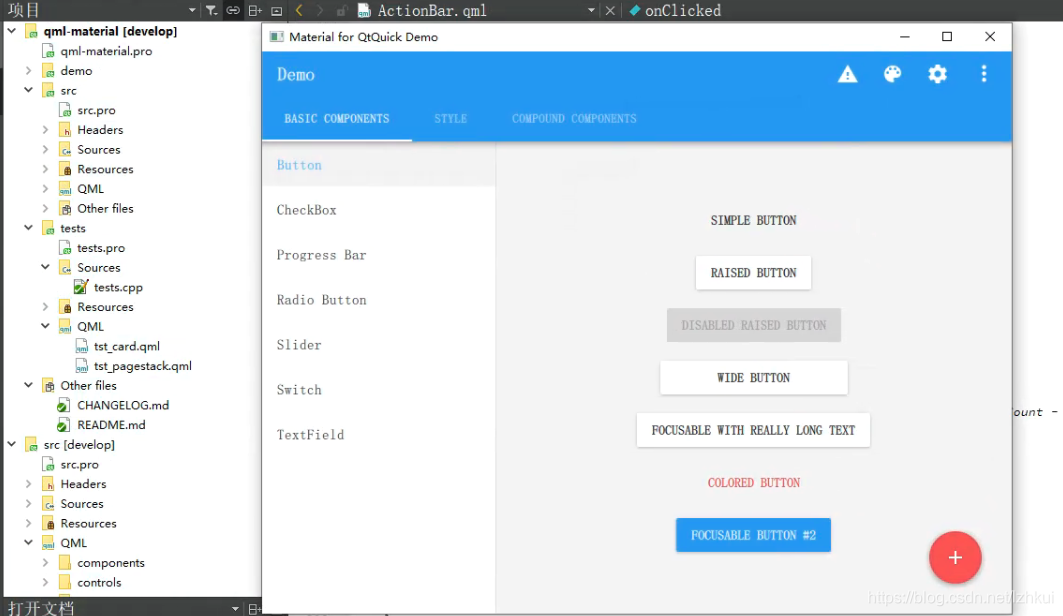
第三步,编译qml-material
本文来自互联网用户投稿,文章观点仅代表作者本人,不代表本站立场,不承担相关法律责任。如若转载,请注明出处。 如若内容造成侵权/违法违规/事实不符,请点击【内容举报】进行投诉反馈!