react native-1-创建RN工程
1.安装node js,这个就不多讲了,自行百度!安装完成如下
C:\Users\kxf>node -v
v12.13.0
2.安装Yarn,Yarn是 Facebook 提供的替代 npm 的工具,可以加速 node 模块的下载。
C:\Users\kxf>npm install -g yarn
C:\Users\kxf\AppData\Roaming\npm\yarn -> C:\Users\kxf\AppData\Roaming\npm\node_modules\yarn\bin\yarn.js
C:\Users\kxf\AppData\Roaming\npm\yarnpkg -> C:\Users\kxf\AppData\Roaming\npm\node_modules\yarn\bin\yarn.js
+ yarn@1.22.4
added 1 package in 6.735s
3.创建工程
E:\RnProject>npx react-native init MyRnTest######                #########     ####        ####     #####          ###    ###          ####             ####             ####             ####             ####           ##    ##           ####         ###      ###         ####  ########################  ########    ###            ###    #########     ##    ##              ##    ##     ######         ## ###      ####      ### ##         #####           ####      ########      ####           ####             ###     ##########     ###             ####           ####      ########      ####           #####         ## ###      ####      ### ##         ######     ##    ##              ##    ##     #########    ###            ###    ########  ########################  ####         ###      ###         ####           ##    ##           ####             ####             ####             ####             ####          ###    ###          #####     ####        ####     #########                ######Welcome to React Native!Learn once, write anywhere√ Downloading template
√ Copying template
√ Processing template
√ Installing dependenciesRun instructions for iOS:• cd "E:\RnProject\MyRnTest" && npx react-native run-ios- or -• Open MyRnTest\ios\MyRnTest.xcodeproj in Xcode or run "xed -b ios"• Hit the Run buttonRun instructions for Android:• Have an Android emulator running (quickest way to get started), or a device connected.• cd "E:\RnProject\MyRnTest" && npx react-native run-androidRun instructions for Windows and macOS:• See https://aka.ms/ReactNative for the latest up-to-date instructions.
创建完成后工程目录如下
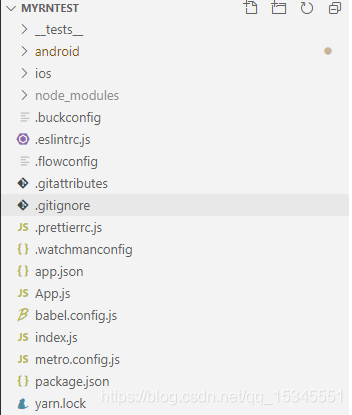
注意:node_modules是npm install之后产生的
4.运行Android工程
方法一:npx react-native run-android
方法二:先用Android studio运行Android工程,再在工程根目录下执行npm run start
小技巧:vscode可以可视化执行scripts,如下
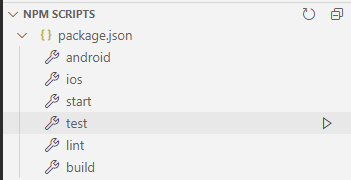
直接点右边的小三角形就可以执行相关的命令,如果没有npm scripts这栏,如下方式打开
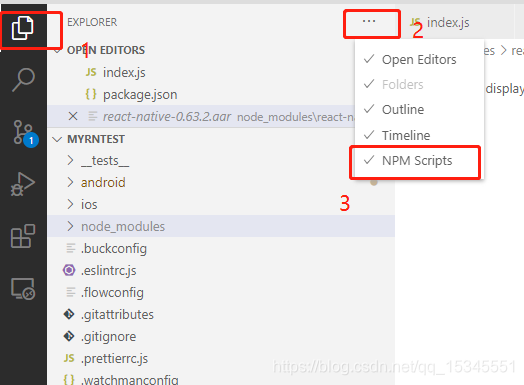
5.调试
安装react-devtools
npm install -g react-devtools出现如下的异常
C:\Users\xuefeng.kuang>npm install -g react-devtools
npm ERR! code ETIMEDOUT
npm ERR! errno ETIMEDOUT
npm ERR! network request to https://registry.npmjs.org/react-devtools failed, reason: connect ETIMEDOUT 104.16.26.35:443
npm ERR! network This is a problem related to network connectivity.
npm ERR! network In most cases you are behind a proxy or have bad network settings.
npm ERR! network
npm ERR! network If you are behind a proxy, please make sure that the
npm ERR! network 'proxy' config is set properly.  See: 'npm help config'npm ERR! A complete log of this run can be found in:
npm ERR!     C:\Users\xuefeng.kuang\AppData\Roaming\npm-cache\_logs\2020-09-04T03_30_30_893Z-debug.log
重新试下,或者科学上网
C:\Users\xuefeng.kuang>npm install -g react-devtools
C:\Users\xuefeng.kuang\AppData\Roaming\npm\react-devtools -> C:\Users\xuefeng.kuang\AppData\Roaming\npm\node_modules\react-devtools\bin.js> core-js@3.6.5 postinstall C:\Users\xuefeng.kuang\AppData\Roaming\npm\node_modules\react-devtools\node_modules\core-js
> node -e "try{require('./postinstall')}catch(e){}"Thank you for using core-js ( https://github.com/zloirock/core-js ) for polyfilling JavaScript standard library!The project needs your help! Please consider supporting of core-js on Open Collective or Patreon:
> https://opencollective.com/core-js
> https://www.patreon.com/zloirockAlso, the author of core-js ( https://github.com/zloirock ) is looking for a good job -)> electron@9.3.0 postinstall C:\Users\xuefeng.kuang\AppData\Roaming\npm\node_modules\react-devtools\node_modules\electron
> node install.jsDownloading electron-v9.3.0-win32-x64.zip: [===================================================] 100% ETA: 0.0 seconds
+ react-devtools@4.8.2
added 163 packages from 118 contributors in 365.981s
下载chrome并安装扩展程序
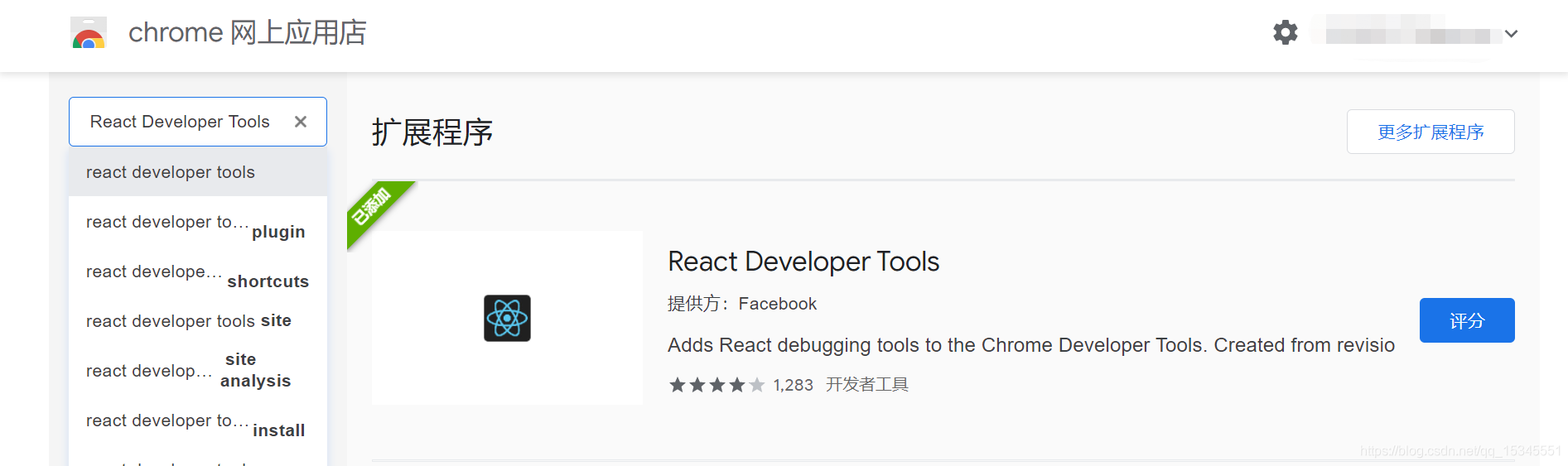
执行cmd命令,adb reverse tcp:8081 tcp:8081
其中8081为需要调试的端口号,根据实际情况修改
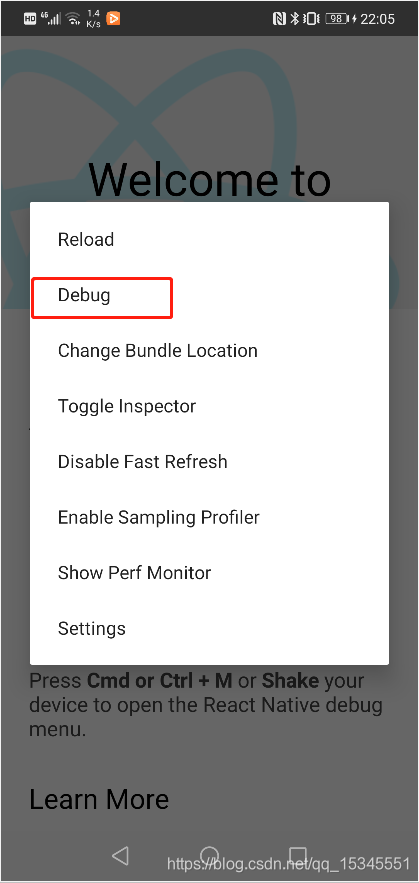
打开菜单,并选择debug
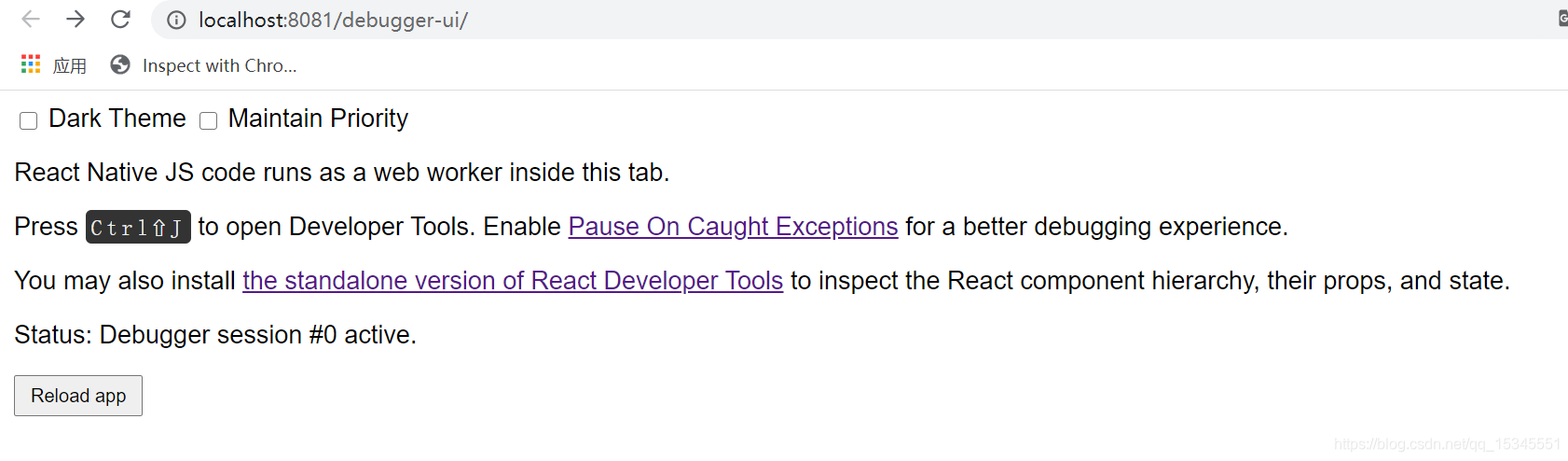
电脑上会自动开启chrome,并显示如下界面
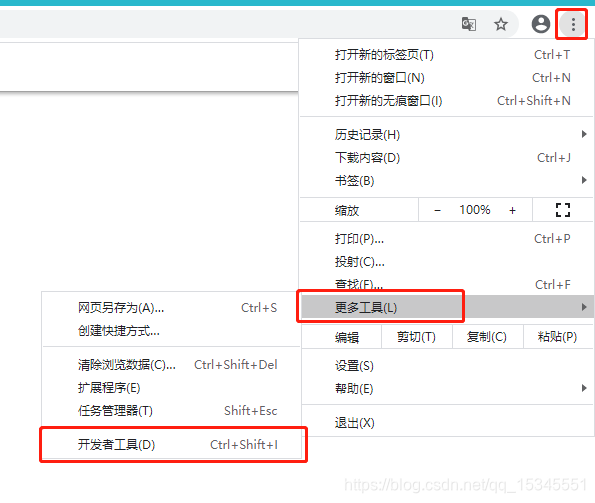
按F12打开开发者工具,或者如下方式打开
打开后如下界面
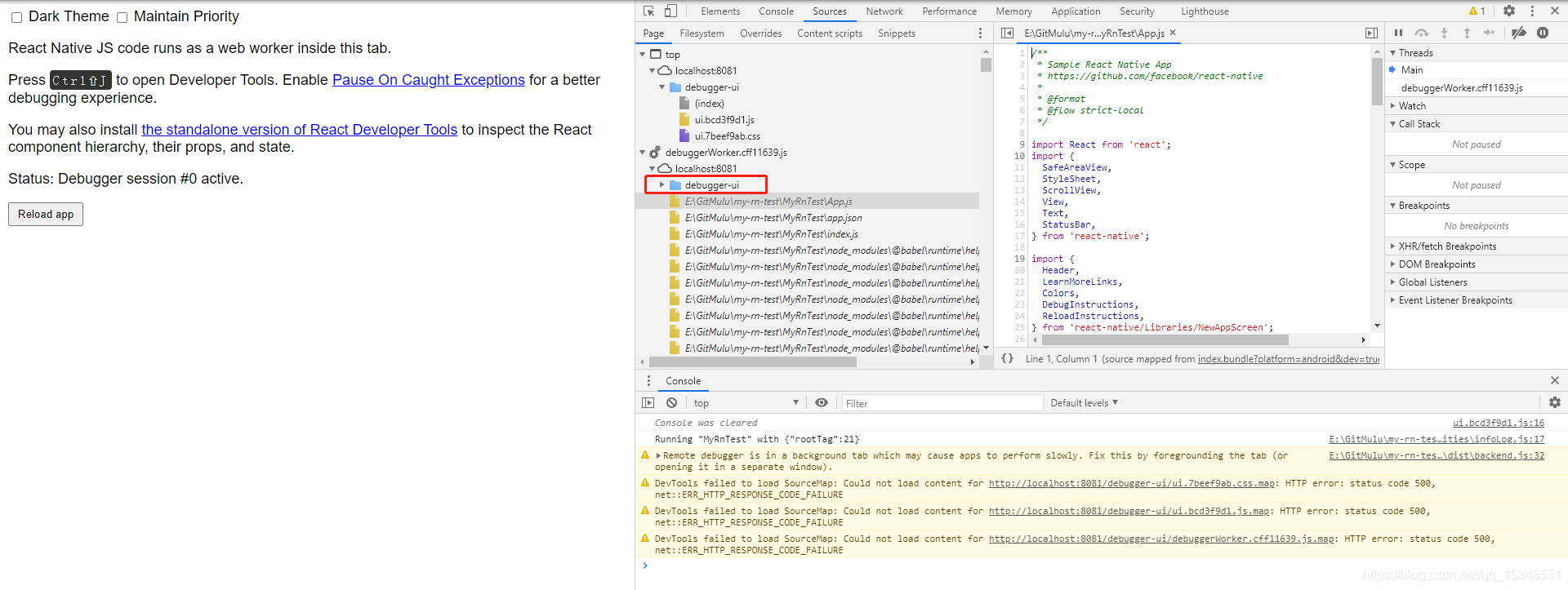
这时候就可以打断点调试了
问题一:
Error: Unable to resolve module `./debugger-ui/debuggerWorker.cff11639.js` from ``: None of these files exist:* debugger-ui\debuggerWorker.cff11639.js(.native|.native.js|.js|.native.json|.json|.native.ts|.ts|.native.tsx|.tsx)* debugger-ui\debuggerWorker.cff11639.js\index(.native|.native.js|.js|.native.json|.json|.native.ts|.ts|.native.tsx|.tsx)at ModuleResolver.resolveDependency (D:\gitPath\my-rn-test\MyRnTest\node_modules\metro\src\node-haste\DependencyGraph\ModuleResolution.js:163:15)at ResolutionRequest.resolveDependency (D:\gitPath\my-rn-test\MyRnTest\node_modules\metro\src\node-haste\DependencyGraph\ResolutionRequest.js:52:18)at DependencyGraph.resolveDependency (D:\gitPath\my-rn-test\MyRnTest\node_modules\metro\src\node-haste\DependencyGraph.js:287:16) at D:\gitPath\my-rn-test\MyRnTest\node_modules\metro\src\lib\transformHelpers.js:267:42at Server. (D:\gitPath\my-rn-test\MyRnTest\node_modules\metro\src\Server.js:841:41)at Generator.next ()at asyncGeneratorStep (D:\gitPath\my-rn-test\MyRnTest\node_modules\metro\src\Server.js:99:24)at _next (D:\gitPath\my-rn-test\MyRnTest\node_modules\metro\src\Server.js:119:9) 重启下app就解决了!
本文来自互联网用户投稿,文章观点仅代表作者本人,不代表本站立场,不承担相关法律责任。如若转载,请注明出处。 如若内容造成侵权/违法违规/事实不符,请点击【内容举报】进行投诉反馈!