OpenAI-Translator 实战总结
最近在极客时间学习《AI 大模型应用开发实战营》,自己一边跟着学一边开发了一个进阶版本的 OpenAI-Translator,在这里简单记录下开发过程和心得体会,供有兴趣的同学参考
-
功能概览
- 通过openai的chat API,实现一个pdf翻译器
- 实现一个web GUI,可以上传pdf文件,然后翻译成目标语言的pdf文件
- 实现了一个openai的plugin,pdf翻译器
-
系统概述
- PDF Parser
- 通过pdfminer.six库,解析pdf文件,得到pdf的内容
- 通过解析pdf的内容,得到pdf的图片,表格,文本等内容
- Model
- 通过prompt的方式,把pdf的内容转化为目标语言
- Writer
- 把翻译后的内容,写入到pdf 或者markdown文件中
- PDF Parser
-
Prompt 优化过程
-
第一次尝试
- 为了支持其他语言的翻译,在prompt里把目标语言设置为变量
{target_language}
[{"role": "system","content": "For the input text, translate it into {target_language} as native speaker" }, {"role": "user","content": "“Santiago,” the boy said.\n" }]- 问题
- 表格格式没有保留
- 翻译不准确,表现是没有把user 的content内容翻译成目标语言
- 为了支持其他语言的翻译,在prompt里把目标语言设置为变量
-
优化Prompt里system的描述
- 增加格式化输出的描述
output each of these data in json format,方便代码后续解析 - 增加prompt,让模型知道需要翻译的内容所属语言是什么
Identify the language of input text
[{"role": "system","content": "From the input text, output each of these data in json format:\n\n1. (language) Identify the language of input text \n2. (translation) Translate to Chinese as a native speaker and keep the original character format of the text unchanged\n3. (translation_language) The language translated from the input text" }, {"role": "user","content": "“Santiago,” the boy said.\n" } ]- 问题
- 偶尔翻译不准确,表现是没有把user 的content内容翻译成目标语言
- 增加格式化输出的描述
-
再次优化Prompt,增加黑魔法,think step by step
- 翻译text的prompt
[{"role": "system","content": f"You act as a language expert, do a language translation job, here are the steps:\n\n"f"1. (language) Identify the language of input text \n"f"2. (translation) Translate the input text to {target_language} as a native speaker \n"f"3. (output) output the language and translation in json format\n"},{"role": "user","content": f"“Santiago,” the boy said.\n"}]- 翻译table的prompt
- 加注:保持表格的原有格式与标点符号
format and maintain spacing (spaces, separators), and return in tabular form
- 加注:保持表格的原有格式与标点符号
[{"role": "system","content": f"From the input text, do a language translation job, here are the steps:\n\n"f"1. (language) Identify the language of input text \n"f"2. (translation) Translate the input text to {target_language} as a native speaker, format and maintain spacing (spaces, separators), and return in tabular form\n"f"3. (output) output the language and translation in json format"},{"role": "user","content": f"{table content}"}]
-
-
代码结构
- 重构content
- 重构parser
- 重构writer
-
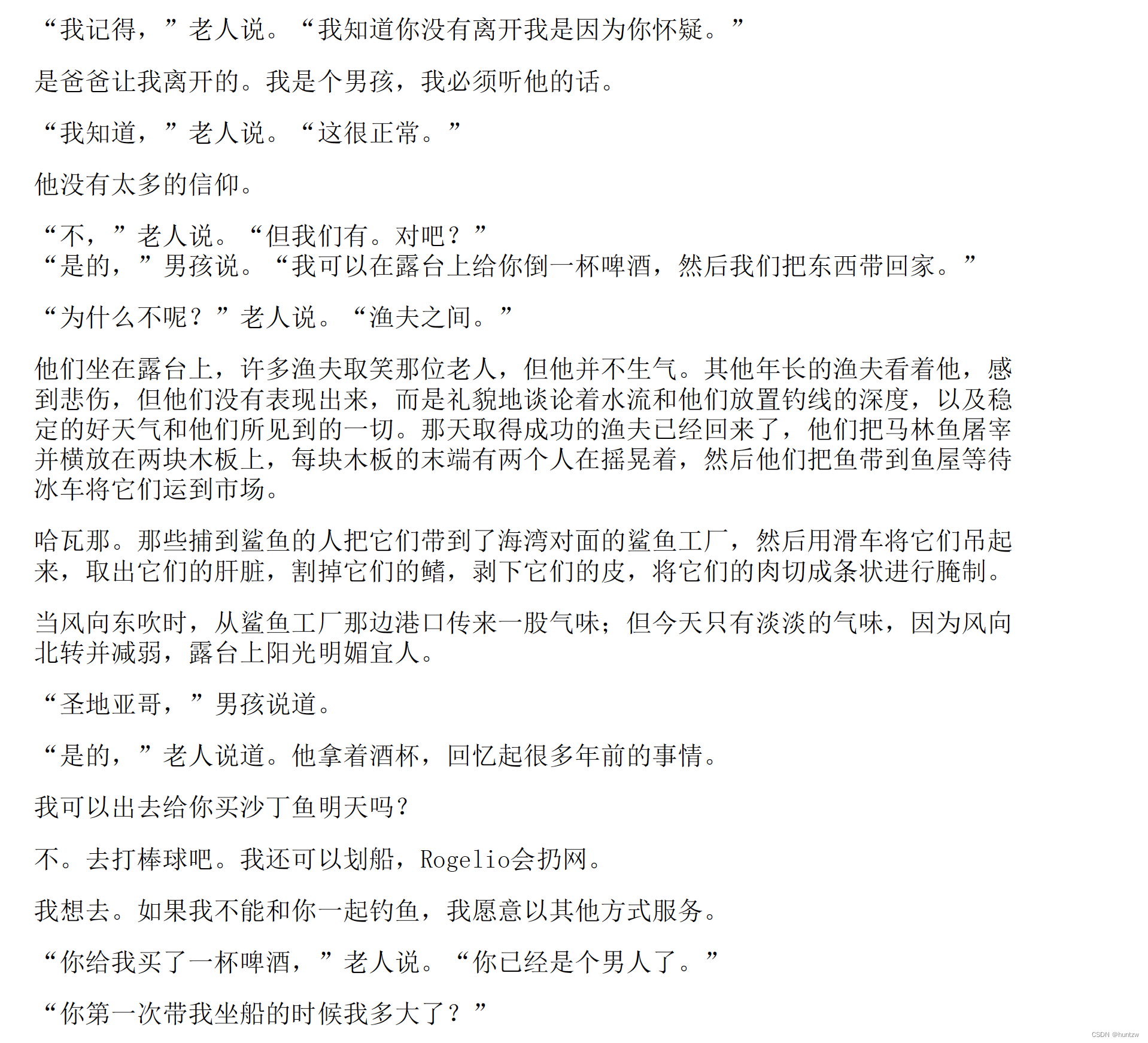
PDF格式
- 为了保持PDF文档内容结构,需要保留原文档的空格,换行,分隔符等
- 分段策略
- 以空行为分段标志
- 翻译后的文档,保持原文档的空格,换行,分隔符等
- 示例:老人与海的pdf文档
-
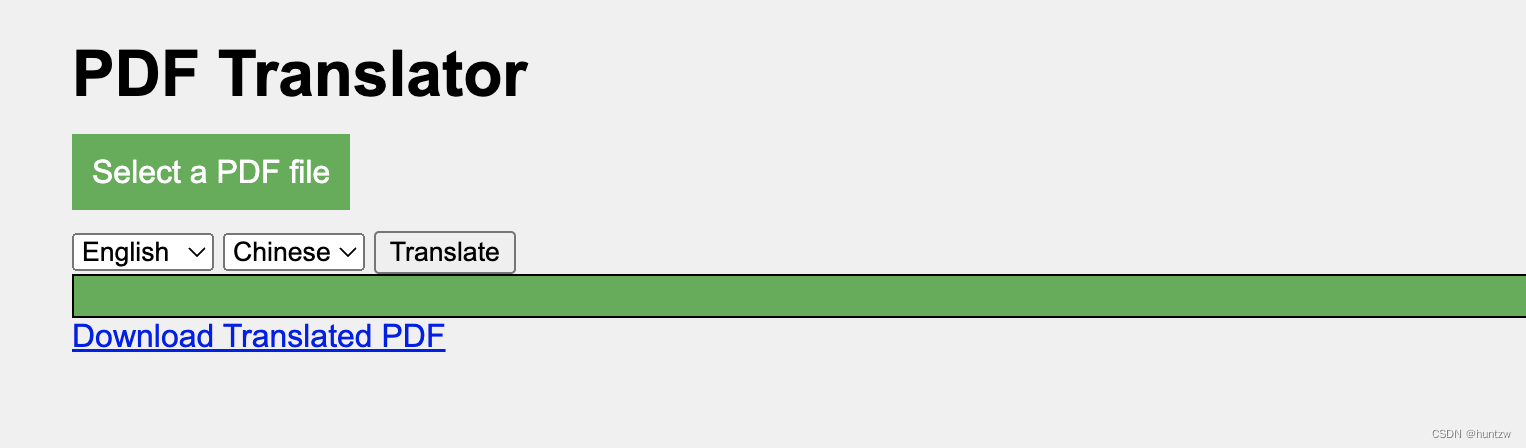
图形用户界面GUI 设计
- 设计以及代码由 gpt4 生成
- 如下是使用的prompt
- 对一个翻译pdf功能的服务器设计一个GUI
- 请用python实现一下
- 请用 HTML、CSS 和 JavaScript 实现一个你上文提到的UI
- 请增加这些功能显示文件上传和翻译进度、选择源语言和目标语言、处理文件上传大小的限制
- 对于代码的错误,交给gpt4,让它来修复代码中的问题
- 详见 chatGPT share
- Web GUI效果图
-
plugin开发
- openapi文档的生成,通过gpt4生成
- 通过把路由代码,交给gpt,然后让它生成对应的openapi文档,然后对应着plugin 官方文档修正下,就可以了
- openapi文档的生成,通过gpt4生成
openapi: 3.0.1info:title: PDF Translatordescription: A Plugin that allows the user to translate the PDF to any language they want.version: 'v1'servers:- url: http://localhost:8080paths:/translate:post:operationId: translatePDFsummary: Translate the content of PDF file to target languageparameters:- content:multipart/form-data:schema:type: objectproperties:file:type: stringformat: binarydescription: The PDF file that should be translated todst_lang:type: stringdescription: The language and should be translated to, e.g. Chinese.responses:"200":description: OKcontent:application/json:schema:$ref: '#/components/schemas/translatePDF''400':description: Bad Requestcontent:text/plain:schema:type: string'500':description: Internal Server Errorcomponents:schemas:translatePDF:type: stringproperties:weather:type: stringformat: binarydescription: The content of PDF file that has been translated
-
收获和总结
- openai API的使用 chat API调用,以及各个参数的含义
- openai playground的使用,调试prompt很好用的工具
- prompt的使用以及优化,这一点需要在实际的案例中加强训练
- 熟悉了openai plugin开发步骤以及流程
-
Github Code
本文来自互联网用户投稿,文章观点仅代表作者本人,不代表本站立场,不承担相关法律责任。如若转载,请注明出处。 如若内容造成侵权/违法违规/事实不符,请点击【内容举报】进行投诉反馈!