vscode setting json_win10+letex+vscode+texlive+latex workshop+sumatrapdf
最近要开始用latex写论文,查询了很多种搭配,像ctex,texstudio+texlive,等等,不过看到有用vscode写的,就有很大的兴趣,接下来整理一下步骤:
1.下载texlive
Index of /CTAN/systems/texlive/Imagesmirrors-wan.geekpie.club点击texlive2019.iso 3.3G 那个
下载完解压点击
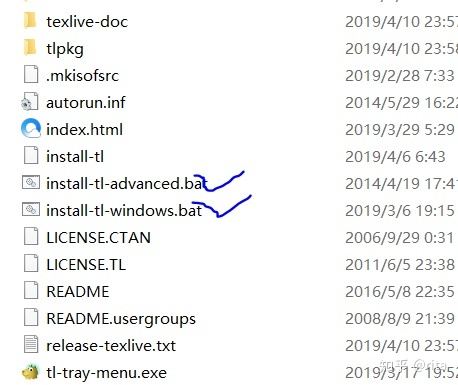
以管理员身份打开,会让你选择路径,更改一下,其余不动,安装(需要挺长时间)
2.下载sumatrapdf 官网
Free PDF Reader - Sumatra PDFwww.sumatrapdfreader.org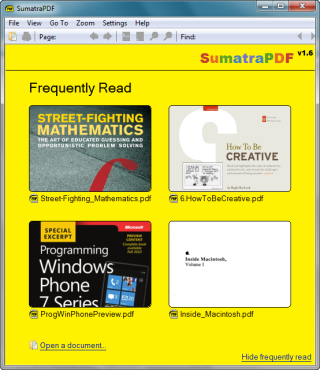
3. 下载vscode vscode官网 按部就班安装Free PDF Reader - Sumatra PDF然后,下载vscode vscode官网 按部就班安装
- 配置latex workshop 点击第五个
- 搜索latex ,安装latex workshop 以及latex formatter
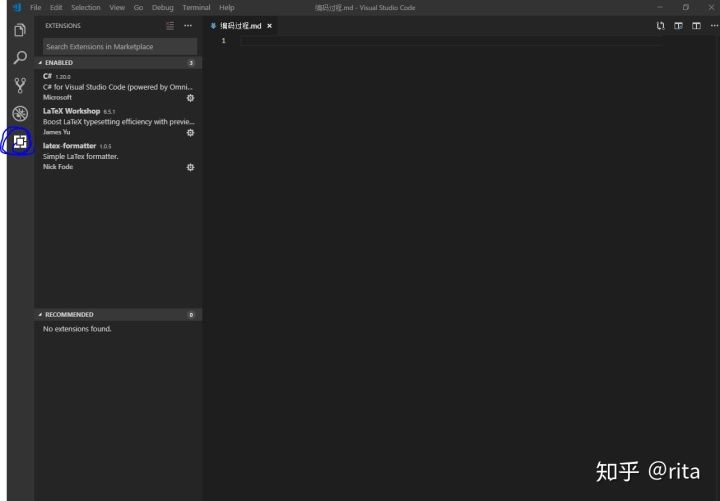
- 配置setting
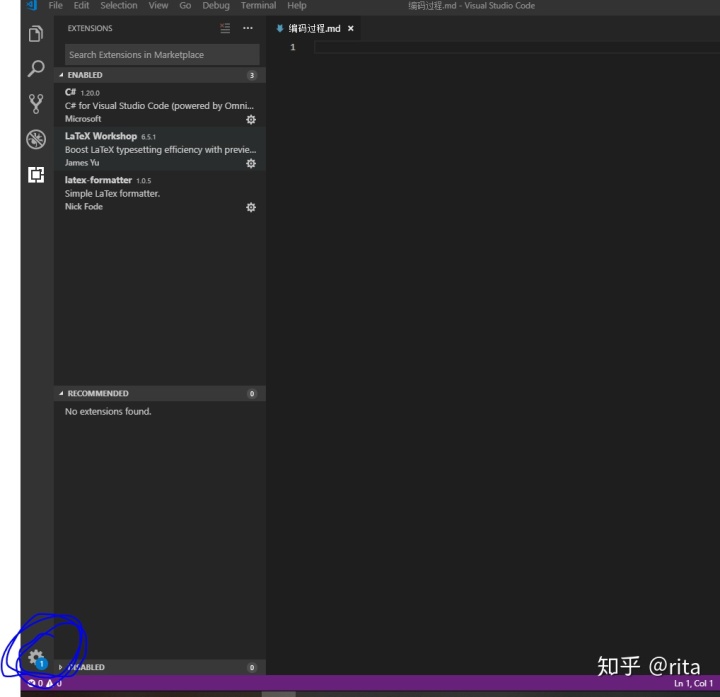
- 点击这个会有setting 进入 搜索latex 会出现这些文件,随便进入一个就行
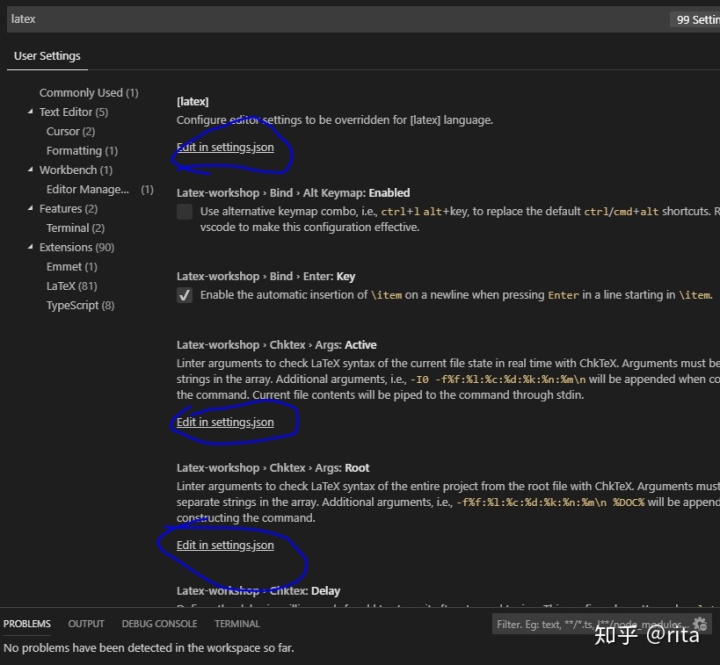
- 配置如下
- // 前向查找,点击latex文件 左侧有个synctex个操作,先点击要查找的位置在latex文件的位置,在点击synctex个操作,就会在pdf文件中高亮
{"latex-workshop.latex.recipes": [{"name": "xelatex","tools": ["xelatex"]},{"name": "xe->bib->xe->xe","tools": ["xelatex","bibtex","xelatex","xelatex"]}],"latex-workshop.latex.tools": [{// 编译工具和命令"name": "xelatex","command": "xelatex","args": ["-synctex=1","-interaction=nonstopmode","-file-line-error","-pdf","%DOCFILE%"]},{"name": "pdflatex","command": "pdflatex","args": ["-synctex=1","-interaction=nonstopmode","-file-line-error","%DOCFILE%"]},{"name": "bibtex","command": "bibtex","args": ["%DOCFILE%"]}],// external 是外部pdf,tab是内部pdf 外部可以直接正向反向,内部不可以// "latex-workshop.view.pdf.viewer": "tab","latex-workshop.view.pdf.viewer": "external","latex-workshop.view.pdf.external.synctex": {// command 是存放sumatrapdf的位置"command": "D:/SumatraPDF/SumatraPDF.exe","args": ["-forward-search","%TEX%","%LINE%","%PDF%"]},"latex-workshop.showContextMenu":true,"latex-workshop.view.pdf.external.command": {"command": "D:/SumatraPDF/SumatraPDF.exe","args": ["%PDF%"]},// "latex-preview.command": "xelatex",// "latex-workshop.view.pdf.viewer": "tab"
}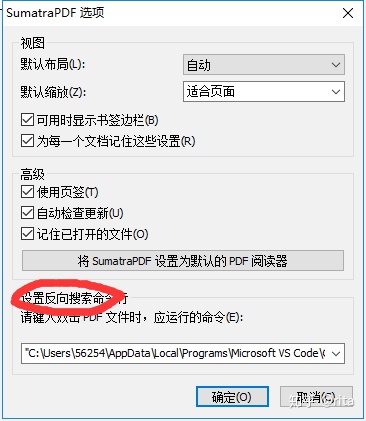
上图是在pdf中配置反向搜索命令
我们要找到的是vscode的code.exe,文件,和vscode中outcli.js文件,然后确定
"Code.exe" "resourcesappoutcli.js" -g "%f":"%l" Marvey:使用VSCode编写LaTeXzhuanlan.zhihu.com
借鉴了以上两位大神的步骤,感谢两位大神!
--------------------------------------------------------
要是觉得不错,点个赞同可以嘛


本文来自互联网用户投稿,文章观点仅代表作者本人,不代表本站立场,不承担相关法律责任。如若转载,请注明出处。 如若内容造成侵权/违法违规/事实不符,请点击【内容举报】进行投诉反馈!