03.Python Dash网页开发:多页面网站制作
<~生~信~交~流~与~合~作~请~关~注~公~众~号@生信探索> 需求:写一个多网页的网站,包括header、footer、菜单包括主页home、博客blog(外部链接到博客)、about(自我介绍页面) home页面包括一个旋转木马(几张图片循环播放)、再下边单个APP点击后进入可以分析)。 其中第一个APP是shiny APP,用外部网址链接到shiny网站,其他APP是DASH 示例APP。 网站大概满足了功能需求,但是美化细节还没做到... 源代码文件夹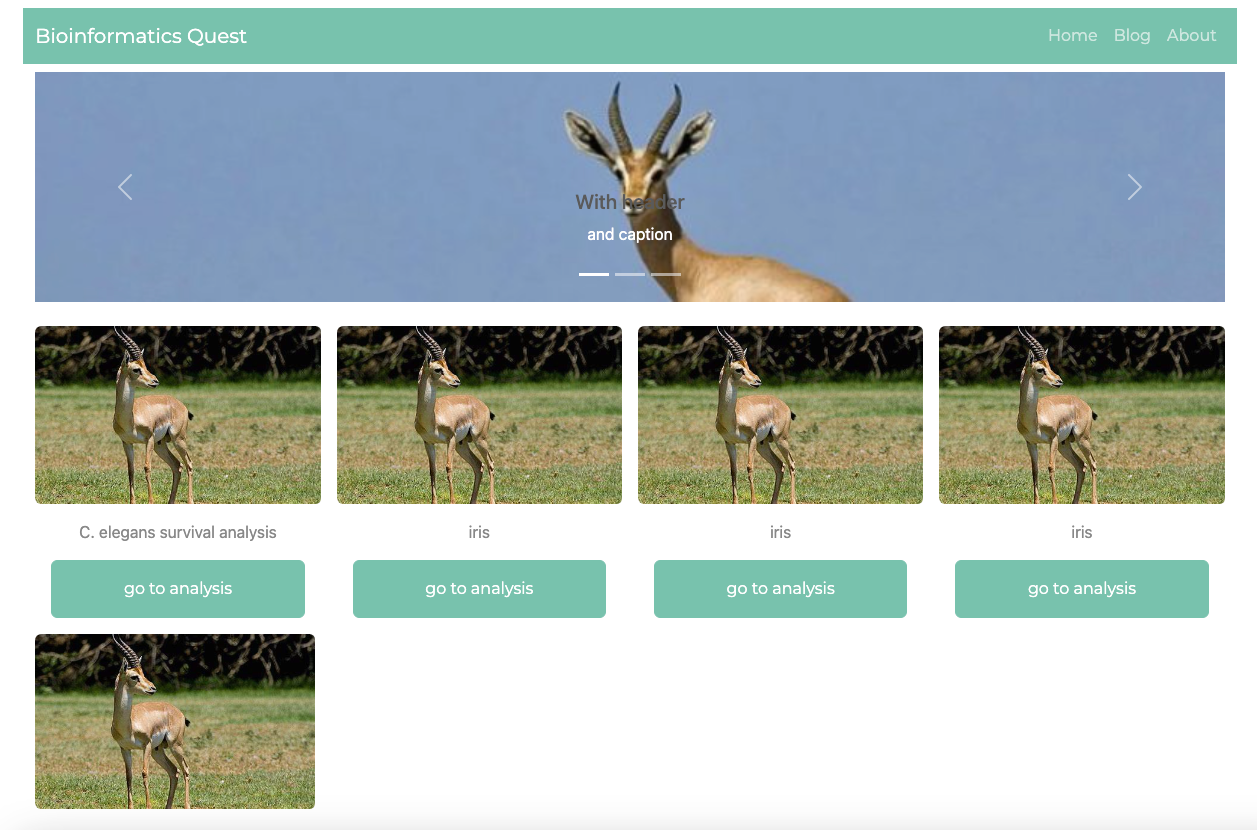
├── app.py
├── pages
│   ├── about.py
│   ├── home.py
│   ├── iris.py
│   └── not_found_404.py
└── static
    ├── about.md
    └── images
        ├── profile.jpg
        └── slide0.jpg
主要APP入口
import dash
from dash import Dash, dcc, html, Input, Output, callback
import plotly.express as px
import dash_bootstrap_components as dbc

dbc_css = "https://cdn.jsdelivr.net/gh/AnnMarieW/dash-bootstrap-templates@V1.0.4/dbc.min.css"
app = Dash(__name__, external_stylesheets=[dbc.themes.MINTY, dbc_css], use_pages=True)

navbar = dbc.NavbarSimple(
    [
        dbc.NavItem(dbc.NavLink("Home", href="/")),
        dbc.NavItem(dbc.NavLink("Blog", href="https://www.baidu.com")),
        dbc.NavItem(dbc.NavLink("About", href="/about")),
    ],
    brand="Bioinformatics Quest",
    brand_href="#",
    color="primary",
    dark=True,
)

app.layout = dbc.Container(
    [
        dbc.Row(dbc.Col(navbar,width=8),class_name="d-flex justify-content-center mt-2 mb-2"),
        dbc.Row(
            dbc.Col(
                    dash.page_container,
                    width=8,
                    # style={"height": "85vh"}
                    )
                    ,class_name="mh-100 d-flex justify-content-center"
                ),
        dbc.Row(
            html.Footer("2023 Bioinformatics Quest All Right Reserved.",className="d-flex justify-content-center")
            ,class_name="d-flex justify-content-center"
            )
    ],
    fluid=True,
本文来自互联网用户投稿,文章观点仅代表作者本人,不代表本站立场,不承担相关法律责任。如若转载,请注明出处。 如若内容造成侵权/违法违规/事实不符,请点击【内容举报】进行投诉反馈!