【UE4 C++】实现旋转小球的第三人称自由视角
本文将介绍用C++实现一个简单的玩家可通过WASD控制移动,Shift进行加速,鼠标控制视角旋转和缩放的小球。
本人也只是一个UE4初学者,大佬勿喷。
一、技术难点
- 小球通过角速度控制旋转,因此想实现自由视角相机,它就不能作为小球的子物体。
- 小球的移动方向始终要保持与视野前方相同。
二、最终效果图
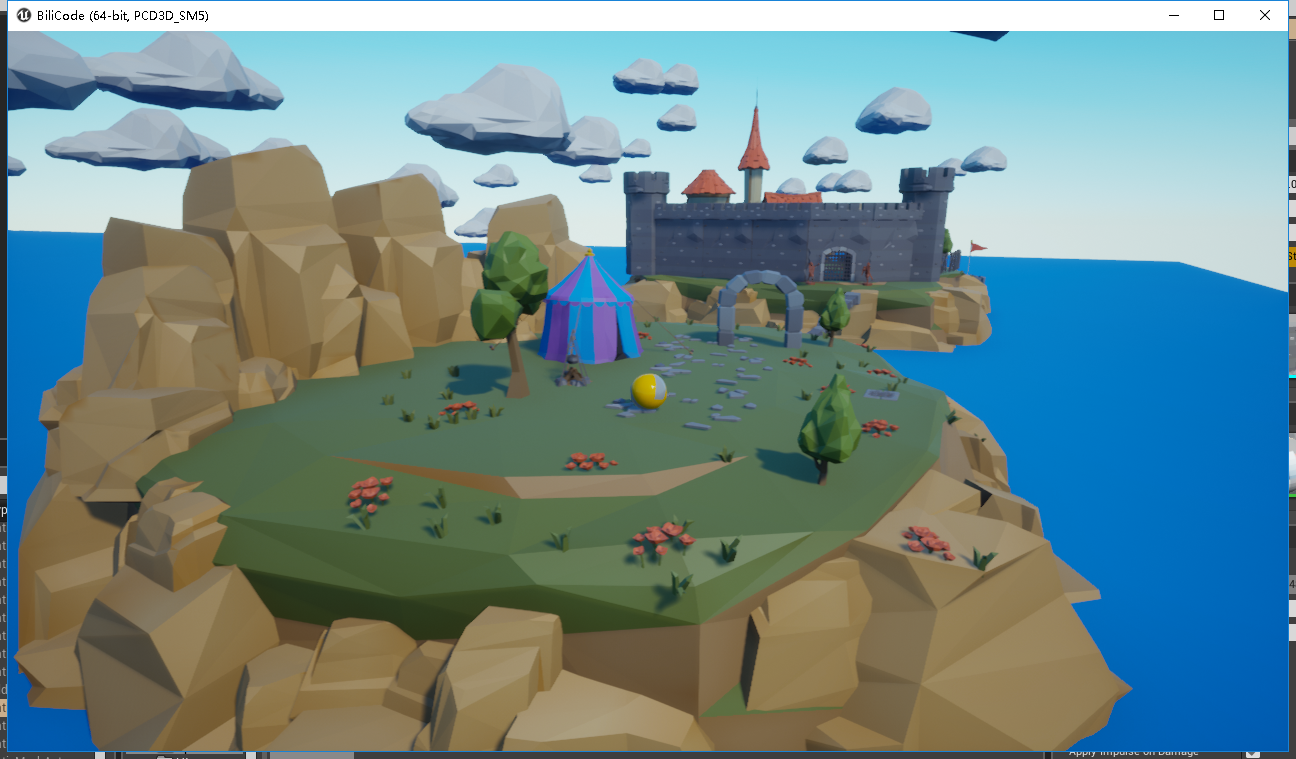
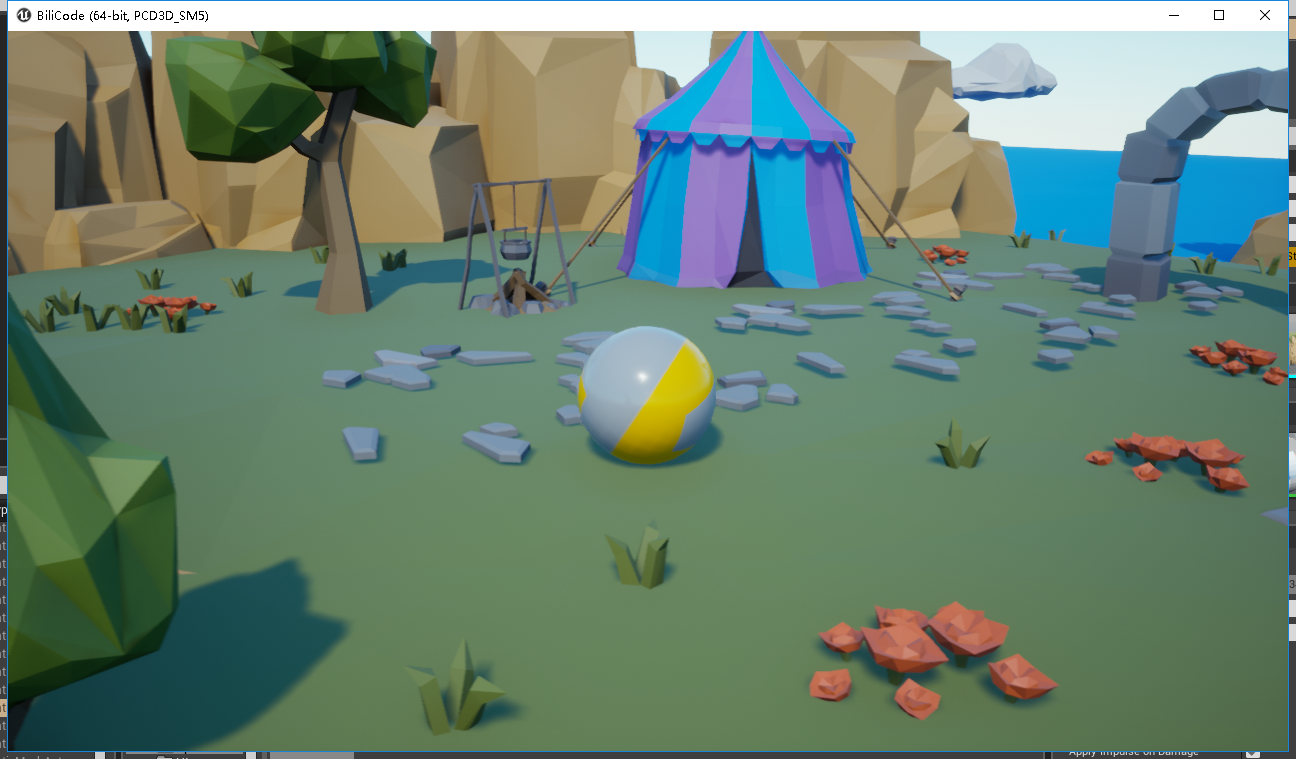
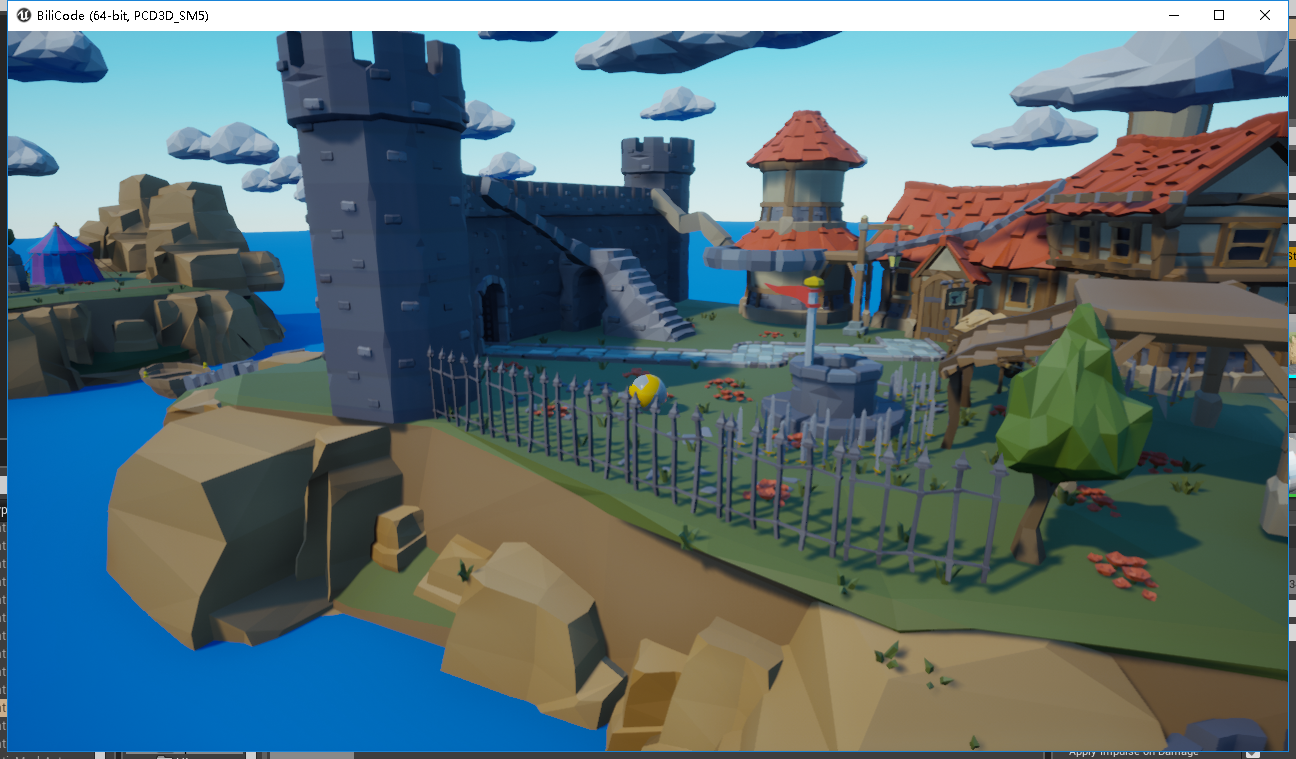
- 模型资源链接:https://pan.baidu.com/s/1e2bavPacWwA6_pDHlcM0Tw 密码:na24
- UE4项目以及源码:https://download.csdn.net/download/qq_31788759/10565311
三、核心代码模块
在此先将模块分类,使结构清晰明了,最后有完整代码,可具体查看。
1、首先创建组件
- SphereBase.h(自己创建的C++类)下
UPROPERTY(EditAnywhere, BlueprintReadWrite, Category = "RootComp")class USceneComponent * RootComp;//声明根节点组件UPROPERTY(EditAnywhere, BlueprintReadWrite,Category = "SphereMeshComp")class UStaticMeshComponent * SphereMeshComp;//小球Mesh组件UPROPERTY(EditAnywhere, BlueprintReadWrite,Category = "CameraArmComp")class USpringArmComponent * CameraArmComp;//相机臂组件UPROPERTY(EditAnywhere, BlueprintReadWrite, Category = "CameraComp")class UCameraComponent * CameraComp;//相机组件- SphereBase.cpp
    //绑定前后左右移动PlayerInputComponent->BindAxis("MoveForward", this, &ASphereBase::MoveForward);PlayerInputComponent->BindAxis("MoveRight", this, &ASphereBase::MoveRight);//Shift按下与抬起PlayerInputComponent->BindAction("MoveQuick", IE_Pressed, this, &ASphereBase::MoveQuick);
PlayerInputComponent->BindAction("MoveQuick", IE_Released, this, &ASphereBase::MoveNormal);//相机上下左右旋转PlayerInputComponent->BindAxis("CameraYaw", this, &ASphereBase::YawCamera);PlayerInputComponent->BindAxis("CameraPitch", this, &ASphereBase::PitchCamera);//相机缩放PlayerInputComponent->BindAction("ZoomIn", IE_Pressed, this, &ASphereBase::ZoomIn);PlayerInputComponent->BindAction("ZoomIn", IE_Released, this, &ASphereBase::ZoomStop);PlayerInputComponent->BindAction("ZoomOut", IE_Pressed, this, &ASphereBase::ZoomOut);PlayerInputComponent->BindAction("ZoomIn", IE_Released, this, &ASphereBase::ZoomStop);
具体函数请查看完整代码
3、相机自由视角
建议采用世界坐标系函数修改值,不要使用相对坐标系Relative函数,否则会遇到很多问题。
- 小球移动控制
if (!AngularVector.IsZero()){FVector NewVector = FVector(0, 0, 0);NewVector += AngularVector.X * CameraArmComp->GetForwardVector() * SphereSpeed;NewVector += AngularVector.Y * CameraArmComp->GetRight Vector() * SphereSpeed;SphereMeshComp->SetPhysicsAngularVelocity(NewVector);//给小球施加角速度向量}- 相机臂左右旋转
#pragma once#include "CoreMinimal.h"
#include "GameFramework/Pawn.h"
#include "SphereBase.generated.h"//必须放在头文件最后UCLASS()
class BILICODE_API ASphereBase : public APawn//APawn 继承 Actor
{GENERATED_BODY()public:// Sets default values for this pawn's propertiesASphereBase();UPROPERTY(EditAnywhere, BlueprintReadWrite, Category = "RootComp")class USceneComponent * RootComp;UPROPERTY(EditAnywhere, BlueprintReadWrite,Category = "SphereMeshComp")class UStaticMeshComponent * SphereMeshComp;//class声明UPROPERTY(EditAnywhere, BlueprintReadWrite,Category = "CameraArmComp")class USpringArmComponent * CameraArmComp;UPROPERTY(EditAnywhere, BlueprintReadWrite, Category = "CameraComp")class UCameraComponent * CameraComp;public:FVector AngularVector;float SphereSpeed;float SpeedMin;float SpeedMax;FVector CameraInput;float ZoomValue;UPROPERTY(EditAnyWhere, BlueprintReadWrite)bool IsInput;//控制是否能输入按键protected:// Called when the game starts or when spawnedvirtual void BeginPlay() override;public:	// Called every framevirtual void Tick(float DeltaTime) override;// Called to bind functionality to inputvirtual void SetupPlayerInputComponent(class UInputComponent* PlayerInputComponent) override;UFUNCTION(BlueprintCallable)void MoveForward(float AxisValue);UFUNCTION(BlueprintCallable)void MoveRight(float AxisValue);UFUNCTION(BlueprintCallable)void MoveQuick();UFUNCTION(BlueprintCallable)void MoveNormal();void PitchCamera(float AxisValue);void YawCamera(float AxisValue);void StartJump();void StopJump();void ZoomIn();void ZoomStop();void ZoomOut();
};
- Sphere.cpp
// Fill out your copyright notice in the Description page of Project Settings.#include "SphereBase.h"
#include "Components/StaticMeshComponent.h"//Mesh头文件
#include "GameFramework/SpringArmComponent.h"//摄像机手臂头文件
#include "Camera/CameraComponent.h"
#include "Components/SceneComponent.h"
#include "Components/InputComponent.h"//输入按键绑定头文件
#include "Engine.h"// Sets default values
ASphereBase::ASphereBase()
{// Set this pawn to call Tick() every frame.  You can turn this off to improve performance if you don't need it.PrimaryActorTick.bCanEverTick = true;IsInput = true;SphereSpeed = 300.0f;SpeedMin = SphereSpeed;SpeedMax = 500.0f;ZoomValue = 0.5f;//创建组件RootComp = CreateDefaultSubobject(TEXT("RootComp"));SphereMeshComp = CreateDefaultSubobject(TEXT("SphereBaseComp"));CameraArmComp = CreateDefaultSubobject(TEXT("CameraArmComp"));CameraComp = CreateDefaultSubobject(TEXT("CameraComp"));//组件关系SphereMeshComp->SetupAttachment(RootComp);CameraArmComp->SetupAttachment(RootComp);CameraComp->SetupAttachment(CameraArmComp);//设置物理效果为真SphereMeshComp->SetSimulatePhysics(true);
}// Called when the game starts or when spawned
void ASphereBase::BeginPlay()
{Super::BeginPlay();
}// Called every frame
void ASphereBase::Tick(float DeltaTime)
{Super::Tick(DeltaTime);if (!AngularVector.IsZero()){FVector NewVector = FVector(0, 0, 0);NewVector += AngularVector.X  * CameraArmComp->GetForwardVector() * SphereSpeed;NewVector += AngularVector.Y  * CameraArmComp->GetRightVector() * SphereSpeed;SphereMeshComp->SetPhysicsAngularVelocity(NewVector);//小球向一个向量方向旋转移动}{//相机臂左右旋转(相机臂与小球是兄弟关系FRotator LRRotation = CameraArmComp->GetComponentRotation();LRRotation.Yaw += CameraInput.X;CameraArmComp->SetWorldRotation(LRRotation);}{//相机臂跟随小球FVector NewLocation = SphereMeshComp->GetComponentLocation();CameraArmComp->SetWorldLocation(NewLocation);//两种方便的调试方法//GEngine->AddOnScreenDebugMessage(-1, 3.f, FColor::Purple, NewLocation.ToString());/*DrawDebugLine(GetWorld(),SphereBeginLocation,SphereMeshComp->GetComponentLocation(),FColor::Red,false, -1, 0,3.);*/}{//相机臂上下旋转FRotator UDRotation = CameraArmComp->GetComponentRotation();UDRotation.Pitch = FMath::Clamp(UDRotation.Pitch + CameraInput.Y, -80.0f, -15.0f);//控制旋转范围CameraArmComp->SetWorldRotation(UDRotation);}{//相机缩放ZoomValue = FMath::Clamp(ZoomValue, 0.0f, 1.0f);//基于ZoomFActor来混合相机的视域和弹簧臂的长度CameraComp->FieldOfView = FMath::Lerp(90.0f, 60.0f, ZoomValue);CameraArmComp->TargetArmLength = FMath::Lerp(1500.0f, 500.0f, ZoomValue);}
}// Called to bind functionality to input
void ASphereBase::SetupPlayerInputComponent(UInputComponent* PlayerInputComponent)//pawn不同于actor的地方,用于绑定按键
{Super::SetupPlayerInputComponent(PlayerInputComponent);PlayerInputComponent->BindAxis("MoveForward", this, &ASphereBase::MoveForward);//绑定 前后移动映射 的函数PlayerInputComponent->BindAxis("MoveRight", this, &ASphereBase::MoveRight);//绑定左右PlayerInputComponent->BindAction("MoveQuick", IE_Pressed, this, &ASphereBase::MoveQuick);PlayerInputComponent->BindAction("MoveQuick", IE_Released, this, &ASphereBase::MoveNormal);PlayerInputComponent->BindAxis("CameraYaw", this, &ASphereBase::YawCamera);PlayerInputComponent->BindAxis("CameraPitch", this, &ASphereBase::PitchCamera);PlayerInputComponent->BindAction("ZoomIn", IE_Pressed, this, &ASphereBase::ZoomIn);PlayerInputComponent->BindAction("ZoomIn", IE_Released, this, &ASphereBase::ZoomStop);PlayerInputComponent->BindAction("ZoomOut", IE_Pressed, this, &ASphereBase::ZoomOut);PlayerInputComponent->BindAction("ZoomIn", IE_Released, this, &ASphereBase::ZoomStop);
}//前后左右输入控制
void ASphereBase::MoveForward(float AxisValue)
{if (IsInput){AngularVector.Y = FMath::Clamp(AxisValue, -1.0f, 1.0f);}
}void ASphereBase::MoveRight(float AxisValue)
{if (IsInput){AngularVector.X = FMath::Clamp(AxisValue, -1.0f, 1.0f);}
}
//shift输入控制
void ASphereBase::MoveQuick()
{SphereSpeed = SpeedMax;
}void ASphereBase::MoveNormal()
{SphereSpeed = SpeedMin;
}
//相机旋转输入控制
void ASphereBase::PitchCamera(float AxisValue)
{CameraInput.Y = AxisValue;
}void ASphereBase::YawCamera(float AxisValue)
{CameraInput.X = AxisValue;
}void ASphereBase::ZoomIn()
{ZoomValue += 0.1f;
}
//相机缩放输入控制
void ASphereBase::ZoomStop()
{
}void ASphereBase::ZoomOut()
{ZoomValue -= 0.1f;
}
本文来自互联网用户投稿,文章观点仅代表作者本人,不代表本站立场,不承担相关法律责任。如若转载,请注明出处。 如若内容造成侵权/违法违规/事实不符,请点击【内容举报】进行投诉反馈!