基于javaweb+mysql的ssh微信小程序商城+后台管理系统(java+ssh+jsp+jquery+mysql)
基于javaweb+mysql的ssh微信小程序商城+后台管理系统(java+ssh+jsp+jquery+mysql)
运行环境
Java≥8、MySQL≥5.7、Tomcat≥8
开发工具
eclipse/idea/myeclipse/sts等均可配置运行
适用
课程设计,大作业,毕业设计,项目练习,学习演示等
功能说明
基于javaweb+mysql的SSH微信小程序商城+后台管理系统(java+ssh+jsp+jquery+mysql)
项目介绍
本项目为小程序商城系统前后台,前台为普通会员用户登录,后台为管理员登录;
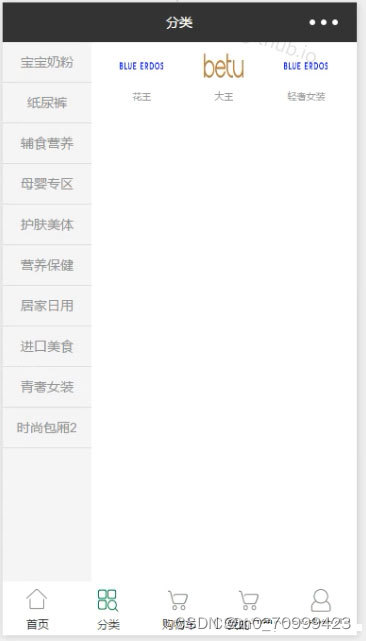
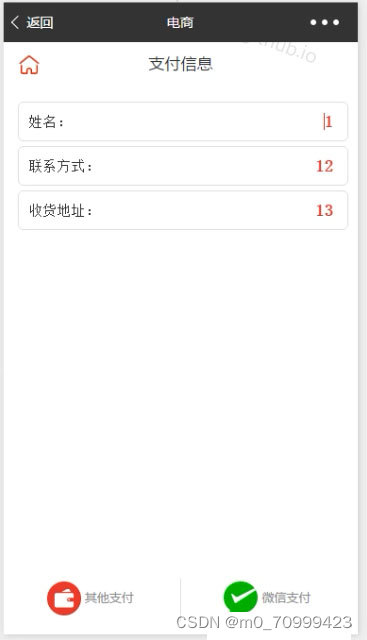
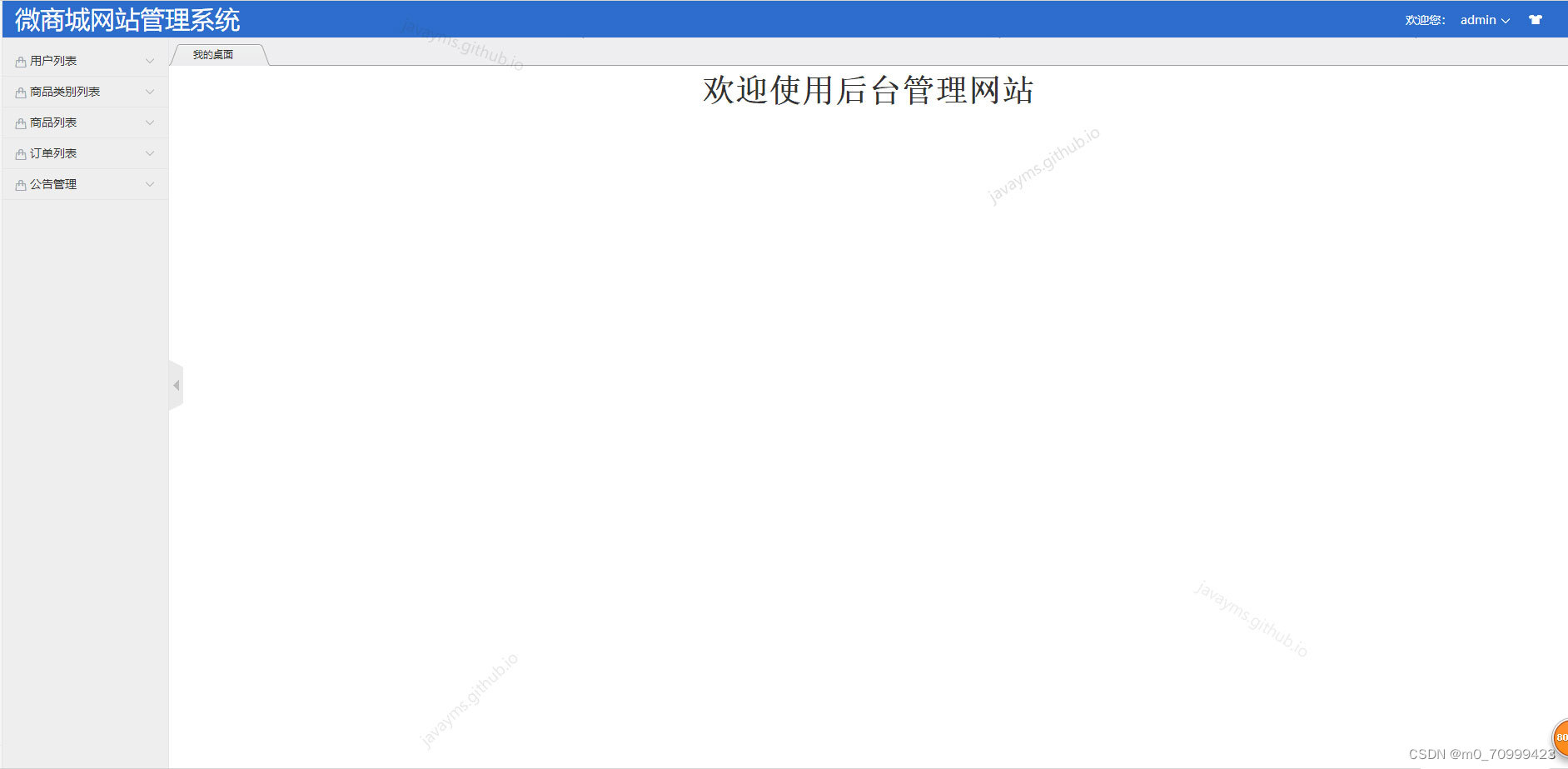
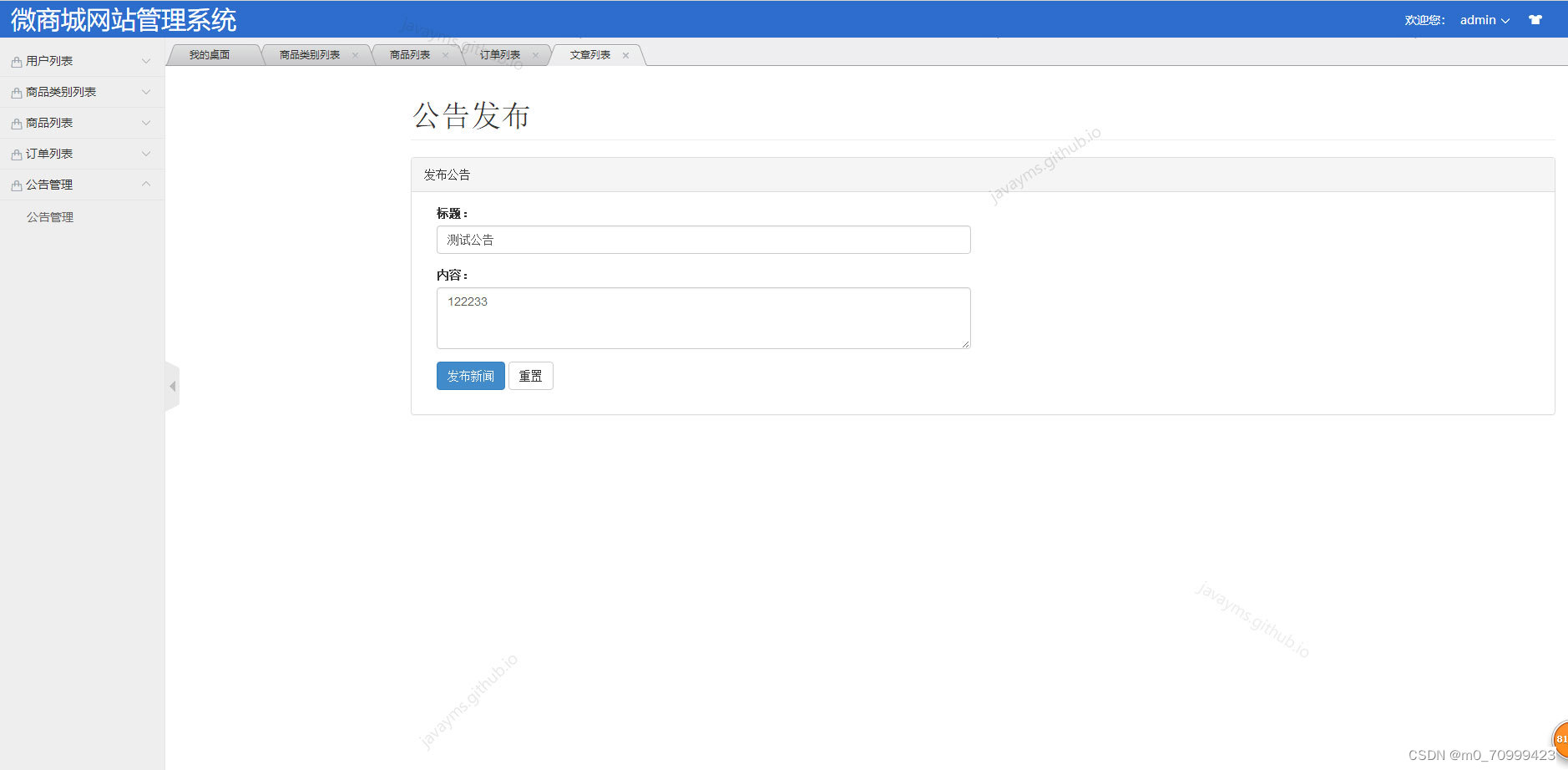
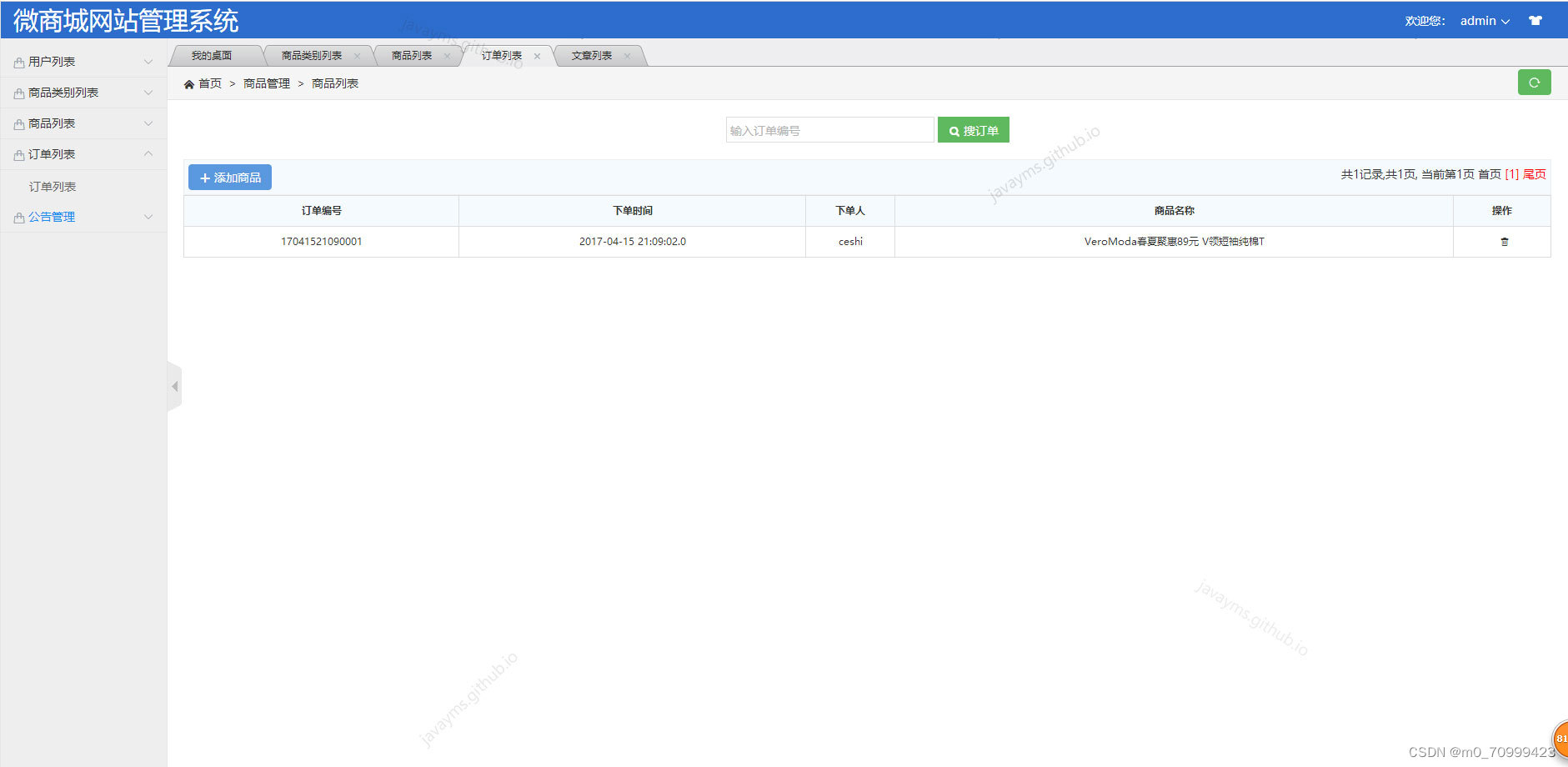
程序功能: 1.小程序前台:用户注册登录、首页、轮播图、新品推荐、分类、购物车、我的订单。 2.网站后台:管理员登录、用户管理、商品类别管理、商品管理、订单管理、公告管理;
环境需要
1.运行环境:最好是java jdk 1.8,我们在这个平台上运行的。其他版本理论上也可以。 2.IDE环境:IDEA,Eclipse,Myeclipse都可以。推荐IDEA; 3.tomcat环境:Tomcat 7.x,8.x,9.x版本均可 4.硬件环境:windows 7/8/10 1G内存以上;或者 Mac OS; 5.数据库:MySql 5.7版本; 6.是否Maven项目: 否;
技术栈
- 后端:spring+struts+hibernate 2. 前端:JSP+css+javascript+jquery
使用说明
后台运行: 1. 使用Navicat或者其它工具,在mysql中创建对应名称的数据库,并导入项目的sql文件; 2. 使用IDEA/Eclipse/MyEclipse导入项目,Eclipse/MyEclipse导入时,若为maven项目请选择maven; 若为maven项目,导入成功后请执行maven clean;maven install命令,然后运行; 3. 将项目中config/jdbc.properties配置文件中的数据库配置改为自己的配置; 4. 运行项目,在浏览器中输入http://localhost:8080/shop 管理员:admin/111111
前台小程序运行: 1.使用微信开发者工具导入项目; 2.导入成功后编译运行; 3.运行成功后登录账号; 普通用户:ceshi/111111
List<Dd> pagers = ddService.listByAlias(sb.toString(),alias);if(!isEmpty(pagers)){for(Dd d :pagers){DdDto do2 = new DdDto();String string = basePath+d.getGoods().getUrl1();String replaceAll;try {replaceAll = string.replaceAll("\\\\", "/").replaceAll("shop", "");do2.setPpUrl(replaceAll);do2.setCode(d.getCode());do2.setDdId(d.getId());do2.setPrice(String.valueOf(d.getGoods().getPrice()));do2.setTitle(d.getGoods().getTitle());dds.add(do2);} catch (Exception e) {// TODO Auto-generated catch blocke.printStackTrace();}}}jsonMap.put("dds", dds);return "json";}/*** 查看详情页面* @return*/public String view(){Dd n = ddService.getById(dd.getId());ActionContext.getContext().put("Obj", n);return SUCCESS;}/*** 跳转修改页面* @return*/public String update(){Dd n = ddService.getById(dd.getId());ActionContext.getContext().put("Obj", n);return SUCCESS;}/**
private String userName;//用户名private String passWord;//密码private String realName;//============自定义参数end=============//-------------------------华丽分割线---------------------------------------------public String getRealName() {return realName;}public void setRealName(String realName) {this.realName = realName;}public String getUserName() {return userName;}public void setUserName(String userName) {this.userName = userName;}public String getPassWord() {return passWord;}public void setPassWord(String passWord) {this.passWord = passWord;}//============文件上传start=============private File file;//提交过来的file的名字private String fileFileName;//提交过来的file的MIME类型private String fileContentType;public File getFile() {return file;}public void setFile(File file) {this.file = file;}public String getFileFileName() {return fileFileName;}public void setFileFileName(String fileFileName) {this.fileFileName = fileFileName;}public String getFileContentType() {return fileContentType;}public void setFileContentType(String fileContentType) {this.fileContentType = fileContentType;}
//=============公=======共=======方=======法==========区=========start============///*** 列表分页查询private String userName;//登陆private String passWord;//密码private String phone;//手机private String realName;//真实private Date createTime;*/public String user(){Map<String,Object> alias = new HashMap<String,Object>();StringBuffer sb = new StringBuffer();sb = sb.append("from User where 1=1 and isDelete = 0");if(user!=null && user.getRealName() !=null && !"".equals(user.getRealName())){sb.append(" and realName like :realName ");alias.put("realName", "%" +user.getRealName()+ "%" );}sb = sb.append("order by id desc");Pager<User> pagers = userService.findByAlias(sb.toString(),alias);ActionContext.getContext().put("pagers", pagers);ActionContext.getContext().put("Obj", user);return SUCCESS;}/*** 跳转到添加页面* @return*/public String add(){return SUCCESS;}/*** 执行添加* @return*/public String exAdd(){userService.save(user);ActionContext.getContext().put("url", "/user_user.do");return "redirect";}/*** 查看详情页面
	}}public class MyStrutsFilter extends StrutsPrepareAndExecuteFilter {public void doFilter(ServletRequest req, ServletResponse res,FilterChain chain) throws IOException, ServletException {HttpServletRequest request = (HttpServletRequest) req;String url = request.getRequestURI();         if (url.contains("/resource/js/ueditor/jsp/controller.jsp")) {             /*这两句在我的项目中是为了防止乱码,可以不用管req.setCharacterEncoding("UTF-8");res.setCharacterEncoding("UTF-8");*/chain.doFilter(req, res);         }else{    /*req.setCharacterEncoding("UTF-8");res.setCharacterEncoding("UTF-8");*/super.doFilter(req, res, chain);         } }
} }//-------------------------华丽分割线---------------------------------------------////=============公=======共=======方=======法==========区=========start============///*** 列表分页查询*/public String lb(){Map<String,Object> alias = new HashMap<String,Object>();StringBuffer sb = new StringBuffer();sb = sb.append("from Lb where 1=1 and isDelete = 0");sb = sb.append("order by id desc");Pager<Lb> pagers = lbService.findByAlias(sb.toString(),alias);ActionContext.getContext().put("pagers", pagers);ActionContext.getContext().put("Obj", lb);return SUCCESS;}/*** 微信查询品牌集合* @return*/public String userLb(){HttpServletRequest request = getRequest();String path = request.getContextPath();String basePath = request.getScheme()+"://"+request.getServerName()+":"+request.getServerPort()+path+"";List<LbDto> lbs = new ArrayList<LbDto>();List<Lb> pagers = lbService.listByAlias("from Lb where 1=1 and isDelete = 0",null);if(!isEmpty(pagers)){for(Lb lb : pagers){LbDto ld = new LbDto();ld.setLb(lb);//查询品牌List<Pp> listByAlias = ppService.listByAlias("from Pp where 1=1 and lb.id="+lb.getId(), null);if(!isEmpty(listByAlias)){for(Pp p : listByAlias){String string = basePath+p.getCpUrl();String replaceAll;try {replaceAll = string.replaceAll("\\\\", "/").replaceAll("shop", "");p.setCpUrl(replaceAll);} catch (Exception e) {
pie.data(new PieData(objectMap.get("NAME").toString(), objectMap.get("TOTAL")));}//设置类目轴option.yAxis(category);//饼图的圆心和半径pie.center(900,380).radius(100);//设置数据option.series(bar, pie);//由于药品名字过长,图表距离左侧距离设置180,关于grid可以看ECharts的官方文档option.grid().x(180);//返回Optionout = resp.getWriter();out.write(option.toString());}public String getBy(){Calendar c = Calendar.getInstance();c.add(Calendar.MONTH, -0);SimpleDateFormat format = new SimpleDateFormat("yyyy-MM");String time = format.format(c.getTime());System.out.println(time);return time;}public String getsy(){Calendar c = Calendar.getInstance();c.add(Calendar.MONTH, -1);SimpleDateFormat format = new SimpleDateFormat("yyyy-MM");String time = format.format(c.getTime());System.out.println(time);return time;}public void reportSay() throws IOException{/*HttpServletResponse resp = ServletActionContext.getResponse();resp.setContentType("application/json;charset=UTF-8");PrintWriter out = null;//首先查询本月和上个月用户总人数List users = sayMoodService.findSYusay();List users2 = sayMoodService.findBYsay();List> list = new ArrayList>();Map map1 = new HashMap();map1.put("NAME", getsy());if(users != null && users.size()>0){map1.put("TOTAL", users.size());}else{map1.put("TOTAL", 0);
List<SayMood> users2 = sayMoodService.findBYsay();List<Map<String, Object>> list = new ArrayList<Map<String,Object>>();Map<String, Object> map1 = new HashMap<String, Object>();map1.put("NAME", getsy());if(users != null && users.size()>0){map1.put("TOTAL", users.size());}else{map1.put("TOTAL", 0);}Map<String, Object> map2 = new HashMap<String, Object>();map2.put("NAME", getBy());if(users2 != null && users2.size()>0){map2.put("TOTAL", users2.size());}else{map2.put("TOTAL", 0);}list.add(map1);list.add(map2);//创建OptionGsonOption option = new GsonOption();option.title("发表图片数").tooltip(Trigger.axis).legend("数量(人)");//横轴为值轴option.xAxis(new ValueAxis().boundaryGap(0d, 0.01));//创建类目轴CategoryAxis category = new CategoryAxis();//柱状数据Bar bar = new Bar("月份");//饼图数据Pie pie = new Pie("月份");//循环数据for (Map<String, Object> objectMap : list) {//设置类目category.data(objectMap.get("NAME"));//类目对应的柱状图bar.data(objectMap.get("TOTAL"));//饼图数据pie.data(new PieData(objectMap.get("NAME").toString(), objectMap.get("TOTAL")));}
StringBuffer sb = new StringBuffer();sb = sb.append("from Lb where 1=1 and isDelete = 0");sb = sb.append("order by id desc");Pager<Lb> pagers = lbService.findByAlias(sb.toString(),alias);ActionContext.getContext().put("pagers", pagers);ActionContext.getContext().put("Obj", lb);return SUCCESS;}/*** 微信查询品牌集合* @return*/public String userLb(){HttpServletRequest request = getRequest();String path = request.getContextPath();String basePath = request.getScheme()+"://"+request.getServerName()+":"+request.getServerPort()+path+"";List<LbDto> lbs = new ArrayList<LbDto>();List<Lb> pagers = lbService.listByAlias("from Lb where 1=1 and isDelete = 0",null);if(!isEmpty(pagers)){for(Lb lb : pagers){LbDto ld = new LbDto();ld.setLb(lb);//查询品牌List<Pp> listByAlias = ppService.listByAlias("from Pp where 1=1 and lb.id="+lb.getId(), null);if(!isEmpty(listByAlias)){for(Pp p : listByAlias){String string = basePath+p.getCpUrl();String replaceAll;try {replaceAll = string.replaceAll("\\\\", "/").replaceAll("shop", "");p.setCpUrl(replaceAll);} catch (Exception e) {// TODO Auto-generated catch blocke.printStackTrace();}}}ld.setPps(listByAlias);lbs.add(ld);}}jsonMap.put("lbs", lbs);return "json";}
@Controller("manageAction")
@Scope("prototype")
public class ManageAction extends BaseAction implements ModelDriven<Manage>{private Manage manage;@Autowiredprivate UserService userService;@Autowiredprivate ManageService manageService;private int userId;private String userName;private int sayId;private String new1;public String getNew1() {return new1;}
public boolean isEmpty(final Character cha) {return ( null==cha) || cha.equals(' ');}public boolean isEmpty(final Object obj) {return (null==obj);}public boolean isEmpty(final Object[] objs) {return (null==objs) || (objs.length <= 0);}public boolean isEmpty(final Collection<?> obj) {return (null==obj) || obj.isEmpty();}public boolean isEmpty(final Set<?> set) {return (null==set) || set.isEmpty();}public boolean isEmpty(final Serializable obj) {return null==obj;}public boolean isEmpty(final Map<?, ?> map) {return (null==map) || map.isEmpty();}} //String root = ServletActionContext.getRequest().getContextPath()+"/"+"upload";InputStream is = new FileInputStream(file);fileFileName = UUIDUtils.create()+fileFileName;OutputStream os = new FileOutputStream(new File(root, fileFileName));System.out.println("fileFileName: " + fileFileName);System.out.println("file: " + file.getName());System.out.println("file: " + file.getPath());byte[] buffer = new byte[500];int length = 0;while(-1 != (length = is.read(buffer, 0, buffer.length))){os.write(buffer);}os.close();is.close();//接下来存到说说表中SayMood sayMood = new SayMood();sayMood.setContent("\\upload\\"+fileFileName);sayMood.setCreateTime(new Date());sayMood.setDzs(0);sayMood.setIsDelete(2);sayMood.setType(2);User u = userService.getUser(userId);sayMood.setSayUser(u);sayMoodService.save(sayMood);*//*** 积分规则还没有做。上传图片需要加积分*//*//上传完毕,跳转列表actionActionContext.getContext().put("url", "/user_homePage.do");return "redirect";}else{return "login";}}*/public String report(){return SUCCESS;}//下面进行报表/*** 查询上个月和这个月 账号注册
public String delManage(){manageService.deleteInfo(manage.getId());ActionContext.getContext().put("url", "/manage_manage.do");return "redirect";}//=============================================================================================================public int getSayId() {return sayId;}public void setSayId(int sayId) {this.sayId = sayId;}private File file;public File getFile() {return file;}public void setFile(File file) {this.file = file;}public String getFileFileName() {return fileFileName;}public void setFileFileName(String fileFileName) {this.fileFileName = fileFileName;}public String getFileContentType() {return fileContentType;}public void setFileContentType(String fileContentType) {this.fileContentType = fileContentType;}//提交过来的file的名字
}private File file;public File getFile() {return file;}public void setFile(File file) {this.file = file;}public String getFileFileName() {return fileFileName;}public void setFileFileName(String fileFileName) {this.fileFileName = fileFileName;}public String getFileContentType() {return fileContentType;}public void setFileContentType(String fileContentType) {this.fileContentType = fileContentType;}//提交过来的file的名字private String fileFileName;//提交过来的file的MIME类型private String fileContentType;public String getUserName() {return userName;}public void setUserName(String userName) {this.userName = userName;}public int getUserId() {return userId;}public void setUserId(int userId) {this.userId = userId;}public Manage getModel() {if(manage==null) manage = new Manage();return manage;}public boolean isEmpty(final Set<?> set) {return (null==set) || set.isEmpty();}public boolean isEmpty(final Serializable obj) {return null==obj;}public boolean isEmpty(final Map<?, ?> map) {return (null==map) || map.isEmpty();}}/*** 判断当前登陆角色和信息**/
public class UserUtils {/*** 获取当前登陆的用户* @return*/public static User getUser(){//将用户信息放入sessionHttpSession session = ServletActionContext.getRequest().getSession();
public String getFileFileName() {return fileFileName;}public void setFileFileName(String fileFileName) {this.fileFileName = fileFileName;}public String getFileContentType() {return fileContentType;}public void setFileContentType(String fileContentType) {this.fileContentType = fileContentType;}//提交过来的file的名字private String fileFileName;//提交过来的file的MIME类型private String fileContentType;public String getUserName() {return userName;}public void setUserName(String userName) {this.userName = userName;}public int getUserId() {return userId;}public void setUserId(int userId) {this.userId = userId;}public Manage getModel() {if(manage==null) manage = new Manage();return manage;}/*** 获取用户列表* @return*/public String userList(){Pager<User> pagers = userService.listAll(userName);//这里需要对等级进行遍历/*List list = gradeService.list();
return fileContentType;}public void setFileContentType(String fileContentType) {this.fileContentType = fileContentType;}//============文件上传end=============//-------------------------华丽分割线---------------------------------------------public String login() {return "login";}//用户登陆public String ulogin() {return "success";}/*** 用户首页* @return*/public String uIndex() {List<Goods> list = goodsService.list();HttpServletRequest request = getRequest();String path = request.getContextPath();String basePath = request.getScheme()+"://"+request.getServerName()+":"+request.getServerPort()+path+"";if(!isEmpty(list)){for(Goods g : list){String string = basePath+g.getUrl1();String replaceAll = null;try {replaceAll = string.replaceAll("\\\\", "/").replaceAll("shop", "");g.setUrl1(replaceAll);} catch (Exception e) {// TODO Auto-generated catch blocke.printStackTrace();}}}jsonMap.put("newgoods",list);return JSON_TYPE;}public String home() {return "success";}//注册
@Controller("loginAction")
@Scope("prototype")
public class LoginAction extends BaseAction {//============依赖注入start================@Autowiredprivate ManageService manageService;//管理@Autowiredprivate UserService userService;//用户@Autowiredprivate NewsService newsService;
private String fileFileName;//提交过来的file的MIME类型private String fileContentType;public File getFile() {return file;}public void setFile(File file) {this.file = file;}public String getFileFileName() {return fileFileName;}public void setFileFileName(String fileFileName) {this.fileFileName = fileFileName;}public String getFileContentType() {return fileContentType;}public void setFileContentType(String fileContentType) {this.fileContentType = fileContentType;}//============文件上传end=========================================================public String jsonAction() {// dataMap中的数据将会被Struts2转换成JSON字符串,所以这里要先清空其中的数据jsonMap.clear();jsonMap.put("success", true);return JSON_TYPE;}//-------------------------华丽分割线---------------------------------------------////=============公=======共=======方=======法==========区=========start============///*** 列表分页查询private String userName;//登陆private String passWord;//密码private String phone;//手机private String realName;//真实private Date createTime;*/public String user(){Map<String,Object> alias = new HashMap<String,Object>();




本文来自互联网用户投稿,文章观点仅代表作者本人,不代表本站立场,不承担相关法律责任。如若转载,请注明出处。 如若内容造成侵权/违法违规/事实不符,请点击【内容举报】进行投诉反馈!