vue——PC段富文本编辑器的使用(tinymce)
最近在看别人的代码时,发现用的富文本编辑器并不是非常的好用,在上家公司时,也有用到富文本编辑器,在此记录一下。
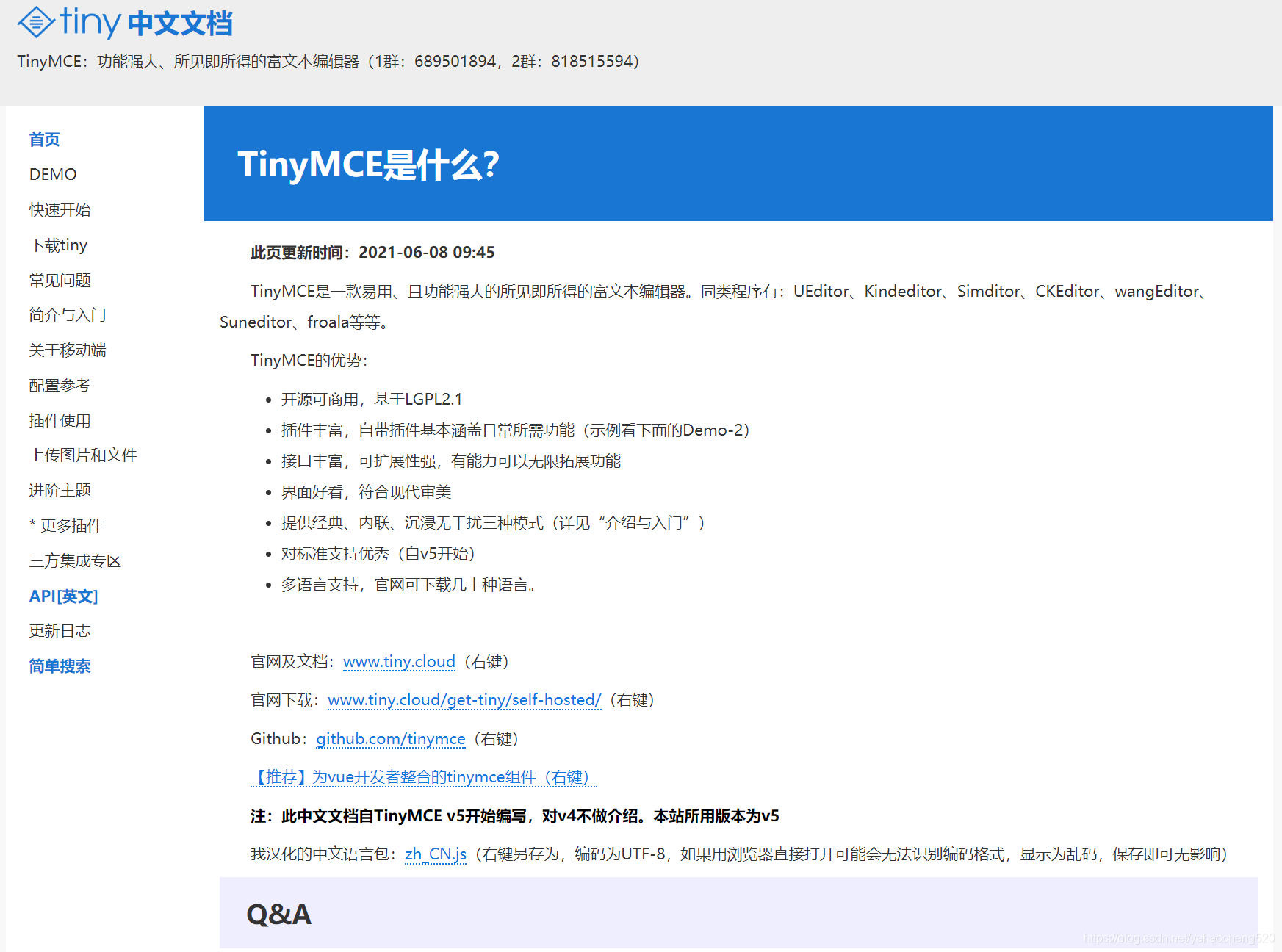
1.tinymce编辑器
tinymce编辑器中文官网地址:http://tinymce.ax-z.cn/
2.vue项目安装tinymce
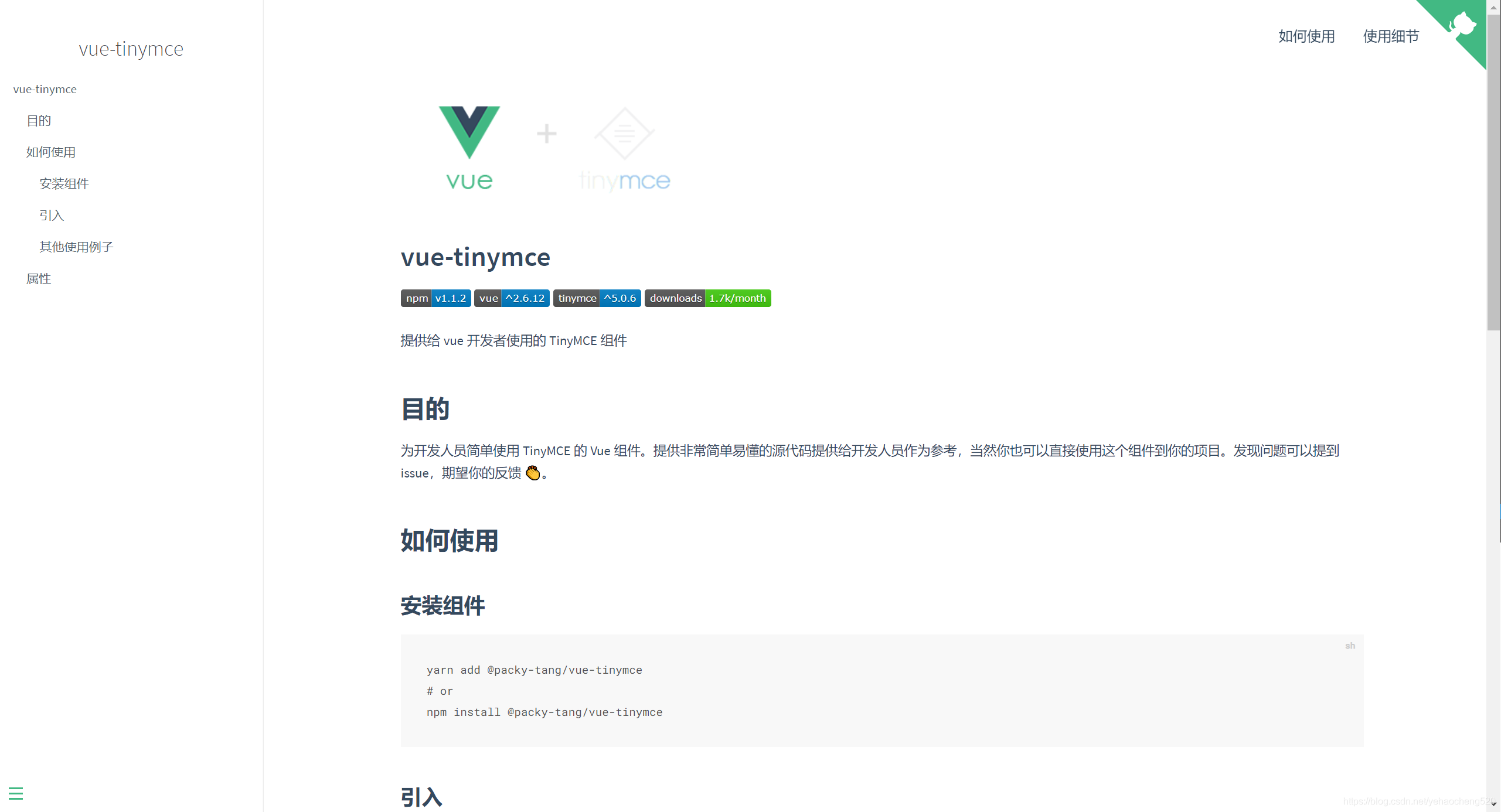
vue安装tinymce的指令集和:https://packy-tang.gitee.io/vue-tinymce/#/
3.具体使用方法(本地引入的方式)
在下面的代码中,并没有使用npm的方式进行安装,而是通过本地引入的方式,是将配置文件全部本地配置,然后形成一个组件,在其他页面进行引入的方式来实现的。
1.目录结构
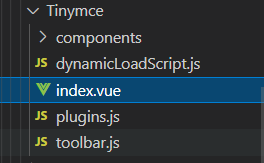
下图是目录结构,Tinymce是组件的名称,下面有dynamicLoadScript.js plugins.js toolbar.js三个配置文件,然后一个index.vue文件。
下面对每个文件进行分析及代码展示:
dynamicLoadScript.js代码
let callbacks = [];function loadedTinymce() {// to fixed https://github.com/PanJiaChen/vue-element-admin/issues/2144// check is successfully downloaded scriptreturn window.tinymce;
}const dynamicLoadScript = (src, callback) => {const existingScript = document.getElementById(src);const cb = callback || function() {};if (!existingScript) {const script = document.createElement("script");script.src = src; // src url for the third-party library being loaded.script.id = src;document.body.appendChild(script);callbacks.push(cb);const onEnd = "onload" in script ? stdOnEnd : ieOnEnd;onEnd(script);}if (existingScript && cb) {if (loadedTinymce()) {cb(null, existingScript);} else {callbacks.push(cb);}}function stdOnEnd(script) {script.onload = function() {// this.onload = null here is necessary// because even IE9 works not like othersthis.onerror = this.onload = null;for (const cb of callbacks) {cb(null, script);}callbacks = null;};script.onerror = function() {this.onerror = this.onload = null;cb(new Error("Failed to load " + src), script);};}function ieOnEnd(script) {script.onreadystatechange = function() {if (this.readyState !== "complete" && this.readyState !== "loaded") return;this.onreadystatechange = null;for (const cb of callbacks) {cb(null, script); // there is no way to catch loading errors in IE8}callbacks = null;};}
};
export default dynamicLoadScript;
plugins.js代码
// Any plugins you want to use has to be imported
// Detail plugins list see https://www.tinymce.com/docs/plugins/
// Custom builds see https://www.tinymce.com/download/custom-builds/const plugins = ["advlist anchor autolink autosave code codesample colorpicker colorpicker contextmenu directionality emoticons fullscreen hr image imagetools insertdatetime link lists media nonbreaking noneditable pagebreak paste save searchreplace spellchecker tabfocus table template textcolor textpattern visualblocks visualchars wordcount"];export default plugins;
toolbar.js代码
// Here is a list of the toolbar
// Detail list see https://www.tinymce.com/docs/advanced/editor-control-identifiers/#toolbarcontrolsconst toolbar = ["searchreplace bold italic underline strikethrough alignleft aligncenter alignright outdent indent  blockquote undo redo removeformat subscript superscript code codesample", "hr bullist numlist link image charmap anchor pagebreak insertdatetime media table emoticons forecolor backcolor fullscreen"];export default toolbar;
最最重要的就是:index.vue文件了,下面是代码:
<template><divv-loading="loading":class="{ fullscreen: fullscreen }"class="tinymce-container":style="{ width: containerWidth }"><textarea:id="tinymceId"class="tinymce-textarea":disabled="$route.query.status == 1"/><div class="editor-custom-btn-container"><el-button:disabled="$route.query.status == 1"type="primary"@click="addImg">上传图片<i class="el-icon-upload el-icon--right"/></el-button></div><divv-show="preview"style="position: fixed;bottom: 0px;right: 10px;width: 375px;height: 600px;overflow-y: auto;border: 20px solid #f5f5f5;border-radius: 6px;z-index: 999999;background-color: #fff;"><div class="previewbox" v-html="value">{{ value }}</div></div><div style="opacity: 0"><inputref="imgUpload"multiplestyle="width: 0px; height: 0px"type="file"@change="changeImg($event)"/></div></div>
</template><script>
/*** docs:* https://panjiachen.github.io/vue-element-admin-site/feature/component/rich-editor.html#tinymce*/
// import editorImage from "./components/EditorImage";
import plugins from "./plugins";
import toolbar from "./toolbar";
import load from "./dynamicLoadScript";
import { client, getOssToken } from "@/api/gate";//这个是上传阿里OSS的接口,这个要根据实际情况来处理
// why use this cdn, detail see https://github.com/PanJiaChen/tinymce-all-in-one
const tinymceCDN ="https://cdn.jsdelivr.net/npm/tinymce-all-in-one@4.9.3/tinymce.min.js";export default {name: "Tinymce",// components: { editorImage },props: {id: {type: String,default: function() {return ("vue-tinymce-" ++new Date() +((Math.random() * 1000).toFixed(0) + ""));}},value: {type: String,default: ""},toolbar: {type: Array,required: false,default() {return [];}},menubar: {type: String,default: "file edit insert view format table"},height: {type: [Number, String],required: false,default: 360},width: {type: [Number, String],required: false,default: "auto"}},data() {return {preview: false,loading: false,hasChange: false,hasInit: false,tinymceId: this.id,fullscreen: false,languageTypeList: {en: "en",zh: "zh_CN",es: "es_MX",ja: "ja"},imgBuffer: []};},computed: {containerWidth() {const width = this.width;if (/^[\d]+(\.[\d]+)?$/.test(width)) {// matches `100`, `'100'`return `${width}px`;}return width;}},watch: {value(val) {if (!this.hasChange && this.hasInit) {this.$nextTick(() =>window.tinymce.get(this.tinymceId).setContent(val || ""));}}},mounted() {this.init();},activated() {if (window.tinymce) {this.initTinymce();}},deactivated() {this.destroyTinymce();},destroyed() {this.destroyTinymce();},methods: {previewCon() {this.preview = !this.preview;},addImg() {this.$nextTick(() => {this.$refs.imgUpload.click();});},async pushFile(files, index, file) {const self = this;if (files.type === "image/jpeg" ||files.type === "video/mp4" ||files.type === "image/gif" ||files.type === "image/png") {console.log("格式正确");} else {this.$message.error("文件格式错误!");return;}const isLt2M = files.size / 1024 / 1024 < 2;// if (!isJPG) {// this.$message.error("上传头像图片只能是 JPG 格式!");// }if (!isLt2M) {this.$message.error("上传图片大小不能超过 2MB!");return;}this.loading = true;const { result } = await getOssToken();this.dataObj = result;let point = files.name.lastIndexOf(".");let suffix = files.name.substr(point);let fileName = files.name.substr(0, point);let date = Date.parse(new Date());let fileNames = `goods/${fileName}_${date}${suffix}`;client(this.dataObj)//这个地方是上传本地图片到接口,然后拿到线上图片地址。这个要更改成自己的接口.put(fileNames, files).then(result => {// 下面是如果对返回结果再进行处理,根据项目需要console.log(result);result.index = index;self.imgBuffer.push(result);if (file.target.files.length === self.imgBuffer.length) {self.loading = false;console.log(self.imgBuffer);self.bubbleSort(self.imgBuffer).forEach(item => {window.tinymce.get(self.tinymceId).insertContent(` ${item.url}" >`);});}}).catch(err => {self.loading = false;self.$message.error("上传失败");});},bubbleSort(arr) {if (Array.isArray(arr)) {for (var i = arr.length - 1; i > 0; i--) {for (var j = 0; j < i; j++) {if (arr[j].index > arr[j + 1].index) {[arr[j], arr[j + 1]] = [arr[j + 1], arr[j]];}}}return arr;}},changeImg(file) {self.imgBuffer = [];for (let i = 0; i < file.target.files.length; i++) {this.pushFile(file.target.files[i], i, file);}},init() {// dynamic load tinymce from cdnload(tinymceCDN, err => {if (err) {this.$message.error(err.message);return;}this.initTinymce();});},initTinymce() {const _this = this;window.tinymce.init({selector: `#${this.tinymceId}`,language: this.languageTypeList["zh"],height: this.height,body_class: "panel-body ",object_resizing: false,toolbar: this.toolbar.length > 0 ? this.toolbar : toolbar,menubar: this.menubar,plugins: plugins,end_container_on_empty_block: true,powerpaste_word_import: "clean",code_dialog_height: 450,code_dialog_width: 375,advlist_bullet_styles: "square",advlist_number_styles: "default",imagetools_cors_hosts: ["www.tinymce.com", "codepen.io"],default_link_target: "_blank",link_title: false,nonbreaking_force_tab: true, // inserting nonbreaking space need Nonbreaking Space Plugininit_instance_callback: editor => {if (_this.value) {editor.setContent(_this.value);}_this.hasInit = true;editor.on("NodeChange Change KeyUp SetContent", () => {this.hasChange = true;this.$emit("input", editor.getContent());});},setup(editor) {editor.on("FullscreenStateChanged", e => {_this.fullscreen = e.state;});}});},destroyTinymce() {const tinymce = window.tinymce.get(this.tinymceId);if (this.fullscreen) {tinymce.execCommand("mceFullScreen");}if (tinymce) {tinymce.destroy();}},setContent(value) {window.tinymce.get(this.tinymceId).setContent(value);},getContent() {window.tinymce.get(this.tinymceId).getContent();},imageSuccessCBK(arr) {const _this = this;arr.forEach(v => {window.tinymce.get(_this.tinymceId).insertContent(`${v.url}" >`);});}}
};
</script><style scoped>
.tinymce-container {position: relative;line-height: normal;font-size: 0;
}
.tinymce-container >>> .mce-fullscreen {z-index: 10000;
}
.tinymce-textarea {visibility: hidden;z-index: -1;
}
.editor-custom-btn-container {position: absolute;right: 4px;top: 4px;/*z-index: 2005;*/
}
.fullscreen .editor-custom-btn-container {z-index: 10000;position: fixed;
}
.editor-upload-btn {display: inline-block;
}
.mce-container,
.mce-container-body {width: 375px !important;
}
.previewbox img {width: 300px;
}
.wscnph {width: 100%;
}
img {vertical-align: bottom;
}
</style>
${item.url}" >`);});}}).catch(err => {self.loading = false;self.$message.error("上传失败");});},bubbleSort(arr) {if (Array.isArray(arr)) {for (var i = arr.length - 1; i > 0; i--) {for (var j = 0; j < i; j++) {if (arr[j].index > arr[j + 1].index) {[arr[j], arr[j + 1]] = [arr[j + 1], arr[j]];}}}return arr;}},changeImg(file) {self.imgBuffer = [];for (let i = 0; i < file.target.files.length; i++) {this.pushFile(file.target.files[i], i, file);}},init() {// dynamic load tinymce from cdnload(tinymceCDN, err => {if (err) {this.$message.error(err.message);return;}this.initTinymce();});},initTinymce() {const _this = this;window.tinymce.init({selector: `#${this.tinymceId}`,language: this.languageTypeList["zh"],height: this.height,body_class: "panel-body ",object_resizing: false,toolbar: this.toolbar.length > 0 ? this.toolbar : toolbar,menubar: this.menubar,plugins: plugins,end_container_on_empty_block: true,powerpaste_word_import: "clean",code_dialog_height: 450,code_dialog_width: 375,advlist_bullet_styles: "square",advlist_number_styles: "default",imagetools_cors_hosts: ["www.tinymce.com", "codepen.io"],default_link_target: "_blank",link_title: false,nonbreaking_force_tab: true, // inserting nonbreaking space need Nonbreaking Space Plugininit_instance_callback: editor => {if (_this.value) {editor.setContent(_this.value);}_this.hasInit = true;editor.on("NodeChange Change KeyUp SetContent", () => {this.hasChange = true;this.$emit("input", editor.getContent());});},setup(editor) {editor.on("FullscreenStateChanged", e => {_this.fullscreen = e.state;});}});},destroyTinymce() {const tinymce = window.tinymce.get(this.tinymceId);if (this.fullscreen) {tinymce.execCommand("mceFullScreen");}if (tinymce) {tinymce.destroy();}},setContent(value) {window.tinymce.get(this.tinymceId).setContent(value);},getContent() {window.tinymce.get(this.tinymceId).getContent();},imageSuccessCBK(arr) {const _this = this;arr.forEach(v => {window.tinymce.get(_this.tinymceId).insertContent(`${v.url}" >`);});}}
};
</script><style scoped>
.tinymce-container {position: relative;line-height: normal;font-size: 0;
}
.tinymce-container >>> .mce-fullscreen {z-index: 10000;
}
.tinymce-textarea {visibility: hidden;z-index: -1;
}
.editor-custom-btn-container {position: absolute;right: 4px;top: 4px;/*z-index: 2005;*/
}
.fullscreen .editor-custom-btn-container {z-index: 10000;position: fixed;
}
.editor-upload-btn {display: inline-block;
}
.mce-container,
.mce-container-body {width: 375px !important;
}
.previewbox img {width: 300px;
}
.wscnph {width: 100%;
}
img {vertical-align: bottom;
}
</style>
4.Tinymce组件的引用
1.引入Tinymce组件
import tinymce from "@/components/Tinymce";
2.组件注册
components: { tinymce }
3.组件使用
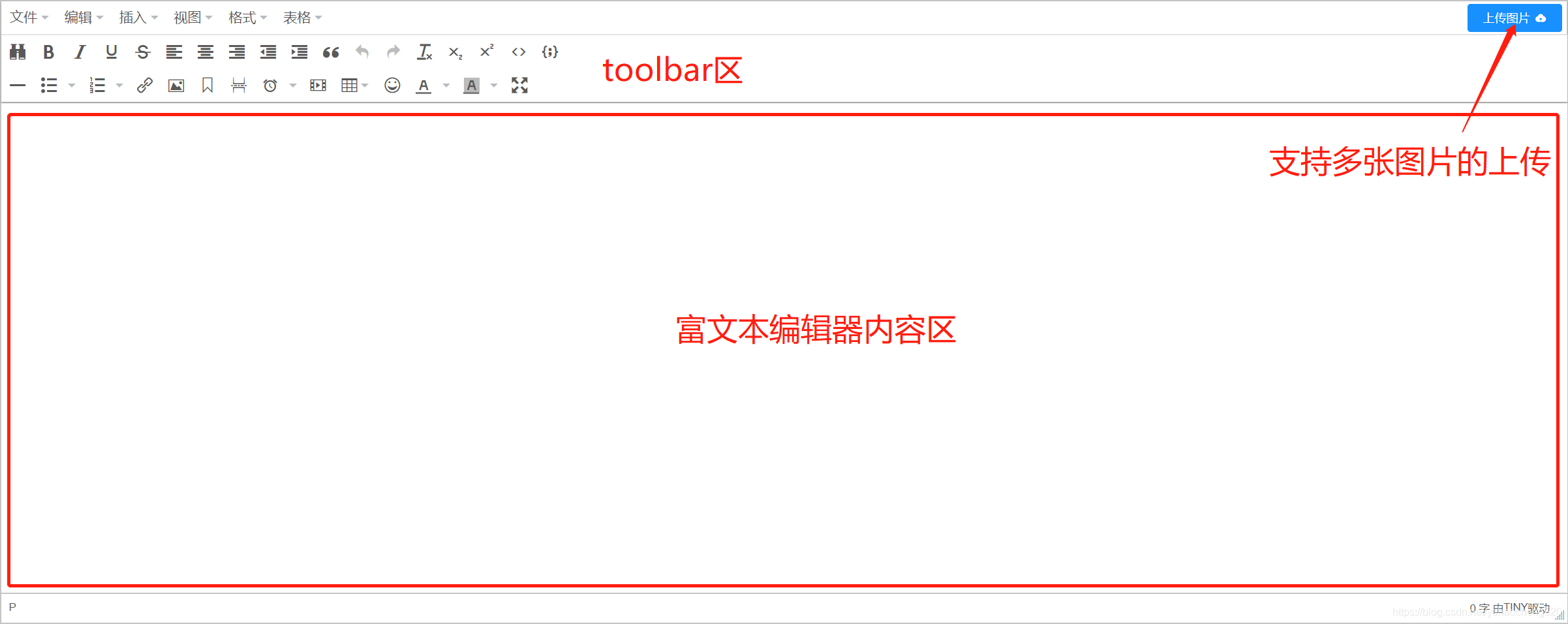
最终效果图如下:
本文来自互联网用户投稿,文章观点仅代表作者本人,不代表本站立场,不承担相关法律责任。如若转载,请注明出处。 如若内容造成侵权/违法违规/事实不符,请点击【内容举报】进行投诉反馈!