c#服务之文件图片定时删除
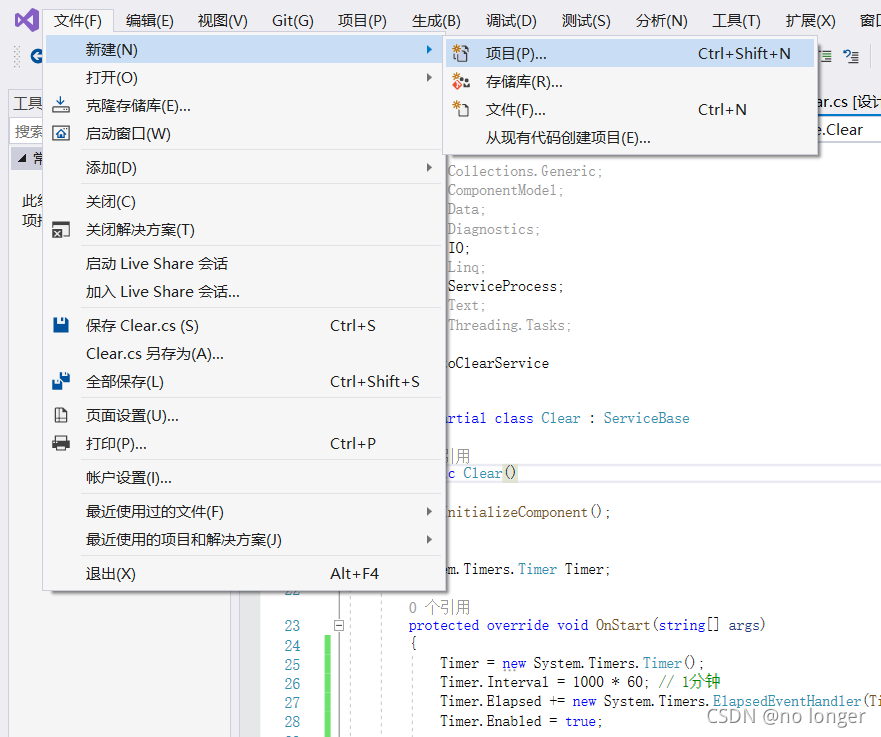
1.首先创建一个项目
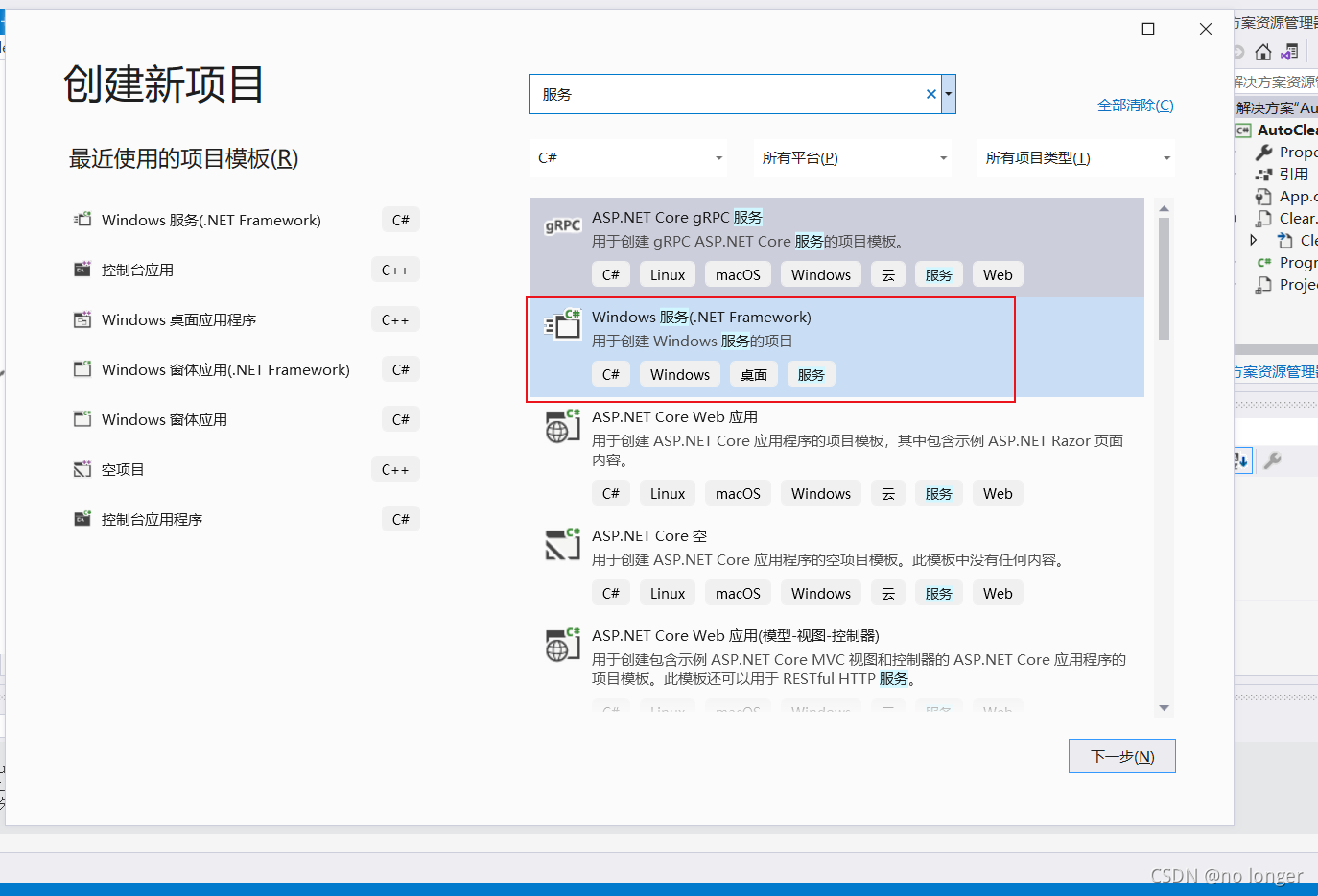
2.选择图中所示,点击确定
3.进入选择添加安装程序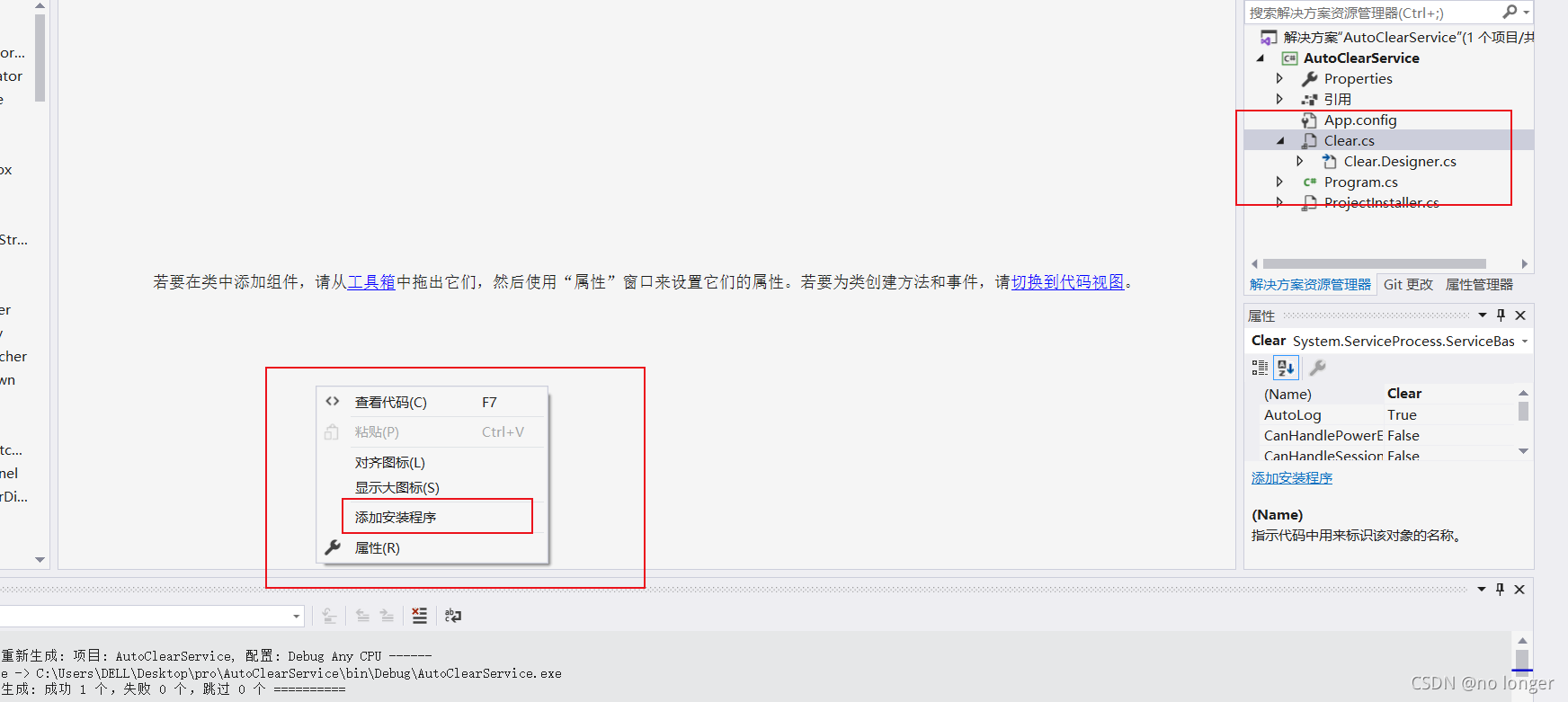
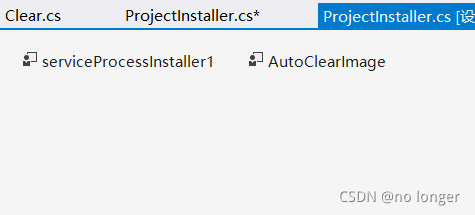
4.
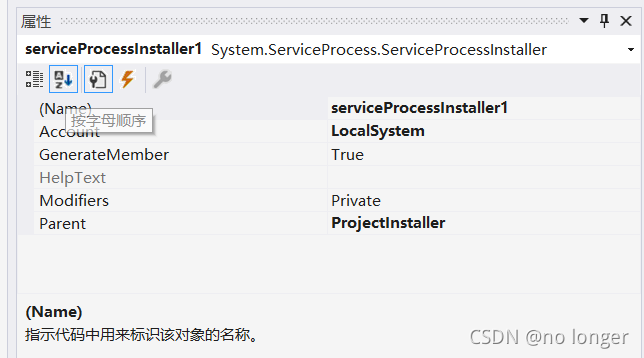
参数属性设置: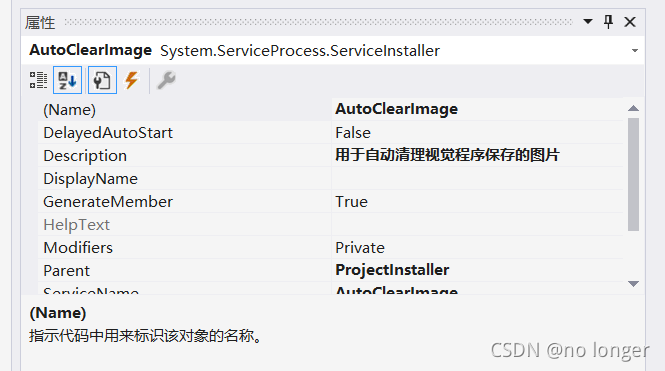
using System;
using System.Collections.Generic;
using System.ComponentModel;
using System.Data;
using System.Diagnostics;
using System.IO;
using System.Linq;
using System.ServiceProcess;
using System.Text;
using System.Threading.Tasks;namespace AutoClearService
{public partial class Clear : ServiceBase{public Clear(){InitializeComponent();}System.Timers.Timer Timer;protected override void OnStart(string[] args){Timer = new System.Timers.Timer();Timer.Interval = 1000 * 60; // 1分钟Timer.Elapsed += new System.Timers.ElapsedEventHandler(Timer_Elapsed);Timer.Enabled = true;}protected override void OnStop(){Timer.Enabled = false;}private void Timer_Elapsed(object sender, System.Timers.ElapsedEventArgs e){//这里面执行你要进行的操作,例如增删改查等等。。DeleteImages();//这个方法是我自己定义的}public void DeleteImages(){DirectoryInfo dir = new DirectoryInfo("D:/测试文件夹");FileInfo[] files = dir.GetFiles();if (files.Length > 0){WriteLog("准备执行删除文件!!");foreach (FileInfo item in files){if (item.CreationTime < DateTime.Now){item.Delete();WriteLog("删除文件:" + item.Name);}}WriteLog("本次删除文件已执行完毕!!");}}public void WriteLog(string msg){//这个路径,是会自动寻找到你当前服务所在路径string filePath = AppDomain.CurrentDomain.BaseDirectory + "Log";if (!Directory.Exists(filePath)){Directory.CreateDirectory(filePath);}string logPath = AppDomain.CurrentDomain.BaseDirectory + "Log\\" + DateTime.Now.ToString("yyyy-MM-dd") + ".txt";try{using (StreamWriter sw = File.AppendText(logPath)){sw.WriteLine("消息:" + msg);sw.WriteLine("时间:" + DateTime.Now.ToString("yyyy-MM-dd HH:mm:ss"));sw.WriteLine("**************************************************");sw.WriteLine();sw.Flush();sw.Close();sw.Dispose();}}catch (IOException e){using (StreamWriter sw = File.AppendText(logPath)){sw.WriteLine("异常:" + e.Message);sw.WriteLine("时间:" + DateTime.Now.ToString("yyy-MM-dd HH:mm:ss"));sw.WriteLine("**************************************************");sw.WriteLine();sw.Flush();sw.Close();sw.Dispose();}}}}
}
.net版本:
4.0:cd C:\WINDOWS\Microsoft.NET\Framework\v4.0.30319
2.0:cd C:\WINDOWS\Microsoft.NET\Framework\v2.0.50727
服务的安装方法我写在了一个bat文件里
安装:
InstallUtil 服务exe文件路径
卸载服务:
InstallUtil /u 服务exe文件路径

@echo off&color 57
if exist "%SystemRoot%\SysWOW64" path %path%;%windir%\SysNative;%SystemRoot%\SysWOW64;%~dp0
bcdedit >nul
if '%errorlevel%' NEQ '0' (goto UACPrompt) else (goto UACAdmin)
:UACPrompt
%1 start "" mshta vbscript:createobject("shell.application").shellexecute("""%~0""","::",,"runas",1)(window.close)&exit
exit /B
:UACAdmin
cd /d C:\WINDOWS\Microsoft.NET\Framework\v4.0.30319&&InstallUtil C:\Users\DELL\Desktop\pro\AutoClearService\bin\Debug\AutoClearService.exe"
echo 已获取管理员权限
echo 请根据上方提示信息判断服务是否安装!
pause >nul
exit
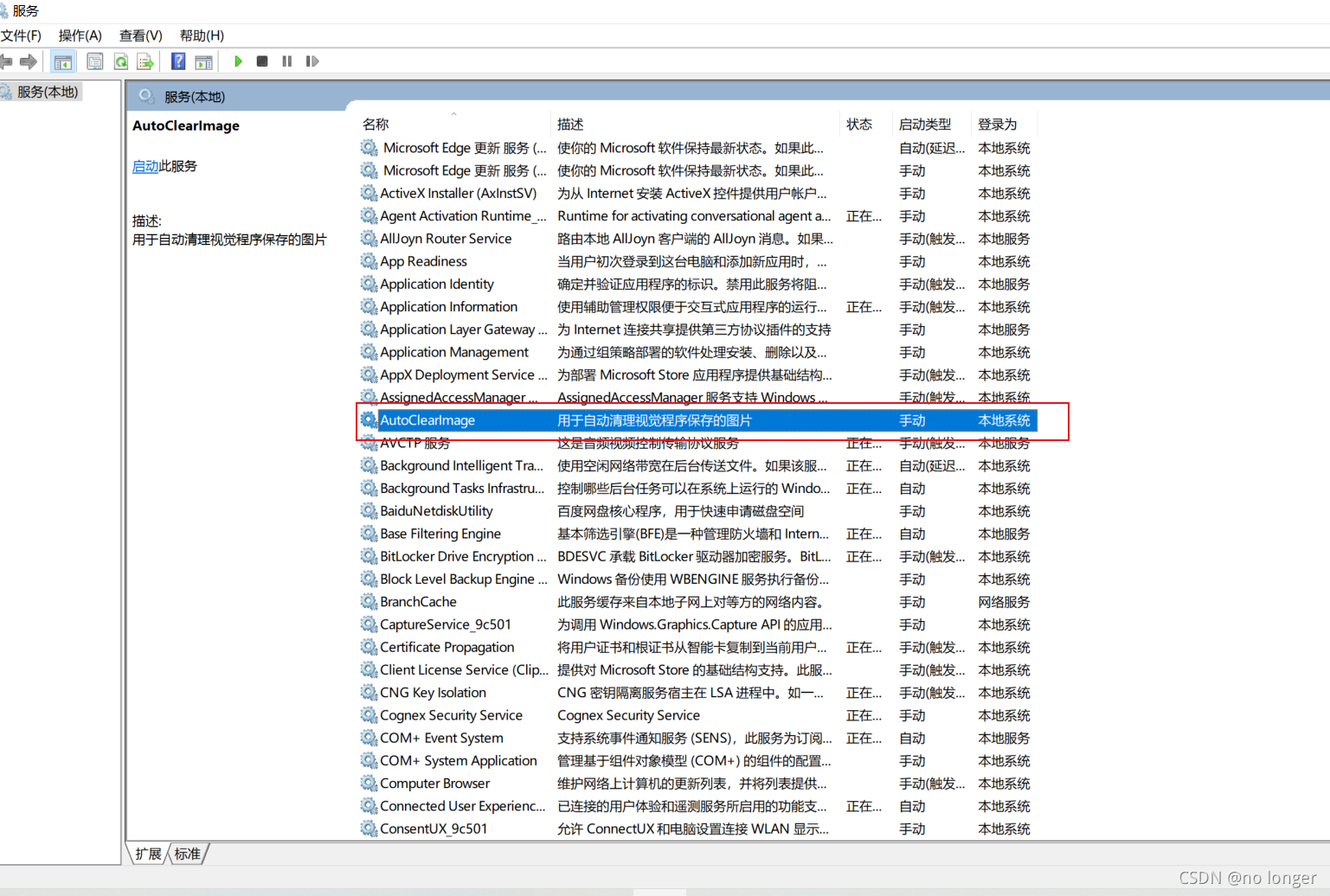
net start 你安装的服务名(AutoClearImage 这是我的)用于启动服务
net stop 服务名 关闭服务
sc delete 服务名 删除服务
本文来自互联网用户投稿,文章观点仅代表作者本人,不代表本站立场,不承担相关法律责任。如若转载,请注明出处。 如若内容造成侵权/违法违规/事实不符,请点击【内容举报】进行投诉反馈!