Spring源码学习(六)---Bean标签的解析及注册
这里主要是使用org.springframework:spring-beans:5.2.0.RELEASE进行分析
文章目录
- 一 . 默认标签的解析过程
- 1. parseDefaultElement()
- 2. processBeanDefinition()
- 3. parseBeanDefinitionElement
- 二. 承载属性的BeanDefinition
- 1.createBeanDefinition()
- 三. 解析各种属性
- 1. parseBeanDefinitionAttributes()
- 四. 解析子元素meta
- 五. 解析子元素lookup-method
- 六. 解析子元素replaced-method
- 七. 解析子元素constructor-arg
- 1. 构造器常用的方法三种方式
- 2. 配置中指定了index属性的操作步骤
- 3. 配置中没有指定了index属性的操作步骤
- 八. 解析子元素property
- 九. 解析子元素qualifier
一 . 默认标签的解析过程
1. parseDefaultElement()
1. parseDefaultElement() 源码解析
private void parseDefaultElement(Element ele, BeanDefinitionParserDelegate delegate) {// 对import标签的处理if (delegate.nodeNameEquals(ele, IMPORT_ELEMENT)) {importBeanDefinitionResource(ele);}// 对alias标签的处理else if (delegate.nodeNameEquals(ele, ALIAS_ELEMENT)) {processAliasRegistration(ele);}// 对bean标签的处理else if (delegate.nodeNameEquals(ele, BEAN_ELEMENT)) {processBeanDefinition(ele, delegate);}// 对beans标签的处理else if (delegate.nodeNameEquals(ele, NESTED_BEANS_ELEMENT)) {// recurse 递归doRegisterBeanDefinitions(ele);}}

2. processBeanDefinition()
2. processBeanDefinition() 源码解析
protected void processBeanDefinition(Element ele, BeanDefinitionParserDelegate delegate) {//首先委托BeanDefinitionDelegate类的parseBeanDefinitionElement方法进行元素解析BeanDefinitionHolder bdHolder = delegate.parseBeanDefinitionElement(ele);//当返回的dbHolder不为空的情况下若存在默认标签的子节点下再有自定义属性,还需要再次对自定义标签进行解析。if (bdHolder != null) {bdHolder = delegate.decorateBeanDefinitionIfRequired(ele, bdHolder);try {//解析完成后,需要对解析后的bdHolder进行注册,同样,注册操作委托给了BeanDefinitionReaderUtils的registerBeanDefinition方法。 BeanDefinitionReaderUtils.registerBeanDefinition(bdHolder, getReaderContext().getRegistry());}catch (BeanDefinitionStoreException ex) {getReaderContext().error("Failed to register bean definition with name '" +bdHolder.getBeanName() + "'", ele, ex);}//最后发出响应事件,通知相关的监听器,这个bean已经加载完成了。getReaderContext().fireComponentRegistered(new BeanComponentDefinition(bdHolder));}}
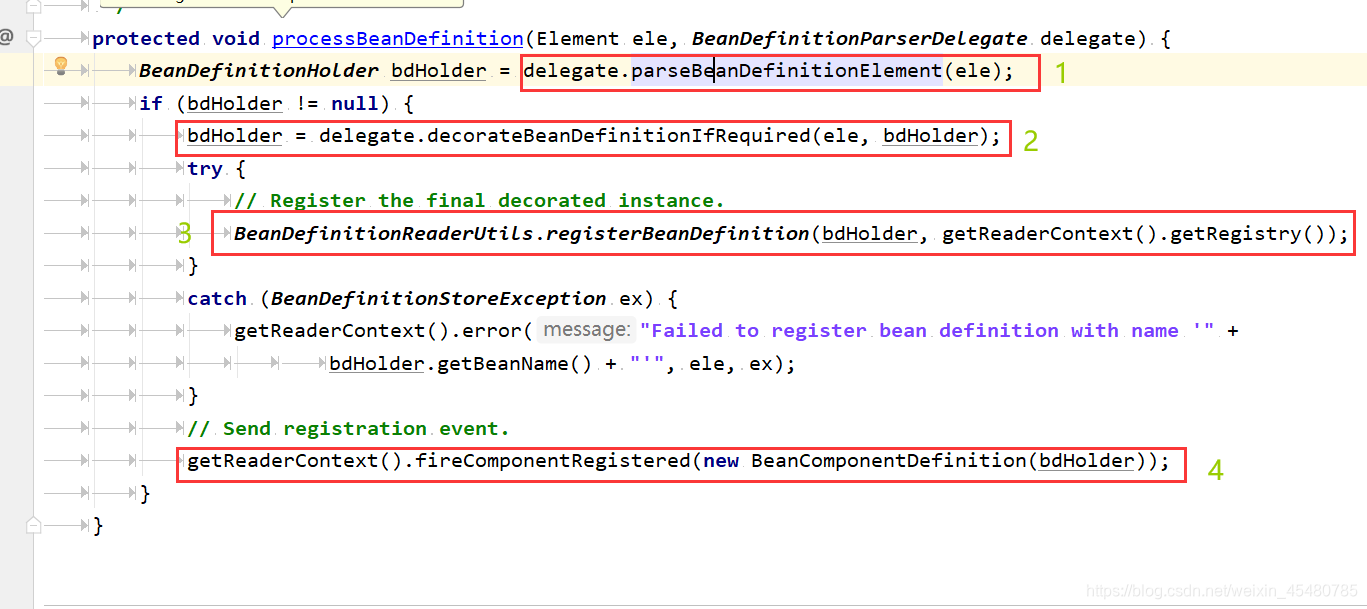
源码分析过程总结
-
首先委托BeanDefinitionDelegate类的parseBeanDefinitionElement方法进行元素解析,返回BeanDefinitionHolder类型的实例bdHolder,经过这个方法后,bdHolder实例已经包含我们配置文件中配置的各种属性了,例如class、name、id、alias之类的属性。
-
当返回的dbHolder不为空的情况下若存在默认标签的子节点下再有自定义属性,还需要再次对自定义标签进行解析。
-
解析完成后,需要对解析后的bdHolder进行注册,同样,注册操作委托给了BeanDefinitionReaderUtils的registerBeanDefinition方法。
-
最后发出响应事件,通知相关的监听器,这个bean已经加载完成。
3. parseBeanDefinitionElement
3. parseBeanDefinitionElement() 源码解析
@Nullablepublic BeanDefinitionHolder parseBeanDefinitionElement(Element ele) {return parseBeanDefinitionElement(ele, null);}@Nullablepublic BeanDefinitionHolder parseBeanDefinitionElement(Element ele, @Nullable BeanDefinition containingBean) {// 解析id属性String id = ele.getAttribute(ID_ATTRIBUTE);// 解析name属性String nameAttr = ele.getAttribute(NAME_ATTRIBUTE);// 分割name属性List<String> aliases = new ArrayList<>();if (StringUtils.hasLength(nameAttr)) {String[] nameArr = StringUtils.tokenizeToStringArray(nameAttr, MULTI_VALUE_ATTRIBUTE_DELIMITERS);aliases.addAll(Arrays.asList(nameArr));}String beanName = id;if (!StringUtils.hasText(beanName) && !aliases.isEmpty()) {beanName = aliases.remove(0);if (logger.isTraceEnabled()) {logger.trace("No XML 'id' specified - using '" + beanName +"' as bean name and " + aliases + " as aliases");}}if (containingBean == null) {checkNameUniqueness(beanName, aliases, ele);}AbstractBeanDefinition beanDefinition = parseBeanDefinitionElement(ele, beanName, containingBean);if (beanDefinition != null) {if (!StringUtils.hasText(beanName)) {try {// 如果不存在beanName,那么根据Spring中提供的命名规则为当前bean生成对应的beanNameif (containingBean != null) {beanName = BeanDefinitionReaderUtils.generateBeanName(beanDefinition, this.readerContext.getRegistry(), true);}else {beanName = this.readerContext.generateBeanName(beanDefinition);String beanClassName = beanDefinition.getBeanClassName();if (beanClassName != null &&beanName.startsWith(beanClassName) && beanName.length() > beanClassName.length() &&!this.readerContext.getRegistry().isBeanNameInUse(beanClassName)) {aliases.add(beanClassName);}}if (logger.isTraceEnabled()) {logger.trace("Neither XML 'id' nor 'name' specified - " +"using generated bean name [" + beanName + "]");}}catch (Exception ex) {error(ex.getMessage(), ele);return null;}}String[] aliasesArray = StringUtils.toStringArray(aliases);return new BeanDefinitionHolder(beanDefinition, beanName, aliasesArray);}return null;}
- 提取元素中的id以及name属性。
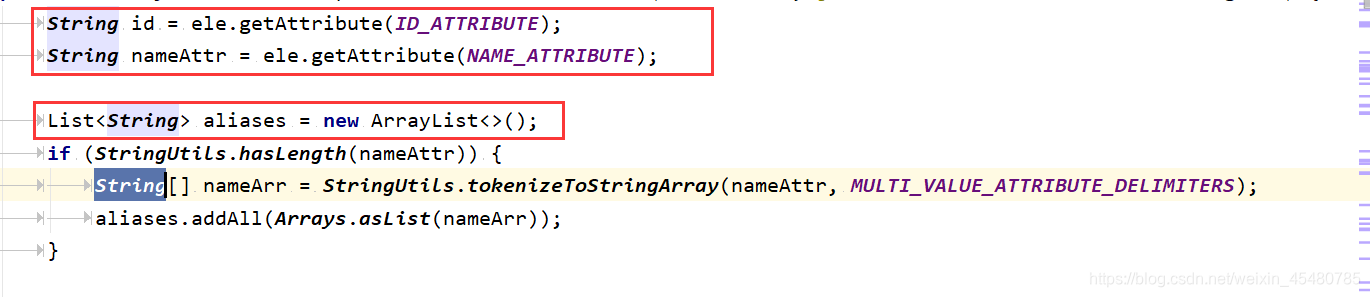
- 如果检测到bean没有指定beanName,那么使用默认规则为此Bean生成beanName。

- 将获取到的信息封装到BeanDefinitionHolder的实例中。

- 进一步解析其他所有属性并统一封装至GenericBeanDefinition类型的实例中。
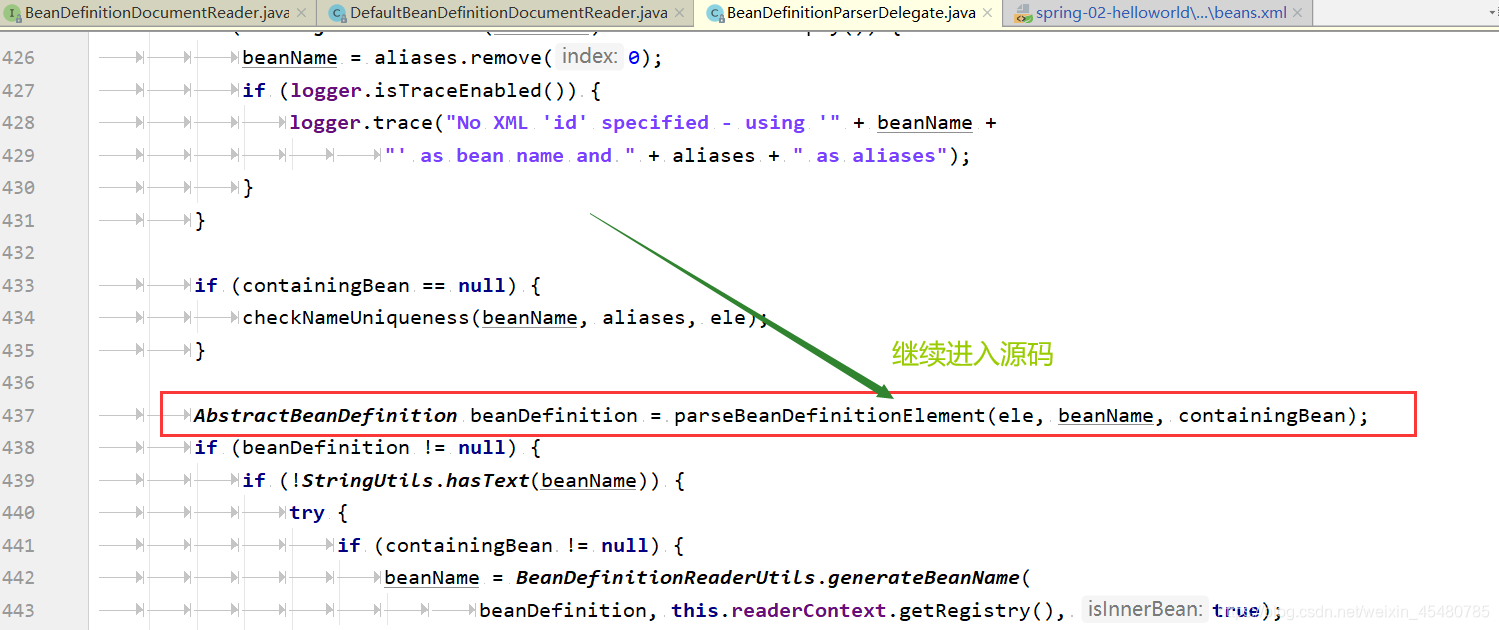
3. parseBeanDefinitionElement() 源码解析
@Nullablepublic AbstractBeanDefinition parseBeanDefinitionElement(Element ele, String beanName, @Nullable BeanDefinition containingBean) {this.parseState.push(new BeanEntry(beanName));String className = null;// 解析class属性if (ele.hasAttribute(CLASS_ATTRIBUTE)) {className = ele.getAttribute(CLASS_ATTRIBUTE).trim();}String parent = null;// 解析parent属性if (ele.hasAttribute(PARENT_ATTRIBUTE)) {parent = ele.getAttribute(PARENT_ATTRIBUTE);}try {// 创建用于承载属性的AbstractBeanDefinition类型的GenericBeanDefinitionAbstractBeanDefinition bd = createBeanDefinition(className, parent);// 硬编码解析默认bean的各种属性parseBeanDefinitionAttributes(ele, beanName, containingBean, bd);// 提取descriptionbd.setDescription(DomUtils.getChildElementValueByTagName(ele, DESCRIPTION_ELEMENT));// 解析元数据parseMetaElements(ele, bd);// 解析lookup-method属性parseLookupOverrideSubElements(ele, bd.getMethodOverrides());// 解析replaced-methodparseReplacedMethodSubElements(ele, bd.getMethodOverrides());// 解析构造函数参数parseConstructorArgElements(ele, bd);// 解析property子元素parsePropertyElements(ele, bd);// 解析qualifier子元素parseQualifierElements(ele, bd);bd.setResource(this.readerContext.getResource());bd.setSource(extractSource(ele));return bd;}catch (ClassNotFoundException ex) {error("Bean class [" + className + "] not found", ele, ex);}catch (NoClassDefFoundError err) {error("Class that bean class [" + className + "] depends on not found", ele, err);}catch (Throwable ex) {error("Unexpected failure during bean definition parsing", ele, ex);}finally {this.parseState.pop();}return null;}
以上,bean标签的所有属性都解析到了
二. 承载属性的BeanDefinition

-
BeanDefinition是一个接口,在Spring中存在三种实现:RootBeanDefinition、ChildBeanDefinition以及GenericBeanDefinition。三种实现均继承了AbstractBeanDefinition,其中BeanDefinition是配置文件元素标签在容器中的内部表现形式。
-
元素标签拥有class、scope、lazy-init等配置属性,BeanDefinition则提供了相应的beanClass、scope、lazyInit属性,BeanDefinition和属性是一一对应的。
-
RootBeanDefinition是最常用的实现类,它对应一般的元素标签, GenericBeanDefinition是自2.5版本以后新加入的bean文件配置属性定义类,是一站式服务类。
-
在配置文件中可以定义父和子,父用RootBeanDefinition表示,而子用ChildBeanDefinition表示,而没有父的就使用RootBeanDefinition表示。AbstractBeanDefinition对两者共同的类信息进行抽象。
-
Spring通过BeanDefinition将配置文件中的配置信息转换为容器的内部表示,并将这些BeanDefinition注册到BeanDefinitionRegistry中。
-
Spring容器的BeanDefinitionRegistry就像是Spring配置信息的内存数据库,主要是以map的形式保存,后续操作直接从BeanDefinitionResistry中读取配置信息。
1.createBeanDefinition()
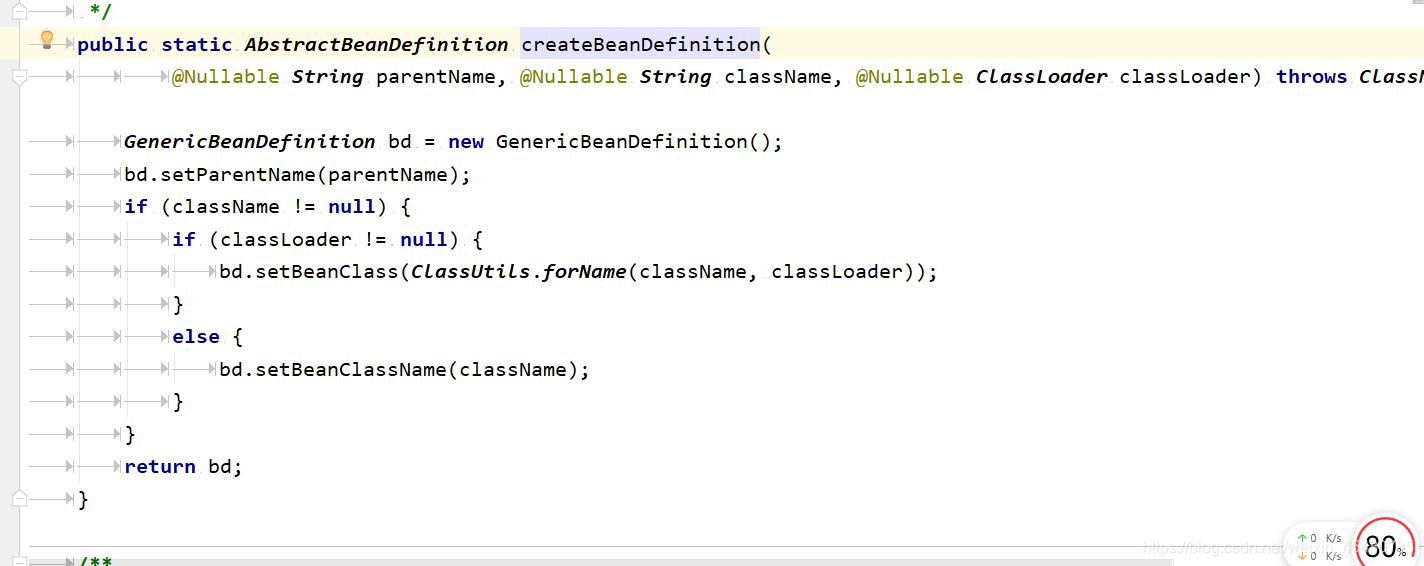
创建GenericBeanDefinition类型的实例======>createBeanDefinition(className, parent)
 BeanDefinitionParserDelegate中的 createBeanDefinition()
protected AbstractBeanDefinition createBeanDefinition(@Nullable String className, @Nullable String parentName)throws ClassNotFoundException {return BeanDefinitionReaderUtils.createBeanDefinition(parentName, className, this.readerContext.getBeanClassLoader());}

BeanDefinitionReaderUtils中的 createBeanDefinition()
public static AbstractBeanDefinition createBeanDefinition(@Nullable String parentName, @Nullable String className, @Nullable ClassLoader classLoader) throws ClassNotFoundException {GenericBeanDefinition bd = new GenericBeanDefinition();// parentName可能为空bd.setParentName(parentName);if (className != null) {if (classLoader != null) {// 如果classLoader不为空,则使用以传入的classLoader加载类对象,否则只是记录classNamebd.setBeanClass(ClassUtils.forName(className, classLoader));}else {bd.setBeanClassName(className);}}return bd;}
三. 解析各种属性
bean

当我们创建了bean信息的承载实例后,进行bean信息的各种属性解析

1. parseBeanDefinitionAttributes()
parseBeanDefinitionAttributes方法是对element所有元素属性进行解析
parseBeanDefinitionAttributes() 源码解析
public AbstractBeanDefinition parseBeanDefinitionAttributes(Element ele, String beanName,@Nullable BeanDefinition containingBean, AbstractBeanDefinition bd) {// 解析singleton属性// 检查当前bean是否有singleton属性,有则提示应该使用scope属性,并抛出异常if (ele.hasAttribute(SINGLETON_ATTRIBUTE)) {error("Old 1.x 'singleton' attribute in use - upgrade to 'scope' declaration", ele);}// 解析scope属性else if (ele.hasAttribute(SCOPE_ATTRIBUTE)) {// 获取并设置scope属性值bd.setScope(ele.getAttribute(SCOPE_ATTRIBUTE));}else if (containingBean != null) {// 在嵌入beanDefinition情况下且没有单独指定scope属性则使用父类默认的属性bd.setScope(containingBean.getScope());}}// 解析abstract属性if (ele.hasAttribute(ABSTRACT_ATTRIBUTE)) {bd.setAbstract(TRUE_VALUE.equals(ele.getAttribute(ABSTRACT_ATTRIBUTE)));}// 解析lazy-init属性String lazyInit = ele.getAttribute(LAZY_INIT_ATTRIBUTE);if (isDefaultValue(lazyInit)) {lazyInit = this.defaults.getLazyInit();}bd.setLazyInit(TRUE_VALUE.equals(lazyInit));String autowire = ele.getAttribute(AUTOWIRE_ATTRIBUTE);bd.setAutowireMode(getAutowireMode(autowire));// 解析depends-on属性if (ele.hasAttribute(DEPENDS_ON_ATTRIBUTE)) {String dependsOn = ele.getAttribute(DEPENDS_ON_ATTRIBUTE);bd.setDependsOn(StringUtils.tokenizeToStringArray(dependsOn, MULTI_VALUE_ATTRIBUTE_DELIMITERS));}// 解析autowire-candidate属性String autowireCandidate = ele.getAttribute(AUTOWIRE_CANDIDATE_ATTRIBUTE);if (isDefaultValue(autowireCandidate)) {String candidatePattern = this.defaults.getAutowireCandidates();if (candidatePattern != null) {String[] patterns = StringUtils.commaDelimitedListToStringArray(candidatePattern);bd.setAutowireCandidate(PatternMatchUtils.simpleMatch(patterns, beanName));}}else {bd.setAutowireCandidate(TRUE_VALUE.equals(autowireCandidate));}// 解析primary属性if (ele.hasAttribute(PRIMARY_ATTRIBUTE)) {bd.setPrimary(TRUE_VALUE.equals(ele.getAttribute(PRIMARY_ATTRIBUTE)));}// 解析init-method属性if (ele.hasAttribute(INIT_METHOD_ATTRIBUTE)) {String initMethodName = ele.getAttribute(INIT_METHOD_ATTRIBUTE);bd.setInitMethodName(initMethodName);}else if (this.defaults.getInitMethod() != null) {bd.setInitMethodName(this.defaults.getInitMethod());bd.setEnforceInitMethod(false);}// 解析destroy-method属性if (ele.hasAttribute(DESTROY_METHOD_ATTRIBUTE)) {String destroyMethodName = ele.getAttribute(DESTROY_METHOD_ATTRIBUTE);bd.setDestroyMethodName(destroyMethodName);}else if (this.defaults.getDestroyMethod() != null) {bd.setDestroyMethodName(this.defaults.getDestroyMethod());bd.setEnforceDestroyMethod(false);}// 解析factory-method属性if (ele.hasAttribute(FACTORY_METHOD_ATTRIBUTE)) {bd.setFactoryMethodName(ele.getAttribute(FACTORY_METHOD_ATTRIBUTE));}// 解析factory-bean属性if (ele.hasAttribute(FACTORY_BEAN_ATTRIBUTE)) {bd.setFactoryBeanName(ele.getAttribute(FACTORY_BEAN_ATTRIBUTE));}return bd;}
以上就完成了Spring对bean属性的解析
四. 解析子元素meta
meta属性在bean 中的使用
<bean id="hello" class="com.xizi.pojo.Hello"><property name="name" value="Spring"/><meta key="Spring" value="Spring源码解析">meta>
bean>
当需要使用里面的信息的时候可以通过BeanDefinition的getAttribute(key)方法进行获取。
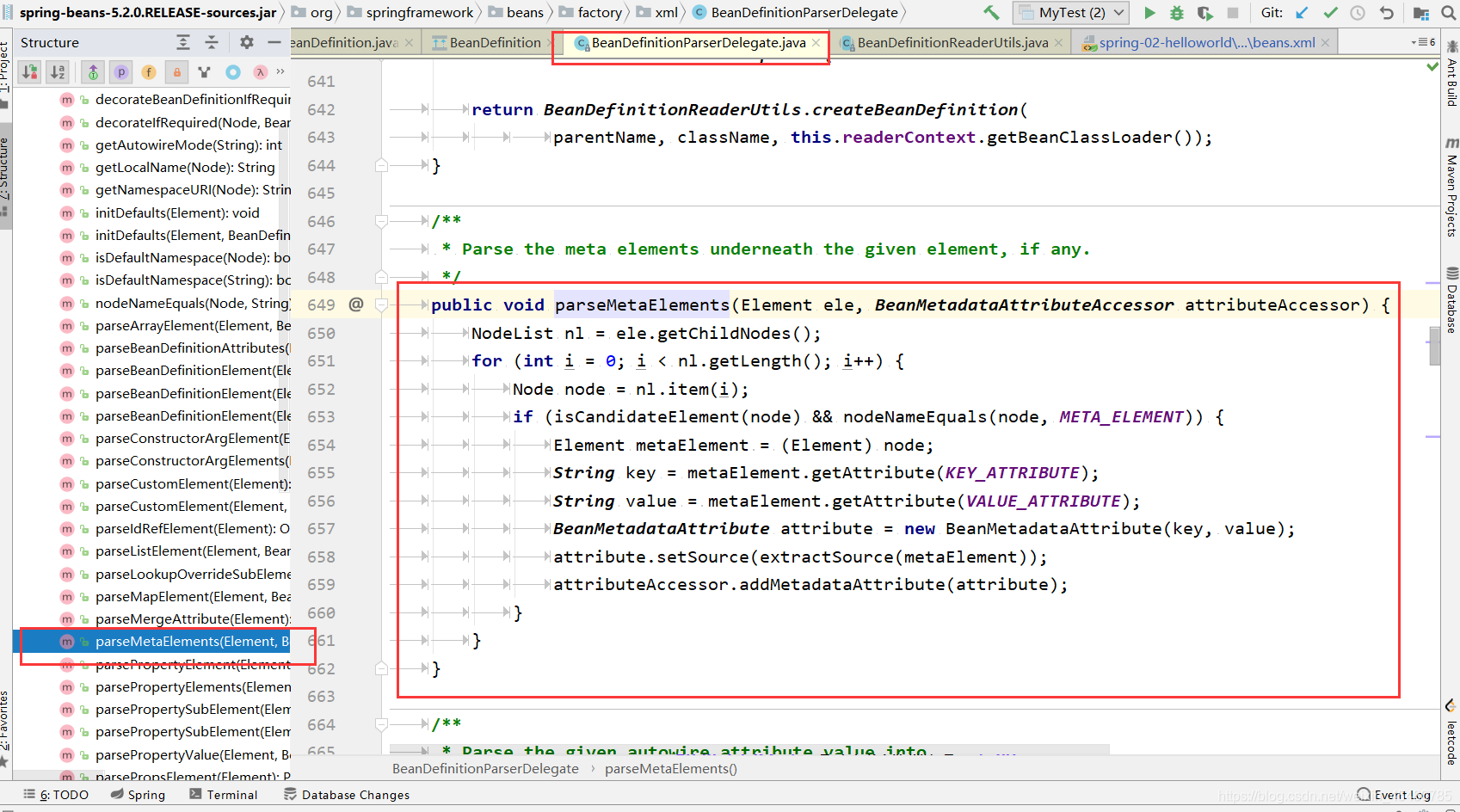
public void parseMetaElements(Element ele, BeanMetadataAttributeAccessor attributeAccessor) {// 获取当前节点的所有子元素NodeList nl = ele.getChildNodes();for (int i = 0; i < nl.getLength(); i++) {Node node = nl.item(i);// 提取metaif (isCandidateElement(node) && nodeNameEquals(node, META_ELEMENT)) {Element metaElement = (Element) node;String key = metaElement.getAttribute(KEY_ATTRIBUTE);String value = metaElement.getAttribute(VALUE_ATTRIBUTE);// 使用key、value构造BeanMetadataAttributeBeanMetadataAttribute attribute = new BeanMetadataAttribute(key, value);attribute.setSource(extractSource(metaElement));// 记录信息attributeAccessor.addMetadataAttribute(attribute);}}}
五. 解析子元素lookup-method
- 子元素lookup-method似乎并不是很常用,通常我们称它为获取器注入,获取器注入是一种特殊的方法注入,它是把一个方法声明为返回某种类型的bean,但实际要返回的bean是在配置文件里面配置的,此方法可用在设计有些可插拔的功能上,接触程序依赖。
1. 代码具体实现
父类
public class User {public void showMe(){System.out.println("父类");}
}
两个子类
public class Teacher  extends User{@Overridepublic void showMe() {System.out.println("老师");}
}
public class Student extends User {@Overridepublic void showMe() {System.out.println("学生");}
}
创建抽象类
public abstract class GetBeanTest {public abstract User getBean();public void showMe() {this.getBean().showMe();}}
测试
import com.xizi.dao.GetBeanTest;
import com.xizi.pojo.Hello;
import org.springframework.beans.factory.BeanFactory;
import org.springframework.beans.factory.xml.XmlBeanFactory;
import org.springframework.context.ApplicationContext;
import org.springframework.context.support.ClassPathXmlApplicationContext;
import org.springframework.core.io.ClassPathResource;
import org.springframework.core.io.Resource;import java.io.IOException;
import java.io.InputStream;public class MyTest {public static void main(String[] args) throws IOException {//Look-up测试ApplicationContext context = new ClassPathXmlApplicationContext("beans.xml");GetBeanTest getBeanTest = (GetBeanTest)context.getBean("getBeanTest");getBeanTest.showMe();}
}
配置文件 bean.xml
<beans xmlns="http://www.springframework.org/schema/beans"xmlns:xsi="http://www.w3.org/2001/XMLSchema-instance"xsi:schemaLocation="http://www.springframework.org/schema/beanshttp://www.springframework.org/schema/beans/spring-beans.xsd" ><bean id="teacher" class="com.xizi.dao.Teacher">bean><bean id="student" class="com.xizi.dao.Student">bean><bean id="getBeanTest" class="com.xizi.dao.GetBeanTest"><lookup-method name="getBean" bean="student"/>bean>beans>
测试结果
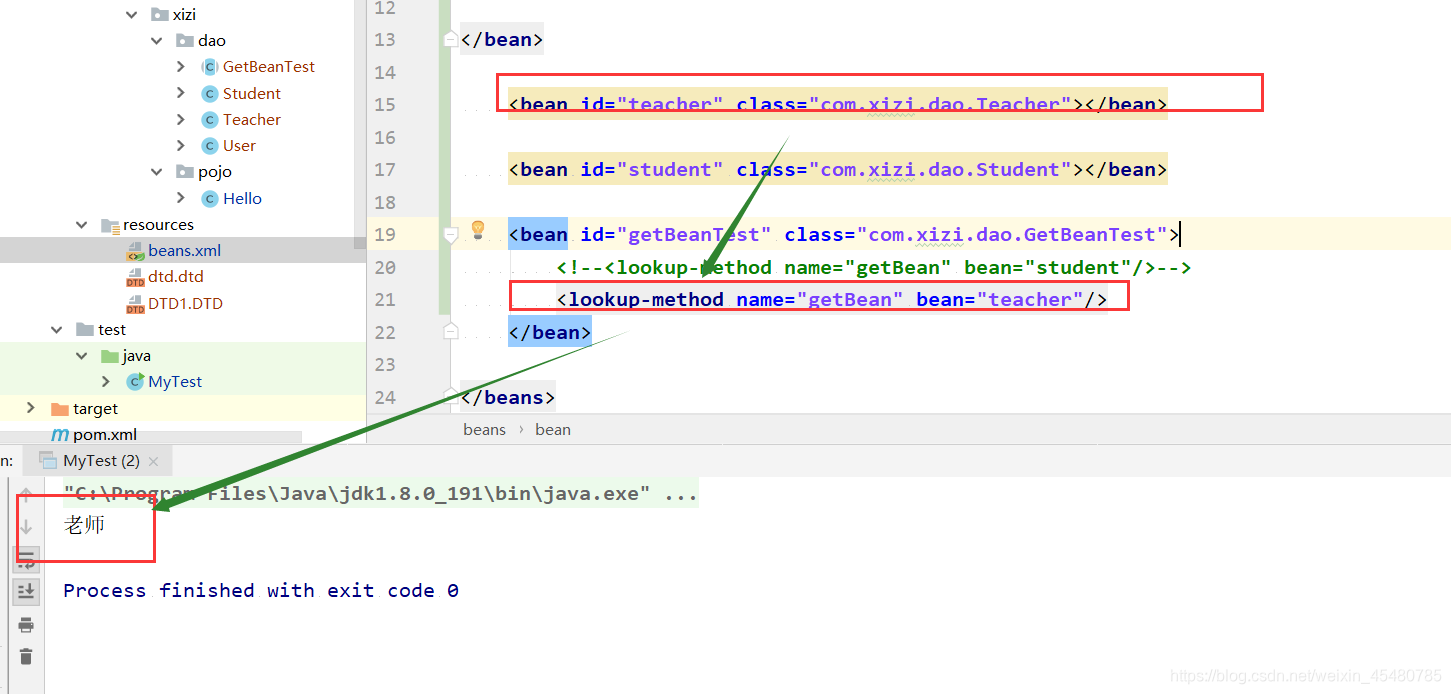
- 改变成学生类 输出的结果也相应的改变
分析
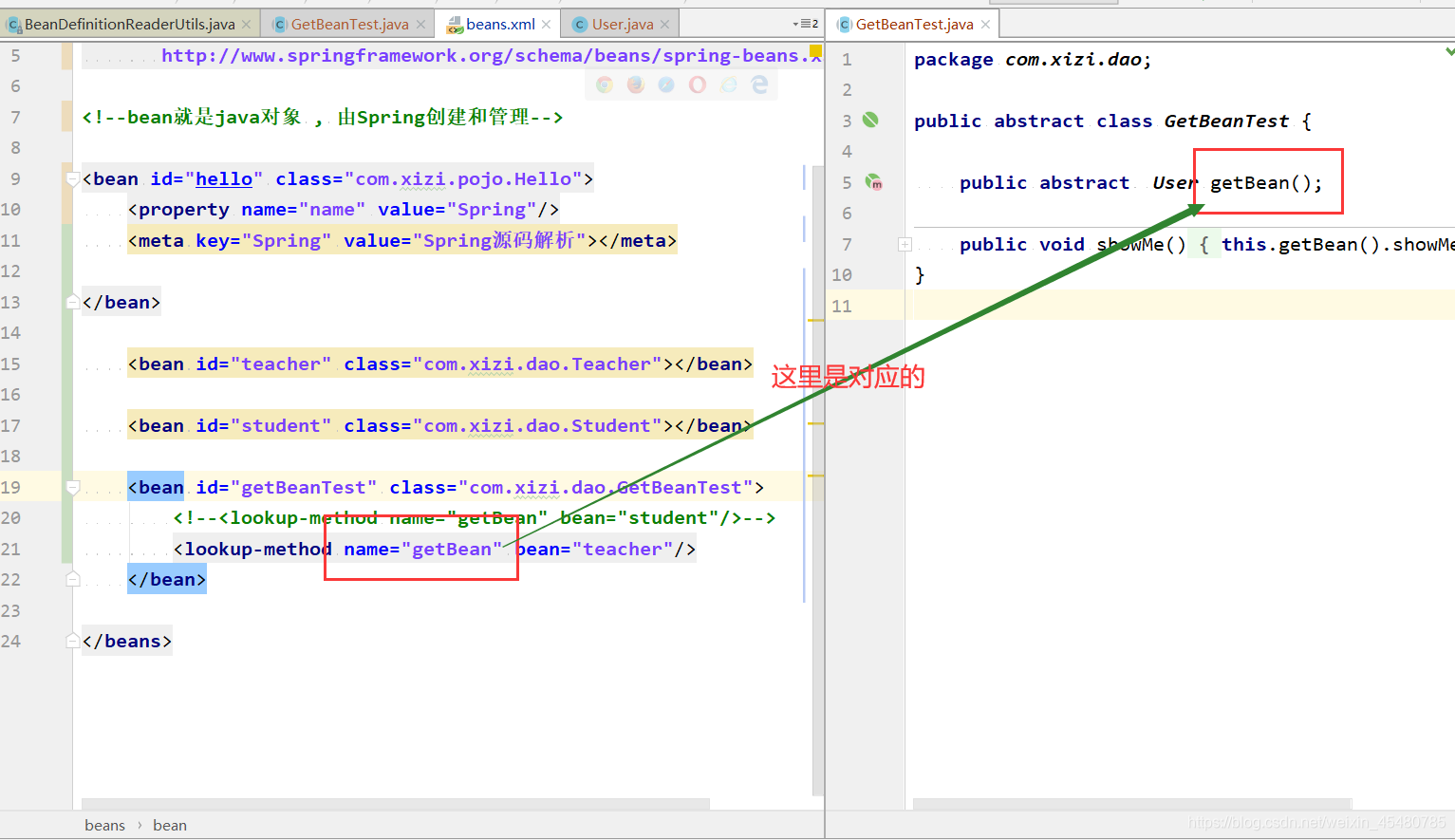
- 在配置文件中,我们看到了源码解析中提到的lookup-method子元素,这个配置完成的功能是动态地将teacher所代表的bean作为getBean的返回值
2. parseLookupOverrideSubElements() 源码分析
public void parseLookupOverrideSubElements(Element beanEle, MethodOverrides overrides) {NodeList nl = beanEle.getChildNodes();for (int i = 0; i < nl.getLength(); i++) {Node node = nl.item(i);// 仅当在bean下面有子元素下且为lookup-method时有效if (isCandidateElement(node) && nodeNameEquals(node, LOOKUP_METHOD_ELEMENT)) {Element ele = (Element) node;// 获取要修饰的方法String methodName = ele.getAttribute(NAME_ATTRIBUTE);// 获取配置返回的beanString beanRef = ele.getAttribute(BEAN_ELEMENT);LookupOverride override = new LookupOverride(methodName, beanRef);override.setSource(extractSource(ele));overrides.addOverride(override);}}}
- 在数据存储上面通过使用LookupOverride类型的实体类来进行数据承载并记录在AbstractBeanDefinition中的methodOverrides属性中
六. 解析子元素replaced-method
- 方法主要是对bean中replaced-method子元素的提取
- 方法替换:可以在运行时用新的方法替换现有的方法。
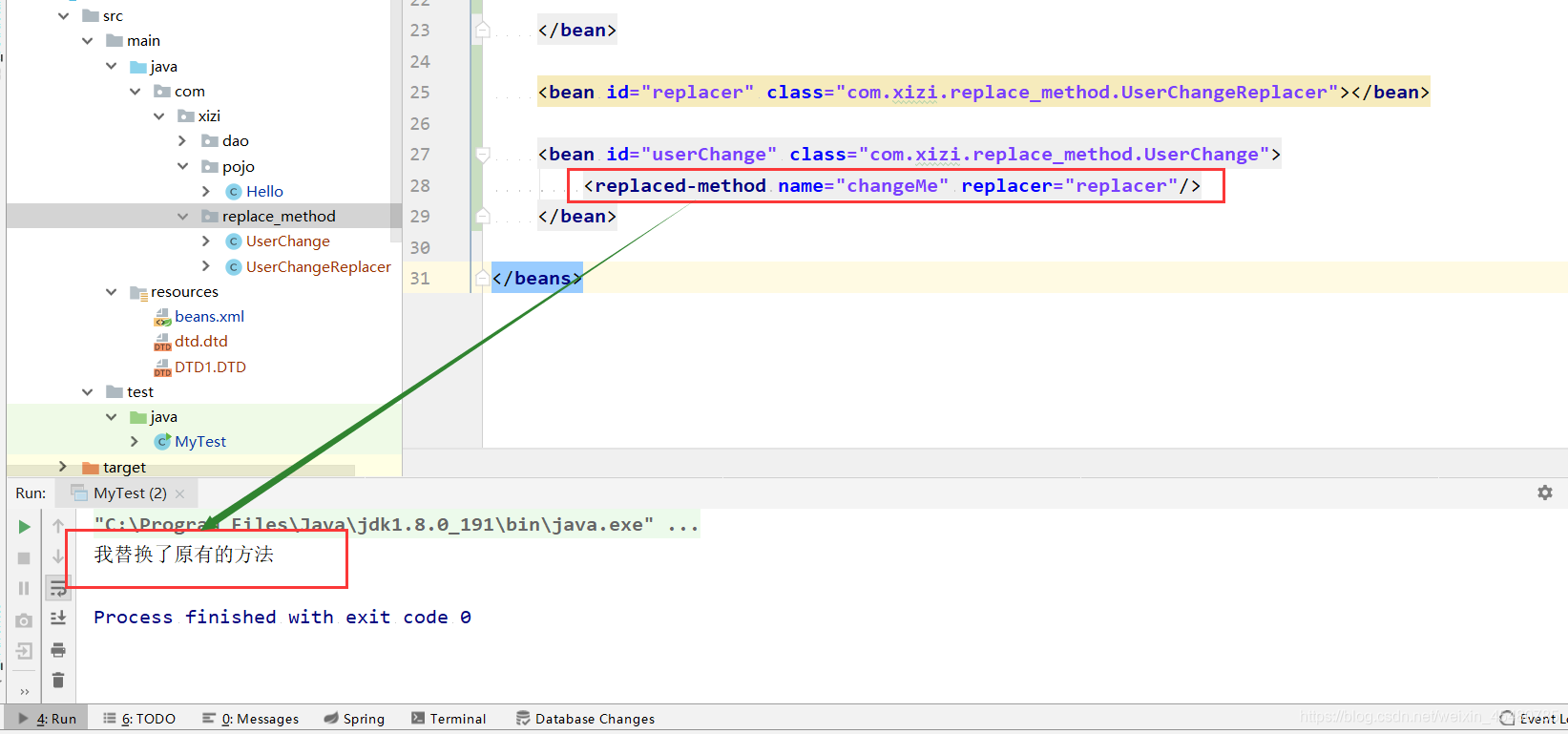
- 与之前的lookup-method不同的是,replaced-method不但可以动态地替换返回实体bean,而且还能动态地更改原有方法的逻辑
1. 代码具体实现
被替换的方法类
public class UserChange {public void changeMe() {System.out.println("change me");}
}
替换的新方法类
public class UserChangeReplacer implements MethodReplacer {@Overridepublic Object reimplement(Object obj, Method method, Object[] args) throws Throwable {System.out.println("我替换了原有的方法");return null;}
}
配置文件
<?xml version="1.0" encoding="UTF-8"?>
<beans xmlns="http://www.springframework.org/schema/beans"xmlns:xsi="http://www.w3.org/2001/XMLSchema-instance"xsi:schemaLocation="http://www.springframework.org/schema/beanshttp://www.springframework.org/schema/beans/spring-beans.xsd" >//替换者<bean id="replacer" class="com.xizi.replace_method.UserChangeReplacer"></bean>// replace-method 替换的方法设置<bean id="userChange" class="com.xizi.replace_method.UserChange"><replaced-method name="changeMe" replacer="replacer"/></bean>
</beans>
1. parseReplacedMethodSubElements() 源码解析
public void parseReplacedMethodSubElements(Element beanEle, MethodOverrides overrides) {NodeList nl = beanEle.getChildNodes();for (int i = 0; i < nl.getLength(); i++) {Node node = nl.item(i);// 仅当在bean下面有子元素下且为replaced-method时有效if (isCandidateElement(node) && nodeNameEquals(node, REPLACED_METHOD_ELEMENT)) {Element replacedMethodEle = (Element) node;// 提取要替换的旧的方法String name = replacedMethodEle.getAttribute(NAME_ATTRIBUTE);// 提取对应的新的替换方法String callback = replacedMethodEle.getAttribute(REPLACER_ATTRIBUTE);ReplaceOverride replaceOverride = new ReplaceOverride(name, callback);// Look for arg-type match elements.List<Element> argTypeEles = DomUtils.getChildElementsByTagName(replacedMethodEle, ARG_TYPE_ELEMENT);for (Element argTypeEle : argTypeEles) {// 记录参数String match = argTypeEle.getAttribute(ARG_TYPE_MATCH_ATTRIBUTE);match = (StringUtils.hasText(match) ? match : DomUtils.getTextValue(argTypeEle));if (StringUtils.hasText(match)) {replaceOverride.addTypeIdentifier(match);}}replaceOverride.setSource(extractSource(replacedMethodEle));overrides.addOverride(replaceOverride);}}}
- lookup-method还是replaced-method都是构造了一个MethodOverride,并最终记录在了AbstractBeanDefinition中的methodOverrides属性中。
七. 解析子元素constructor-arg
1. 构造器常用的方法三种方式
- Spring构造函数配置中最基础的配置,实现的功能就是自动寻找对应的构造函数,并在初始化的时候将设置的参数传入
<!--IOC有参构造函数创建对象--><!--第一种方式下标赋值--><bean id="user1" class="com.xizi.pojo.User"><constructor-arg index="0" value="戏子"></constructor-arg></bean><!--第二种类型创建 不建议使用--><bean id="user2" class="com.xizi.pojo.User"><constructor-arg type="java.lang.String" value="戏子"></constructor-arg></bean><!--第三种 直接通过参数名 常用--><bean id="user33" class="com.xizi.pojo.User" ><constructor-arg name="name" value="xizi"></constructor-arg></bean>
1. parseConstructorArgElements() 源码分析
//遍历所有子元素,也就是提取所有constructor-arg,然后进行解析public void parseConstructorArgElements(Element beanEle, BeanDefinition bd) {NodeList nl = beanEle.getChildNodes();for (int i = 0; i < nl.getLength(); i++) {Node node = nl.item(i);if (isCandidateElement(node) && nodeNameEquals(node, CONSTRUCTOR_ARG_ELEMENT)) {// 解析constructor-argparseConstructorArgElement((Element) node, bd);}}}
2. 具体的解析被放置在了另个函数parseConstructorArgElement中
public void parseConstructorArgElement(Element ele, BeanDefinition bd) {// 提取index属性String indexAttr = ele.getAttribute(INDEX_ATTRIBUTE);// 提取type属性String typeAttr = ele.getAttribute(TYPE_ATTRIBUTE);// 提取name属性String nameAttr = ele.getAttribute(NAME_ATTRIBUTE);if (StringUtils.hasLength(indexAttr)) {try {int index = Integer.parseInt(indexAttr);if (index < 0) {error("'index' cannot be lower than 0", ele);}else {try {this.parseState.push(new ConstructorArgumentEntry(index));// 解析ele对应的属性元素Object value = parsePropertyValue(ele, bd, null);ConstructorArgumentValues.ValueHolder valueHolder = new ConstructorArgumentValues.ValueHolder(value);if (StringUtils.hasLength(typeAttr)) {valueHolder.setType(typeAttr);}if (StringUtils.hasLength(nameAttr)) {valueHolder.setName(nameAttr);}valueHolder.setSource(extractSource(ele));if // 不允许重复指定相同参数(bd.getConstructorArgumentValues().hasIndexedArgumentValue(index)) {error("Ambiguous constructor-arg entries for index " + index, ele);}else {bd.getConstructorArgumentValues().addIndexedArgumentValue(index, valueHolder);}}finally {this.parseState.pop();}}}catch (NumberFormatException ex) {error("Attribute 'index' of tag 'constructor-arg' must be an integer", ele);}}else {// 没有index属性则自动寻找try {this.parseState.push(new ConstructorArgumentEntry());Object value = parsePropertyValue(ele, bd, null);ConstructorArgumentValues.ValueHolder valueHolder = new ConstructorArgumentValues.ValueHolder(value);if (StringUtils.hasLength(typeAttr)) {valueHolder.setType(typeAttr);}if (StringUtils.hasLength(nameAttr)) {valueHolder.setName(nameAttr);}valueHolder.setSource(extractSource(ele));bd.getConstructorArgumentValues().addGenericArgumentValue(valueHolder);}finally {this.parseState.pop();}}}
constructor-arg上必要的属性(index,type,name)。
2. 配置中指定了index属性的操作步骤
- 解析constructor-arg的子元素。
- 使用ConstructorArgumentValues.ValueHolder来封装解析出来的元素。
- 将type、name和index属性一并封装在ConstructorArgumentValues.ValueHolder中并添加至当前BeanDefinition的constructorArgumentValues的indexedArgumentValues属性中。
3. 配置中没有指定了index属性的操作步骤
- 解析constructor-arg的子元素。
- 使用ConstructorArgumentValues.ValueHolder来封装解析出来的元素。
- 将type、name和index属性一并封装在ConstructorArgumentValues.ValueHolder中并添加至当前BeanDefinition的constructorArgumentValues的genericArgumentValues属性中。
是否定义index属性,Spring的处理流程是不同的,关键在于属性信息被保存的位置。
1. 继续深入parsePropertyValue() 方法

2. parsePropertyValue() 源码
@Nullablepublic Object parsePropertyValue(Element ele, BeanDefinition bd, @Nullable String propertyName) {String elementName = (propertyName != null ?" element for property '" + propertyName + "'" :" element" );// 一个属性只能对应一种类型:ref、value、list等NodeList nl = ele.getChildNodes();Element subElement = null;for (int i = 0; i < nl.getLength(); i++) {Node node = nl.item(i);// 对应description或者meta不处理if (node instanceof Element && !nodeNameEquals(node, DESCRIPTION_ELEMENT) &&!nodeNameEquals(node, META_ELEMENT)) {// Child element is what we're looking for.if (subElement != null) {error(elementName + " must not contain more than one sub-element", ele);}else {subElement = (Element) node;}}}// 解析constructor-arg上的ref属性boolean hasRefAttribute = ele.hasAttribute(REF_ATTRIBUTE);// 解析constructor-arg上的value属性boolean hasValueAttribute = ele.hasAttribute(VALUE_ATTRIBUTE);if ((hasRefAttribute && hasValueAttribute) ||((hasRefAttribute || hasValueAttribute) && subElement != null)) {/*** 在constructor-arg上不存在:* 1. 同时既有ref属性又有value属性* 2. 存在ref属性或者value属性且又有子元素*/error(elementName +" is only allowed to contain either 'ref' attribute OR 'value' attribute OR sub-element", ele);}if (hasRefAttribute) {// ref属性的处理,使用RuntimeBeanReference封装对应的ref名称String refName = ele.getAttribute(REF_ATTRIBUTE);if (!StringUtils.hasText(refName)) {error(elementName + " contains empty 'ref' attribute", ele);}RuntimeBeanReference ref = new RuntimeBeanReference(refName);ref.setSource(extractSource(ele));return ref;}else if (hasValueAttribute) {// value属性的处理,使用TypedStringValue封装TypedStringValue valueHolder = new TypedStringValue(ele.getAttribute(VALUE_ATTRIBUTE));valueHolder.setSource(extractSource(ele));return valueHolder;}else if (subElement != null) {// 解析子元素return parsePropertySubElement(subElement, bd);}else {// 既没有ref也没有value也没有子元素error(elementName + " must specify a ref or value", ele);return null;}}
三种属性name ref type
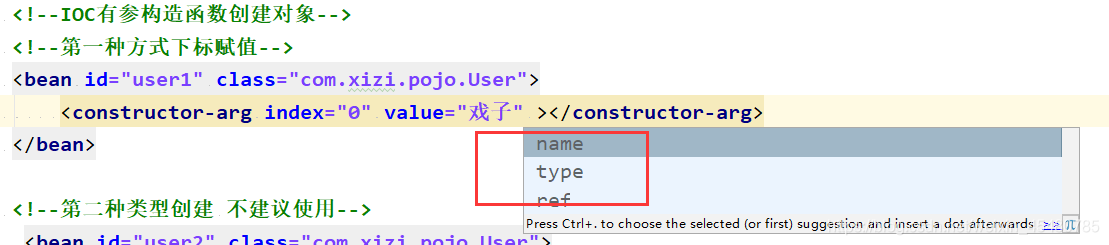
- // ref属性的处理,使用RuntimeBeanReference封装对应的ref名称
- // value属性的处理,使用TypedStringValue封装
- //子元素
<constructor-arg><map>3.parsePropertySubElement中对各种子元素的分类处理
4.parsePropertySubElement() 源码分析
@Nullablepublic Object parsePropertySubElement(Element ele, @Nullable BeanDefinition bd) {return parsePropertySubElement(ele, bd, null);}@Nullablepublic Object parsePropertySubElement(Element ele, @Nullable BeanDefinition bd, @Nullable String defaultValueType) {if (!isDefaultNamespace(ele)) {return parseNestedCustomElement(ele, bd);}else if (nodeNameEquals(ele, BEAN_ELEMENT)) {BeanDefinitionHolder nestedBd = parseBeanDefinitionElement(ele, bd);if (nestedBd != null) {nestedBd = decorateBeanDefinitionIfRequired(ele, nestedBd, bd);}return nestedBd;}else if (nodeNameEquals(ele, REF_ELEMENT)) {// 解析parentString refName = ele.getAttribute(BEAN_REF_ATTRIBUTE);boolean toParent = false;if (!StringUtils.hasLength(refName)) {// A reference to the id of another bean in a parent context.refName = ele.getAttribute(PARENT_REF_ATTRIBUTE);toParent = true;if (!StringUtils.hasLength(refName)) {error("'bean' or 'parent' is required for element", ele);return null;}}if (!StringUtils.hasText(refName)) {error(" element contains empty target attribute", ele);return null;}RuntimeBeanReference ref = new RuntimeBeanReference(refName, toParent);ref.setSource(extractSource(ele));return ref;}// 对idref元素的解析else if (nodeNameEquals(ele, IDREF_ELEMENT)) {return parseIdRefElement(ele);}// 对value子元素的解析else if (nodeNameEquals(ele, VALUE_ELEMENT)) {return parseValueElement(ele, defaultValueType);}// 对null子元素的解析else if (nodeNameEquals(ele, NULL_ELEMENT)) {TypedStringValue nullHolder = new TypedStringValue(null);nullHolder.setSource(extractSource(ele));return nullHolder;}// 解析array子元素else if (nodeNameEquals(ele, ARRAY_ELEMENT)) {return parseArrayElement(ele, bd);}// 解析list子元素else if (nodeNameEquals(ele, LIST_ELEMENT)) {return parseListElement(ele, bd);}// 解析set子元素else if (nodeNameEquals(ele, SET_ELEMENT)) {return parseSetElement(ele, bd);}// 解析map子元素else if (nodeNameEquals(ele, MAP_ELEMENT)) {return parseMapElement(ele, bd);}// 解析props子元素else if (nodeNameEquals(ele, PROPS_ELEMENT)) {return parsePropsElement(ele);}else {error("Unknown property sub-element: [" + ele.getNodeName() + "]", ele);return null;}}
八. 解析子元素property
property 使用方式
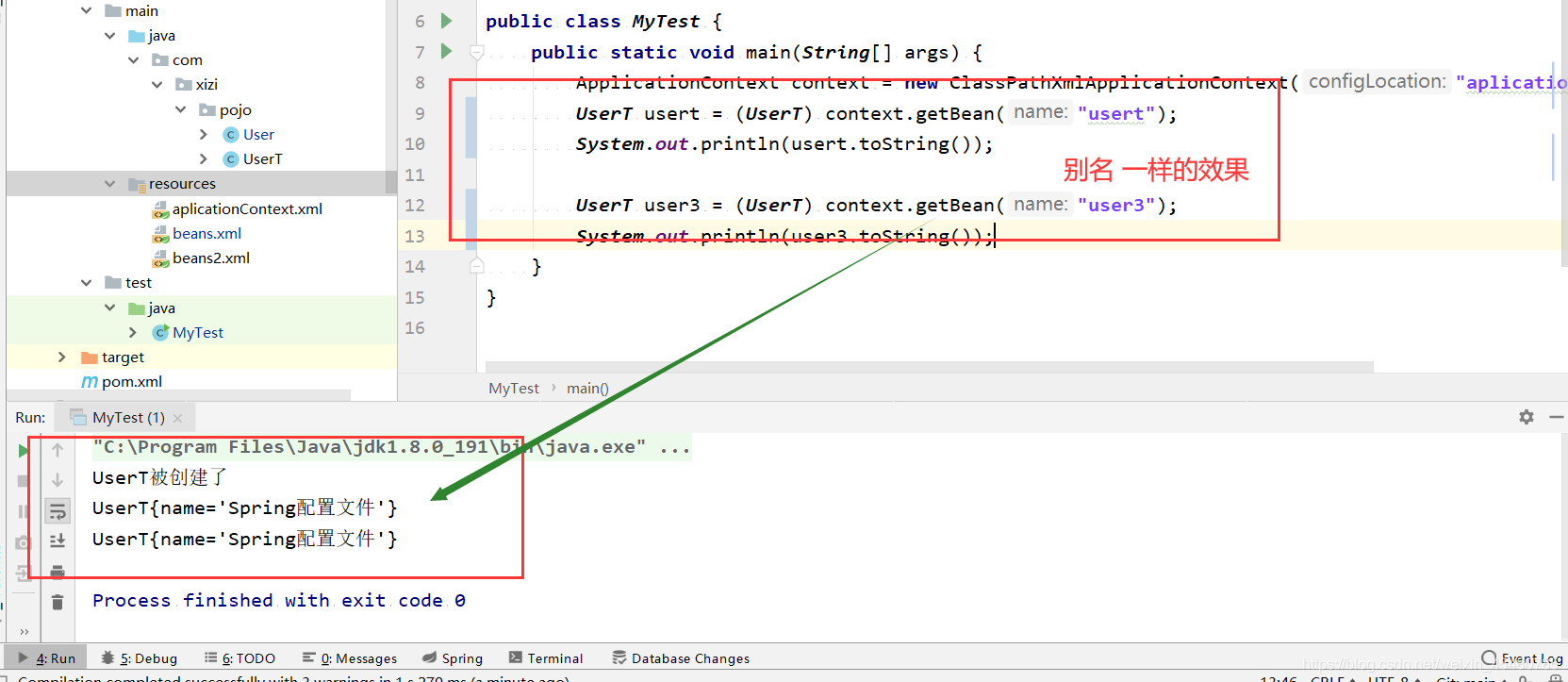
<bean id="usert" class="com.xizi.pojo.UserT" name="user3,user4" ><property name="name" value="Spring配置文件"/>bean>
1. parsePropertyElement() 源码分析
public void parsePropertyElement(Element ele, BeanDefinition bd) {String propertyName = ele.getAttribute(NAME_ATTRIBUTE);if (!StringUtils.hasLength(propertyName)) {error("Tag 'property' must have a 'name' attribute", ele);return;}this.parseState.push(new PropertyEntry(propertyName));try {// 不允许多次对同一属性配置if (bd.getPropertyValues().contains(propertyName)) {error("Multiple 'property' definitions for property '" + propertyName + "'", ele);return;}Object val = parsePropertyValue(ele, bd, propertyName);//返回值使用PropertyValue进行封装PropertyValue pv = new PropertyValue(propertyName, val);parseMetaElements(ele, pv);pv.setSource(extractSource(ele));bd.getPropertyValues().addPropertyValue(pv);}finally {this.parseState.pop();}}
测试注入配置文件使用
<bean id="usert" class="com.xizi.pojo.UserT" name="user3,user4" ><property name="name" value="Spring配置文件"/>bean>
测试代码
import com.xizi.pojo.User;
import com.xizi.pojo.UserT;
import org.springframework.context.ApplicationContext;
import org.springframework.context.support.ClassPathXmlApplicationContext;public class MyTest {public static void main(String[] args) {ApplicationContext context = new ClassPathXmlApplicationContext("aplicationContext.xml");UserT usert = (UserT) context.getBean("usert");System.out.println(usert.toString());UserT user3 = (UserT) context.getBean("user3");System.out.println(user3.toString());}
}
测试结果
九. 解析子元素qualifier
- 对于 qualifier 子元素,我们接触的更多的是注解形式,在使用Spring 自动注入时,Spring 容器中匹配的候选 Bean 数目必须有且仅有一个。
- 当找不到一个匹配的 Bean 时,Spring 容器将抛出BeanCreationException 异常,并指出必须至少拥有一个匹配的 Bean。
- Spring 允许我们通过 @Qualifier 注释指定注入 Bean 的名称,这样歧义就消除了,可以通过下面的方法解决异常。
- @Qualifier(“XXX”) 中的 XX是 Bean 的名称,所以 @Autowired 和 @Qualifier 结合使用时,自动注入的策略就从 byType 转变成 byName 了。
- xml使用方式
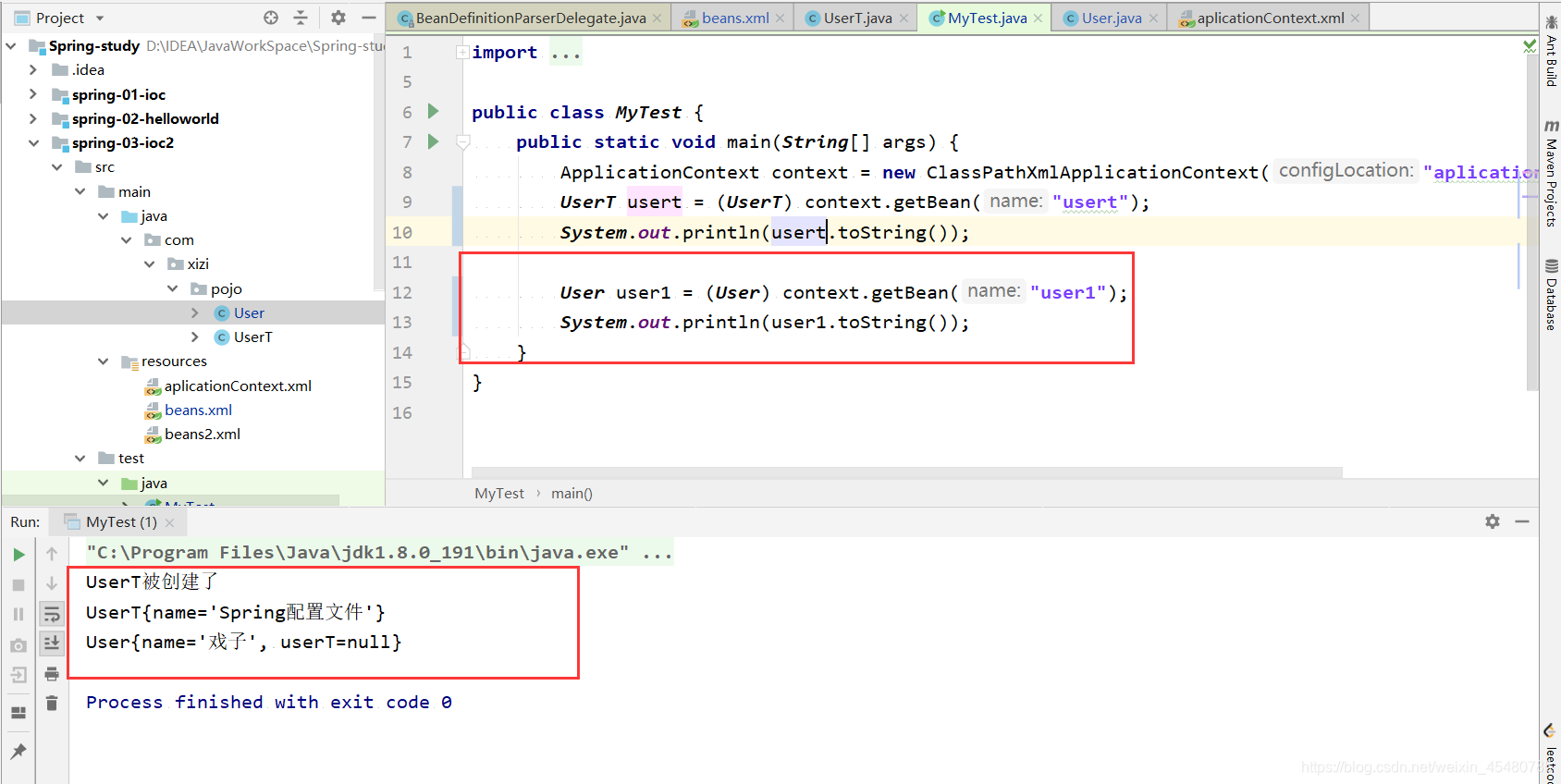
<bean id="user1" class="com.xizi.pojo.User"><qualifier type="com.xizi.pojo.UserT" value="usert"/>qualifier>bean>
1. parseQualifierElement() 源码分析
public void parseQualifierElement(Element ele, AbstractBeanDefinition bd) {String typeName = ele.getAttribute(TYPE_ATTRIBUTE);if (!StringUtils.hasLength(typeName)) {error("Tag 'qualifier' must have a 'type' attribute", ele);return;}this.parseState.push(new QualifierEntry(typeName));try {AutowireCandidateQualifier qualifier = new AutowireCandidateQualifier(typeName);qualifier.setSource(extractSource(ele));String value = ele.getAttribute(VALUE_ATTRIBUTE);if (StringUtils.hasLength(value)) {qualifier.setAttribute(AutowireCandidateQualifier.VALUE_KEY, value);}NodeList nl = ele.getChildNodes();for (int i = 0; i < nl.getLength(); i++) {Node node = nl.item(i);if (isCandidateElement(node) && nodeNameEquals(node, QUALIFIER_ATTRIBUTE_ELEMENT)) {Element attributeEle = (Element) node;String attributeName = attributeEle.getAttribute(KEY_ATTRIBUTE);String attributeValue = attributeEle.getAttribute(VALUE_ATTRIBUTE);if (StringUtils.hasLength(attributeName) && StringUtils.hasLength(attributeValue)) {BeanMetadataAttribute attribute = new BeanMetadataAttribute(attributeName, attributeValue);attribute.setSource(extractSource(attributeEle));qualifier.addMetadataAttribute(attribute);}else {error("Qualifier 'attribute' tag must have a 'name' and 'value'", attributeEle);return;}}}bd.addQualifier(qualifier);}finally {this.parseState.pop();}}
本文来自互联网用户投稿,文章观点仅代表作者本人,不代表本站立场,不承担相关法律责任。如若转载,请注明出处。 如若内容造成侵权/违法违规/事实不符,请点击【内容举报】进行投诉反馈!