微信小程序之可拖动悬浮按钮的实现
微信小程序之可拖动悬浮按钮的实现
什么都不说先看效果图
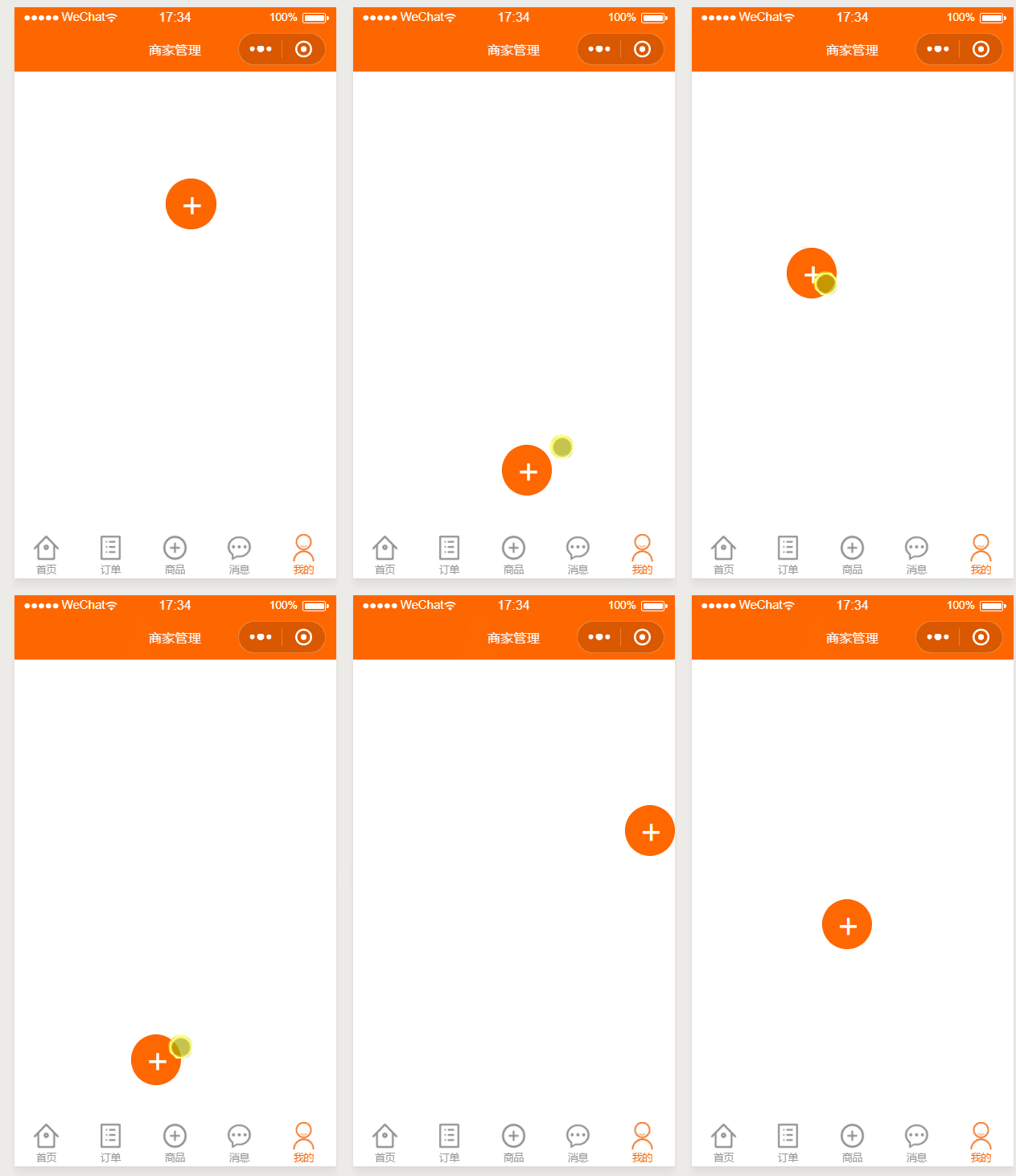
下面上代码
wxml
<button catchtouchmove="buttonMove" catchtouchstart="buttonStart" catchtouchend="buttonEnd" style="top:{{buttonTop}}px;left:{{buttonLeft}}px;width: 50px;height:50px;border-radius:50px;position:fixed;background:#ff6700;line-height:50px;font-size:25pt;color:#fff;">+button>
js
var startPoint;
Page({data: {buttonTop: 0,buttonLeft: 0,windowHeight: '',windowWidth: ''},onLoad: function (options) {var that =this;wx.getSystemInfo({success: function (res) {console.log(res);// 屏幕宽度、高度console.log('height=' + res.windowHeight);console.log('width=' + res.windowWidth);// 高度,宽度 单位为pxthat.setData({windowHeight:  res.windowHeight,windowWidth:  res.windowWidth})}})},onShow: function () {},buttonStart: function (e) {startPoint = e.touches[0]},buttonMove: function (e) {var endPoint = e.touches[e.touches.length - 1]var translateX = endPoint.clientX - startPoint.clientXvar translateY = endPoint.clientY - startPoint.clientYstartPoint = endPointvar buttonTop = this.data.buttonTop + translateYvar buttonLeft = this.data.buttonLeft + translateX//判断是移动否超出屏幕if (buttonLeft+50 >= this.data.windowWidth){buttonLeft = this.data.windowWidth-50;}if (buttonLeft<=0){buttonLeft=0;}if (buttonTop<=0){buttonTop=0}if (buttonTop + 50 >= this.data.windowHeight){buttonTop = this.data.windowHeight-50;}this.setData({buttonTop: buttonTop,buttonLeft: buttonLeft})},buttonEnd: function (e) {}
})
ok,完成,很简单就不唠叨了
本文来自互联网用户投稿,文章观点仅代表作者本人,不代表本站立场,不承担相关法律责任。如若转载,请注明出处。 如若内容造成侵权/违法违规/事实不符,请点击【内容举报】进行投诉反馈!