微信小程序UI自动化测试实战-android版
前提条件:已安装好appium及selenium环境
一.开启微信X5调试开关
1.文件助手分别发送如下信息
- debugmm.qq.com/?forcex5=true
- http://debugtbs.qq.com
- http://debugx5.qq.com
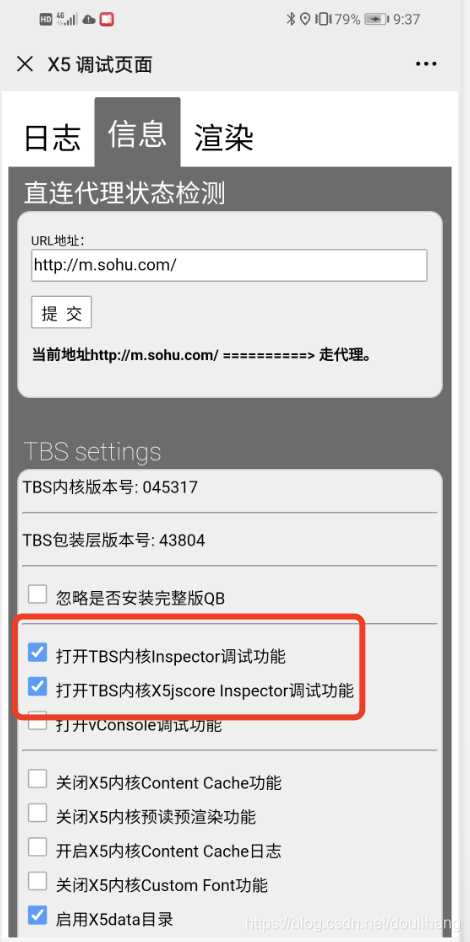
从上到下依次点击发送到文件助手的链接,出现如下页面,分别勾选红框中的选项
2.谷歌浏览器验证inspect功能
1)PC端打开谷歌浏览器,输入chrome://inspect/#devices,回车,出现如下画面,注意:此处需要电脑可以科学上网
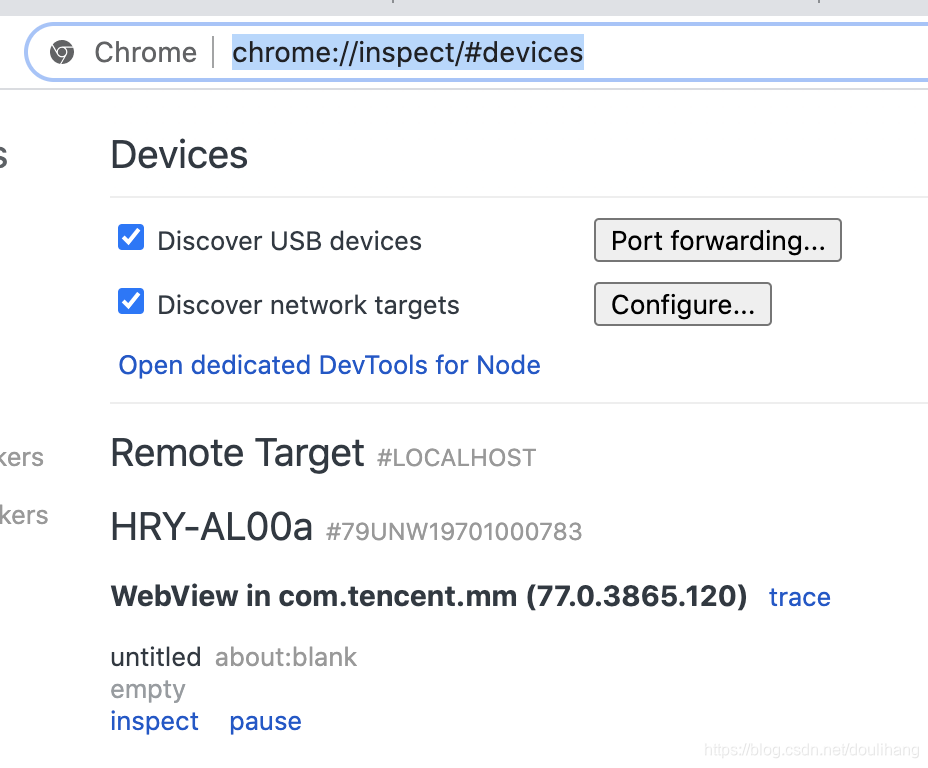
2)手机端打开小程序,再次查看PC端浏览器,多出一条webview信息

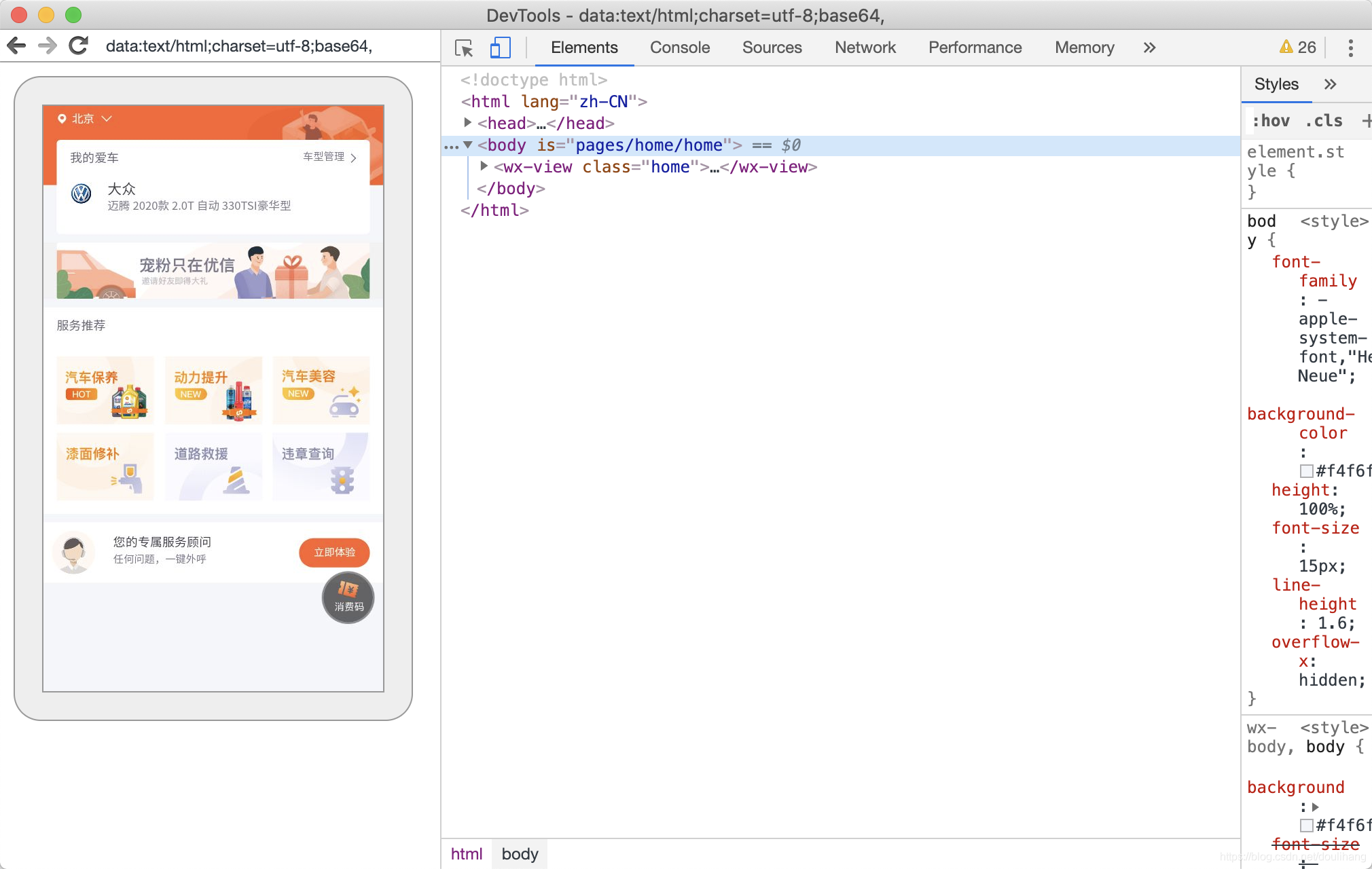
3)点击句柄中包含VISIBLE的WebView下面的inspect按钮,弹出如下页面
二、下载手机端Chrome对应的webdriver
1.查看手机端Chrome的版本号
PC端打开谷歌浏览器,输入chrome://inspect/#devices,回车,下图为手机端Chrome的版本号

2.点击如下链接下载Chrome对应的webdriver
点此下载
我这边选择的是红框中的,具体选择哪个版本,需要根据自己手机端Chrome的版本号决定

三、实战演示
前提:
微信搜索小程序”优信养车“,绑定手机号,并选择一辆车。
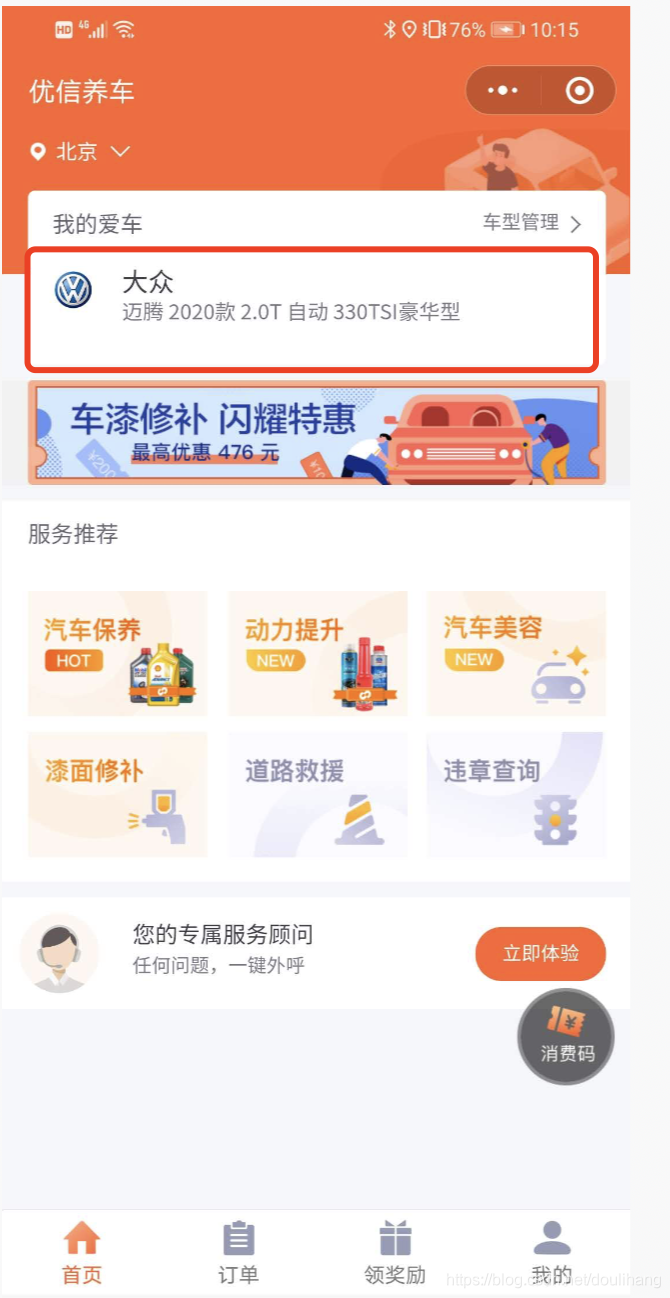
代码执行步骤如下:
- 打开微信
- 下拉进入搜索小程序页面
- 点击搜索框
- 输入优信养车
- 点击优信养车,进入优信养车小程序
- 点击车型管理
- 新增我的车辆
代码部分:
#!usr/bin/env python
# -*- coding:utf-8 -*-
"""
@author:doulihang
@file: test_xiaochengxu.py
@time: 2020/08/15
@remark:
"""
import os
from time import sleepimport yaml
from appium import webdriver
from selenium.webdriver.common.action_chains import ActionChains
from selenium.webdriver.common.by import By
from selenium.webdriver.support.wait import WebDriverWaitclass Testxiaochengxu:def setup(self):cps = {'platformName': 'Android','fastReset': 'false','noReset': True,# 'platformVersion': '9','deviceName': '79UNW19701000783','appPackage': 'com.tencent.mm','appActivity': 'com.tencent.mm.ui.LauncherUI','fullReset': 'false','unicodeKeyboard': True,'resetKeyboard': True,'chromeOptions': {'androidProcess': 'com.tencent.mm:appbrand0'},#配置第2.2步下载的手机浏览器驱动路径"chromedriverExecutable": "/Users/doulihang/work/project/weeds_study/xiaochengxu/chromedriver","automationName": "UiAutomator2"}self.driver = webdriver.Remote("http://127.0.0.1:4723/wd/hub", cps)print(cps)self.driver.implicitly_wait(10)self.driver.find_element(By.XPATH, "//*[@text='通讯录']")def test_carsir(self):# 原生自动化self.driver.implicitly_wait(20)# 获取屏幕的尺寸size = self.driver.get_window_size()# 下拉操作self.driver.swipe(size["width"] * 0.5, size["height"] * 0.4, size["width"] * 0.5, size["height"] * 0.9)# 点击搜索框self.driver.find_element(By.ID, "com.tencent.mm:id/lj").click()self.driver.find_element(By.ID, "com.tencent.mm:id/bhn").send_keys("优信养车")# 执行adb命令,调起百度键盘os.system('adb shell settings put secure default_input_method com.baidu.input/.ImeService')# 每隔0.5秒点击优信养车小程序while True:self.driver.press_keycode(84)try:sleep(0.5)self.driver.find_element(By.CLASS_NAME, "android.widget.Button").click()breakexcept:passsleep(5)# 切换到小程序android进程self.driver.switch_to.context(r"WEBVIEW_com.tencent.mm:appbrand0")sleep(5)# 点击车型管理self.wait_time("/html/body/wx-view/wx-view[1]/wx-view[2]/wx-view/wx-view[1]/wx-view[2]/wx-view[1]").click()# 跳转到最顶部的窗口self.find_top_window()# 点击新增车型self.wait_time("/html/body/wx-view/wx-view").click()self.find_top_window()# 给小程序输入文字self.send_kenys('/html/body/wx-view/wx-view[1]/wx-view/wx-view/wx-text', "大众")# 选择列表中的第二个车系self.wait_time('/html/body/wx-view/wx-view[2]/wx-scroll-view/div/div[1]/div/wx-view/wx-view[2]').click()self.find_top_window()# 选择第一个车型self.wait_time('/html/body/wx-view/wx-scroll-view/div/div[1]/div/wx-view/wx-view[2]/wx-view[2]/wx-text').click()sleep(5)# self.find_top_window()# # 点击删除# self.wait_time(#     '/html/body/wx-view/wx-scroll-view/div/div[1]/div/wx-view[2]/wx-view[2]/wx-view[2]/wx-text[2]/span[2]').click()# # 切换到原生页面# self.driver.switch_to.context(r"NATIVE_APP")# self.driver.find_element_by_android_uiautomator('new UiSelector().text("确定")').click()def find_top_window(self):"""找到顶层可用的窗口:return:"""for window in self.driver.window_handles:# VISIBLE为顶层可用窗口,INVISIBLE为非顶层可用窗口if ":VISIBLE" in self.driver.title:passelse:self.driver.switch_to.window(window)def wait_time(self, locator):WebDriverWait(self.driver, 30).until(lambda x: self.driver.find_element_by_xpath(locator))return self.driver.find_element_by_xpath(locator)def send_kenys(self, locator, vaule):# 执行adb命令,调起adbkeyboard键盘os.system('adb shell settings put secure default_input_method com.android.adbkeyboard/.AdbIME')# 点击搜索框,self.wait_time(locator).click()# 切换到原生页面self.driver.switch_to.context(r"NATIVE_APP")sleep(2)# 输入文字,支持中文os.system(f'adb shell am broadcast -a ADB_INPUT_TEXT --es msg "{vaule}"')# 切换回小程序self.driver.switch_to.context(r"WEBVIEW_com.tencent.mm:appbrand0")
本文来自互联网用户投稿,文章观点仅代表作者本人,不代表本站立场,不承担相关法律责任。如若转载,请注明出处。 如若内容造成侵权/违法违规/事实不符,请点击【内容举报】进行投诉反馈!