Django 简易PACS读片系统
1、Django中写一个后端接口,给HTML提供dicom文件接口的方式
1、首先创建django项目
1、下载安装跨域的包
pip3 install django-cors-headers
2、使用pycharm创建一个Django项目
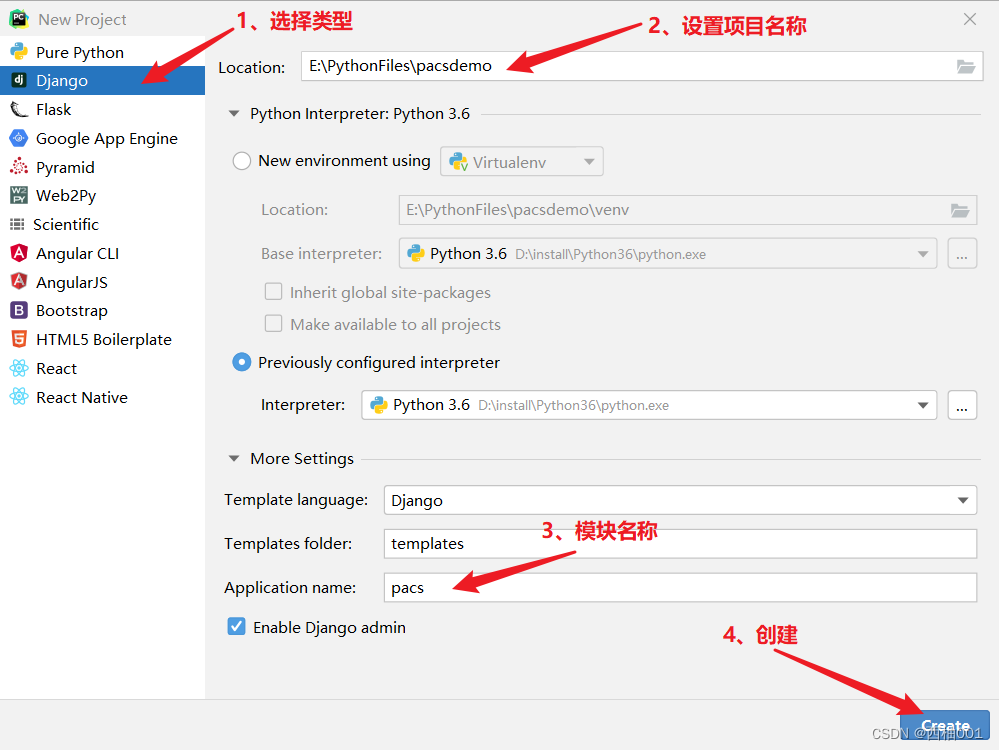
3、点击创建在另一个窗口,这个都无所谓,怎么都行,就是打开这个项目
4、创建成功的项目就是下面这个样子
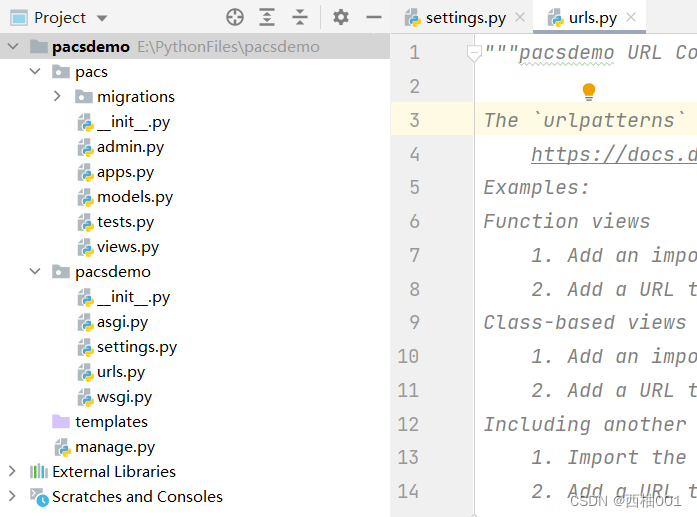
5、先修改几个选项,后面好操作
下面是我的settings设置,我把修改的地方标注出来
"""
Django settings for pacsdemo project.Generated by 'django-admin startproject' using Django 3.2.18.For more information on this file, see
https://docs.djangoproject.com/en/3.2/topics/settings/For the full list of settings and their values, see
https://docs.djangoproject.com/en/3.2/ref/settings/
"""
# 添加这个import os
import os
from pathlib import Path# Build paths inside the project like this: BASE_DIR / 'subdir'.
BASE_DIR = Path(__file__).resolve().parent.parent# Quick-start development settings - unsuitable for production
# See https://docs.djangoproject.com/en/3.2/howto/deployment/checklist/# SECURITY WARNING: keep the secret key used in production secret!
SECRET_KEY = 'django-insecure-uv!_mka##8#citwx_q$o71)@!8tfaa-6wyrb!h8&4fm+m-=-d='# SECURITY WARNING: don't run with debug turned on in production!
DEBUG = True
# 设置所有IP都可以访问,局域网
ALLOWED_HOSTS = ['*']# Application definition# 添加跨域设置
INSTALLED_APPS = ['django.contrib.admin','django.contrib.auth','django.contrib.contenttypes','django.contrib.sessions','django.contrib.messages','django.contrib.staticfiles','pacs.apps.PacsConfig','corsheaders'  # 跨域设置
]MIDDLEWARE = ['django.middleware.security.SecurityMiddleware','django.contrib.sessions.middleware.SessionMiddleware','django.middleware.common.CommonMiddleware','django.middleware.csrf.CsrfViewMiddleware','django.contrib.auth.middleware.AuthenticationMiddleware','django.contrib.messages.middleware.MessageMiddleware','django.middleware.clickjacking.XFrameOptionsMiddleware',
]# 新添加的设置
CORS_ALLOW_CREDENTIALS = True
CORS_ALLOW_ALL_ORIGINS = False
CORS_ORIGIN_WHITELIST = ["http://192.168.0.30:8000","http://localhost:63409",
]
CORS_ORIGIN_ALLOW_ALL = TrueCORS_ALLOW_METHODS = ('DELETE','GET','OPTIONS','PATCH','POST','PUT','VIEW'
)CORS_ALLOW_HEADERS = ('accept','accept-encoding','authorization','content-type','dnt','origin','user-agent','x-csrftoken','x-requested-with',
)ROOT_URLCONF = 'pacsdemo.urls'TEMPLATES = [{'BACKEND': 'django.template.backends.django.DjangoTemplates','DIRS': [BASE_DIR / 'templates'],'APP_DIRS': True,'OPTIONS': {'context_processors': ['django.template.context_processors.debug','django.template.context_processors.request','django.contrib.auth.context_processors.auth','django.contrib.messages.context_processors.messages',],},},
]WSGI_APPLICATION = 'pacsdemo.wsgi.application'# Database
# https://docs.djangoproject.com/en/3.2/ref/settings/#databases# 连接本地的mysql数据库
DATABASES = {'default': {'ENGINE': 'django.db.backends.mysql','NAME': 'pacsdemo',   #  你的数据库名称'USER': '******',  # 你的账户'PASSWORD': '******',  #你的密码'HOST': '127.0.0.1','PORT': '3306',}
}# Password validation
# https://docs.djangoproject.com/en/3.2/ref/settings/#auth-password-validatorsAUTH_PASSWORD_VALIDATORS = [{'NAME': 'django.contrib.auth.password_validation.UserAttributeSimilarityValidator',},{'NAME': 'django.contrib.auth.password_validation.MinimumLengthValidator',},{'NAME': 'django.contrib.auth.password_validation.CommonPasswordValidator',},{'NAME': 'django.contrib.auth.password_validation.NumericPasswordValidator',},
]# Internationalization
# https://docs.djangoproject.com/en/3.2/topics/i18n/# 设置时间,上海的时间
LANGUAGE_CODE = 'zh-Hans'TIME_ZONE = 'Asia/Shanghai'USE_I18N = TrueUSE_L10N = TrueUSE_TZ = False# Static files (CSS, JavaScript, Images)
# https://docs.djangoproject.com/en/3.2/howto/static-files/# 加载静态文件的设置
STATIC_URL = '/static/'
STATICFILES_DIRS = [os.path.join(BASE_DIR, 'static'),
]# Default primary key field type
# https://docs.djangoproject.com/en/3.2/ref/settings/#default-auto-fieldDEFAULT_AUTO_FIELD = 'django.db.models.BigAutoField'
6、把表结构映射到数据库中
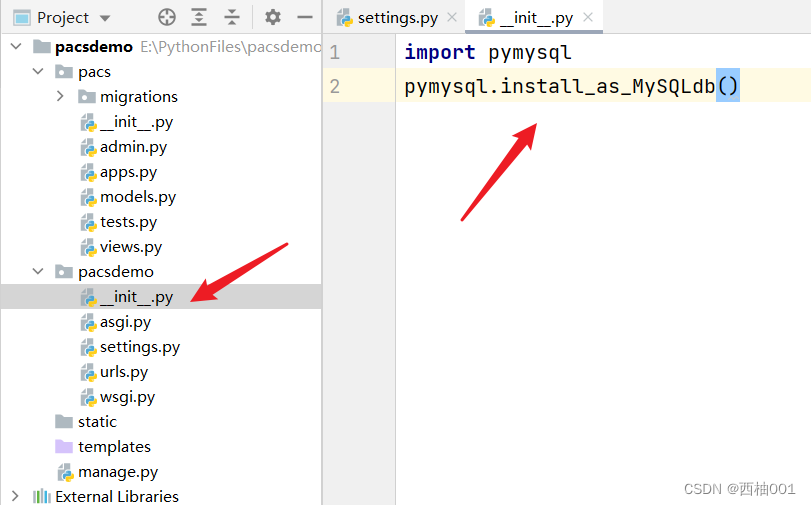
连接数据库的设置,没有这个设置,数据库会连接失败
import pymysql
pymysql.install_as_MySQLdb()
7、在终端运行两行命令
python manage.py makemigrations
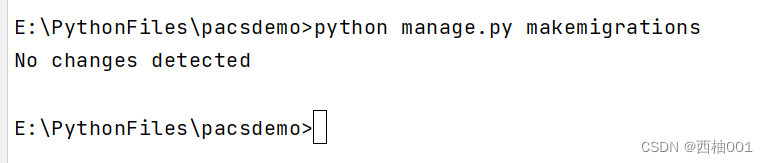
8、运行第二行命令
python manage.py migrate
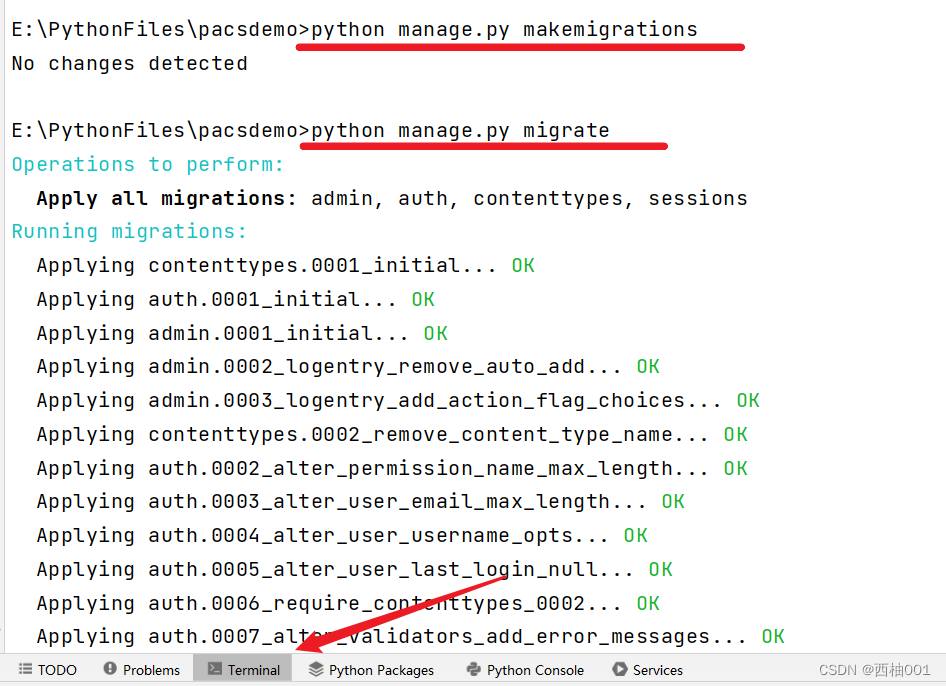
9、第一步完成,数据库连接成功,基础设置完成
2、写前端页面,并且和后端接口,传递单个dicom文件,并且显示出来
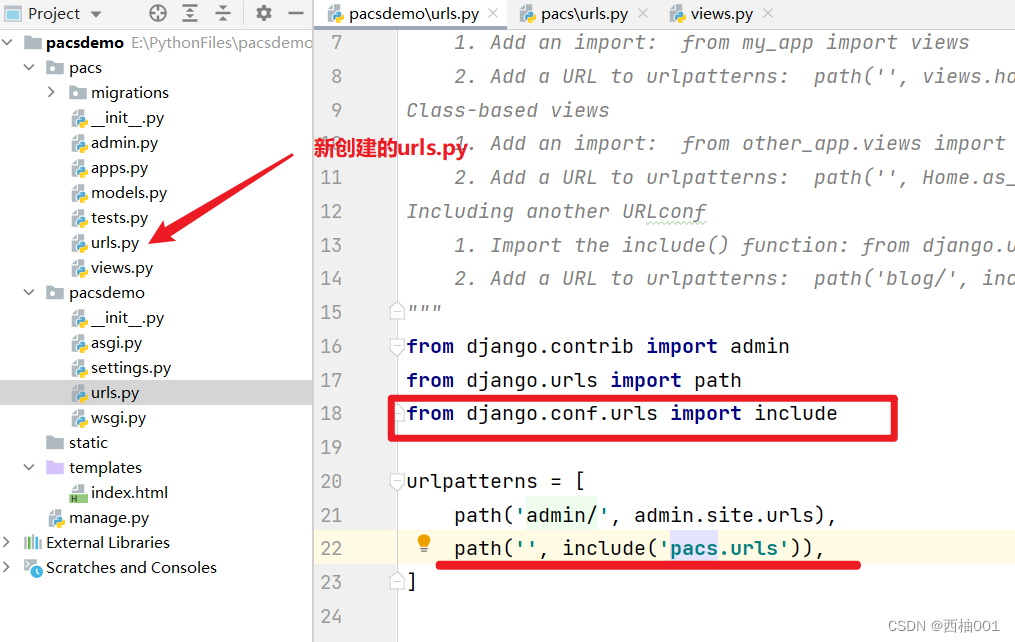
1、先添加一个路由
from django.conf.urls import include
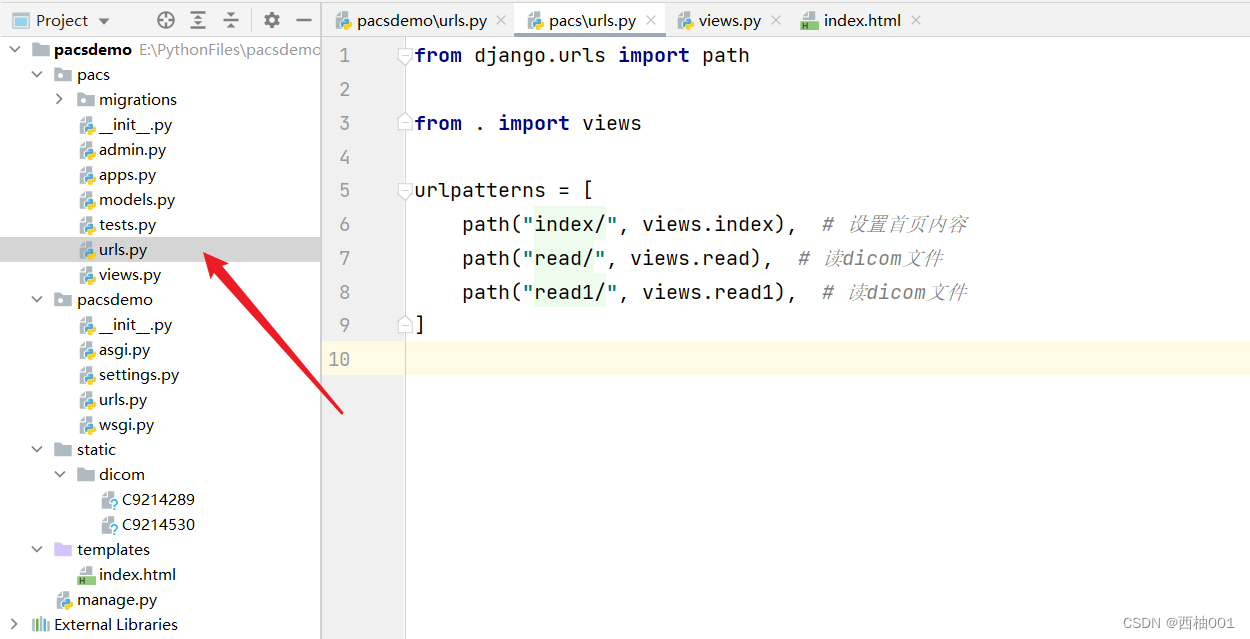
2、然后在pacs中写urls.py里面的内容
from django.urls import pathfrom . import viewsurlpatterns = [path("index/", views.index),  # 设置首页内容path("read/", views.read),  # 读dicom文件path("read1/", views.read1),  # 读dicom文件
]
3、写这个index的方法,在views.py中
from django.shortcuts import render
from django.http import HttpResponse, FileResponse# Create your views here.
def index(request):return render(request, 'index.html')def read(request):file = open('static/dicom/C9214289', 'rb')response = FileResponse(file)response['Content-Type'] = 'application/octet-stream'response['Content-Disposition'] = 'attachment;filename="1.dcm"'return responsedef read1(request):file = open('static/dicom/C9214530', 'rb')response = FileResponse(file)response['Content-Type'] = 'application/octet-stream'response['Content-Disposition'] = 'attachment;filename="2.dcm"'return response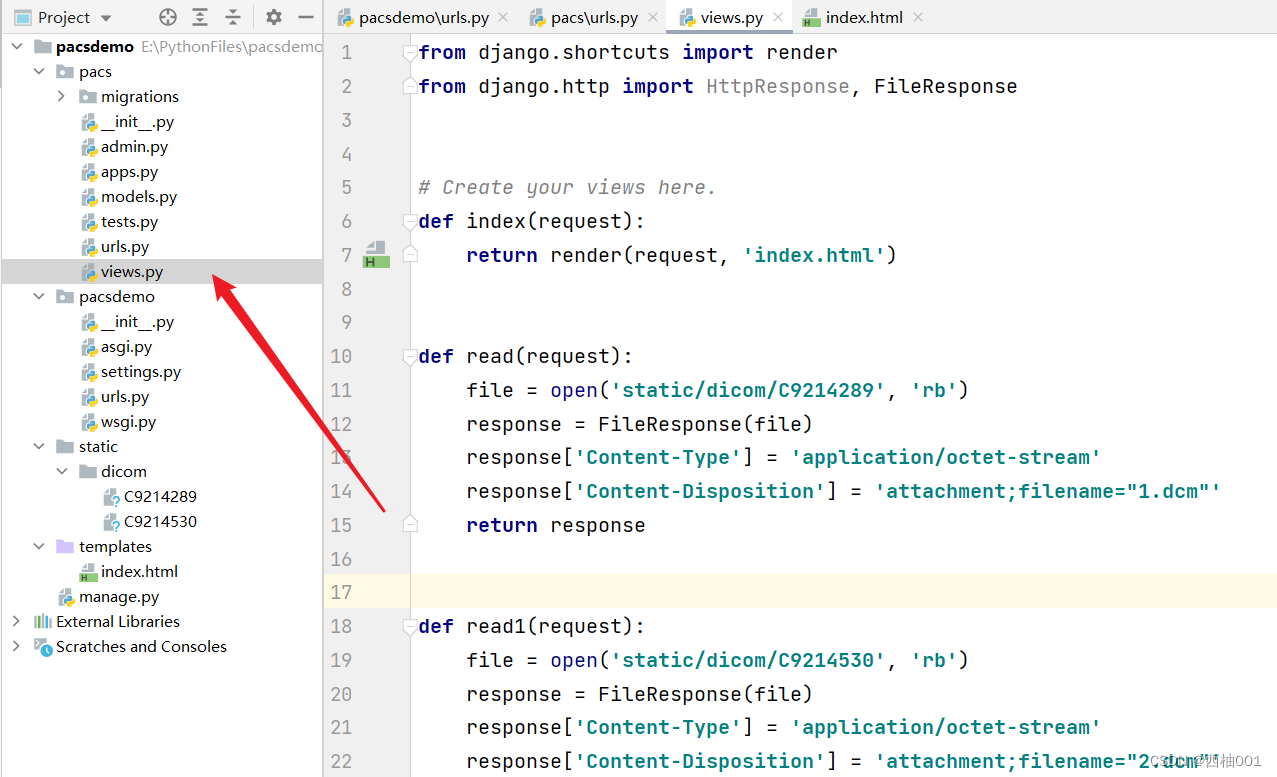
4、写index.html的内容
我写的这个html,直接放进去就可以看,其中的内容你可以通过cornerstone.js查看
pacs
全部都是鼠标左键的操作
5、启动项目
1、第一种,通过pycharm打开

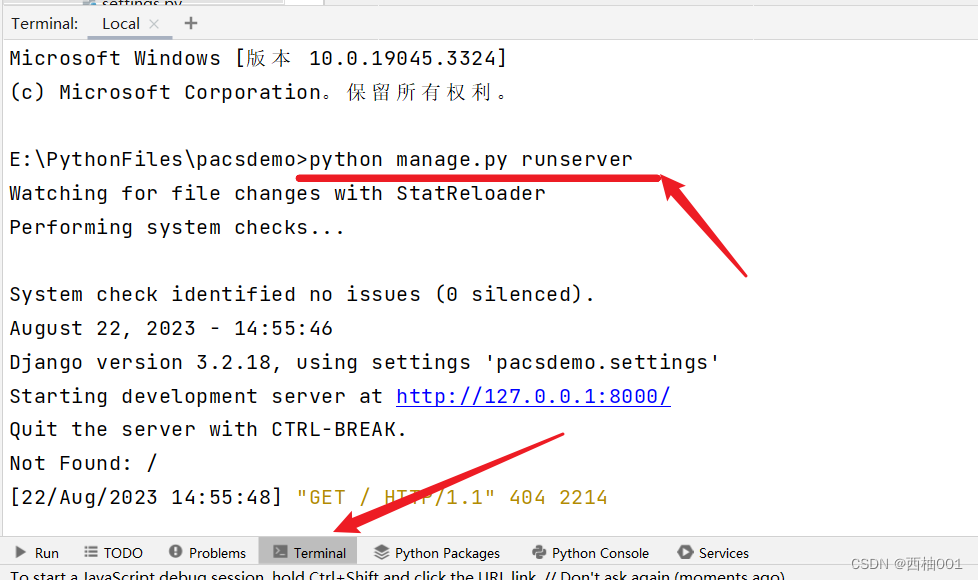
2、第二种,命令行的方式
python manage.py runserver
5、查看网页
其中的功能都可以进行操作,后续我进行优化,默认滚动条是切换dicom
http://127.0.0.1:8000/index/
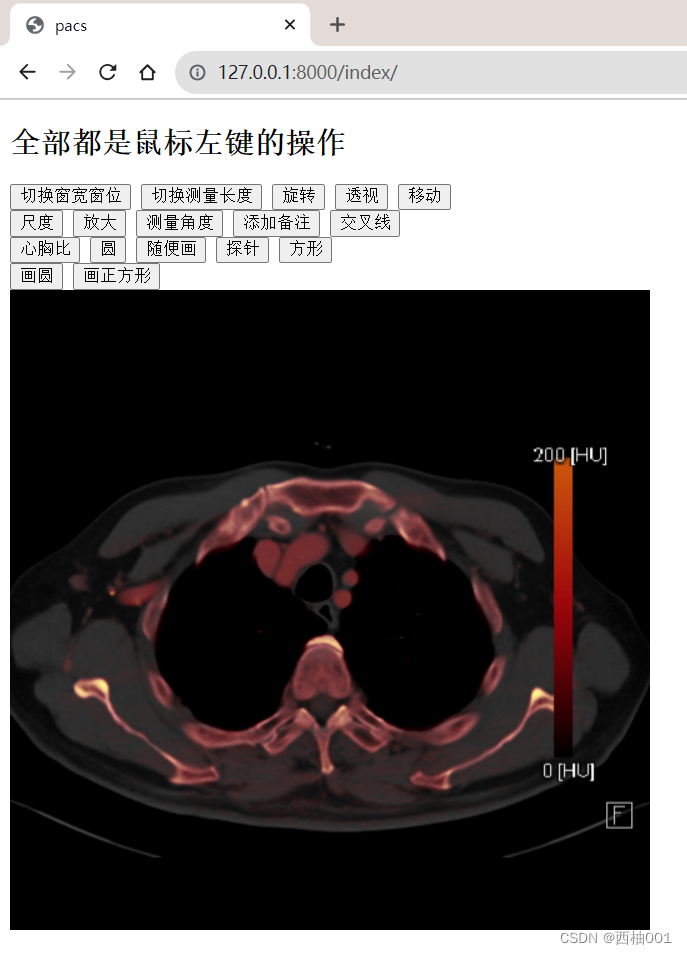
6、成功
本文来自互联网用户投稿,文章观点仅代表作者本人,不代表本站立场,不承担相关法律责任。如若转载,请注明出处。 如若内容造成侵权/违法违规/事实不符,请点击【内容举报】进行投诉反馈!