k8s-CKS真题-故障排查Sysdig falco
目录
- 题目
- 环境搭建
- 安装sysdig
- 创建容器
- 创建目录、文件
- 解题 - sysdig
- 解题 - falco
- 错误(centos下安装)
- 模拟环境
- 参考
题目
Task:
使用运行时检测工具来检测 Pod tomcat123 单个容器中频发生成和执行的异常进程。
有两种工具可供使用:sysdigfalco注:这些工具只预装在 cluster 的工作节点 node02 上,不在 master 节点。
使用工具至少分析 30 秒 ,使用过滤器检查生成和执行的进程,将事件写到 /opt/KSR00101/incidents/summary 文件中,
其中包含检测的事件, 格式如下:
timestamp,uid/username,processName
保持工具的原始时间戳格式不变。注:确保事件文件存储在集群的工作节点上。
请注意,考试时,考题里已表明 sysdig 在工作节点上,所以你需要ssh 到开头写的工作节点上。
环境搭建
安装sysdig
在下方github参考链接的Release下载即可
博主下载的sysdig-0.31.5-x86_64.tar.gz,之后把可执行文件移动即可
命令
tar -zxf sysdig-0.31.5-x86_64.tar.gz
cp sysdig-0.31.5-x86_64/usr/bin/sysdig /usr/bin/sysdig
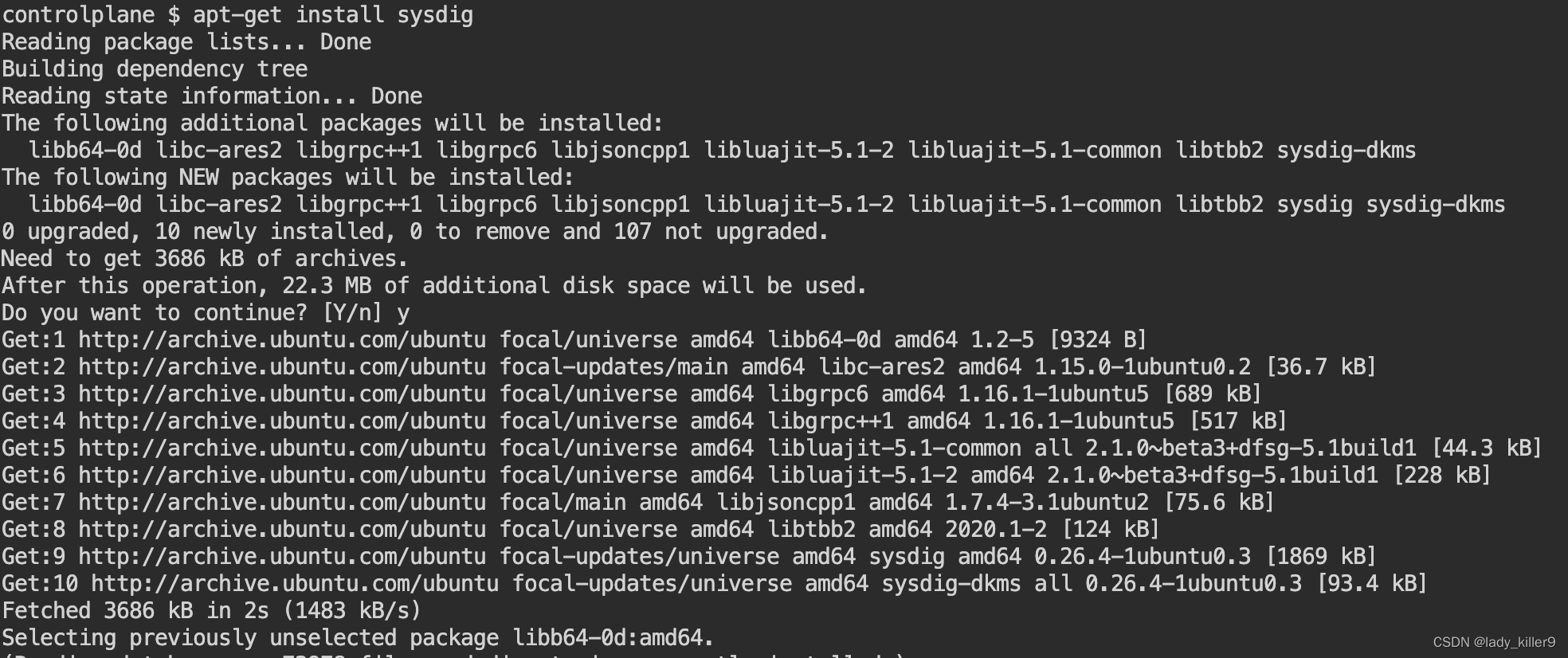
ubuntu 安装sysdig
命令
apt-get install -y sysdig
截图
sysdig --help
sysdig version 0.31.5
Usage: sysdig [options] [-p <output_format>] [filter]Options:-A, --print-ascii Only print the text portion of data buffers, and echoend-of-lines. This is useful to only display human-readabledata.-b, --print-base64 Print data buffers in base64. This is useful for encodingbinary data that needs to be used over media designed tohandle textual data (i.e., terminal or json).-B<bpf_probe>, --bpf=<bpf_probe>Enable live capture using the specified BPF probe instead of the kernel module.The BPF probe can also be specified via the environment variableSYSDIG_BPF_PROBE. If <bpf_probe> is left empty, sysdig willtry to load one from the scap-driver-loader script.-c <chiselname> <chiselargs>, --chisel <chiselname> <chiselargs>run the specified chisel. If the chisel require arguments,they must be specified in the command line after the name.-cl, --list-chiselslists the available chisels. Sysdig looks for chisels in thefollowing directories: ./chisels, ~/.chisels, /usr/share/sysdig/chisels.--cpus-for-each-buffer <cpus_num>[EXPERIMENTAL] Please note this config regards only the modern BPF probe.They are experimental so they could change over releases.How many CPUs you want to assign to a single syscall buffer (ring buffer).By default, every syscall buffer is associated to 2 CPUs, so the mapping is1:2. The modern BPF probe allows you to choose different mappings, forexample, 1:1 would mean a syscall buffer for each CPU.-C <file_size>, --file-size=<file_size>Before writing an event, check whether the file iscurrently larger than file_size and, if so, close thecurrent file and open a new one. Saved files will have thename specified with the -w flag, with a number after it,starting at 0 and continuing upward. The units of file_sizeare millions of bytes (10^6, not 2^20). Use the -W flag todetermine how many files will be saved to disk.--cri <path> Path to CRI socket for container metadataUse the specified socket to fetch data from a CRI-compatible runtime--cri-timeout <timeout_ms>Wait at most <timeout_ms> milliseconds for response from CRI-d, --displayflt Make the given filter a display oneSetting this option causes the events to be filteredafter being parsed by the state system. Events arenormally filtered before being analyzed, which is moreefficient, but can cause state (e.g. FD names) to be lost.-D, --debug Capture events about sysdig itself, display internal eventsin addition to system events, and print additionallogging on standard error.-E, --exclude-usersDon't create the user/group tables by querying the OS whensysdig starts. This also means that no user or group infowill be written to the trace file by the -w flag.The user/group tables are necessary to use filter fieldslike user.name or group.name. However, creating them canincrease sysdig's startup time. Moreover, they containinformation that could be privacy sensitive.-e <num_events> If used together with -w option, creates a series of dump filescontaining only a specified number of events given in num_eventsparameter each.Used alongside -W flags creates a ring buffer of file containingnum_events each.-F, --fatfile Enable fatfile modewhen writing in fatfile mode, the output file will containevents that will be invisible when reading the file, butthat are necessary to fully reconstruct the state.Fatfile mode is useful when saving events to disk with anaggressive filter. The filter could drop events that wouldthe state to be updated (e.g. clone() or open()). Withfatfile mode, those events are still saved to file, but'hidden' so that they won't appear when reading the file.Be aware that using this flag might generate substantiallybigger traces files.--filter-proclist apply the filter to the process tablea full dump of /proc is typically included in any trace fileto make sure all the state required to decode events is in thefile. This could cause the file to contain unwanted or sensitiveinformation. Using this flag causes the command line filter tobe applied to the /proc dump as well.-g, --gvisor-configParse events from gVisor using the specified configuration file.A sysdig-compatible configuration file can be generated with --gvisor-generate-configand can be used for both runsc and sysdig.--gvisor-generate-config [=(=/tmp/gvisor.sock)]Generate a configuration file that can be used for gVisor.--gvisor-root gVisor root directory for storage of container state. Equivalent to runsc --root flag.-G , --seconds=Rotates the dump file specified with the -w option everynum_seconds seconds. Saved files will have the name specifiedby -w which should include a time format as defined by strftime(3).If no time format is specified, a counter will be used.If no data format is specified, this can be used with -W flag tocreate a ring buffer of events.-h, --help Print this page-H [:], --plugin [:]Registers a plugin, using the passed init config if present.The format of initconf is controlled by the plugin, refer to eachplugin' s documentation to learn about it.A path can also be used as pluginname.-I <pluginname>[:<openparams>], --input <pluginname>[:<openparams>]Set a previously registered plugin as input,capturing events using it and passing the openparams string as open parameters.Only a single source plugin can be registered.If no plugins were registered, any found plugin in the directoriesspecified by ;-separated environment variable SYSDIG_PLUGIN_DIR andin /usr/share/sysdig/plugins is registered; then use the provided one as input source.The format of openparams is controlled by the plugin, refer to eachplugin's documentation to learn about it.See https://falco.org/docs/plugins/plugin-api-reference/#ss-plugin-t-plugin-init-const-char-config-int32-t-rc-required-yesand https://falco.org/docs/plugins/plugin-api-reference/#ss-instance-t-plugin-open-ss-plugin-t-s-const-char-params-int32-t-rc-required-yes for more infos.The event sources available for capture vary depending on which plugins have been installed.-Il Lists the loaded plugins. If no plugin has been registered through '-H',Sysdig looks for plugins in the directories specified by ;-separated environment variable SYSDIG_PLUGIN_DIR andin /usr/share/sysdig/plugins.-i , --chisel-info Get a longer description and the arguments associated witha chisel found in the -cl option list.-j, --json Emit output as json, data buffer encoding will depend from theprint format selected.-k , --k8s-api=Enable Kubernetes support by connecting to the API serverspecified as argument. E.g. "http://admin:password@127.0.0.1:8080".The API server can also be specified via the environment variableSYSDIG_K8S_API.--node-name=The node name is used as a filter when requesting metadata of podsto the API server; if empty, no filter is set-K | :[:], --k8s-api-cert= | :[:]Use the provided files names to authenticate user and (optionally) verify the K8S APIserver identity.Each entry must specify full (absolute, or relative to the current directory) pathto the respective file.Private key password is optional (needed only if key is password protected).CA certificate is optional. For all files, only PEM file format is supported. Specifying CA certificate only is obsoleted - when single entry is provided for this option, it will be interpreted as the name of a file containing bearer token.Note that the format of this command-line option prohibits use of files whose names contain' :' or '#' characters in the file name.Option can also be provided via the environment variable SYSDIG_K8S_API_CERT.-L, --list-events List the events that the engine supports-l, --list List the fields that can be used for filtering and outputformatting. Use -lv to get additional information for eachfield.--libs-version Print the falcosecurity/libs version--large-environmentSupport environments larger than 4KiBWhen the environment is larger than 4KiB, load the wholeenvironment from /proc instead of truncating to the first 4KiBThis may fail for short-lived processes and in that casethe truncated environment is used instead.--log-level=<trace|debug|info|notice|warning|error|critical|fatal>Select log level. Useful together with --debug.--list-markdown like -l, but produces markdown output-m <url[,marathon_url]>, --mesos-api=<url[,marathon_url]>Enable Mesos support by connecting to the API serverspecified as argument. E.g. "http://admin:password@127.0.0.1:5050".Marathon url is optional and defaults to Mesos address, port 8080.The API servers can also be specified via the environment variableSYSDIG_MESOS_API.
--modern-bpf[EXPERIMENTAL] Enable live capture using the modern BPF probe instead ofof the kernel module.-M <num_seconds> Stop collecting after <num_seconds> reached.-n <num>, --numevents=<num>Stop capturing after <num> events--page-faults Capture user/kernel major/minor page faults--plugin-config-fileLoad the plugin configuration from a Falco-compatible yaml file.Do not mix this option with the '-H' or '-I' options: it is unsupported.See the plugin section in https://falco.org/docs/configuration/ foradditional information-P, --progress Print progress on stderr while processing trace files-p <output_format>, --print=<output_format>Specify the format to be used when printing the events.With -pc or -pcontainer will use a container-friendly format.With -pk or -pkubernetes will use a kubernetes-friendly format.With -pm or -pmesos will use a mesos-friendly format.See the examples section below for more info.--plugin-info <pluginname>Print info for a single plugin. This includes name, author,and all the descriptive info of the plugin. If present,this also prints the schema format for the init configurationand a list of suggested open parameters.All this info is controlled by the plugin, refer to eachplugin's documentation to learn more about it.This can be combined with the -H option to load the pluginwith a given configuration.A path can also be used as pluginname.-q, --quiet Don't print events on the screenUseful when dumping to disk.-R Resolve port numbers to names.-r <readfile>, --read=<readfile>Read the events from <readfile>.-S, --summary print the event summary (i.e. the list of the top events)when the capture ends.-s <len>, --snaplen=<len>Capture the first <len> bytes of each I/O buffer.By default, the first 80 bytes are captured. Use thisoption with caution, it can generate huge trace files.-t <timetype>, --timetype=<timetype>Change the way event time is displayed. Accepted values areh for human-readable string, a for absolute timestamp fromepoch, r for relative time from the beginning of thecapture, d for delta between event enter and exit, andD for delta from the previous event.-T, --force-tracers-captureTell the driver to make sure full buffers are captured from/dev/null, to make sure that tracers are completelycaptured. Note that sysdig will enable extended /dev/nullcapture by itself after detecting that tracers are writtenthere, but that could result in the truncation of sometracers at the beginning of the capture. This option allowspreventing that.--unbuffered Turn off output buffering. This causes every single lineemitted by sysdig to be flushed, which generates higher CPUusage but is useful when piping sysdig's output into anotherprocess or into a script.-U, --suppress-commIgnore all events from processes having the provided comm.-v, --verbose Verbose output.This flag will cause the full content of text and binarybuffers to be printed on screen, instead of being truncatedto 40 characters. Note that data buffers length is stilllimited by the snaplen (refer to the -s flag documentation)-v will also make sysdig print some summary information atthe end of the capture.--version Print version number.-w , --write=Write the captured events to .-W , --limit Used in conjunction with the -C option, this will limit the numberof files created to the specified number, and begin overwriting filesfrom the beginning, thus creating a ' rotating' buffer.Used in conjunction with the -G option, this will limit the numberof rotated dump files that get created, exiting with status 0 whenreaching the limit. If used with -C as well, the behavior will resultin cyclical files per timeslice.-x, --print-hex Print data buffers in hex.-X, --print-hex-asciiPrint data buffers in hex and ASCII.-z, --compress Used with -w, enables compression for trace files.Output format:By default, sysdig prints the information for each captured event on a singleline with the following format:%evt.num %evt.outputtime %evt.cpu %proc.name (%thread.tid) %evt.dir %evt.type %evt.infowhere:evt.num is the incremental event numberevt.time is the event timestampevt.cpu is the CPU number where the event was capturedproc.name is the name of the process that generated the eventthread.tid id the TID that generated the event, which corresponds to thePID for single thread processesevt.dir is the event direction, > for enter events and < for exit eventsevt.type is the name of the event, e.g. 'open' or 'read'evt.info is the list of event arguments.The output format can be customized with the -p switch, using any of the
fields listed by 'sysdig -l'.Using -pc or -pcontainer, the default format will be changed to a container-friendly one:%evt.num %evt.outputtime %evt.cpu %container.name (%container.id) %proc.name (%thread.tid:%thread.vtid) %evt.dir %evt.type %evt.infoUsing -pk or -pkubernetes, the default format will be changed to a kubernetes-friendly one:%evt.num %evt.outputtime %evt.cpu %k8s.pod.name (%container.id) %proc.name (%thread.tid:%thread.vtid) %evt.dir %evt.type %evt.infoUsing -pm or -pmesos, the default format will be changed to a mesos-friendly one:%evt.num %evt.outputtime %evt.cpu %mesos.task.name (%container.id) %proc.name (%thread.tid:%thread.vtid) %evt.dir %evt.type %evt.infoExamples:Capture all the events from the live system and print them to screen$ sysdigCapture all the events from the live system and save them to disk$ sysdig -w dumpfile.scapRead events from a file and print them to screen$ sysdig -r dumpfile.scapPrint all the open system calls invoked by cat$ sysdig proc.name=cat and evt.type=openPrint the name of the files opened by cat$ sysdig -p"%evt.arg.name" proc.name=cat and evt.type=openRegister any found plugin and use dummy as input source passing to it open params$ sysdig -I dummy:10'Load and register dummy source plugin passing to it init config and open params$ sysdig -H dummy:'{"jitter":50}' -I dummy:10
创建容器
kubectl run tomcat123 --image=nginx
创建目录、文件
mkdir -p /opt/KSR00101/incidents/ && touch /opt/KSR00101/incidents/summary
解题 - sysdig
查看容器名字或ID
docker ps | grep tomcat123
如果没有docker,使用
crictl ps | grep tomcat123
如果都没有,可以使用
kubectl get po tomcat123 -oyaml | grep containerID
使用sysdig做检测
命令
sysdig -M 30 -p "%evt.time,%user.name,%proc.name" --cri /run/containerd/containerd.sock container.name=tomcat123 >> /opt/KSR00101/incidents/summary
sysdig -M 30 -p "%evt.time,%user.name,%proc.name" --cri /run/containerd/containerd.sock container.id= >> /opt/KSR00101/incidents/summary
截图

解题 - falco
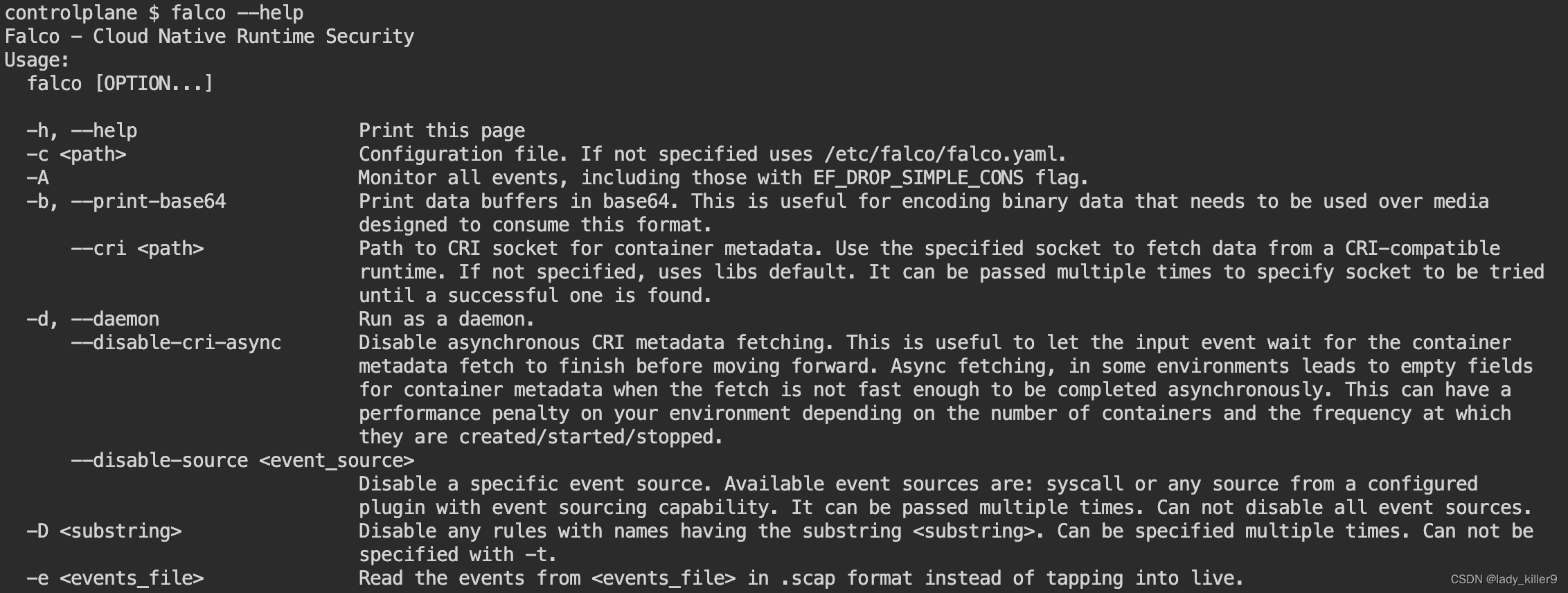
查看一下falco是否安装
命令
falco --help
截图
查看tomcat123 pod是否存在
命令
kubectl get po
截图

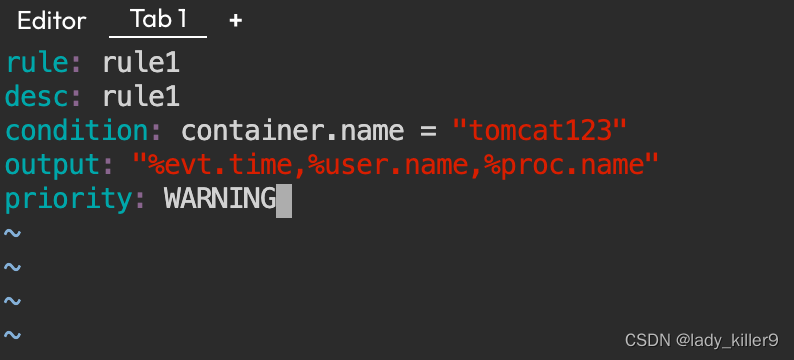
写一个falco规则
rule1.yaml
- rule: rule1desc: rule1condition: container.name = "tomcat123"output: "%evt.time,%user.name,%proc.name"priority: WARNING
截图
命令
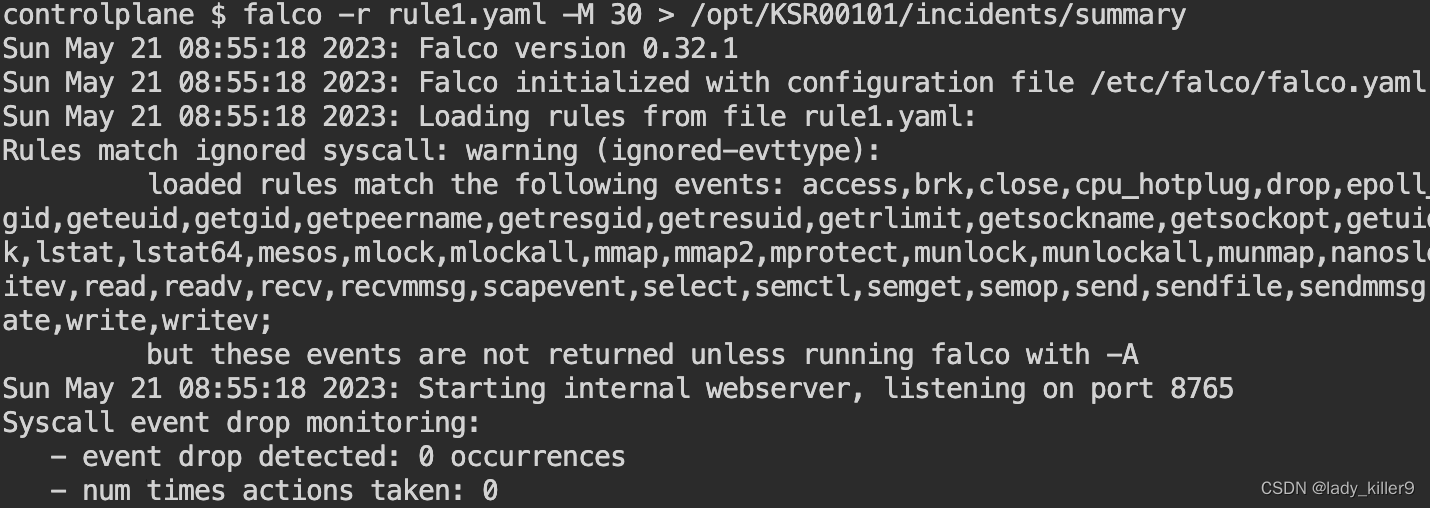
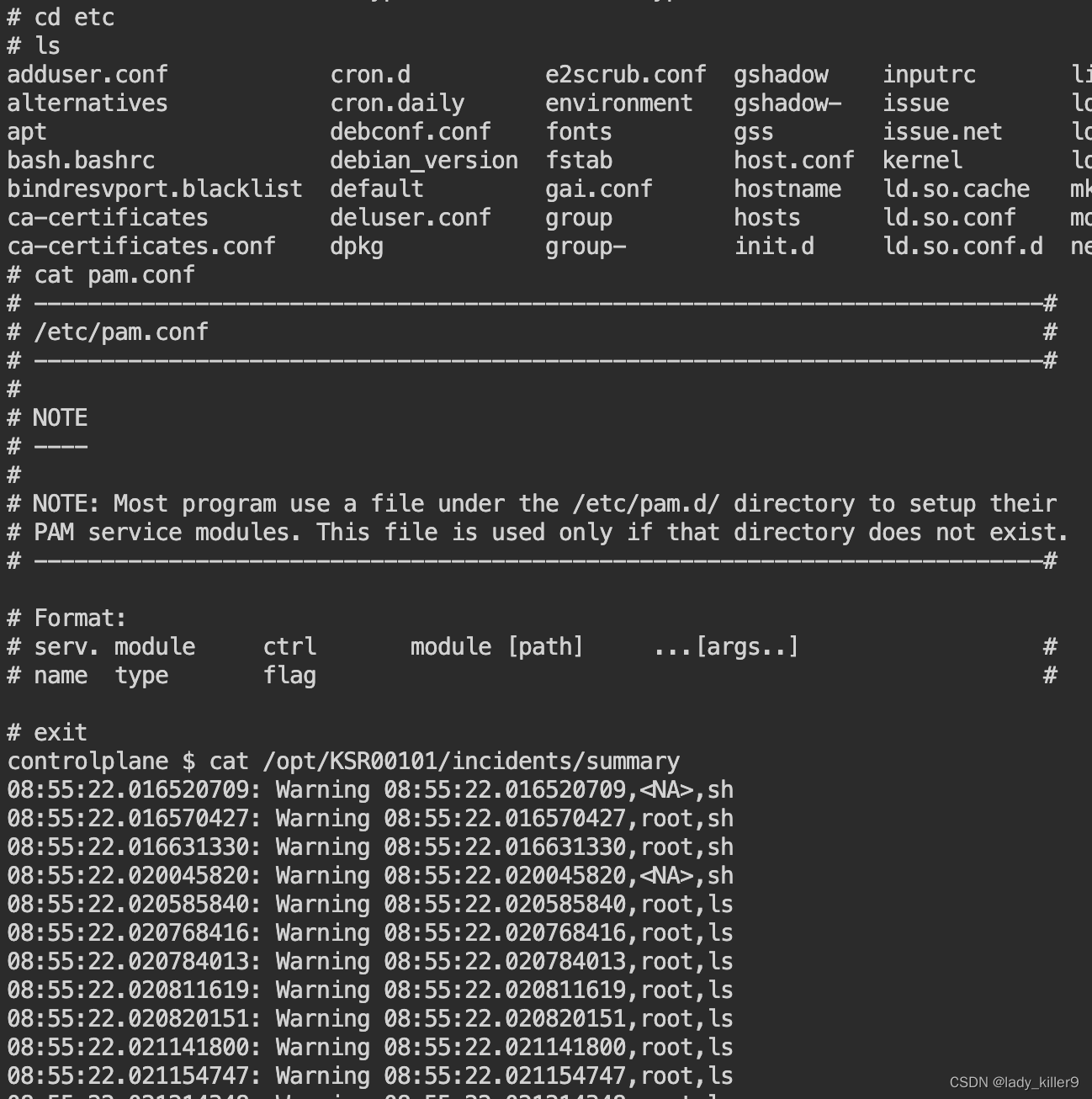
sudo falco -M 30 -r rule1.yaml >> /opt/KSR00101/incidents/summary
等待30秒,等待期间再开一个tab,进入容器执行ls等操作
截图
错误(centos下安装)
Unable to load the driver
error opening device /dev/scap0. Make sure you have root credentials and that the scap module is loaded: No such file or directory
modprobe scap
modprobe: ERROR: could not insert 'scap': Required key not available
看了一下,是操作系统层面的问题,直接在模拟环境下做题了。
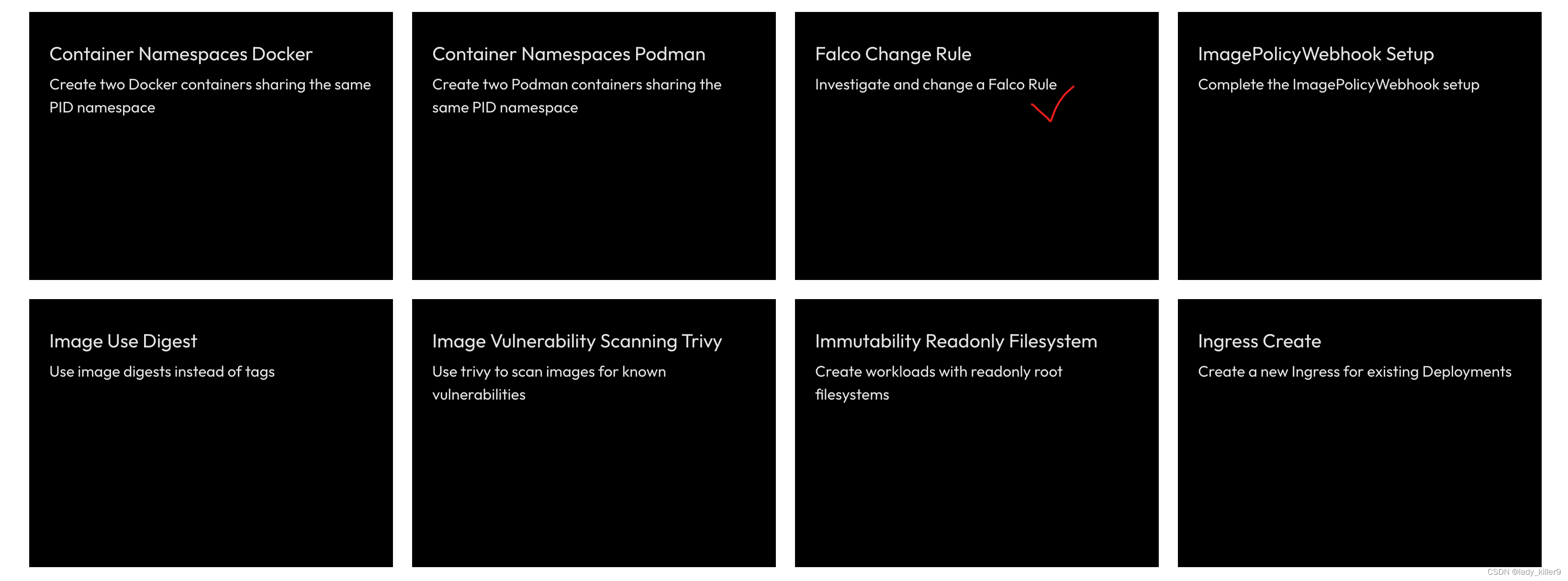
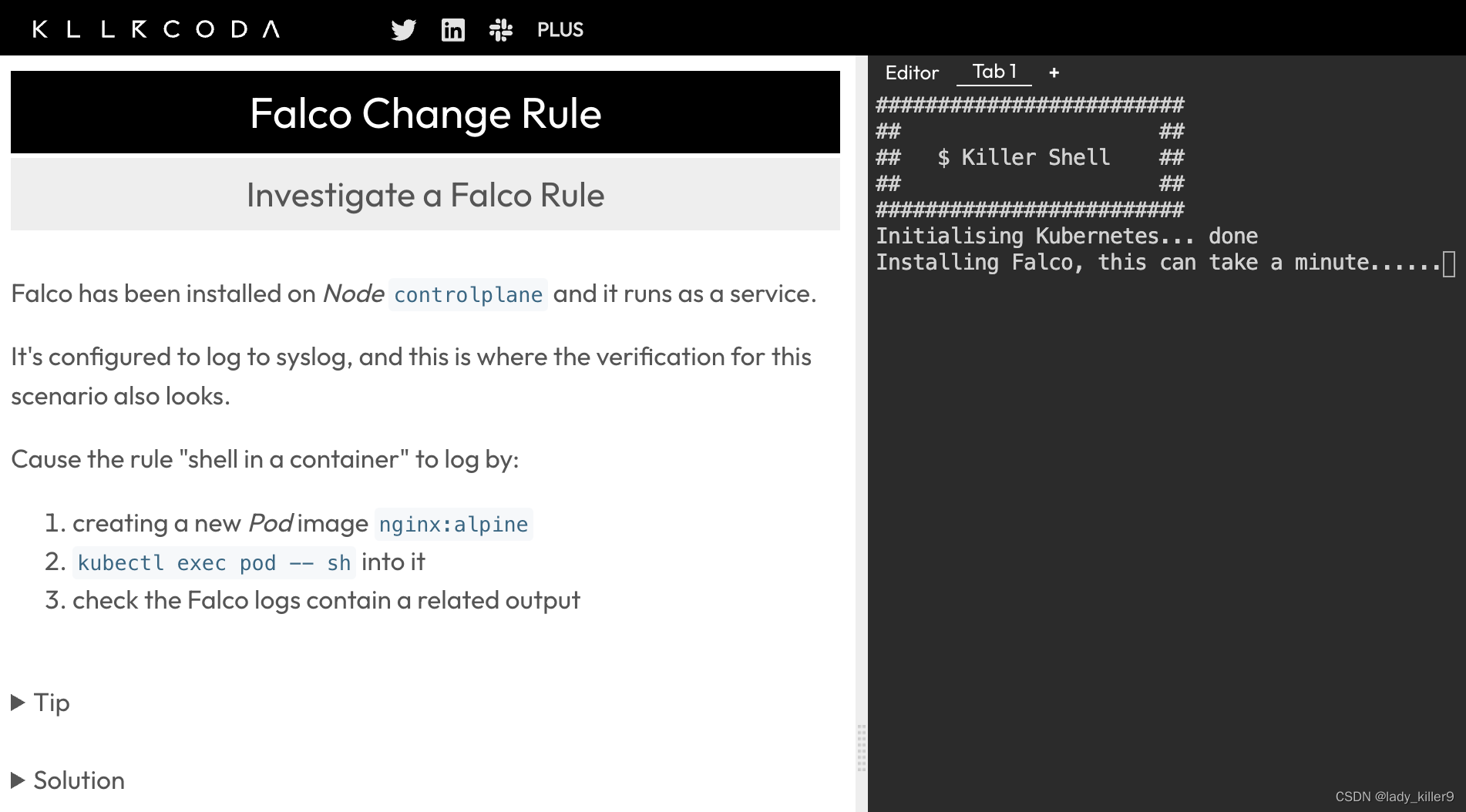
模拟环境
参考
github-sysdig
wiki-How-to-Install-Sysdig-for-Linux
sysdig.com
Youtube-Sysdig Open Source - Getting Started With Csysdig
github-falco
falco-rules
本文来自互联网用户投稿,文章观点仅代表作者本人,不代表本站立场,不承担相关法律责任。如若转载,请注明出处。 如若内容造成侵权/违法违规/事实不符,请点击【内容举报】进行投诉反馈!