Android音量曲线设置
1、调用逻辑
安卓java部分的音量设置首先调用到AudioManager.java中
在这里有两种方法可以设置音量setStreamVolume和adjustStreamVolume
setStreamVolume:传入index直接设置音量等级
adjustStreamVolume:传入direction,根据direction和获取到的步长设置音量。
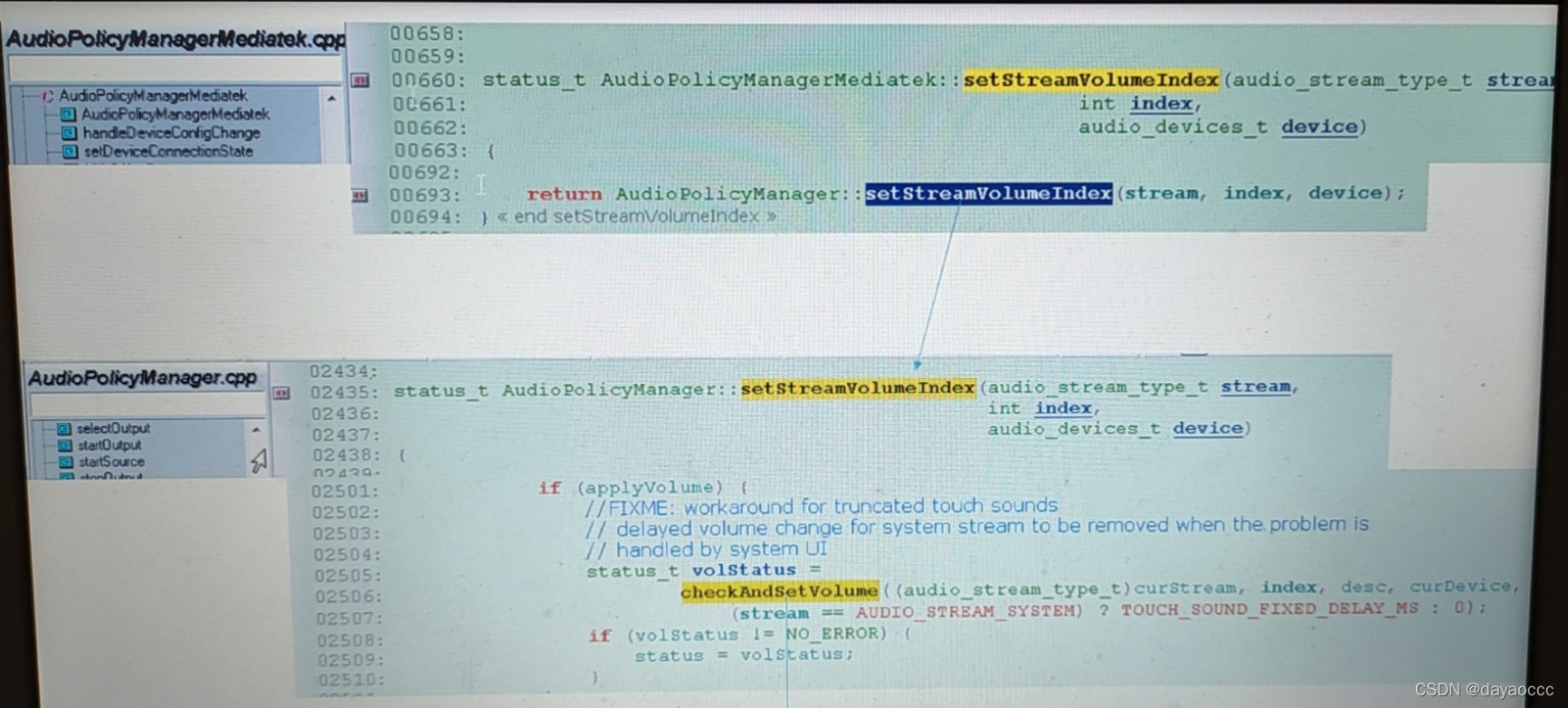
这2中方式都会call到native 层的AudioPolicyManager.cpp中的setStreamVolumeIndex()。
2、分析
status_t AudioPolicyManager::setStreamVolumeIndex(audio_stream_type_t stream,int index,audio_devices_t device)
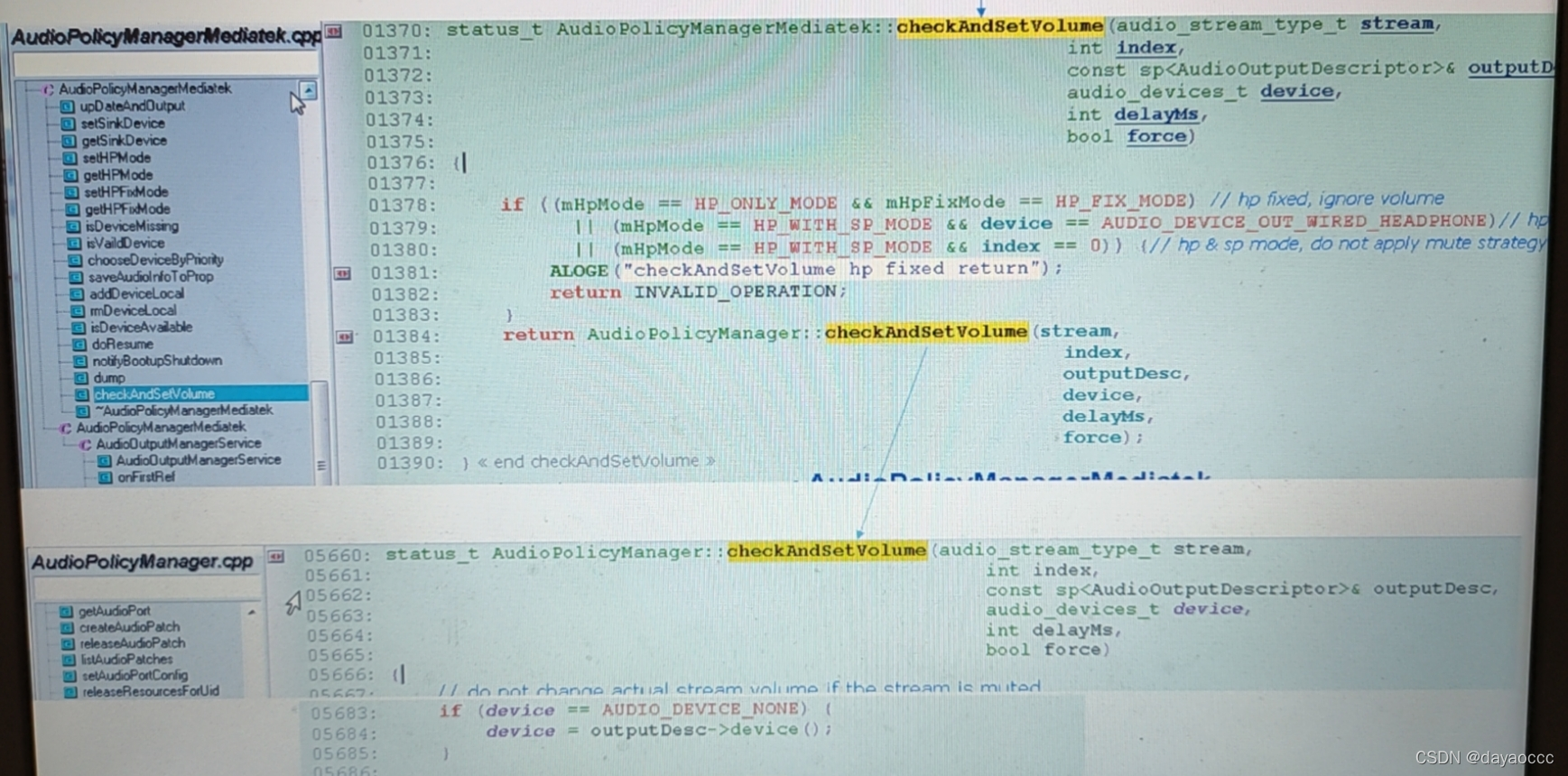
{........if (applyVolume) {//FIXME: workaround for truncated touch sounds// delayed volume change for system stream to be removed when the problem is// handled by system UI//调用checkAndSetVolume设置音量status_t volStatus =checkAndSetVolume((audio_stream_type_t)curStream, index, desc, curDevice,(stream == AUDIO_STREAM_SYSTEM) ? TOUCH_SOUND_FIXED_DELAY_MS : 0);if (volStatus != NO_ERROR) {status = volStatus;}}
}
3、调整音量曲线有2种方式:
(1)8.0以前老版本修改code方式
(2)Android 8.0往后的版本,使用xml的方式
具体参考下面链接:
Android8.0的音量曲线设置_m0_37437363的博客-CSDN博客_音量曲线
4、在audio_policy_configuration.xml里include了下面2个xml
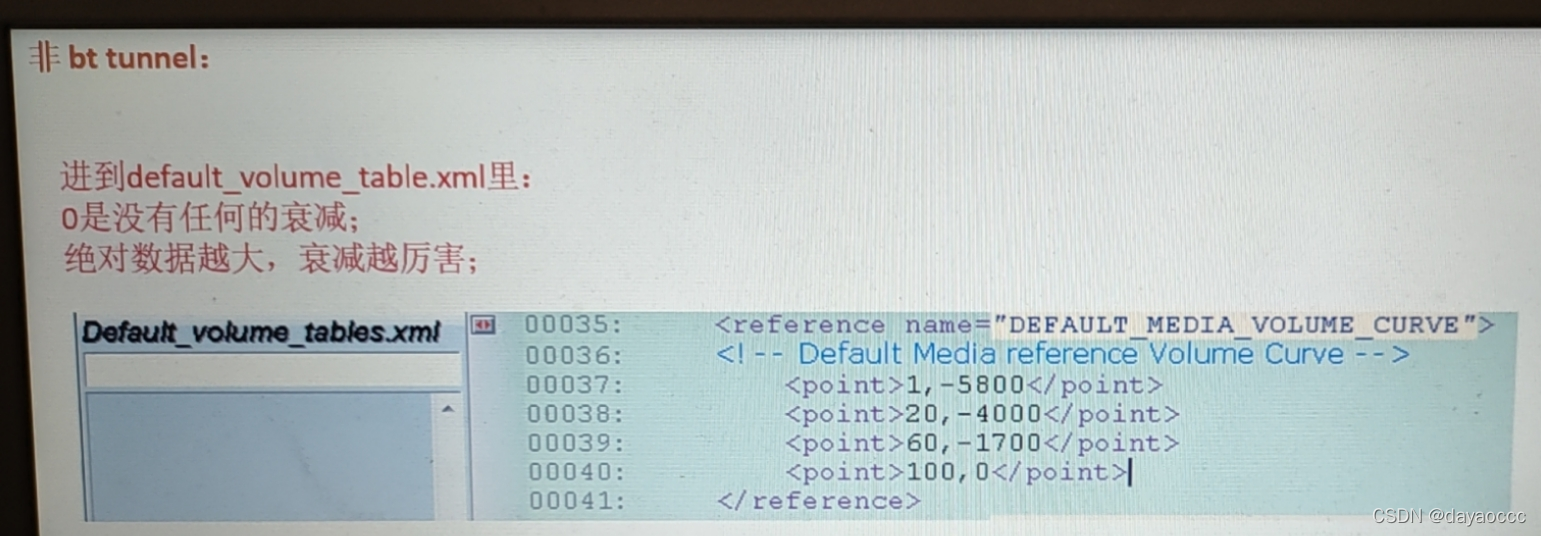
举例:音量等级index 0~100,对应的衰减量-4200~0 (0是不衰减)
0,-4200 33,-2800 66,-1400 100,0
5、音量音量
java层实际上调节的是挂在stream上的device的index值,挂在stream上的每个device都有一个音量曲线,native层是将index值转化为音量曲线中的值:
|--> device1 (index) --> curve1|--> device2 (index) --> curve2stream1 --> |--> device3 (index) --> curve3|--> device4 (index) --> curve4|--> device5 (index) --> curve5|--> device1 (index) --> curve6|--> device2 (index) --> curve7stream2 --> |--> device3 (index) --> curve8|--> device4 (index) --> curve9|--> device5 (index) --> curve106、如何找对应的音量曲线
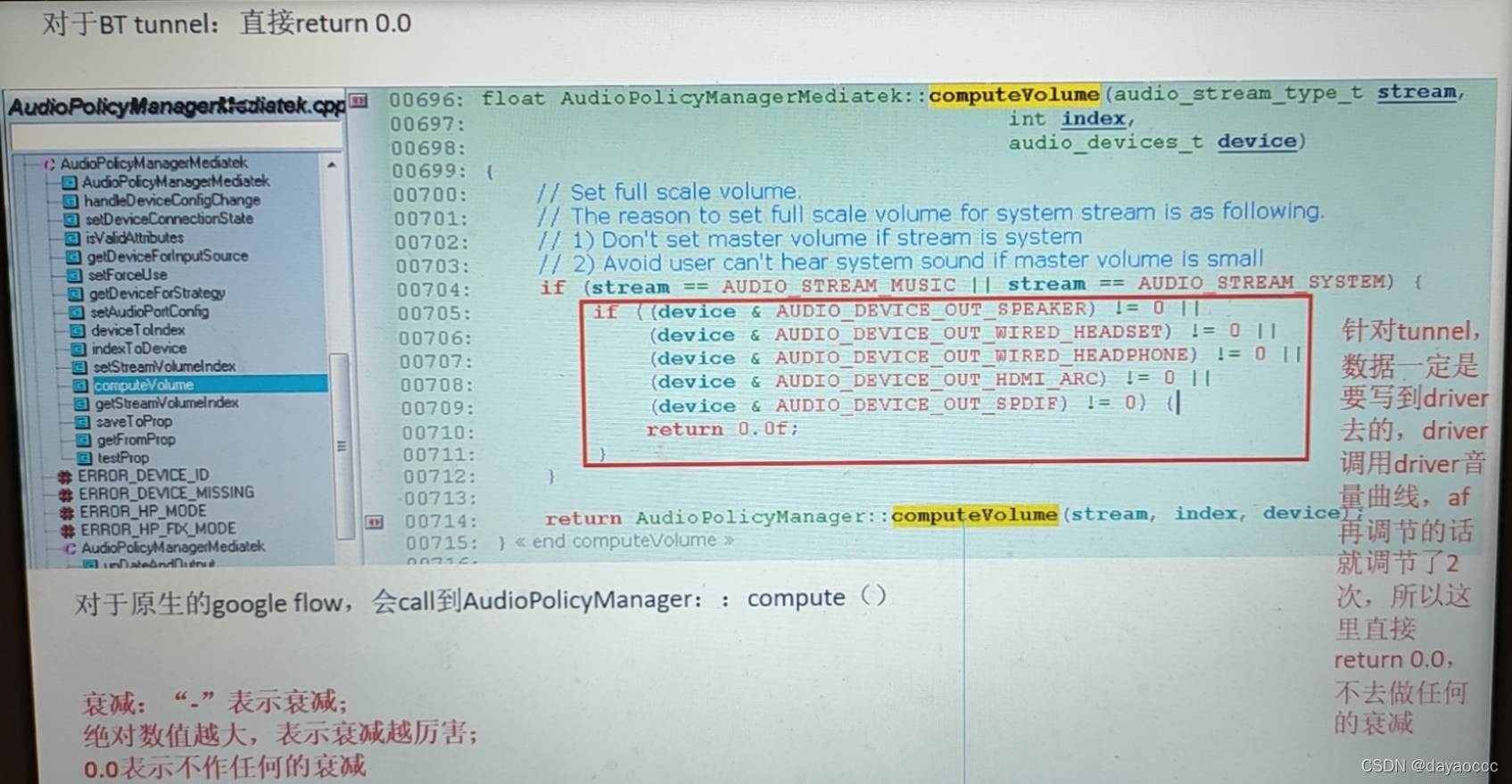
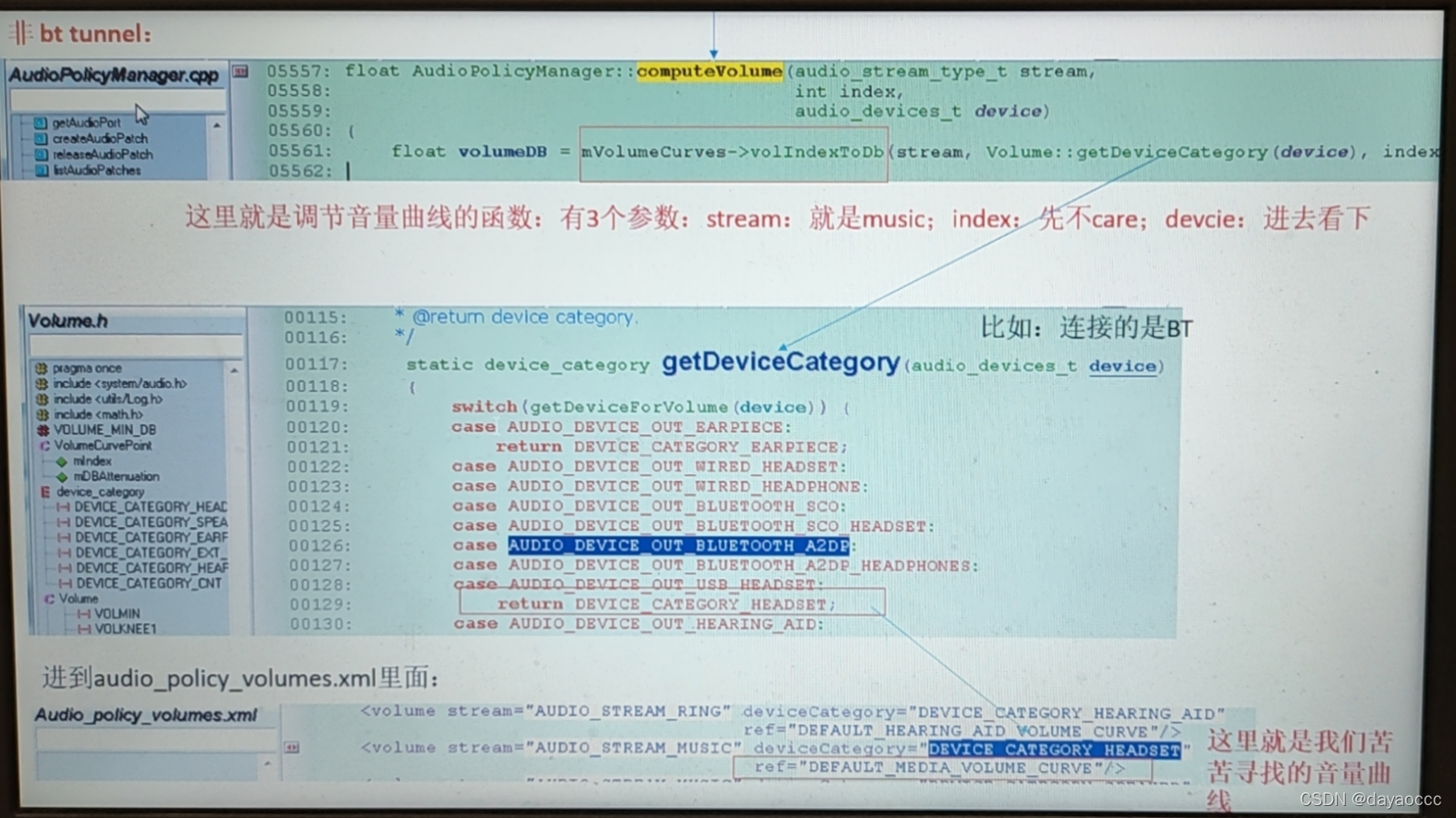
7、音量曲线
下面的数组为对应音量的曲线,比如扬声器曲线等,数组第一位为1~100的具体音量值,第二位为衰减增益
比如{0, -24.0f}(音量为0时,衰减24db输出),{100, 0.0f}(音量为100时,无衰减输出)
举例 {0, -24.0f}, {33, -16.0f}, {66, -8.0f}, {100, 0.0f}
本文来自互联网用户投稿,文章观点仅代表作者本人,不代表本站立场,不承担相关法律责任。如若转载,请注明出处。 如若内容造成侵权/违法违规/事实不符,请点击【内容举报】进行投诉反馈!