Java类似inl文件功能_Kibana插件sentinl使用教程
简介
对于Kibana的一些数据我们有时候是想要对某些字段进行持续关注的,这时候通过报警的手段就可以大幅提升对这些信息状态了解的及时性及可靠性。使用sentinl插件就可以帮助我们实现这个功能。
此教程基于sentinl 6.2.3版本, sentinl版本最好与kibana的版本保持一致。
使用步骤
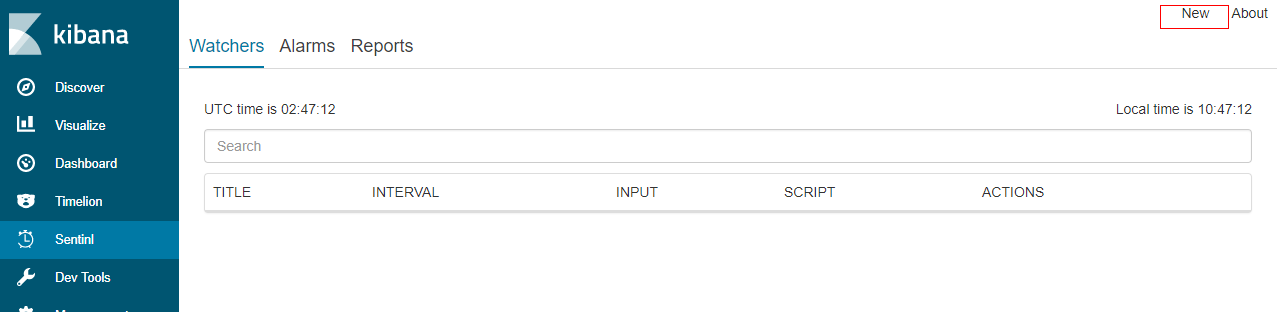
1.在kibana界面上配置sentinl,点击右上角new创建watchers
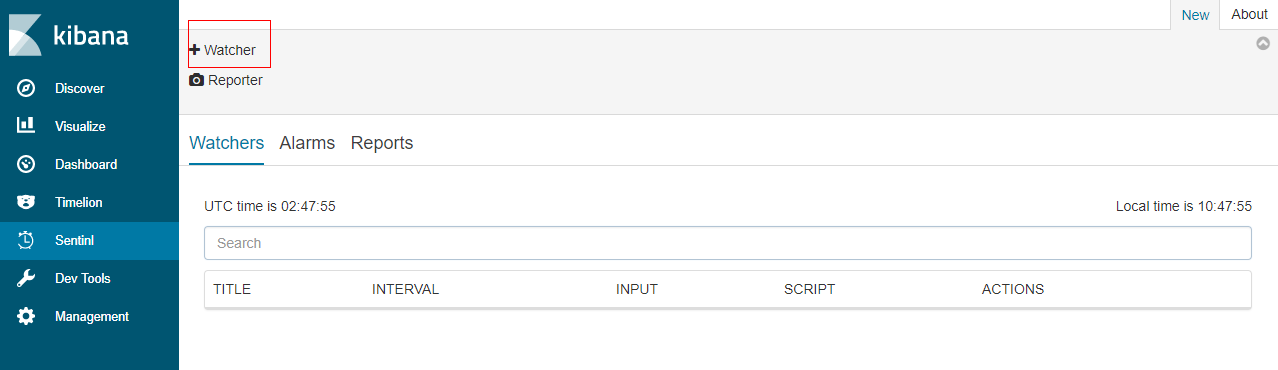
2.点击 +watcher创建新的Watcher
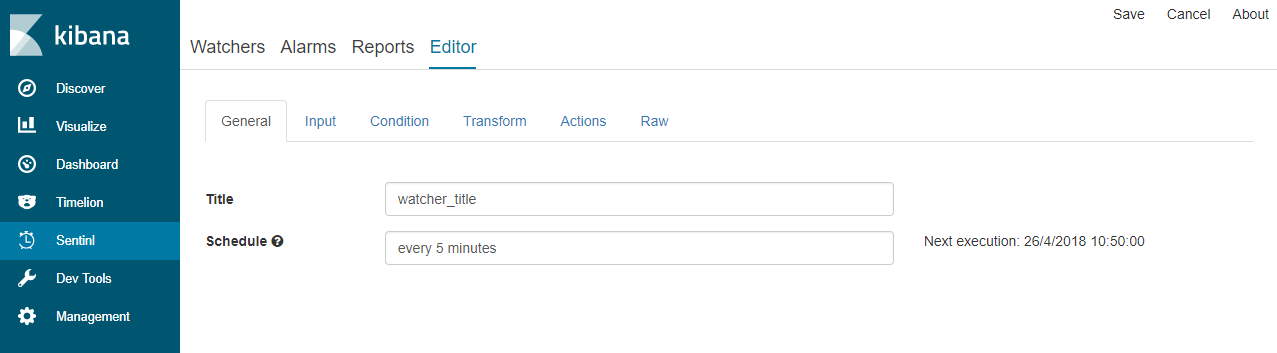
3.填写General页面内容, title是watcher的名称,Schedule是执行周期。
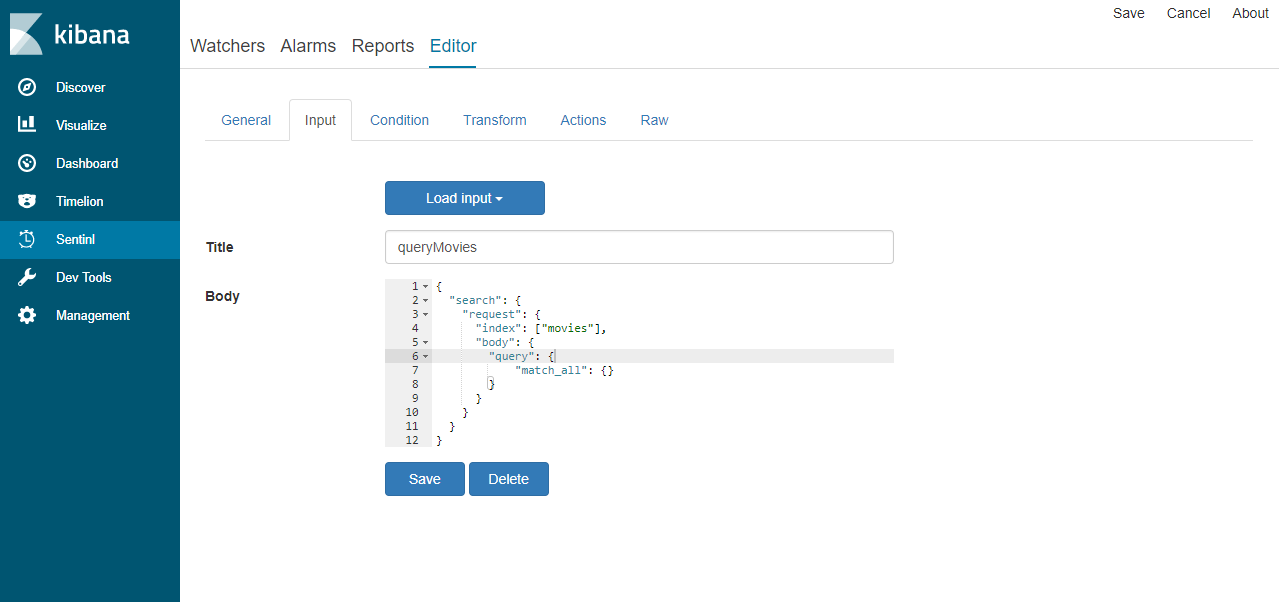
4.填写input页面内容, body 里面填写ES查询语句,可根据具体业务编写相应的查询语句
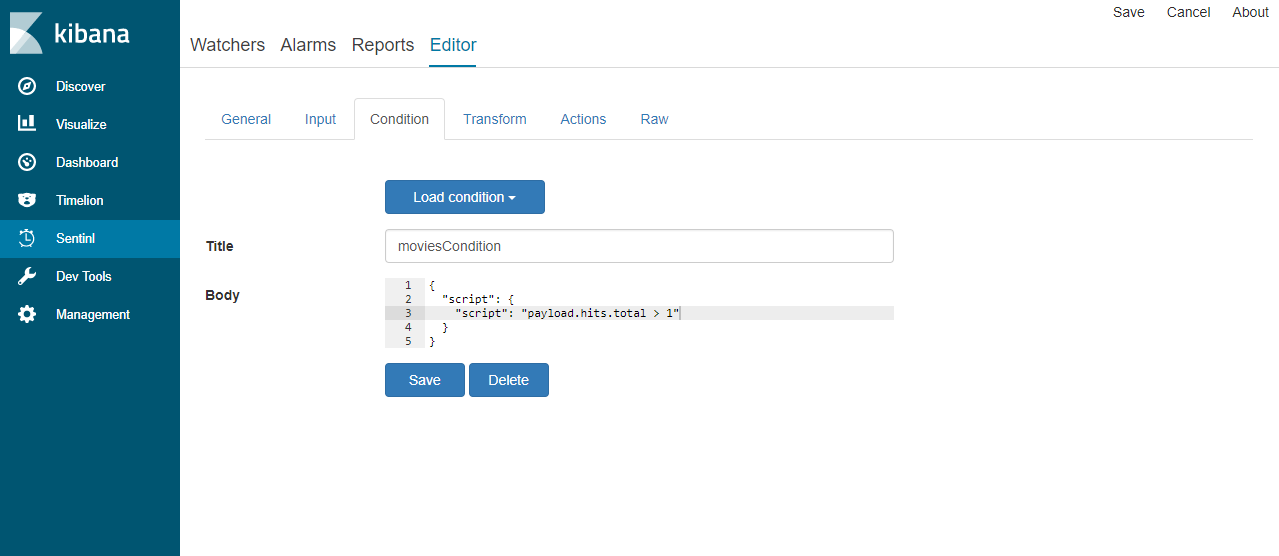
5.填写Condition页面内容, payload.hits.total > 1 (当查询结果数大于1时,触发Actions),可以自己制定条件。
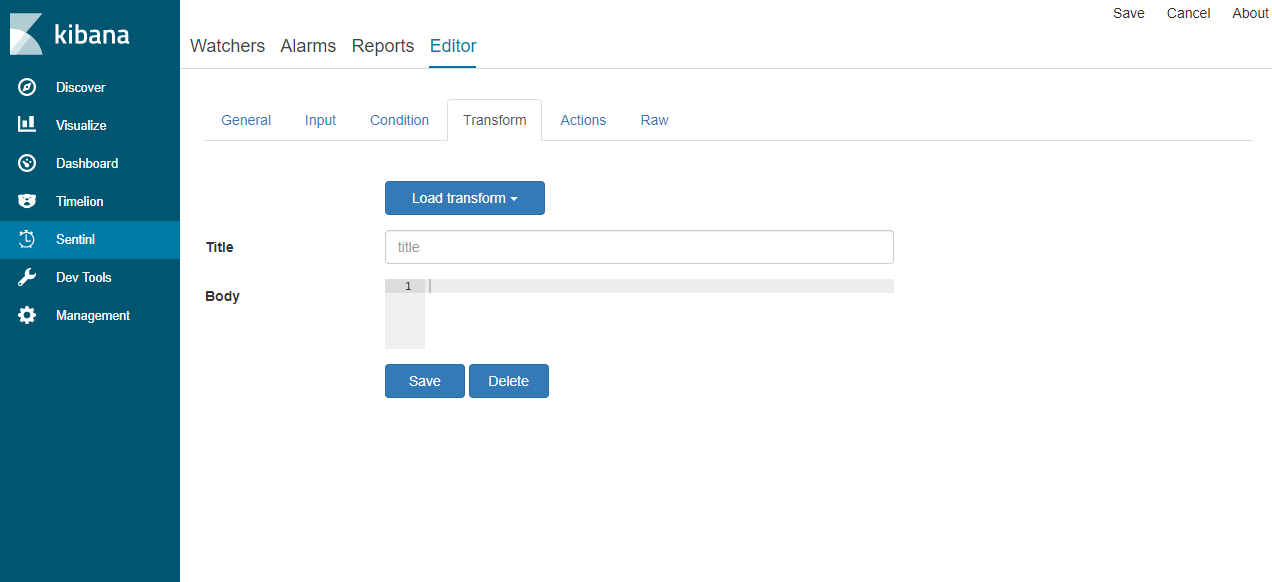
6.Transform 可对input查询的结果做一些处理,此处没有使用,可以不填写
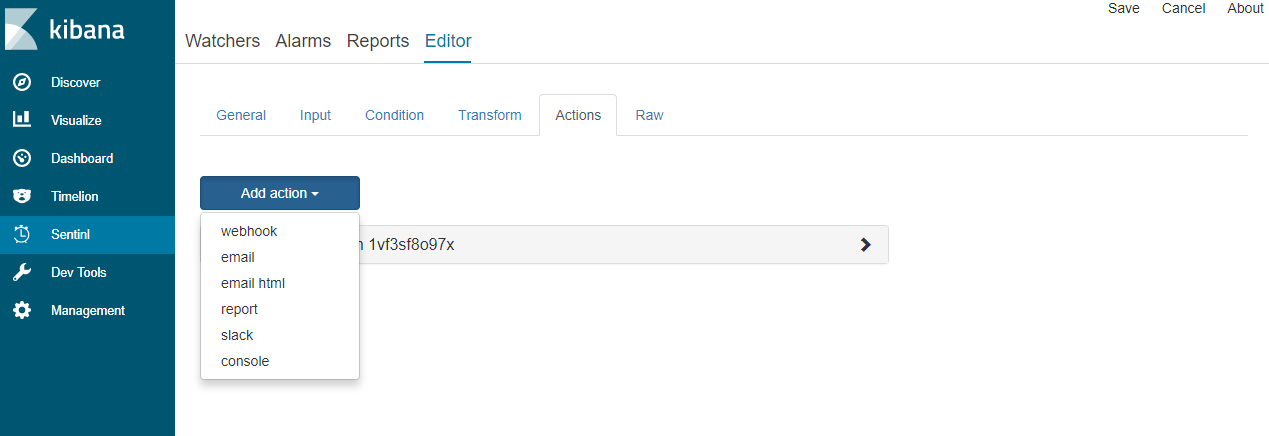
7.填写Actions页面内容,Actions包括webhook,email,email html,report,slack,console,此处介绍webhook。
7.1 使用webhook发rest请求,可以选择 get或post两种方式。
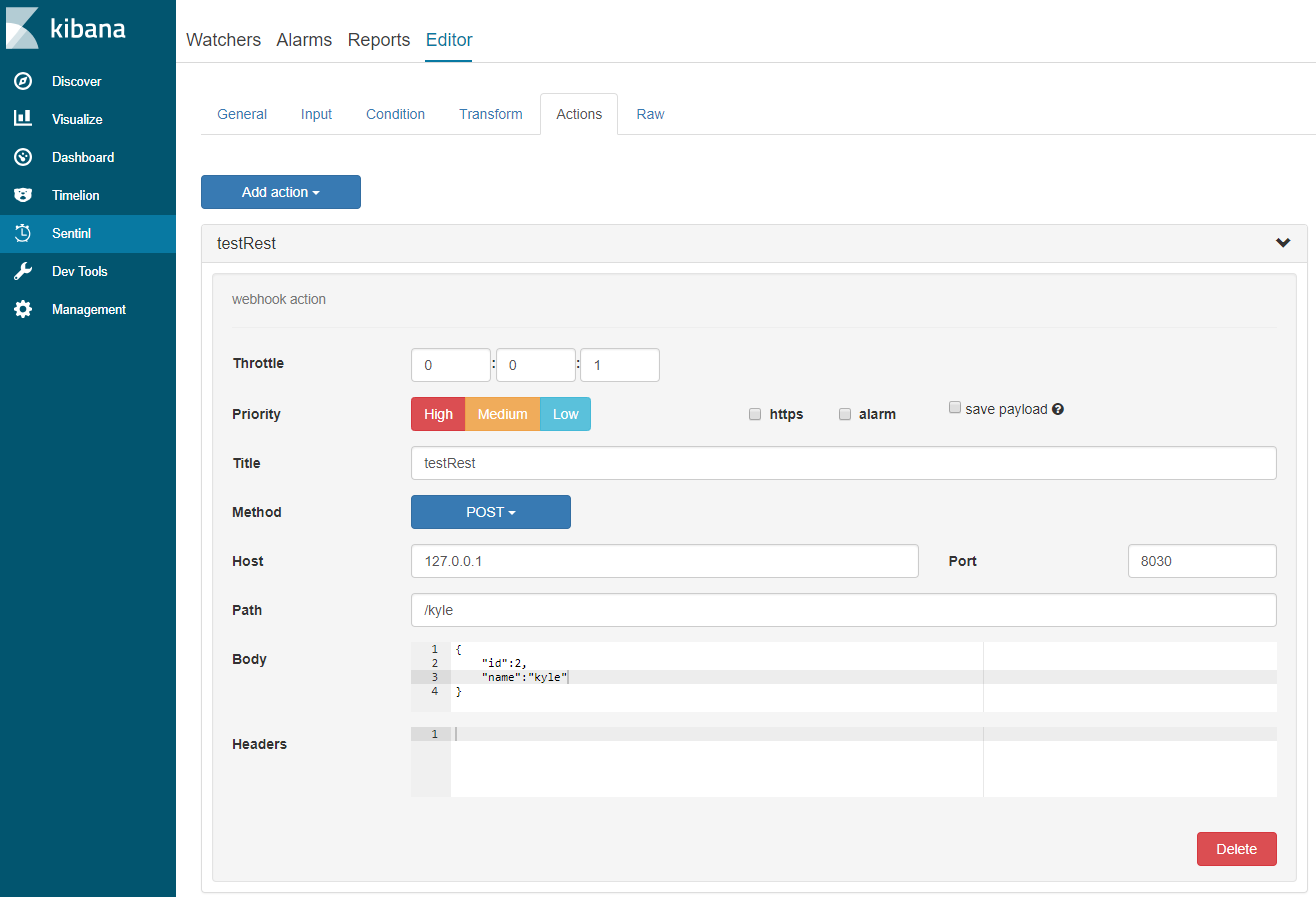
7.1.1 填好对应数据之后,点击右上角的Save按钮。
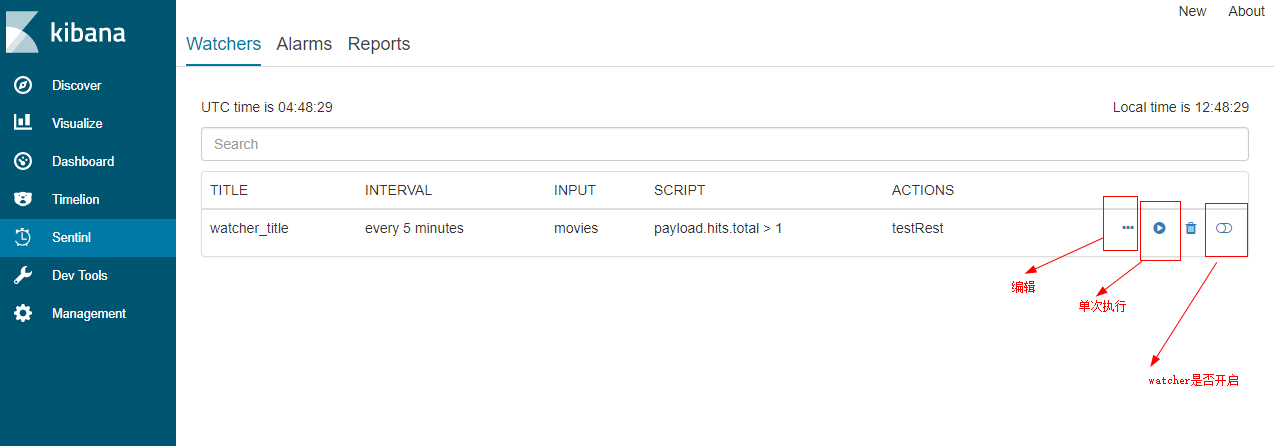
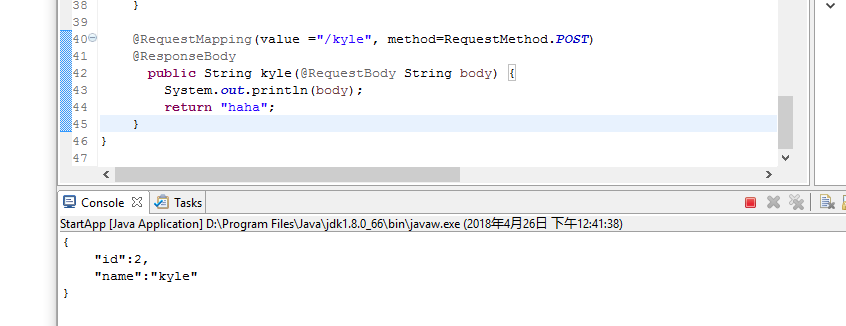
7.1.2 可以点击单次执行按钮进行测试。如下显示接收到参数,测试成功
7.2 使用webhook执行新的watchers(仅执行一次),在新的watchers中发rest请求。
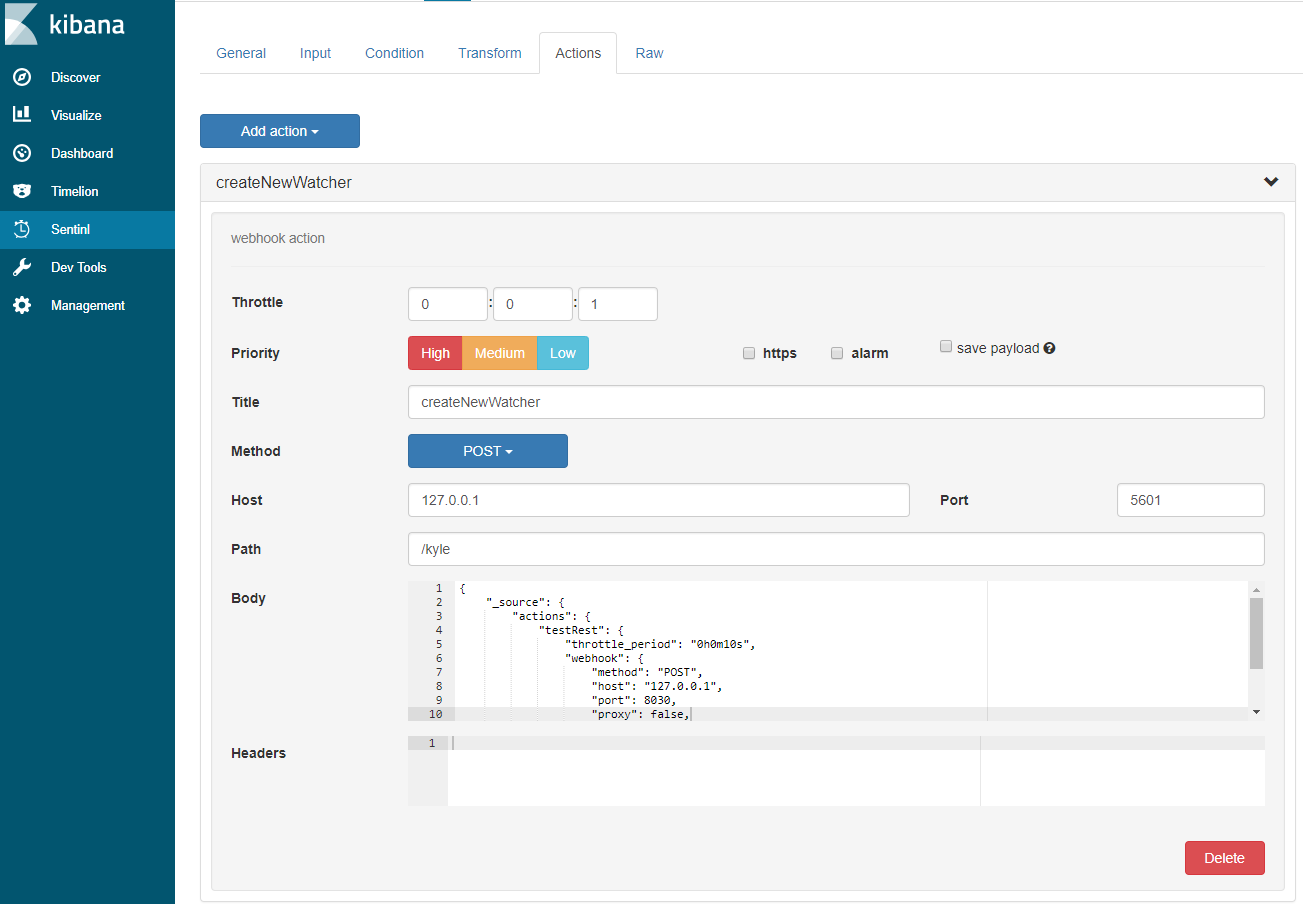
path: /api/sentinl/watcher/_execute(固定值)
body的内容如下:
1 {2 "_source": {3 "actions": {4 "testRest": {5 "throttle_period": "0h0m10s",6 "webhook": {7 "method": "POST",8 "host": "127.0.0.1",9 "port": 8030,10 "proxy": false,11 "path": "/kyle",12 "body": "{\n \"id\":100,\n \"name\":\"kyle20\"\n}"
13 }14 }15 },16 "input": {17 "search": {18 "request": {19 "index": [20 "movies"
21 ],22 "body": {23 "query": {24 "match_all": {}25 }26 }27 }28 }29 },30 "condition": {31 "script": {32 "script": "payload.hits.total > 1"
33 }34 },35 "transform": {},36 "trigger": {37 "schedule": {38 "later": "every 5 minutes"
39 }40 },41 "disable": true,42 "report": false,43 "title": "watcher_title"
44 }45 }
测试结果:
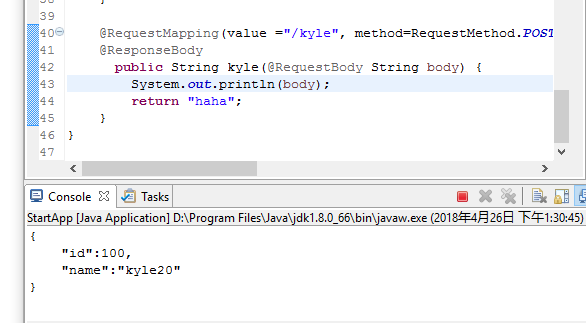
7.3 使用sentinl 执行多个watcher方案
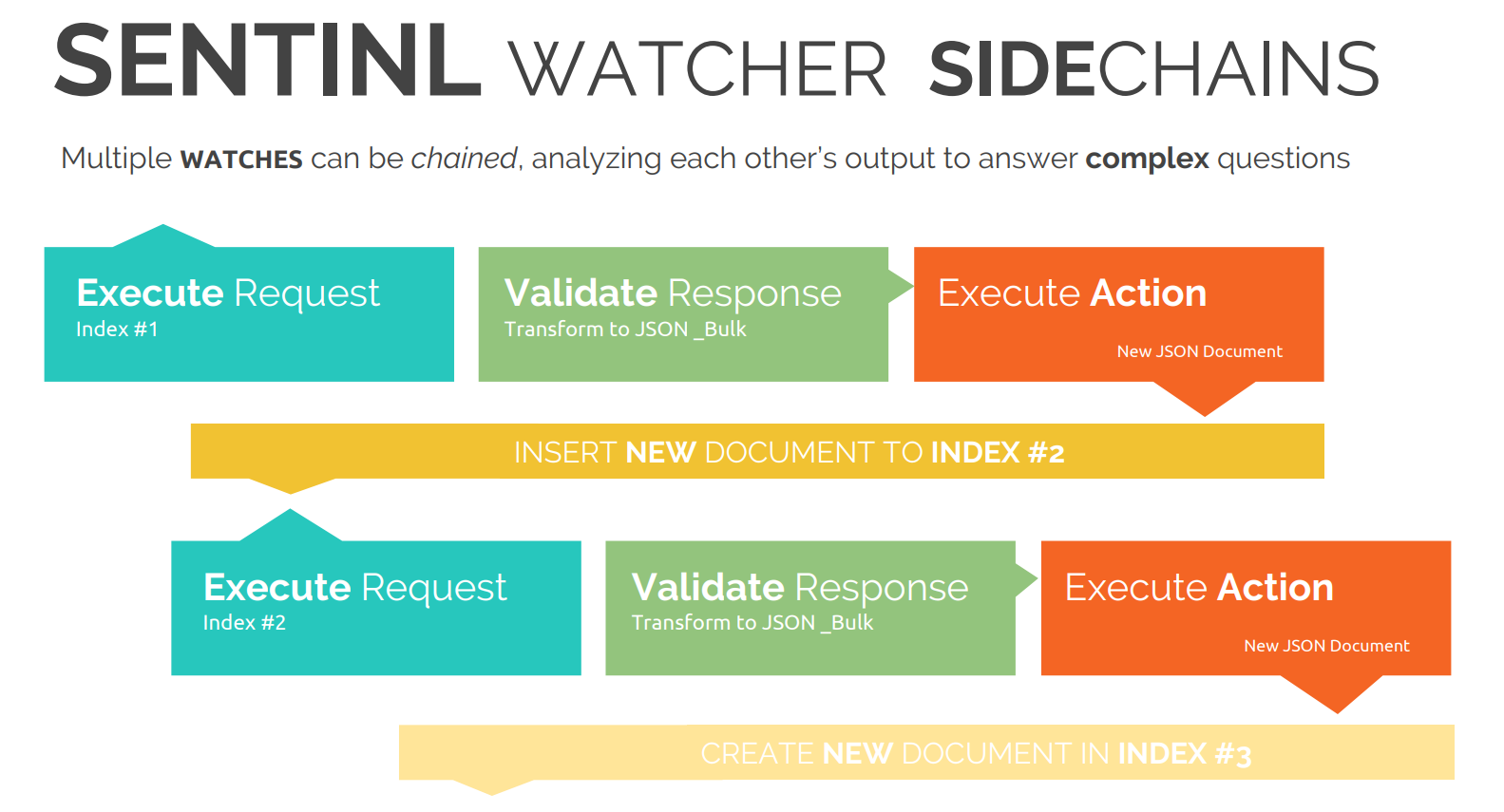
原理:将第一个watcher的结果写入es index 中,以供其他watcher使用(可以作为触发其他watcher方式)
7.3.1 新建第一个watcher,内容如下:
1 {2 "actions": {3 "New console action txv1ad1yazr": {4 "throttle_period": "0h0m1s",5 "console": {6 "message": "{\n{{#payload.hits.hits}}\n\"name\":\"{{_source.name}}\",\n\"age\":{{_source.age}}\n{{/payload.hits.hits}}\n}"
7 }8 },9 "New webhook action 20wm9sojv9j": {10 "throttle_period": "0h0m1s",11 "webhook": {12 "method": "POST",13 "host": "127.0.0.1",14 "port": 9200,15 "proxy": false,16 "path": "/twoindex/doc",17 "body": "{\n{{#payload.hits.hits}}\n\"name\":\"{{_source.name}}\",\n\"age\":{{_source.age}}\n{{/payload.hits.hits}}\n}",18 "save_payload": false,19 "headers": {20 "content-type": "application/json"
21 }22 }23 }24 },25 "input": {26 "search": {27 "request": {28 "index": [29 "trumantest"
30 ],31 "body": {32 "query": {33 "match": {34 "age": "19"
35 }36 }37 }38 }39 }40 },41 "condition": {42 "script": {43 "script": "payload.hits.total > 0"
44 }45 },46 "transform": {},47 "trigger": {48 "schedule": {49 "later": "every 1 minutes"
50 }51 },52 "disable": false,53 "report": false,54 "title": "first_watcher"
55 }
第一个watcher 主要是检测 trumantest是否含有"age": "19" 数据,如果有,将该结果写入twoindex 中。
7.3.2新建第二个watcher,主要检测index 数量,如果大于1,则在console 中输出
1 {2 "actions": {3 "New console action 34fsgrz5dhd": {4 "throttle_period": "0h0m1s",5 "console": {6 "message": "this is a measage :{{payload.hits.total}}"
7 }8 }9 },10 "input": {11 "search": {12 "request": {13 "index": [14 "twoindex"
15 ],16 "body": {17 "query": {18 "match_all": {}19 }20 }21 }22 }23 },24 "condition": {25 "script": {26 "script": "payload.hits.total > 1"
27 }28 },29 "transform": {},30 "trigger": {31 "schedule": {32 "later": "every 1 minutes"
33 }34 },35 "disable": false,36 "report": false,37 "title": "two_watcher"
38 }
7.3.3实验结果:

本文来自互联网用户投稿,文章观点仅代表作者本人,不代表本站立场,不承担相关法律责任。如若转载,请注明出处。 如若内容造成侵权/违法违规/事实不符,请点击【内容举报】进行投诉反馈!