【OpenCV】四通道图像复制到三通道图像上
Taily老段的微信公众号,欢迎交流学习
https://blog.csdn.net/taily_duan/article/details/81214815
while (true){cap >> frame;imshow("frame", frame);switch (frame.type()){case CV_8UC1:gray = frame;break;case CV_8UC2:cv::cvtColor(frame, gray, CV_BGR5652GRAY);break;case CV_8UC3:cv::cvtColor(frame, gray, CV_BGR2GRAY); //Almostbreak;case CV_8UC4:cv::cvtColor(frame, gray, CV_BGRA2GRAY);break;default:LOG_ERROR("unsupported video format!");return -1;}bool hasFace = faceTracker.updateFace(gray);//switch (frame.type())//{//case CV_8UC1:// cv::cvtColor(frame, egeMat, CV_GRAY2BGRA);// break;//case CV_8UC2:// cv::cvtColor(frame, egeMat, CV_BGR5652BGRA);// break;//case CV_8UC3:// cv::cvtColor(frame, egeMat, CV_BGR2BGRA); //Almost// break;//case CV_8UC4:// frame.copyTo(egeMat);// break;//default:// LOG_ERROR("unsupported video format!");// return -1;//}frame.copyTo(egeMat);if (hasFace){const CGE::Vec2f& v = faceTracker.getEyeCenterPos();cout << "Eye : " << v[0] << ", " << v[1] << endl;CGE::Vec2f&& eyeDir = faceTracker.getRightDir();float eyeDis = eyeDir.length();float roll = -asinf(eyeDir[1] / eyeDis);if (eyeDir[0] < 0.0f){roll = PI/2 - roll;}//else//{// //roll += PI/2;//}roll *= 180;cout << "roll : " << roll << endl;float catScaling = eyeDis / catSprite.getWidth() * 4.0f;Mat cat = catSprite.render( v[0], v[1], 0.5f, 1.0f, roll, catScaling);mapToMat(cat, egeMat, v[0]-cat.cols/2, v[1]-cat.rows);float glassScaling = eyeDis / glassSprite.getWidth() * 2.5f;Mat glass = glassSprite.render(v[0], v[1], 0.5f, 0.5f, roll, glassScaling);mapToMat(glass, egeMat, v[0] - glass.cols / 2, v[1] - glass.rows / 2);cout << catScaling << ", " << glassScaling << endl;imshow("egeMat", egeMat);}else{faceTracker.resetFrame();}{static clock_t lastTime = clock();static int frameCount = 0;++frameCount;clock_t currentTime = clock();if (currentTime - lastTime > CLOCKS_PER_SEC){LOG_INFO("相机帧率: %d\n", frameCount);frameCount = 0;lastTime = currentTime;}}if(cv::waitKey(1) == 27) return 0;
四通道图片Copy到RGB图片上:
void mapToMat(const cv::Mat &srcAlpha, cv::Mat &dest, int x, int y)
{int nc = 3;int alpha = 0;for (int j = 0; j < srcAlpha.rows; j++){for (int i = 0; i < srcAlpha.cols * 3; i += 3){// 目的图片为三通道,所以是三通道的遍历、四通道的源图// i/3*4表示第i/3个像素的位置 // i/3*4 + 3表示本像素的alpha通道的值alpha = srcAlpha.ptr(j)[i / 3 * 4 + 3];//alpha = 255-alpha;if (alpha != 0) //4通道图像的alpha判断{for (int k = 0; k < 3; k++){// if (src1.ptr(j)[i / nc*nc + k] != 0)if ((j + y < dest.rows) && (j + y >= 0) &&((i + x * 3) / 3 * 3 + k < dest.cols * 3) && ((i + x * 3) / 3 * 3 + k >= 0) &&(i / nc * 4 + k < srcAlpha.cols * 4) && (i / nc * 4 + k >= 0)){dest.ptr(j + y)[(i + x*nc) / nc*nc + k] = srcAlpha.ptr(j)[(i) / nc * 4 + k];}}}}}
}
Mat sprite;int w = m_sprites[m_index].cols;int h = m_sprites[m_index].rows;length = sqrt(w*w+h*h);cv::Mat tempImg(length, length, m_sprites[m_index].type());tempImg = 0;imshow("tempImg", tempImg);int ROI_x = length / 2 - w * centerX;//ROI矩形左上角的x坐标if (ROI_x < 0) ROI_x = 0;int ROI_y = length / 2 - h * centerY;//ROI矩形左上角的y坐标if (ROI_y < 0) ROI_y = 0;cv::Rect ROIRect(ROI_x, ROI_y, w, h);//ROI矩形cv::Mat tempImgROI2(tempImg, ROIRect);//tempImg的中间部分m_sprites[m_index].copyTo(tempImgROI2);//将原图复制到tempImg的中心imshow("tempImg", tempImg);Point2f center;center.x = tempImg.cols / 2;center.y = tempImg.rows / 2;Mat M1 = getRotationMatrix2D(center, rot, scaling);warpAffine(tempImgROI2, sprite, M1, Size(length, length), 0, 0);//仿射变换imshow("sprite", sprite);//Mat dst(480, 640, m_sprites[m_index].type());//cv::Rect rect(x - length / 2, y - length / 2, tempImg.cols, tempImg.rows);//if (rect.x < 0) rect.x = 0;//if (rect.y < 0) rect.y = 0;//if (rect.x + rect.width > dst.cols) rect.width = dst.cols - rect.x;//if (rect.y + rect.height > dst.rows) rect.height = dst.rows - rect.y;//cv::Mat temp(dst, rect);//sprite.copyTo(temp);//imshow("dst", dst);//waitKey(10);++m_index;m_index %= m_sprites.size();return sprite;
void mapToMat(const cv::Mat &srcAlpha, cv::Mat &dest, int x, int y)
{int nc = 3;int alpha = 0;for (int i = 0; i < srcAlpha.rows; i++){for (int j = 0; j < srcAlpha.cols; j++){// 目的图片为三通道,所以是三通道的遍历、四通道的源图// i/3*4表示第i/3个像素的位置 // i/3*4 + 3表示本像素的alpha通道的值//alpha = srcAlpha.ptr(j)[i / 3 * 4 + 3];alpha = srcAlpha.at(i, j)[3];//alpha = 255-alpha;if (alpha != 0) //4通道图像的alpha判断{if ((i + y) < dest.rows && (i + y) >= 0 && (j + x) < dest.cols && (j + x) >= 0) {dest.at(i + y, j + x)[0] = srcAlpha.at(i, j)[0] * float(srcAlpha.at(i, j)[3]) / 255 + dest.at(i + y, j + x)[0] * float(255 - srcAlpha.at(i, j)[3]) / 255;dest.at(i + y, j + x)[1] = srcAlpha.at(i, j)[1] * float(srcAlpha.at(i, j)[3]) / 255 + dest.at(i + y, j + x)[1] * float(255 - srcAlpha.at(i, j)[3]) / 255;dest.at(i + y, j + x)[2] = srcAlpha.at(i, j)[2] * float(srcAlpha.at(i, j)[3]) / 255 + dest.at(i + y, j + x)[2] * float(255 - srcAlpha.at(i, j)[3]) / 255;}}}}
}
仿射旋转时参数
Mat rot1;rot1.create(Size(m.rows, m.rows), CV_8UC4);Point2f center1;center1.x = m.cols / 2;center1.y = m.rows / 2;Mat M1 = getRotationMatrix2D(center1, 30, 1.0);warpAffine(m, rot1, M1, Size(m.cols, m.rows), CV_INTER_LINEAR + CV_WARP_FILL_OUTLIERS, 0);//仿射变换 imshow("rot1", rot1);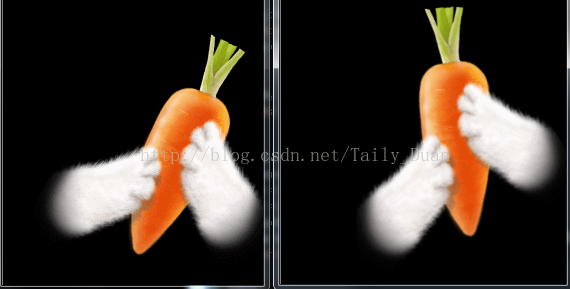
本文来自互联网用户投稿,文章观点仅代表作者本人,不代表本站立场,不承担相关法律责任。如若转载,请注明出处。 如若内容造成侵权/违法违规/事实不符,请点击【内容举报】进行投诉反馈!