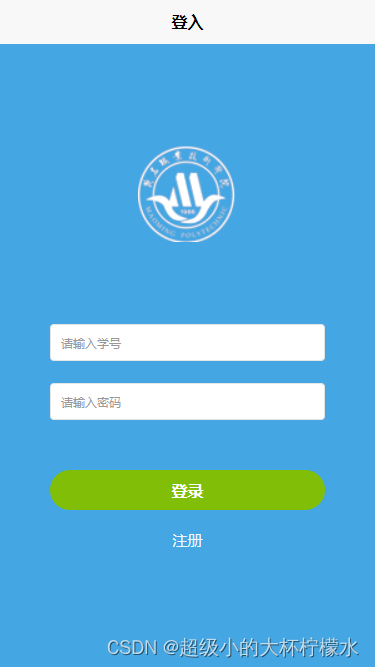
uniapp 登入页面模板
对原作者的页面进行了修改(增加了表单验证)
<template><view class="content"><view class="avatorWrapper"><view class="avator"><image class="img" src="/static/logo.png" mode="widthFix">image>view>view><view class="form"><uni-forms ref="from" :modelValue="formData"><uni-forms-item label="" name="num" :rules="[{'required': true,'errorMessage': '学号不能为空'}]"><uni-easyinput type="text" v-model="formData.num" placeholder="请输入学号">uni-easyinput>uni-forms-item><uni-forms-item label="" name="password" :rules="[{'required': true, 'errorMessage': '密码不能为空'}]"><uni-easyinput type="password" v-model="formData.password" placeholder="请输入密码" />uni-forms-item>uni-forms><view class="loginBtn" @click="submit()"><text class="btnValue">登录text>view><view class="forgotBtn"><navigator url="/pages/StuRegister/StuRegister"><text>注册text>navigator>view>view>view>
template><script setup>import {login} from "/utils/loginUtils.js"import {ref} from "vue";import {onLoad,onShow} from "@dcloudio/uni-app";let formData = ref({})let from = ref(null)function submit() {from.value.validate().then(res => {console.log('表单数据信息:', res);// 登入请求login(res)}).catch(err => {// console.log('表单错误信息:', err);})}script><style>.content {background: #44a6e3;width: 100vw;height: calc(100vh - var(--window-top));}.avatorWrapper{height: 30vh;width: 100vw;display: flex;justify-content: center;align-items: flex-end;}.avator{width: 200upx;height: 200upx;overflow: hidden;}.avator .img{width: 100%}.form{padding: 0 100upx;margin-top: 80px;}.loginBtn{width: 100%;height: 80upx;background: #81be07;border-radius: 50upx;font-weight: 600;margin-top: 50px;display: flex;justify-content: center;align-items: center;}.loginBtn .btnValue{color: white;}.forgotBtn{text-align: center;color: #EAF6F9;font-size: 15px;margin-top: 20px;}
style>
本文来自互联网用户投稿,文章观点仅代表作者本人,不代表本站立场,不承担相关法律责任。如若转载,请注明出处。 如若内容造成侵权/违法违规/事实不符,请点击【内容举报】进行投诉反馈!