Eclipse集成MapStruct
Eclipse集成MapStruct
- 在Eclipse中添加MapStruct依赖
- 配置Eclipse支持MapStruct
- ①安装 m2e-apt
- 第一种:Eclipse Marketplace的方式安装
- 第二种:Install new software的方式安装(JDK8用到)
- ②添加到pom.xml
今天拿到同事其他项目的源码,导入并运行的时候抛出了异常,根据异常定位到Mappers.getMapper()获取不到值,后面查了一下发现是Eclipse需要自己手动集成MapStruct插件支持才行,同事用的IDEA已经默认支持了MapStruct,所以没这个问题。想换IDEA的心越来越强烈了。。。。
在Eclipse中添加MapStruct依赖
(这个其实原本项目中本来就有了,加上去是为了完整,万一哪天自己要加还可以看一下)
在pom.xml中添加:
...
<properties><org.mapstruct.version>1.5.5.Final</org.mapstruct.version>
</properties>
...
<dependencies><dependency><groupId>org.mapstruct</groupId><artifactId>mapstruct</artifactId><version>${org.mapstruct.version}</version></dependency>
</dependencies>
...
<build><plugins><plugin><groupId>org.apache.maven.plugins</groupId><artifactId>maven-compiler-plugin</artifactId><version>3.8.1</version><configuration><source>1.8</source> <!-- depending on your project --><target>1.8</target> <!-- depending on your project --><annotationProcessorPaths><path><groupId>org.mapstruct</groupId><artifactId>mapstruct-processor</artifactId><version>${org.mapstruct.version}</version></path><!-- other annotation processors --></annotationProcessorPaths></configuration></plugin></plugins>
</build>
这其实是出自于MapStruct的官网:https://mapstruct.org/documentation/installation
配置Eclipse支持MapStruct
可直接参考官网:https://mapstruct.org/documentation/ide-support/
①安装 m2e-apt
第一种:Eclipse Marketplace的方式安装
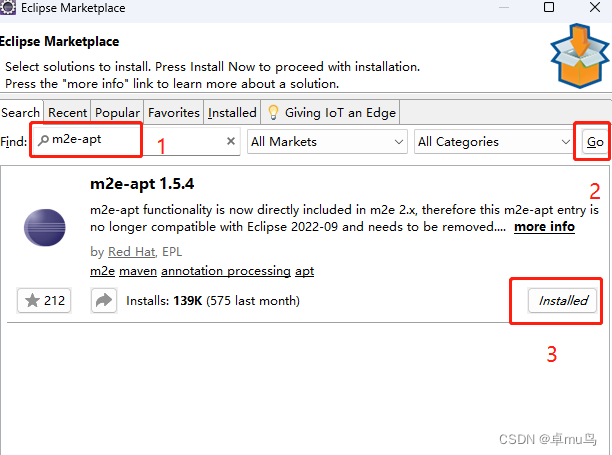
eclipse里面:Help–> Eclipse Marketplace 打开应用市场,输入m2e-apt,选择m2e-apt 1.5.4(最新的),点击Installed进行安装
第二种:Install new software的方式安装(JDK8用到)
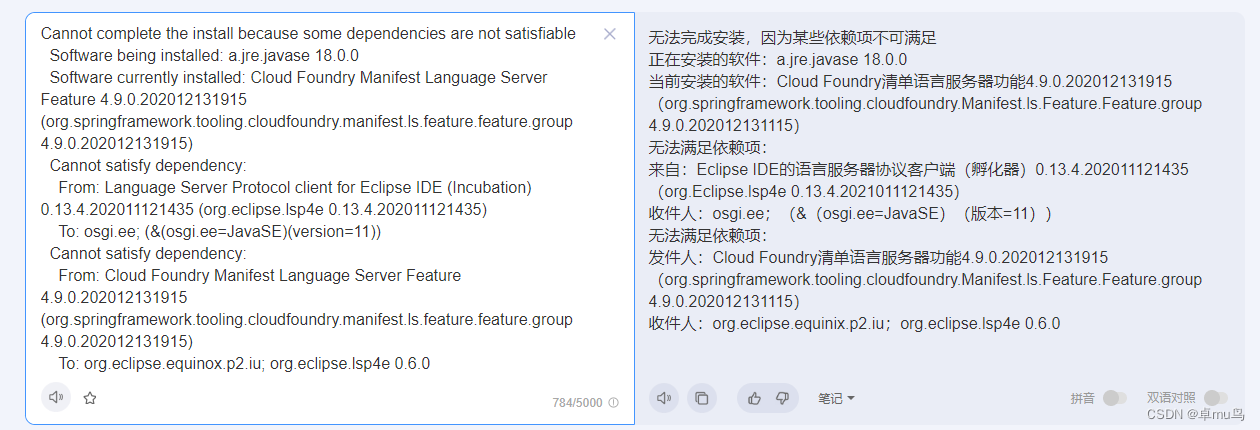
我自己在Eclipse Marketplace上安装不了,提示大概意思JDK要11才行(或者11以上?)。自己用的是JDK8,只能找低一点的m2e-apt版本进行安装。
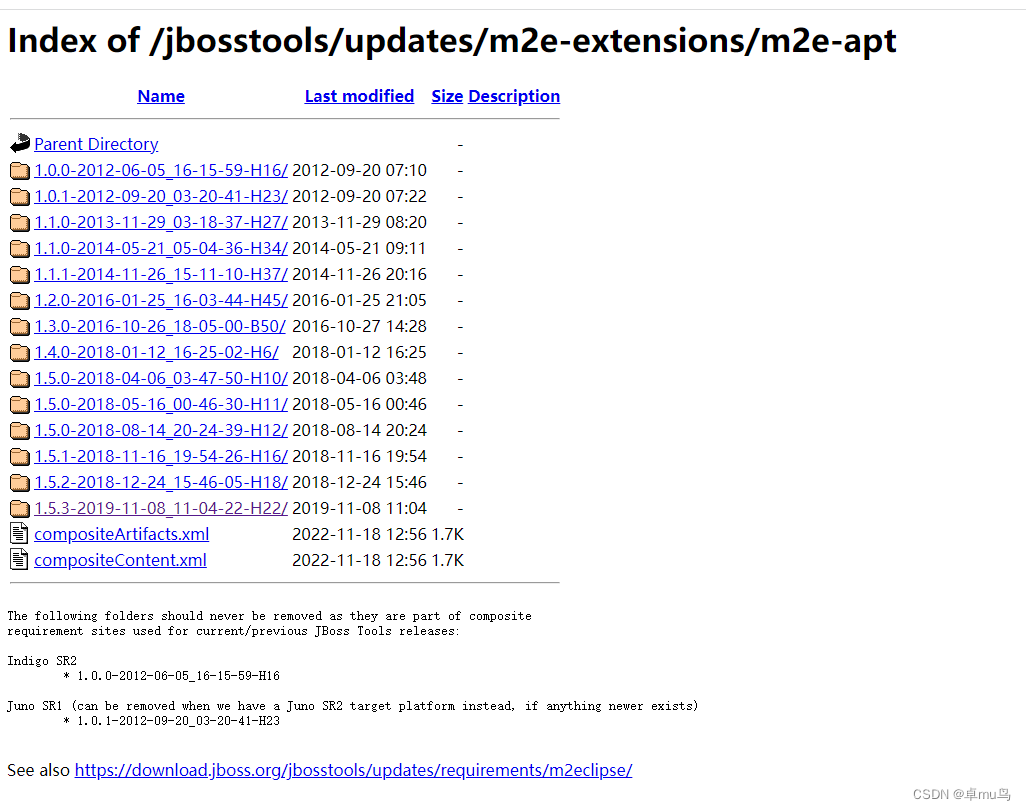
m2e-apt的其他版本地址:https://download.jboss.org/jbosstools/updates/m2e-extensions/m2e-apt/
在Eclipse那里,Help–>Install new software,弹出的框那里点击Add…
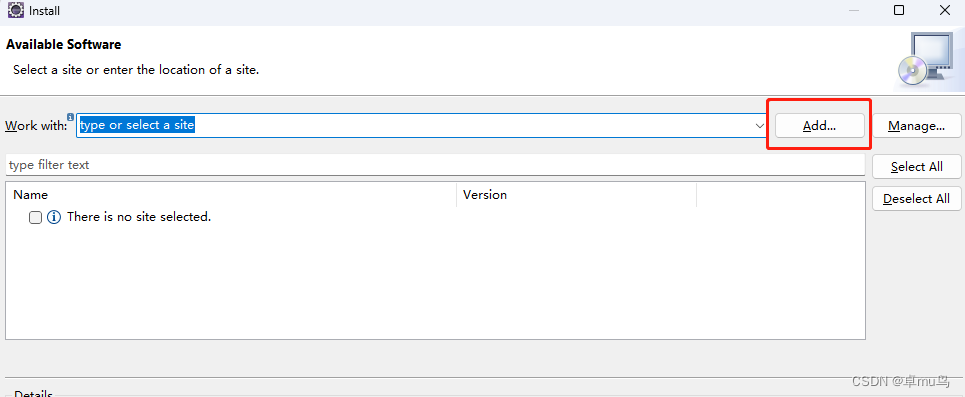
在弹出的框那里输入Nane:m2e,Location输入要选择m2e-apt的版本地址,我的Eclipse是2020-06,选择m2e-apt 1.5.3,输入m2e-apt 1.5.3的地址
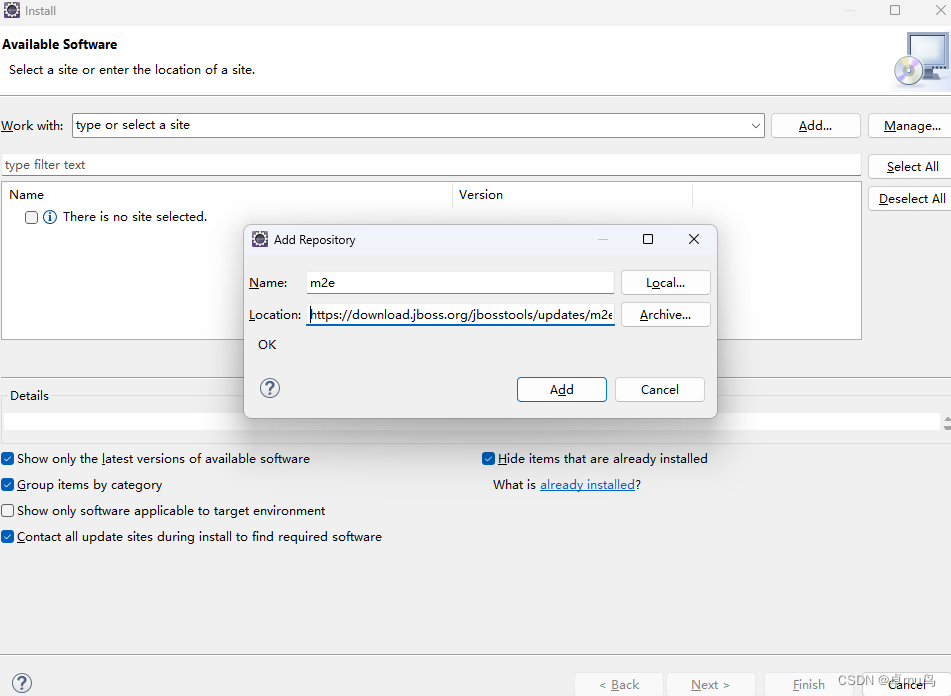
点Add后next进行添加,一直往后安装就好,这里不截图了。
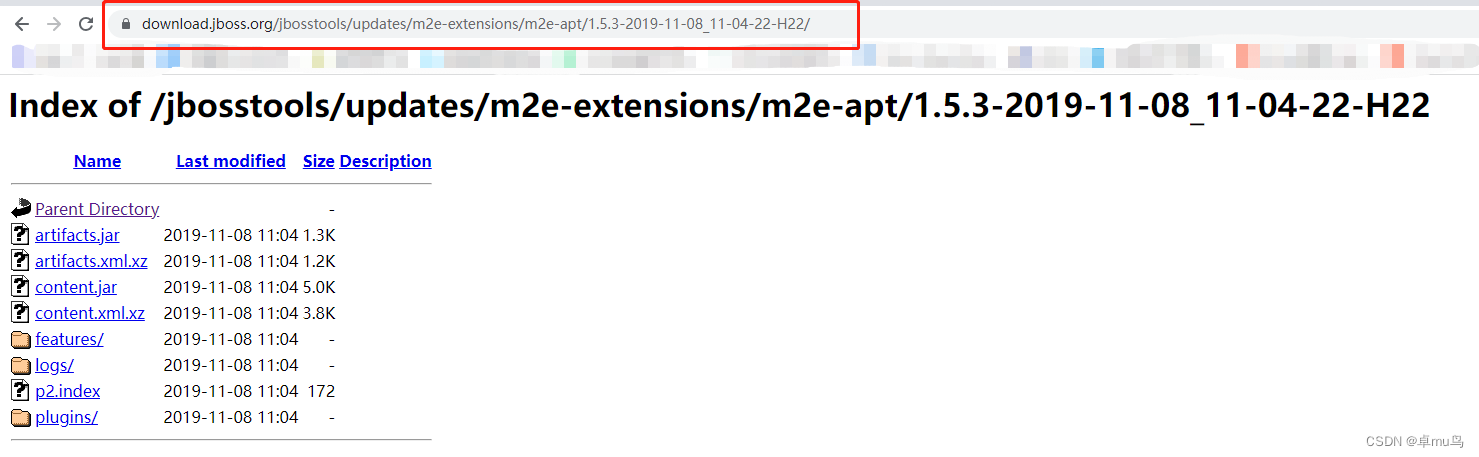
m2e-apt 的版本地址可以直接从浏览器那里复制,如我选择了m2e-apt 1.5.3,点到对应的地址是
②添加到pom.xml
安装完后需要在pom.xml那里添加(我是在版本依赖的pom.xml那里进行添加):
<properties><!-- automatically run annotation processors within the incremental compilation --><m2e.apt.activation>jdt_apt</m2e.apt.activation>
</properties>
最后重启一下Eclipse,重新运行项目。
本文来自互联网用户投稿,文章观点仅代表作者本人,不代表本站立场,不承担相关法律责任。如若转载,请注明出处。 如若内容造成侵权/违法违规/事实不符,请点击【内容举报】进行投诉反馈!