微信小程序--获取用户地理位置名称(无须用户授权)
在本文 微信小程序--获取用户地理位置名称(无须用户授权) 之前需要先看看
微信小程序-获取用户session_key,openid,unionid - 后端为nodejs
代码封装是在上文添加的。
准备
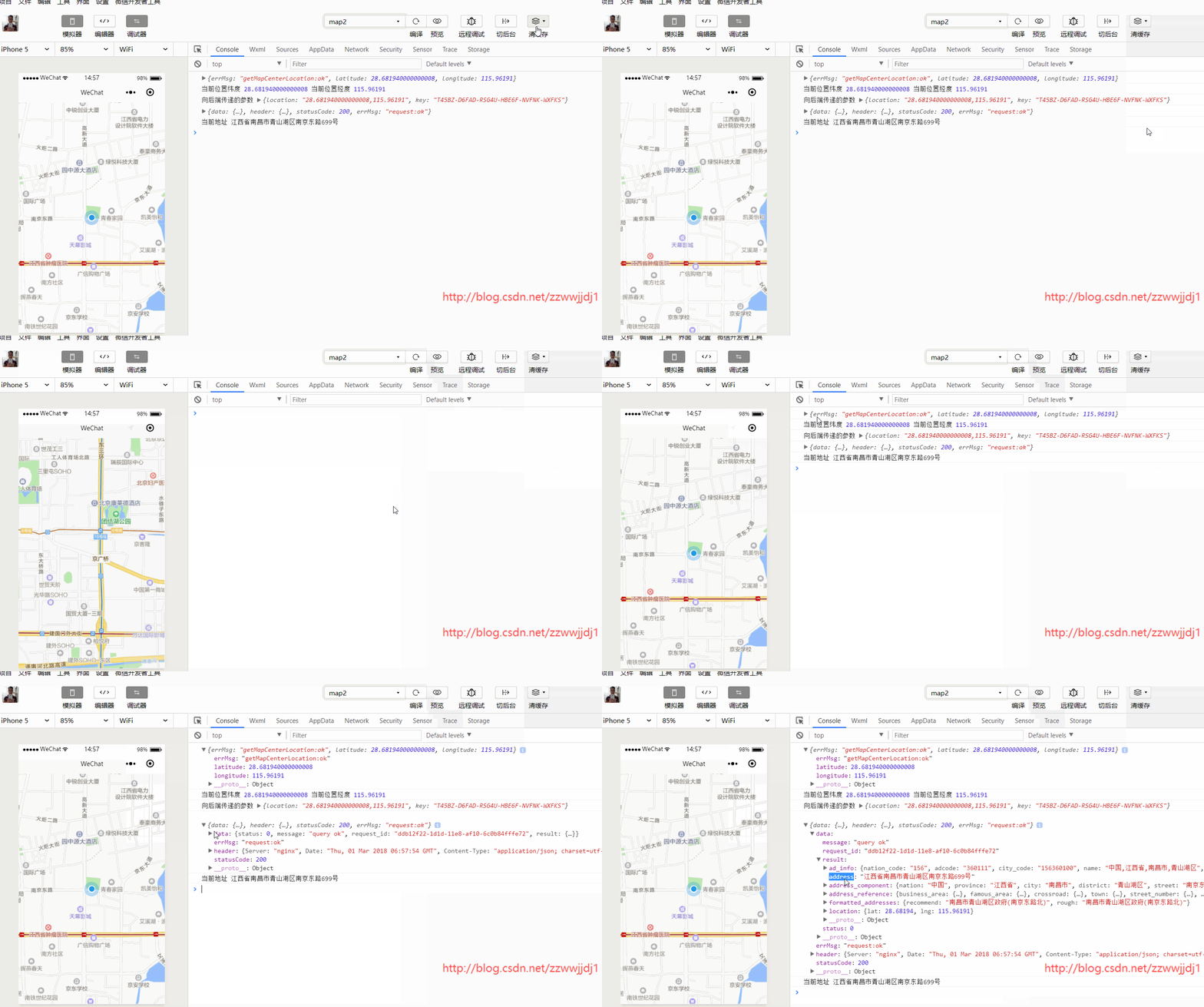
1、在http://lbs.qq.com/网站申请key 2、在微信小程序后台把apis.map.qq.com添加进request合法域名效果
添加封装
/*** 发起网络请求* @param {string} url * @param {object} params * @return {Promise} */static request(url, params, method = "GET", type = "json") {console.log("向后端传递的参数", params);return new Promise((resolve, reject) => {let opts = {url: url,data: Object.assign({}, params),method: method,header: { 'Content-Type': type },success: resolve,fail: reject}// console.log("请求的URL", opts.url);wx.request(opts);});};/*** 获取用户中心位置经纬度* @param {ctx} name */static getCenterLocation(name) {return new Promise((resolve, reject) => name.getCenterLocation({ success: resolve, fail: reject }));}如果已经存在,则不用添加
js
let app = getApp();
let wechat = require("../../utils/wechat");
Page({onReady(e) {let mapCtx = wx.createMapContext('myMap');setTimeout(() => {mapCtx.moveToLocation();}, 1000);setTimeout(() => {this.getAddress(mapCtx);}, 2000);},getAddress(mapCtx) {wechat.getCenterLocation(mapCtx).then(d => {console.log(d);let { latitude, longitude } = d;console.log("当前位置纬度", latitude, "当前位置经度", longitude);let url = `https://apis.map.qq.com/ws/geocoder/v1/`;let key = 'XXXXX-D6FAD-RSG4U-HBE6F-NVFNK-XXXXX';let params = {location: latitude + "," + longitude,key}return wechat.request(url, params);}).then(d => {console.log(d);console.log("当前地址", d.data.result.address);}).catch(e => {console.log(e);})}})
html
css
page{height: 100%;
}
#myMap{width: 100%;height: 100%;
}https://mp.weixin.qq.com/debug/wxadoc/dev/api/api-map.html
意外金喜的博客:http://blog.csdn.net/zzwwjjdj1
更多小程序文章:http://blog.csdn.net/zzwwjjdj1/article/details/79351547 关注公众号:
本文来自互联网用户投稿,文章观点仅代表作者本人,不代表本站立场,不承担相关法律责任。如若转载,请注明出处。 如若内容造成侵权/违法违规/事实不符,请点击【内容举报】进行投诉反馈!