PD逆向Mysql数据库带中文注释PDM图
生成PDM图
打开PowerDesigner→文件→Reverse Engineer→Database

选择MySQL5.0
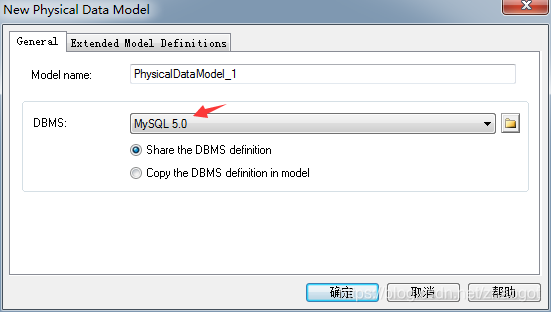
根据下图配置安装的Mysql5.0
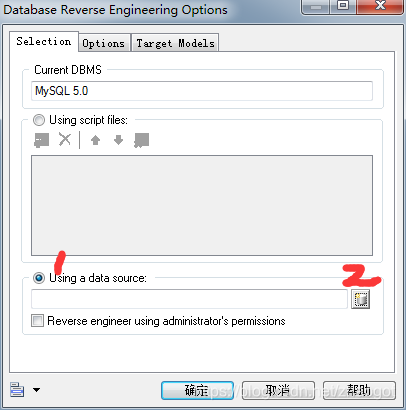


Data Source Name和Description随便填,下面的就填你的mysql数据库就OK,填完记得点test,这样database才会出现你的数据库。
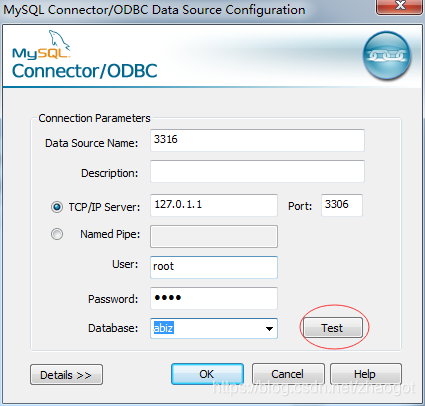
一路确定,到该页面,选择刚刚配置的数据库。
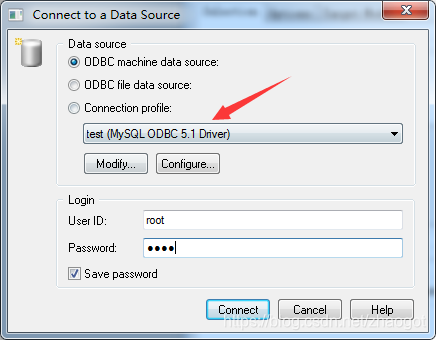
一路确定,到该页面,勾选需要生成ER图的表
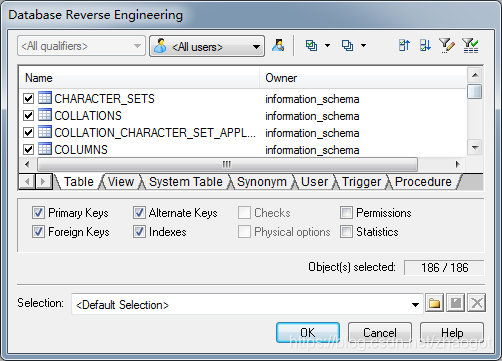
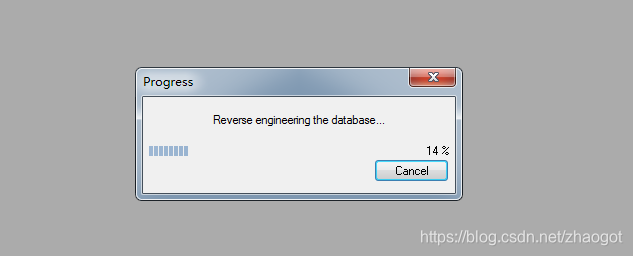
生成的ER图,表没有中文注释

生成中文注释
需要修改VB代码,代码如下
Option   Explicit
ValidationMode   =   True
InteractiveMode   =   im_BatchDim   mdl   '   the   current   model'   get   the   current   active   model
Set   mdl   =   ActiveModel
If   (mdl   Is   Nothing)   Then MsgBox   "There   is   no   current   Model "
ElseIf   Not   mdl.IsKindOf(PdPDM.cls_Model)   Then MsgBox   "The   current   model   is   not   an   Physical   Data   model. "
Else ProcessFolder   mdl
End   IfPrivate   sub   ProcessFolder(folder)
On Error Resume NextDim   Tab   'running     table for   each   Tab   in   folder.tables if   not   tab.isShortcut   then Dim   col   '   running   column for   each   col   in   tab.columns if col.comment="" thenelsecol.name=   col.comment end ifnext end   if nextDim   view   'running   view for   each   view   in   folder.Views if   not   view.isShortcut   then          end   if next'   go   into   the   sub-packages Dim   f   '   running   folder For   Each   f   In   folder.Packages if   not   f.IsShortcut   then ProcessFolder   f end   if Next
end   sub
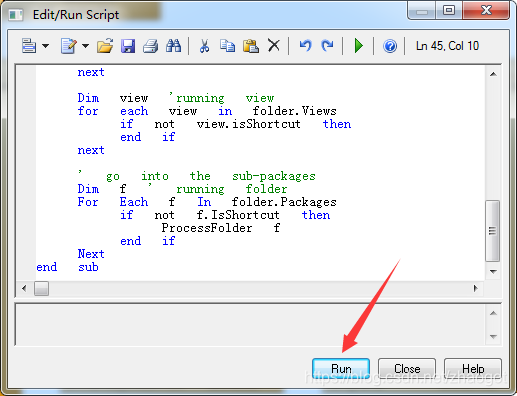
将代码粘贴到如图所示的地方。

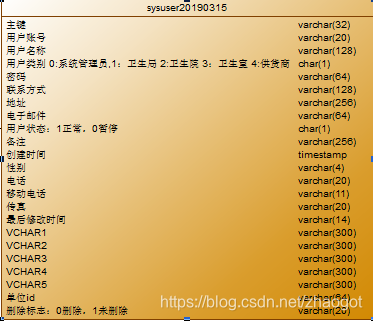
终于出现中文注释了,但是,我的英文字段呢?!仿佛在逗我。请接着往下看
生成带注释emr图
工具→显示参数选择


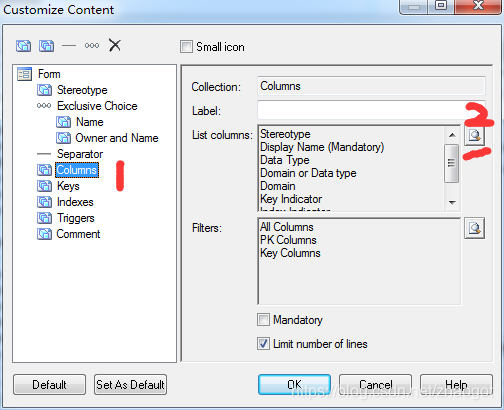
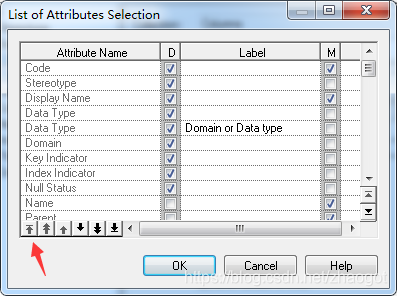
勾选code,并且置顶。


注意事项
1.不能直接连接的话,可以navicat 等导出生成数据库表结构的sql脚本,导入脚本的方式生成emr图 。
2.mysql各个版本有字符差异 ,去掉生成的脚本中的不兼容字符类型,不然有些写的中文注释无法显示在emr图上
本文来自互联网用户投稿,文章观点仅代表作者本人,不代表本站立场,不承担相关法律责任。如若转载,请注明出处。 如若内容造成侵权/违法违规/事实不符,请点击【内容举报】进行投诉反馈!