wpa_cli、wpa_supplicant连接热点
需要将rtl8821cs.ko、wpa_cli、wpa_supplicant等移植到板子上,wpa_supplicant包含两个主要的可执行工具:wpa_supplicant和wpa_cli。wpa_supplicant是核心程序,它和wpa_cli的关系就是服务和客户端的关系:后台运行wpa_supplicant,使用wpa_cli来搜索、设置、和连接网络。
在wpa_cli交互模式下可以执行很多命令,列表如下:
| Full command | Short command | Description |
|---|---|---|
| status | stat | displays the current connection status |
| disconnect | disc | prevents wpa_supplicant from connecting to any access point |
| quit | q | exits wpa_cli |
| terminate | term | kills wpa_supplicant |
| reconfigure | recon | reloads wpa_supplicant with the configuration file supplied (-c parameter) |
| scan | scan | scans for available access points (only scans it, doesn‘t display anything) |
| scan_result | scan_r | displays the results of the last scan |
| list_networks | list_n | displays a list of configured networks and their status (active or not, enabled or disabled) |
| select_network | select_n | select a network among those defined to initiate a connection (ie select_network 0) |
| enable_network | enable_n | makes a configured network available for selection (ie enable_network 0) |
| disable_network | disable_n | makes a configured network unavailable for selection (ie disable_network 0) |
| remove_network | remove_n | removes a network and its configuration from the list (ie remove_network 0) |
| add_network | add_n | adds a new network to the list. Its id will be created automatically |
| set_network | set_n | shows a very short list of available options to configure a network when supplied with no parameters. See next section for a list of extremely useful parameters to be used with set_network and get_network. |
| get_network | get_n | displays the required parameter for the specified network. See nextsection for a list of parameters |
| save_config | save_c | saves the configuration |
以下命令安装驱动,启动wpa_supplicant:
insmod /root/wifi/rtl8821cs.ko
wpa_supplicant -Dnl80211 -iwlan0 -cwpa.conf -B
执行 scan 扫描热点后,执行 scan_results 查看结果:
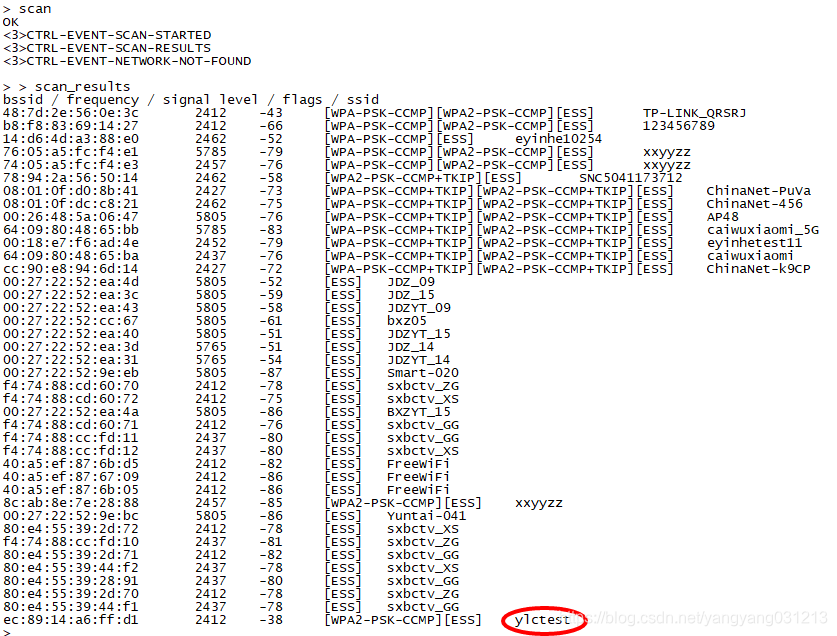
记住 ssid 并根据热点密码设置连接信息,执行 add_network 添加网络获取添加的网络号,根据此号使用 set_network 热点名和密码,使用 select_network 选择即可,正常情况下就能连接到热点了。
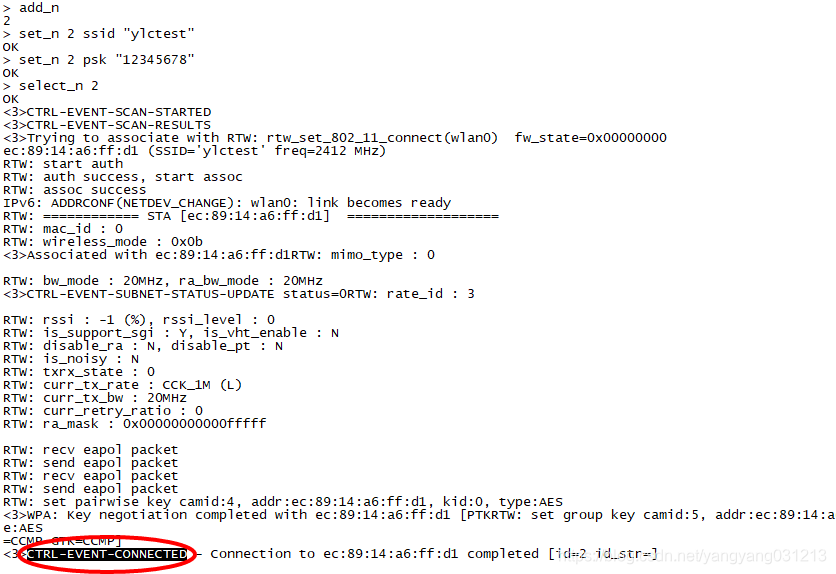
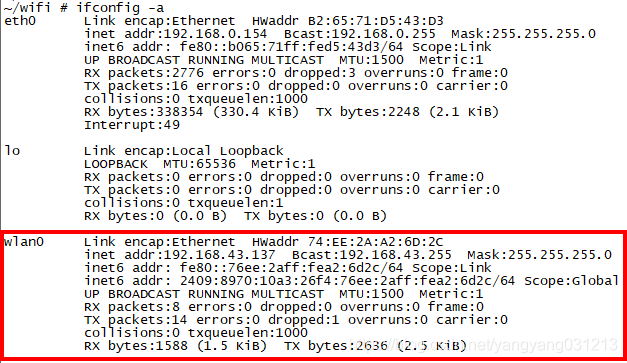
状态变为 CTRL-EVENT-CONNECTED 就连接成功了:
要使用wifi作为AP,让其他设备能连接到此设备,则还需要hostapd、dhcpd等。
本文来自互联网用户投稿,文章观点仅代表作者本人,不代表本站立场,不承担相关法律责任。如若转载,请注明出处。 如若内容造成侵权/违法违规/事实不符,请点击【内容举报】进行投诉反馈!