ElasticSearch 7.X的基础教程四(实战模拟京东商城)
一、创建项目
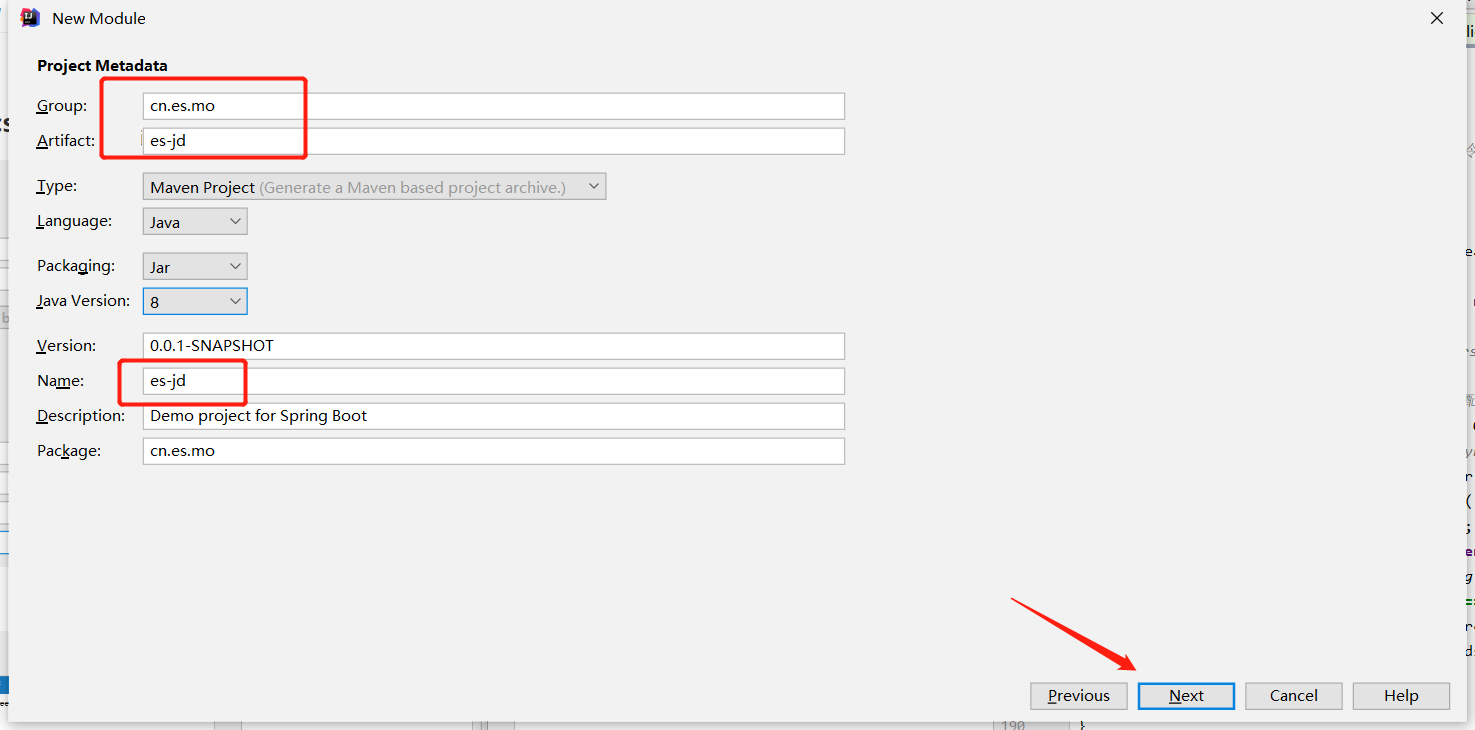
第一步,创建项目,填写工程信息
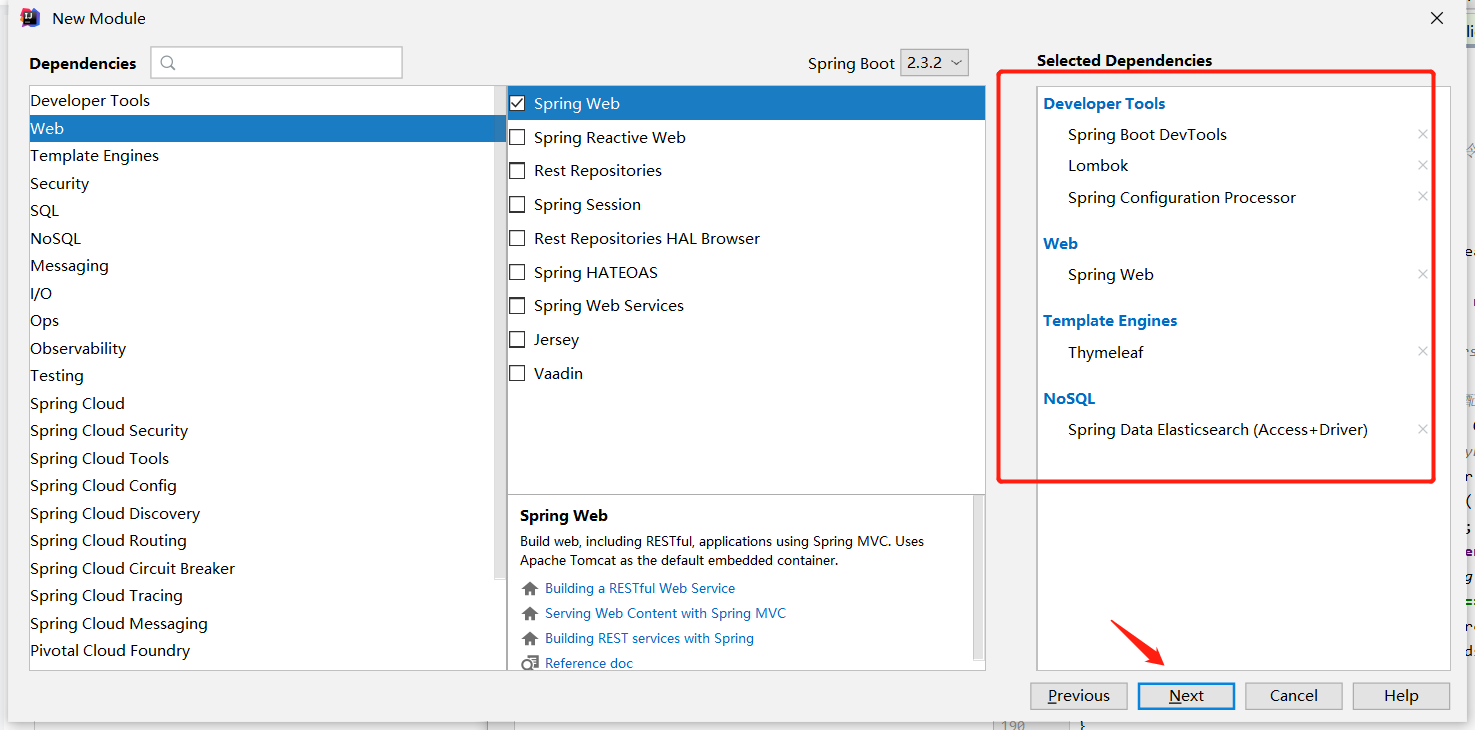
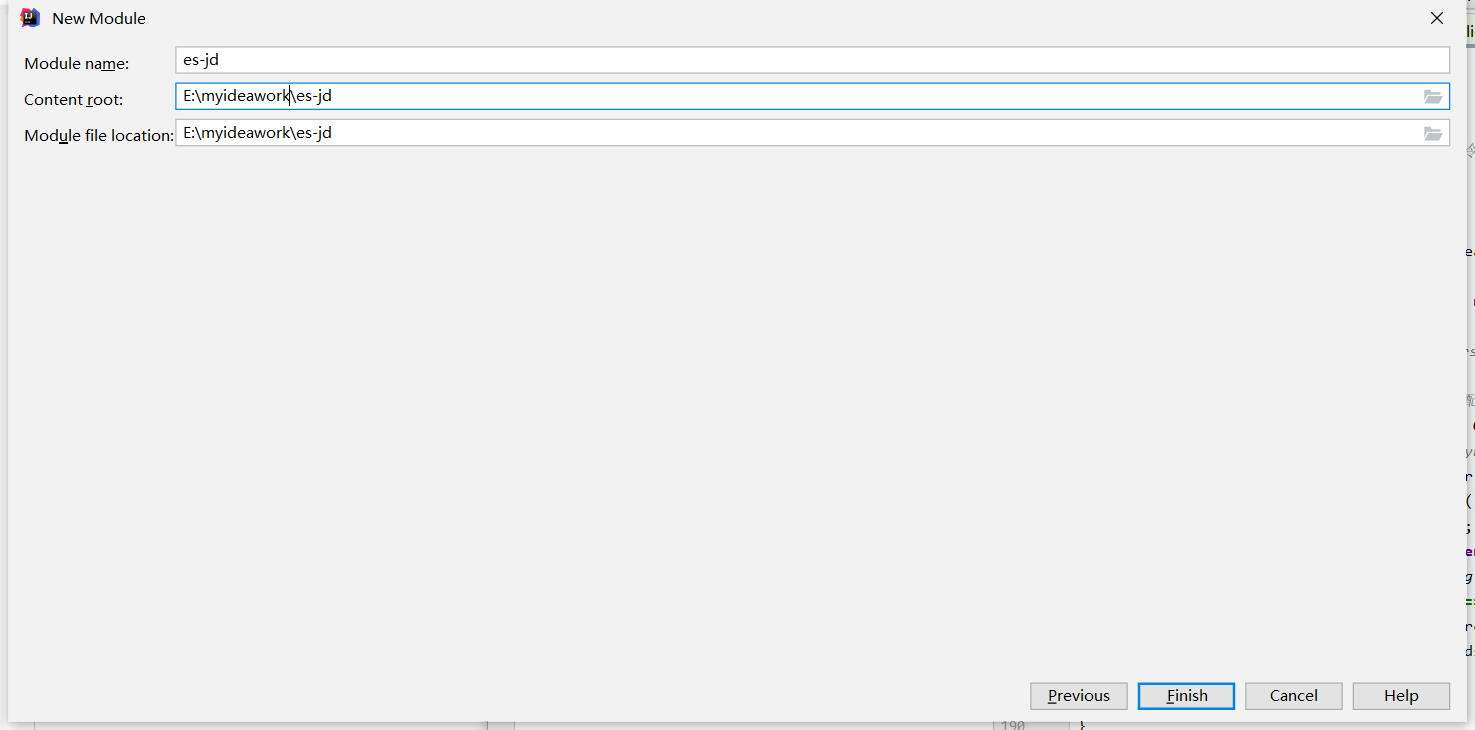
添加依赖
搜索页面链接代码
pan.baidu.com/s/1vWZCx1aOWgCcOvhqV42Hcw
rlwp
二、给出代码
2.1完整pom.xml代码
4.0.0 org.springframework.boot spring-boot-starter-parent 2.3.2.RELEASE cn.es.mo es-jd 0.0.1-SNAPSHOT es-jd Demo project for Spring Boot 1.8 7.6.1 org.springframework.boot spring-boot-starter-data-elasticsearch org.springframework.boot spring-boot-starter-thymeleaf org.springframework.boot spring-boot-starter-web com.alibaba fastjson 1.2.72 org.springframework.boot spring-boot-devtools runtime true org.springframework.boot spring-boot-configuration-processor true org.projectlombok lombok true org.springframework.boot spring-boot-starter-test test org.junit.vintage junit-vintage-engine org.springframework.boot spring-boot-maven-plugin
2.2配置application.properties文件
server.port=9090
#关闭thymeleaf 缓存
spring.thymeleaf.cache=false
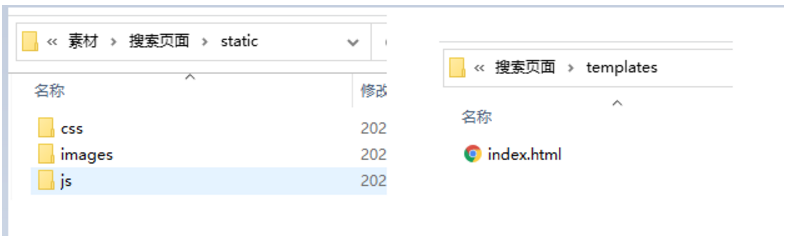
注意: 使用thymeleaf 默认访问路径为templates 并且默认后缀为html
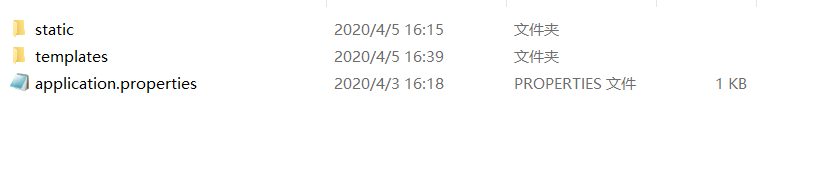
2.3添加静态资源文件

2.4创建首页显示控制类
/*** @program: es7-mo* @description: 创建首页显示控制类* @author: WEN* @create: 2020-07-25**/
@Controller
public class IndexController {@GetMapping({"/","index"})public String index(){return "index";}
}
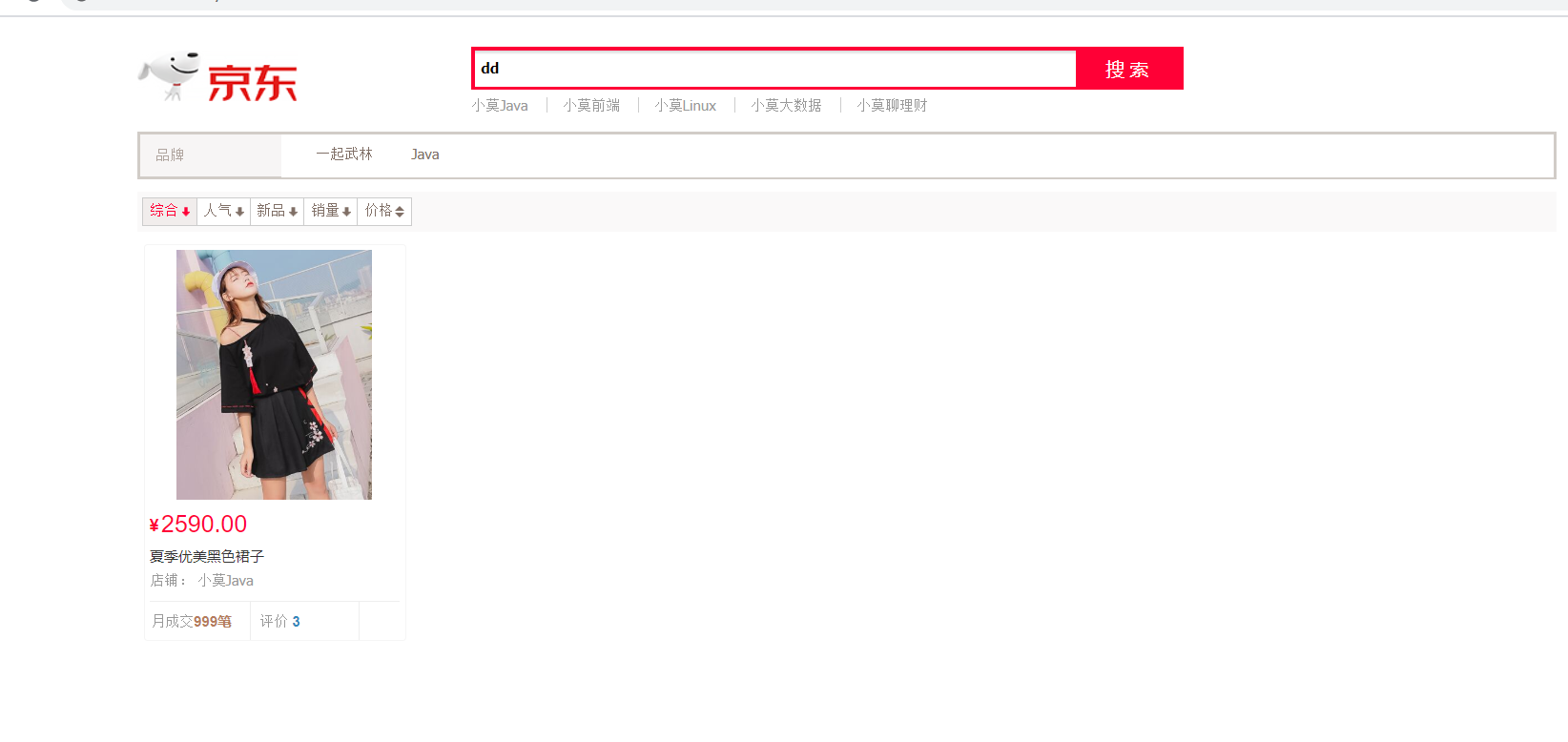
2.5启动并且测试
访问
http://localhost:9090/index?
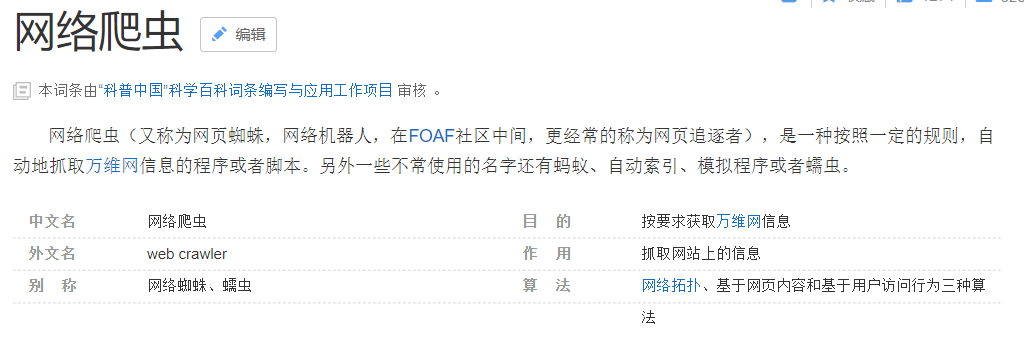
2.6使用爬虫 获取数据
数据问题?数据库获取,消息队列中获取,都可以成为数据源或者爬虫
2.7使用jsoup包
org.jsoup jsoup 1.10.2
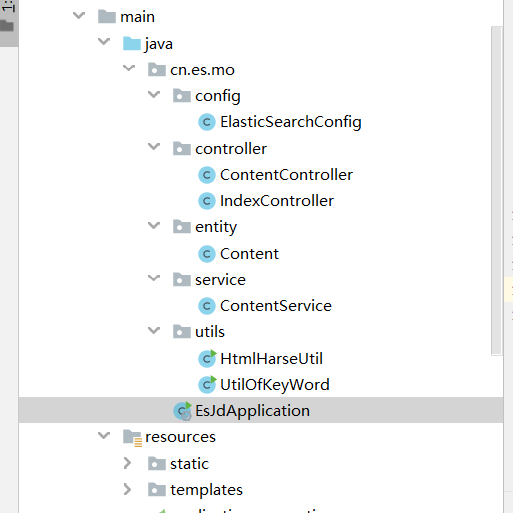
目录结构
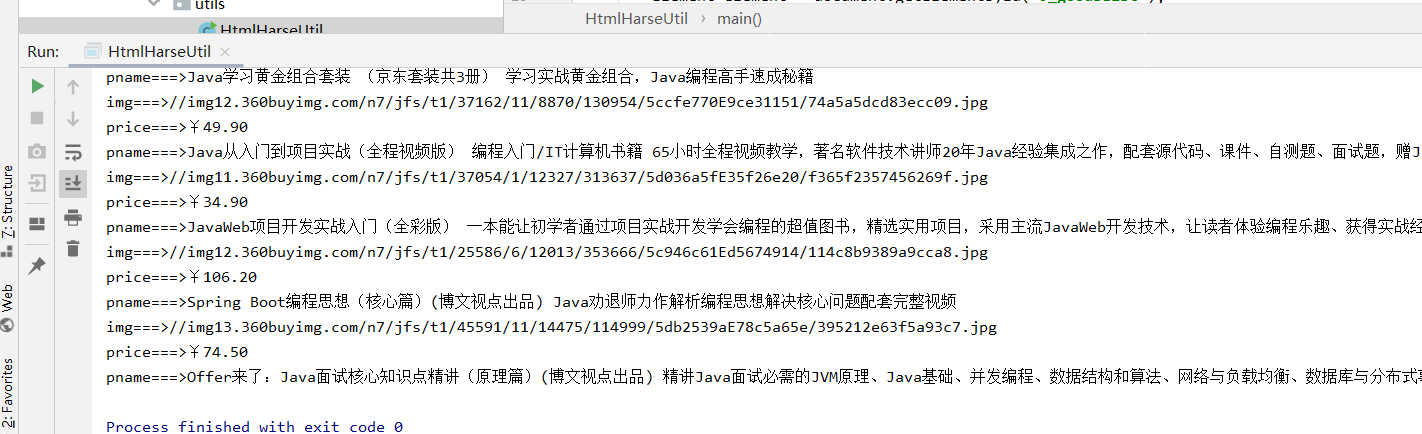
测试 jsop 爬取 jd显示数据
HtmlHarseUtil代码
public class HtmlHarseUtil {public static void main(String[] args) throws Exception {// 获取请求 https://search.jd.com/Search?keyword=java//ajax 请求不能获取String url = "https://search.jd.com/Search?keyword=java";//解析网页 30秒 没返回 报错 (jsoup 返回document就是页面document对象Document document = Jsoup.parse(new URL(url), 30000);//所有js中能做的操作 document 对象都能使用Element element = document.getElementById("J_goodsList");// System.out.println(element.html());//获取所有的li 元素Elements elements = element.getElementsByTag("li");//获取元素中所有li标签for (Element el : elements){// 关于这种图片特别多的 网站 所有图片都是延迟加载// source-data-lazy-img// System.out.println(el.html());//获取图片标签 获取当前li标签 第一个 图片 src 属性String img= el.getElementsByTag("img").eq(0).attr("src");//String img= el.getElementsByTag("img").eq(0).attr("source-data-lazy-img");//1. 通过class 属性为 p-price的元素的 第一个元素的文本内容String price = el.getElementsByClass("p-price").eq(0).text();String pname = el.getElementsByClass("p-name").eq(0).text();System.out.println("img===>"+img);System.out.println("price===>"+price);System.out.println("pname===>"+pname);}}}运行测试
创建实体类Content存储数据
/*** @program: es7-mo* @description: 内容实体类* @author: WEN* @create: 2020-07-25 **/
@Data
@AllArgsConstructor
@NoArgsConstructor
public class Content {private  String title;private  String img;private  String price;//可以自己添加数据
}
再创建一个工具类UtilOfKeyWord 并测试
/*** @program: es7-mo* @description: 实体类封装的工具类* @author: WEN* @create: 2020-07-25 **/
public class UtilOfKeyWord {public static void main(String[] args) throws Exception{// parseJD("java").forEach(System.out::println);parseJD("开发").forEach(content -> System.out.println(content));}public static List parseJD(String keyword) throws Exception {String url = "https://search.jd.com/Search?keyword="+keyword;Document document = Jsoup.parse(new URL(url), 30000);Element element = document.getElementById("J_goodsList");Elements elements = element.getElementsByTag("li");ArrayList list = new ArrayList<>();for (Element el : elements){String img=  el.getElementsByTag("img").eq(0).attr("src");String price = el.getElementsByClass("p-price").eq(0).text();String title = el.getElementsByClass("p-name").eq(0).text();Content content = new Content();content.setImg(img);content.setPrice(price);content.setTitle(title);list.add(content);}return  list;}}

2.8 添加 配置文件 config/ElasticSearchConfig.java
/*** @program: es7-mo* @description:* @author: WEN* @create: 2020-07-25 **/
@Configuration //创建启动配置 启动时 创建RestHighLevelClient
public class ElasticSearchConfig {@Beanpublic RestHighLevelClient restHighLevelClient(){RestHighLevelClient client = new RestHighLevelClient(RestClient.builder(new HttpHost("127.0.0.1", 9200, "http")));return client;}}
2.9编写业务类
将jd 查询数据存储es中
/*** @program: es7-mo* @description: 业务层* @author: WEN* @create: 2020-07-25**/
@Service
public class ContentService {@Autowiredprivate RestHighLevelClient restHighLevelClient;public Boolean parseContent(String keywords) throws Exception{List contents = UtilOfKeyWord.parseJD(keywords);//将查询到的数据放入es中BulkRequest bulkRequest = new BulkRequest();//超时时间2分钟bulkRequest.timeout("2m");for (Content ct :contents){bulkRequest.add(new IndexRequest("jd_goods").source(JSON.toJSONString(ct), XContentType.JSON));}BulkResponse bulk = restHighLevelClient.bulk(bulkRequest, RequestOptions.DEFAULT);return !bulk.hasFailures();}
}
2.10 编写ContentController
/*** @program: es7-mo* @description: 内容控制层* @author: WEN* @create: 2020-07-25**/
@RestController
public class ContentController {@Autowiredprivate ContentService contentService;@GetMapping("/parse/{keyword}")public Boolean parse(@PathVariable("keyword") String keyword) throws Exception{return contentService.parseContent(keyword);}
}
将京东数据存储es中
访问请求http://localhost:9090/parse/java
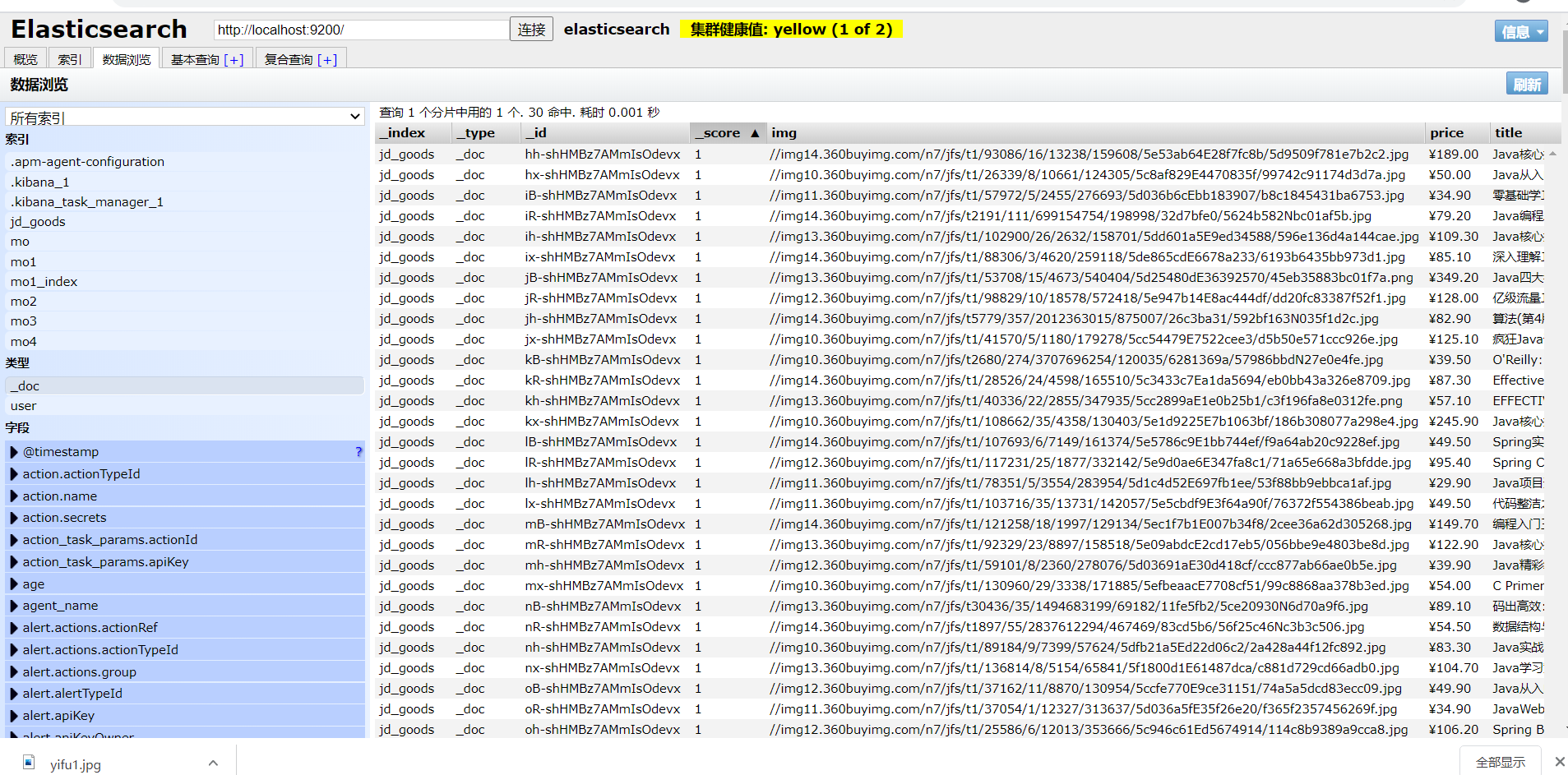
es 中显示内容
三、实现搜索功能
3.1 编写搜索业务方法
ContentService层代码
/*** @program: es7-mo* @description: 业务层* @author: WEN* @create: 2020-07-25**/
@Service
public class ContentService {@Autowiredprivate RestHighLevelClient restHighLevelClient;public Boolean parseContent(String keywords) throws Exception{List contents = UtilOfKeyWord.parseJD(keywords);//将查询到的数据放入es中BulkRequest bulkRequest = new BulkRequest();//超时时间2分钟bulkRequest.timeout("2m");for (Content ct :contents){bulkRequest.add(new IndexRequest("jd_goods").source(JSON.toJSONString(ct), XContentType.JSON));}BulkResponse bulk = restHighLevelClient.bulk(bulkRequest, RequestOptions.DEFAULT);return !bulk.hasFailures();}public List> searchPage(String keyword,int pageNo,int pageSize) throws Exception {if(pageNo <=1){pageNo =1;}//条件搜索SearchRequest searchRequest = new SearchRequest("jd_goods");SearchSourceBuilder sourceBuilder = new SearchSourceBuilder();//设置分页sourceBuilder.from(pageNo);sourceBuilder.size(pageSize);//精确匹配TermQueryBuilder termQueryBuilder= QueryBuilders.termQuery("title", keyword);sourceBuilder.query(termQueryBuilder);sourceBuilder.timeout(new TimeValue(60, TimeUnit.SECONDS));// 高亮HighlightBuilder highlightBuilder = new HighlightBuilder();highlightBuilder.field("title");//设置标题高亮highlightBuilder.requireFieldMatch(false);//关闭多个高亮显示highlightBuilder.preTags(""); //设置标签头highlightBuilder.postTags(""); //设置标签尾sourceBuilder.highlighter(highlightBuilder);//执行搜索searchRequest.source(sourceBuilder);SearchResponse search = restHighLevelClient.search(searchRequest, RequestOptions.DEFAULT);//解析结果ArrayList> list = new ArrayList<>();for (SearchHit documentFields: search.getHits().getHits()){Map highlightFields = documentFields.getHighlightFields();HighlightField title = highlightFields.get("title");Map sourceAsMap = documentFields.getSourceAsMap();//获取原来的结果//解析高亮的字段,将原来的字段换为高亮字段即可if(title != null){Text[] fragments = title.fragments();String n_title="";for (Text text: fragments) {//获取高亮的字段n_title+=text;}sourceAsMap.put("title",n_title);//高亮字段替换为原来内容即可}list.add(sourceAsMap);}return list;}
}
ContentController层代码
/*** @program: es7-mo* @description: 内容控制层* @author: WEN* @create: 2020-07-25**/
@RestController
public class ContentController {@Autowiredprivate ContentService contentService;@GetMapping("/parse/{keyword}")public Boolean parse(@PathVariable("keyword") String keyword) throws Exception{return contentService.parseContent(keyword);}@GetMapping("/search/{keyword}/{pageNo}/{pageSize}")public List> search(@PathVariable("keyword") String keyword,@PathVariable("pageNo") int pageNo,@PathVariable("pageSize") int pageSize)throws Exception{if(pageNo==0){pageNo=1;}List> list = contentService.searchPage(keyword, pageNo, pageSize);System.out.println("输出:"+list);return list;}
}
index.html代码
Java-ES仿京东实战
![]()
综合人气新品销量价格![]()
{{result.price}}
店铺: 小莫Java 月成交999笔评价 3
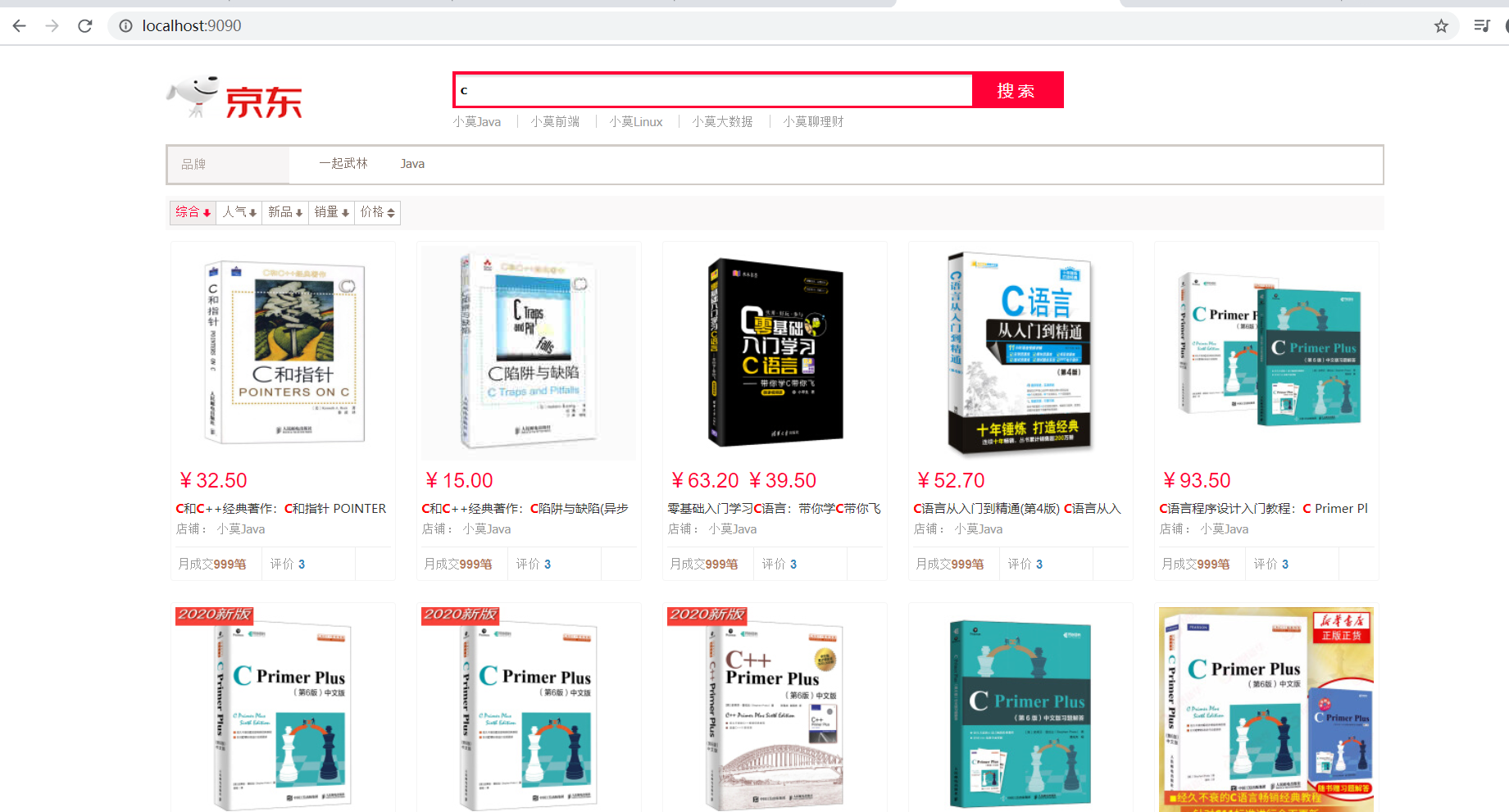
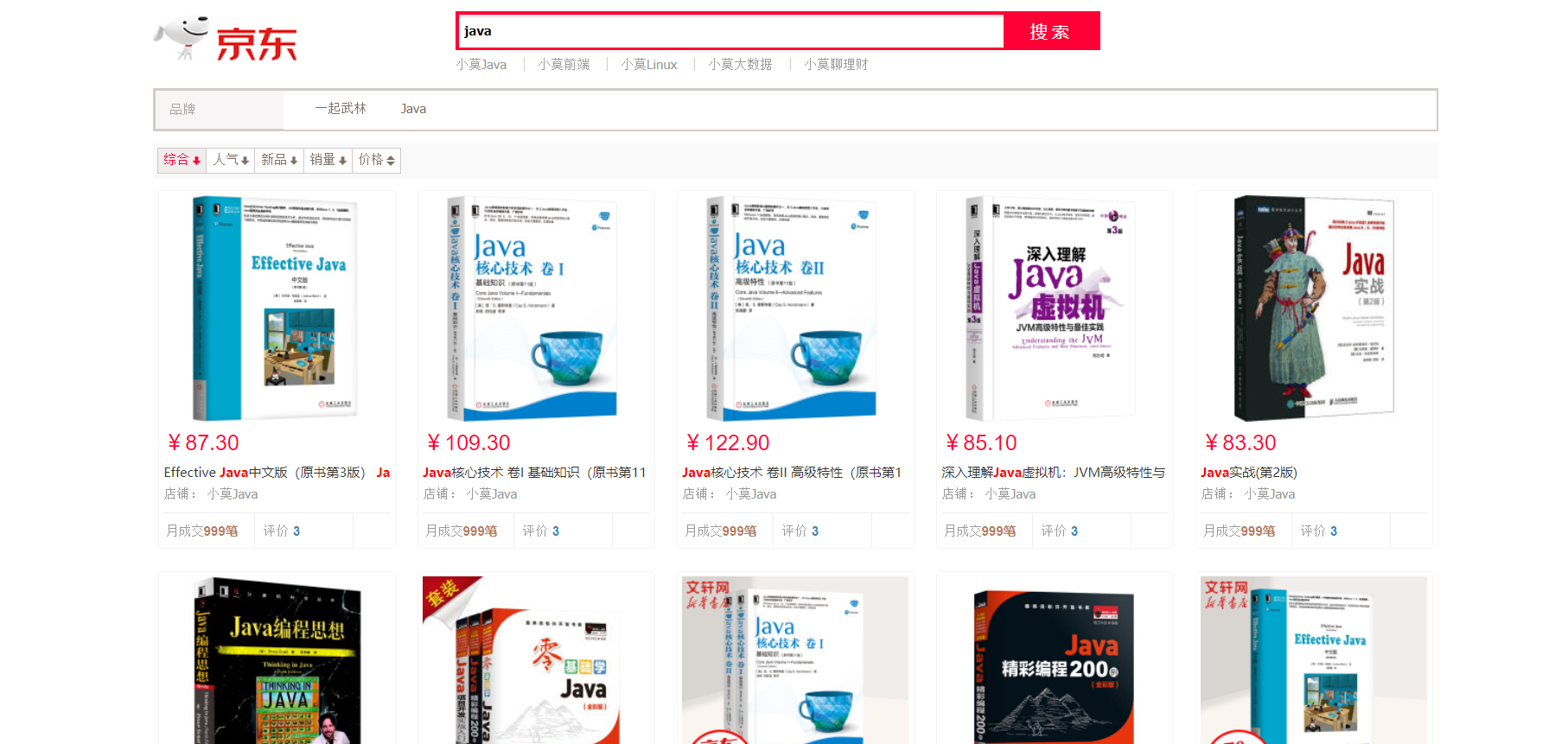
页面展示效果

四、完结
致谢
参考链接:https://space.bilibili.com/95256449?spm_id_from=333.788.b_765f7570696e666f.1
本文来自互联网用户投稿,文章观点仅代表作者本人,不代表本站立场,不承担相关法律责任。如若转载,请注明出处。 如若内容造成侵权/违法违规/事实不符,请点击【内容举报】进行投诉反馈!