微信小程序 触控事件
微信小程序 触控事件:
转:http://www.jb51.net/article/94936.htm
》》》什么是事件
- 事件是视图层到逻辑层的通讯方式。
- 事件可以将用户的行为反馈到逻辑层进行处理。
- 事件可以绑定在组件上,当达到触发事件,就会执行逻辑层中对应的事件处理函数。
- 事件对象可以携带额外信息,如id, dataset, touches。
事件的使用方式
在组件中绑定一个事件处理函数。
如bindtap,当用户点击该组件的时候会在该页面对应的Page中找到相应的事件处理函数。
在相应的Page定义中写上相应的事件处理函数,参数是event。
Page({tapName: function(event) {console.log(event)}
})
可以看到log出来的信息大致如下:
{
"type":"tap",
"timeStamp": 1252,
"target": {"id":"tapTest","offsetLeft": 0,"offsetTop": 0,"dataset": {"hi":"MINA"}
},
"currentTarget": {"id":"tapTest","offsetLeft": 0,"offsetTop": 0,"dataset": {"hi":"MINA"}
},
"touches": [{"pageX": 30,"pageY": 12,"clientX": 30,"clientY": 12,"screenX": 112,"screenY": 151
}],
"detail": {"x": 30,"y": 12
}
}
事件详解
事件分类
事件分为冒泡事件和非冒泡事件:
冒泡事件:当一个组件上的事件被触发后,该事件会向父节点传递。
非冒泡事件:当一个组件上的事件被触发后,该事件不会向父节点传递。
》》》事件分类
- touchstart 手指触摸
- touchmove 手指触摸后移动
- touchcancel 手指触摸动作被打断,如弹窗和来电提醒
- touchend 手指触摸动作结束
- tap 手指触摸后离开
- longtap 手指触摸后后,超过350ms离开
》》》事件绑定
事件绑定的写法同组件的属性,以 key、value 的形式。
- key 以bind或catch开头,然后跟上事件的类型,如bindtap, catchtouchstart
- value 是一个字符串,需要在对应的 Page 中定义同名的函数。不然当触发事件的时候会报错。 bind事件绑定不会阻止冒泡事件向上冒泡,catch事件绑定可以阻止冒泡事件向上冒泡。
上面简单介绍了小程序事件基础,是时候彰显"事件"的威力:
- 单击(tap)
- 双击(dbtap)
- 长按(longtap)
- 滑动
- 多点触控
1.单击
单击事件由touchstart、touchend组成,touchend后触发tap事件。
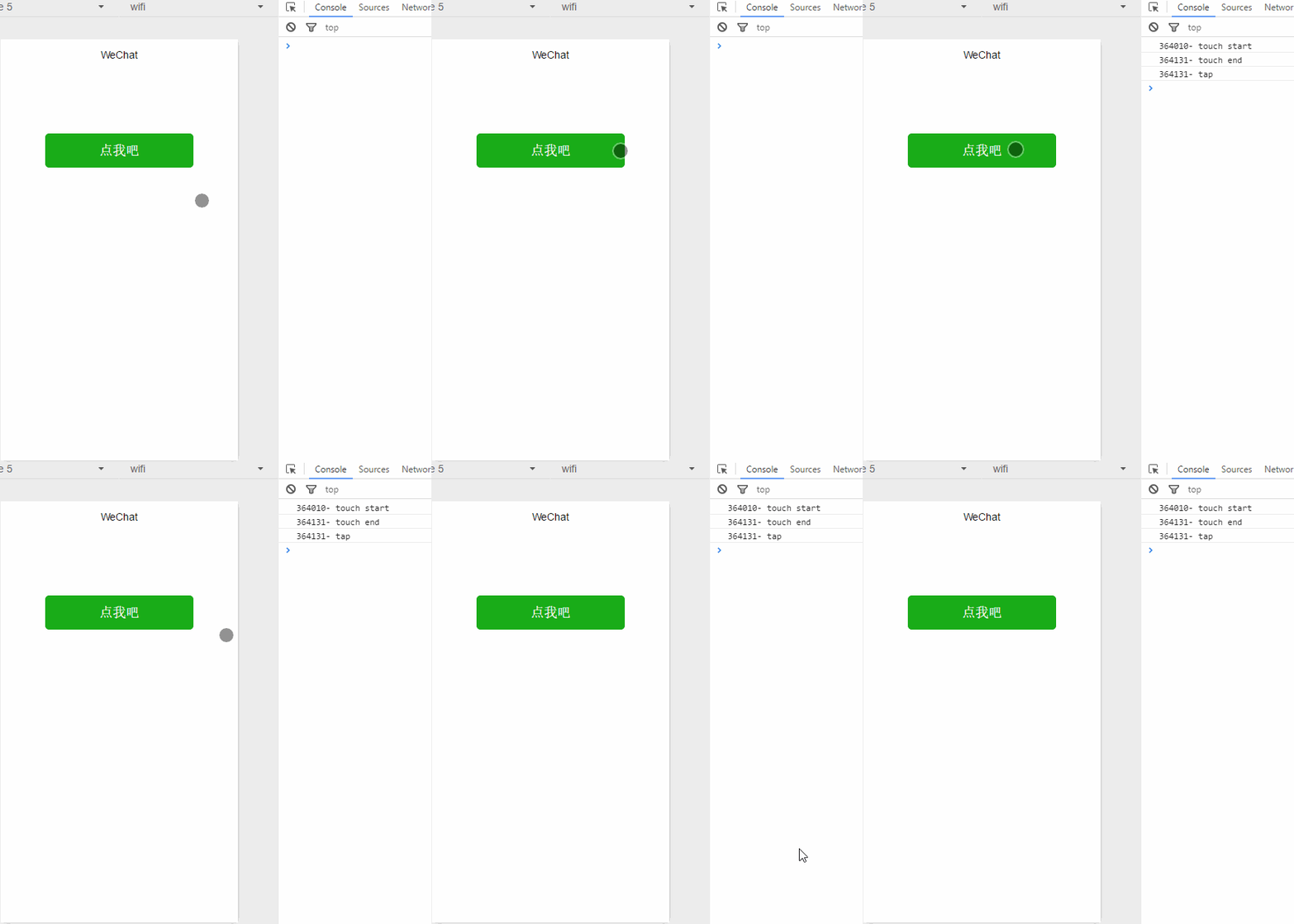
mytouchstart: function(e){ console.log(e.timeStamp +'- touch start')
},mytouchend: function(e){ console.log(e.timeStamp +'- touch end')
},mytap: function(e){ console.log(e.timeStamp +'- tap')
}2.双击
双击事件由两个单击事件组成,两次间隔时间小于300ms认为是双击;微信官方文档没有双击事件,需要开发者自己定义处理。
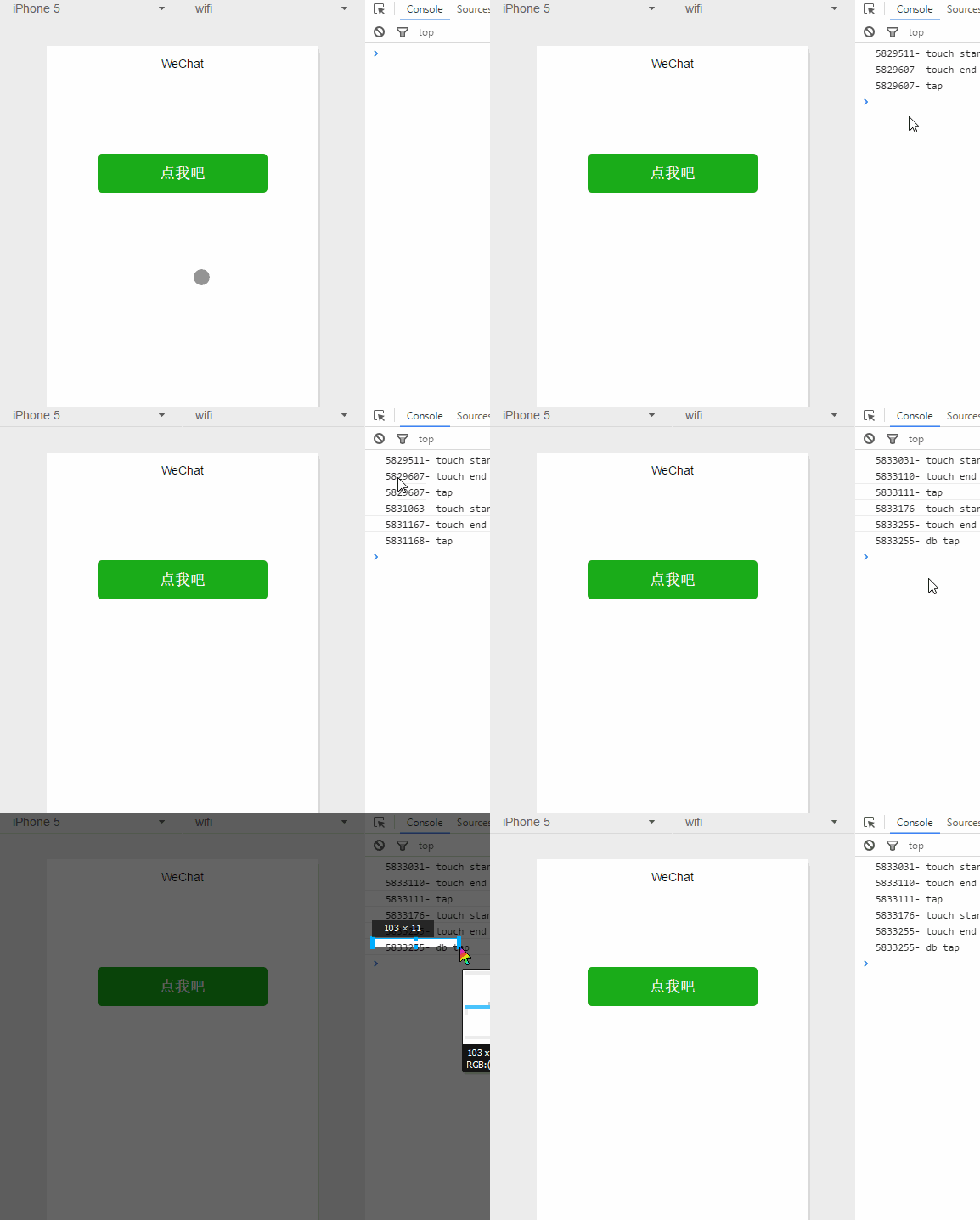
点我吧
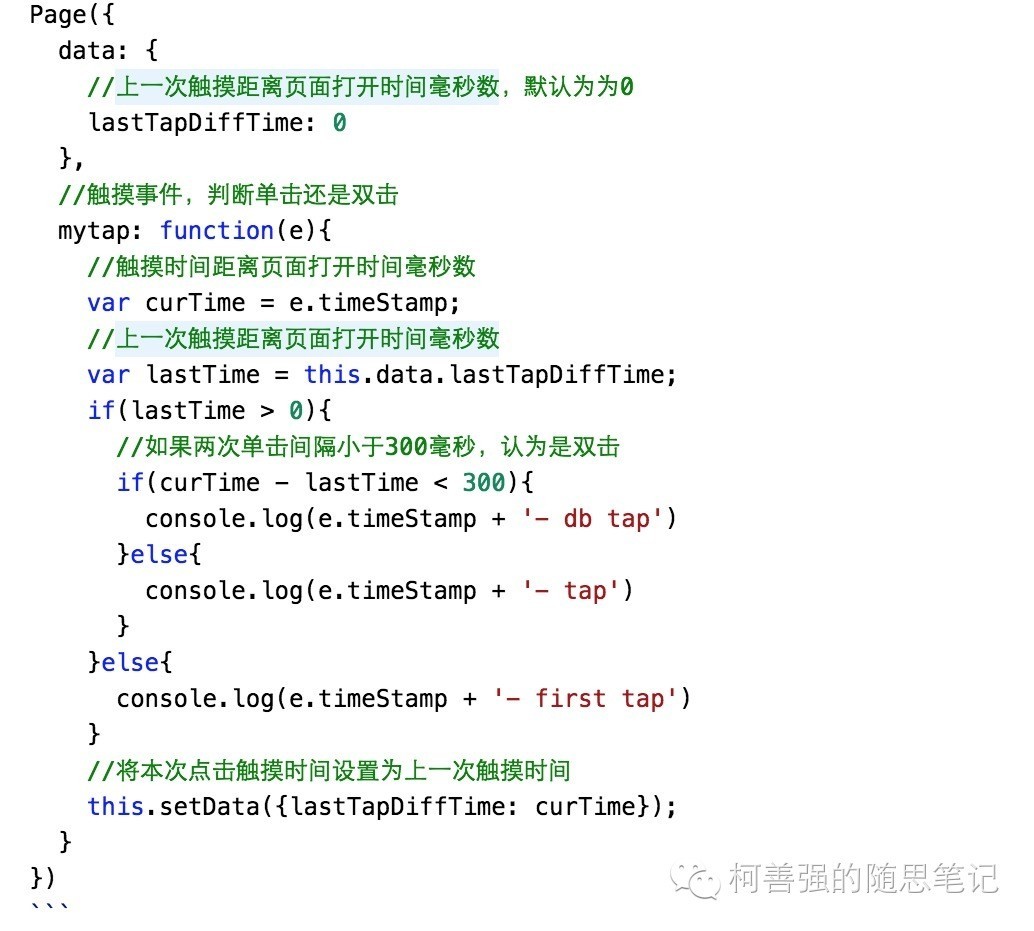
3.长按
长按事件手指触摸后,超过350ms再离开。
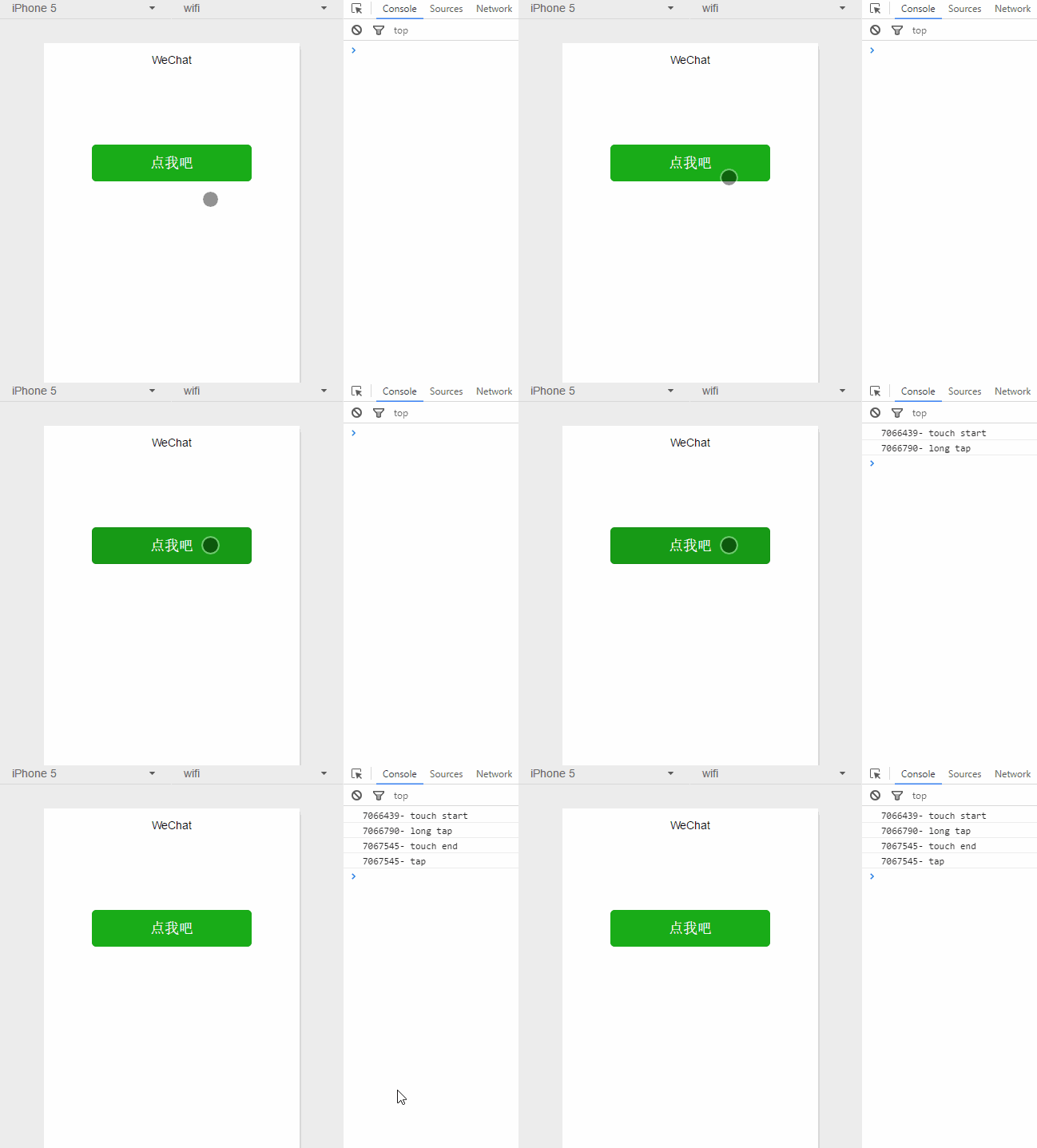
mytouchstart: function(e){ console.log(e.timeStamp +'- touch start')
},//长按事件mylongtap: function(e){ console.log(e.timeStamp + '- long tap')},mytouchend:function(e){ console.log(e.timeStamp +'- touch end')
},mytap: function(e){ console.log(e.timeStamp +'- tap')
}单击、双击、长按属于点触事件,会触发touchstart、touchend、tap事件,touchcancel事件只能在真机模拟,不多说了。
| 事件 | 触发顺序 |
|---|---|
| 单击 | touchstart → touchend → tap |
| 双击 | touchstart → touchend → tap → touchstart → touchend → tap |
| 长按 | touchstart → longtap → touchend → tap |
4.滑动
手指触摸屏幕并移动,为了简化起见,下面以水平滑动和垂直滑动为例。 滑动事件由touchstart、touchmove、touchend组成
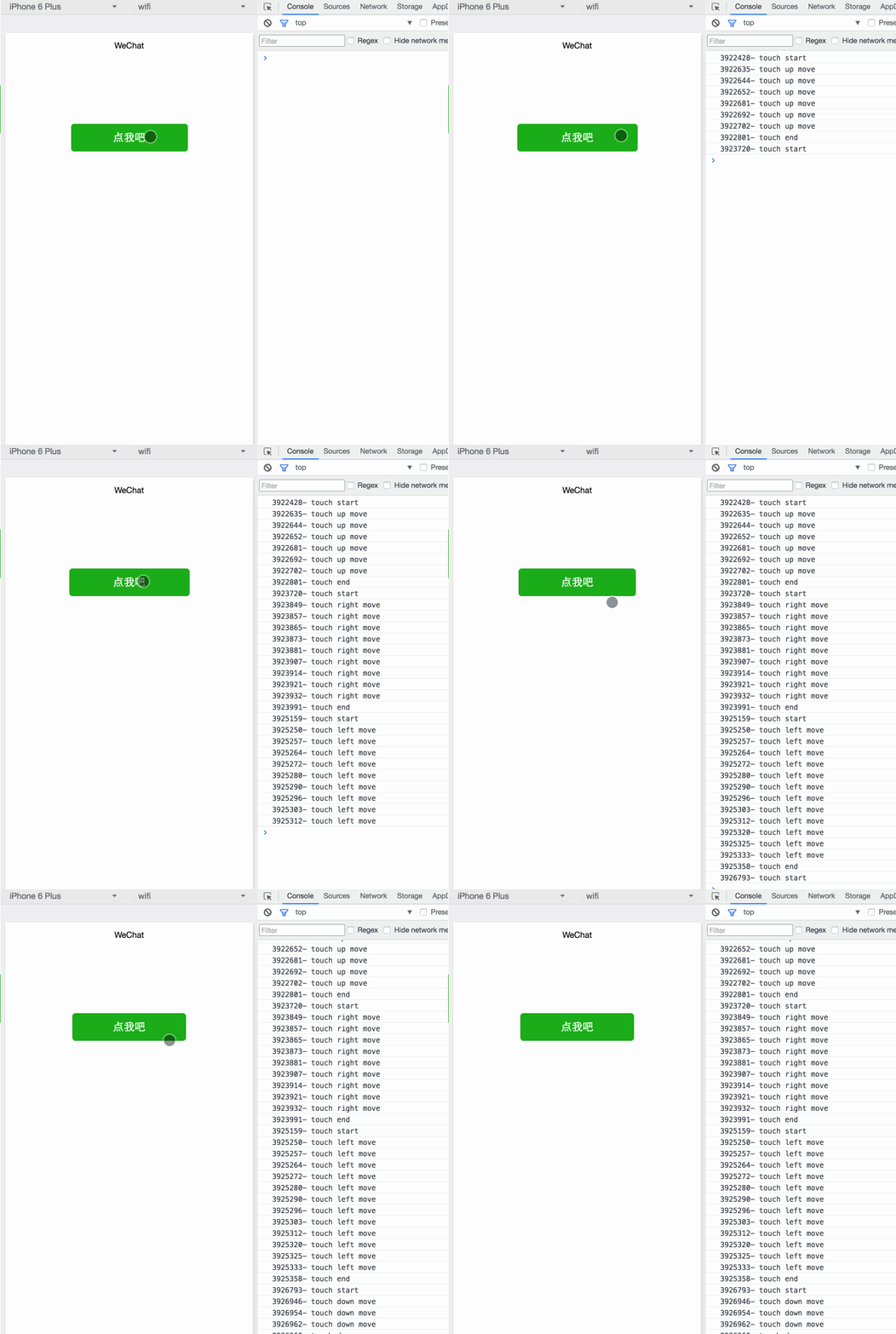
坐标图:
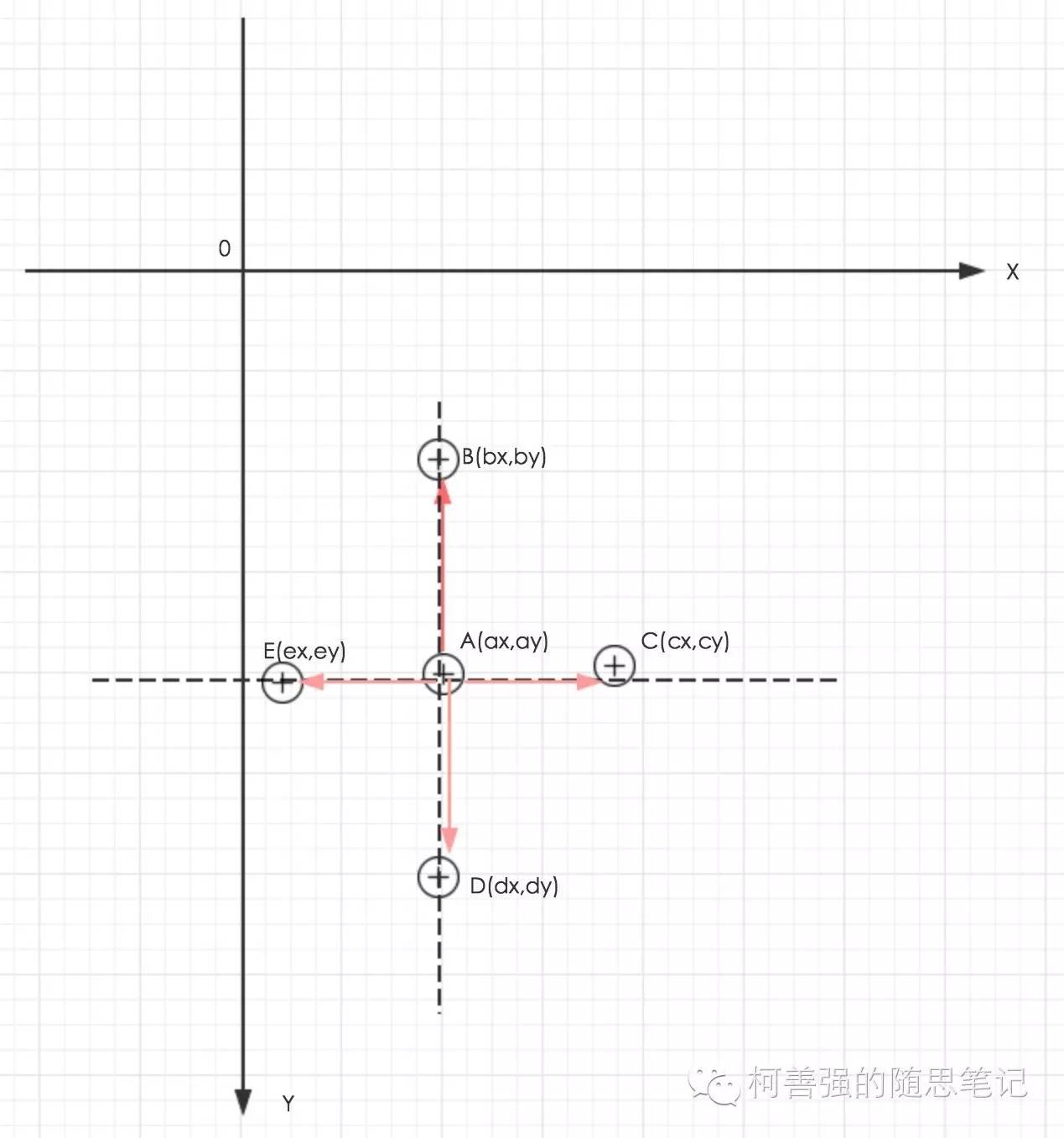
- 以屏幕左上角为原点建立直角坐标系。第四象限为手机屏幕,Y轴越往下坐标值越大(注意跟数学象限的区别)。
- 假设A点为touchstart事件触摸点,坐标为A(ax,ay),然后手指向上滑动到点B(bx,by),就满足条件by < ay;
- 同理,向右滑动到C(cx,cy),满足cx > ax;向下滑动到D(dx,dy),满足dy > ay;向左移动到E(ex,ey)满足ex < ax.
- 计算线段AB在Y轴上投影长度为m,在X轴上的投影长度为n
- 计算r = m/n,如果r > 1,视为向上滑动。
- 同理计算线段AC,AD,AE在Y轴投影长度与X轴的投影长度之比,得出向右向下向左的滑动。
以上没考虑r为1的情况。
点我吧
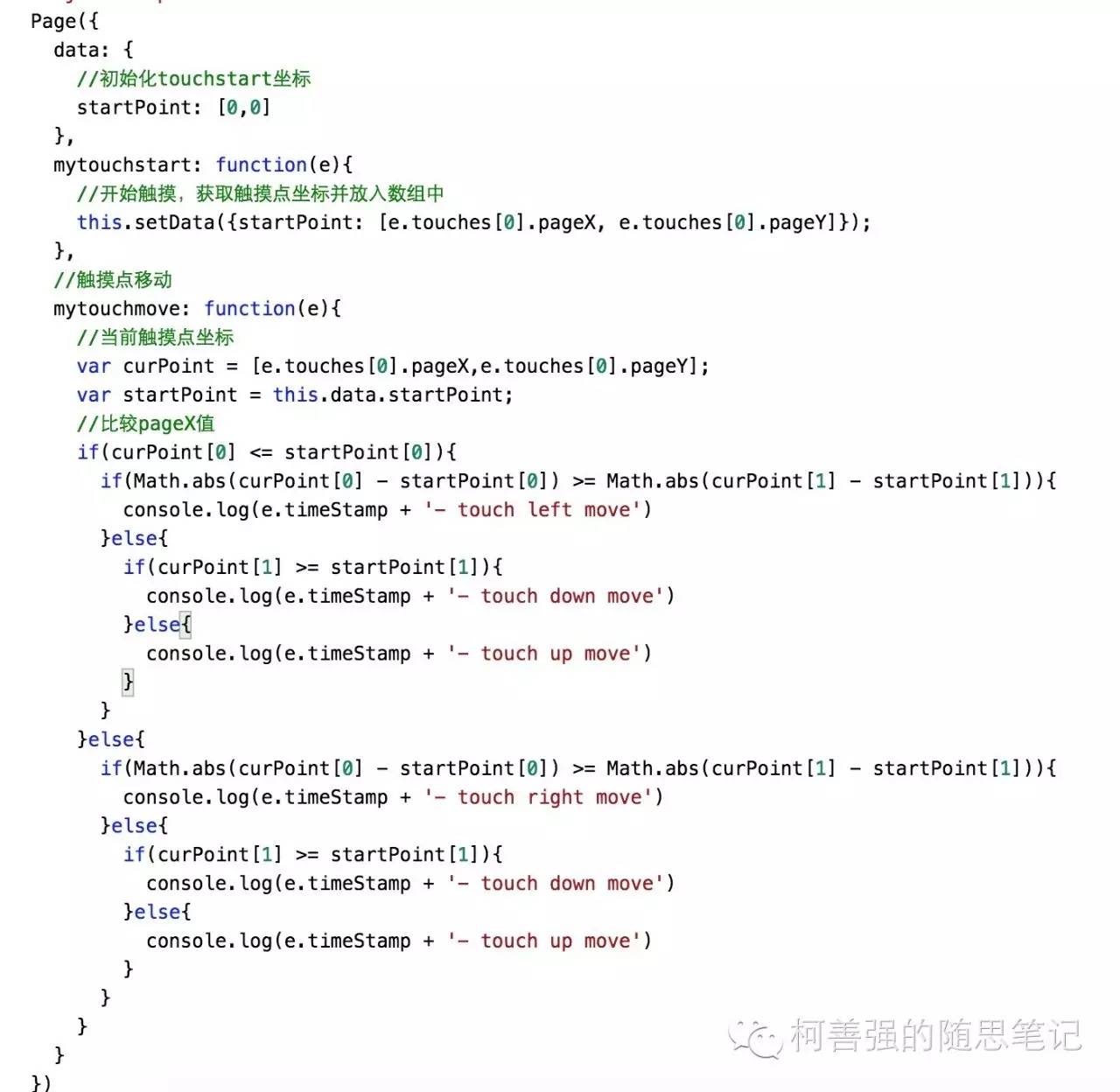
mytouchstart: function (e) {var that = this;//开始触摸,获取触摸坐标console.log(e)that.setData({ startpoint: [e.touches[0].pageX, e.touches[0].pageY] });},//触摸点移动mytouchmove: function (e) {//当前触摸点坐标var that = this;var curPoint = [e.touches[0].pageX, e.touches[0].pageY];var startpoint = that.data.startpoint;console.log(startpoint)console.log(curPoint)//比较pagex值if (curPoint[0] < startpoint[0]) {if (Math.abs(curPoint[0] - startpoint[0]) >= Math.abs(curPoint[1] - startpoint[1])) {console.log(e.timestamp + '-touch left move')that.setData({dellStyle: "dellList"})} else {if (curPoint[1] >= startpoint[1]) {console.log(e.timestamp + '-touch down move')} else {console.log(e.timestamp + '-touch up move')}}} else {if (Math.abs(curPoint[0] - startpoint[0] >= Math.abs(curPoint[1] - startpoint[1]))) {console.log(e.timestamp + '-touch right move')that.setData({dellStyle: "modList"})} else {if (curPoint[1] >= startpoint[1]) {console.log(e.timestamp + '-touch down move')} else {console.log(e.timestamp + '-touch up move')}}}},5.多点触控
由于模拟器尚不支持多点触控,内测开放后,继续补充。
实际使用中遇到的坑;
本身使用的是 scroll-view 进行下拉刷新事件,想在页面list里面进行左滑动唤醒删除菜单,实际上写出来会冲突导致 scroll事件无法触发,默认滑动事件了。
长按:touchstart → longtap → touchend → tap
本身list绑定了单击事件点击进入详情页,准备增加一个长按唤醒操作菜单,实际体验并不好,长按之后手指不能直接离开屏幕那样会触发点击事件,需要轻微移动一下离开屏幕。
解决思路
前端绑定三个事件
bindtouchstart="mytouchstart" bindtouchend="mytouchend" bindtap="bindtap"js处理通过点击开始结束判断点击屏幕时间,进行不同的业务触发
bindtap: function (e) {var that = this;//触摸时间距离页面打开的毫秒数 var touchTime = that.data.touch_end - that.data.touch_startconsole.log(touchTime)//如果按下时间大于350为长按 if (touchTime > 350) {wx.showModal({title: '提示',content: '这是一个模态弹窗',success: function (res) {if (res.confirm) {console.log('用户点击确定')} else if (res.cancel) {console.log('用户点击取消')}}})} else {var id = e.currentTarget.dataset.id;wx.navigateTo({url: '../detail/detail?id=' + id})}},//按下事件开始 mytouchstart: function (e) {let that = this;that.setData({touch_start: e.timeStamp})console.log(e.timeStamp + '- touch-start')},//按下事件结束 mytouchend: function (e) {let that = this;that.setData({touch_end: e.timeStamp})console.log(e.timeStamp + '- touch-end')},
本文来自互联网用户投稿,文章观点仅代表作者本人,不代表本站立场,不承担相关法律责任。如若转载,请注明出处。 如若内容造成侵权/违法违规/事实不符,请点击【内容举报】进行投诉反馈!