PowerDesigner16:导入SQL脚本、显示中文注释
导入SQL脚本,生成物理模型
1.击File->Reverse Engineer->Database.
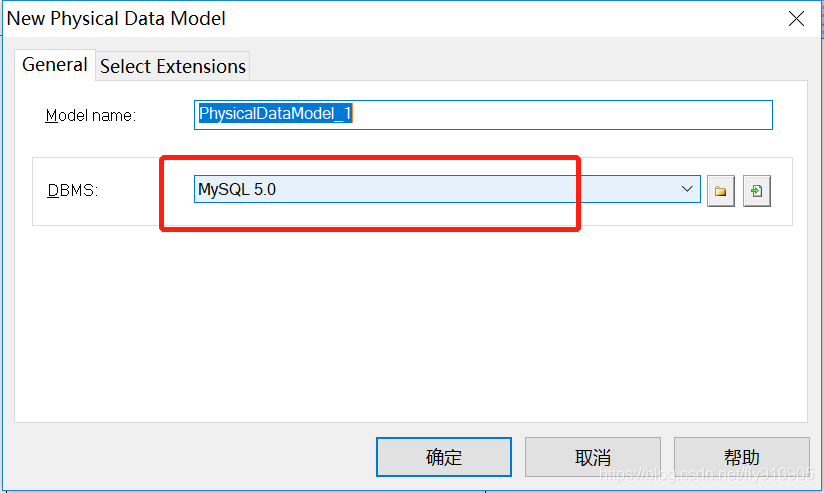
2.弹出弹窗对模型进行命名,同时在DBMS下拉选择框中需要选择自己对应的数据库类型,点击确定
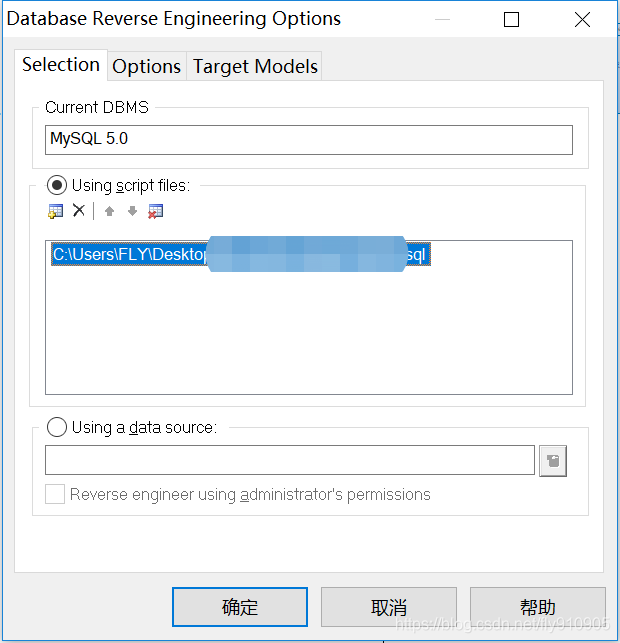
3.新的弹窗,选中Using script files,再点击红圈中,选中你的sql脚本位置,点击确定
显示SQL脚本的中文注释
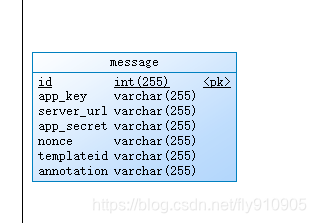
PowerDesigner默认显示的列是Name及类型,如下图示
现在需要显示注释列,以便使得ER图更加清晰。但是PowerDesigner勾选Comment显示没有效果,所以通过以下几步来处理:
显示Comment
双击表,弹出表属性对话框,切到ColumnTab,默认是没显示Comment的,

显示Comment列,这么做:设置显示Comment

有了Comment列,并补充Comment信息
注释丢失解决
由于Sql转模型的时候,会因为格式不符合PowerDesigner的标准或者数据库类型与PowerDesigner的类型对应不上等杂七杂八的原因会造成注释的丢失,这是我们需要将sql的格式改成符合PowerDesigner的规范,重新进行导入就行了.
修改前: `ct_no` varchar(30) CHARACTER SET utf8 COLLATE utf8_general_ci NULL DEFAULT NULL COMMENT '反恐舱单编号;如ams编号'
修改后:`ct_no` varchar(30) NULL DEFAULT NULL COMMENT '反恐舱单编号;如ams编号'
修改前:`create_time` datetime(0) NULL DEFAULT NULL COMMENT '创建时间'
修改后:`create_time` datetime NULL DEFAULT NULL COMMENT '创建时间'
修改前: `modified_time` timestamp(0) NOT NULL DEFAULT '0000-00-00 00:00:00' COMMENT '修改时间',
修改后:`modified_time` timestamp NOT NULL COMMENT '修改时间'
效果如下:

调整显示的Attribute
打开菜单 Tools>Display Perferences..

调整显示的Attribute

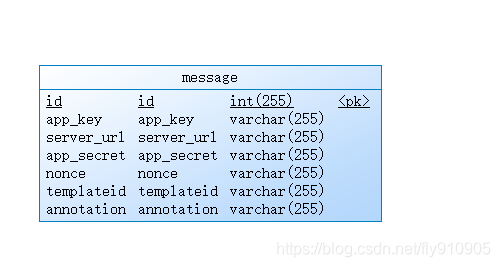
OK,保存,确定,退出设置页,应用到所有标识,可以看到表变化
让Name里面的值显示的是comment里面的值
在使用REVERSE ENGINEER从数据库反向生成PDM的时候,PDM中的表的NAME和CODE事实上都是CODE,为了把NAME替换为数据库中Table或Column的中文Comment,可以使用以下脚本:
在PowerDesigner中使用方法为:
打开菜单Tools>Execute Commands>Edit/Run Script.. 或者用快捷键 Ctrl+Shift+X
Option   Explicit
ValidationMode   =   True
InteractiveMode   =   im_Batch  Dim   mdl   '   the   current   model  '   get   the   current   active   model
Set   mdl   =   ActiveModel
If   (mdl   Is   Nothing)   Then   MsgBox   "There   is   no   current   Model "
ElseIf   Not   mdl.IsKindOf(PdPDM.cls_Model)   Then   MsgBox   "The   current   model   is   not   an   Physical   Data   model. "
Else   ProcessFolder   mdl
End   If  Private   sub   ProcessFolder(folder)
On Error Resume Next  Dim   Tab   'running     table   for   each   Tab   in   folder.tables   if   not   tab.isShortcut   then   tab.name   =   tab.comment  Dim   col   '   running   column   for   each   col   in   tab.columns   if col.comment="" then  else  col.name=   col.comment   end if  next   end   if   next  Dim   view   'running   view   for   each   view   in   folder.Views   if   not   view.isShortcut   then   view.name   =   view.comment   end   if   next  '   go   into   the   sub-packages   Dim   f   '   running   folder   For   Each   f   In   folder.Packages   if   not   f.IsShortcut   then   ProcessFolder   f   end   if   Next
end   sub
执行完,可以看到第3列显示备注哈哈,效果如下
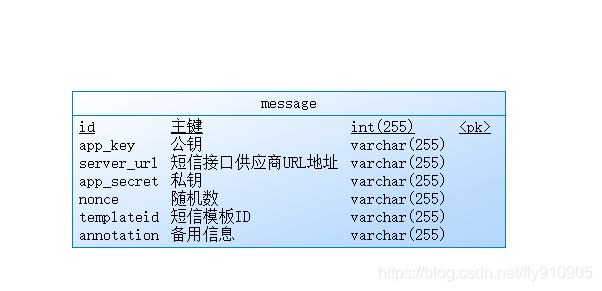
原理就是把显示name的列的值,替换成注释的值,所以下次如果调整comment,还有重新执行脚本,所以最好放在最后执行
参考:https://blog.csdn.net/qq_36090463/article/details/94732758
本文来自互联网用户投稿,文章观点仅代表作者本人,不代表本站立场,不承担相关法律责任。如若转载,请注明出处。 如若内容造成侵权/违法违规/事实不符,请点击【内容举报】进行投诉反馈!