QT6.3 CMake 多语言切换
网上很多方法,总是不成功
要么提示:lupdate warning: no TS files specified. Only diagnostics will be produced.
要么文件为空。
解决办法参考 QT6.3 CMake Linguist多语言配置记录
1、CMakeLists.txt文件中添加LinguistTools
find_package(QT NAMES Qt6 Qt5 REQUIRED COMPONENTS Widgets LinguistTools)
find_package(Qt${QT_VERSION_MAJOR} REQUIRED COMPONENTS Widgets LinguistTools)
2、
qt_add_lupdate(untitled TS_FILES  untitled_ch.ts)
qt_add_lrelease(untitledTS_FILES untitled_ch.tsQM_FILES_OUTPUT_VARIABLE qm_files)
qt_add_resources(untitled "translations"PREFIX "/"BASE "${CMAKE_CURRENT_BINARY_DIR}"FILES "${qm_files}")
或者
qt_add_translations(untitled TS_FILES untitled_ch.ts)
多个ts文件时
#qt_add_translations(untitled TS_FILES untitled_ch.ts untitled_en.ts)
qt_add_lupdate(untitled TS_FILES  untitled_ch.ts untitled_en.ts)
qt_add_lrelease(untitledTS_FILES untitled_ch.ts untitled_en.tsQM_FILES_OUTPUT_VARIABLE qm_files)
qt_add_resources(untitled "translations"PREFIX "/"BASE "${CMAKE_CURRENT_BINARY_DIR}"FILES "${qm_files}")
生成后,自动生成文件ts文件
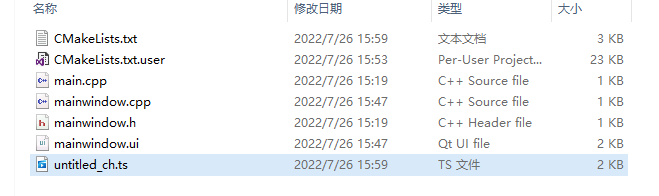
ts文件内容如下:
DOCTYPE TS>
<TS version="2.1">
TS>项目->Build->Build的步骤->详情
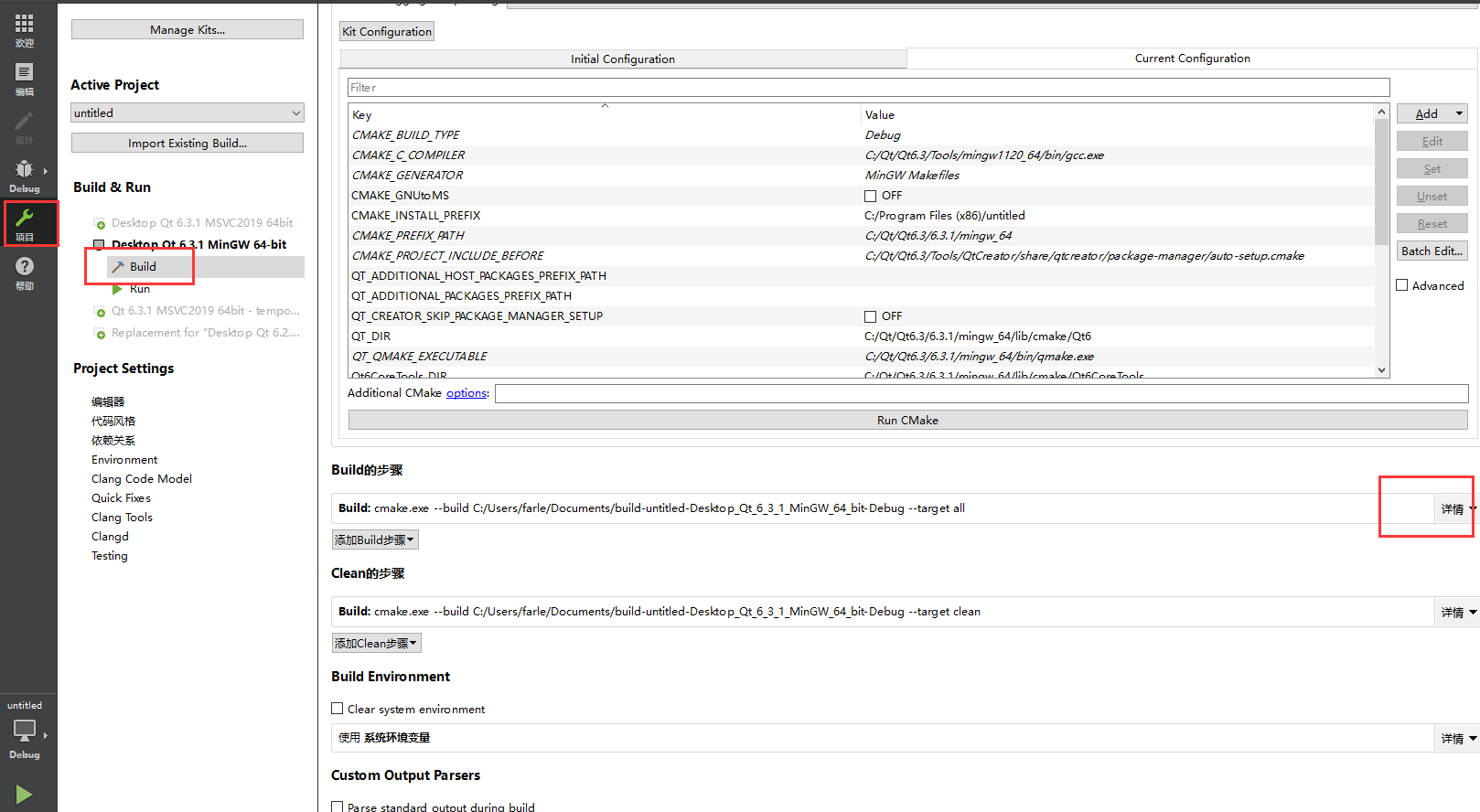
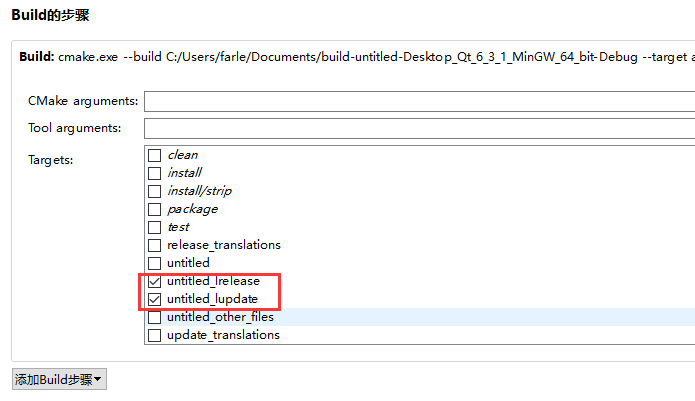
勾选 lrelease和lupdate
重新生成后,ts里面有内容了。
DOCTYPE TS>
<TS version="2.1">
<context><name>MainWindowname><message><location filename="mainwindow.ui" line="14"/><location filename="../build-untitled-Desktop_Qt_6_3_1_MinGW_64_bit-Debug/untitled_autogen/include/ui_mainwindow.h" line="60"/><source>MainWindowsource><translation type="unfinished">translation>message><message><location filename="mainwindow.ui" line="27"/><location filename="mainwindow.ui" line="40"/><location filename="../build-untitled-Desktop_Qt_6_3_1_MinGW_64_bit-Debug/untitled_autogen/include/ui_mainwindow.h" line="61"/><location filename="../build-untitled-Desktop_Qt_6_3_1_MinGW_64_bit-Debug/untitled_autogen/include/ui_mainwindow.h" line="62"/><source>PushButtonsource><translation type="unfinished">translation>message><message><location filename="mainwindow.cpp" line="9"/><source>中文source><translation type="unfinished">translation>message><message><location filename="mainwindow.cpp" line="10"/><source>英文source><translation type="unfinished">translation>message>
context>
TS>
将ts文件加载到项目中,用Qt Linguist打开
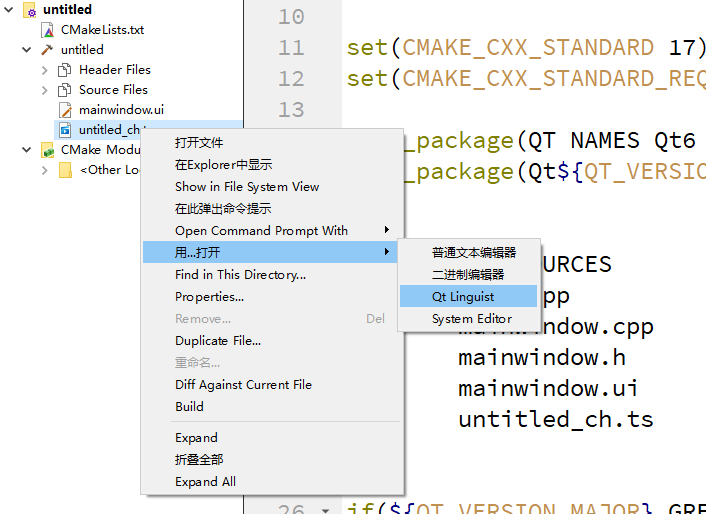
设置语言
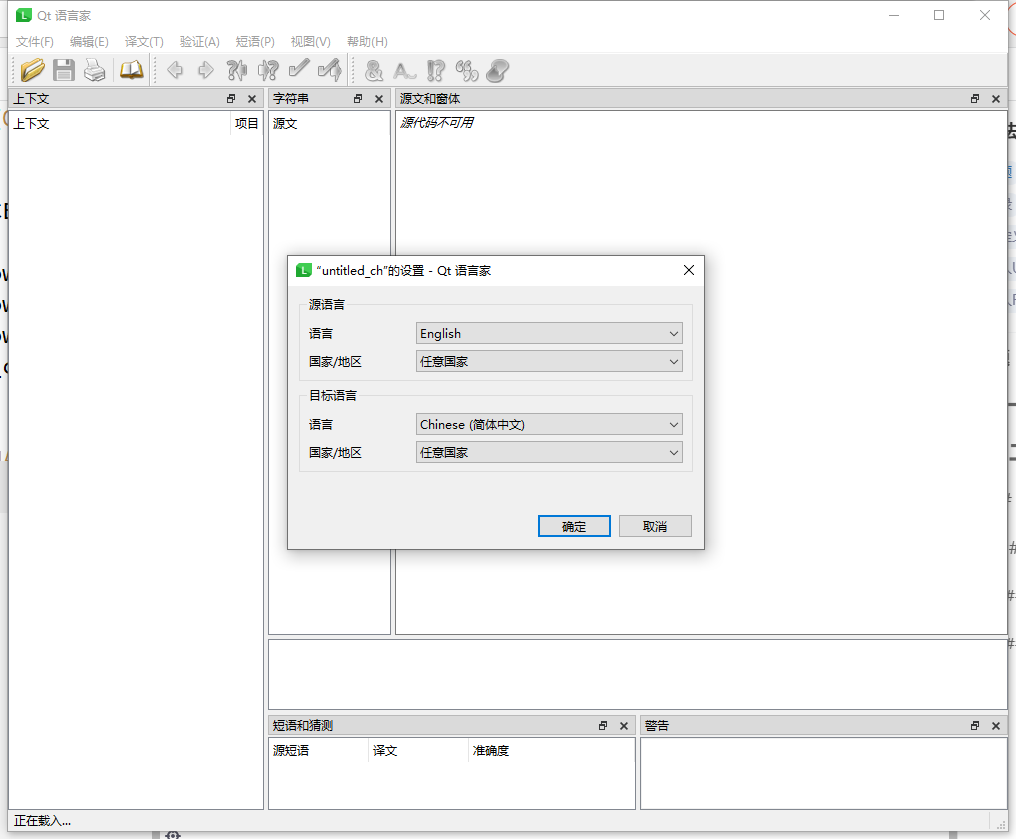
根据需求编辑语言

最后,加载qm文件使用
完整版 CMakeLists.txt 如下
cmake_minimum_required(VERSION 3.5)project(untitled VERSION 0.1 LANGUAGES CXX)set(CMAKE_INCLUDE_CURRENT_DIR ON)set(CMAKE_AUTOUIC ON)
set(CMAKE_AUTOMOC ON)
set(CMAKE_AUTORCC ON)set(CMAKE_CXX_STANDARD 17)
set(CMAKE_CXX_STANDARD_REQUIRED ON)find_package(QT NAMES Qt6 Qt5 REQUIRED COMPONENTS Widgets LinguistTools)
find_package(Qt${QT_VERSION_MAJOR} REQUIRED COMPONENTS Widgets LinguistTools)set(PROJECT_SOURCESmain.cppmainwindow.cppmainwindow.hmainwindow.uiuntitled_ch.ts
)if(${QT_VERSION_MAJOR} GREATER_EQUAL 6)qt_add_executable(untitledMANUAL_FINALIZATION${PROJECT_SOURCES})
# Define target properties for Android with Qt 6 as:
#    set_property(TARGET untitled APPEND PROPERTY QT_ANDROID_PACKAGE_SOURCE_DIR
#                 ${CMAKE_CURRENT_SOURCE_DIR}/android)
# For more information, see https://doc.qt.io/qt-6/qt-add-executable.html#target-creation
else()if(ANDROID)add_library(untitled SHARED${PROJECT_SOURCES})
# Define properties for Android with Qt 5 after find_package() calls as:
#    set(ANDROID_PACKAGE_SOURCE_DIR "${CMAKE_CURRENT_SOURCE_DIR}/android")else()add_executable(untitled${PROJECT_SOURCES})endif()
endif()#qt_add_translations(untitled TS_FILES untitled_ch.ts)
qt_add_lupdate(untitled TS_FILES  untitled_ch.ts)
qt_add_lrelease(untitledTS_FILES untitled_ch.tsQM_FILES_OUTPUT_VARIABLE qm_files)
qt_add_resources(untitled "translations"PREFIX "/"BASE "${CMAKE_CURRENT_BINARY_DIR}"FILES "${qm_files}")target_link_libraries(untitled PRIVATE Qt${QT_VERSION_MAJOR}::Widgets)set_target_properties(untitled PROPERTIESMACOSX_BUNDLE_GUI_IDENTIFIER my.example.comMACOSX_BUNDLE_BUNDLE_VERSION ${PROJECT_VERSION}MACOSX_BUNDLE_SHORT_VERSION_STRING ${PROJECT_VERSION_MAJOR}.${PROJECT_VERSION_MINOR}MACOSX_BUNDLE TRUEWIN32_EXECUTABLE TRUE
)if(QT_VERSION_MAJOR EQUAL 6)qt_finalize_executable(untitled)
endif()
参考 QT6.3 CMake Linguist多语言配置记录
本文来自互联网用户投稿,文章观点仅代表作者本人,不代表本站立场,不承担相关法律责任。如若转载,请注明出处。 如若内容造成侵权/违法违规/事实不符,请点击【内容举报】进行投诉反馈!