pytest执行case
Python测试套件:pytest
一、case执行:
通过命令:
1、python -m pytests [...]
2、pytest [...](需要注意环境变量)
在文件中调用:
pytest.main()
pytest.main(["-x", "mytestdir"])
二、pytest运行退出code说明:
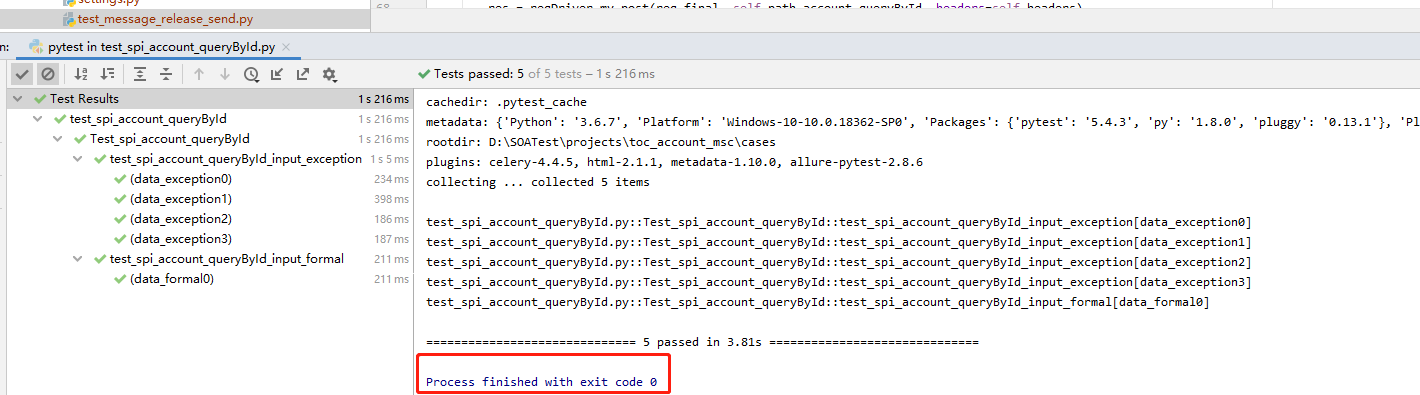
Exit code 0 所有cases都被发现收集且运行通过;
Exit code 1 所有cases都被发现收集但部分运行通过;
Exit code 2 运行被用户中断(比如执行pytest过程中,用户使用了Ctrl+c);
Exit code 3 执行cases的时候发生了内部错误;
Exit code 4 pytest命令行使用错误;
Exit code 5 没有发现任何测试集。
如果你想在脚本中定制Exit code,可以使用pytest-custom_exit_code plugin.
三、pytest命令选项说明:
pytest --version # shows where pytest was imported from
pytest --fixtures # show available builtin function arguments
pytest -h | --help # show help on command line and config file options
pytest -x # stop after first failure
pytest --maxfail=2 # stop after two failures
四、pytest运行范围
1、运行一个模块(一个py脚本文件) pytest test_mod.py
2、运行一个目录下的cases:pytest testing/
3、通过关键字运行cases:pytest -k "MyClass and not method"
4、通过节点id运行cases:
pytest test_mod.py::test_func 运行一个模块中特定的方法
pytest test_mod.py::TestClass::test_method 运行一个模块中TestClass中的test_method 方法
5、通过标记运行cases:pytest -m slow 运行有@pytest.mark.slow装饰器的方法
五、失败cases调试pytest --pdb
pytest -x --pdb # drop to PDB on first failure, then end test session
pytest --pdb --maxfail=3 # drop to PDB for first three failures
Note that on any failure the exception information is stored on sys.last_value, sys.
六、生成测试结果
1、生成XML文件 pytest --junitxml=path
2、生成html文件 pytest --html=path/XX.html
参考文档:pytest.pdf
本文来自互联网用户投稿,文章观点仅代表作者本人,不代表本站立场,不承担相关法律责任。如若转载,请注明出处。 如若内容造成侵权/违法违规/事实不符,请点击【内容举报】进行投诉反馈!