【javaScript案例】之支付10秒倒计时
效果图如下:
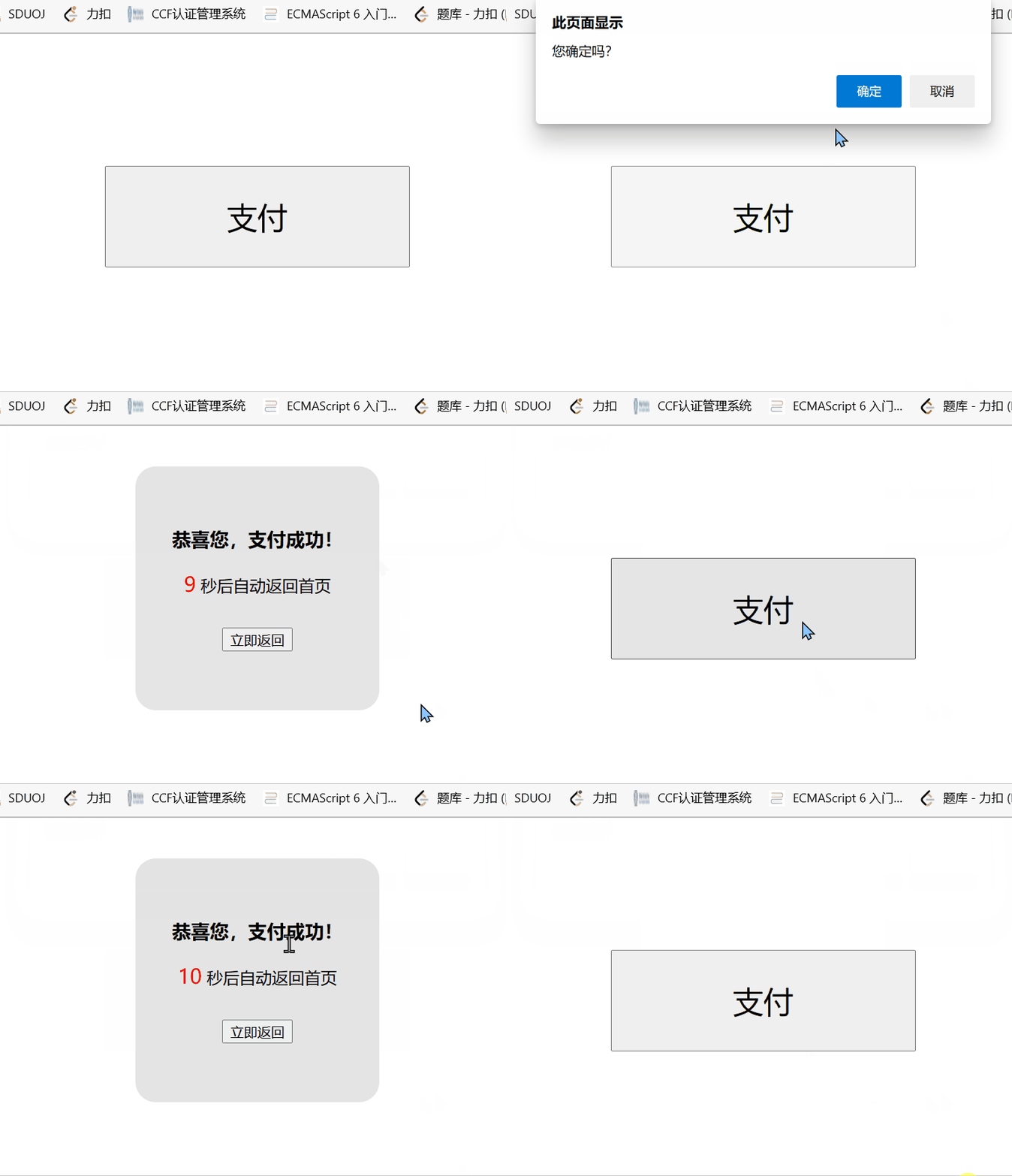
这个案例其实很简单,只要掌握了js基础中的onclick函数以及定时器的使用,就能快速的做出这样的效果,让我们一起来看看怎么做吧~
首先需要两个html文件,在两个文件中利用html和css分别写好初始页面效果,在这里就不多说啦,具体可以看下面的代码
让我们来谈谈js需要做出的效果:
- 在页面1中点击支付要跳转到另一个文件中
- 刚进入页面2时要开始计时10秒,计时结束后返回页面1
- 点击页面2的立即返回能够返回到页面1
这就是我们需要做的效果
那我们要如何实现在两个页面之间的跳转呢?
=> 利用onclick和location.href="url",在鼠标点击时改变location.href
(此处的url是指你所存放的另一个html文件的位置)
计时效果就很简单啦,利用setInterval使元素的innerText改变就可以了,当数字等于0时,同样改变location,使其页面跳转
代码如下:
页面1:
DOCTYPE html>
<html lang="en">
<head><meta charset="UTF-8"><meta http-equiv="X-UA-Compatible" content="IE=edge"><meta name="viewport" content="width=device-width, initial-scale=1.0"><title>Documenttitle><style>#btn{display: block;margin:130px auto;width: 300px;height: 100px;font-size:30px;}style>
head>
<body><button id="btn">支付button><script>let btn=document.getElementById("btn");btn.onclick=function(){let con=window.confirm("您确定吗?");if(con){location.href='./支付.html';}}script>
body>
html>
页面2:
DOCTYPE html>
<html lang="en"><head><meta charset="UTF-8"><meta http-equiv="X-UA-Compatible" content="IE=edge"><meta name="viewport" content="width=device-width, initial-scale=1.0"><title>Documenttitle><style>#spa {font-size: 20px;color: red;}#total {width: 200px;height: 200px;background-color: rgba(169, 169, 169, 0.315);margin: 40px auto;border-radius: 20px;padding: 20px;position: flex;flex-direction: column;text-align: center;}#total h3 {padding-top: 20px;}#total button {margin-top: 30px}style>
head><body><div id="total"><h3>恭喜您,支付成功!h3><div><span id="spa">10span><span>秒后自动返回首页span>div><button id="btn">立即返回button>div><script>var spa = document.getElementById("spa");let t = 10;setInterval(() => {t--;spa.innerText = t;if (t == 0) {location.href = "./支付10秒钟.html";}}, 400);var btn=document.getElementById("btn");btn.onclick=function(){location.href="./支付10秒钟.html"}script>
body>html>
本文来自互联网用户投稿,文章观点仅代表作者本人,不代表本站立场,不承担相关法律责任。如若转载,请注明出处。 如若内容造成侵权/违法违规/事实不符,请点击【内容举报】进行投诉反馈!