Inkspace1.0 插件(2) 添加图层画线 例子
第二个插件实现画路路径, 添加图层
配置文件 D:\Inkscape\share\inkscape\extensions\mj_draw_path_example.inx
Draw Path Example org.inkscape.filter.mj_draw_path_example path 程序文件 D:\Inkscape\share\inkscape\extensions\mj_draw_path_example.py
#!/usr/bin/env python
# coding=utf-8import inkex
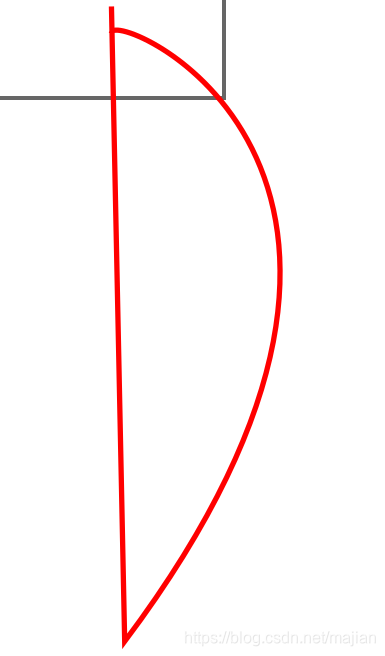
from inkex.elements import Group, PathElementclass MyExtension(inkex.EffectExtension):# ...def effect(self):# Create a new layer. 增加一个叫MyNewlayer的图层, 注意1.0用插件可以产生同名图层,可能是buglayer = self.svg.add(inkex.Layer.new(u'MyNewlayer'))layer.set('style', 'display:true')  # initially visible     layer.append(self.make_a_shape())       # 添加一个路径return layerdef make_a_shape(self):my_shape = PathElement()# Lists of numbers, pythonic objects, Cubic curves etc.my_shape.style =  {'stroke': 'red', 'stroke-width': '2', 'fill': 'none'}my_shape.path = "M 10 10 L 15 250 C 150 70 10 10 10 20"        #svg 代码  # Transform can be modified in many ways toomy_shape.transform.add_translate(self.svg.namedview.center)     #移动到中间my_shape.transform.add_scale(2.0,2.0)                           #放大2倍return my_shapeif __name__ == '__main__':MyExtension().run()
实现结果为红线部分
本文来自互联网用户投稿,文章观点仅代表作者本人,不代表本站立场,不承担相关法律责任。如若转载,请注明出处。 如若内容造成侵权/违法违规/事实不符,请点击【内容举报】进行投诉反馈!