基于Redis和RabbitMQ实现一个异步并发限制工具
目录
背景:
问题分析与解决思路:
选型:
环境准备:
引入MQ,redis的依赖
配置文件
生产者(报表请求入口)
随后创建消费者工程,过程同生产者
结语 :
背景:
现有一个分布式的应用要与第三方报表服务对接,对方提供restful接口,调用这些接口以获取报表信息或者下载报表文件。首先,如果不需要下载文件,直接在MVC架构的service调用这些rest接口就好。可涉及到文件下载,网络IO耗时可能比较长而报表服务能承受的并发量有限,请求过多可能压垮报表服务的接口
问题分析与解决思路:
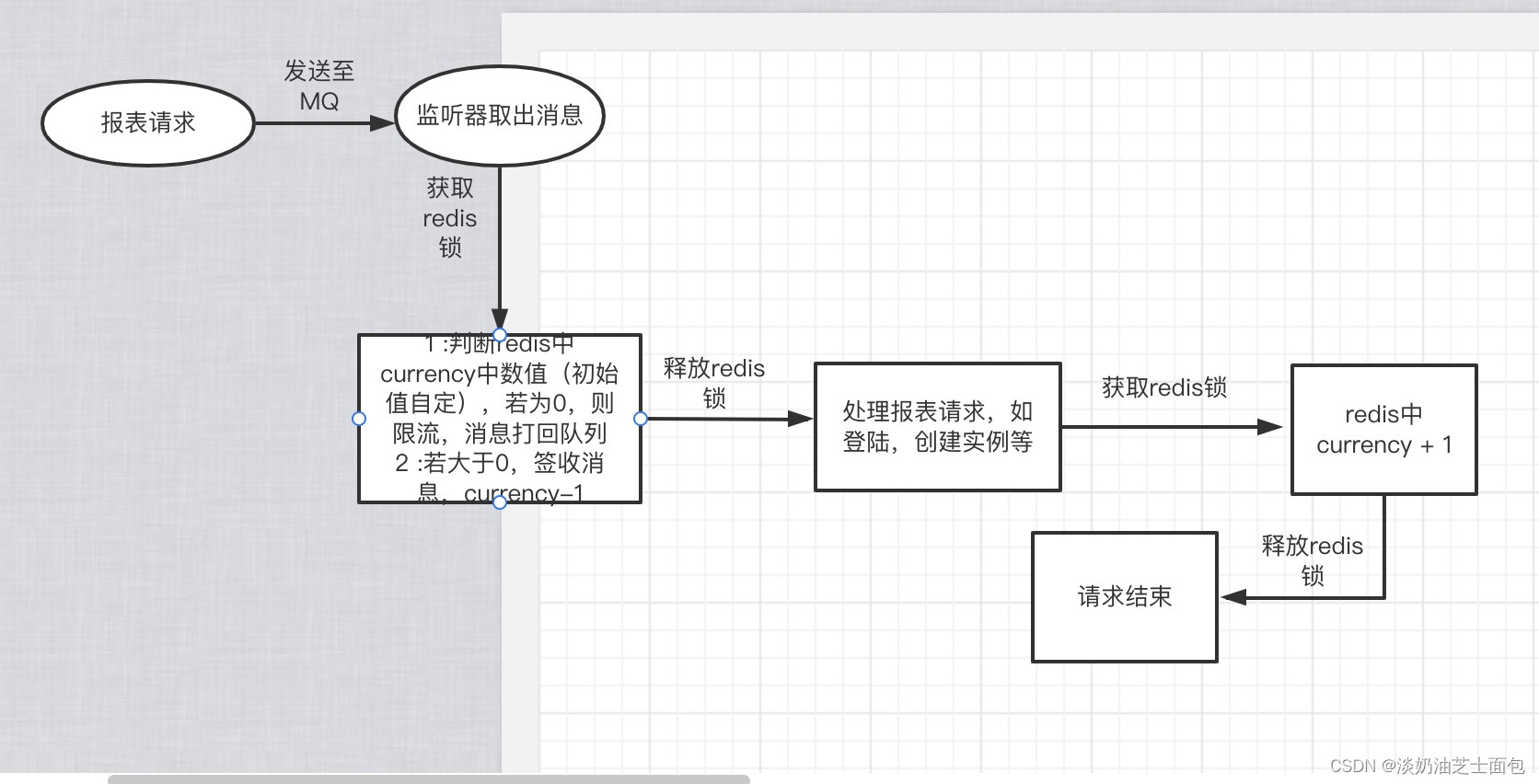
专门提供一个应用来接收报表请求,限制报表请求的并发量防止报表服务端报错或者崩溃,将请求参数放入分布式队列,利用redis计数currency,超出并发数量就限流,给出排队提示并将请求打回队列头部,未超出则从队列取出参数调用服务直接放行,随后currency - 1,rest服务调用结束后currency + 1,并使用redis分布式锁保证redis增减的原子性,MQ在服务中自产自消,充当队列
选型:
Redis + RabbitMQ + Springcloud
或Redis + Springcloud
或sentinel
如果是基于sentinel则直接使用控制页面配置即可,这里不多描述
选择MQ或者是redis都可以它们都可以实现分布式队列的效果,MQ自带队列,redis的list数据结构也可以充当队列
选型完毕,开始实现
环境准备:
安装redis,MQ的过程不再进行多余介绍,参考springboot集成Redis和RabbitMQ
新建一个springboot工程,下一步中选好jdk版本,打包方式选war。因为模拟请求发起端,选择springweb,这样本地启动可以以接口形式访问
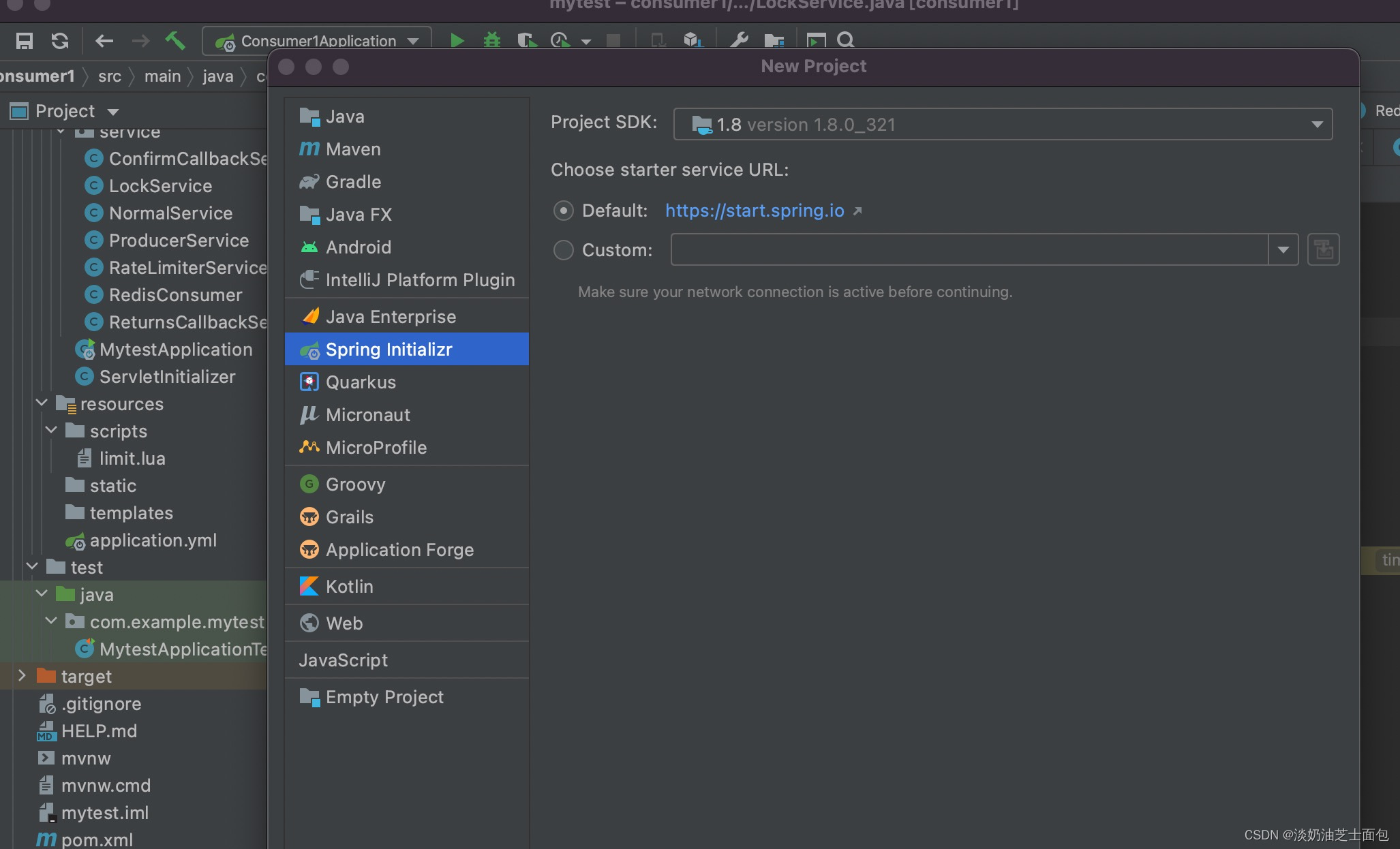
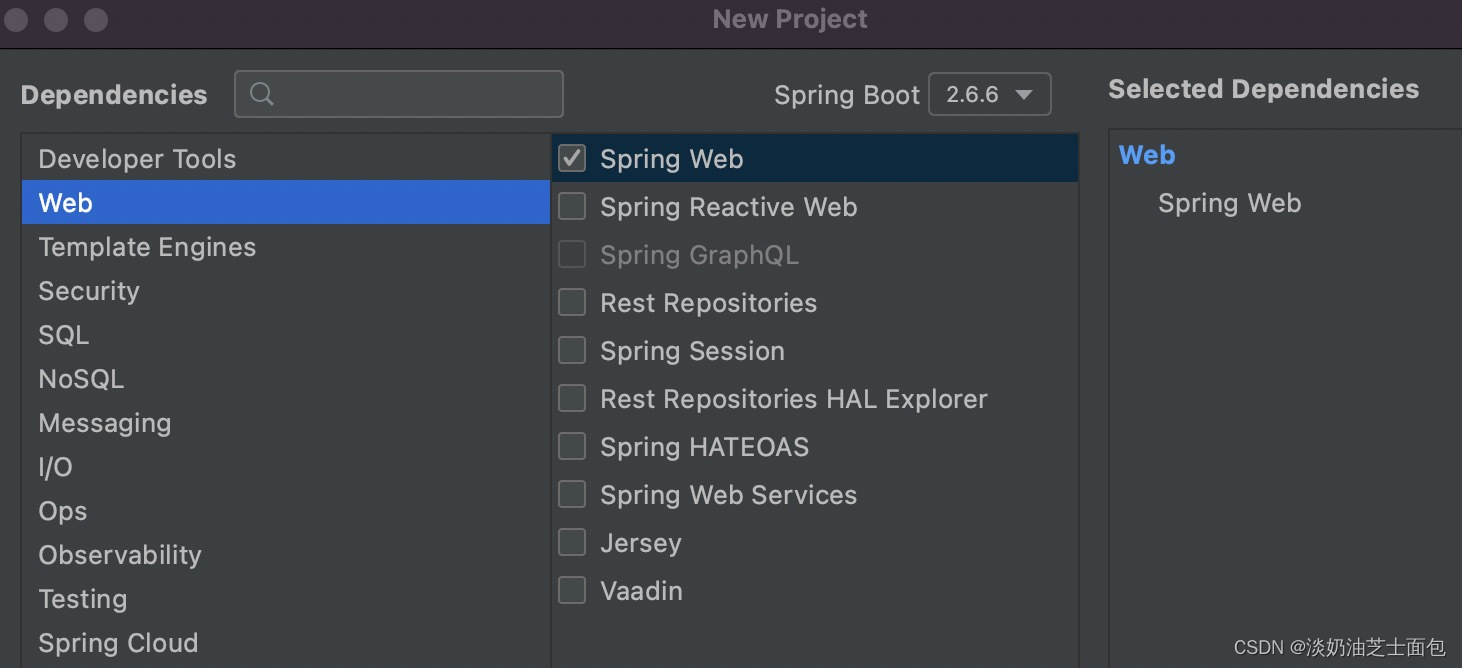
直接下一步,创建好工程,本文的MQ和redis都是安装在本地的,如果你装了虚拟机或者docker,自行根据情况修改配置文件
引入MQ,redis的依赖
org.springframework.boot spring-boot-starter-amqp org.springframework.data spring-data-redis 配置文件
这里,因为作为生产者不需要redis,无redis配置
server:port: 8080spring:rabbitmq:host: localhostport: 5672username: guestpassword: guest#必须配置这个才会确认回调publisher-confirm-type: correlated#消息投递到队列失败是否回调publisher-returns: true生产者(报表请求入口)
这里的confirmCallBack和returnsCallBack是MQ自带的方法,继承实现即可,是分别控制消息从生产者->交换机。和从交换机->队列的回调,都是消息发送成功的保障方法
package com.example.mytest.service;import org.springframework.amqp.core.MessageDeliveryMode;
import org.springframework.amqp.rabbit.connection.CorrelationData;
import org.springframework.amqp.rabbit.core.RabbitTemplate;
import org.springframework.data.redis.core.RedisTemplate;
import org.springframework.stereotype.Service;import javax.annotation.Resource;
import java.util.UUID;@Service
public class ProducerService {@Resourceprivate RabbitTemplate rabbitTemplate;@Resourceprivate ConfirmCallbackService confirmCallbackService;@Resourceprivate ReturnsCallbackService returnsCallbackService;@Resourceprivate RedisTemplate redisTemplate;public void sendMessage(String exchange, String routingKey, Object msg) {/*** 确保消息发送失败后可以重新返回到队列中* 注意:yml需要配置 publisher-returns: true*/rabbitTemplate.setMandatory(true);/*** 消息从生产者到交换机的回调*/rabbitTemplate.setConfirmCallback(confirmCallbackService);/*** 消息从交换机发送到队列的回调*/rabbitTemplate.setReturnsCallback(returnsCallbackService);/*** 发送消息*/rabbitTemplate.convertAndSend(exchange, routingKey, msg,message -> {message.getMessageProperties().setDeliveryMode(MessageDeliveryMode.NON_PERSISTENT);return message;},new CorrelationData(UUID.randomUUID().toString()));}//基于redis实现队列的版本public void sendToRedis(String msg){// put msg into FIFO queueredisTemplate.opsForList().rightPush("redisList", msg);}}
附上其它类
package com.example.mytest.service;import org.slf4j.Logger;
import org.slf4j.LoggerFactory;
import org.springframework.amqp.rabbit.connection.CorrelationData;
import org.springframework.amqp.rabbit.core.RabbitTemplate;
import org.springframework.stereotype.Service;@Service
public class ConfirmCallbackService implements RabbitTemplate.ConfirmCallback {private static final Logger log = LoggerFactory.getLogger(ConfirmCallbackService.class);@Overridepublic void confirm(CorrelationData correlationData, boolean ack, String cause) {if (!ack) {log.error("消息发送异常!");} else {log.info("发送者已经收到确认,correlationData={} ,ack={}, cause={}", correlationData.getId(), ack, cause);}}
}
package com.example.mytest.service;import org.slf4j.Logger;
import org.slf4j.LoggerFactory;
import org.springframework.amqp.core.Message;
import org.springframework.amqp.core.ReturnedMessage;
import org.springframework.amqp.rabbit.core.RabbitTemplate;
import org.springframework.stereotype.Service;@Service
public class ReturnsCallbackService  implements RabbitTemplate.ReturnsCallback{private static final Logger log = LoggerFactory.getLogger(ReturnsCallbackService.class);@Overridepublic void returnedMessage(ReturnedMessage returned) {log.info("msg to reportQueue failed! returnedMessage ===> replyCode={} ,replyText={} ,exchange={} ,routingKey={}",returned.getReplyCode(),returned.getReplyText(),returned.getExchange(),returned.getRoutingKey());}}
package com.example.mytest.config;import org.springframework.amqp.core.Binding;
import org.springframework.amqp.core.BindingBuilder;
import org.springframework.amqp.core.DirectExchange;
import org.springframework.amqp.core.Queue;
import org.springframework.amqp.rabbit.connection.CachingConnectionFactory;
import org.springframework.amqp.rabbit.connection.ConnectionFactory;
import org.springframework.amqp.rabbit.connection.RabbitConnectionFactoryBean;
import org.springframework.amqp.rabbit.core.RabbitTemplate;
import org.springframework.amqp.support.converter.SerializerMessageConverter;
import org.springframework.context.annotation.Bean;
import org.springframework.context.annotation.Configuration;
import org.springframework.context.annotation.Scope;@Configuration
public class RabbitMQConfig {public static final String EXCHANGE_A = "exchange-A";public static final String QUEUE_A = "queue-a";public static final String ROUTINGKEY_A = "routing-key-A";/*** 直连交换机*/@Beanpublic DirectExchange exchangeA() {return new DirectExchange(EXCHANGE_A);}/*** 设置队列*/@Beanpublic Queue queueA() {return new Queue(QUEUE_A, true);}/*** 绑定*/@Beanpublic Binding binding() {return BindingBuilder.bind(queueA()).to(exchangeA()).with(ROUTINGKEY_A);}@Beanpublic ConnectionFactory connectionFactory() throws Exception{RabbitConnectionFactoryBean rabbitConnectionFactoryBean = new RabbitConnectionFactoryBean();rabbitConnectionFactoryBean.setHost("localhost");rabbitConnectionFactoryBean.setPort(5672);rabbitConnectionFactoryBean.setUsername("guest");rabbitConnectionFactoryBean.setPassword("guest");rabbitConnectionFactoryBean.afterPropertiesSet();CachingConnectionFactory cachingConnectionFactory = new CachingConnectionFactory(rabbitConnectionFactoryBean.getObject());return cachingConnectionFactory;}@Bean@Scope("prototype")//通知Spring把被注解的Bean变成多例 表示每次获得bean都会生成一个新的对象public RabbitTemplate rabbitTemplate(ConnectionFactory connectionFactory) {RabbitTemplate template = new RabbitTemplate(connectionFactory);template.setMandatory(true);template.setMessageConverter(new SerializerMessageConverter());return template;}}
附上测试方法,如果执行报错找不到队列和交换机,可在MQ控制页面先手动创建,绑定即可
package com.example.mytest;import com.example.mytest.config.RabbitMQConfig;
import com.example.mytest.service.ProducerService;
import org.junit.jupiter.api.Test;
import org.springframework.beans.factory.annotation.Autowired;
import org.springframework.boot.test.context.SpringBootTest;import java.util.concurrent.LinkedBlockingDeque;
import java.util.concurrent.ThreadPoolExecutor;
import java.util.concurrent.TimeUnit;@SpringBootTest(classes = MytestApplication.class)
class MytestApplicationTests {@Autowiredprivate ProducerService producerService;@Testvoid sendMessageTest() throws Exception{ThreadPoolExecutor threadPoolExecutor = new ThreadPoolExecutor(20,30,100,TimeUnit.MILLISECONDS,new LinkedBlockingDeque<>());//消息内加上线程名称//消息字符串模拟rest请求参数for (int i = 0; i <1; i++) {threadPoolExecutor.execute(() ->{System.out.println("sending msg!" + Thread.currentThread().getName());producerService.sendMessage(RabbitMQConfig.EXCHANGE_A,RabbitMQConfig.ROUTINGKEY_A,"paramJSON" + Thread.currentThread().getName());});}Thread.sleep(100000);threadPoolExecutor.shutdown();}}
随后创建消费者工程,过程同生产者
消费者类,这里是取消息的地方,也是限制并发和访问rest服务的地方,如有需要,可以新建多个工程模拟分布式应用,流程很简单,请求进入队列,被监听,拿锁判断是否限制,决定是否打回,若不打回则处理请求并继续拿锁操作redis中的currency值
package com.example.consumer1.service;import com.rabbitmq.client.Channel;
import org.slf4j.Logger;
import org.slf4j.LoggerFactory;
import org.springframework.amqp.rabbit.annotation.RabbitListener;
import org.springframework.amqp.support.AmqpHeaders;
import org.springframework.beans.factory.annotation.Autowired;
import org.springframework.data.redis.core.RedisTemplate;
import org.springframework.messaging.Message;
import org.springframework.messaging.MessageHeaders;
import org.springframework.stereotype.Service;
import org.springframework.web.client.RestTemplate;import javax.annotation.Resource;@Service
public class Consumer1 {private static final String currencyKey = "restCurrency";@Autowiredprivate RedisTemplate redisTemplate;@Autowiredprivate LockService lockService;@ResourceRestTemplate restTemplate;private static final Logger log = LoggerFactory.getLogger(Consumer1.class);@RabbitListener(queues = "queue-a")public void processHandler1(String msg, Message message, Channel channel) throws Exception {log.info("消费者B收到消息:{}", msg);MessageHeaders headers = message.getHeaders();Long tag = (Long) headers.get(AmqpHeaders.DELIVERY_TAG);while (true) {boolean flag = lockService.acquireRedisLock();if(flag){int currency = Integer.parseInt(redisTemplate.opsForValue().get(currencyKey) + "");//限流if (currency == 0) {log.info("rate limit occured,please wait,currency now is {}", currency);channel.basicNack(tag, false, true);log.info("msg {} is backing to the queue", msg);return;} else {//手动签收消息channel.basicAck(tag, false);redisTemplate.opsForValue().decrement(currencyKey, 1);}lockService.releaseRedisLock();break;}}try {//模拟调用外部rest服务Thread.sleep(3000);while (true) {boolean flag = lockService.acquireRedisLock();if(flag){redisTemplate.opsForValue().increment(currencyKey, 1);lockService.releaseRedisLock();break;}}} catch (Exception e) {log.error("报表业务处理异常Exception" + e);boolean flag = (boolean) headers.get(AmqpHeaders.REDELIVERED);if (flag) {log.error("消息已重复处理失败,拒绝再次接收...");channel.basicAck(tag, false);} else {log.error("消息即将再次返回队列处理...");channel.basicNack(tag, false, true);}} finally {}}}
配置文件,注意端口号,本地启动多个工程不要冲突
server:port: 8081spring:rabbitmq:host: localhostport: 5672username: guestpassword: guest#必须配置这个才会确认回调publisher-confirm-type: correlated#消息投递到队列失败是否回调publisher-returns: true#消费端配置listener:simple:# 同一个队列启动几个消费者concurrency: 10# 限流 多数据量同时只能过来一条prefetch: 1#手动确认acknowledge-mode: manualredis:database: 0# Redis服务器地址host: 127.0.0.1# Redis服务器连接端口port: 6379# Redis服务器连接密码(默认为空)password:# 链接超时时间 单位 ms(毫秒)timeout: 3000注意在redis中初始化下currency的数值,测试时候可以调低一些触发限制效果,随后启动springboot的main方法就可以测试了
流程图概括如下
结语 :
这个设计存在一些缺陷,如果多个服务中有一个在执行redis - 1 后宕机,currency可能永远小于设定值,(可以考虑把每个服务的执行记录都写在DB来排查这个问题)
如果队列消息积压满产生死信,需要处理死信,本文不赘述
基于纯redis的版本,直接使用redis的list结构就好,等同分布式队列
MQ不签收消息并打回默认是回到队头的,符合FIFO原则
本文来自互联网用户投稿,文章观点仅代表作者本人,不代表本站立场,不承担相关法律责任。如若转载,请注明出处。 如若内容造成侵权/违法违规/事实不符,请点击【内容举报】进行投诉反馈!