配置数据表格 avue
addBtn: false,//新增按钮
delBtn: false,//删除按钮,批量删除按钮是页面自定义的注释即可
editBtn: false,//编辑按钮
refreshBtn: false,//刷新按钮
columnBtn:false, //列按钮
selection: false,//多选框按钮
align:'center', //列字段中间
searchShowBtn: false,//搜索按钮
menu:false, //操作栏隐藏
border: true,  // 边框
indexLabel:'序号',
index: true,控制序号这个显示和隐藏
searchMenuSpan: 6,  //控制搜索菜单的间距
searchLabelWidth:90  //搜索项标题宽度
1.相关列属性
disabled:true //列属性不能编辑//必填,弹框中出现红星*
rules: [{required: true,message: "请填写文档名称",trigger: "blur"
}]添加,编辑, 查看的时候是否显示
addDisplay: false,
editDisplay: false,
viewDisplay: false,type: "number",
min:1,  //最小值
max:100,  //最大值labelWidth:110  //标题宽度
order:10 //位置排序,数字越大位置越靠前avue-crud  里面去掉下面那行隐藏掉分页器
:page.sync="page"
相关链接:最详细的avue属性及使用详细介绍_小四是个处女座的博客-CSDN博客
2.下拉框多选(用这个高级一点)
{label: "空气质量",prop: "aqiCategList",type: "tree",dicUrl: "/api/blade-system/dict/dictionary?code=aqi_categ",dataType: "string",props: {label: "dictValue",value: "dictKey"},multiple: true,search: true,searchSpan:7,
},multiple: true,  //单选变多选
tags: true, //多选折叠
searchOrder:10   //值越大越往前
search:true,  //搜索出现
hide: true,  //下面列表隐藏
width:100   //设置每个列的宽度   不是 span 属性
vlaue 和 label全部用中文字符 下拉框想要传到后台是中文,可以这么配置
3.表格菜单里面自定义按钮
历史 审核
4.时间筛选区间(一般字段搜索加个search:'true'即可)
{label: "提交日期",prop: "createTimeRange",type: "date",format: "yyyy-MM-dd",valueFormat: "yyyy-MM-dd",searchRange:true,hide: true,addDisplay: false,editDisplay: false,viewDisplay: false,search: true,searchSpan:6,
},//带时分秒{label: "监测时间",prop: "dataTmRange",type: "datetimerange",format:'yyyy-MM-dd HH:mm:ss',valueFormat:'yyyy-MM-dd HH:mm:ss',searchRange: true,hide: true,addDisplay: false,editDisplay: false,viewDisplay: false,search: true,searchSpan: 6,searchOrder: 8
},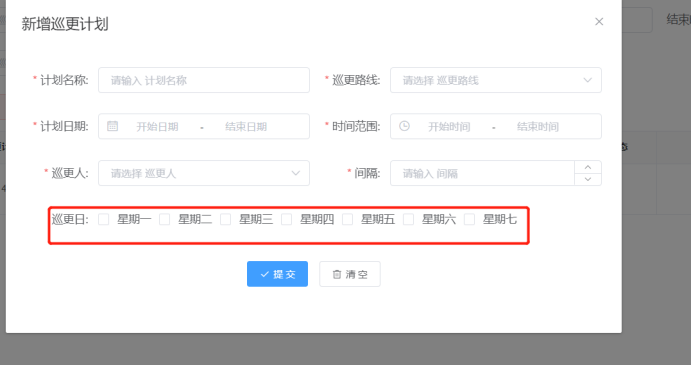
span:24,//栅格占据的列数
5.Form按钮自定义
原来的隐藏
submitBtn: false,
emptyBtn: false,新的使用插槽
同意 驳回
6.表格和标题之间的间距!!!
7.多行文本框
{label: "审核意见",prop: "opinion",type: "textarea",span: 24,showWordLimit:true,maxlength:20
}
8.vue页面自定义下拉框

{{value1}}
{{ item.label }} value1: '按照版本号',
valueWhich: '0',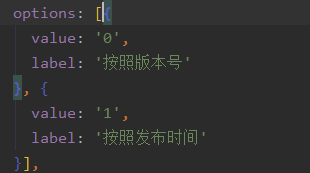
click(item) {this.valueWhich = item.value;
},
changeValue1: function (text) {// console.log("先前" + this.value1)this.value1 = text;// console.log("之后" + this.value1)
},
9.搜索下拉框字典

dataType:"number" //加了这个之后数据回显就对了 10.下拉框非字典
dicUrl: "/api/blade-user/uploadUserList",
props: {label: "dictValue",value: "dictKey"
},
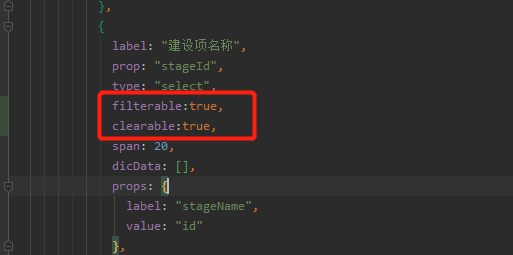
filterable:true,//下拉框数据自定义label: "颜色",prop: "modelColor",type: "select",dicData: [{label: "蓝牌",value: "蓝牌"},{label: "绿牌",value: "绿牌"}],filterable:true,
/*** 上传人下拉选择器*/
@GetMapping("/uploadUserList")
@ApiOperationSupport(order = 20)
@ApiOperation(value = "上传人下拉选择器", notes = "上传人下拉选择器")
public List> uploadUserList() {List users = userService.list(new QueryWrapper().eq("status", 1).eq("is_deleted", 0));List> maps = new ArrayList<>();users.forEach(item->{Map map = new HashMap<>();map.put("dictKey",item.getId());map.put("dictValue",item.getName());maps.add(map);});return maps;
}
11.列表出现变形
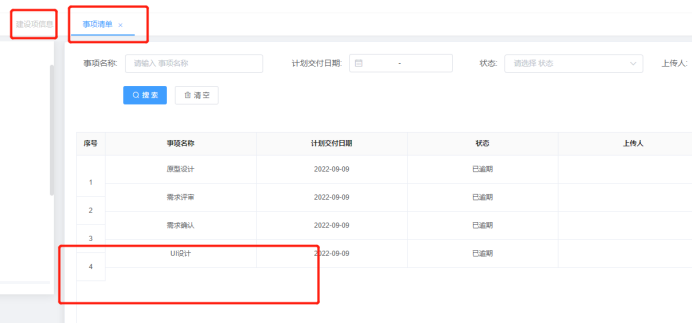
修改这个高度,原来是auto现在改成100%
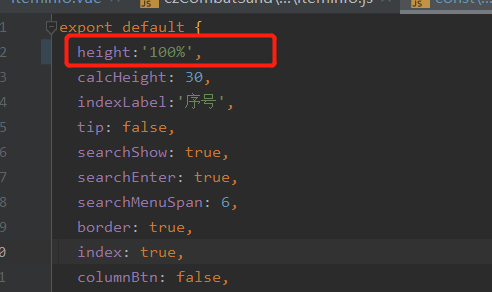
-
下拉框是动态值,根据传值变化这么写
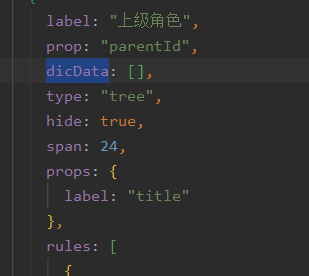
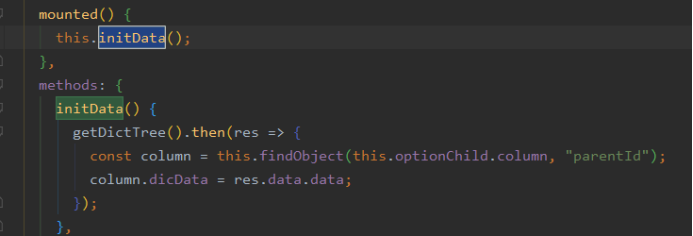
-
下拉框可以搜索和清空
12.图片上传
效果:
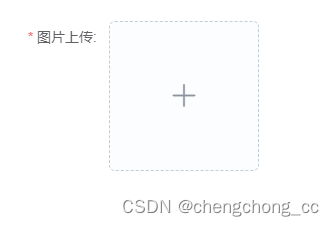
{label: "图片上传",prop: "img",hide: true,labelWidth: 110,type: "upload",dataType: "string",accept: [".jpg", ".png"],limit: 1,loadText: "上传中,请稍等",// tip: `注:已上传0/1,注:单个图片最大支持10M,仅支持png/jpg格式`,propsHttp: {res: "data",url: "link",},listType: "picture-img",action: "/api/blade-resource/oss/endpoint/put-file-attach",span: 24,rules: [{required: true,trigger: "blur",message: "请上传图片",},],},13.数值型输入
效果

{label: "座位数",prop: "seats",type: "number",min:0,//最小值max:100//最大值},14.多行文本框设置
效果:

{label: "描述",prop: "desc",type: 'textarea',overHidden:true,rows: 5},本文来自互联网用户投稿,文章观点仅代表作者本人,不代表本站立场,不承担相关法律责任。如若转载,请注明出处。 如若内容造成侵权/违法违规/事实不符,请点击【内容举报】进行投诉反馈!