解决浏览器/ios出现横向滚动条
解决方式:
父元素:overflow:hidden,并设置高度
子元素:overflow:auto,padding-bottom设置超过父元素高度
使得滚动条往下移动,利用父元素的overflow:hidden隐藏滚动条
例子:
html
{{item}}css:
.num{margin-top: 200px;height: 30px;overflow: hidden;
}
.number{white-space: nowrap;overflow: auto;padding-bottom: 60px;
}
.index{display: inline-block;background: rgb(189, 100, 100);width: 30px;height: 30px;line-height: 30px;text-align: center;margin-right: 10px;
}
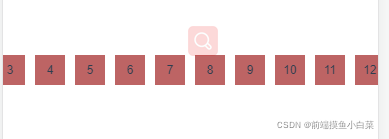
效果:
本文来自互联网用户投稿,文章观点仅代表作者本人,不代表本站立场,不承担相关法律责任。如若转载,请注明出处。 如若内容造成侵权/违法违规/事实不符,请点击【内容举报】进行投诉反馈!