jenkins 构建完成显示构建人,读取,写入yaml文件
方式一:
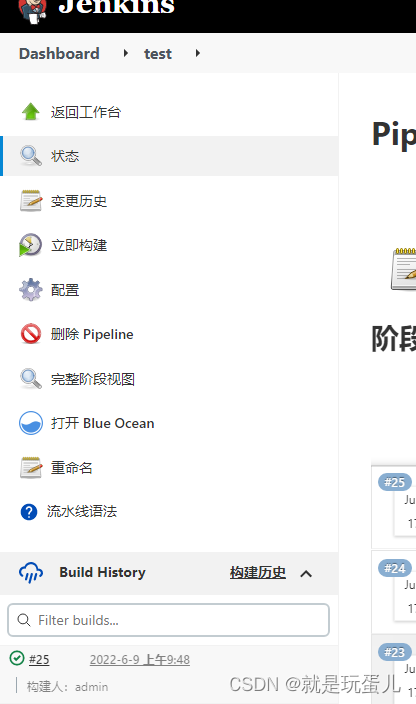
需要安装插件:Build Name and Description Setter
pipeline {agent anystages {stage('Hello') {steps {echo 'Hello World'buildDescription "构建人:admin"}}}
}
方式二:
安装插件:build-user-vars-plugin
pipeline {agent anystages {stage('test') {steps {wrap([$class: 'BuildUser']) {script {BUILD_USER = "${env.BUILD_USER}"currentBuild.description = " 构建人 : ${BUILD_USER}"}           }}}}
}
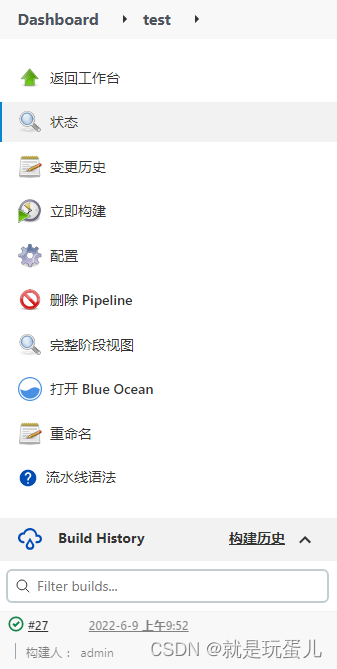
方式三:
安装插件 pipeline-utility-steps(Pipeline Utility Steps)
Pipeline:Basic Steps
#!/usr/bin/env groovy
import groovy.json.JsonOutputString gitRepositryURL = 'https://gitlab/dtkgo/dtk-go-goods-center.git'
String dockerRegistry = 'registry.b.com2'
String dockerRegistryURL = 'https://registry.b.com2'
String dockerRegistryNameSpace = 'dataoke-test2'String kubeManifestsRepo = '/home/jenkins/repo/dtk-kubernetes-test/app'
String[] dockerFiles = ["Dockerfile.test"]
Map dockerImages = [:]
boolean notify = false
//获取dtk-go-goods-center
String projectName = gitRepositryURL.replaceFirst(/^.*\/([^\/]+?).git$/, '$1')
//获取jenkins名字
env.JOB_BASE_NAME = env.JOB_NAME[4..-1]
//转义符
env.JOB_K8S_NAME = env.JOB_BASE_NAME.replaceAll('_', "-") // def specificCause = currentBuild.getBuildCauses('hudson.model.Cause$UserIdCause')
// print(specificCause)
// def causes = currentBuild.getBuildCauses()
// print(causes)// print(JOB_BASE_NAME)
// print(projectName)
// print(JOB_K8S_NAME)pipeline {agent any//定义流水线运行时的配置选项,流水线提供了许多选项,options {buildDiscarder logRotator(artifactDaysToKeepStr: '', artifactNumToKeepStr: '', daysToKeepStr: '10', numToKeepStr: '10')}//参数化parameters {choice( name: 'PENV',choices: ['dev1','dev2','test1','test2', 'test3', 'test4','test5','test6','test7','huise','huise3'], description: '选择发布环境,默认发布至dev1测试环境')//git分支信息gitParameter(name: 'GIT_BRANCH', type: 'PT_BRANCH_TAG',branchFilter: 'origin/(.*)',defaultValue: 'master',selectedValue: 'DEFAULT',sortMode: 'DESCENDING_SMART',quickFilterEnabled: true, description: 'Select your branch or tag.')}stages { stage('test') {steps {script {//定义函数,返回构建信息def specificCause = currentBuild.getBuildCauses('hudson.model.Cause$UserIdCause')print(specificCause)def causes = currentBuild.getBuildCauses()print(causes)buildUser = causes[0]['userName']print(buildUser)buildUserId = causes[0]['userId']print(buildUserId)//读取yaml文件userList = readYaml(file:'/var/jenkins_home/users.yaml')print(userList.env.dev.join(','))print(userList.user.allow)echo "111111"// 	if (!(PENV in userList.env.dev ) && !(buildUser in userList.user.allow)) {// 		error(message: "开发只能发布环境到${userList.env.dev.join(',')}")			// 	}// 	sh (script: '#!/bin/sh +x\n' + "check.py -u ${buildUser} -e ${PENV}")//显示构建信息currentBuild.description = "k8s环境: ${PENV} 构建人:${buildUser} 分支: ${GIT_BRANCH}"}}}
}
}
users.yaml
---
user:allow:- a- b- c- d- e- zhangsan- lisideny:group:allow:- admindeny:env:dev:- dev1- dev2huise:- huise- huise1- huise2- huise3
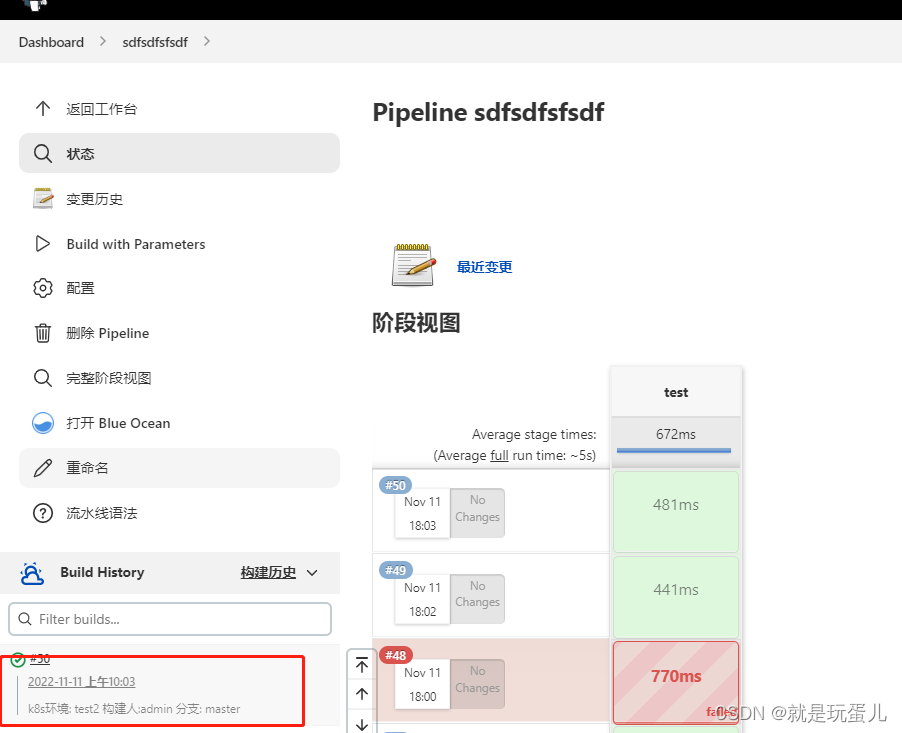
本文来自互联网用户投稿,文章观点仅代表作者本人,不代表本站立场,不承担相关法律责任。如若转载,请注明出处。 如若内容造成侵权/违法违规/事实不符,请点击【内容举报】进行投诉反馈!