Swagger技术
Swagger技术
- Swagger的作用与概念
- 在项目中使用swagger
- 配置swagger
- ApiInfo 配置
- swagger配置扫描接口
- 配置api文档分组
- 多个分组
- 实体类配置
Swagger的作用与概念
Swagger官网,点此进入
在前后端分离时代,我们需要实时自动更新接口信息,和测试接口,实现前后端分离式开发,swagger因此产生
在项目中使用swagger
以下以3.0.0依赖为例
<dependency><groupId>io.springfoxgroupId><artifactId>springfox-swagger2artifactId><version>3.0.0version>dependency><dependency><groupId>io.springfoxgroupId><artifactId>springfox-swagger-uiartifactId><version>3.0.0version>dependency><dependency><groupId>io.springfoxgroupId><artifactId>springfox-boot-starterartifactId><version>3.0.0version>dependency>
@RestController
public class HelloController {@RequestMapping(value = "/hello")public String hello(){return "hello";}
}
@Configuration
@EnableSwagger2 //开启swagger2
public class SwaggerConfig {}
然后访问http://localhost:8080/swagger-ui/index.html
你就能看到如下界面,为swagger文档

配置swagger
先来看看底层的代码,了解一下


ApiInfo 配置
@Configuration
@EnableSwagger2 //开启swagger2
public class SwaggerConfig {@Beanpublic Docket docket(){return new Docket(DocumentationType.SWAGGER_2).apiInfo(apiInfo());}//配置swagger信息apiInfoprivate ApiInfo apiInfo(){//作者信息Contact contact = new Contact("宋先慧", "https://blog.csdn.net/sxh06", "xianhuisong@yeah.net");return new ApiInfo("宋先慧的Api Documentation","学习swagger没有尽头","1.0","urn:tos",contact,"Apache 2.0","http://www.apache.org/licenses/LICENSE-2.0",new ArrayList());}}
swagger配置扫描接口
@Configuration
@EnableSwagger2 //开启swagger2
public class SwaggerConfig {//    @Bean
//    public Docket docket1(){
//        return new Docket(DocumentationType.SWAGGER_2).groupName("分组二");
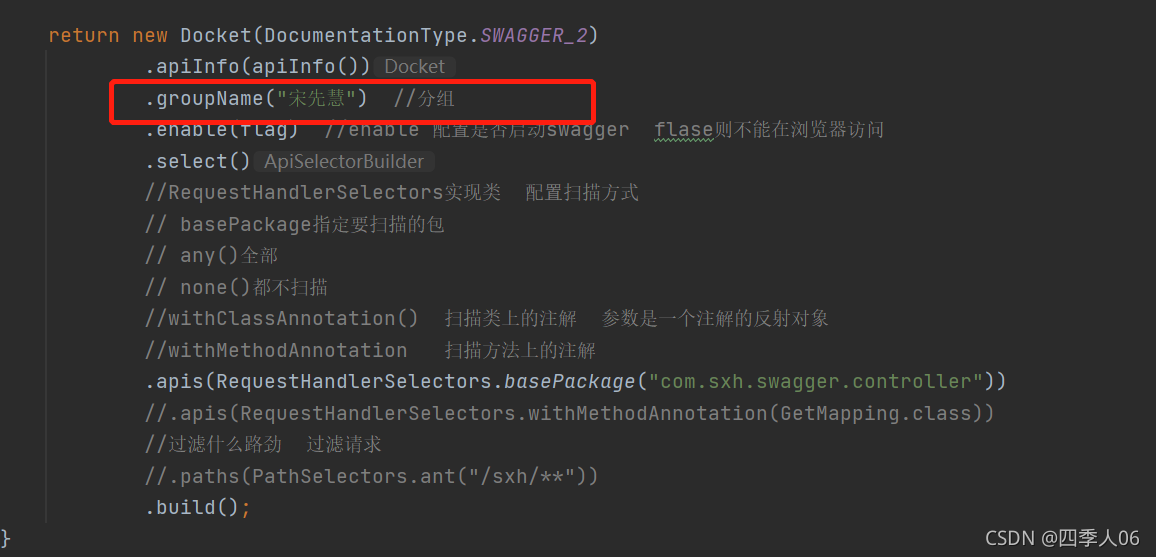
//    }@Beanpublic Docket docket(Environment environment){Profiles profiles=Profiles.of("dev");//获取项目的环境boolean flag=environment.acceptsProfiles(profiles);return new Docket(DocumentationType.SWAGGER_2).apiInfo(apiInfo()).groupName("宋先慧")  //分组.enable(flag)  //enable 配置是否启动swagger  flase则不能在浏览器访问.select()//RequestHandlerSelectors实现类  配置扫描方式// basePackage指定要扫描的包// any()全部// none()都不扫描//withClassAnnotation()  扫描类上的注解  参数是一个注解的反射对象//withMethodAnnotation   扫描方法上的注解.apis(RequestHandlerSelectors.basePackage("com.sxh.swagger.controller"))//.apis(RequestHandlerSelectors.withMethodAnnotation(GetMapping.class))//过滤什么路劲  过滤请求//.paths(PathSelectors.ant("/sxh/**")).build();}//配置swagger信息apiInfoprivate ApiInfo apiInfo(){//作者信息Contact contact = new Contact("宋先慧", "https://blog.csdn.net/sxh06", "xianhuisong@yeah.net");return new ApiInfo("宋先慧的Api Documentation","学习swagger没有尽头","1.0","urn:tos",contact,"Apache 2.0","http://www.apache.org/licenses/LICENSE-2.0",new ArrayList());}}
如果我只希望在生成环境使用swagger,在正式环境不使用swagger怎么解决?(enable=false|true)
配置api文档分组
多个分组
配置多个Docket 实例即可
@Beanpublic Docket docket1(){return new Docket(DocumentationType.SWAGGER_2).groupName("分组一");}@Beanpublic Docket docket2(){return new Docket(DocumentationType.SWAGGER_2).groupName("分组二");}`
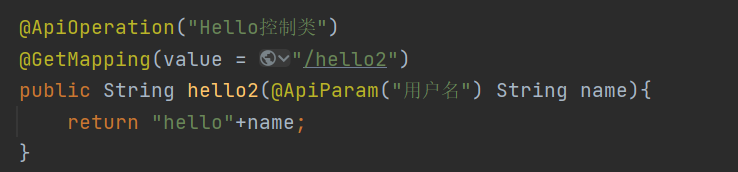
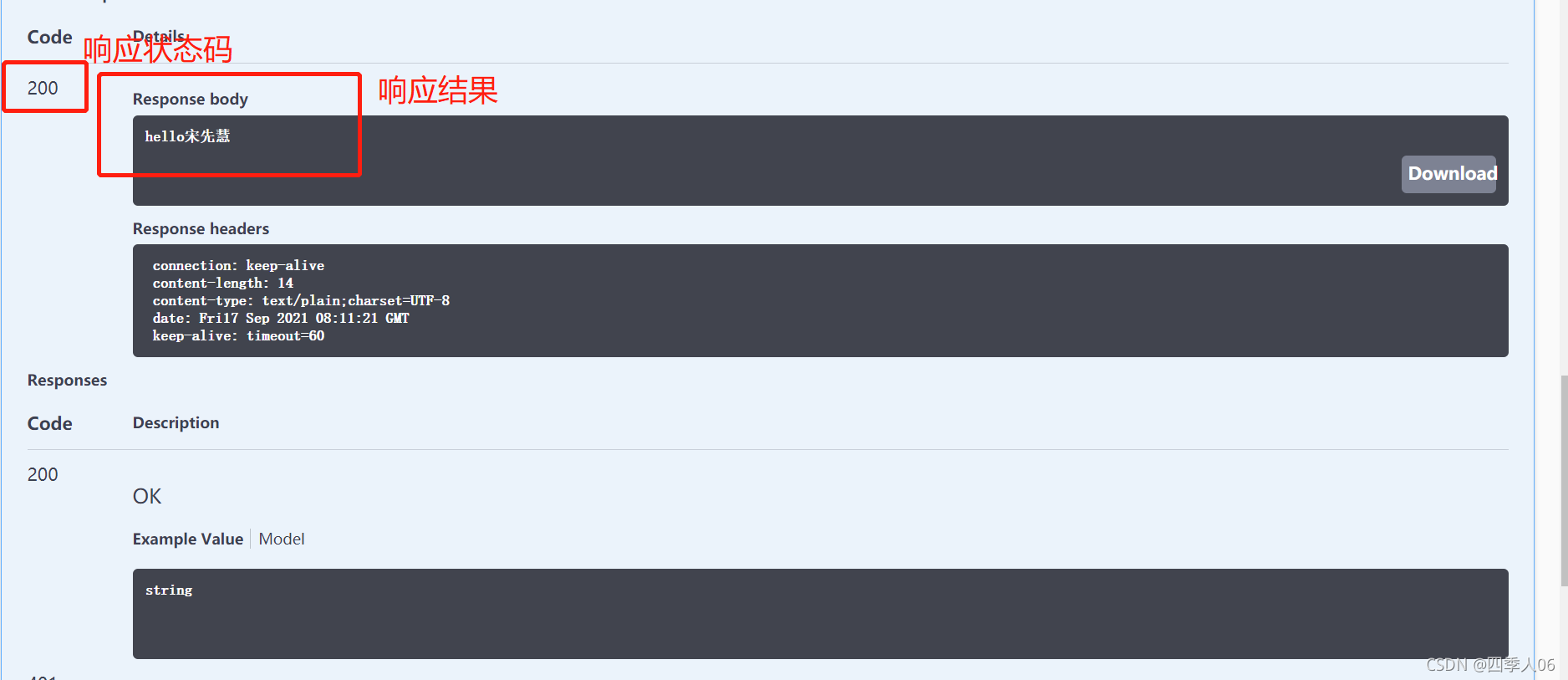
实体类配置



本文来自互联网用户投稿,文章观点仅代表作者本人,不代表本站立场,不承担相关法律责任。如若转载,请注明出处。 如若内容造成侵权/违法违规/事实不符,请点击【内容举报】进行投诉反馈!